
Introduction: Why Your Laptop OS Should Drive Your Note-Taking Choice
Choosing a note-taking app for your laptop feels deceptively simple — until you realize that the app your friend swears by on their MacBook feels sluggish on your Windows machine, or the one that works beautifully on your Chromebook has no offline mode. The reality is that the best app depends less on flashy features and more on how well it matches your laptop's operating system, your need for offline access, and whether you value speed, structure, privacy, or AI assistance.
This comparison covers nine apps — Microsoft OneNote, Notion, Obsidian, Apple Notes, Google Keep, Evernote, Bear, Joplin, and UpNote — tested against the specific demands of Windows, Mac, and Chromebook users. We've included measured performance data where available, platform-specific guidance, and honest trade-offs so you can decide which app to install on your laptop today.

Quick TL;DR: Top Picks by Use Case and Platform
If you only have thirty seconds, here is the short version. The table below summarizes the best app for each major use case and each laptop operating system. Use it as a starting point, then dive into the detailed reviews for the full picture.
| Use Case / Platform | Top Pick | Runner-Up |
|---|---|---|
| Best free all-around (Windows & Mac) | Microsoft OneNote | Notion (free personal) |
| Best for privacy & local files | Obsidian | Joplin |
| Best for structured workspace | Notion | OneNote |
| Best for speed (Mac only) | Apple Notes | Bear |
| Best for quick capture (Chromebook) | Google Keep | OneNote (web) |
| Best value paid app | UpNote | Bear Pro |
| Best for web clipping & OCR | Evernote | OneNote |
| Best open-source option | Joplin | Obsidian (core free) |
| Best for Windows laptop with stylus | OneNote | Nebo (see dedicated guide) |
| Best for MacBook (native experience) | Apple Notes | Bear |
Detailed App Reviews: OneNote, Notion, Obsidian, Apple Notes, Google Keep, Evernote, Bear, Joplin, and UpNote
Each review below covers: best for, platforms, free plan quality, offline support, export options, pricing (last verified June 2026), honest pros and cons, and a standout feature. Where available, we include RAM benchmarks and app open times measured on macOS by Atlas — these figures give a concrete sense of how each app behaves on a laptop under real conditions.
Microsoft OneNote
OneNote remains the best free all-around note-taking app for laptop users, especially on Windows. It offers a full-featured free tier with 5 GB of OneDrive storage, offline access on all platforms, and deep stylus support for Windows laptops with touchscreens. The infinite canvas is polarizing — some love the freedom, others find it disorienting — but the core feature set is hard to beat at zero cost.
Pricing: Free (5 GB storage). Microsoft 365 Personal adds 1 TB storage and desktop Office apps for $9.99/month or $99.99/year. Platforms: Windows, Mac, Web, iOS, Android. Offline: Full offline access on desktop apps. Export: PDF, Word, and OneNote format.
- Best free tier with full core features and 5 GB storage
- Excellent stylus and ink-to-text support on Windows touchscreen laptops
- Real-time collaboration and Microsoft 365 integration
- Infinite canvas can feel unstructured for some users
- No end-to-end encryption for notes
- Search across notebooks can be slow with large volumes
Notion
Notion is the best app for users who want to build a structured workspace — databases, wikis, project boards, and long-form notes all in one place. The free personal plan is generous (unlimited pages, 5 MB file uploads), and students with a .edu email can upgrade to the Pro plan for free. However, Notion's offline support is limited to cached pages, and its performance on laptops is noticeably heavier than native alternatives.
Pricing: Free for personal use. Plus $10–$12/user/month. Student Pro upgrade free with .edu email. Platforms: Windows, Mac, Web, iOS, Android. Offline: Limited — only cached pages available. Export: Markdown, HTML, CSV, PDF. RAM (idle, Mac): 312 MB per Atlas testing. App open time (Mac): 2.7 seconds.
- Powerful database and template system for structured knowledge management
- Generous free plan with unlimited pages
- Limited offline access — not suitable for frequent offline work
- Heavier RAM usage (312 MB idle) and slower startup (2.7 seconds) on Mac
- No end-to-end encryption; data stored on Notion's cloud
Obsidian
Obsidian is the best choice for privacy-conscious laptop users who want local Markdown files and long-term knowledge portability. The core app is free, all notes live on your local drive, and the plugin ecosystem (over 1,500 community plugins) lets you customize almost everything. The trade-off is a steeper learning curve and heavier resource usage — Obsidian uses 478 MB RAM idle on Mac, the highest of any app tested by Atlas.
Pricing: Free for personal use. Sync $4–$5/month. Publish $10/month. Platforms: Windows, Mac, Linux, iOS, Android. Offline: Full offline by default — all files are local. Export: Markdown (native format), PDF, HTML. RAM (idle, Mac): 478 MB. App open time (Mac): 1.2 seconds plus plugin warm-up.
- Full local-first privacy — your notes are plain Markdown files on your hard drive
- Extensive plugin ecosystem for customization
- Higher RAM usage (478 MB idle) — noticeable on laptops with 8 GB RAM
- Steeper learning curve than OneNote or Apple Notes
- No built-in real-time collaboration
Apple Notes
Apple Notes is the fastest native note-taking app on MacBooks. It opens in 0.3 seconds, uses only 142 MB RAM idle, and syncs via iCloud with a median time of 1.4 seconds. It is free with 5 GB iCloud storage, supports rich text, attachments, and basic collaboration. The catch: it is Apple-only. No Windows, Android, or Chromebook support.
Pricing: Free (5 GB iCloud). 50 GB iCloud+ from $0.99/month. Platforms: Mac, iOS, Web (iCloud.com). Offline: Full offline by default. Export: PDF only (no Markdown or plain text export). RAM (idle, Mac): 142 MB. App open time (Mac): 0.3 seconds.
- Fastest startup and lowest RAM usage of any app tested
- Deep macOS and iOS integration (Quick Note, tags, smart folders)
- Apple-only — no Windows, Android, or Chromebook support
- Limited export options (PDF only)
- No Markdown support or advanced formatting
Google Keep
Google Keep is the best quick-capture tool for Chromebook and Android laptop users. It is free with 15 GB of Google Drive storage, syncs instantly, and integrates with Google Workspace. But it is not designed for long-form note-taking — notes are limited to short text, lists, and voice memos, with no folders or notebooks.
Pricing: Free (15 GB across Google apps). Platforms: Web, Android, iOS. Offline: Available via Chrome browser (PWA) and mobile apps. Export: Google Takeout (JSON, HTML).
- Fast, simple, and free with generous 15 GB storage
- Excellent for quick capture, reminders, and voice notes
- Not suitable for long-form notes, research, or structured knowledge management
- No folders or notebooks — only labels and color coding
- Limited export options
Evernote
Evernote remains strong for web clipping, OCR search, and PDF annotation. However, its free plan is severely restricted — 50 notes maximum, 1 device, and 250 MB monthly uploads. Paid plans start at $14.99/month for Personal and $17.99/month for Professional. For most laptop users, OneNote or Notion offer better value unless you specifically need Evernote's web clipper and OCR capabilities.
Pricing: Free (50 notes, 1 device, 250 MB/month upload). Personal $14.99/month. Professional $17.99/month. Platforms: Windows, Mac, Web, iOS, Android. Offline: Available on paid plans. Export: ENEX, HTML, PDF.
- Best-in-class web clipper and OCR search for scanned documents
- Free plan is effectively unusable for regular note-taking (50 notes, 1 device)
- Paid plans are expensive compared to competitors
- App has become slower and heavier over recent years
Bear
Bear is the lightest note-taking app on this list — it uses only 84 MB RAM idle on Mac, less than any other app tested by Atlas. It is designed for writers who want a clean, distraction-free Markdown editor with beautiful typography. The free tier is limited to basic notes; Bear Pro ($2.99/month or $29.99/year) adds themes, export options, and sync. Bear is Apple-only.
Pricing: Free (basic notes). Pro $2.99/month or $29.99/year. Platforms: Mac, iOS. Offline: Full offline by default. Export: Markdown, PDF, HTML, DOCX, JPG (Pro). RAM (idle, Mac): 84 MB. App open time (Mac): 0.6 seconds.
- Lightest RAM usage (84 MB idle) and fast startup (0.6 seconds)
- Beautiful Markdown editor with excellent typography
- Apple-only — no Windows, Android, or Chromebook support
- Free tier is limited; Pro required for sync and export
- No tables, databases, or advanced organization features
Joplin
Joplin is the best open-source, privacy-respecting alternative to Evernote. It stores notes locally in Markdown by default, supports end-to-end encryption, and runs on every major platform including Linux and Chromebook. The core app is completely free. Optional Joplin Cloud sync starts at €2.99/month.
Pricing: Free (core app). Joplin Cloud from €2.99/month. Platforms: Windows, Mac, Linux, iOS, Android, Chromebook (via web or Android app). Offline: Full offline by default. Export: Markdown, PDF, HTML, JEX (Joplin export format).
- Full open-source with end-to-end encryption for privacy
- Runs on Chromebook and Linux — rare among note-taking apps
- Interface is functional but less polished than OneNote or Notion
- No real-time collaboration or web clipper as polished as Evernote's
- Sync setup requires manual configuration or paid Joplin Cloud
UpNote
UpNote is the best value paid note-taking app on the market. For $1.99/month or a one-time $39.99 lifetime purchase, you get a polished Markdown editor, notebooks, tags, and sync across all platforms. It lacks OCR, web clipping, and advanced collaboration, but for individual users who want a clean, fast, and affordable app, UpNote is hard to beat.
Pricing: Free (limited). Premium $1.99/month or $39.99 lifetime. Platforms: Windows, Mac, iOS, Android. Offline: Full offline on desktop and mobile. Export: Markdown, PDF, HTML.
- Excellent value — $39.99 lifetime purchase is the cheapest paid option
- Clean, fast Markdown editor with good organization features
- No web clipper, OCR, or real-time collaboration
- No Chromebook or Linux support
- Smaller user community and fewer third-party integrations
Head-to-Head Comparison Table
The table below compares all nine apps across the dimensions that matter most for laptop users: price, free tier quality, offline support, platform coverage, AI features, and standout feature. Use it to compare apps side by side before reading the platform-specific guidance.
| App | Price (Paid) | Free Tier Quality | Offline Support | Windows | Mac | Chromebook | AI Features | Standout Feature |
|---|---|---|---|---|---|---|---|---|
| OneNote | Free / M365 $9.99/mo | Excellent — full core features, 5 GB | Full | ✓ | ✓ | Web app | Copilot (M365) | Best free all-around; stylus support |
| Notion | Free / Plus $10-12/mo | Good — unlimited pages, 5 MB uploads | Limited (cached) | ✓ | ✓ | Web app | Notion AI ($10/mo) | Databases and structured workspaces |
| Obsidian | Free / Sync $4-5/mo | Excellent — full core, local files | Full (local files) | ✓ | ✓ | Web app | Community plugins | Local-first privacy; plugin ecosystem |
| Apple Notes | Free (5 GB iCloud) | Excellent — full features, 5 GB | Full | ✗ | ✓ | Web (iCloud) | None | Fastest startup (0.3s); lowest RAM (142 MB) |
| Google Keep | Free (15 GB) | Good — unlimited notes, 15 GB | Partial (PWA) | Web app | Web app | ✓ (PWA) | None | Fastest quick-capture; Chromebook native |
| Evernote | Free / Personal $14.99/mo | Poor — 50 notes, 1 device | Paid plans only | ✓ | ✓ | Web app | AI note cleanup | Best web clipper and OCR |
| Bear | Free / Pro $2.99/mo | Limited — basic notes only | Full | ✗ | ✓ | ✗ | None | Lightest RAM (84 MB); beautiful Markdown editor |
| Joplin | Free / Cloud €2.99/mo | Excellent — full core, open-source | Full (local files) | ✓ | ✓ | ✓ (Android app) | None | Open-source; end-to-end encryption; Chromebook support |
| UpNote | Free / Premium $1.99/mo or $39.99 lifetime | Limited — basic notes only | Full | ✓ | ✓ | ✗ | None | Best value — $39.99 lifetime license |
Platform-Specific Guidance: Windows vs Mac vs Chromebook
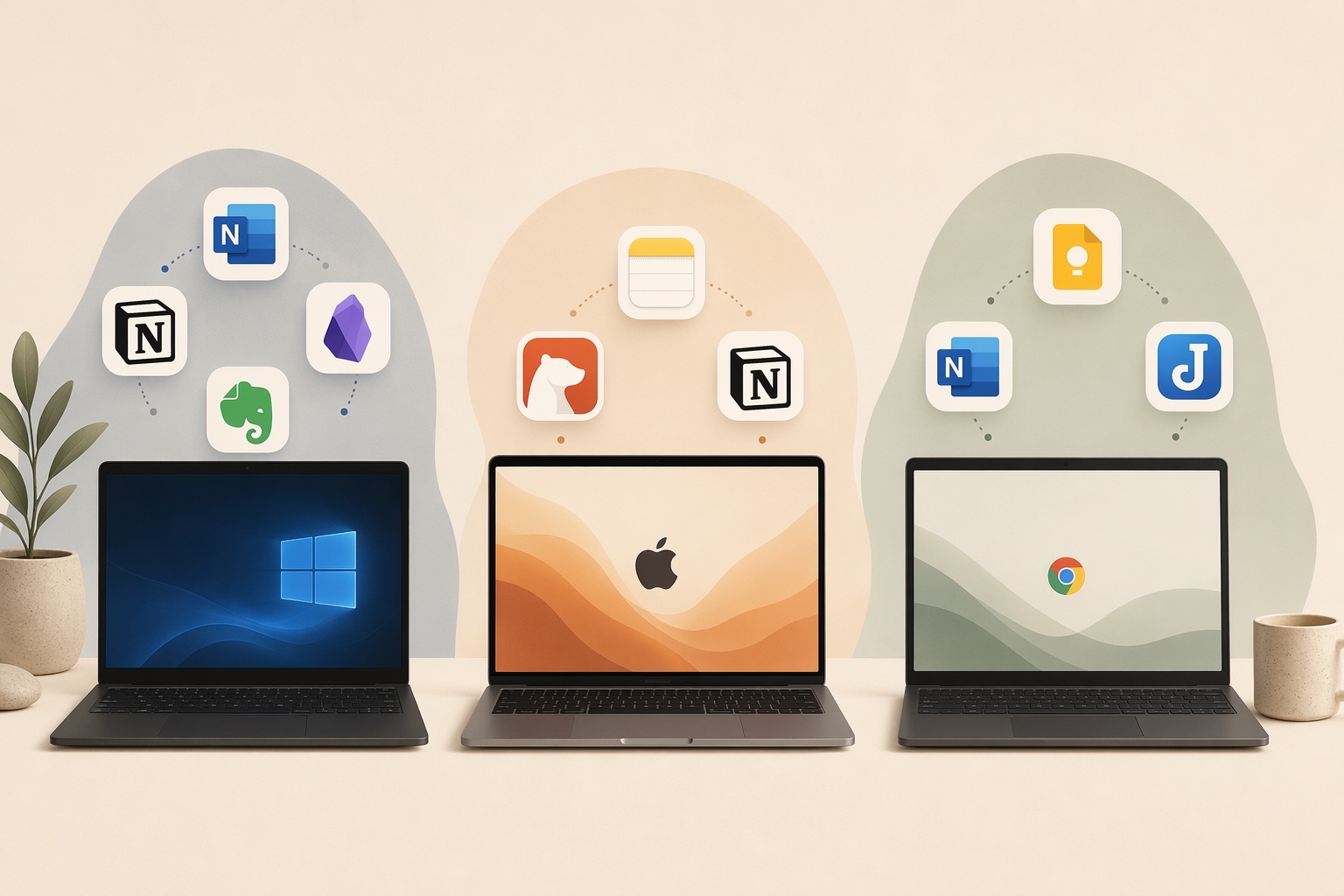
The same app can feel completely different on Windows, Mac, and Chromebook. Here is how the nine apps perform on each platform, with specific recommendations for each OS.
Windows Laptops
Windows users have the widest selection of note-taking apps, but the best choice depends on whether you use a touchscreen or stylus.
- OneNote is the default recommendation for most Windows laptop users. It is free, fully offline, and has the best stylus support of any app on this list. If you own a Surface Pro, Surface Laptop Studio, or any Windows laptop with a touchscreen, start here.
- Notion is a strong second choice if you need structured databases and project management alongside note-taking. Just be aware of its limited offline access — it is not ideal for airplane mode or areas with unreliable WiFi.
- Obsidian and Joplin are the best options for privacy-conscious Windows users. Both store notes locally, support Markdown, and run natively on Windows. Obsidian has a richer plugin ecosystem; Joplin has built-in end-to-end encryption.
- Evernote remains useful if you rely on its web clipper and OCR search, but the free plan's 50-note limit makes it impractical for regular use.
- UpNote is a solid budget option for Windows users who want a clean Markdown editor without a subscription.
MacBooks
Mac users have a different set of trade-offs because Apple Notes and Bear offer native performance advantages that Windows apps cannot match on macOS.
- Apple Notes is the fastest option by a wide margin — it opens in 0.3 seconds and uses only 142 MB RAM idle. If you are an Apple-only user who values speed and simplicity, this is your app. The main limitation is the lack of Windows or Android support if you ever switch ecosystems.
- Bear is the lightest app on this list at 84 MB RAM idle, with a beautiful Markdown editor. It is ideal for writers and note-takers who want a distraction-free experience. The free tier is limited, but Pro at $29.99/year is reasonable.
- Notion vs Obsidian on Mac is the classic trade-off: Notion (312 MB RAM, 2.7s open) for structured workspaces and collaboration, Obsidian (478 MB RAM, 1.2s open) for local-first privacy and long-term knowledge management. Both are heavier than Apple Notes or Bear, so consider your RAM budget.
- OneNote runs well on Mac but lacks some Windows-specific features like advanced stylus support. It is still a strong free option if you need cross-platform sync with a Windows desktop or Android phone.
- UpNote is a good budget option for Mac users who want a clean Markdown editor without Bear's subscription model.
Chromebooks
Chromebook users have the most limited selection of native note-taking apps, but several good options exist through web apps, Android apps, and PWAs.
- Google Keep is the most natural choice for Chromebook users. It is free, works as a PWA, syncs instantly with your Google account, and uses the same 15 GB storage as Google Drive. It is excellent for quick capture, lists, and voice notes, but not for long-form writing or structured knowledge management.
- OneNote's web app runs well on Chromebook and offers the same free 5 GB storage and core features as the desktop version. Offline access is available through the Chrome PWA. This is the best option for Chromebook users who need a full-featured note-taking app.
- Joplin is the only app on this list with a native Android app that runs well on Chromebook. It offers full offline access, end-to-end encryption, and Markdown support — all free. If privacy is your priority on a Chromebook, Joplin is the clear choice.
- Notion and Evernote are available as web apps on Chromebook but have limited offline support. They work well with a stable internet connection but are not ideal for offline work.
- Apple Notes, Bear, and UpNote do not support Chromebook at all.
Decision Framework: How to Choose Based on Your Priorities
If you are still unsure, narrow down your choice by answering one question: what matters most to you in a note-taking app?
- Speed and simplicity: Choose Apple Notes (Mac only), Bear (Mac only), or Google Keep (Chromebook/Web). These apps open instantly, use minimal RAM, and get out of your way.
- Structured workspace: Choose Notion or OneNote. Notion excels at databases and project management; OneNote is better for free-form note-taking with stylus support.
- Privacy and local-first: Choose Obsidian or Joplin. Both store notes locally in Markdown, support encryption, and give you full control over your data.
- Web clipping and OCR: Choose Evernote. Its web clipper and OCR search are still best-in-class, but be prepared to pay $14.99/month for a usable experience.
- Best value: Choose UpNote. At $39.99 lifetime, it is the cheapest paid option and offers a polished Markdown editor with sync across Windows, Mac, iOS, and Android.
- Cross-platform compatibility: Choose OneNote or Notion. Both run on Windows, Mac, Web, iOS, and Android. OneNote has better offline support; Notion has better structured workspace features.
If you are a student, also consider that Notion offers a free Pro upgrade with a .edu email address, and OneNote is completely free with no limits on the number of notes. For a more detailed student-focused comparison, see our Best Note-Taking Apps for Students in 2026 guide.
Frequently Asked Questions
Which note-taking app works best offline on a laptop?
OneNote, Obsidian, Joplin, Apple Notes, and Bear all offer full offline access on their desktop apps. Notion only supports offline access for cached pages, which makes it unreliable for extended offline work. Google Keep offers partial offline support through its PWA. Evernote requires a paid plan for offline access.
Which note-taking app has the best free plan?
OneNote has the best free plan overall — full core features, 5 GB storage, offline access, and cross-platform support. Obsidian's free tier is also excellent since the core app is fully functional with local files. Notion's free personal plan is generous (unlimited pages) but limited by 5 MB file uploads and restricted offline access. Evernote's free plan is the worst — capped at 50 notes and 1 device.
Which note-taking app is best for privacy?
Obsidian and Joplin are the best choices for privacy. Both store notes locally in Markdown format, support encryption (Joplin offers end-to-end encryption; Obsidian supports community encryption plugins), and do not require cloud sync. For a full discussion of the local-first vs cloud trade-off, see our Local-First vs. Cloud PKM guide.
Can I use the same note-taking app on my laptop and phone?
Yes — all nine apps in this comparison offer mobile apps for iOS and/or Android. OneNote, Notion, Evernote, and Joplin offer the most seamless cross-device sync. Apple Notes and Bear sync only within the Apple ecosystem. Google Keep syncs across Android and iOS but has limited desktop functionality. UpNote syncs across Windows, Mac, iOS, and Android.
How much RAM do these note-taking apps use on a laptop?
Based on Atlas's testing on macOS, Bear uses the least RAM at 84 MB idle, followed by Apple Notes at 142 MB, Notion at 312 MB, and Obsidian at 478 MB. These figures give a useful relative comparison — if you run multiple apps on a laptop with 8 GB of RAM, choosing Bear or Apple Notes over Obsidian could save you nearly 400 MB of memory.
Verdict: The Best Note-Taking App for Your Laptop Depends on Your OS and Priorities
No single note-taking app wins for every laptop user. The trade-offs are clear and measurable:
- For Windows users: OneNote is the best free all-around choice, especially with a stylus. Notion for structured workspaces, Obsidian or Joplin for privacy.
- For Mac users: Apple Notes for speed and simplicity, Bear for a lightweight Markdown editor, Notion vs Obsidian for structured vs local-first trade-offs.
- For Chromebook users: Google Keep for quick capture, OneNote web app for full features, Joplin for privacy and offline access.
- For budget-conscious users: UpNote at $39.99 lifetime is the best value paid app. OneNote and Obsidian are excellent free options.
- For privacy-first users: Obsidian or Joplin, both with local Markdown files and encryption options.
Our recommendation: download the free tier of your top two or three candidates and use each one for a week. Pay attention to how they perform on your specific laptop — startup time, RAM usage, and offline reliability matter more than feature lists. The right app is the one you actually want to open every day.