Why the Old Buying Advice No Longer Applies
The note-taking app market has matured past the point where a simple feature checklist — "does it have tags?" or "can I embed a PDF?" — can guide a smart purchase. With the global market valued at $1.35 billion in 2025 and projected to grow at a 16.4% CAGR to $5.21 billion by 2034, the sheer number of options has created a new problem: decision paralysis, not scarcity.
In 2026, the apps that survive and thrive are those that make a clear bet on how you retrieve information and who controls your data. This comparison is built around two durable decision frameworks — retrieval style and data-portability model — that will remain useful even as specific features and pricing tiers shift. If you are interested in the broader market disruption story, our dedicated article on why the old buying advice no longer applies covers that narrative in full.
How to Use This Comparison: Two Decision Frameworks
Before we dive into the app profiles, it helps to understand the two lenses we are using to evaluate each tool. These frameworks are designed to outlast any single app update or pricing change.
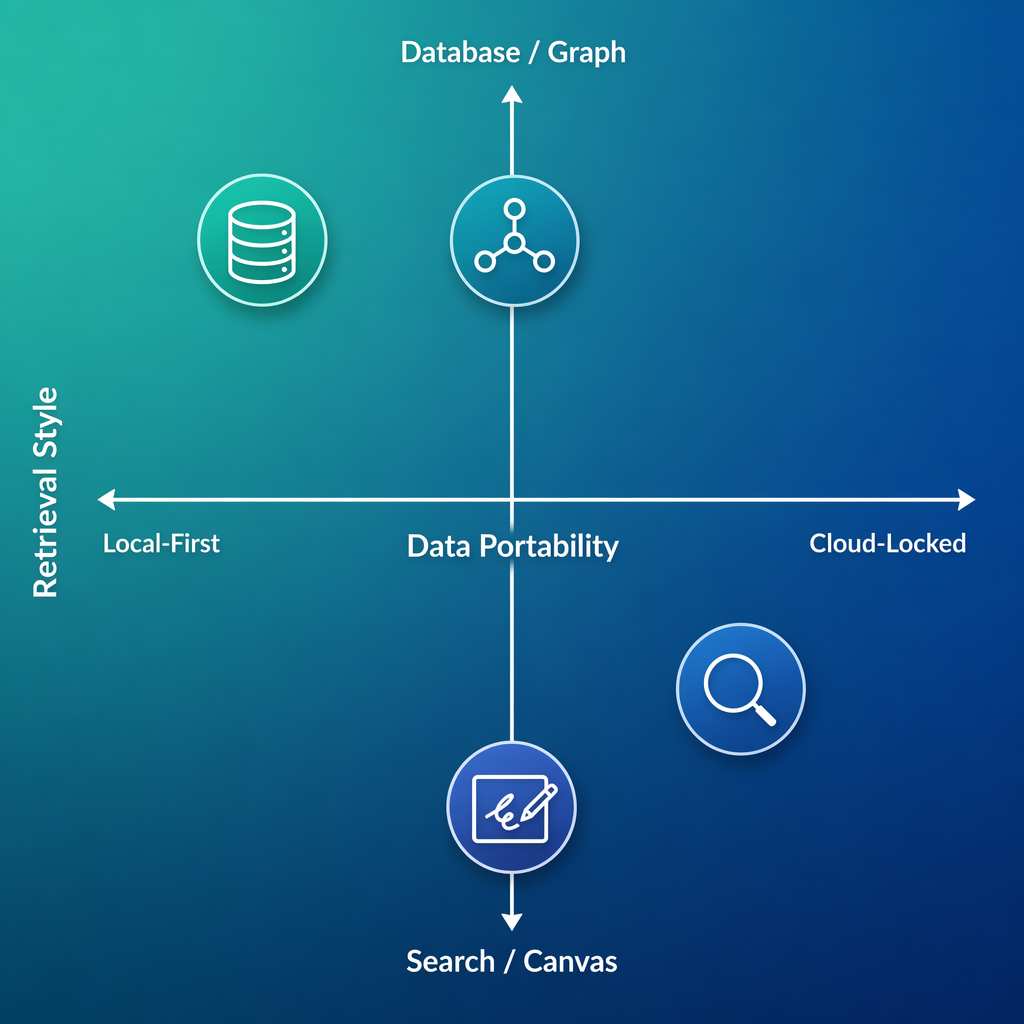
Framework 1: Retrieval Style
Every note-taking app has a dominant way of getting information back to you. We classify them into five styles:
- Database (Notion): Notes are structured records in a relational database. You retrieve them by filtering, sorting, and linking database entries.
- Graph (Obsidian, Logseq): Notes are atomic and densely linked. You retrieve them by traversing connections in a graph view or following backlinks.
- Search Box (Apple Notes, OneNote, Google Keep): Notes are free-form and organized by notebooks or tags. You retrieve them primarily by searching.
- Canvas (GoodNotes): Notes are handwritten or drawn on a digital page. You retrieve them by visual recognition, handwriting search, or notebook navigation.
- AI Layer (emerging): An AI assistant surfaces relevant notes proactively based on context, without you needing to navigate or search manually.
Framework 2: Data-Portability Model
How your notes are stored determines how easily you can leave. We classify apps into three models:
| Model | How It Works | Examples | Key Tradeoff |
|---|---|---|---|
| Local-First | Notes stored as local files (usually Markdown). Sync is optional and often manual. | Obsidian, Joplin, Logseq | Full data ownership; no built-in collaboration |
| Cloud-Locked | Notes stored in a proprietary cloud format. Export is possible but formatting often degrades. | Apple Notes, Google Keep, OneNote | Convenience and sync; high switching cost |
| Hybrid | Notes stored in the cloud but exportable in standard formats. Some local caching available. | Notion, Evernote, Bear | Balance of collaboration and portability; offline varies |
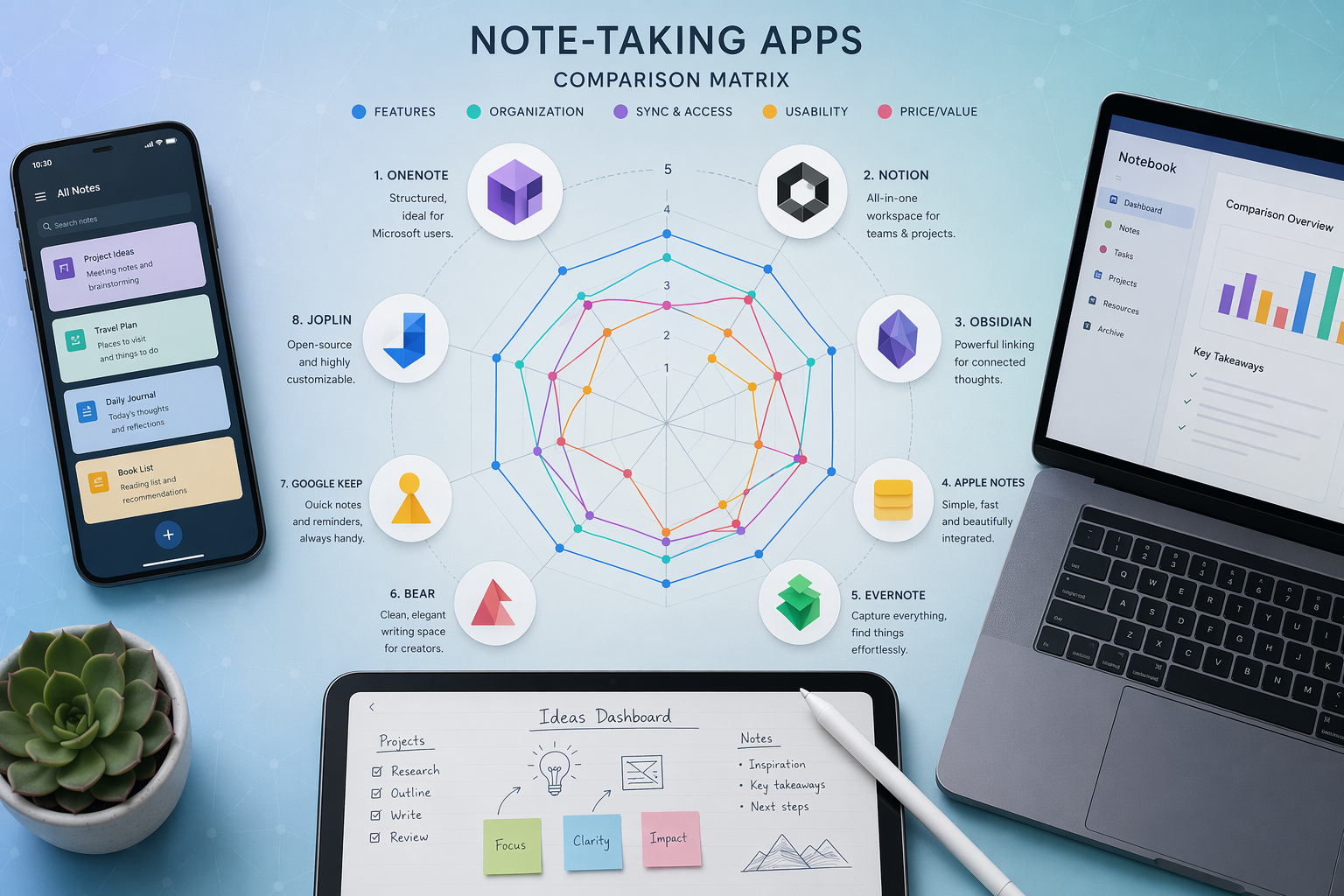
At a Glance: The 10 Apps Compared
The table below provides a quick-reference scaffold for decision-mode readers. Detailed pros, cons, and caveats follow in the individual profiles.
| App | Retrieval Style | Data-Portability Model | Starting Price | Free Tier Quality | Best For |
|---|---|---|---|---|---|
| OneNote | Search Box | Cloud-Locked | Free (5GB storage) | Excellent — full core features | Cross-platform users, students, teams |
| Apple Notes | Search Box | Cloud-Locked | Free (5GB iCloud) | Excellent — frictionless on Apple devices | Apple-only users, quick capture |
| Notion | Database | Hybrid | Free (personal) | Good — generous for individuals | Knowledge workers, teams, project management |
| Obsidian | Graph | Local-First | Free (personal) | Excellent — full features, no limits | PKM power users, privacy-focused users |
| Evernote | Search Box | Hybrid | Free (50 notes, 1 device) | Very limited — mostly a trial | Users who need AI features, legacy users |
| Bear | Search Box | Hybrid | $2.99/month | No free tier (trial only) | Apple users who want a polished writing experience |
| Joplin | Search Box | Local-First | Free (open-source) | Excellent — full features, no limits | Privacy-focused users, developers |
| Google Keep | Search Box | Cloud-Locked | Free (15GB storage) | Excellent — simple and fast | Quick capture, location-based reminders |
| GoodNotes | Canvas | Cloud-Locked | $11.99/year | Good — limited free trial | Handwriting-first users, iPad students |
| Logseq | Graph | Local-First | Free (open-source) | Excellent — full features, no limits | PKM power users, outliner enthusiasts |
App Profiles
Each profile below includes a retrieval style classification, data-portability model, key features, pricing context, platform availability, honest pros and cons, and an explicit "not for you if" caveat. Pricing is contextual within each profile — for detailed pricing breakdowns, see our dedicated free-vs-paid articles.
Microsoft OneNote
OneNote remains the strongest free option for anyone who needs a cross-platform, feature-rich note-taking app. It uses a search-box retrieval style with a hierarchical notebook-section-page structure. Its data-portability model is cloud-locked: notes are stored in OneDrive, and while you can export to PDF or Word, the formatting is not always clean.
Key highlights include real-time co-authoring, OCR search that finds text in images and handwritten notes, ink-to-math for equations, and deep integration with Microsoft 365. The free tier includes 5GB of OneDrive storage, which is enough for text-heavy notes but may fill quickly with attachments. PCMag gives it an Editors' Choice rating of 4.5/5, noting that the free version includes all core features.
- Pros: Free with full features; cross-platform (Windows, Mac, iOS, Android, Web); real-time collaboration; excellent OCR and ink features.
- Cons: Cloud-locked; no native Linux client; no geotagging; the notebook hierarchy can feel rigid for non-linear thinkers.
Apple Notes
Apple Notes is the most frictionless note-taking experience for anyone fully inside the Apple ecosystem. It uses a search-box retrieval style with folders and tags. Its data-portability model is cloud-locked: notes are stored in iCloud, and while you can export to PDF, there is no native way to bulk export to Markdown or other portable formats.
Recent additions include audio recording with transcription (iOS 18), Apple Intelligence Writing Tools for summarization and proofreading, and improved formatting options. The free tier includes 5GB of iCloud storage, which is shared with your other Apple devices. Atlas scores its Data Sovereignty at 3.0/10 and Offline-First Integrity at 8.0/10, reflecting the tradeoff between convenience and data control.
- Pros: Pre-installed on all Apple devices; excellent quick capture (Share Sheet, Siri); audio transcription; clean interface.
- Cons: No native Windows or Android app; cloud-locked; limited organization options compared to database or graph tools.
Notion
Notion is the leading database-style note-taking app, functioning as an all-in-one workspace for notes, wikis, databases, and project management. Its retrieval style is database-driven: you create structured records (pages) that can be linked, filtered, and sorted. Its data-portability model is hybrid: notes are stored in the cloud but can be exported to Markdown, HTML, and CSV.
Notion AI, launched in 2023, surpassed 4 million users in its first year and is now integrated into the Business plan at $24/user/month. The free personal plan is generous, and students can get a free Pro upgrade with a .edu email. However, Atlas scores its Offline-First Integrity at just 1.0/10, making it a poor choice for anyone who needs reliable offline access.
- Pros: Extremely flexible; strong collaboration features; generous free tier; Notion AI for writing and summarization; extensive template gallery.
- Cons: Weak offline performance; can be slow with large databases; the flexibility can lead to "blank page" paralysis for new users.
Obsidian
Obsidian is the gold standard for local-first, graph-based note-taking. It stores all notes as plain Markdown files on your local device, giving you full data ownership. Its retrieval style is graph-based: you create atomic notes connected by bidirectional links, and you navigate using the graph view, backlinks, and a powerful search.
Atlas scores Obsidian at 10/10 for Data Sovereignty and 10/10 for Offline-First Integrity, with an overall score of 8.8/10. The app is free for personal use, with optional paid services like Sync ($5/month) and Publish. Its extensive plugin ecosystem allows you to customize almost every aspect of the experience.
- Pros: Full data ownership; excellent offline performance; powerful linking and graph view; extensive plugin ecosystem; free for personal use.
- Cons: No built-in collaboration; requires some setup and learning; sync requires a paid plan or third-party solution; can be overwhelming for new users.
Evernote
Evernote has undergone significant changes under Bending Spoons, with a renewed focus on AI features and a much more restrictive free tier. Its retrieval style is search-box based, with notebooks, tags, and a powerful search engine. Its data-portability model is hybrid: notes are stored in the cloud but can be exported to ENEX (Evernote's own format) or HTML.
The free plan is now limited to 50 notes and 1 device, with a 250MB monthly upload limit. Paid plans start at $14.99/month (Starter: 1,000 notes, 3 devices) and go up to $25/month (Advanced: unlimited notes). AI features include paraphrase, proofread, summarize, and translate. PCMag gives it a 4.0/5 rating, noting the improved AI but the severely limited free tier.
- Pros: Powerful search and OCR; AI features for summarization and proofreading; cross-platform; good for web clipping.
- Cons: Very limited free tier; pricing has climbed significantly; the app can feel bloated; Atlas scores it at 5.0/10 overall.
Bear
Bear is a beautifully designed, Markdown-based note-taking app for Apple devices only. Its retrieval style is search-box based, with nested tags for organization. Its data-portability model is hybrid: notes are stored in the cloud (via iCloud sync) but can be exported to a variety of formats including Markdown, HTML, PDF, and DOCX.
Bear costs $2.99/month or $29.99/year. PCMag notes that it now includes OCR for PDFs and photos. Atlas gives it an overall score of 6.2/10. It is a strong choice for writers and Apple users who want a polished, distraction-free writing environment.
- Pros: Beautiful design; excellent Markdown support; good export options; OCR for PDFs and photos.
- Cons: Apple-only; no free tier (only a trial); no collaboration features; limited organization compared to database tools.
Joplin
Joplin is a free, open-source note-taking app that stores all notes locally as Markdown files. Its retrieval style is search-box based, with notebooks, tags, and a powerful search. Its data-portability model is local-first: notes are stored on your device, and you can sync them using your own cloud service (Nextcloud, Dropbox, OneDrive) or Joplin Cloud (from €2.99/month).
PCMag gives Joplin an Editors' Choice rating of 4.5/5, noting that it is free, open-source, and stores notes locally. Recent updates include notebook sharing for paid tiers. It is a strong alternative to Obsidian for users who want local-first storage but prefer a more traditional folder-and-tag organization system.
- Pros: Free and open-source; local-first storage; cross-platform (Windows, Mac, Linux, iOS, Android); good export options.
- Cons: Less polished interface than Obsidian or Bear; no graph view; plugin ecosystem is smaller; collaboration is limited.
Google Keep
Google Keep is the simplest app on this list, designed for quick capture and lightweight organization. Its retrieval style is search-box based, with color-coded notes and labels. Its data-portability model is cloud-locked: notes are stored in Google Drive and can be exported to Google Docs or as a ZIP file, but the format is not standard Markdown.
The free tier includes 15GB of Google storage (shared with Gmail and Google Photos). Unique features include location-based reminders (trigger notes at specific stores or offices), drawing tools, and voice notes. It is best suited for quick reminders, shopping lists, and ideas that you need to capture fast.
- Pros: Free with generous storage; excellent for quick capture; location-based reminders; voice notes; integrates with Google Workspace.
- Cons: Very limited organization; no rich formatting; no offline access on desktop; cloud-locked; not suitable for long-form notes or knowledge management.
GoodNotes
GoodNotes is the most popular handwriting-first note-taking app on the iPad. Its retrieval style is canvas-based: you write or draw on a digital page, and you retrieve notes by navigating notebooks or using handwriting search. Its data-portability model is cloud-locked: notes are stored in iCloud, and you can export to PDF.
The cross-platform plan costs $11.99/year. Key features include searchable handwriting, PDF annotation, and a wide range of paper templates. Drawboard notes that it is the most popular handwriting app on iPad, making it a top choice for students who prefer handwritten notes.
- Pros: Excellent handwriting experience; searchable handwriting; PDF annotation; good for visual note-takers.
- Cons: Cloud-locked; limited to Apple devices (iPad, iPhone, Mac); no graph or database retrieval; not suitable for text-heavy notes.
Logseq
Logseq is an open-source, local-first note-taking app that uses an outliner and graph-based retrieval style. Like Obsidian, it stores notes as plain Markdown or Org-mode files on your local device. Its retrieval style is graph-based: you create bullet-point outlines that can be linked and viewed in a graph. Its data-portability model is local-first.
Logseq is free and open-source, with optional paid sync services. Atlas gives it an overall score of 6.7/10. It is a strong choice for users who prefer outliner-style note-taking and want the data ownership benefits of a local-first app.
- Pros: Free and open-source; local-first storage; graph view; outliner-style note-taking; good for PKM.
- Cons: Steeper learning curve; less polished interface than Obsidian; smaller community and plugin ecosystem; no built-in collaboration.
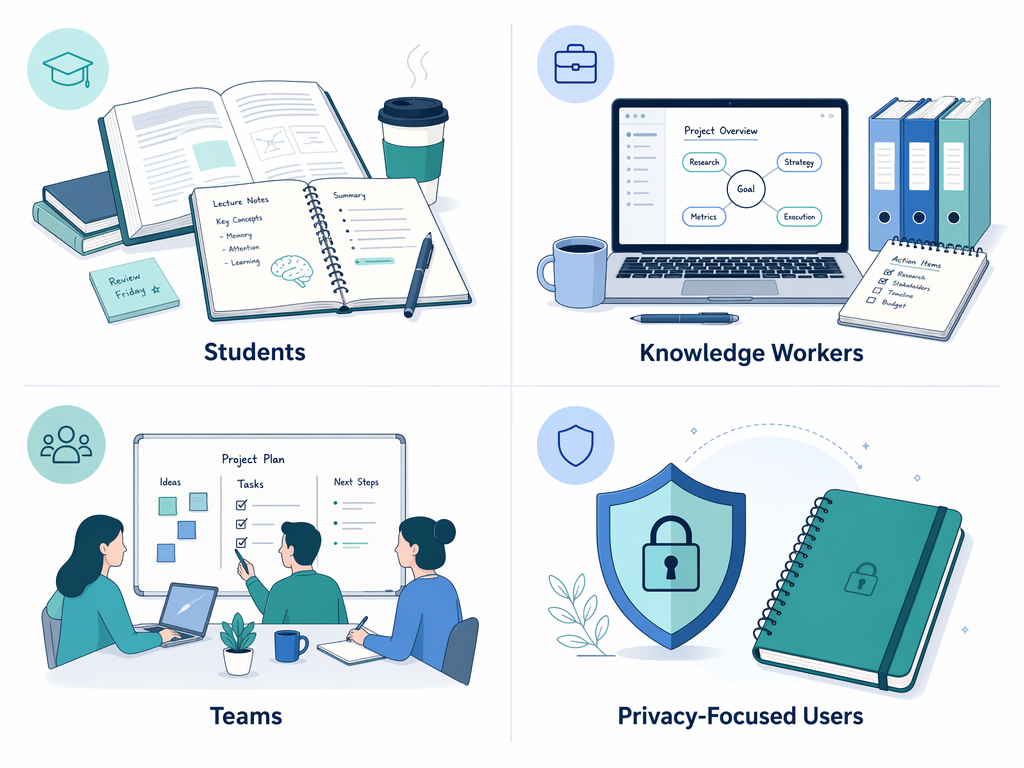
Use Case: Students
Students face a unique set of requirements: cross-device access (laptop in the library, phone on the go), handwriting support for lectures, free or very low cost, and collaboration features for group projects. The best choice depends heavily on your device ecosystem and note-taking style.
- Handwriting-first students: GoodNotes (iPad) or OneNote (cross-platform with ink support) are the top choices. GoodNotes offers the best handwriting experience, while OneNote provides better cross-platform access and free pricing.
- Typing-first students: OneNote (free, cross-platform, real-time collaboration) or Notion (free Student Pro upgrade with .edu email, strong collaboration) are excellent. Notion's database structure is particularly useful for organizing course notes.
- Frictionless capture: Apple Notes (Apple users) or Google Keep (Android users) are ideal for quick reminders, to-do lists, and voice notes. They are free and pre-installed.
Use Case: Knowledge Workers
Knowledge workers — researchers, writers, consultants, and managers — need to capture, organize, and retrieve information across multiple projects. The key differentiator here is retrieval style: how you think about your information should match how the app lets you find it.
| Work Style | Recommended Retrieval Style | Top App Choices | Why |
|---|---|---|---|
| Structured project notes | Database | Notion | Relational databases let you filter, sort, and link project notes across multiple dimensions. |
| Interconnected knowledge base | Graph | Obsidian, Logseq | Bidirectional linking and graph view help you discover connections between ideas over time. |
| Quick capture and search | Search Box | OneNote, Apple Notes | Free-form notes with powerful search are ideal for capturing ideas fast without worrying about structure. |
| Long-form writing | Search Box | Bear, iA Writer | Distraction-free writing environments with Markdown support are best for drafting articles and reports. |
Data-portability is also a critical consideration for knowledge workers who build long-term knowledge bases. Local-first apps (Obsidian, Joplin) ensure your notes are never locked into a proprietary format. Hybrid apps (Notion, Evernote) offer a balance of collaboration and portability. Cloud-locked apps (Apple Notes, OneNote) are convenient but create a high switching cost if you ever want to leave.
Use Case: Teams
Team collaboration requires real-time co-authoring, permissions, shared workspaces, and integration with existing tools. The data-portability tradeoff becomes more acute for teams: cloud-locked tools offer convenience but create vendor lock-in risk for the entire organization.
- OneNote: Best for teams already using Microsoft 365. Real-time co-authoring, notebook hierarchy, and integration with Teams and Outlook. Free with 5GB storage per user.
- Notion: Best for teams that want an all-in-one workspace for notes, wikis, and project management. Strong collaboration features, but weak offline performance (Atlas scores it at 1.0/10 for Offline-First Integrity).
- Evernote: Shared notebooks and AI features make it a viable option for small teams, but the limited free tier and pricing climb ($14.99–$25/month) make it less attractive for larger groups.
Use Case: Privacy-Focused Users
For users who prioritize data ownership and offline access above all else, the choice is clear: local-first apps are the only option. Cloud-locked and hybrid apps store your notes on servers you do not control, creating a risk of data loss, vendor lock-in, or privacy breaches.
- Obsidian: The gold standard for privacy-focused note-taking. Stores notes as plain Markdown files on your device. 10/10 Data Sovereignty and 10/10 Offline-First Integrity per Atlas. Free for personal use.
- Joplin: A strong open-source alternative. Stores notes locally as Markdown files. Free, with optional paid sync. PCMag Editors' Choice at 4.5/5.
- Logseq: Another open-source, local-first option with graph-based retrieval. Free, with optional paid sync. Good for users who prefer outliner-style note-taking.
How to Choose: Matching Your Work Style to an App
With the profiles and use cases in mind, here is a simple decision framework to help you narrow down your options. Start with the two questions that matter most:
- How do you think about your notes? Do you prefer structured databases (Notion), interconnected graphs (Obsidian, Logseq), free-form search (Apple Notes, OneNote), or visual canvases (GoodNotes)?
- How much do you value data ownership? Are you comfortable with cloud-locked storage (Apple Notes, Google Keep) for convenience, or do you need local-first storage (Obsidian, Joplin) for long-term control?
Once you have answered those two questions, use the table below to find your best match.
| If You Are... | And You Prefer... | And You Value... | Your Top Picks Are |
|---|---|---|---|
| A student | Handwriting | Free or low cost | GoodNotes (iPad), OneNote (cross-platform) |
| A student | Typing | Free + collaboration | OneNote, Notion (with .edu upgrade) |
| A knowledge worker | Structured notes | Flexibility + collaboration | Notion |
| A knowledge worker | Interconnected ideas | Data ownership | Obsidian, Logseq |
| A team | Real-time co-authoring | Microsoft 365 integration | OneNote |
| A team | All-in-one workspace | Project management | Notion |
| A privacy-focused user | Local-first storage | Open source | Obsidian, Joplin, Logseq |
| A quick-capture user | Frictionless entry | Free + pre-installed | Apple Notes (Apple), Google Keep (Android) |