
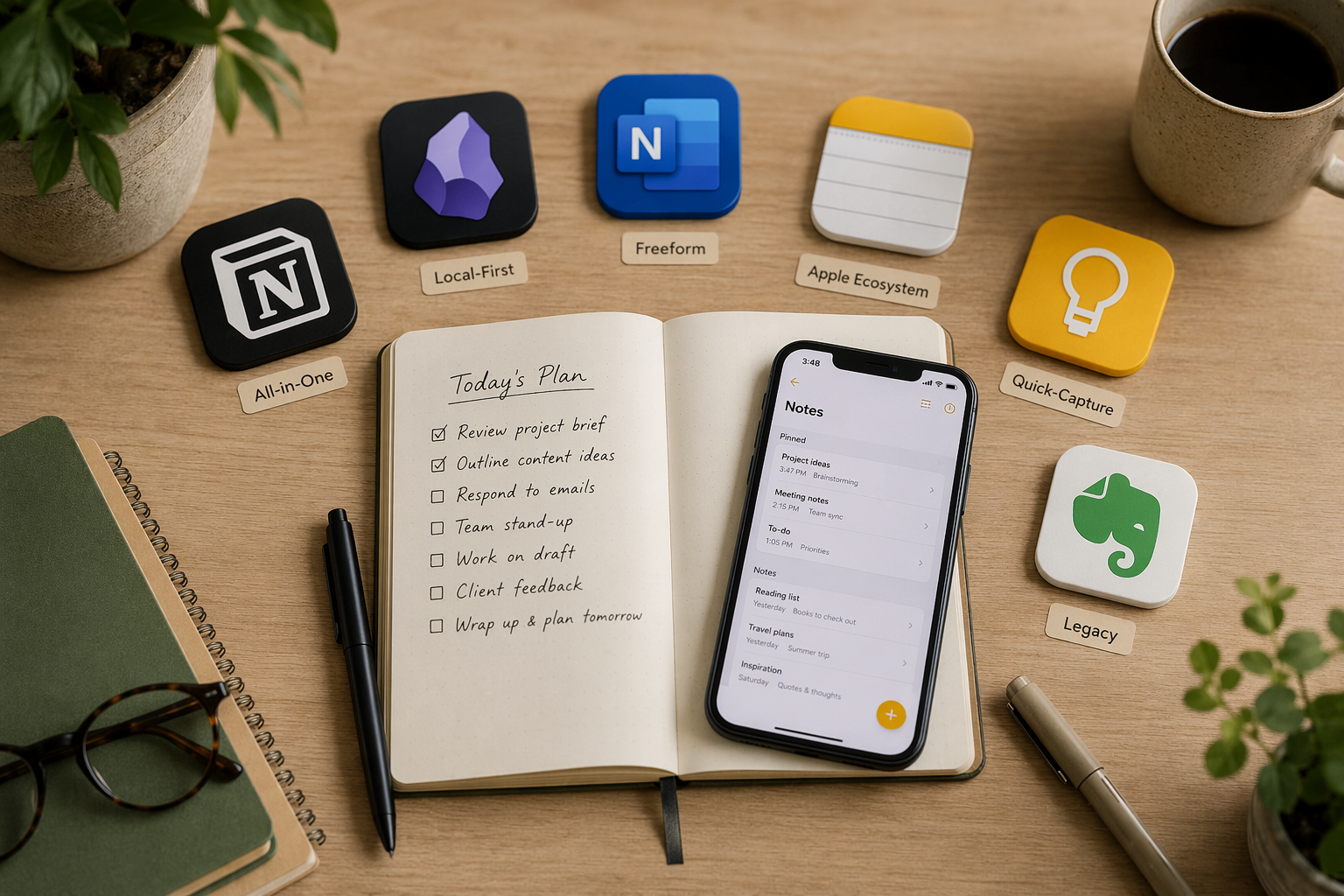
Introduction: The 2026 Note-Taking Market Has Changed Everything
If you last evaluated note-taking apps in 2024 or early 2025, the advice you relied on is likely obsolete. The market has undergone a structural shift driven by three forces: aggressive AI bundling, steep price increases from legacy players, and a wave of genuinely new entrants that don't fit the old categories.
Consider what changed in just the last 18 months. Notion folded its AI features exclusively into the Business tier at $24 per user per month, effectively pricing solo users and small teams out of the AI features they might have accessed on a lower plan in 2025. Evernote, under Bending Spoons, now charges between $14.99 and $17.99 per month for its paid plans while capping its free tier at just 50 notes and one notebook. Meanwhile, Apple and Google added meaningful AI capabilities — Apple Intelligence and Gemini — into their built-in apps at no extra cost. And tools like Capacities introduced object-based note-taking models that challenge the assumptions of every traditional app.
The global note-taking app market was worth approximately $7.91 billion in 2024 and is projected to more than triple by 2032, according to Verified Market Research. Over 50% of that usage growth is attributed to hybrid and remote work. The market is large enough to sustain many players, but the competitive dynamics have shifted decisively toward AI features, cross-device sync, and subscription models.
This comparison is organized around a different set of questions than the ones you'd ask in 2024. Instead of "which app has the most features?" the relevant criteria now are: What retrieval style fits how you think? (database, graph, flat search, or AI-driven), Who owns your data? (local-first, cloud-dependent, or vendor-locked), and What is the app's AI strategy? (bundled into a premium tier, free with the OS, or absent entirely).
Quick-Reference Comparison Table: 8 Top Note-Taking Apps in 2026
The table below covers eight leading apps across the dimensions that matter most in 2026: best-fit use case, starting price, free tier quality, offline access, AI features, and platform support. Pricing was last verified against official sources in June 2026.
| App | Best For | Starting Price | Free Tier Quality | Offline Access | AI Features | Platforms |
|---|---|---|---|---|---|---|
| Notion | Teams, structured databases | Free (Plus $10/mo, Business $24/user/mo) | Good — unlimited pages, 7-day page history | Limited (mobile cache only) | Notion AI bundled into Business tier | Web, Mac, Windows, iOS, Android |
| OneNote | Freeform notes, handwriting, students | Free (Microsoft 365 Personal $9.99/mo for Copilot) | Excellent — all core features free | Full offline sync | Copilot AI requires paid Microsoft 365 | Windows, Mac, iOS, Android, Web |
| Obsidian | Power users, PKM, privacy-focused | Free (Sync $4/mo, Publish $8/mo) | Excellent — core app free for personal & commercial use | Full local-first offline | Community plugins only (no built-in AI) | Windows, Mac, Linux, iOS, Android |
| Apple Notes | Apple ecosystem users | Free with iCloud | Excellent — all features free | Full offline sync | Apple Intelligence (image gen, rewriting) free | Apple-only (Mac, iOS, iPad) |
| Google Keep | Quick capture, Google power users | Free with Google account | Excellent — all features free | Full offline sync on mobile | Gemini features rolling out | Web, Android, iOS |
| Evernote | Web clipping, OCR search | Free (Starter $14.99/mo, Professional $17.99/mo) | Poor — 50 notes, 1 notebook, 250 MB/mo | Full offline on paid plans | AI search, transcription, summaries | Windows, Mac, iOS, Android, Web |
| Bear | Apple users, writing-focused | Free (Pro $2.99/mo or $29.99/yr) | Good — basic features free | Full offline | OCR for PDFs and photos (Pro) | Apple-only (Mac, iOS, iPad) |
| Joplin | Open-source, privacy-focused | Free (Joplin Cloud from $1.99/mo) | Excellent — fully free, open-source | Full offline-first | None built-in | Windows, Mac, Linux, iOS, Android |
All-in-One and Team Platforms: Notion vs. OneNote
For teams and users who want a single platform for notes, databases, and project management, the choice in 2026 comes down to Notion versus OneNote. These two apps represent fundamentally different philosophies about what a note should be.
Notion: Structured Collaboration at a Premium
Notion remains the strongest option for teams that need structured databases, relational tables, and collaborative workspaces. Its free plan is generous — unlimited pages and blocks for solo use — and the Plus plan at $10 per month is reasonable for individuals who need version history and file uploads.
The 2026 change that matters: Notion AI is now bundled exclusively into the Business tier at $24 per user per month. This means solo users and small teams on the Plus plan no longer have access to AI features like summarization, writing assistance, and Q&A. If AI is important to your workflow, you need to budget for the Business tier — which is a significant jump from the $10 Plus plan. For teams already paying for Notion, the AI features are genuinely useful: automatic meeting note summaries, draft generation, and the ability to query your workspace. But the pricing change makes Notion a harder sell for the solo knowledge worker who just wants occasional AI help.
OneNote: The Underrated Free Powerhouse
OneNote is the most underrated free option in 2026. PCMag rates it 4.5 out of 5 (Outstanding), and for good reason: the free version includes all core features — an infinite canvas, full OCR for handwritten notes and images, real-time collaboration, and cross-platform support on Windows, Mac, iOS, Android, and the web. There is no better free option for students or anyone who needs handwriting support, ink-to-math conversion, or the ability to drop content anywhere on an unstructured canvas.
The tradeoff: OneNote's Copilot AI features require a paid Microsoft 365 subscription ($9.99 per month for Personal). And OneNote's bidirectional linking is weak compared to Obsidian or Notion — if your workflow depends on building a dense web of linked notes, OneNote will frustrate you. But for the vast majority of users who just need a reliable, free, cross-platform notebook with excellent handwriting and OCR, OneNote is the safest choice in 2026.
| Dimension | Notion | OneNote |
|---|---|---|
| Best for | Structured databases, team collaboration | Freeform notes, handwriting, students |
| Free tier | Unlimited pages, 7-day history | All core features free |
| Paid plans | Plus $10/mo, Business $24/user/mo | Microsoft 365 Personal $9.99/mo (for Copilot) |
| AI features | Notion AI in Business tier only | Copilot requires paid Microsoft 365 |
| Offline | Limited (mobile cache) | Full offline sync |
| Handwriting | No native support | Excellent OCR, ink-to-math |
| Bidirectional links | Strong (databases, relations) | Weak (basic linking only) |
| Platforms | Web, Mac, Windows, iOS, Android | Windows, Mac, iOS, Android, Web |
Local-First and Privacy-Focused: Obsidian, Joplin, and Capacities
For users who prioritize data ownership, offline reliability, and long-term access to their notes, the local-first segment offers the strongest options. These apps store your notes as local files — typically Markdown — rather than locking them into a proprietary cloud database. The tradeoff is a steeper learning curve and fewer built-in AI features.
Obsidian: The Power User's Standard
Obsidian has become the default choice for personal knowledge management (PKM) enthusiasts, and for good reason. The core app is free for both personal and commercial use — a change from earlier licensing that required a paid license for commercial use. It stores all notes as local Markdown files, giving you full ownership and portability. The plugin ecosystem now exceeds 1,500 plugins, covering everything from Kanban boards to spaced repetition to graph visualization. Obsidian Sync costs approximately $4 per month, and Publish costs $8 per month.
The Atlas Workspace guide, which tested 187 notes across 5 axes, gave Obsidian the highest overall score at 8.8 out of 10, citing its superior cross-linking, search, and capture capabilities. The Obsidian Importer plugin now supports one-step migration from Apple Notes, Bear, Craft, Evernote, Google Keep, OneNote, Notion, and Roam — making it a viable destination for users leaving other platforms.
For a deeper look at Obsidian's 2026 updates, including Bases, Mobile 2.0, and real-time collaboration, see our Obsidian Review 2026.
Joplin: The Open-Source Workhorse
Joplin is the strongest open-source alternative to Evernote. PCMag rates it 4.5 out of 5 (Outstanding), noting that it stores notes locally and supports Markdown, tagging, and notebooks. The app is completely free, with optional Joplin Cloud sync starting at approximately $1.99 per month. It runs on Windows, Mac, Linux, iOS, and Android. Joplin has no built-in AI features — if you want AI, you'll need to integrate it through external tools or self-hosted models. For users who want absolute control over their data and don't need AI, Joplin is the most reliable long-term bet.
Capacities: The Object-Based Newcomer
Capacities represents the most innovative new approach to note-taking in 2026. Instead of organizing notes as documents in folders, Capacities treats every piece of information as an "object" — a person, a book, a project, a meeting — with typed properties and relationships. This object-based model is closer to a personal database than a traditional notebook.
Capacities offers a genuinely generous free tier with unlimited notes and objects. The Pro plan costs approximately $15 per month (AUD, roughly $10 USD). The tradeoff is that Capacities is a newer entrant with less long-term track record than Obsidian or OneNote. If you're building a long-term knowledge system and want vendor stability, Capacities carries more risk. But if you're frustrated by the limitations of folder-and-document models, it's worth a serious look.
Apple Ecosystem and Quick Capture: Apple Notes, Bear, and Google Keep
For users who don't need a complex knowledge management system and just want a reliable place to capture and find notes, the built-in and lightweight options have become significantly more capable in 2026 — largely because of free AI features.
Apple Notes: The Best Free Option for Apple Users
Apple Notes has transformed from a simple sticky-note replacement into a genuinely capable note-taking app. It's free with any iCloud account, supports full offline sync, and now includes Apple Intelligence features — image generation, text rewriting, and summarization — at no extra cost. For users entirely within the Apple ecosystem (Mac, iPhone, iPad), Apple Notes is the strongest free option available. It supports searchable handwriting, OCR for scanned documents, and basic tagging. The main limitation is platform lock-in: there is no official Android or Windows app.
Bear: Polished Writing for Apple Users
Bear is the premium writing-focused option for Apple users. PCMag rates it 3.5 out of 5 (Good), with particular praise for its OCR capabilities for PDFs and photos. The free tier covers basic note-taking, while Bear Pro costs $2.99 per month or $29.99 per year. Bear is Apple-only — no Android, Windows, or web app. For users who value beautiful typography, reliable tagging, and a distraction-free writing experience, Bear is a strong choice. But the platform limitation is absolute.
Google Keep and Simplenote: Quick Capture Champions
Google Keep is the best option for quick capture, especially for users who live in Google's ecosystem. It's completely free, integrates directly with Gmail and Google Docs, and is gaining Gemini AI features for summarization and task extraction. PCMag rates it 3.5 out of 5 (Good). Keep is not designed for long-form notes or complex organization — it's a capture tool, not a knowledge base. But for its intended purpose (quick ideas, shopping lists, reminders), nothing beats its speed and integration.
Simplenote is the most minimal option: completely free, text-only notes, available on every platform including Linux. PCMag rates it 3.5 out of 5 (Good). There are no images, no formatting, no AI — just text and tags. For users who want the fastest possible capture without any friction, Simplenote is hard to beat. It's also an excellent choice for writers who want to draft in plain text and move content elsewhere.
| App | Price | Platform | Best For | AI Features |
|---|---|---|---|---|
| Apple Notes | Free | Apple only | Apple ecosystem users | Apple Intelligence (free) |
| Bear | Free (Pro $2.99/mo) | Apple only | Writing-focused users | OCR for PDFs/photos (Pro) |
| Google Keep | Free | Web, Android, iOS | Quick capture, Google users | Gemini (rolling out) |
| Simplenote | Free | All platforms | Text-only capture | None |
The Legacy Contender: Evernote in 2026
Evernote is the hardest sell in the 2026 market. Under Bending Spoons, the company has raised prices significantly while restricting the free tier to a level that makes it nearly unusable for evaluation: 50 notes, one notebook, and 250 MB of monthly uploads. Paid plans start at $14.99 per month (Starter) and go up to $17.99 per month (Professional).
That said, Evernote's core strengths remain intact. Its web clipping is still best-in-class — no other app captures web content as reliably with formatting, images, and annotations intact. Its AI-enabled search and transcription are genuinely powerful, and PCMag still rates it 4.0 out of 5 (Excellent). For users who have been on Evernote for years and have thousands of notes, the switching cost is real.
But the value proposition has eroded. At $14.99 per month, Evernote costs more than a full Microsoft 365 subscription (which includes OneNote with Copilot). The free tier is so restricted that new users cannot realistically evaluate the app before paying. For most users, the question is no longer "should I switch from Evernote?" but "what's the best migration path?"
Use-Case Decision Matrix: Which App for Which Persona?
The table below maps each persona to the most appropriate app(s) based on the 2026 market realities. Use this as a starting point, then read the relevant section above for tradeoffs.
| Persona | Primary Recommendation | Alternative | Rationale |
|---|---|---|---|
| Students (budget-conscious) | OneNote (free) | Apple Notes (free, if on Mac) | OneNote is free, cross-platform, supports handwriting and OCR, and has no meaningful feature restrictions on the free plan. |
| Knowledge Workers (solo) | Obsidian (free) | Notion Plus ($10/mo) | Obsidian gives full data ownership, local files, and a massive plugin ecosystem at no cost. Notion is better if you need databases and don't mind cloud dependency. |
| Teams (collaboration) | Notion Business ($24/user/mo) | OneNote (free with Microsoft 365) | Notion's structured databases and AI features justify the cost for teams. OneNote is free but lacks relational databases. |
| Privacy-Seekers | Obsidian (free) or Joplin (free) | Capacities (free tier) | Both store notes as local Markdown files. Joplin is simpler; Obsidian has a richer plugin ecosystem. |
| Apple Ecosystem Users | Apple Notes (free) | Bear ($2.99/mo) | Apple Notes now includes free AI features and full offline sync. Bear is better for writing-focused users who want OCR. |
| Android Users | Google Keep (free) or OneNote (free) | Notion (free tier) | Keep for quick capture, OneNote for full note-taking. Notion works well on Android but has limited offline support. |
| Budget-Conscious Users | OneNote (free) or Obsidian (free) | Simplenote (free) | OneNote for feature-rich free notes, Obsidian for local-first PKM, Simplenote for text-only capture. |
Pricing Comparison Table (Verified June 2026)
The table below provides a dedicated pricing comparison across all apps covered in this article. All prices are in USD and were last verified against official pricing pages in June 2026.
| App | Free Plan | Paid Plans (Monthly) | Paid Plans (Annual) | Lifetime Option | Last Verified |
|---|---|---|---|---|---|
| Notion | Unlimited pages, 7-day history | Plus $10/mo, Business $24/user/mo | Plus $96/yr, Business $240/user/yr | No | June 2026 |
| OneNote | All core features free | Microsoft 365 Personal $9.99/mo (for Copilot) | Microsoft 365 Personal $99.99/yr | No | June 2026 |
| Obsidian | Core app free (personal & commercial) | Sync $4/mo, Publish $8/mo | Sync $48/yr, Publish $96/yr | No | June 2026 |
| Apple Notes | All features free with iCloud | N/A | N/A | N/A | June 2026 |
| Google Keep | All features free | N/A | N/A | N/A | June 2026 |
| Evernote | 50 notes, 1 notebook, 250 MB/mo | Starter $14.99/mo, Professional $17.99/mo | Starter $179.88/yr, Professional $215.88/yr | No | June 2026 |
| Bear | Basic features free | Pro $2.99/mo | Pro $29.99/yr | No | June 2026 |
| Joplin | Fully free, open-source | Joplin Cloud from $1.99/mo | Joplin Cloud from $23.88/yr | No | June 2026 |
| Capacities | Unlimited notes and objects | Pro ~$10/mo (est.) | Pro ~$100/yr (est.) | No | June 2026 |
| Simplenote | Fully free | N/A | N/A | N/A | June 2026 |
Verdict by Persona: Our Top Picks for 2026
The 2026 market has no single "best" app. The right choice depends on your retrieval style, data ownership requirements, and AI strategy. Here are our verdicts by persona:
- Best for Teams: Notion (if budget allows) or OneNote (free). Notion's structured databases and AI features justify the Business tier cost for teams that need them. OneNote is the best free team option with real-time collaboration and full platform support.
- Best for Privacy: Obsidian. Local Markdown files, free for personal and commercial use, 1,500+ plugin ecosystem, and no vendor lock-in. Joplin is the best open-source alternative.
- Best for Apple Users: Apple Notes. Free, includes Apple Intelligence AI features, full offline sync, and searchable handwriting. Bear is the premium alternative for writing-focused users.
- Best for Students: OneNote. Free, cross-platform, supports handwriting and OCR, and has no meaningful feature restrictions on the free plan. Notion is also free with a .edu email address.
- Best for Quick Capture: Google Keep. Free, integrates with Gmail and Google Docs, and is gaining Gemini AI features. Simplenote is the best text-only alternative.
- Best for Power Users / PKM: Obsidian. Local-first, plugin-rich, and free. Capacities is the most innovative alternative for users who want an object-based model.
- Best for Web Clipping / OCR: Evernote — but only if you can justify the $14.99+/mo price. For most users, OneNote's OCR and web clipping are good enough at no cost.
Frequently Asked Questions
Which app has the best free plan in 2026?
OneNote has the best free plan — all core features are included with no meaningful restrictions. Apple Notes is the best free option for Apple users. Obsidian is the best free option for power users who want local-first notes. Google Keep is the best free option for quick capture. Evernote's free plan (50 notes, one notebook) is the worst among major apps.
Is Notion still good for personal use after the AI pricing change?
Yes, if you don't need AI features. The free plan is still generous (unlimited pages, 7-day history), and the Plus plan at $10 per month is reasonable for individuals who need version history and file uploads. But if AI features are important to your workflow, you now need the Business tier at $24 per user per month — which is a significant jump. For solo users who want AI, Obsidian with community plugins or Apple Notes with Apple Intelligence may be better options.
Can I migrate from Evernote to another app?
Yes. Most major apps now support Evernote import. Obsidian's Importer plugin supports one-step migration from Evernote, as well as from Apple Notes, Bear, Craft, Google Keep, OneNote, Notion, and Roam. Notion also supports Evernote import via its native importer. For step-by-step guides, see our Migration Guides section.
Which app is best for handwriting?
OneNote is the best free option for handwriting. It supports an infinite canvas, searchable handwriting, OCR, and ink-to-math conversion. Apple Notes also supports searchable handwriting on iPad. For dedicated handwriting-focused apps, GoodNotes ($11.99 per year, Apple-only) and Notability ($14.99 per year, Apple-only) are worth considering, but they are not covered in this comparison.
Are AI features worth paying for in 2026?
It depends on your workflow. Apple Intelligence and Google Gemini are adding meaningful AI capabilities to free apps. If you're an Apple user, Apple Notes now includes image generation, rewriting, and summarization at no extra cost. If you need AI for team collaboration and structured data, Notion's AI features (bundled into the Business tier) are genuinely useful for meeting summaries, draft generation, and workspace Q&A. But for most solo users, the free AI features in Apple Notes and Google Keep are good enough — paying $24 per month for Notion AI is hard to justify unless you're on a team that actively uses it.
What about AI-native note-taking apps like Mem or Storyflow?
AI-native tools like Mem and Storyflow are emerging as interesting alternatives, but they are newer entrants with less long-term track record than the apps covered in this comparison. For a deeper look at how AI is reshaping personal knowledge management, see our guide: AI-Native PKM Systems 2026: How AI Is Reshaping Personal Knowledge Management. We recommend evaluating these tools alongside the established options covered here, with particular attention to data portability and vendor risk.