
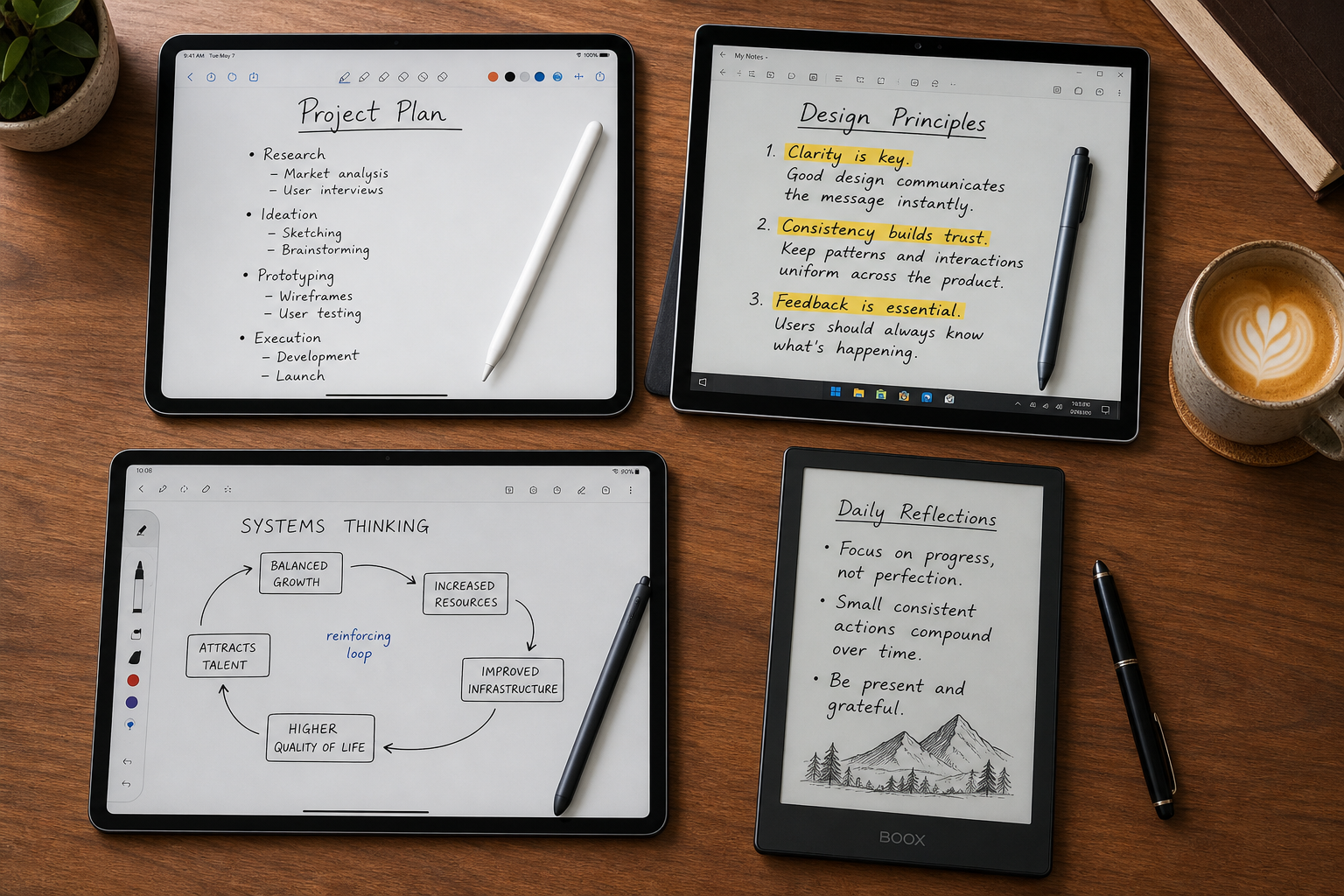
The 2026 Handwritten Notes App Market Has Split Into Tiers
If you shopped for a handwritten notes app three years ago, the decision was relatively simple: pick the iPad app with the best handwriting feel and hope it had basic sync. That era is over. The 2026 market has fractured into three distinct tiers, and the right choice now depends on where you sit across three axes — device ecosystem, pricing philosophy, and feature depth.
The first axis is platform breadth. iPad remains the dominant handwriting tablet — it has represented over 80% of premium tablet shipments since 2018, according to market data cited by Atlas in May 2026. But Windows and Android tablets have matured significantly, and a growing number of users work across two or three operating systems. An app that lives only on iPad may be a non-starter if you also own a Surface or a Galaxy Tab.
The second axis is pricing philosophy. The era of the single one-time purchase is fading. GoodNotes now offers a $35.99 one-time option alongside a $11.99/year subscription, while Notability has moved entirely to subscription tiers ($20/year Plus, $99/year Pro). At the other end, Noteshelf still sells for a flat $9.99, and apps like OneNote, Apple Notes, and Samsung Notes remain genuinely free — though each is tied to a specific ecosystem in ways that limit your future flexibility.
The third axis is feature depth — specifically AI and audio capabilities. Basic handwriting capture is table stakes. The differentiator now is whether an app can search your handwriting, transcribe a lecture recording in real time, generate study quizzes from your notes, or summarize a week of handwritten meeting pages. Apps like Nebo/MyScript Notes support handwriting recognition in 66 languages. Notability syncs audio recordings to handwritten strokes with millisecond precision. GoodNotes offers an optional $9.99/month AI Pass for its study tools.
No single app wins across all three axes. This comparison covers eight apps — GoodNotes, Notability, OneNote, Apple Notes, Noteshelf, Nebo/MyScript Notes, Samsung Notes, and Drawboard PDF — and maps each one against the triage framework so you can find the app that fits your actual constraints, not a generic best-of list.
At-a-Glance Comparison Table: 8 Handwritten Notes Apps in 2026
The table below maps every app across the three decision axes. Use it to eliminate apps that fail your platform or budget requirements before you read the deep dives.
| App | Platforms | Pricing Model | Starting Price | Handwriting Search | Audio Recording | AI Features | Ink-to-Text |
|---|---|---|---|---|---|---|---|
| GoodNotes 6 | iPad, iPhone, Mac, Windows, Android | Subscription or One-Time | Free (limited), $11.99/yr Essential, $35.99 one-time Special Edition | Yes | Yes (basic recording) | Ask GoodNotes, Study Sets, Smart Learn, Interactive Exam Practice ($9.99/mo AI Pass) | Yes |
| Notability | iPad, iPhone, Mac, Web (Beta); Android Beta (April 2026) | Subscription Only | Free, $20/yr Plus, $99/yr Pro | Yes | Yes (real-time sync with handwritten strokes + transcription) | Notability Learn (summarize, generate quizzes/flashcards) | Yes |
| Microsoft OneNote | Windows, Mac, iPad, iPhone, Android, Web, Chromebook | Free (with 5GB OneDrive) | Free | Yes | Yes (basic recording) | Copilot ($20/mo for Microsoft 365 subscribers) | Yes |
| Apple Notes | iPad, iPhone, Mac (Apple-only) | Free (with iCloud) | Free | Yes | Yes (live transcripts) | Apple Intelligence (summarization, math notes) | Yes |
| Noteshelf | iPad, iPhone, Mac | One-Time Purchase | $9.99 one-time | Yes | Yes | AI-powered handwriting assistance | Yes |
| Nebo / MyScript Notes | iOS, Android, Windows | Free Trial (7 days), then paid (varies by region) | 7-day free trial | Yes (global search across handwritten content) | No | AI Study Tools (Summarize, Explain, Quiz, Chat), AI Study Sets | Yes (66 languages, industry-leading accuracy) |
| Samsung Notes | Samsung Galaxy devices (Android, Windows via Link to Windows) | Free (for Galaxy users) | Free | Yes | Yes | Galaxy AI (auto-formatting, summarization) | Yes |
| Drawboard PDF | Windows, macOS, iOS, Android, Web | Freemium with Student Discount | Free Basic; $2.10/mo Student Pro Lite; $3.50/mo Student Pro Plus | Yes (within PDF annotations) | No (audio pins only) | No | No (PDF annotation focused) |
Deep Dive: The iPad Handwriting Leaders (GoodNotes 6 vs. Notability)
GoodNotes 6 and Notability remain the two dominant iPad-native handwriting apps, and the rivalry has only intensified as both have layered on AI features and adjusted their pricing. If you own an iPad and want the best pure handwriting experience, your choice will likely come down to these two.
Pricing and Plans
GoodNotes 6 offers the most flexible pricing in the category. You can use it for free with limited features, subscribe at $11.99/year for the Essential plan, or pay a one-time $35.99 for the Special Edition — which includes the same features as Essential. The Pro tier costs $35.99/year and adds AI study tools, though those tools are also available as a separate $9.99/month AI Pass. Notability, by contrast, has moved entirely to subscriptions: $20/year for Plus or $99/year for Pro. There is no one-time purchase option.
For readers who want a full breakdown of GoodNotes' AI features and credit system, see our Goodnotes AI in 2026 deep dive. For a complete standalone review, read our Goodnotes 6 Review.
Organization and Workflow
GoodNotes offers unlimited nested folders, which makes it the better choice for users who organize notes into deep hierarchies — by semester, then course, then week, for example. Notability uses dividers nested up to five levels deep, which is sufficient for most users but can feel restrictive if you have a complex taxonomy. GoodNotes also includes a Whiteboard feature with an infinite canvas, useful for brainstorming sessions that outgrow a single page.
Audio Recording: The Decisive Difference
If you attend lectures or meetings where you record audio alongside your notes, this is the feature that will decide your choice. Notability's audio recording is synced in real time with your handwritten strokes. Tap a word in your notes, and the recording jumps to the exact moment you wrote it. It also provides audio transcription. GoodNotes offers basic audio recording, but it does not sync with your handwriting timeline. For students who review lecture recordings, Notability's audio sync is a genuine productivity multiplier.
AI Study Tools
Both apps now offer AI-powered study features. GoodNotes has Ask GoodNotes, Study Sets with Smart Learn, and Interactive Exam Practice. Notability offers Notability Learn, which can summarize notes and generate quizzes and flashcards. The Paperlike January 2026 review concluded that GoodNotes offers better value for most users due to the one-time purchase option and deeper organization, while Notability is more practical for users who prioritize quick 'open and write' workflows and need audio recording sync.
| Feature | GoodNotes 6 | Notability |
|---|---|---|
| One-time purchase available? | Yes ($35.99 Special Edition) | No (subscription only) |
| Cheapest paid plan | $11.99/yr Essential | $20/yr Plus |
| Max folder depth | Unlimited nested folders | 5-level dividers |
| Audio sync with handwriting | Basic recording only | Real-time sync + transcription |
| AI study tools | Ask GoodNotes, Study Sets, Smart Learn, Interactive Exam Practice | Notability Learn (summarize, quizzes, flashcards) |
| Platforms | iPad, iPhone, Mac, Windows, Android | iPad, iPhone, Mac, Web (Beta); Android Beta (April 2026) |
Deep Dive: The Best Free Cross-Platform Options (OneNote, Apple Notes, Samsung Notes)
Free does not mean compromise — but it does mean you need to understand the ecosystem lock-in. The three strongest free handwritten notes apps are each tied to a specific platform family. Pick the one that matches your device ownership, and you get a genuinely capable app at zero cost.
Microsoft OneNote: Best Free Cross-Platform Handwriting App
OneNote is the only genuinely free app that works well across Windows, Mac, iPad, iPhone, Android, and the web. It includes handwriting search, ink-to-text conversion, and basic audio recording. The Android Police review from December 2025 tested OneNote on e-ink displays (Boox Palma 2 Pro and Boox Note Air 4 C) and found it to be the clear winner for e-ink compatibility — fast, responsive, and equally good across desktop, tablet, phone, and e-ink devices. OneNote requires a single tap to start writing and has a minimalist layout that performs well on lower-resolution e-ink screens.
The catch: you get 5GB of free OneDrive storage. If you take heavy handwritten notes with embedded images and PDF annotations, that fills up quickly. Upgrading to 100GB costs $1.99/month. OneNote's AI features (Copilot) require a paid Microsoft 365 subscription at $20/month.
Apple Notes: Best Free Option for Apple-Only Users
If every device you own is from Apple, Apple Notes is the strongest free option — and it has improved dramatically. It now includes handwriting search, audio recording with live transcripts, document scanning, and Apple Intelligence features such as summarization and math notes. All of this is free with an Apple ID and iCloud storage (5GB free). The Zapier December 2025 review highlighted Apple Notes as the best free option for Apple users, noting that its Apple Intelligence features come at no extra cost.
The limitation is obvious: it does not run on Windows or Android. If you ever switch devices or need to share notes with a Windows-using colleague, you will face a painful migration.
Samsung Notes: Best Free Option for Galaxy Tablet Users
Samsung Notes comes pre-installed on Galaxy tablets and phones, and it is free for Galaxy users. It supports handwriting search, audio recording, and ink-to-text. The 2026 addition of Galaxy AI brings auto-formatting and summarization features directly into the app. It syncs across Samsung devices and can be accessed on Windows through the Link to Windows feature.
The trade-off: it is effectively locked to the Samsung ecosystem. If you own a Galaxy Tab and a Windows laptop, Samsung Notes works. If you own a Galaxy Tab and an iPad, you are out of luck.
| Feature | OneNote | Apple Notes | Samsung Notes |
|---|---|---|---|
| Cost | Free (5GB OneDrive) | Free (5GB iCloud) | Free (for Galaxy users) |
| Platforms | Windows, Mac, iPad, iPhone, Android, Web, Chromebook | iPad, iPhone, Mac only | Samsung Galaxy devices, Windows (via Link to Windows) |
| Handwriting Search | Yes | Yes | Yes |
| Audio Recording | Basic | Live transcripts | Yes |
| AI Features | Copilot ($20/mo with M365) | Apple Intelligence (free) | Galaxy AI (free) |
| Ecosystem Lock-In | Low (works everywhere) | High (Apple-only) | High (Samsung-only) |
Deep Dive: The Subscription-Free Alternatives (Noteshelf, Nebo/MyScript Notes, Drawboard PDF)
Not everyone wants an annual subscription or an ecosystem lock-in. A smaller but important group of apps serves users who want to pay once and own the app, or who need specialized workflows that the mainstream apps do not handle well.
Noteshelf ($9.99 One-Time): Best Subscription-Free Handwriting App
Noteshelf is the strongest option for users who refuse to pay annually. At $9.99 one-time for iOS and macOS, it includes realistic pens, over 200 templates, PDF annotation, audio recording, handwriting search, and AI-powered handwriting assistance. It syncs across Apple devices via iCloud. The Atlas May 2026 review named it the best one-time-purchase note-taking app for iPad. The limitation: it is Apple-only. There is no Windows or Android version.
Nebo / MyScript Notes: Best Handwriting Recognition (66 Languages)
Nebo — now called MyScript Notes on iOS and Android, though it retains the Nebo name on Windows — offers what MyScript describes as "the world's most accurate and reliable handwriting recognition" with support for 66 languages. This is not a marketing exaggeration: independent tests consistently rank MyScript's recognition engine ahead of Apple's and Microsoft's for complex scripts and mixed-language notes.
The app offers four note formats: Notebook (fixed-size pages with customizable covers), Board (expandable canvas/whiteboard), Document (structured content with adaptive layout supporting checklists, math, and diagrams), and PDF (import multi-page PDFs for annotation). It includes AI study tools — Summarize, Explain, Quiz, and Chat — plus AI study sets for revision. Global search works across handwritten content, diagram text, and PDF annotations. Cloud sync is available via iCloud (iOS), Google Drive, or Dropbox.
A 7-day free trial is available; pricing after that varies by region. For students who want AI-powered study tools without leaving the handwriting environment, Nebo/MyScript Notes is the strongest option.
Drawboard PDF: Best for PDF-Centric Workflows
Drawboard PDF is not a general-purpose handwriting app — it is a PDF annotation tool that happens to have excellent handwriting capabilities. If your workflow revolves around marking up PDFs (research papers, engineering drawings, legal documents, architectural plans), Drawboard is the best option. It supports pressure-sensitive inking, smart shape tools, audio pins, bookmarks, and real-time multi-user markup across Windows, macOS, iOS, Android, and the web.
Pricing is tiered: Basic is free; Pro Lite is $4.19/month (or $2.10/month with a 50% student discount); Pro Plus is $6.99/month (or $3.50/month with student discount); Pro Unlimited is $13.33/month. The student pricing makes it particularly attractive for graduate students who work extensively with PDFs.
| App | Best For | Price | Platforms | Key Limitation |
|---|---|---|---|---|
| Noteshelf | Subscription-free handwriting | $9.99 one-time | iPad, iPhone, Mac | Apple-only |
| Nebo / MyScript Notes | Handwriting recognition + AI study tools | 7-day free trial, then varies by region | iOS, Android, Windows | No audio recording |
| Drawboard PDF | PDF annotation + collaboration | Free Basic; $2.10/mo Student Pro Lite | Windows, macOS, iOS, Android, Web | Not a general note-taking app |
Best-For Use Case Picks: Which App Should You Choose?
The table below distills the entire comparison into a single reference. Find your primary use case, and the recommended app is listed alongside the reasoning.
| Use Case | Recommended App | Why |
|---|---|---|
| Best for students (general) | GoodNotes 6 | One-time purchase option, unlimited nested folders, AI study tools, cross-platform availability |
| Best for lecture audio | Notability | Real-time audio sync with handwritten strokes + transcription |
| Best free cross-platform | Microsoft OneNote | Works on every platform, excellent e-ink performance, handwriting search |
| Best for Apple-only users | Apple Notes | Free, Apple Intelligence summarization, math notes, handwriting search |
| Best subscription-free | Noteshelf | $9.99 one-time, realistic pens, 200+ templates, AI handwriting assistance |
| Best handwriting recognition | Nebo / MyScript Notes | 66 languages, AI study tools (summarize, explain, quiz, chat) |
| Best for Galaxy users | Samsung Notes | Free, S Pen optimized, Galaxy AI auto-formatting |
| Best for PDF workflows | Drawboard PDF | Real-time multi-user markup, student pricing from $2.10/mo |
Pricing Summary: What You'll Actually Pay in 2026
Pricing in the handwritten notes app category has become more volatile than ever. GoodNotes introduced a $9.99/month AI Pass in 2026. Notability added a $99/year Pro tier. Drawboard offers student discounts that cut prices in half. The table below captures every pricing tier with a last-verified date of June 2026.
| App | Free Tier | Paid Tiers |
|---|---|---|
| GoodNotes 6 | Free (limited features) | Essential $11.99/yr; Special Edition $35.99 one-time; Pro $35.99/yr; AI Pass $9.99/mo |
| Notability | Free | Plus $20/yr; Pro $99/yr |
| Microsoft OneNote | Free (5GB OneDrive) | 100GB storage $1.99/mo; Copilot $20/mo with M365 |
| Apple Notes | Free (5GB iCloud) | iCloud+ storage plans from $0.99/mo |
| Noteshelf | None | $9.99 one-time |
| Nebo / MyScript Notes | 7-day free trial | Pricing varies by region (check local App Store) |
| Samsung Notes | Free (for Galaxy users) | No paid tiers |
| Drawboard PDF | Free Basic | Student Pro Lite $2.10/mo; Student Pro Plus $3.50/mo; Pro Lite $4.19/mo; Pro Plus $6.99/mo; Pro Unlimited $13.33/mo |
Frequently Asked Questions About Handwritten Notes Apps in 2026
Which apps support handwriting search?
All eight apps in this comparison support handwriting search, but the quality varies. GoodNotes, Notability, OneNote, and Apple Notes all index your handwriting and make it searchable. Nebo/MyScript Notes offers global search across handwritten content, diagram text, and PDF annotations. Samsung Notes and Noteshelf also support handwriting search. Drawboard PDF supports search within PDF annotations. For a detailed guide on converting handwritten notes to searchable text, see our handwriting-to-text conversion guide.
Which apps have the best AI features for study and summarization?
The answer depends on whether you want AI inside the handwriting app or are willing to use a separate tool. Inside the handwriting environment, GoodNotes (with the $9.99/month AI Pass) offers Ask GoodNotes, Study Sets, Smart Learn, and Interactive Exam Practice. Notability Learn can summarize notes and generate quizzes and flashcards. Nebo/MyScript Notes offers Summarize, Explain, Quiz, and Chat directly within the app. Apple Notes includes Apple Intelligence summarization at no extra cost. OneNote's Copilot ($20/month) provides AI features but requires a Microsoft 365 subscription.
Can I sync handwritten notes across iPad, Windows, and Android?
Only two apps in this comparison offer genuine cross-platform sync across iPad, Windows, and Android: Microsoft OneNote and GoodNotes 6. OneNote syncs via OneDrive and works on every major platform. GoodNotes syncs via its own cloud service and is available on iPad, iPhone, Mac, Windows, and Android. Notability is iPad/iPhone/Mac only, with a Web beta and an Android beta announced for April 2026. Nebo/MyScript Notes syncs via iCloud, Google Drive, or Dropbox and is available on iOS, Android, and Windows. Drawboard PDF syncs across Windows, macOS, iOS, Android, and the web. Apple Notes and Noteshelf are Apple-only. Samsung Notes is Samsung-only.