
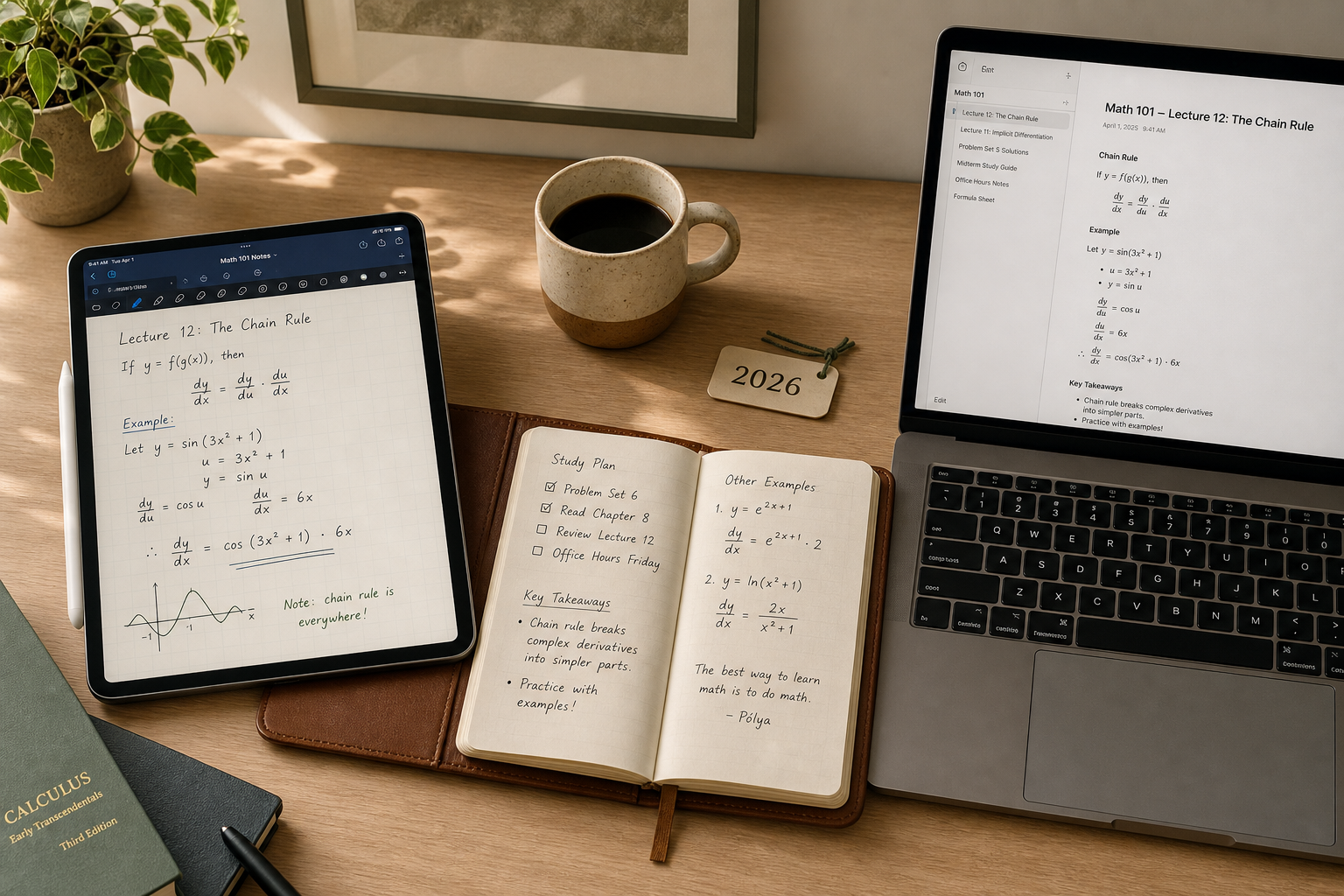
Quick Decision Table: Best Note-Taking App for Students at a Glance
If you need a single recommendation right now, the table below maps your student profile to the best app and a recommended two-app stack. The core idea — explained in detail throughout this guide — is that no single app handles both handwriting capture and typed synthesis equally well, and the research backs up the two-app approach.
| Your Profile | Primary App | Secondary App (Stack) | Why This Stack |
|---|---|---|---|
| STEM major (math, physics, engineering) — needs equations, graphs, and handwriting | GoodNotes 6 ($9.99/yr) or Notability ($14.99/yr) | Notion (free with .edu email) for typed notes and project tracking | Handwrite equations and diagrams in class; type lab reports and study guides in Notion. |
| Humanities major (English, history, philosophy) — heavy reading, long-form writing | Notion (free with .edu email) | Obsidian (free) for personal knowledge management and essay research | Notion handles course syllabi and collaborative projects; Obsidian links ideas across readings. |
| Pre-med or biology major — diagrams, anatomy sketches, dense terminology | Notability ($14.99/yr) for audio-synced lecture recording | OneNote (free) for organizing handouts and typed summaries | Notability's audio recording syncs with handwritten notes; OneNote keeps PDFs and typed outlines searchable. |
| Computer science or engineering — code snippets, local files, version control | Obsidian (free for personal use) | Notion (free with .edu email) for group project coordination | Obsidian stores everything as local Markdown files you own; Notion handles team collaboration. |
| Law or pre-law student — case briefs, outlines, large document sets | OneNote (free) for cross-platform access and PDF annotation | Notion (free with .edu email) for outline synthesis | OneNote handles massive notebooks with section tabs; Notion structures case briefs into databases. |
| Language student — vocabulary lists, pronunciation notes, spaced repetition | Apple Notes (free) for quick capture and voice memos | Notion (free with .edu email) for vocabulary databases | Apple Notes syncs instantly across Apple devices; Notion's database view works for flashcard-style review. |
| Budget-conscious — wants a completely free stack across all devices | OneNote (free) | Apple Notes (free) + NotebookLM (free) + Obsidian (free) | OneNote covers cross-platform typed notes; Apple Notes handles quick mobile capture; NotebookLM synthesizes readings; Obsidian stores your long-term knowledge base. |
| Apple-only ecosystem (iPad + Mac) — wants seamless sync and handwriting | Apple Notes (free) for quick capture | GoodNotes 6 ($9.99/yr) for handwriting + Notion (free) for typed notes | Apple Notes is the fastest capture tool on iPhone; GoodNotes handles PDF annotation and handwriting; Notion organizes everything. |
How to Choose: A 5-Criteria Decision Framework for Students
The global note-taking app market for students reached $2.45 billion in 2024 and is projected to grow at a 13.2% CAGR through 2033, according to Dataintelo. With dozens of apps competing for your attention, the wrong choice can mean wasted hours migrating notes mid-semester or — worse — losing access to your study materials when a free trial expires. The framework below helps you filter the noise by five criteria that actually matter for academic work.
1. Device Ecosystem
Your device setup is the single most restrictive filter. If you own an iPad and a Mac, Apple Notes and GoodNotes offer seamless sync that no cross-platform app can match. If you use a Windows laptop and an Android phone, OneNote is your most reliable free option. Chromebook users should prioritize web-first apps like Notion or Google Keep. The wrong ecosystem choice leads to sync headaches and missing features — a Surface Pro user who buys an iPad-only app like GoodNotes will be locked out on their primary device.
2. Budget
A completely free stack — Apple Notes, OneNote, and Obsidian — costs $0 per year and covers the vast majority of undergraduate needs. The question is not "can I afford a paid app?" but "what does the paid app unlock that my free stack cannot?" For STEM majors, handwriting apps like GoodNotes ($9.99/year) or Notability ($14.99/year) are the clearest case for spending money. For everyone else, the free options are genuinely good enough through senior year.
3. Major-Specific Needs
This is the criterion most generic roundups ignore, and it is the most important one. A math major who types equations in a plain-text app will waste hours fighting formatting. A philosophy major who buys a handwriting app will never use its core feature. The section below on best apps by major provides specific recommendations, but the general rule is: if your major involves equations, diagrams, or chemical structures, you need a handwriting app. If your major involves long-form writing, reading synthesis, or collaborative projects, you need a typing-first app with database or linking capabilities.
4. Handwriting Requirement
The Flanigan 2024 meta-analysis, published in Educational Psychology Review, examined 24 separate studies and found that taking and reviewing handwritten notes produces higher course achievement (Hedges' g = 0.248, p < 0.001) compared to typed notes. The Learning Scientists' interpretation of this data calculated that handwritten note-takers are approximately 58% more likely to earn A grades than those who type exclusively. This does not mean you should abandon typing — typed notes capture more content volume (g = 0.919 in the same meta-analysis). It means the optimal strategy is to handwrite during lectures for encoding and recall, then type your notes afterward for organization and review. This is the two-app stack thesis in action.
5. AI and Study Tool Needs
AI features in note-taking apps range from basic search to full lecture summarization and flashcard generation. A survey of over 6,500 students cited by Ask Maeve found that students using AI study tools report saving 5-7 hours per week on busywork. Notion's AI add-on, NotebookLM (free from Google), and Notability's Plus tier ($19.99/year) all offer different levels of AI assistance. If your courses involve dense reading lists, an AI synthesis tool can be a genuine time-saver. If your courses are problem-set heavy, AI features matter less than handwriting support.
8 Top Note-Taking Apps for Students in 2026: Profiles and Pricing
The following profiles cover the eight apps most relevant to students in 2026. Each entry includes verified pricing, platform availability, best-fit majors, and honest limitations. Pricing was last confirmed in Q2 2026.
Notion
Notion is the most-installed note-taking app among college students in 2026, according to multiple sources. Its killer feature for students is the free Plus plan for .edu email addresses — normally $10-$12 per user per month, it costs nothing with a valid school email. Notion excels at structured note-taking: databases, linked pages, project boards, and collaborative documents. It is the best choice for humanities majors, group projects, and any student who wants to organize their entire academic life in one workspace.
Best for: Humanities, pre-law, collaborative projects, syllabus organization.
Not for: Handwriting, offline-only use, students who want local file ownership. Notion is cloud-only and its handwriting support is limited to image embedding.
Microsoft OneNote
OneNote is the best free cross-platform note-taking app. It is free with a Microsoft account and offers up to 5GB of notes in the free tier. Many schools provide Microsoft 365 subscriptions that include OneNote with unlimited storage. Its notebook-section-page hierarchy maps naturally to course-semester-topic organization. OneNote supports handwriting, typed text, PDF annotation, and audio recording — all in one app. It is the strongest single-app option for students who want handwriting and typing in one place without paying.
Best for: Cross-platform users (Windows + Android, or mixed-device households), pre-med students who need PDF annotation, any student who wants a single free app.
Not for: Students who prefer Markdown, local file ownership, or advanced database features. OneNote's search can be slow in large notebooks.
Apple Notes
Apple Notes is the best note-taking app for Apple users who want zero friction. It is free with any Apple ID and offers 5GB of iCloud storage across all services. Its strength is speed — you can capture a thought, a photo, a scanned document, or a voice memo in under three seconds. The 2024 and 2025 updates added inline PDF annotation, collapsible sections, and basic backlinking. For students in the Apple ecosystem who do not need advanced database features, Apple Notes is often enough through sophomore year.
Best for: Apple-only users, language students (quick vocabulary capture), students who want a free handwriting-capable app (iPad + Apple Pencil).
Not for: Windows or Android users, students who need databases, collaborative editing, or advanced organization. Apple Notes has no web app and no native Windows client.
GoodNotes 6
GoodNotes 6 is the leading handwriting-first note-taking app for iPad, priced at $9.99 per year. It is designed specifically for handwritten notes, PDF annotation, and digital planning. Its handwriting recognition is among the best in class, and it supports searchable handwritten text. GoodNotes is the top recommendation for STEM majors who need to write equations, draw graphs, and annotate problem sets by hand.
Best for: STEM majors, pre-med students, any student who takes handwritten notes on an iPad and wants the best handwriting experience.
Not for: Windows or Android users, students who primarily type notes, students who want a free app. GoodNotes is iPad and Mac only.
Notability
Notability is GoodNotes' primary competitor, priced at $14.99 per year for the Standard plan and $19.99 per year for the Plus plan (which adds AI features). Its standout feature is audio-synced recording — it records lecture audio and syncs it with your handwritten notes, so tapping a note plays back what the professor was saying at that moment. Students using audio-synced lecture recording report a 34% better understanding of complex lecture topics, according to the Ask Maeve survey. Notability is the best choice for pre-med and biology students who need to connect dense lecture content with visual diagrams.
Best for: Pre-med, biology, and any student who attends lecture-heavy courses where audio review is valuable.
Not for: Students on a tight budget (Notability is $5/year more than GoodNotes), students who do not need audio recording, Windows or Android users.
Obsidian
Obsidian is free for personal use and is the best choice for students who want full ownership of their notes. It stores everything as local Markdown files — no proprietary format, no cloud dependency unless you choose to sync. With over 2,000 community plugins, Obsidian can be customized into a personal knowledge management system, a project tracker, a spaced-repetition flashcard tool, or a writing environment. It is the top recommendation for computer science and engineering students who value file ownership, version control, and the ability to access their notes with any text editor.
Best for: CS/engineering majors, students who want local-first note-taking, power users who enjoy customization.
Not for: Students who want a ready-to-use system without setup, collaborative editing, or handwriting support. Obsidian Sync costs $4-$8/month if you want cloud sync across devices.
Google Keep
Google Keep is the best free note-taking app for quick, simple capture. It is free with a Google account and offers 15GB of storage shared across Google services. Keep is not a full note-taking system — it is a digital sticky-note board for reminders, to-do lists, voice memos, and quick ideas. It integrates seamlessly with Google Docs, Google Calendar, and Google Classroom. For students who live in Google's ecosystem, Keep is a useful companion app but not a primary note-taking tool.
Best for: Quick capture, to-do lists, Google ecosystem users, students who want a free and simple companion app.
Not for: Long-form note-taking, handwriting, organization beyond labels and colors, offline access on desktop.
Evernote
Evernote was once the dominant note-taking app, but its free tier has become severely restricted: 50 notes, 1 notebook, and 1 device. For most students, this is unusable as a primary tool. Evernote's paid plans are expensive compared to competitors, and its market share has been steadily declining. A two-year survey of over 6,500 students found that by early 2026, just four apps — Evernote, Notion, Roam Research, and Obsidian — had captured over 75% of the market share, but Evernote's share is largely from legacy users who have not migrated yet.
Best for: Students who are already deeply invested in Evernote and have a paid plan. Not recommended for new users.
Not for: Budget-conscious students, anyone who needs more than 50 notes, students who want cross-device sync without paying.
Head-to-Head Comparison: Features, Pricing, and Platform Support
The table below provides a direct feature-by-feature comparison of all eight apps. Use it to quickly verify which apps support your device, your budget, and your note-taking style.
| App | Free Tier | Cross-Platform | Handwriting | AI Features | Best-Fit Major | Student Discount | Starting Price (Paid) |
|---|---|---|---|---|---|---|---|
| Notion | Free (Plus free with .edu email) | Web, Mac, Windows, iOS, Android | No (image embedding only) | Notion AI ($10/month add-on) | Humanities, pre-law, collaborative projects | Free Plus plan with .edu email | $0 (with .edu) / $10-$12/month otherwise |
| OneNote | Free (5GB notes) | Mac, Windows, iOS, Android, Web | Yes (iPad, Surface, Android tablets) | No native AI | Pre-med, cross-platform users | Often free with school M365 | $0 |
| Apple Notes | Free (5GB iCloud) | Apple only (Mac, iOS, iPadOS) | Yes (iPad + Apple Pencil) | No native AI | Language students, Apple-only users | N/A | $0 |
| GoodNotes 6 | No free tier (one-time trial) | iPad, Mac (iOS only) | Yes (best-in-class handwriting) | No native AI | STEM, math, physics, engineering | None reported | $9.99/year |
| Notability | No free tier (trial available) | iPad, Mac (iOS only) | Yes (audio-synced handwriting) | Yes (Plus tier: $19.99/yr) | Pre-med, biology, lecture-heavy courses | None reported | $14.99/year (Standard) |
| Obsidian | Free for personal use | Mac, Windows, Linux, iOS, Android | No (plugin-based drawing possible) | Community plugins only | CS, engineering, power users | N/A | $0 (Sync: $4-$8/month) |
| Google Keep | Free (15GB shared storage) | Web, Android, iOS, Chrome extension | No | No native AI | Quick capture, Google ecosystem users | N/A | $0 |
| Evernote | 50 notes, 1 notebook, 1 device | Mac, Windows, iOS, Android, Web | No | AI note cleanup (paid plans) | Legacy users only | None reported | $0 (free tier severely limited) |
Best Note-Taking App by Major: STEM, Humanities, Pre-Med, CS, Law, and Languages
This section is the core differentiator of this guide. Instead of asking "which app is best overall?" — a question with no useful answer — we ask "which app is best for your specific major?" The recommendations below are based on the actual note-taking demands of each field, not on general popularity.
STEM (Math, Physics, Engineering)
STEM majors have the most demanding note-taking requirements: equations, graphs, diagrams, and problem sets that cannot be typed efficiently. The primary app should be a handwriting-first tool. GoodNotes 6 ($9.99/year) is the best choice for iPad users, with the most natural handwriting feel and excellent equation rendering. Notability ($14.99/year) is a close second, with the added benefit of audio-synced recording for lecture-heavy courses. The secondary app should be Notion (free with .edu email) for typed lab reports, project tracking, and study guides. This two-app stack covers in-class capture and post-class synthesis.
Humanities (English, History, Philosophy)
Humanities majors read extensively and write long-form essays. Handwriting is less critical than the ability to organize ideas, link concepts across readings, and collaborate on group projects. Notion (free with .edu email) is the best primary app — its database view lets you tag readings by theme, author, and course, and its collaborative features are unmatched. Obsidian (free) is an excellent secondary app for personal knowledge management: link ideas across semesters, build a personal wiki of concepts, and use the graph view to discover connections between readings.
Pre-Med and Biology
Pre-med and biology majors need to draw diagrams (cell structures, anatomical pathways, chemical reactions), annotate dense textbook PDFs, and review lecture recordings. Notability ($14.99/year) is the top recommendation because its audio-synced recording feature lets you tap a handwritten note and hear the corresponding lecture segment — a significant advantage for complex topics. OneNote (free) serves as the secondary app for organizing handouts, typed summaries, and study guides. OneNote's PDF annotation is strong, and its notebook-section-page structure maps well to course-semester-topic organization.
Computer Science and Engineering
CS and engineering students need to store code snippets, track project versions, and maintain a personal knowledge base of technical concepts. Obsidian (free for personal use) is the best primary app because it stores everything as local Markdown files — you own your data, can use any text editor, and can integrate with Git for version control. The plugin ecosystem (2,000+ plugins) allows customization for spaced repetition, Kanban boards, and code syntax highlighting. Notion (free with .edu email) is the best secondary app for group project coordination, sprint planning, and sharing documentation with team members.
Law and Pre-Law
Law students deal with massive document sets — case briefs, statutes, outlines, and annotations. OneNote (free) is the best primary app because its notebook-section-page hierarchy handles large volumes of structured content, and its PDF annotation is robust. Notion (free with .edu email) is the best secondary app for synthesizing case briefs into searchable databases, tracking legal concepts across courses, and collaborating on study outlines with classmates.
Language Students
Language students need quick capture for vocabulary, pronunciation notes, and grammar rules. Apple Notes (free) is the best primary app for Apple users — its voice memo feature captures pronunciation, and its quick capture speed means you can save a new word in seconds. Notion (free with .edu email) is the best secondary app for building vocabulary databases with spaced-repetition-style review using its database views and filter capabilities.
The $0 Free Stack vs. Paid Upgrades: When Should Students Pay?
A completely free note-taking stack is viable for the majority of undergraduate students. The combination of Apple Notes (free), OneNote (free), and Obsidian (free) — supplemented by NotebookLM (free from Google) for AI-powered reading synthesis — costs exactly $0 per year and covers typed notes, handwritten notes (via OneNote on iPad or Surface), PDF annotation, local file ownership, and AI-assisted study. This stack is sufficient through senior year for most humanities, social science, and language majors.
The question of when to pay comes down to specific needs that the free stack cannot meet. The table below outlines the scenarios where a paid upgrade is justified.
| Scenario | Free Stack Limitation | Paid Upgrade | Cost | Justification |
|---|---|---|---|---|
| STEM major needs best-in-class handwriting for equations and diagrams | OneNote handwriting is functional but less polished than GoodNotes or Notability | GoodNotes 6 or Notability | $9.99-$14.99/year | Equation rendering, palm rejection, and handwriting search are significantly better in dedicated handwriting apps. |
| Pre-med student needs audio-synced lecture recording | OneNote records audio but does not sync it with handwritten notes | Notability Standard ($14.99/yr) or Plus ($19.99/yr) | $14.99-$19.99/year | Audio-synced notes allow tapping a handwritten word to hear the corresponding lecture moment — a proven comprehension boost. |
| Student wants AI-powered reading synthesis and flashcard generation | Free stack has no native AI; NotebookLM is free but limited to Google's ecosystem | Notion AI ($10/month add-on) or Notability Plus ($19.99/yr) | $10/month or $19.99/year | AI tools can save 5-7 hours per week on busywork, according to survey data. |
| Student needs cloud sync across devices for Obsidian | Obsidian is free locally; sync requires manual file transfer or third-party tools | Obsidian Sync | $4-$8/month | Official sync is encrypted and seamless; worth it for students who rely on Obsidian as their primary knowledge base. |
| Student wants a single app that does everything (handwriting, typing, PDF, audio) | Free stack requires 2-3 apps; switching contexts is friction | OneNote is already free and does all of these | $0 | OneNote is the exception — it is free and covers handwriting, typing, PDF annotation, and audio recording in one app. |
Handwriting vs. Typing: What the 2024 Research Actually Says
The debate between handwriting and typing has been settled by the most comprehensive meta-analysis to date. Flanigan et al. (2024), published in Educational Psychology Review, analyzed 24 separate studies and found that taking and reviewing handwritten notes produces higher course achievement (Hedges' g = 0.248, p < 0.001) compared to typed notes. The effect is modest but consistent across study designs, subject areas, and student populations.
The Learning Scientists, a group of cognitive psychology researchers, translated this effect size into a practical metric: approximately 9.5% of students who take notes by hand would earn an A grade, compared to only 6% of students who type their notes. This means handwritten note-takers are roughly 58% more likely to earn A grades than their typing-only peers.
Taking handwritten lecture notes is expected to produce higher course grades than typing notes among college students.
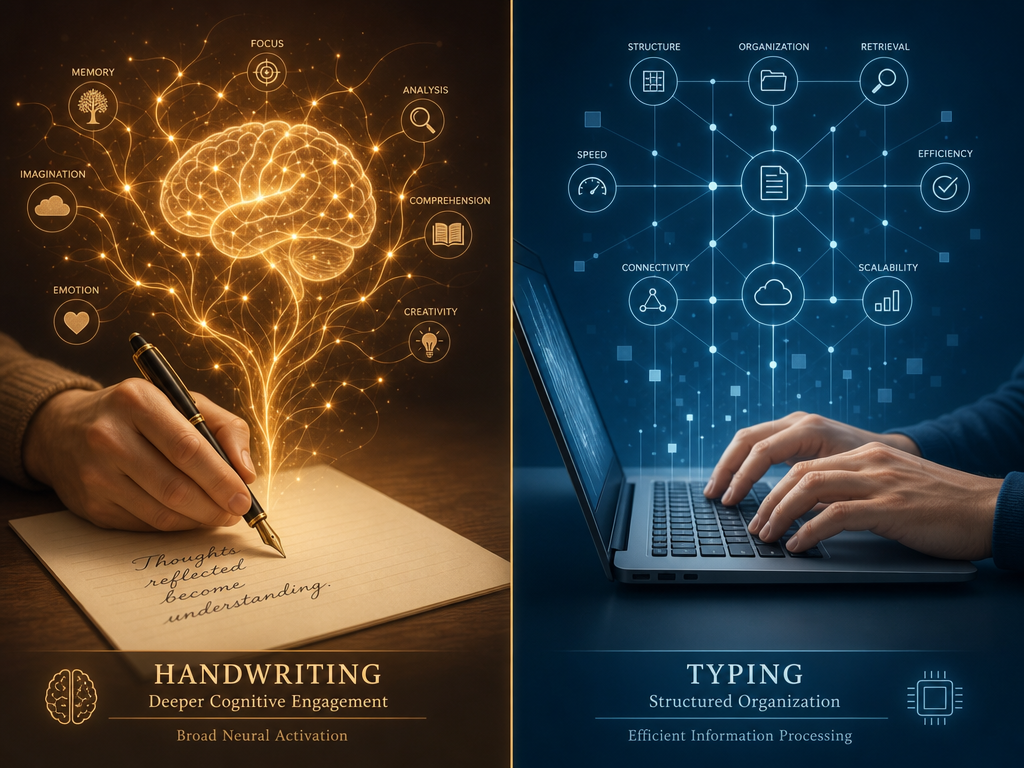
However, the meta-analysis also found that typing produces significantly more content volume (Hedges' g = 0.919, p < 0.001). Typed notes contain more words and more ideas from the lecture. The advantage of handwriting is not in capture volume — it is in the cognitive processing that happens during writing and the quality of review afterward. Handwriting forces you to paraphrase, summarize, and prioritize, which leads to deeper encoding. Typing lets you capture everything, which is useful for review but does not produce the same learning benefit.
The practical implication is clear: the optimal strategy is not to choose one or the other, but to use both. Handwrite notes during lectures for encoding and recall. Then type them into a structured app afterward for organization, synthesis, and long-term review. This two-app stack — a handwriting app for capture and a typing app for synthesis — is the evidence-backed approach that this guide recommends.
Frequently Asked Questions About Note-Taking Apps for Students
Can I use one app for everything?
You can, but you will likely compromise on either handwriting quality or organizational depth. OneNote is the closest thing to a universal app — it supports handwriting, typing, PDF annotation, and audio recording, all for free. However, its handwriting experience is not as polished as GoodNotes or Notability, and its organizational system (notebooks, sections, pages) is less flexible than Notion's databases. For most students, a two-app stack provides a better experience than any single app.
What if my school provides a specific tool?
If your school provides Microsoft 365, you already have OneNote with unlimited storage — use it. If your school uses Google Workspace for Education, Google Keep and Google Docs are available but limited. Some schools provide institutional Notion accounts or discounts on GoodNotes. Check with your IT department before buying anything. However, do not feel locked into the school-provided tool if it does not fit your major's needs — the cost of a $10/year app is trivial compared to the productivity gain across four years of coursework.
How do I migrate my notes if I switch apps mid-semester?
Migration difficulty varies by app pair. Moving from Evernote to Notion is relatively straightforward using Notion's built-in import tool. Moving from OneNote to Obsidian requires exporting to Markdown, which can lose formatting and embedded files. Moving from GoodNotes to Notability (or vice versa) is difficult because handwriting data is stored in proprietary formats. The best advice is to choose carefully at the start of the semester and avoid switching mid-term. If you must switch, do it during a break when you have time to verify that all notes transferred correctly.
What about AI study tools? Should I use them?
AI tools can be genuinely useful for specific tasks: summarizing long readings, generating flashcards from notes, and answering questions about your study materials. NotebookLM (free from Google) is the best free option for reading synthesis. Notion AI ($10/month add-on) provides writing assistance and summarization within your notes. Notability's Plus tier ($19.99/year) adds AI-powered note organization. A survey of over 6,500 students found that those using AI study tools report saving 5-7 hours per week on busywork. However, AI tools should supplement your note-taking, not replace it — the cognitive work of writing and organizing is where the learning happens.
Is the two-app stack really worth the complexity?
Yes, and the research supports it. The Flanigan 2024 meta-analysis shows that handwriting produces better encoding and recall, while typing produces more complete capture. Using both — handwriting in class and typing for review — gives you the benefits of each without the drawbacks. Students with an organized digital note-taking system report 15% lower stress levels during exam periods, according to the Ask Maeve survey. The two-app stack adds a small amount of setup complexity at the start of the semester but pays dividends in learning outcomes and reduced stress throughout the term.
What if I prefer paper notebooks?
Paper notebooks are still an excellent choice for in-class handwriting. The Flanigan meta-analysis included studies comparing paper-and-pen handwriting to typing, and the handwriting advantage held regardless of whether the handwriting was on paper or on a tablet. If you prefer paper, use it for lecture capture and then photograph or scan your notes into a digital app (Apple Notes has a built-in document scanner) for organization and search. This gives you the best of both worlds: the focus of paper during class and the searchability of digital notes afterward.