
The Note-Taking Landscape in 2026
The note-taking software market is no longer a quiet corner of the productivity world. According to The Business Research Company, the market reached $13.3 billion in 2026, growing at a compound annual rate of 20.6%. That growth is driven by two forces: the continued expansion of hybrid and remote work, and the rapid integration of AI features into tools that were once simple text editors.
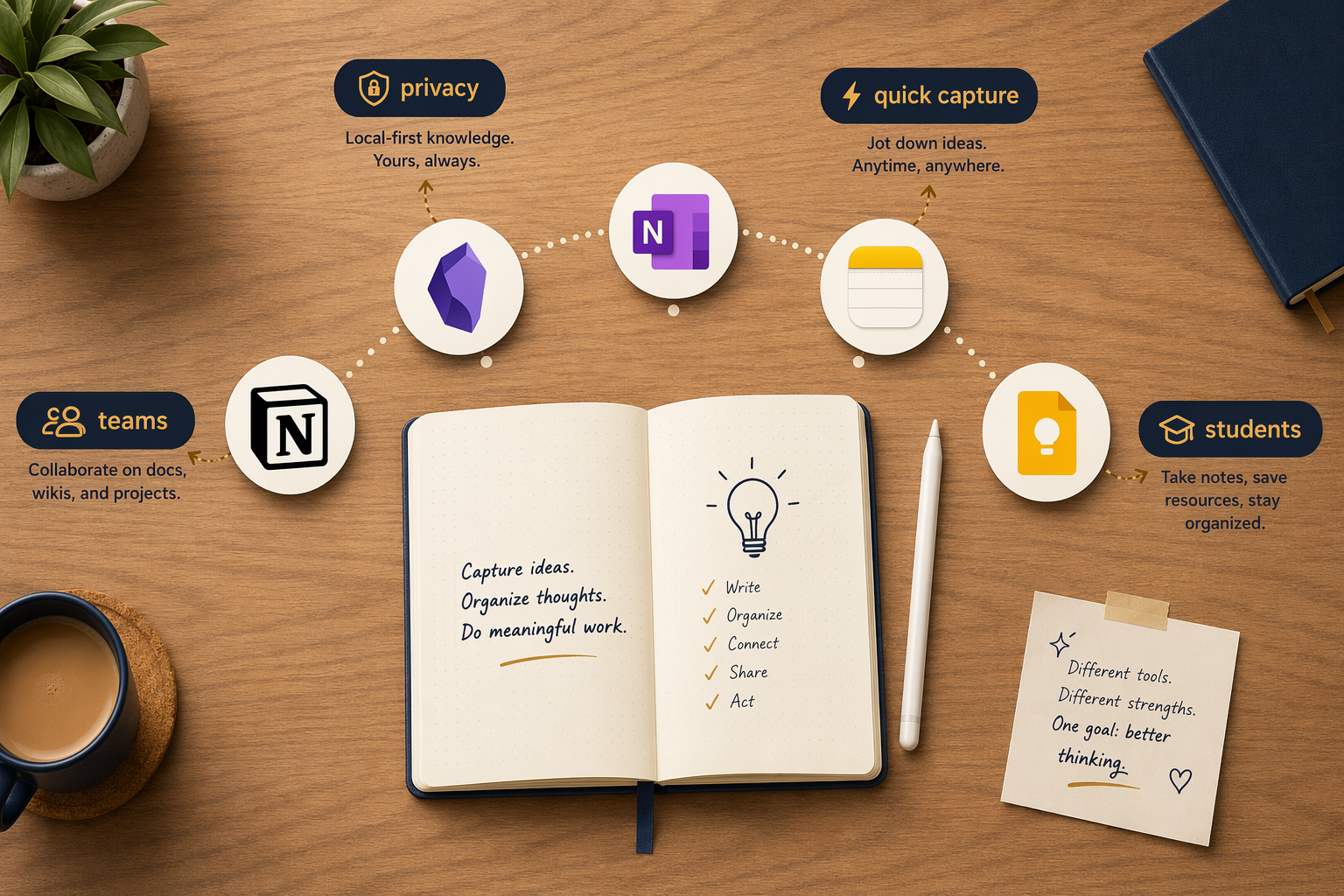
But more apps and more features do not mean an easier choice. In fact, the opposite is true. The market has fractured into three structural categories that reflect fundamentally different philosophies about what notes are for:
- Capture-first tools: Built for speed. You open, type or speak, and close. Examples include Apple Notes, Google Keep, and Evernote. These tools prioritize low friction over organization.
- Connection-first tools: Built for knowledge management. They treat notes as nodes in a graph, emphasizing backlinks, databases, and long-term retrieval. Notion, Obsidian, and Logseq lead this category.
- Active-workspace tools: A newer category that blends note-taking with project management and AI-driven context. Tools like Mem and Storyflow aim to reduce the gap between capturing information and acting on it.
Understanding which category fits your workflow is more important than comparing feature lists. A knowledge worker who spends 19% of their week searching for information — a figure cited by McKinsey research — needs a different tool than a student who needs to capture lecture slides and organize them by semester.
This guide is organized by those use-case tiers. Each section evaluates tools within its category, with honest assessments of what free plans actually deliver and what paid subscriptions unlock. There is no single winner here — only the right fit for your specific needs.
Quick-Reference Comparison Table
The table below summarizes every tool covered in this comparison. Use it to identify which apps match your platform, budget, and primary use case before diving into the detailed sections.
| App | Best For | Starting Price (Paid) | Free Plan Quality | Standout Feature | Platforms |
|---|---|---|---|---|---|
| Apple Notes | Apple ecosystem users | Free | Excellent (free, no limits) | iCloud sync, Apple Intelligence | iOS, macOS, Web |
| Google Keep | Android / Google users | Free | Excellent (free, 15GB shared) | Location reminders, voice notes | Android, iOS, Web |
| Microsoft OneNote | Students, cross-platform users | $6/user/month (Business) | Excellent (5GB storage, full features) | Free-form canvas, real-time collab | Windows, Mac, iOS, Android, Web |
| Notion | Teams, structured knowledge bases | $10/user/month (Plus) | Good (free plan, .edu upgrade) | Databases, AI per-page | Windows, Mac, iOS, Android, Web |
| Evernote | Capture-first, web clipping | $14.99/month (Personal) | Poor (50 notes, 1 device) | OCR search, web clipper | Windows, Mac, iOS, Android, Web |
| Obsidian | Power users, PKM enthusiasts | Free (personal use) | Excellent (free, local-first) | 1,500+ plugins, graph view | Windows, Mac, Linux, iOS, Android |
| Joplin | Open-source advocates | Free | Excellent (free, open-source) | End-to-end encryption | Windows, Mac, Linux, iOS, Android |
| Logseq | Outliner / Zettelkasten users | Free (open-source) | Excellent (free, local-first) | Outliner + knowledge graph | Windows, Mac, Linux, iOS, Android |
| Bear | Apple writers, Markdown fans | $2.99/month (Pro) | Limited (free, basic export) | Beautiful editor, tagging | iOS, macOS |
| Craft | Apple writers, sharing | $4.99/month (Pro) | Good (free, limited blocks) | Block-based editor, share links | iOS, macOS, Web |
| Mem | AI-first capture | $14.99/month (Team) | Limited (free, basic AI) | Auto-organization, semantic search | Web, iOS, Mac |
| Storyflow | Active workspace / AI context | Contact vendor | Limited (free trial) | AI canvas, context-aware writing | Web, iOS |
Best Free and Ecosystem Tools: Apple Notes, Google Keep, OneNote Free
For a large portion of note-takers — perhaps the majority — the best app is the one already installed on their device. The free ecosystem tools have improved dramatically, and for many use cases, they are genuinely sufficient.
Apple Notes: The Silent Powerhouse
Apple Notes has evolved from a basic sticky-note replacement into a capable note-taking app. It is free, pre-installed on every Apple device, and syncs seamlessly via iCloud. The addition of Apple Intelligence summarization in 2025 gave it a meaningful AI feature that remains free — a rarity in 2026. PCMag and Cloudwards both recognize it as the best free option for Mac and iPad users.
Where it falls short: no native Windows or Android app, limited organization (folders only, no tags or databases), and no real collaboration features. If you live entirely in the Apple ecosystem and your note-taking needs are straightforward, Apple Notes covers 70% of use cases for free.
Google Keep: Speed Over Structure
Google Keep is the opposite of a knowledge management system — and that is its strength. It is designed for rapid capture: a note takes one tap, voice memos transcribe instantly, and location-based reminders surface the right note at the right time. It is free and comes with 15GB of shared Google storage. Multiple sources, including Cloudwards and The Digital Project Manager, highlight it as the best Android-native option.
The trade-off is that Keep is terrible for long-term organization. Notes are flat, labels are rudimentary, and there is no export path that preserves formatting. Use it for grocery lists, quick ideas, and reminders — not for building a knowledge base.
Microsoft OneNote Free: The Best Free Plan in 2026
If there is a clear winner in the free-tier category, it is Microsoft OneNote. PCMag gives it an Editors' Choice award (4.5/5) and calls it the best overall note-taking app. The free plan includes 5GB of OneDrive storage, full feature access across all platforms (Windows, Mac, iOS, Android, Web), real-time collaboration, and a flexible canvas that supports text, images, handwriting, and audio. Zapier and Cloudwards both confirm that OneNote's free plan is excellent — a rare consensus in this space.
OneNote's main weakness is that its organizational model — notebooks, sections, and pages — can feel rigid compared to the database-driven flexibility of Notion or the graph-based linking of Obsidian. For students and professionals who need a reliable, cross-platform, free note-taking app, however, OneNote is the safest recommendation.
Best for Structure and Teams: Notion, OneNote, Evernote
When note-taking becomes team knowledge management, the requirements shift. You need databases, permissions, templates, and the ability to link information across projects. Three tools dominate this tier, each with a different philosophy.
Notion: The Team Knowledge Base Leader
Notion has become the default choice for teams that need a structured knowledge base. Its Plus plan costs $10/user/month (billed annually), and it offers a free Personal Pro upgrade for students with a .edu email address. Guideflow recommends it as the best overall for teams, and Storyflow places it as the best for structured knowledge bases.
Notion's superpower is its database system. You can create relational databases that link projects, tasks, meeting notes, and people — something no other note-taking app does as seamlessly. Its AI features, however, operate per-page rather than across your full workspace, which limits its usefulness for large-scale semantic search.
The cost of Notion's flexibility is setup investment. New users often spend hours configuring their workspace before they can be productive. For individuals who just want to take notes, Notion is overkill. For teams that need a shared knowledge infrastructure, it is worth the effort.
OneNote for Microsoft 365 Organizations
For organizations already on Microsoft 365, OneNote is the path of least resistance. It is included in most business plans, supports real-time co-authoring, and integrates with Outlook tasks and Teams. Guideflow recommends it specifically for Microsoft 365 orgs. The free-form canvas is polarizing — some users love the spatial freedom, others find it chaotic.
Evernote: Best-in-Class Capture, but at a Cost
Evernote remains the tool with the best web clipper and OCR search in the industry. Its Personal plan costs $14.99/month, and Cloudwards lists it as the top pick for features and organization. But the free tier has become so restrictive — 50 notes, 1 device, 250 MB monthly upload — that Zapier describes it as "utterly useless."
At $14.99/month, Evernote competes directly with Notion ($10/user/month) and OneNote (free or $6/user/month). Its web clipper and OCR are genuinely best-in-class, but for most users, the value proposition has eroded. Evernote is best suited for users who live in their email and browser and need to capture and find information across those sources — and who are willing to pay for that specific capability.
Best for Power Users and PKM: Obsidian, Joplin, Logseq
A growing segment of note-takers has moved beyond capture and organization into what is called Personal Knowledge Management (PKM). These users want to build a second brain — a system of interconnected notes that grows in value over time. For them, data ownership, local storage, and extensibility matter more than cloud sync or collaboration features.
Obsidian: The Gold Standard for Local-First PKM
Obsidian is free for personal use and stores all notes as plain Markdown files on your local device. PCMag (4.0/5) and Zapier both confirm it as the best choice for power users. Its plugin ecosystem — over 1,500 community plugins according to multiple 2026 sources — transforms it from a Markdown editor into a customizable knowledge platform. You can add Kanban boards, daily notes, spaced repetition, and even a full calendar view.
The trade-off is a steep learning curve. Obsidian does not hold your hand. Setting up a sync system (via iCloud, Obsidian Sync at $4/month, or a third-party service) requires technical comfort. Its AI features require third-party plugins and API keys — nothing is built-in. For users who value data ownership and are willing to invest time in setup, Obsidian is unmatched.
Joplin: Open-Source and Encrypted
Joplin is a free, open-source alternative that emphasizes privacy. It supports end-to-end encryption, syncs via Nextcloud, Dropbox, or OneDrive, and works on all major platforms. PCMag (4.5/5) and Guideflow both confirm it as a strong free option. Joplin's interface is less polished than Obsidian's, and its plugin ecosystem is smaller, but for users who want a no-cost, privacy-first note-taking app with solid Markdown support, it is a compelling choice.
Logseq: The Outliner Approach
Logseq takes a different approach: it is an outliner first, a knowledge graph second. Notes are written as bullet points that can be collapsed, expanded, and linked. This structure maps naturally to the Zettelkasten method and makes it easy to build atomic notes. Logseq is free, open-source, and stores data locally. Its main limitation is that its outliner format does not suit everyone — users who prefer prose paragraphs may find it restrictive.
Best for Apple Writers: Bear and Craft
For writers who prioritize the typing experience, design, and Apple-native integration, two apps stand apart from the broader market.
Bear is a Markdown-focused app with a beautiful, distraction-free editor. Its Pro plan costs $2.99/month and adds themes, export options, and sync. Bear is iOS and macOS only — there is no web or Android version. It is ideal for writers who want a clean, fast, and elegant note-taking experience and do not need cross-platform access.
Craft uses a block-based editor similar to Notion's but with a stronger emphasis on visual design and sharing. Its Pro plan costs $4.99/month. Craft excels at creating documents that look good when shared via public links — a feature set that appeals to writers, consultants, and anyone who publishes notes externally. Like Bear, it is primarily Apple-native (iOS, macOS, Web), with no Android app.
Both tools are premium options for users who are willing to pay for a refined writing experience. They are not the right choice for users who need cross-platform access, team collaboration, or extensive organizational features.
Best for AI-Driven Capture: Mem and Storyflow
The most significant shift in the 2026 note-taking market is the emergence of AI-first tools that aim to eliminate manual organization entirely. These tools capture information — notes, emails, meeting transcripts, browser snippets — and use AI to surface relevant content when you need it.
Mem is the most prominent example. It uses AI to auto-organize notes, suggest connections, and provide semantic search. Its free tier is limited; the Team plan costs $14.99/month. Mem works on Web, iOS, and Mac. The promise is compelling — never manually file a note again — but the reality is that AI organization is imperfect, and users who prefer manual control may find Mem's automation frustrating.
Storyflow positions itself as an "active workspace" that combines note-taking with AI context. It aims to reduce the gap between capturing information and acting on it by providing an AI canvas that understands the relationships between your notes. Storyflow is newer and less established than Mem, and its pricing requires contacting the vendor.
Decision Framework: Questions to Ask Before Choosing
Instead of comparing feature lists, ask yourself these four questions. Your answers will narrow the field to one or two tools.
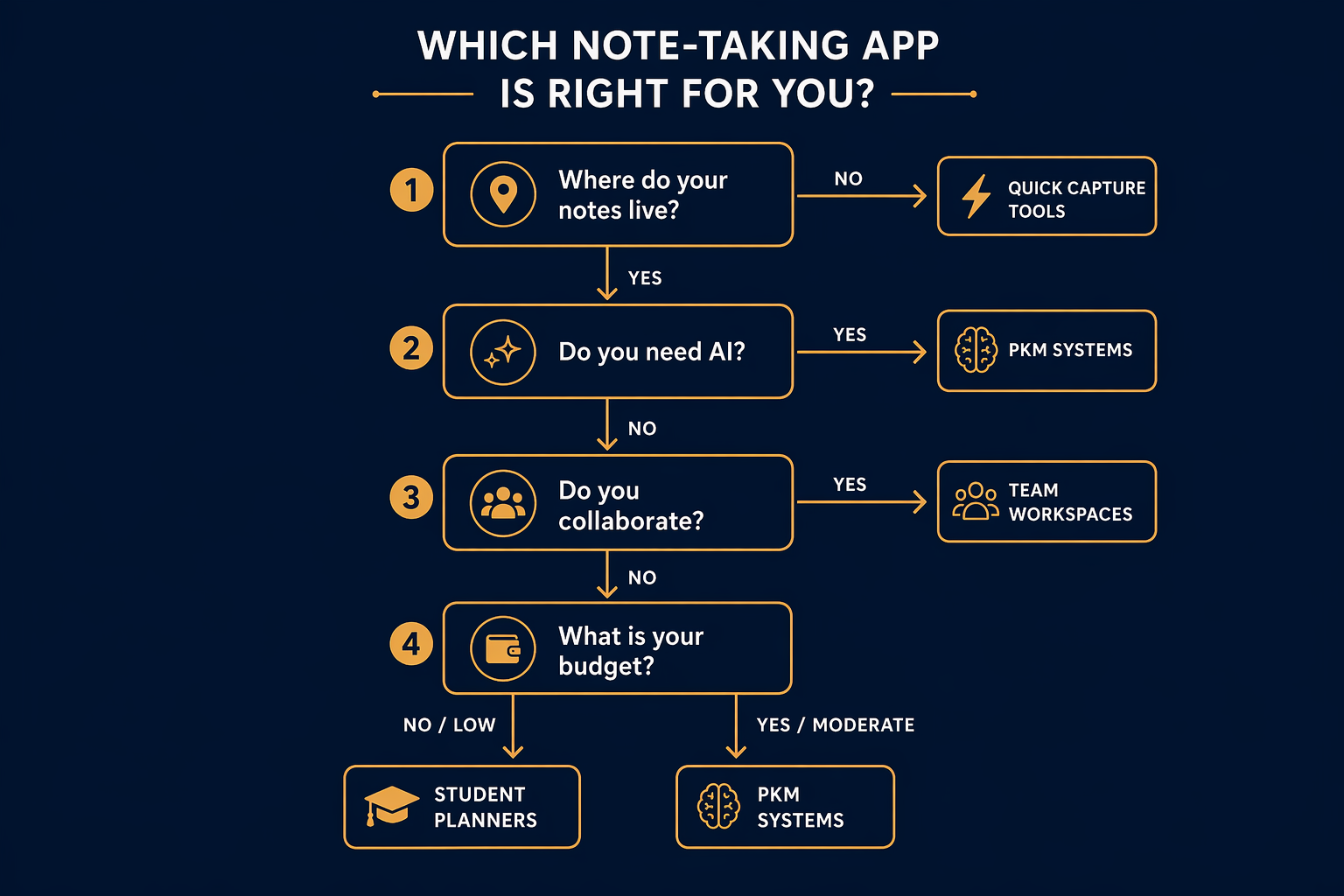
- Where do your notes live? If you need offline access and data ownership, choose a local-first tool (Obsidian, Joplin, Logseq). If cloud access and sync across devices are more important, choose a cloud-based tool (Notion, OneNote, Evernote).
- Do you need AI? If AI summarization, semantic search, or auto-organization are essential, you will need a paid plan. Mem and Storyflow are built around AI. Notion and Evernote offer AI as add-ons. Obsidian requires third-party plugins.
- Do you collaborate? If you share notes with a team, Notion is the strongest choice. OneNote works well for Microsoft 365 orgs. Evernote supports sharing but is less structured. Obsidian and Joplin are primarily single-user tools.
- What is your budget? If you need a free plan that is actually usable, OneNote is the best option. Apple Notes and Google Keep are excellent for their ecosystems. If you can spend $10–15/month, Notion and Evernote offer the most features. If you want to pay nothing and own your data, Obsidian or Joplin are the answer.
Pricing Reality Check: What Free Plans Actually Deliver vs. Paid Unlocks
The gap between free and paid note-taking experiences has widened significantly in 2026. Free plans are no longer just limited in storage — they are limited in devices, features, and AI capabilities. The table below shows what you actually get at each tier.
| App | Free Plan Reality | Paid Plan Unlocks | Price to Upgrade |
|---|---|---|---|
| OneNote | Full features, 5GB storage, all platforms | Unlimited storage, desktop Office apps | $6/user/month (M365 Business) |
| Apple Notes | Full features, no limits (Apple devices) | N/A (no paid tier) | Free |
| Google Keep | Full features, 15GB shared storage | More storage via Google One | $1.99/month (100GB) |
| Notion | Good free plan, limited blocks and guests | Unlimited blocks, AI, team features | $10/user/month (Plus) |
| Evernote | 50 notes, 1 device, 250 MB/month upload | Unlimited notes, all devices, AI, OCR | $14.99/month (Personal) |
| Obsidian | Full features, local-only, no sync | Sync, publish, AI plugins | $4/month (Sync) or $8/month (Catalyst) |
| Joplin | Full features, open-source, self-sync | N/A (donation-supported) | Free |
| Bear | Basic editor, limited export | Themes, sync, more export formats | $2.99/month (Pro) |
| Craft | Limited blocks, no AI | Unlimited blocks, AI, sharing | $4.99/month (Pro) |
| Mem | Basic AI, limited storage | Full AI, unlimited storage, team features | $14.99/month (Team) |
The key takeaway: if you need AI features, collaboration, or cross-platform sync, you will almost certainly need a paid plan. The days of getting a fully featured note-taking app for free are over — except for OneNote, Apple Notes, and Google Keep, which remain genuinely free for their respective ecosystems.
Final Verdicts by Reader Persona
There is no single best note-taking app in 2026. But for each reader persona, there is a clear best fit.
- Knowledge worker: Notion ($10/user/month) for structured knowledge bases and team collaboration. If your organization uses Microsoft 365, OneNote is a strong free alternative.
- Student: OneNote (free) for cross-platform reliability and real-time collaboration. Notion (free with .edu email) if you prefer databases and templates. Apple Notes if you are all-Apple.
- Team: Notion ($10/user/month) for shared knowledge bases and project tracking. OneNote (free or $6/user/month) for Microsoft 365 orgs.
- Power user / PKM enthusiast: Obsidian (free) for local-first, plugin-extensible knowledge management. Joplin (free) for open-source privacy. Logseq (free) for outliner-based Zettelkasten.
- Apple writer: Bear ($2.99/month) for Markdown-focused writing. Craft ($4.99/month) for block-based editing and sharing.
- AI-first user: Mem ($14.99/month) for auto-organized capture. Storyflow (contact vendor) for active-workspace AI context.
The note-taking market in 2026 offers more choice than ever, but that choice comes with a cost: the risk of picking the wrong tool and wasting hours migrating later. Start with the decision framework above, test one or two tools from your tier, and commit only when you are confident the tool matches your workflow — not the other way around.