

The AI Productivity Graveyard: Why Most Tools Fail to Stick
The numbers are staggering. According to Microsoft's 2024 Work Trend Index, 75% of global knowledge workers now use generative AI, with adoption nearly doubling in just six months. Yet, as Zapier reports, 78% of enterprises are struggling to integrate AI with their current tech stacks. That gap between adoption and integration is where most AI productivity tools go to die.
The pattern is predictable. A new app launches with a demo video that makes it look like magic. You sign up, spend an afternoon configuring it, and by the end of the week you are back to your old workflow. The tool sits in your browser tab collection, unused. Zapier has even coined a term for this phenomenon: the AI tools graveyard — a growing collection of abandoned subscriptions that promised to change how you work but never quite fit into how you actually work.
This guide is written for the skeptics: the professionals who have been burned by overhyped launches, who have a folder of canceled subscriptions, and who want a framework for separating genuinely useful AI tools from the ones that create more work than they save. We are not going to list every AI app on the market. Instead, we are going to apply a three-test filter, name the failure modes, and point you toward the tools that pass.
The Three Tests of a Useful AI Productivity App
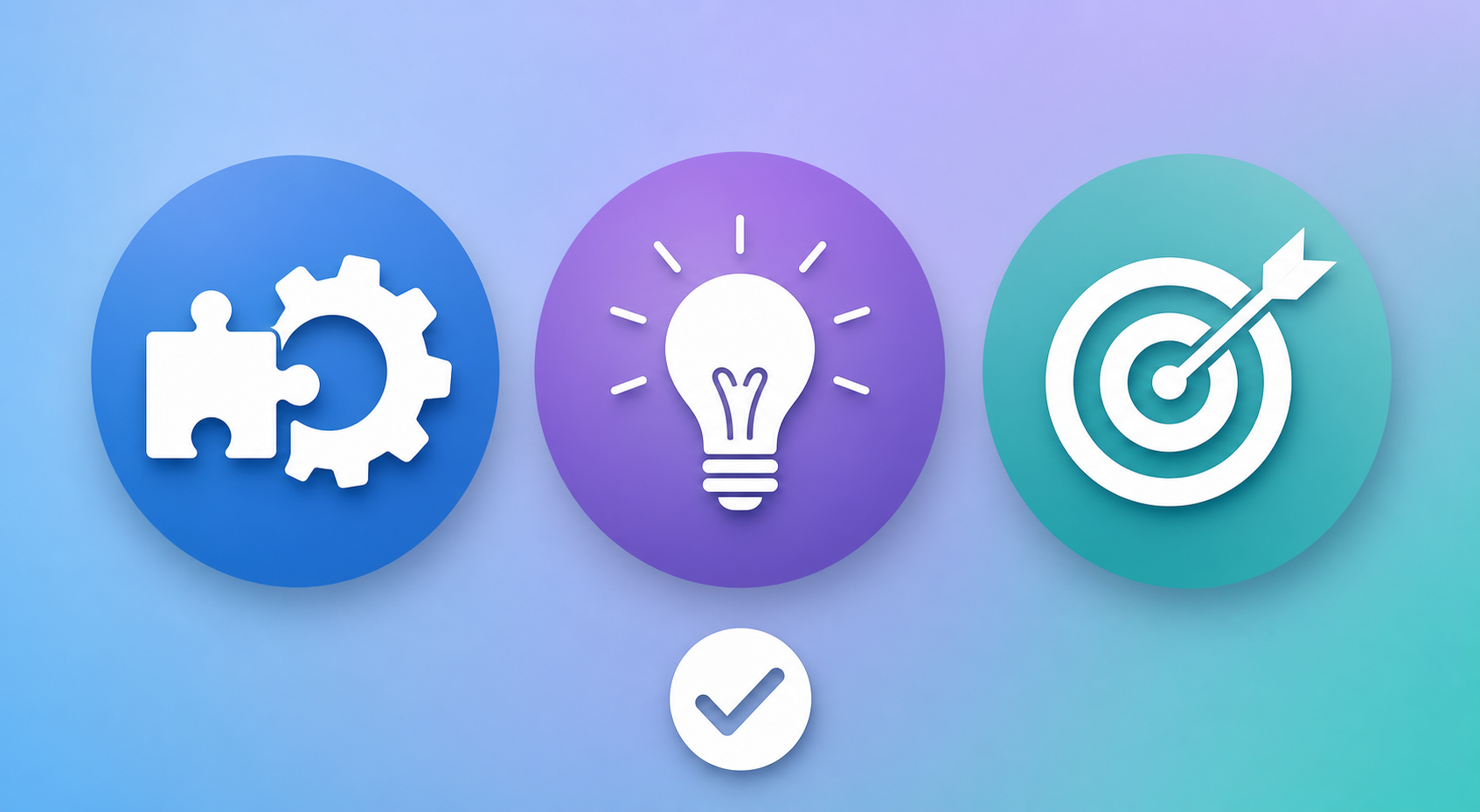
Before you evaluate any AI tool, run it through these three tests. If it fails even one, the odds of it becoming another graveyard resident are high.
Test 1: Does It Integrate Into Your Existing Workflow Without a Complete Overhaul?
The best AI tools fit into the tools you already use. They do not ask you to abandon your calendar, your note-taking app, or your project management system. They connect via API, browser extension, or native integration. If a tool requires you to move your entire workflow into its ecosystem before you see any benefit, it is asking you to take on risk before you have seen value. That is a bad trade.
The 78% integration struggle statistic from Zapier is not a coincidence. Most AI tools are built as islands, not bridges. The ones that pass this test — like Zapier itself, which connects thousands of apps — treat your existing stack as an asset, not an obstacle.
Test 2: Does It Deliver Value on Day One, Not After Weeks of Configuration?
A tool that requires a weekend of setup, custom prompt engineering, and a training period before it saves you time is not a productivity tool — it is a hobby. The tools that pass this test give you a win within the first session. DataCamp's decision framework recommends giving a tool two weeks before evaluating it. We would go further: if you do not feel a measurable reduction in friction within the first two uses, move on.
Test 3: Does It Solve a Specific, Named Pain Point Rather Than Promising General Intelligence?
This is the most important test. A tool that says "AI-powered productivity" without naming the specific bottleneck it removes is selling a feature, not a solution. The tools that pass this test are brutally specific: "We eliminate the 15 minutes you spend scheduling meetings every day" or "We transcribe your meetings and extract action items so you do not have to."
As the Lovable guide puts it: "The best AI productivity tools solve specific problems rather than promising general intelligence. Start with your biggest time sink, not the most exciting feature set."
Apps That Pass: Categorized by Actual Time Saved
The following tools passed all three tests. We have organized them by the specific bottleneck they solve, not by category or persona. Each entry includes the pain point it addresses, how it delivers day-one value, and verified pricing as of Q2 2026.
| Bottleneck | Tool | Day-One Value | Pricing (Q2 2026) | Integration Style |
|---|---|---|---|---|
| Meeting overload — transcription and action items | Fireflies.ai | Joins your calendar meetings, transcribes, and extracts action items without any setup | Free (800 min storage/seat/month); Pro $10/user/month (annual); Business $19/user/month (annual) | Native integrations with Google Calendar, Zoom, Teams, Slack |
| Meeting overload — transcription and action items | Otter.ai | Real-time transcription in your first meeting; searchable transcript history from day one | Pro $16.99/month ($8.33/month annual) | Zoom, Google Meet, Microsoft Teams integrations |
| Research depth — finding and synthesizing information | Perplexity | Ask a question, get a cited answer with sources; Pro tier consults ~42 sources in under 3 minutes | Pro $20/month | Web-based; browser extension available |
| Writing friction — grammar, tone, and clarity | Grammarly | Works in your browser, email client, and documents immediately; no setup required | Pro $12/month (annual) | Browser extension, native apps, document editor integrations |
| Scheduling conflicts — finding meeting times | Clockwise | Optimizes your calendar in the first sync; creates Focus Time blocks automatically | Free; Teams $6.75/user/month; Business $11.50/user/month | Google Calendar, Outlook integrations |
| Repetitive tasks — connecting apps and automating workflows | Zapier | Create your first automation (Zap) in minutes using pre-built templates; no coding required | Free (100 tasks/month); Pro $19.99/month | Connects 5,000+ apps via API |
Each of these tools shares a common pattern: they plug into your existing workflow, deliver a measurable result within the first session, and solve a single, well-defined problem. They do not ask you to change how you work — they make your current way of working faster.
Apps That Fail: Over-Engineering, Setup Burden, and Chatbot Bolt-Ons
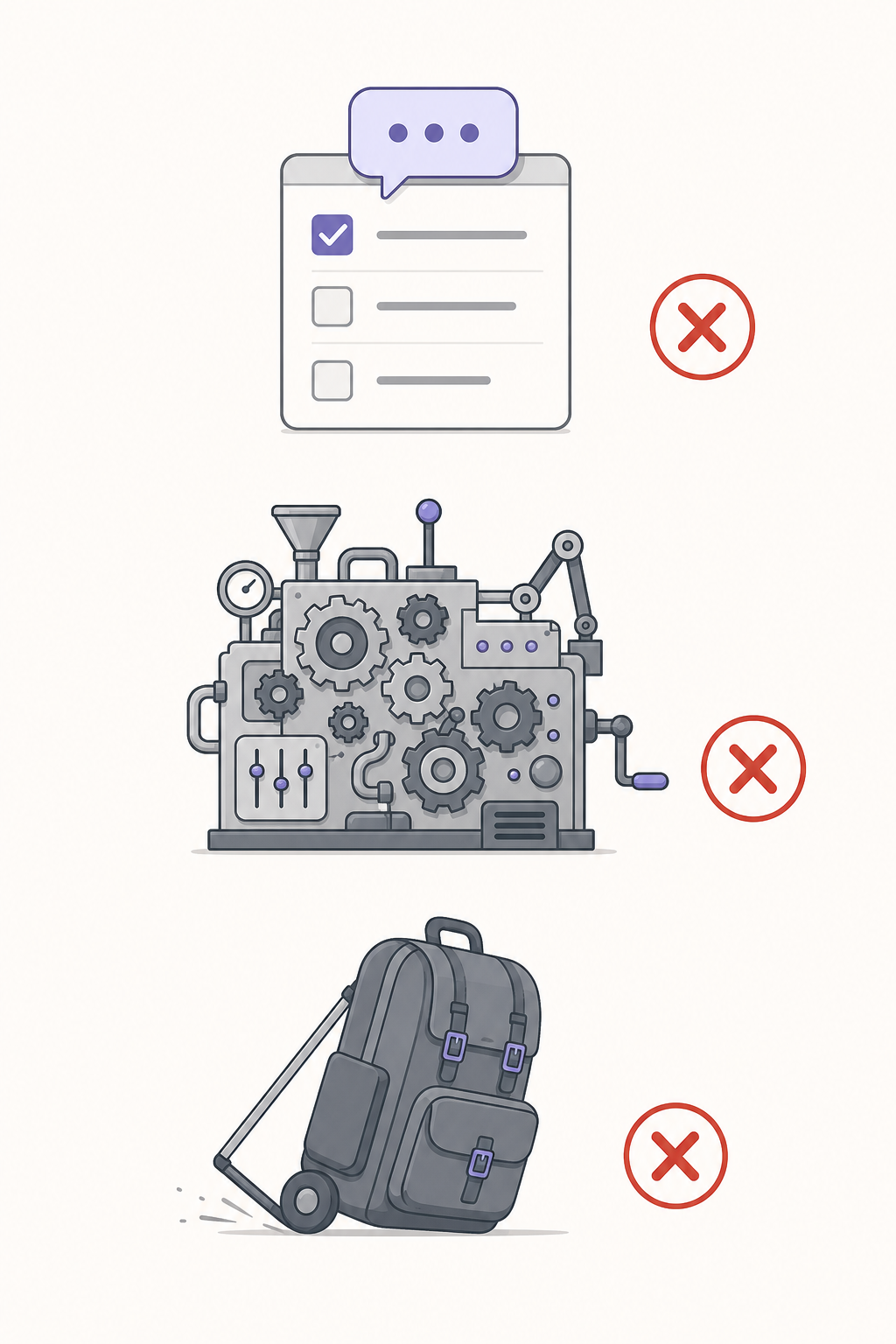
Not every AI tool deserves a spot in your workflow. The ones that fail share recognizable failure modes. Here are the most common, with real examples from the market.
Failure Mode 1: The Chatbot Bolt-On
This is the most pervasive failure mode in the current AI productivity landscape. As rivva puts it bluntly: "Most AI productivity tools are just task managers with chatbots bolted on." A task manager that adds a chat window where you can ask "What's on my plate today?" is not an AI productivity tool — it is a task manager with a search interface. The chatbot does not reduce friction; it adds another layer of interaction between you and your work.
The telltale sign: the tool's core functionality (task management, note-taking, project tracking) existed before the AI feature was added, and the AI feature does not change how you interact with that core. You still create tasks the same way. You still organize projects the same way. The chatbot is a layer on top, not a rethinking of the workflow.
Failure Mode 2: The Workflow Overhaul Requirement
Some tools are so opinionated about how you should work that adopting them means abandoning everything that currently works for you. These tools fail Test 1 (integration) immediately. They ask you to import your data, learn a new organizational system, and reconfigure your habits before you see any return. The setup burden is so high that most users never reach the payoff.
The red flag here is the onboarding flow. If the tool asks you to complete a multi-step setup wizard, watch tutorial videos, and configure custom fields before you can perform your first real task, it is asking for too much commitment upfront. Compare this to tools like Zapier or Motion, where you can complete a meaningful action within minutes of signing up.
Failure Mode 3: The Feature Bloat Trap
Some tools try to be everything to everyone. They combine task management, note-taking, calendar, AI chat, document editing, and project tracking into a single platform. The problem is that each additional feature increases complexity, and complexity is the enemy of adoption. A tool that does ten things adequately is less useful than a tool that does one thing excellently — especially when that one thing is your biggest bottleneck.
The test is simple: can you describe what this tool does in a single sentence without using the word "and"? If not, it is probably trying to do too much.
The Capacity Problem: Scheduling for Availability vs. Capability
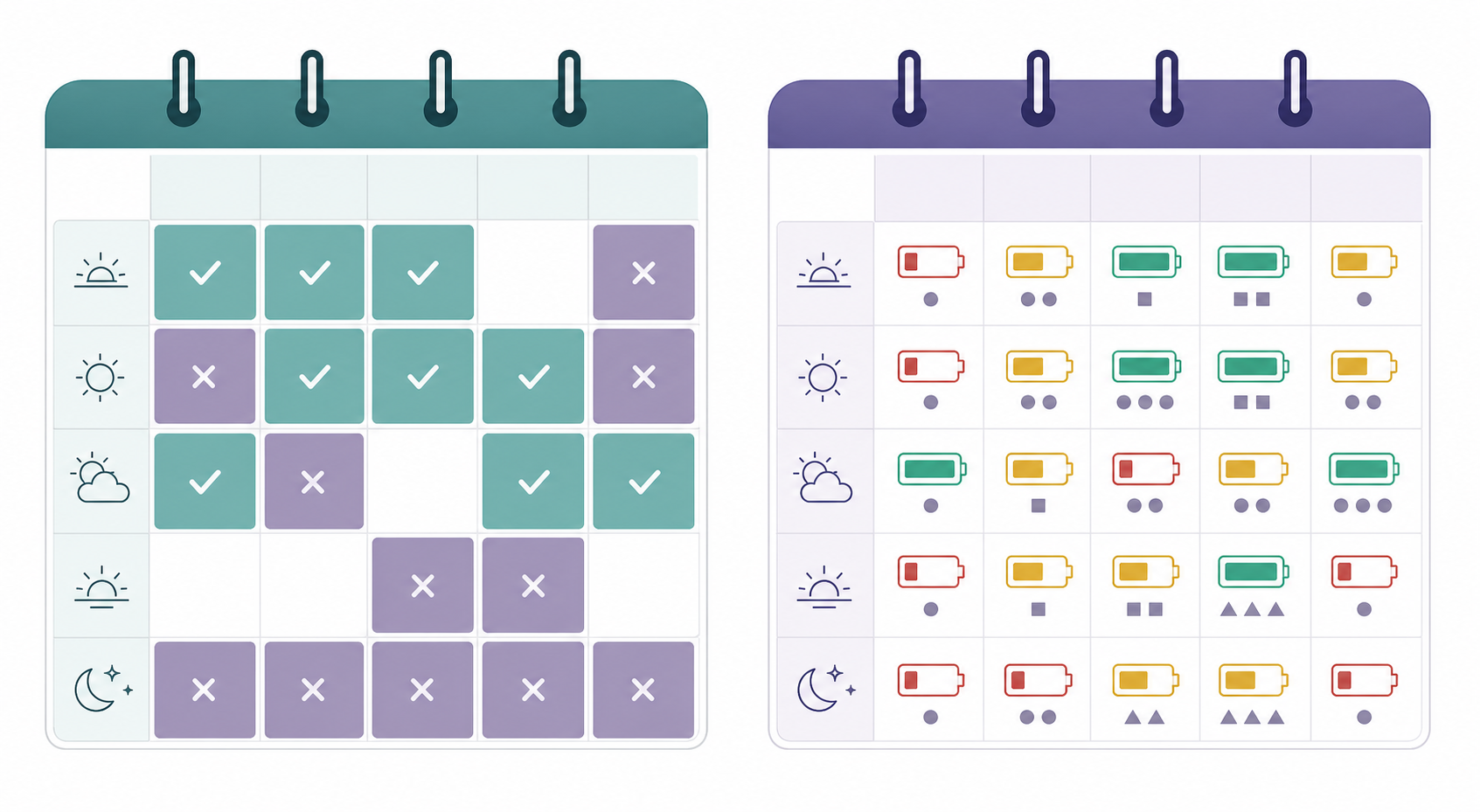
Most scheduling tools operate on a simple premise: is this time slot free or busy? They check your calendar for conflicts and propose times when you are available. This is useful, but it misses a critical dimension: capability.
Not all free time is equal. The hour after a deep-focus writing session is not the same as the hour after a lunch break. Your cognitive capacity fluctuates throughout the day based on sleep quality, meeting load, stress levels, and even physical activity. A scheduling tool that only checks availability is scheduling you for failure — it puts a creative brainstorming session in your lowest-energy slot and a routine administrative task in your peak focus window.
This is where energy-aware or capacity-based scheduling enters the picture. rivva is the leading example of this approach. It schedules based on when you are available and capable, using data from your calendar, sleep tracking, and wearables to estimate your energy levels throughout the day. Instead of just finding an empty slot, it finds the right slot for the right type of work.
| Approach | Data Sources | What It Optimizes For | Example Tools |
|---|---|---|---|
| Availability-based scheduling | Calendar free/busy data only | Finding any open time slot | Calendly, traditional scheduling features in Google Calendar and Outlook |
| Capacity-based scheduling | Calendar + sleep data + wearables + meeting history | Matching task type to energy level | rivva, Reclaim AI (partial) |
This distinction matters because the next generation of AI productivity tools will not just manage your time — they will manage your energy. The tools that understand the difference between availability and capability will be the ones that survive the next wave of consolidation in the AI productivity market.
A Practical Adoption Framework: Start with One Bottleneck, Test Free Tiers, Reassess Quarterly
If you are skeptical about AI productivity tools — and you should be — you need a systematic way to evaluate them without getting burned. Here is a five-step framework designed for the skeptical professional.
- Identify your single biggest time sink or friction point. Do not start with the tool. Start with the problem. What task consumes more time than it should? What part of your day feels the most frustrating? Be specific: "scheduling meetings" is better than "time management." "Transcribing meeting notes" is better than "documentation."
- Find one tool that solves that specific bottleneck and passes the three-test filter. Use the table in the "Apps That Pass" section above as your starting point. If your bottleneck is not listed, apply the three tests manually: does it integrate? Does it deliver day-one value? Does it solve a specific problem?
- Use the free tier for a two-week trial. Most major AI productivity tools have genuinely usable free plans. As DataCamp recommends, give it two weeks. Do not upgrade to a paid plan until you have confirmed that the tool actually reduces friction in your daily workflow.
- Evaluate based on day-one value and integration ease, not feature lists. Feature lists are marketing documents. The only metric that matters is: did this tool save me time today? If the answer is no after two weeks, it does not matter how many features it has.
- Reassess quarterly. Cancel what you do not use. AI tools change fast. A tool that was useful in January may be obsolete by April. Set a quarterly reminder to review your subscriptions. If you have not opened a tool in the last 30 days, cancel it. The AI productivity graveyard is full of subscriptions people forgot to cancel.
Red Flags to Watch For in AI Productivity Tools
Before you sign up for any AI productivity tool, scan for these red flags. If you see more than one, walk away.
- Requires weeks of setup before you see value. If the onboarding process takes longer than 15 minutes, the tool is asking you to invest before it delivers. That is a bad sign.
- Demands a complete workflow overhaul. If the tool asks you to abandon your current calendar, task manager, or note-taking app, it is failing Test 1. The best tools fit into your existing stack.
- Lacks integrations with your existing stack. A tool that does not connect to the apps you already use is an island. Islands do not improve workflows — they fragment them.
- Makes bold claims without a free trial. If a tool promises 10x productivity but does not offer a free tier or trial, treat the claim with extreme skepticism. Tools that deliver value do not hide behind paywalls.
- Has a chatbot bolted onto a basic task manager. As rivva identified, this is the most common failure mode in the current market. A chat interface does not make a task manager intelligent.
- Promises "general intelligence" rather than solving a specific problem. If the marketing copy talks about "AI-powered transformation" without naming the specific bottleneck it removes, it is selling hype, not a solution.
The AI productivity market is not going to slow down. New tools launch every week, each one promising to change how you work. Most of them will end up in the graveyard. But the ones that pass the three-test filter — that integrate into your workflow, deliver value on day one, and solve a specific pain point — are worth your attention. Apply the framework, start with one bottleneck, and reassess quarterly. Your future self will thank you for not subscribing to another chatbot bolted onto a task manager.