
Last checked: August 25, 2026. This reference treats using AI coding agents as a development workflow decision: what the category is, how the loop works, where the leading tools differ, and what 2026 evidence says before a team lets one touch a real codebase.

What counts as an AI coding agent
An AI coding agent is a tool that can receive a development goal, form a plan, use coding tools such as the file system, terminal, build system, tests, and sometimes browser or issue-tracker context, observe the result, and iterate on its own next action. That plan-execute-observe-iterate loop is the category boundary; it is the part that makes an agent meaningfully different from autocomplete or a chat window that returns a code block.[1][2][3]
Autocomplete reacts inside the current editing context. Chat can explain, draft, or debug when asked. An agent can decide that the next useful step is to inspect another file, run the test suite, read a failure, edit again, or ask for clarification. That extra agency is exactly why the category is interesting, and exactly why treating the output as finished code is reckless.
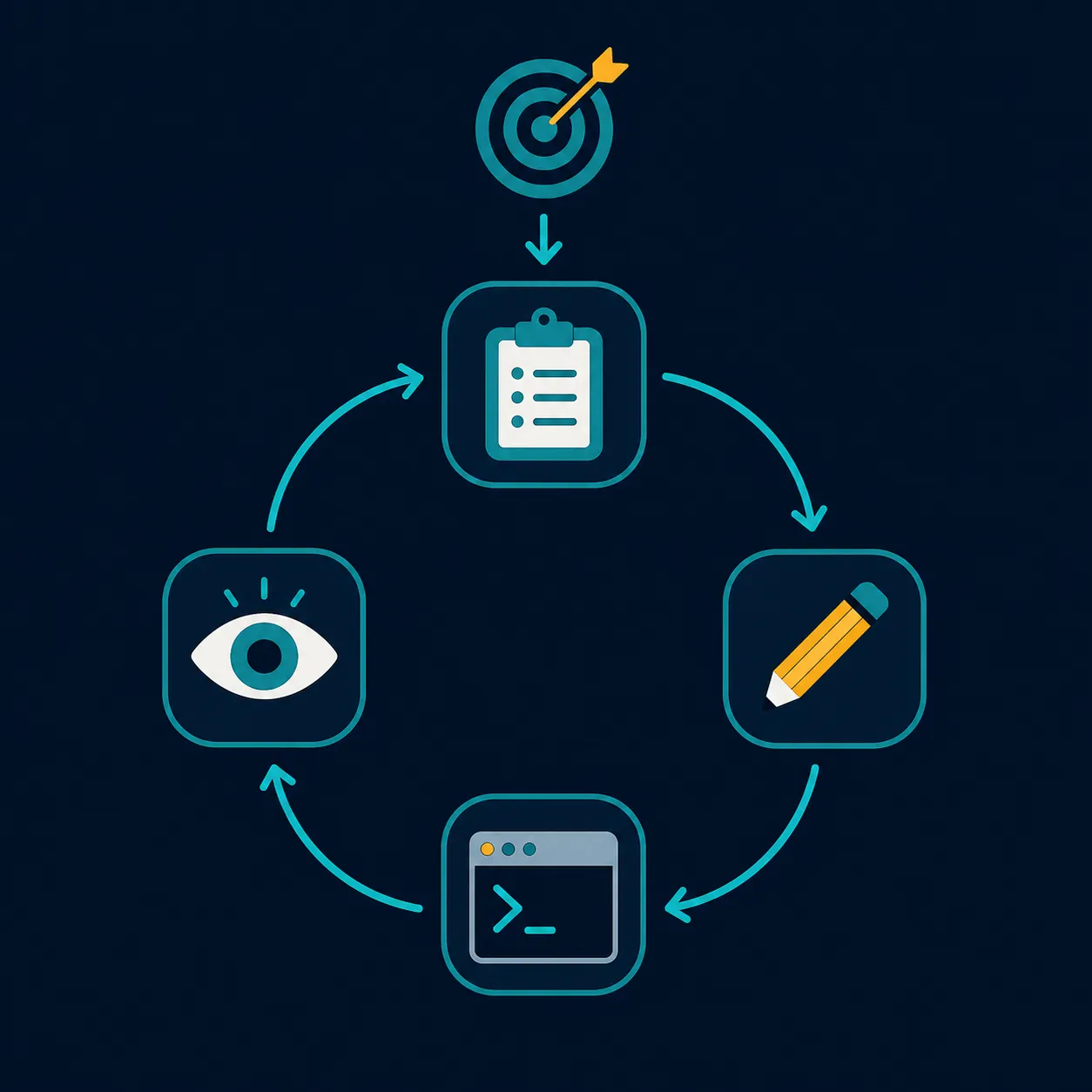
A clean definition matters because vendors have an incentive to stretch the word “agent” until it covers almost any AI feature in an editor. The practical test is simpler: if the tool cannot take a bounded goal, choose actions, touch project state, inspect feedback, and revise its approach, it may still be useful, but it is not doing agentic coding in the stronger sense.
The 2026 evidence: adoption has outrun trust
The adoption story is real, but it is not one number. The major 2025–2026 figures use different samples and definitions, so averaging them into a single “AI coding adoption rate” would erase the very thing a technical lead needs to know: who was asked, when, and what counted as adoption. Digital Applied’s 2026 source-traced review is useful here because it keeps the divergence visible instead of smoothing it away.[4]
| Source or survey window | Reported figure | What the number means | Why it should not be blended |
|---|---|---|---|
| Stack Overflow 2025 | 84% | Developers who use or plan to use AI coding tools | This combines current use with intent, so it is broader than workplace deployment.[4] |
| JetBrains, January 2026 | 90% | Developers using AI tools at work | This is workplace use, not necessarily autonomous agent use.[4] |
| DORA 2025 | 90% | Adoption of AI at work | This measures work adoption in DORA’s framing, not trust or code quality.[4] |
| DX, Q4 2025 | 91% | Self-selected sample of 85,350 developers at 435 companies | The sample is large, but self-selection changes what can be inferred.[4] |
Those figures support a narrow conclusion: AI coding tools are no longer fringe in professional software work. They do not prove that teams trust the output, that agents improve quality, or that every surveyed developer is using autonomous plan-execute loops rather than autocomplete, chat, or review assistance.
The trust data points in the other direction. Digital Applied’s review records Stack Overflow 2025 trust in AI accuracy falling from 40% to 29% year over year. It also cites Veracode’s 2025 finding that 45% of AI-generated code contained a security vulnerability across 80 tasks on more than 100 LLMs, with Java worst at 72%.[4]
That combination is the 2026 paradox. Developers are using these tools at very high rates while becoming less willing to believe the answers are accurate. The contradiction is not irrational. It is what happens when a tool saves typing, speeds exploration, and produces plausible diffs faster than the surrounding review and verification system can absorb them.
Market behavior is moving in the same direction. Gartner estimated the enterprise AI coding agent market at roughly $9.8 billion to $11.0 billion annualized as of April 2026, and described pricing pressure shifting from simple seat-based plans toward usage-based models.[5] That does not validate any vendor’s quality claims. It does say the category is large enough that procurement, budget controls, and usage governance are now part of the engineering conversation.
A separate LangChain survey of 1,340 professionals conducted in November–December 2025 found that 57% had agents in production, with quality named as the top barrier at 32%.[6] That is not coding-agent-specific proof, but it matches the pattern: agent adoption is moving faster than confidence in agent reliability.
How the agent loop changes the work
The useful way to evaluate an agent is not to ask whether it can “write code.” Many tools can write code-shaped text. The better question is which parts of the development loop it is allowed to perform, which observations it can read, and where a human has to re-enter the workflow.
| Loop stage | What the agent does | What the developer should watch |
|---|---|---|
| Goal intake | Receives a task such as refactor this component, add a test, migrate an API call, or investigate a failing command. | Whether the goal is bounded enough to verify. |
| Planning | Breaks the task into steps, often naming files, commands, or likely dependencies. | Whether the plan touches risky areas: auth, data deletion, permissions, cryptography, billing, or migrations. |
| Execution | Edits files, creates tests, runs commands, or updates project configuration. | Whether the tool has write access beyond the intended scope. |
| Observation | Reads terminal output, compiler errors, test failures, lint results, or changed files. | Whether the observations are sufficient; a green narrow test is not the same as system correctness. |
| Iteration | Adjusts the patch after failures, sometimes several times before returning control. | Whether repeated fixes are converging or merely silencing symptoms. |
| Handoff | Presents a diff, explanation, or proposed next command. | Whether the reviewer can reconstruct why each change exists. |
The loop’s power comes from removing handoffs between small mechanical steps. A developer no longer has to paste an error into chat, ask for a fix, copy the fix back, run tests, paste the next failure, and repeat. The agent can do that loop directly.
The risk comes from the same place. A tool that can edit, run, and retry can also create a patch that looks internally coherent while drifting away from project conventions, skipping an unstated security rule, or overfitting to the visible tests. The reviewer inherits the cost of understanding not just the final diff, but the path the agent took to get there.
Where the leading tools differ
The tool table belongs after the mechanism because the interface matters less than the loop it supports. A terminal-first agent, an AI-native IDE, and an extension inside an existing editor can all be useful, but they create different review surfaces and habits.
SitePoint’s April 2026 comparison is a useful concrete anchor because it tested behavior rather than repeating product positioning: Claude Code and Cursor completed an 8-file React refactor autonomously, while GitHub Copilot required two manual fixes in that benchmark.[7] One benchmark does not settle a tool choice, but it shows the kind of difference that matters: how much of the loop the tool can actually carry before a human has to intervene.
| Tool | Primary interface | Autonomy shape | Model flexibility | Pricing shape to verify | Best-fit situation |
|---|---|---|---|---|---|
| Claude Code | Terminal-first | Strong repo-level command-line loop; suitable for inspecting files, editing, running commands, and iterating from terminal feedback. | Centered on Anthropic’s Claude models. | Subscription and usage terms can change; verify current plan and limits before rollout. | Developers comfortable reviewing terminal-driven repo changes and keeping tight source-control boundaries.[7] |
| Cursor | AI-native IDE | Agent workflows built into the editor, with planning, file edits, and contextual review close to the code. | Model access depends on Cursor’s current supported providers and plan. | Plan, usage, and included-cap details require current verification. | Teams that want agentic coding inside an IDE rather than as a separate command-line workflow.[7] |
| GitHub Copilot | Editor extension and GitHub-integrated workflow | Now includes more agentic modes, but in SitePoint’s April 2026 benchmark it still needed manual fixes where Claude Code and Cursor completed the tested refactor autonomously. | Tied to GitHub Copilot’s supported model and mode availability. | Usually evaluated through organizational subscription controls; usage terms should be checked per plan. | Organizations already standardized around GitHub and existing Copilot governance.[7] |
| Windsurf | AI-native IDE | Agentic IDE workflow aimed at multi-file coding assistance and project context. | Depends on Windsurf’s current model routing and plan. | Verify current credits, caps, and enterprise controls. | Developers who want an IDE designed around AI-assisted editing rather than adding an extension to a traditional setup.[8] |
| OpenAI Codex CLI | Command-line interface | Terminal-centered agent workflow for developers who want AI actions close to shell, files, and local commands. | Centered on OpenAI models. | Likely to be sensitive to usage volume; verify current API or product billing. | Small, inspectable tasks where command logs and diffs are easy to review. |
| Gemini CLI | Command-line interface | Terminal-centered workflow in Google’s agentic coding ecosystem. | Centered on Gemini models. | Verify current free, paid, API, and enterprise limits before using it in shared repositories. | Teams already testing Google’s developer tooling or comparing terminal agents across model families.[8] |
For adjacent hands-on tool behavior, the site’s frontier AI models in Obsidian workflows and ChatGPT Codex in note-taking tasks are worth reading as separate, narrower examples. They do not replace a coding-agent evaluation on your own repository.
Good agent tasks have boundaries
Practitioner accounts converge on a boring but useful pattern: agents perform best when the task has a clear target, enough context, a way to observe failure, and a defined review point. Nolan Lawson, Eric J. Ma, Daz, and Cursor’s own best-practices material all describe workflows where the human supplies context and constraints rather than tossing a vague product wish over the wall.[9][10][11][12]
Good tasks usually look like this:
- Refactor a small, named area while preserving public behavior.
- Add tests around an existing bug before proposing a fix.
- Update repeated API usage across a known set of files.
- Investigate a failing test or build command and report the likely cause.
- Draft boilerplate or scaffolding that a developer will immediately inspect.
- Apply a documented convention to code that already has examples nearby.
The common feature is not that the tasks are trivial. It is that the agent can be given a box: these files, this behavior, this test command, this coding convention, this definition of done. A bounded task lets the agent use its loop without forcing the reviewer to audit an unbounded design decision after the fact.
A hypothetical example: instead of asking an agent to “modernize the dashboard,” a developer can ask it to replace a deprecated data-fetching helper in three named components, keep the public props unchanged, add or update tests that cover loading and error states, and stop after presenting the diff. That prompt does not guarantee correctness. It gives the review process something inspectable.
Bad agent tasks hide the review cost
The worst agent tasks are not always the hardest ones. They are the ones where success cannot be checked from the available context. “Improve performance,” “make this secure,” “clean up the architecture,” and “fix the flaky tests” may all be legitimate engineering work, but they are poor open-ended instructions for an autonomous coding loop unless the developer first narrows the target and defines the evidence.
Security-sensitive code deserves a higher bar. The Veracode figure in the 2026 data is not an argument to ban AI-generated code; it is an argument against letting the tool’s confidence become the review policy. If generated code touches authentication, authorization, secrets, payments, input validation, permissions, file deletion, cryptography, or data migration, the agent’s diff should enter the same security review path as a risky human-written patch.
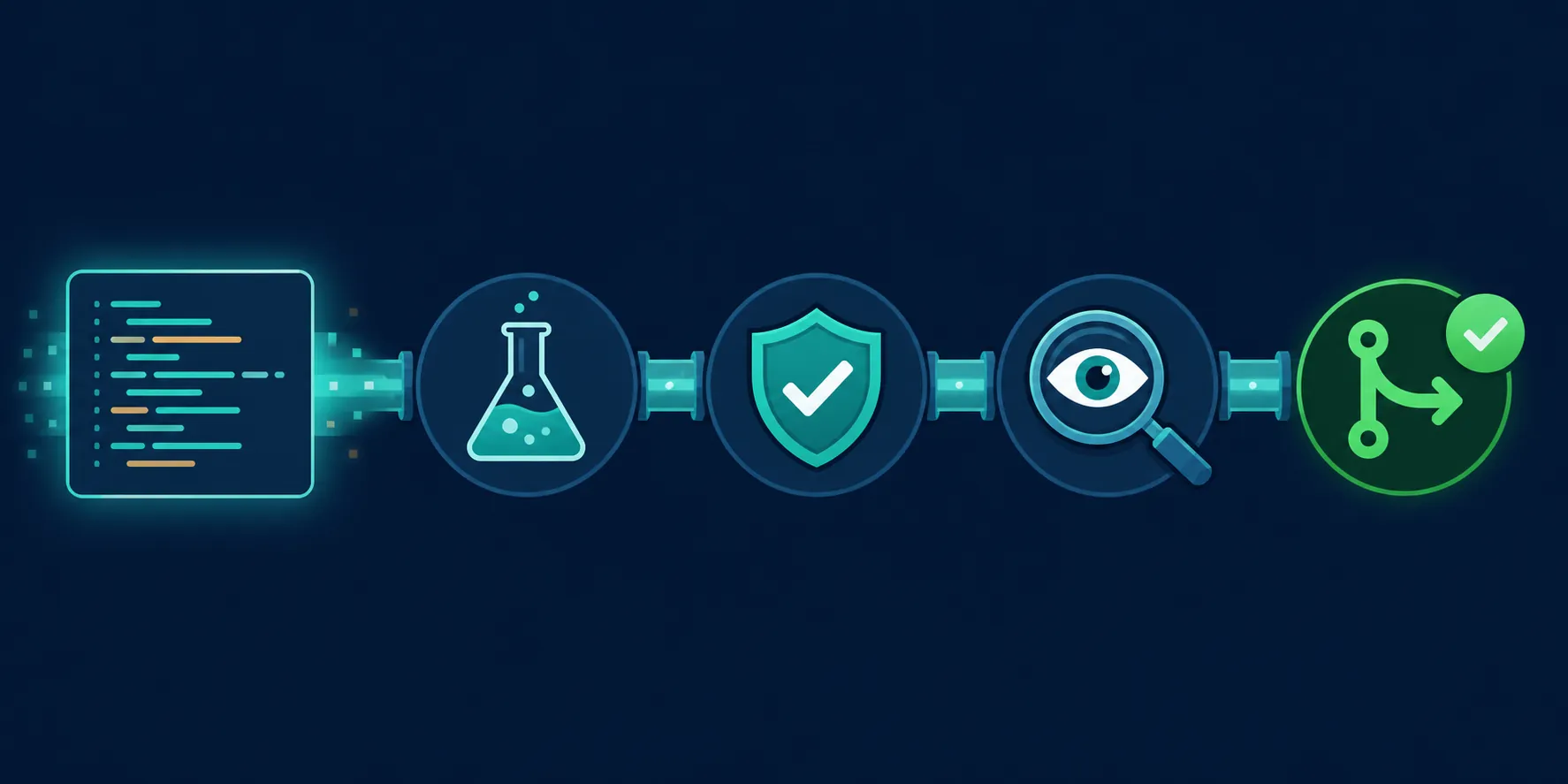
There is also a quieter failure mode: style compliance without architectural understanding. An agent can make a patch look local, formatted, and test-passing while reinforcing a bad abstraction or bypassing an internal convention that lives in a senior developer’s head. That is not a model failure alone. It is a context-management failure by the workflow that invited the model to act without the missing rule.
A safer workflow for using AI coding agents
The minimum viable workflow is not complicated. It is source control, scoped permissions, reproducible checks, human review, and dated re-verification of tool behavior. The discipline is keeping those pieces in place when the demo looks smooth.
Start from a clean branch
Run the agent on a branch that can be discarded. Commit or stash the known-good state first. If the tool edits more than expected, the developer should be able to inspect, reset, or split the diff without archaeology.
Give the agent the constraints reviewers will enforce
Prompts should include relevant files, project conventions, forbidden changes, test commands, and the expected stopping point. If a team uses a spec-driven workflow, the agent should work from the spec, not from a vague sentence in chat. The same logic applies to a broader vibe-coding productivity workflow: the less formal the instruction, the more review load moves downstream.
Make the agent show its work
Before accepting edits, ask for the plan. After the run, ask what files changed, which commands passed or failed, and what assumptions remain. The goal is not to make the model narrate confidence. The goal is to produce a review trail a human can challenge.
Separate generated success from verified success
An agent saying the task is done is not a signal. Passing the intended tests is a better signal. Passing unrelated tests may be noise. A clean diff still needs a human to check behavior, architecture, security assumptions, and maintainability. The trust layer has to be engineered around the agent because the 2026 data does not justify assuming it from the agent.
Use permissions as part of design, not as an afterthought
A local agent with terminal access should not automatically get credentials, production data, destructive commands, or broad write access just because the developer trusts the vendor. Teams should decide which repositories, files, commands, and secrets are out of bounds before adoption. For security-focused agent testing, the site’s AI note-taking agents security test covers the same operating principle in a different agent category: do not wait until after an autonomous action to decide what the tool should never have been able to touch.
Not for you if the review system is already overloaded
AI coding agents are a poor fit if the team cannot reliably review normal pull requests, lacks automated tests for important paths, has no clear ownership of security-sensitive code, or treats CI as optional. In that environment, an agent may still produce impressive diffs, but it will also increase the volume of code that no one has time to understand.
They are also a poor fit when adoption is framed mainly as individual productivity theater. A developer can feel faster while a reviewer, security engineer, or on-call maintainer absorbs the real cost later. The workflow has to account for the person who merges, audits, debugs, and owns the code after the autonomous loop stops.
Used well, coding agents are more than better autocomplete. They can carry a meaningful slice of the development loop: plan, edit, run, observe, and revise. The verified 2026 picture is not that the tools are fake. It is that adoption is real, the category is real, and trust has to be built outside the model through source control, tests, human review, security checks, and regular re-verification of the tool’s behavior.
References
- What are AI agents? — GitHub
- What Is an AI Coding Agent? — MindStudio
- AI Coding Agents: A Practical Guide — DevTools Academy
- AI Coding Adoption Statistics 2026: 50 Data Points — Digital Applied
- Enterprise AI Coding Agent Market — Gartner
- State of Agent Engineering — LangChain
- Claude Code vs Cursor vs Copilot: The 2026 Developer Comparison — SitePoint, April 2026
- What is agentic coding? — Google Cloud
- How I use AI agents to write code — Nolan Lawson, December 22, 2025
- How to use coding agents effectively — Eric J. Ma, October 14, 2025
- How I work with AI coding agents — Daz
- Agent Best Practices — Cursor