
The promise behind vibe coding is real enough to be dangerous. In one published ArXiv study, developers building an HTTP server finished in 71 minutes with AI assistance versus 161 minutes without it, a 55.8% faster completion time.[1] A separate MIT randomized controlled trial involving 4,867 developers found that AI-assisted developers completed 26% more tasks.[2] McKinsey has reported a 46% reduction in time spent on routine coding activities.[3]
That is the part everyone remembers after the first working demo. The part people forget is what happens when the app has enough surface area that no one can hold the whole thing in working memory. Keyhole Software’s 2026 practitioner analysis says enterprise teams using AI coding workflows were losing 20–30% of sprint capacity to AI-traced bug remediation by week 12.[4] That is the productivity bill arriving on a calendar, not a theoretical complaint about code quality.

So the useful question is not whether AI can write code quickly. It can. The useful question is how vibe coding can boost your app development productivity without turning the second month of the project into archaeology. The answer is to stop treating prompts as the process. Prompts are an interface. The process is the written spec, the order of implementation, the conventions the assistant must follow, and the documentation you leave behind after each slice.
The speedup is strongest before the codebase pushes back
AI coding tools are unusually good at greenfield work because there is little existing context to violate. If the task is “build a small app that authenticates users, stores records, and renders a dashboard,” the assistant can generate the obvious scaffolding faster than most humans can type it. That is not fake productivity. It removes setup drag, boilerplate, syntax lookup, first-pass UI work, test stubs, and a lot of the boring connective tissue that normally slows a solo builder down.
The problem appears when the same interaction style continues after the app stops being obvious. “Add a billing screen” becomes dangerous if the assistant does not know the data model. “Fix the dashboard bug” becomes expensive if the assistant patches the symptom in the component instead of the query. “Refactor auth” becomes a coin toss if the project has no written boundary between session handling, permissions, and user profile state.
That is why perception-based productivity claims need a filter. METR studied 16 experienced developers working on large, mature codebases and found that AI assistance caused a 19% slowdown, even though the developers felt about 20% faster. METR later noted selection-effect caveats around the original result, but the perception gap itself remains the warning: developers can feel accelerated while actual elapsed time moves the other way.[5]
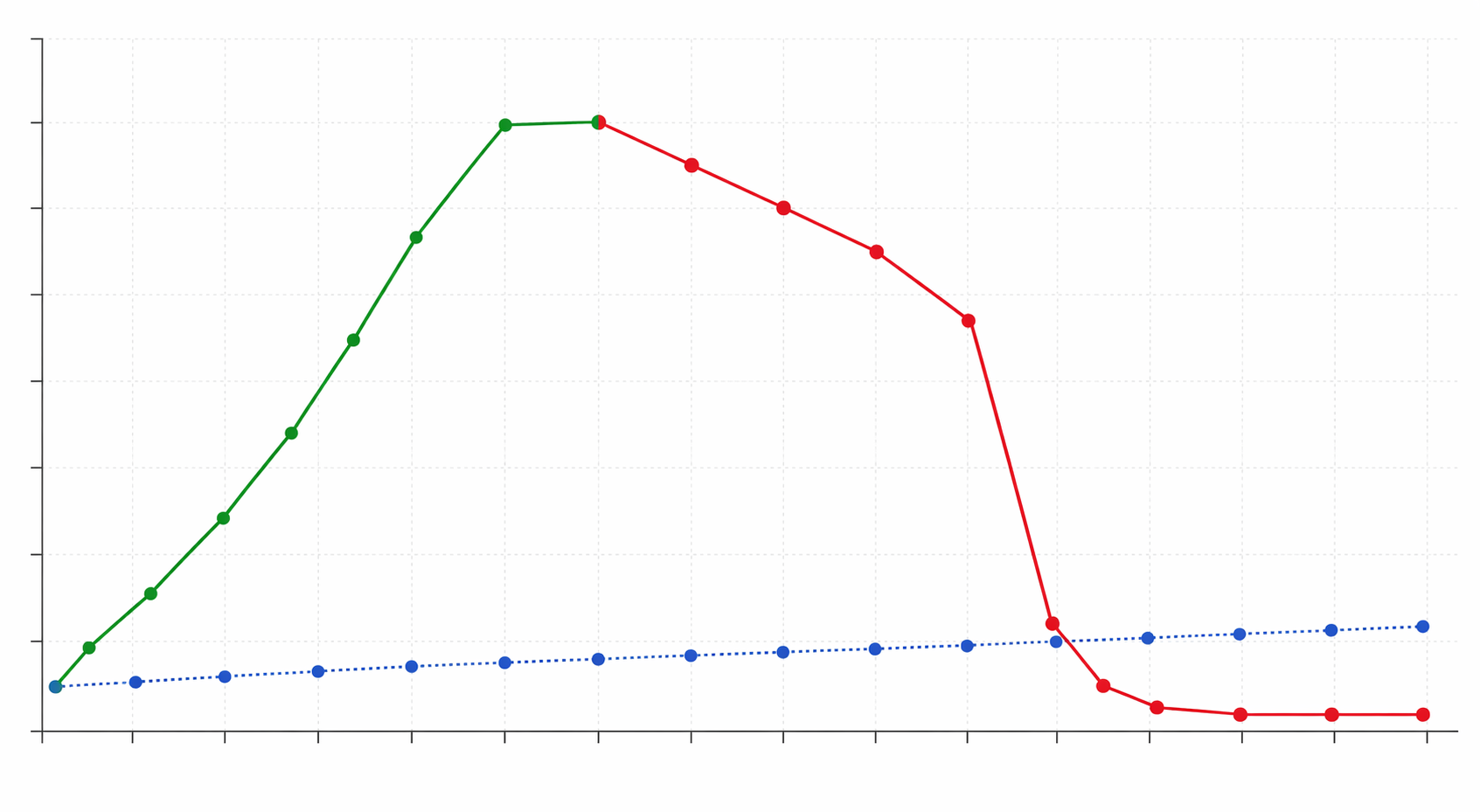
For small apps, the practical failure mode is usually not one catastrophic bug. It is the accumulation of small decisions nobody wrote down: duplicated validation, two ways to represent status, state stored in the wrong layer, naming that changes between files, tests that only cover the happy path, and generated code that works but does not reveal why it works.
Start with a PRD before you open the coding agent
The most underrated productivity move in vibe coding is writing the product requirements document before the first implementation prompt. Not a corporate binder. Not a ceremony. A short, explicit document that removes ambiguity before the assistant starts filling gaps with plausible guesses.
A vague prompt such as “build me a CRM for freelancers” looks efficient because it gets you a screen quickly. But it postpones the real decisions: what counts as a client, whether contacts can belong to multiple companies, how projects relate to invoices, which fields are required, who can edit what, what happens when a record is archived, and which workflows matter on day one. If those decisions are made implicitly by generated code, every later feature has to negotiate with assumptions you may not have noticed.
A useful PRD for AI-assisted app development should answer five questions before code generation begins:
- Who is the app for, and what job are they trying to finish?
- What are the core entities, and how do they relate to each other?
- What are the first workflows that must work end to end?
- What should the app refuse to do, validate, or protect?
- What is explicitly out of scope for the first version?
The last question saves more time than it looks like. AI agents love to be helpful. If the PRD does not say that billing, teams, integrations, or admin analytics are out of scope, the assistant may build hooks for them anyway. That feels generous during generation and irritating during maintenance.
A PRD changes the assistant’s role. Without it, the AI is both product manager and implementer, which means it invents requirements while writing code. With it, the AI becomes an implementer constrained by decisions you already made. That does not make the output perfect, but it makes the mistakes easier to inspect: the code either follows the spec or it does not.
| PRD section | What to write | Why it matters during AI coding |
|---|---|---|
| User and job | The specific user, situation, and outcome | Prevents generic feature creep |
| Data model | Entities, required fields, relationships, and lifecycle states | Keeps generated schema and UI assumptions aligned |
| Core workflows | The first end-to-end actions the app must support | Gives you a build order instead of a pile of components |
| Rules and constraints | Permissions, validation, privacy, error handling, and edge cases | Reduces later bug loops caused by missing boundaries |
| Out of scope | Features the AI should not prepare, stub, or partially implement | Keeps the first version small enough to understand |
This is also where you decide what not to automate. If the feature requires business judgment, user research, or a sensitive data decision, do not bury that uncertainty in a prompt. Write the uncertainty into the PRD, pick the smallest reversible version, and let the assistant implement that. If you need a broader way to decide which parts of a project deserve speed and which require judgment, the Speed vs. Judgment Framework is a useful companion.
Build vertical slices, not horizontal piles
Once the PRD exists, the next productivity decision is implementation order. The common AI-assisted mistake is to ask for the database, then all API routes, then all screens, then all tests. That looks organized, but it creates horizontal piles of unfinished work. You can spend days generating impressive layers without proving that any user workflow actually works.
A vertical slice is one user-visible feature built from storage to interface. If the app is a lightweight project tracker, the first slice might be “create a project.” That slice includes the database table or model, server action or API endpoint, validation, form UI, success state, error state, and a basic test. When the slice is finished, a user can create a project in the app. Not imagine it. Not see a mockup. Actually do it.
This method slows the first prompt down and speeds the project up. It forces integration problems to appear while the surface area is still small. If the data model is wrong, you discover it while building the first workflow, not after generating ten screens that depend on it. If the assistant misunderstands validation, you correct the pattern once and reuse it. If the UI state shape is awkward, you feel it before it spreads.
A practical slice order usually follows the user’s first successful session:
- Create the smallest authenticated or local user context the app needs.
- Build the first core entity from database to UI.
- Add the first action that changes that entity’s state.
- Add the first list, detail, or dashboard view that proves the state change matters.
- Add the first edge case that would cause real user confusion if ignored.
For each slice, prompt the assistant against the PRD and the existing code, not against a fresh idea in your head. The prompt should name the slice, list the files or layers likely to change, state the acceptance criteria, and ask the assistant to avoid unrelated refactors. That last instruction matters. AI agents often “improve” neighboring code while implementing a feature. Sometimes that is helpful. In a growing app, it also creates diff noise that makes review harder.
A slice prompt can be short:
Implement the "create project" vertical slice from the PRD.

Acceptance criteria:
- A signed-in user can create a project with name, client, status, and due date.
- Required fields are validated on the server.
- The project appears immediately in the project list after creation.
- Errors are shown inline without losing entered form data.
- Add or update tests for the validation and successful creation path.

Stay within this slice. Do not add billing, teams, import/export, or dashboard analytics.
The important part is not the exact wording. The important part is that the assistant is working inside a bounded unit of value. You can review the diff, run the app, test the workflow, and either accept the slice or reject it. That is a much better control loop than asking for “the whole app,” receiving a large codebase, and discovering later that five invisible assumptions are fighting each other.
Why the slice boundary protects speed
Vibe coding fails when debugging becomes conversational instead of local. If a bug appears and you can only say “the dashboard is broken, please fix,” the assistant has to infer the cause across the whole app. It may patch the component, change the query, adjust the schema, or add a fallback that hides the real problem.
With vertical slices, the likely blast radius is smaller. The bug belongs to a recently completed workflow with known acceptance criteria. You know which files changed. You know what behavior was supposed to exist. You can ask the assistant to inspect that slice against the PRD instead of inviting it to improvise across the project.
This is where the 20–50x case study is useful, if handled carefully. A Wasp developer reported building a full-stack app 20–50x faster using a structured PRD and vertical-slice workflow.[6] That is a single-developer case study, not a general benchmark. It does show something worth copying: the speed came from constraining the AI’s work, not from typing more magical prompts.
Put project conventions where the assistant can see them
After the PRD and slice plan, the next leverage point is a rules file. In Cursor, that might be `.cursor/rules`. In another coding agent, it may be a project instruction file, memory file, or repository guide. The name matters less than the function: keep the assistant aligned with how this project is supposed to be built.
Rules files are not for dumping every preference you have ever had. They are for recurring decisions the assistant would otherwise guess differently from session to session: file organization, naming conventions, test expectations, component patterns, API boundaries, error handling, styling, and what not to touch without permission.
Project rules for AI coding:

- Implement one vertical slice at a time.
- Follow the PRD in /docs/prd.md and do not add out-of-scope features.
- Keep database access inside the server/data layer.
- Validate user input on the server before writing to the database.
- Use existing component patterns before creating new abstractions.
- Add tests for new business logic and validation rules.
- Do not perform broad refactors unless explicitly requested.
This is not bureaucracy. It is context compression. Every time you start a new chat or hand the next slice to the agent, the same constraints travel with the work. That reduces the chance that slice three uses a different pattern from slice one because the assistant happened to sample a different solution.
Rules also make review easier. If a generated diff violates the repository guide, you do not have to debate whether the code is clever. You can reject it because it crossed a boundary the project already declared. This is one reason tool choice is secondary to workflow. Cursor, Claude Code, and comparable tools can all be useful; the bigger productivity difference is whether the assistant has stable instructions and a small enough task. If you are still choosing a stack, start with a practical tool shortlist such as Best AI Tools in 2026 rather than turning this workflow into a tool comparison.
Review generated code like you expect to maintain it
The review step is where many AI-coded projects quietly lose their future. The app runs, the demo works, and the builder moves on. Six weeks later, the codebase contains working code no one trusts. The fix is not to manually rewrite everything the assistant produced. The fix is to review the slice while the context is still fresh.
For a small app, review does not need to imitate a large engineering organization. It needs to answer a few concrete questions:
- Can I explain the data flow for this slice without asking the AI?
- Did the assistant change files outside the slice without a good reason?
- Are validation, permissions, and error states handled in the right layer?
- Is there one obvious place to change this behavior later?
- Do the tests cover the rule that would be expensive to rediscover?
The evidence gives this caution some weight. A Hostinger summary citing Uplevel’s study of about 800 developers reports that pure vibe coding produced 1.7x more issues than human-written code and 41% more bugs after adoption; the same summary cites a CodeRabbit analysis of 470 pull requests as corroborating code-quality concerns.[7] Those figures do not mean AI-generated code is doomed. They mean unreviewed generated code is not the same thing as maintainable software.
This is also where experience still matters. If you know what clean boundaries look like, the assistant gives you leverage. If you cannot yet tell whether the generated code is coherent, the AI may simply help you produce more code than you can safely evaluate. That does not mean non-experts should avoid vibe coding. It means they should keep the app smaller, the slices narrower, and the review checklist more explicit.
Close every slice with documentation
Documentation is usually treated as a cleanup task after the app is “done,” which means it never quite happens. In AI-assisted development, that habit is especially costly because the original prompt disappears from the maintainer’s view. The code remains, but the decision trail is gone.
At the end of each vertical slice, ask the assistant to update the project documentation while the diff is still fresh. The goal is not a long manual. It is a short record of what exists now: the workflow implemented, the files or modules involved, the key decisions, the validation rules, and any known limitations.
Update /docs/implementation-notes.md for the slice we just completed.

Include:
- What user workflow now works
- Which data model or API changes were made
- Important validation and error-handling rules
- Tests added or changed
- Known limitations or follow-up tasks

Do not invent future features. Document only what is implemented.
This is a good use of AI because the task is bounded and text-heavy. A Posit study cited in Hostinger’s summary reported a 65% time reduction on documentation tasks with AI assistance.[7] Even if your own result is less dramatic, the direction is right: let the assistant draft the record, then correct it while you still remember what changed.
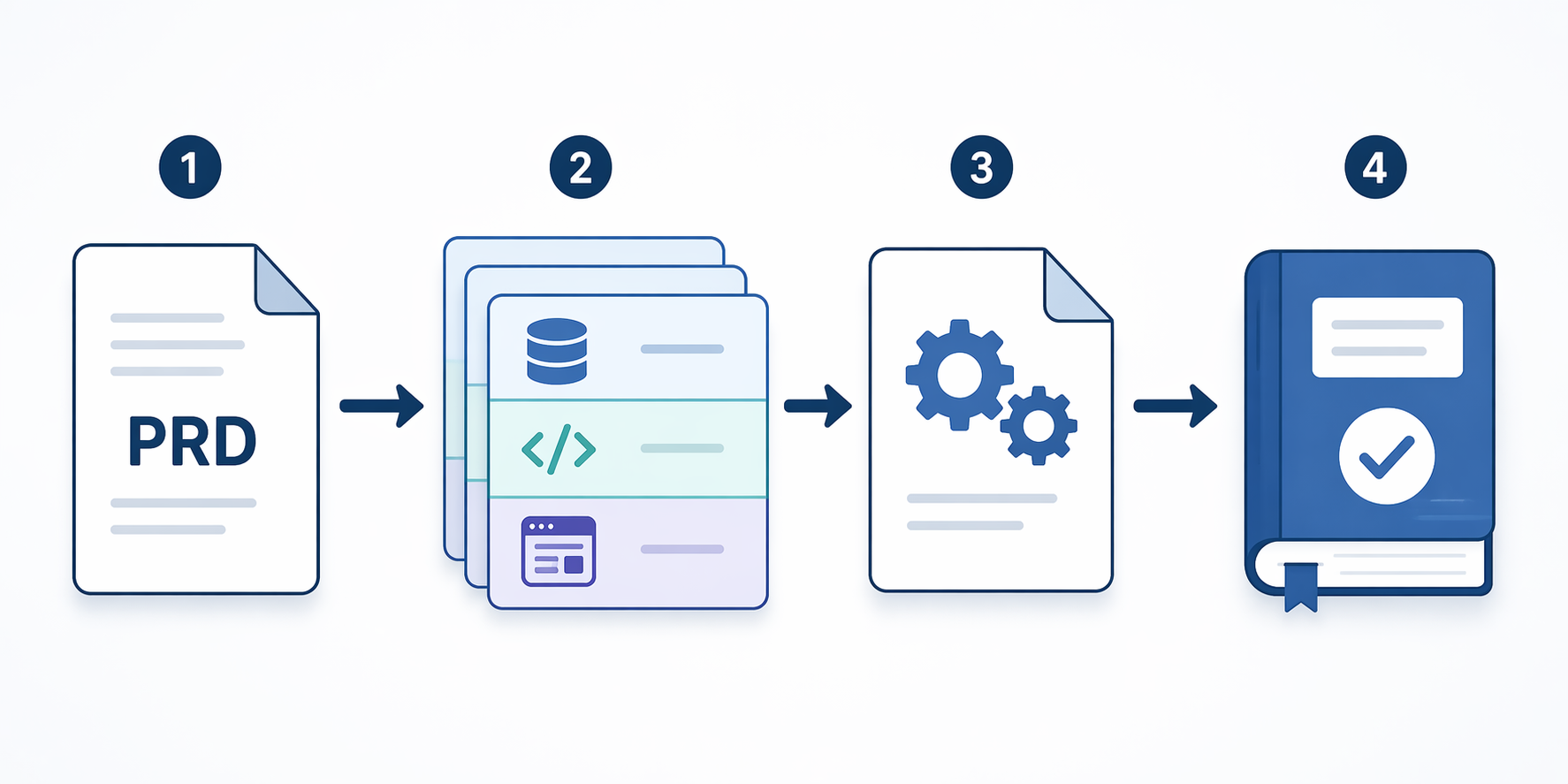
A repeatable vibe-coding loop
The workflow is simple enough to fit on one screen, which is part of the point:
| Stage | Action | Output |
|---|---|---|
| PRD | Write the user, data model, workflows, constraints, and non-goals | A spec the assistant can implement against |
| Slice plan | Break the app into end-to-end user workflows | A build order that proves real behavior early |
| Rules | Store project conventions in the AI-visible repository context | Consistent generated code across sessions |
| Implementation | Prompt one slice at a time with acceptance criteria | Small diffs that can be reviewed |
| Review | Run the app, inspect the diff, check boundaries and tests | Code you can still explain |
| Documentation | Update implementation notes before moving on | A decision trail for the future maintainer |
This loop is close to what larger organizations are learning at a different scale. Keyhole’s summary cites McKinsey research across 4,500 developers at 150 enterprises, where top-quintile firms achieved 16–30% net productivity gains by changing process around AI rather than merely giving developers new tools.[4] The individual version of that lesson is less grand but more immediately useful: write the decisions down, constrain the work, and review the output before the next layer depends on it.
For an indie developer or technical operator, this does not require a full engineering department. It requires refusing the most tempting shortcut: asking the agent to build the whole thing in one sweep and trusting the result because the first run looks good. The speed is still there. You are just putting rails around it.
Where vibe coding actually boosts productivity
Vibe coding is strongest when the goal is to turn clear intent into working software quickly: internal tools, workflow automations, prototypes that may become real products, dashboards, CRUD-heavy apps, admin panels, and small utilities where the architecture can stay understandable. It is weakest when the developer uses it to avoid deciding what the system should do.
The maintainability test is plain: can you add a feature, diagnose a bug, explain the architecture, and hand the project to another person without reconstructing the original conversation? If the answer is no, the speedup has not disappeared; it has been borrowed from the future.
Used casually, vibe coding can produce a working app before lunch and a suspicious codebase by the end of the month. Used inside a PRD-first, vertical-slice, convention-aware workflow, it can boost app development productivity while preserving the option to keep changing the thing after the first demo stops being exciting.
References
- ArXiv study on AI-assisted HTTP server development, ArXiv, 2023.
- MIT randomized controlled trial of AI-assisted developers, MIT.
- McKinsey routine coding time reduction report, McKinsey.
- Vibe Coding Trends 2026, Keyhole Software.
- Measuring the impact of early-2025 AI on experienced open-source developer productivity, METR, February 24, 2026.
- A structured workflow for vibe coding full-stack apps, Wasp, dev.to.
- Vibe Coding Statistics, Hostinger.
Comments
Join the discussion with an anonymous comment.