
What Is the Second Brain Method?
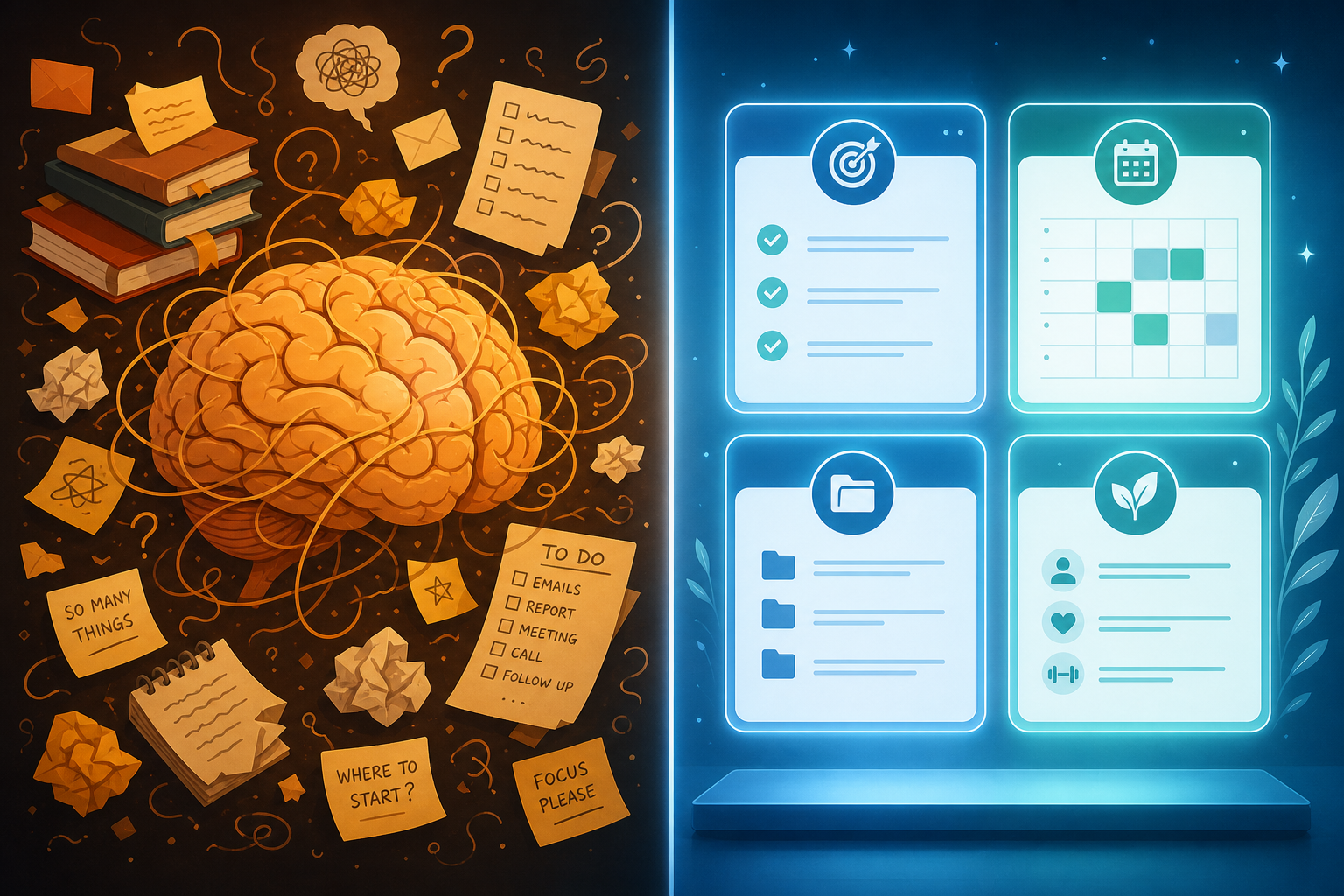
The second brain method is a personal knowledge management (PKM) framework — a deliberate system for capturing, organizing, and using the information you encounter every day. It was developed by productivity educator Tiago Forte and laid out in his book Building a Second Brain. The core premise is simple: your biological brain is excellent at generating ideas, making connections, and solving problems — but it is a poor storage system. A second brain is the external, digital repository that handles storage so your biological brain can focus on thinking.
This distinction matters because it shapes every decision you make about the system. You are not building a better to-do list. You are building a trusted external knowledge base — a place where the articles you read, the ideas you have, the meeting notes you take, and the research you gather all live in a form you can actually retrieve and use months or years later.
Why Your Biological Brain Is Not a Storage System
The case for an external knowledge system is not just intuitive — it is grounded in well-established cognitive science. Three findings in particular explain why the problem is real and why a structured external system genuinely helps.
- Working memory is severely limited. Research by cognitive psychologist Nelson Cowan (2001) found that working memory — the mental workspace where you actively think — holds roughly four chunks of information at a time. When you are trying to recall a half-remembered article, track three open projects, and draft an email simultaneously, you are asking one mental workspace to do the work of a filing system, a calendar, and a writing tool all at once.
- Disorganized information creates extraneous cognitive load. Educational psychologist John Sweller (1988) identified that when the format or organization of information is poor, your brain spends its limited resources on navigation rather than comprehension. A pile of unsorted notes is not neutral — it actively makes thinking harder by forcing your brain to manage the mess alongside the actual work.
- Reliable external systems extend your cognition rather than just assisting it. Philosophers Andy Clark and David Chalmers (1998) proposed what they called the Extended Mind thesis: when an external tool is reliable, accessible, and consistently used, it does not merely support your thinking — it becomes functionally part of your cognitive system. A well-built second brain is not a crutch. It is a genuine extension of how you think.
Put plainly: your brain was not designed to remember everything you read, hold every idea you have, or recall a specific insight from a podcast you listened to eight months ago. Expecting it to do so creates constant low-grade cognitive friction. The second brain method is a structural solution to that friction.
The CODE Framework: How Information Moves Through Your Second Brain
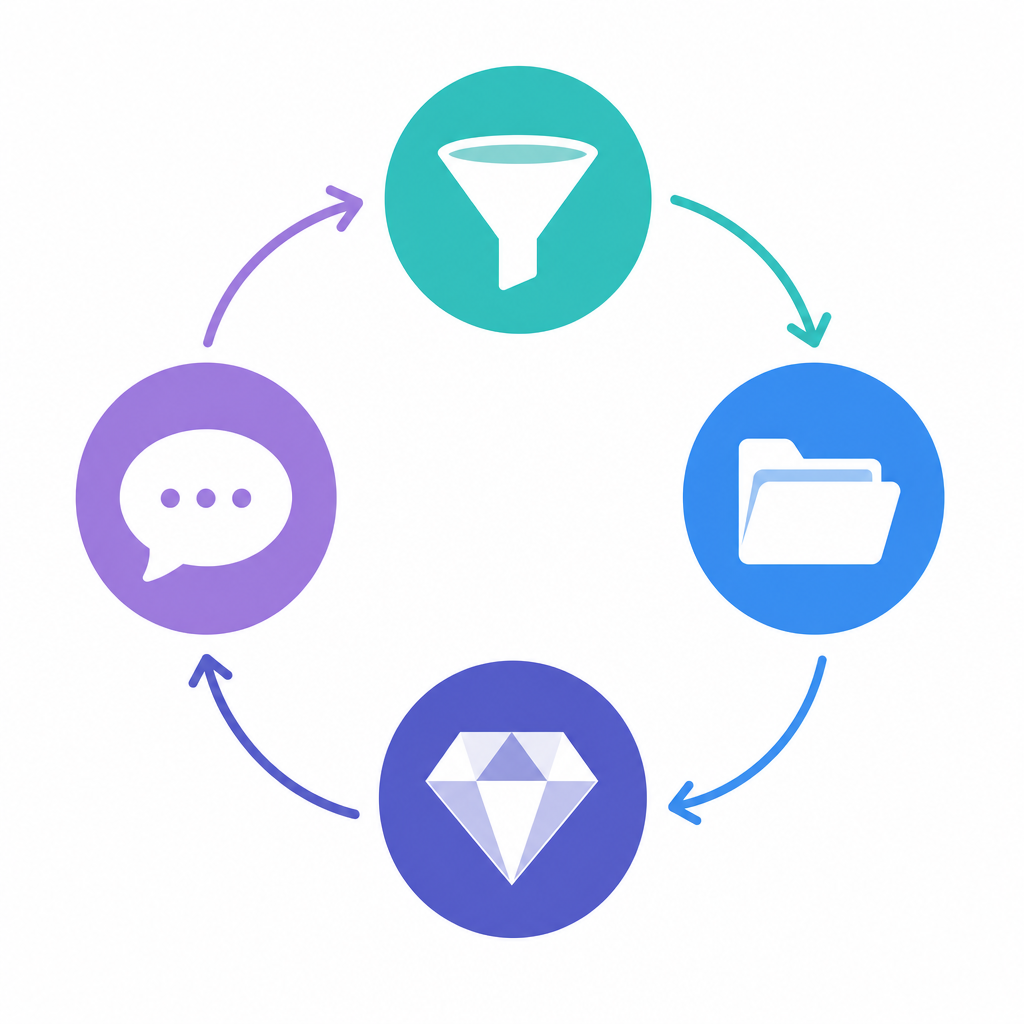
CODE is the workflow at the heart of the second brain method. It describes the four stages that every piece of information moves through — from the moment you encounter it to the moment it becomes useful output. The acronym stands for Capture, Organize, Distill, and Express.
Capture: Save What Resonates
Capture means saving information that genuinely resonates with you — not everything you encounter, but the ideas, passages, and observations that feel relevant or interesting right now. Think of yourself as a curator, not a hoarder.
In practice, this means having a single designated inbox: one place where everything lands first. A paragraph from a book, a voice memo on your commute, a screenshot of a useful diagram, a link to an article — all of it goes into the inbox. The inbox is not a permanent home; it is a collection point you process regularly.
The key discipline at this stage is not over-capturing. Saving everything produces a digital attic. Saving what genuinely strikes you as useful, interesting, or relevant to your current work produces a knowledge base.
Organize: File by Actionability, Not Topic
Once you have captured something, you move it from the inbox into a structured location. The second brain uses the PARA structure for this — more on PARA in the next section. The key principle at the Organize stage is that you file information by how actionable it is right now, not by subject or topic.
A note about a competitor's pricing model goes into the folder for the active project that needs it — not into a general "Business" or "Research" folder. This keeps information connected to the work it serves rather than lost in a subject taxonomy you will forget you created.
Distill: Make Notes Useful to Your Future Self
Distillation is the step most people skip — and the reason most second brains become unusable. Raw notes are not knowledge. A five-page summary of a book you read six months ago is nearly as hard to use as the book itself. Distillation means progressively reducing a note to its most useful core.
Forte's technique for this is called Progressive Summarization. It works in layers:
- Save the note as captured — the raw passage, highlight, or idea.
- Bold the most important sentences or phrases the next time you open the note.
- Highlight the most important of those bolded passages on a subsequent visit.
- Add a two- or three-sentence executive summary at the top when the note becomes important enough to warrant it.
Each time you return to a note, you add a layer of value. The result is a note that communicates its most important content in seconds — a message from your past self to your future self, written in a language your future self can actually use quickly.
Express: Shift from Consuming to Creating
The entire point of capturing and organizing knowledge is to eventually use it. Express is where the system pays off — where you produce work using the material you have collected.
A practical concept here is the Intermediate Packet: a small, reusable unit of work you create along the way — a summary, an outline, a slide deck, a set of talking points. Rather than starting every project from scratch, you assemble intermediate packets you have already built. A presentation you gave last quarter becomes a packet. A research summary you distilled becomes a packet. Expression is not just about finished products; it is about building reusable building blocks that make future work faster.
The PARA Structure: Organizing by Actionability, Not Topic
PARA is the organizational backbone of the second brain. It sorts everything in your digital life into four categories — not by subject, but by how actionable each item is relative to your current work and commitments.
| Category | What it holds | Example |
|---|---|---|
| Projects | Active efforts with a defined goal and end date | "Q3 product launch" or "Write thesis chapter 2" |
| Areas | Ongoing responsibilities with no end date | "Health," "Finances," "Direct reports" |
| Resources | Reference material you may want to consult later | "UX research notes," "Writing style references" |
| Archive | Inactive items from the other three categories | Completed projects, paused areas, outdated resources |
The organizing-by-actionability principle is a direct departure from how most people learned to file things. School trained us to sort information by subject — Math, History, Science. That habit follows most people into adulthood, producing folder structures like "Business," "Personal," and "Reading" that grow increasingly useless because they tell you nothing about what you are trying to do with the information.
PARA's approach is different: a note about a vendor's contract terms goes into the Project folder for the deal you are closing right now, not into a generic "Legal" or "Vendors" folder. When the deal closes, the folder moves to Archive. Nothing gets lost — it just moves to match the current state of your work.
PARA is a complete system in its own right. For a full walkthrough with detailed setup examples, see the dedicated PARA Method guide.
How CODE and PARA Work Together as One System
CODE and PARA are not two separate systems — they are two dimensions of the same system. CODE is the workflow: how information moves. PARA is the structure: where information lives. Neither works well without the other.
Here is what that looks like in practice. You read an article about a new approach to onboarding new hires. It resonates — you are currently building an onboarding program.
- Capture: You save the key passage to your inbox using a read-later app or a quick note.
- Organize: During your next inbox review, you move it into your "Onboarding Program" Project folder in PARA — not into a generic "HR" or "Management" folder.
- Distill: The next time you open that note while working on the project, you bold the two or three sentences that are actually relevant to your specific situation.
- Express: When you draft the onboarding checklist, you open the distilled note and pull the key insight directly into the document — no re-reading the full article, no searching your memory.
When the onboarding program is complete, the Project folder moves to Archive. The note is not deleted — it is preserved and searchable, ready to inform future work. That is the system functioning as intended.
Second Brain vs. GTD vs. Zettelkasten: Which System Is Right for You?
These three systems are often mentioned in the same breath, which creates genuine confusion about what each one does. They are not competing versions of the same solution — they solve different problems, and understanding the distinction determines whether you choose the right tool.
| System | Core question it answers | Best suited for | Steepness of learning curve |
|---|---|---|---|
| Second Brain (BASB) | What do I know, and where did I put it? | Knowledge workers who need to capture, organize, and use information across projects | Low to intermediate |
| GTD (Getting Things Done) | What should I do next? | People managing many tasks, commitments, and deadlines across multiple contexts | Intermediate |
| Zettelkasten | How do my ideas connect and build on each other over time? | Researchers, writers, and academics who need to develop original insights across years of work | Advanced |
The Getting Things Done (GTD) method is a task and commitment management system. It captures everything you need to do, clarifies what the next action is, and organizes tasks by context so you can work through them efficiently. GTD is excellent at answering "What should I do next?" — but it was not designed to manage what you know or help you retrieve a specific idea from three months ago.
The second brain and GTD are complementary, not competing. Many knowledge workers use GTD to manage their task lists and commitments while using a second brain to manage their knowledge and reference material. The two systems address different layers of the same workday without stepping on each other.
Zettelkasten is a note-taking method developed by German sociologist Niklas Luhmann, who used it to produce an extraordinary volume of academic work over decades. The system focuses on creating small, atomic notes that are densely linked to each other — building a network of ideas that grows more useful over time as connections accumulate. It is especially powerful for researchers and writers who need to develop original thinking across years of reading and writing.
Why Most Second Brains Fail
The second brain method is not difficult to understand, but it is easy to implement badly. Most failures follow one of four recognizable patterns.
- The digital attic. Information goes in — articles saved, notes captured, highlights clipped — but nothing useful ever comes back out. The system becomes a graveyard of good intentions. This happens when people treat capture as the goal rather than as the first step toward expression. A second brain that is never used for output is just a better-organized pile.
- Over-engineering before establishing habits. Spending three weekends building a twelve-folder PARA hierarchy, a custom tagging taxonomy, and a color-coded status system before capturing a single note. The elaborate system collapses the first week because no capture habit exists to fill it. Complexity built before consistency is wasted work.
- No distillation. Raw notes pile up in a system that is technically organized but practically unusable. Six months later, you open a note and find 800 words of unprocessed text you no longer remember why you saved. Without Progressive Summarization or any equivalent distillation practice, the system does not compound — it just accumulates.
- Building for the ideal self. The system works perfectly on a calm Saturday afternoon but collapses on a busy Tuesday. It was designed for an imaginary version of you with unlimited time and perfect discipline, not for the version of you who has back-to-back meetings and three deadlines. A useful second brain is built for your real life, not your aspirational one.
How to Start Your Second Brain in 15 Minutes
The minimum viable second brain is deliberately small. You do not need a complex structure to start — you need a working capture habit and a place to put things. Here is the fastest credible setup.
- Create one inbox folder. This is where everything lands first. Name it "Inbox" or "Capture" — the label does not matter. What matters is that it is a single, designated collection point.
- Create three working areas: Active, Reference, Archive. Active holds your current projects and responsibilities. Reference holds material you may want to consult later. Archive holds everything completed or paused.
- Do a clean-slate start. Move all your existing files and notes into a single Archive folder dated today — for example, "Archive 2026-06-07." Do not sort them. Do not organize them. Just move them. This gives you a clean system to start fresh without the pressure of sorting years of accumulated material.
- Capture for one week before adding complexity. For the first week, only use the inbox. Let things accumulate. At the end of the week, review what you captured and move items into Active, Reference, or Archive based on whether they are relevant to current work.
Once you have a working capture habit and a sense of how you use the system, you can expand into the full four-category PARA structure. For a complete implementation walkthrough in Obsidian, see the step-by-step Obsidian second brain setup guide.
Choosing Your Tool: Brief, Honest Guidance
The second brain method is tool-agnostic. It works in Notion, Obsidian, Apple Notes, Bear, plain text files, or any application that lets you create, organize, and search notes. The method does not require any specific app, and your tool choice matters far less than your consistency of practice.
That said, different tools suit different working styles. Here is a brief, honest mapping.
| Tool | Best suited for | Key trade-off |
|---|---|---|
| Notion | People who want a flexible, structured workspace with databases and templates | More setup overhead; cloud-dependent; can encourage over-engineering |
| Obsidian | People who want local-first storage, plain Markdown files, and long-term data ownership | Steeper initial learning curve; plugin-dependent for some features |
| Apple Notes / Bear | People who want simplicity and fast capture on Apple devices | Limited organizational depth; harder to implement full PARA structure |
| Plain text files | Developers and privacy-conscious users who want maximum portability | No built-in structure; requires discipline to stay organized |
If you use Notion, the curated Notion second brain starter templates can give you a working structure without building from scratch. If you are considering Obsidian, the Obsidian review covers its strengths and trade-offs in depth before you commit to a full setup.
If you are undecided between Notion and Obsidian, the Notion vs. Obsidian head-to-head comparison walks through the key differences by use case so you can make a clear decision.
Comments
Join the discussion with an anonymous comment.