
Why Choosing the Right System Matters More Than the Most Popular One
Walk into any productivity forum and you will find people arguing over GTD, PARA, and Zettelkasten as if they were rival operating systems. The truth is simpler and more useful: each of these systems was built to solve a different core problem. GTD is a task‑execution engine. PARA is an information‑organization layer. Zettelkasten is an idea‑generation network. They are not interchangeable, and the real mistake is expecting any single one to do all three.
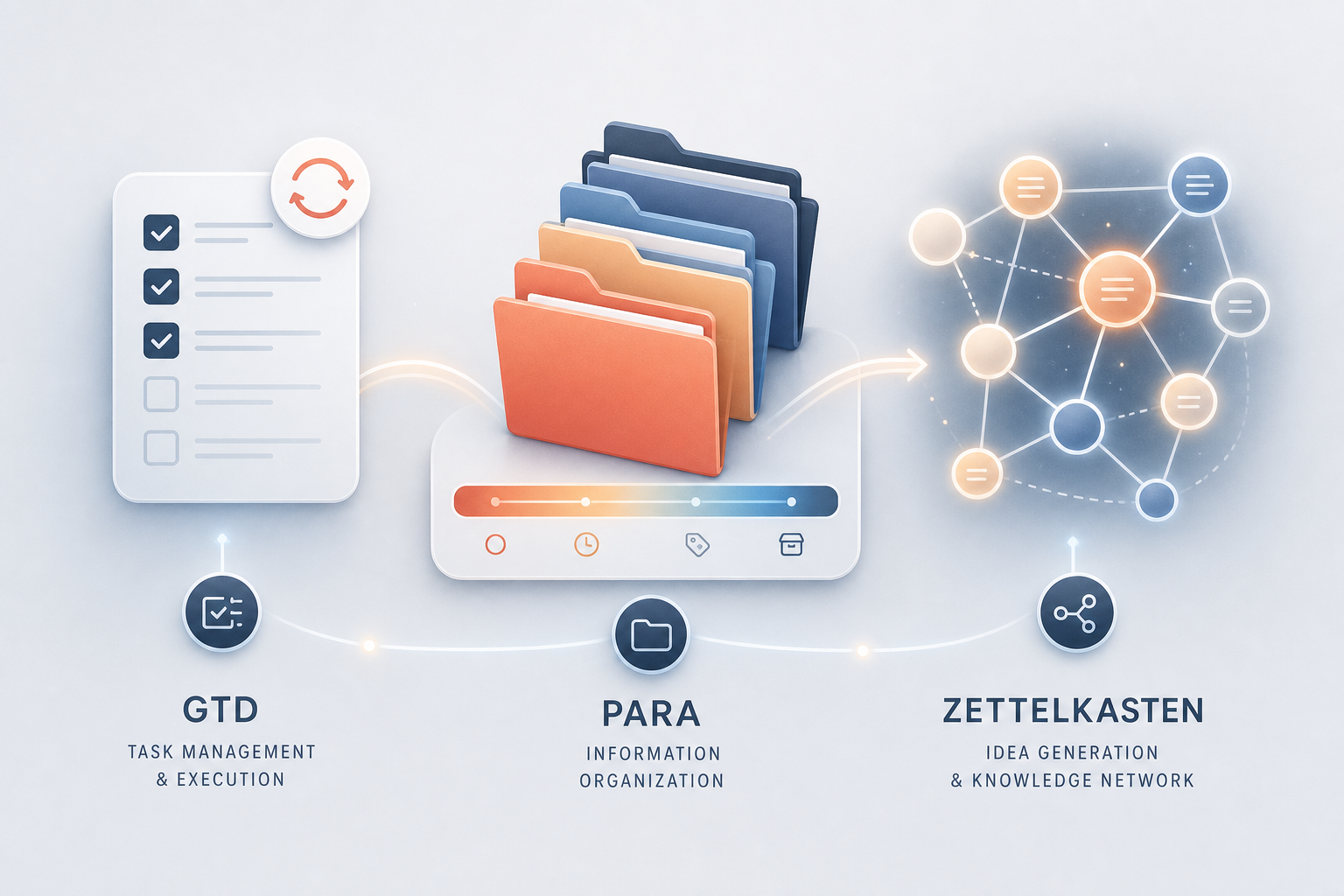
GTD (Getting Things Done): Managing Commitments and Next Actions
David Allen’s Getting Things Done is a task‑management discipline built to clear mental clutter. Its five‑stage workflow — capture, clarify, organize, reflect, engage — turns every open loop into a trusted next action. GTD does not care about storing reference material for later synthesis; it cares about reducing the cognitive load of unfinished commitments so you can execute without anxiety.
- Capture: Collect everything that has your attention — tasks, ideas, promises — into an inbox.
- Clarify: For each item, decide what it really means and what the next physical action is.
- Organize: Place actions on appropriate lists (next actions, calendar, waiting for, someday/maybe).
- Reflect: Review your lists regularly (ideally weekly) to keep the system current and trusted.
- Engage: Use the system to decide what to do in the moment based on context, time, energy, and priority.
If your inbox is overflowing, you miss deadlines, and you feel perpetually behind, GTD is likely the right first system. It does not try to organize your entire digital library — only the active commitments that demand action.
PARA: Organizing Digital Information by Actionability
Tiago Forte’s PARA method was born from a different frustration: information that is scattered across apps, folders, and cloud drives becomes noise. PARA solves that by sorting everything — notes, files, bookmarks, documents — into four folders ranked by actionability, not by academic subject or source type.
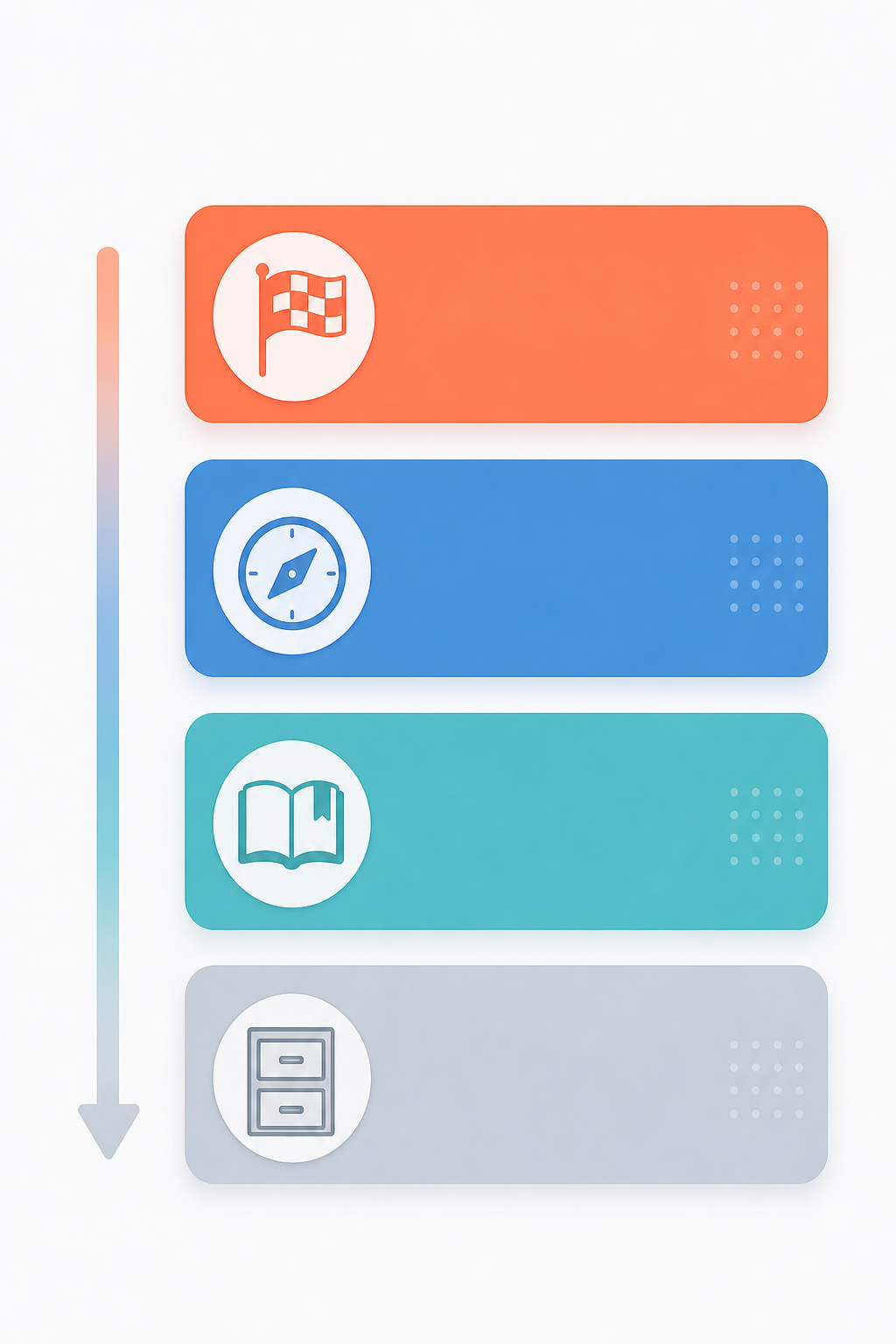
- Projects: Short‑term efforts with a concrete goal and deadline (e.g., “Q2 marketing plan”). Forte recommends keeping 10–15 active projects — enough to avoid dead‑ends, few enough to stay focused.
- Areas: Ongoing responsibilities with a standard to maintain (e.g., “Health,” “Finances”). These are not projects; they have no finish line.
- Resources: Topics of future interest that may become useful later (e.g., “Machine learning notes,” “Travel inspiration”).
- Archives: Everything inactive — completed projects, obsolete areas, outdated resources — moved out of the active workspace.
Forte has taught this system live in 16 cohorts to over 6,000 students and online to more than 25,000 learners. The method is platform‑agnostic — it works in Notion, Obsidian, Google Drive, or any file system using the same four‑folder structure. For a deep dive into implementing PARA on its own, see our dedicated PARA guide.
Zettelkasten: Building Idea Networks Through Linked Atomic Notes
The Zettelkasten method, developed by the sociologist Niklas Luhmann, is a note‑taking approach designed for insight generation, not task management or file organization. Each note is atomic (one idea), written in your own words, and linked to other notes to create a web of knowledge. Over time, new connections between notes produce unexpected insights that no single document could reveal.
- Atomic notes: Each note captures a single, self‑contained idea.
- Linked notes: Every note is connected to relevant others via hyperlinks or references.
- Emergent structure: The network grows organically; there is no enforced folder hierarchy.
- Writing‑first: You cannot just clip — you must rewrite the idea in your own voice to make it your own.
Zettelkasten is ideal for researchers, writers, and anyone who needs to generate original ideas from a body of knowledge. It is deliberately slow at capture time — each note requires distillation and linking — but that friction pays off when the web of connections sparks a new hypothesis or argument. For a full walkthrough, read our Zettelkasten explainer.
Building a Second Brain: The Creative Workflow That Combines PARA + CODE
Tiago Forte’s Building a Second Brain is not a third system — it is a complete creative workflow built on two layers. The CODE framework (Capture, Organize, Distill, Express) guides you from capturing raw information to producing finished work, and PARA serves as the organization layer within that workflow, keeping the captured material arranged by actionability.
- Capture: Save interesting snippets, quotes, and ideas into the system.
- Organize: Use the PARA folders to keep what you captured findable and actionable.
- Distill: Highlight and summarize the most important parts of each note.
- Express: Assemble your distilled notes into a presentation, article, project plan, or decision.
If you are a knowledge worker who needs to produce regular output — reports, strategy documents, blog posts — Building a Second Brain gives you a repeatable pipeline. PARA alone organizes the raw material; CODE gives you the process to turn it into something new. Explore the full Second Brain method for detailed implementation steps.
Comparison Table: GTD, PARA, Zettelkasten, and Second Brain
The table below summarises which problem each system solves, how it structures information, how often you need to maintain it, and who benefits most. Use it as a quick reference to match your primary pain point to the right starting system.
| System | Primary Problem Solved | Structure Type | Maintenance Cadence | Best‑Fit User | Key Limitation |
|---|---|---|---|---|---|
| GTD | Task overwhelm — too many open loops | Next‑action lists and context lists | Weekly review (capture, clarify, organize) | Professionals with high task volume and deadlines | Does not organize reference material or long‑term knowledge |
| PARA | Information scatter — files and notes are hard to retrieve | Four‑folder hierarchy by actionability | Weekly project check (recommended 10–15 active projects) | Knowledge workers with many digital documents | Does not handle task execution or idea generation |
| Zettelkasten | Creative block — difficulty generating new ideas from existing knowledge | Atomic note‑web with bidirectional links | Ongoing as you capture and link; no scheduled review | Researchers, writers, and lifelong learners | Slow capture process; not suited for task management |
| Second Brain (CODE + PARA) | Lack of creative output — information is saved but never turned into work | Workflow pipeline with PARA as the storage layer | Ongoing capture and distillation; weekly review recommended | Knowledge workers producing regular deliverables | Full workflow requires more discipline than any single system alone |
How PARA and GTD Complement Each Other in Practice
Forte has explicitly stated that PARA was designed as a companion to GTD, not a replacement. As the Alfred blog explains, “GTD for task management, PARA for information organization. Where GTD gives you a trusted system for tasks and actions, PARA gives you a trusted system for everything surrounding those tasks.” Many practitioners run both simultaneously, using GTD’s inbox and next‑action lists for day‑to‑day execution and PARA’s four folders to store project support materials, reference documents, and archived work.
- Capture tasks into a GTD inbox during the day.
- During the weekly review, clarify each item: if it is a task, add it to your next‑actions list; if it is reference material, file it into the relevant PARA folder.
- Project support notes live in PARA’s Projects folder. The GTD project list simply points to that folder as the “project support” reference.
- Areas, Resources, and Archives in PARA serve as your GTD reference system — always accessible, always organized by actionability.
How PARA and Zettelkasten Can Coexist (With Honest Friction Points)
Mixing PARA’s folder hierarchy with Zettelkasten’s linked‑note philosophy is more challenging than combining PARA with GTD, because the two systems have fundamentally different organizational principles. PARA assumes that every piece of information belongs in exactly one folder. Zettelkasten assumes that notes derive meaning from their connections, not their location.
That said, a hybrid is possible — with honest tradeoffs. Use PARA for your active project workspace and for reference material you need to retrieve quickly. Use Zettelkasten for your long‑term personal knowledge base where ideas can cross‑pollinate freely. The friction comes at the boundary: a note that belongs to an active project might also be a candidate for the Zettelkasten web, forcing you to decide where to put the original.
- Keep PARA folders for projects, areas, and resources that are directly tied to your work or daily responsibilities.
- Maintain a separate Zettelkasten vault (or tag system) for evergreen knowledge notes that are not tied to any active project.
- Link from PARA notes into the Zettelkasten vault when a project note touches on a broader idea you want to develop.
- Accept that some notes will live in both places — a duplication that PARA purists and Zettelkasten purists both dislike, but real‑world users often find necessary.
Decision Framework: Which System for Which Pain Point?
The most actionable insight from comparing these systems is also the simplest: your primary pain point dictates your best starting system. Once that system is running smoothly, you can layer in a second one to cover the gap.
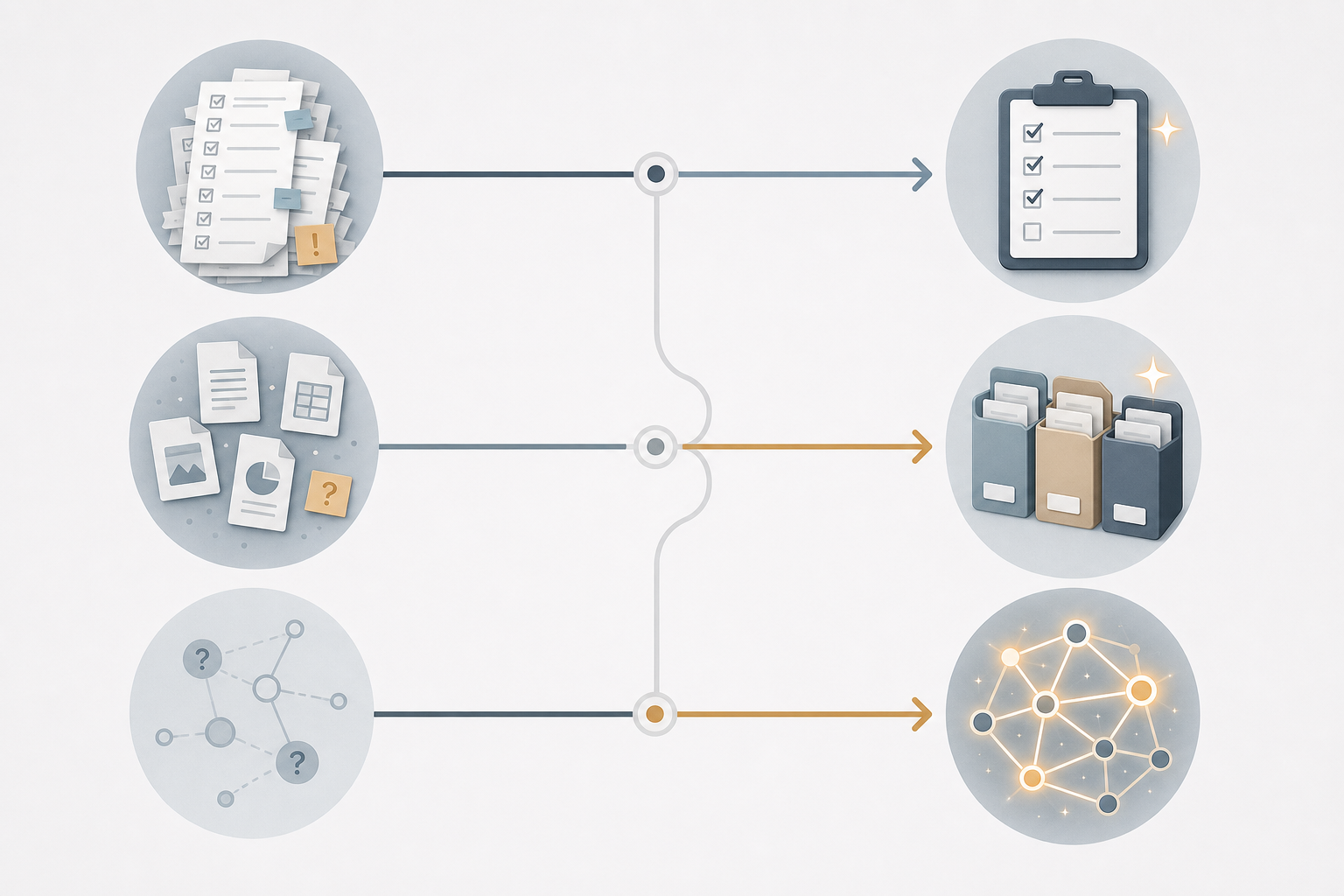
- If you struggle with task overwhelm, missed deadlines, and a cluttered mind → start with GTD. Use it for capture, clarify, and weekly review. Add PARA later for project support materials.
- If your digital files, notes, and bookmarks are scattered and hard to retrieve → start with PARA. Set up the four folders and migrate your existing files. Add GTD if task management also needs attention.
- If you want to connect ideas, generate insights, and build a personal knowledge base → start with Zettelkasten. Adopt atomic notes and linking. If you also need to manage active projects, consider a PARA folder for current work.
- If your goal is to turn saved information into regular creative output → start with Building a Second Brain (CODE + PARA). It already includes PARA as its organization layer.
Once you have chosen your starting system, explore our setup guides for implementing each method in your preferred tools, and check the templates section for ready‑to‑use second‑brain and GTD starter kits. The right system is the one that actually makes your work easier — not the one with the most vocal fanbase.
Comments
Join the discussion with an anonymous comment.