

If you have spent any time in productivity circles over the past five years, you have likely seen the meme: a screenshot of someone's impossibly elaborate Notion workspace — color-coded databases, linked rollups, nested pages within pages — followed by a caption like "I spent 12 hours building this and now I have no energy left to actually do my work." It is funny because it is true. First observed on Twitter/X in 2021 and still circulating in 2026, the "building vs. using" trap is not a joke for the people caught in it. It is a real productivity paradox: the more time you invest in architecting your note-taking system, the less time you have to actually take notes.
This article is for anyone who has downloaded Notion with the best intentions, opened a blank page, and then spent the next three hours choosing fonts, setting up a kanban board for their grocery list, and researching database formulas they will never use. The goal here is not to tell you that Notion is bad — it is not. The goal is to name the trap, explain why it happens, and give you a concrete path out of it.
The 'Decorating Your Workspace' Meme Is a Real Problem
The phenomenon is so widespread that it has its own shorthand. On Reddit, Twitter, and YouTube, users describe spending weeks or months building the "perfect" Notime workspace only to realize they have not written a single meaningful note. The original tweet from 2021 — a screenshot of a hyper-detailed workspace with the caption "I spent all weekend setting this up and now I don't want to do anything" — has been shared, remixed, and referenced so many times that it has become a foundational piece of Notion culture.
In 2026, the conversation has not faded. If anything, it has intensified as Notion has added more features — databases, automations, formulas, linked views — each one a new invitation to build rather than to write. The trap is not a sign of laziness or poor discipline. It is a predictable outcome of a tool that gives you a blank canvas and says, "Go ahead, build anything." Most people, when handed a blank canvas, will start painting the frame instead of the picture.
Why Notion Invites Architectural Overthinking
Notion's design philosophy is radical flexibility. You can create a database that looks like a spreadsheet, a page that looks like a wiki, a board that looks like Trello, or a timeline that looks like a Gantt chart — all within the same workspace. That flexibility is what makes Notion powerful, but it is also what makes it dangerous for new users.
When you open Notion for the first time, you are not greeted with a simple note-taking interface. You are greeted with a blank page and a menu of options: database, table, board, timeline, calendar, gallery, list. Each option is a decision. Each decision leads to more decisions. Should you use a database or a simple page? Should you create a relation between this database and that one? Should you add a formula column? The tool does not impose any structure, so you have to invent it yourself.
This is not a hypothetical problem. In a 2023 UX review published on UX Planet, designer Karmen Yip reported that it took her one full year after starting to use Notion before she felt fully productive with it. She also noted that friends who tried the app reported similar timelines. For a productivity tool, requiring a year of investment before you feel productive is a serious design flaw. Yip's review highlights low learnability and unintuitive design as core drawbacks, stating that "for a productivity app, Notion itself requires a lot of time and effort to become productive with."
The blank canvas problem is compounded by the fact that Notion's community celebrates elaborate setups. YouTube tutorials, template galleries, and Reddit posts showcase workspaces that look like they were designed by a professional UI team. New users see these and think, "That is what I need to build." They do not realize that the person who built that workspace has been using Notion for three years and probably rebuilt it six times before arriving at that polished result.
What the Data Says: Templates Are the Fastest Path to Results
If the problem is that building from scratch leads to wasted time and frustration, the solution is obvious: do not build from scratch. This is not just common sense — it is backed by data.
A G2 analysis of 11,896 Notion reviews found that "teams that achieve the fastest results are those that invest in templates, permissions, and naming conventions from the outset." This is a critical insight. The teams that got the most value from Notion the fastest were not the ones who spent weeks designing a custom system. They were the ones who started with pre-built structures and only customized after they had validated that the basic setup worked for their needs.
Notion currently offers over 20,000 free templates across its template gallery. That is not a small number — it is an entire ecosystem of ready-made solutions. There are templates for personal note-taking, project management, habit tracking, meeting notes, student coursework, and dozens of other use cases. As one reviewer on thebusinessdive.com put it, "with templates, you do not have to go through the time-consuming process of creating pages to track your projects or tasks. With a few clicks, you can insert a template you like, and you just need to add the databases."
- Templates eliminate the blank canvas problem. You start with a structure that someone else has already tested and refined.
- Templates reduce decision fatigue. Instead of asking "What kind of page should I create?", you ask "Which of these templates fits my current need?"
- Templates provide a proven workflow. The person who built the template has already figured out the database relations, the views, and the naming conventions.
- Templates are reversible. If a template does not work for you, you can delete it and try another one. You have not lost hours of custom setup.
How to Start with Purpose Instead of Perfection
The solution to the building vs. using trap is not to abandon Notion. It is to change your starting strategy. Instead of opening a blank page and asking "What can I build?", you should open a template and ask "Does this help me do what I need to do?"
Here is the framework that works for new users and overwhelmed users alike:
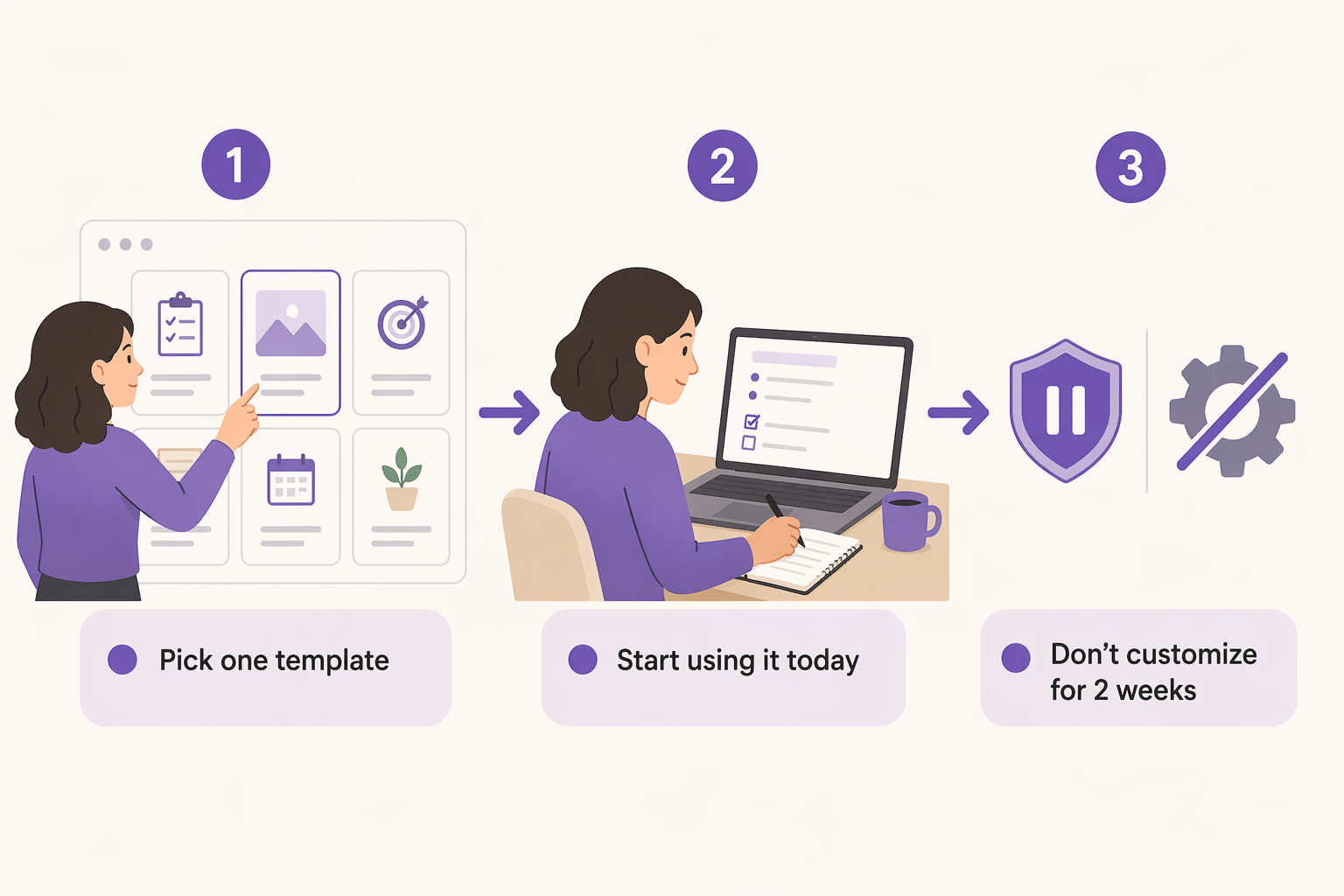
- Pick one real use case. Do not try to build a system that handles your notes, your projects, your habits, your recipes, and your travel plans all at once. Pick one thing — personal notes, a project tracker, meeting notes — and focus on that.
- Find a template for that use case. Use Notion's template gallery or a curated list like The Complete Guide to Notion Note-Taking: 3 Methods and the Best Templates for Each. Import the template and start using it immediately.
- Commit to not customizing anything for two weeks. No color changes. No new database relations. No formula experiments. Just use the template as-is for your chosen use case.
- After two weeks, evaluate. Is the template working? If yes, keep using it. If not, find a different template. Only after you have validated that the basic structure works should you start making adjustments.
This approach works because it shifts your focus from building a system to using a tool. The goal is not to create the perfect workspace. The goal is to take notes, track tasks, or manage projects. The template is just a vehicle for that goal.
Your Practical Beginner Path: A 30-Minute Start
If you are reading this and thinking "Okay, I am convinced, but where do I actually start?", here is a concrete 30-minute plan that will get you from zero to productive without falling into the customization trap.
- Sign up for Notion's Free plan. It is fully functional for personal note-taking with no time limit. The main constraints are a 7-day page history limit and a 5MB file upload cap — neither of which will matter for your first two weeks of use.
- Pick one use case. If you are a student, choose class notes. If you are a knowledge worker, choose meeting notes. If you are a freelancer, choose project tracking. One use case only.
- Find a template for that use case. Use Notion's template gallery or a curated list. Import it with one click.
- Follow a step-by-step setup guide. Our How to Set Up Notion for Note-Taking in 2026: A 30-Minute Beginner's Guide walks you through the exact steps to configure your template for your chosen use case without overthinking.
- Set a calendar reminder for two weeks from today. On that day, evaluate whether the template is working. If it is, keep going. If it is not, swap templates. Do not customize until after this evaluation.
Who Notion's Flexibility Genuinely Benefits vs. Who It Hurts
Notion's radical flexibility is not a universal good. It is a feature that helps some users and hurts others. The difference often comes down to how you start, not who you are.
| Starting Approach | Likely Outcome | Why |
|---|---|---|
| Starts with a template for a single use case | Fast results, high satisfaction | The template provides structure; the user validates before customizing |
| Starts by building from scratch | Slow results, high frustration | The blank canvas invites overthinking; the user spends more time building than using |
| Starts with multiple use cases at once | Overwhelm and abandonment | Trying to build a system for everything at once leads to complexity before value |
| Starts with a template but immediately customizes | Mixed results | Customization before validation often leads to scope creep and wasted effort |
If you are the kind of person who can pick a template, use it for two weeks without touching the settings, and only then decide what to change, Notion's flexibility will serve you well. You will eventually build a workspace that fits your workflow perfectly, but you will do it incrementally, based on real experience rather than theoretical planning.
If you are the kind of person who opens a blank page and immediately starts building databases, relations, and formulas — or if you need a simple, opinionated out-of-the-box experience — Notion may not be the right tool for you. That is not a judgment. It is a recognition that different tools suit different working styles. If you decide Notion is not the right fit, our How to Choose a PKM App in 2026: A Decision Guide for Knowledge Workers can help you find an alternative that matches your needs without the setup overhead.
Verdict: Use the Tool, Don't Let It Use You
Notion is a powerful tool. It can replace a notebook, a project manager, a wiki, a database, and a dozen other apps. But that power comes with a cost: the temptation to spend more time building the tool than using it.
The building vs. using trap is not a character flaw. It is a predictable outcome of a tool that gives you unlimited options and no default path. The fix is not to abandon Notion — it is to change how you start. Pick one use case. Use a template. Do not customize for two weeks. Validate before you build.
The goal of a note-taking app is to take notes. The goal of a project management tool is to manage projects. The goal of a productivity system is to help you get things done. If you are spending more time building the system than doing the work, the system is not working. Start small, start with a template, and let your real needs — not your desire for a beautiful workspace — guide your setup.