
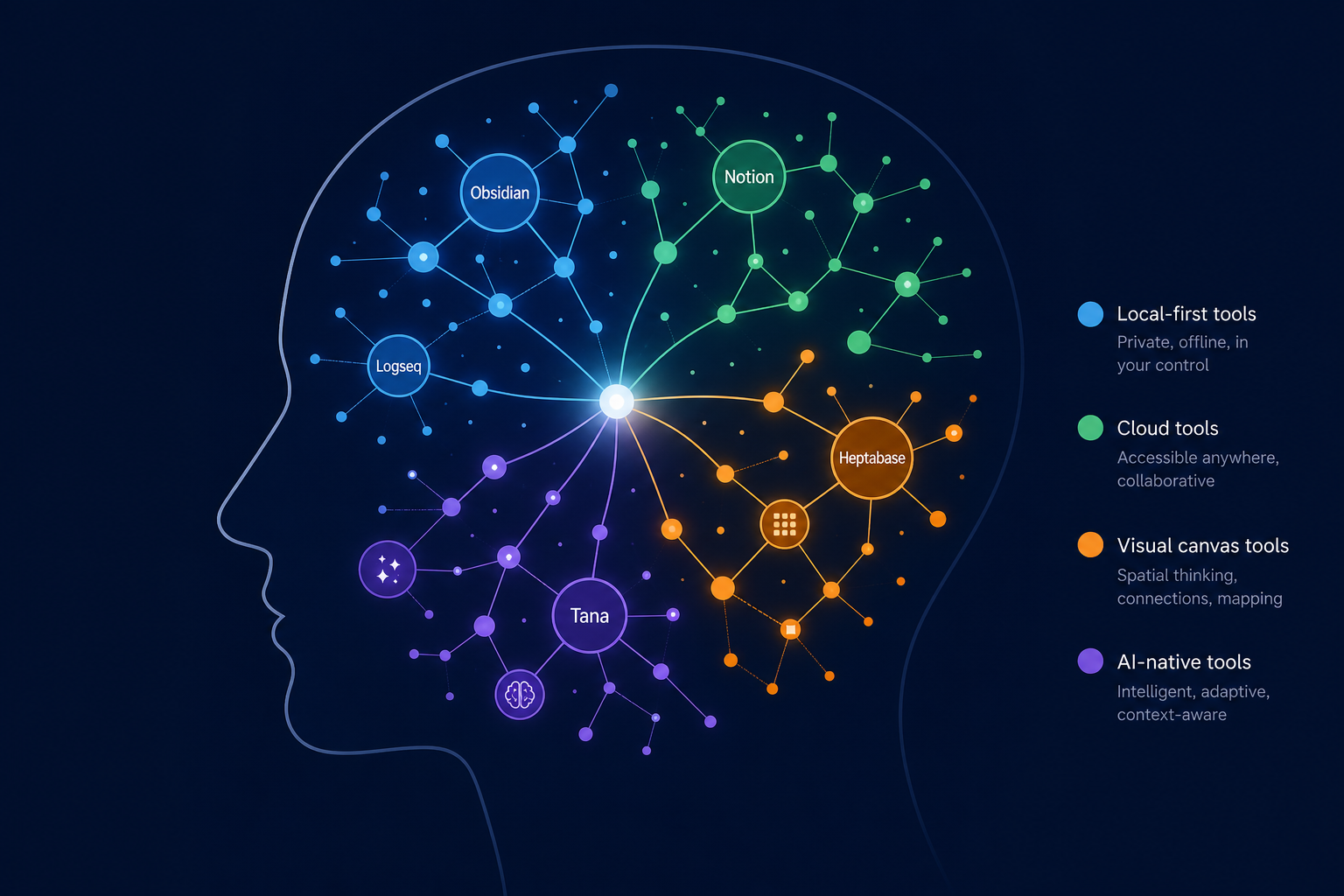
Why Most PKM Tool Choices Fail (and It's Not the Features)
If you've ever downloaded a personal knowledge management app, spent an afternoon setting it up, and then abandoned it within a month, you're not alone. The problem isn't that the tool lacked features. The problem is that the tool's fundamental interaction model — how it expects you to capture, organize, and retrieve information — clashed with how your brain naturally processes ideas.
The PKM space is crowded. A 2026 roundup from the GoLinks blog notes that knowledge workers waste an average of 9.3 hours each week searching for information, and 80% report experiencing overload. With dozens of apps competing for your attention — each with its own philosophy about how notes should work — it's easy to fall into what we call "methodology paralysis": the state of being so overwhelmed by choice that you either pick the wrong tool or never commit to one at all.
The solution is not to find the "best" PKM app — there isn't one. The solution is to find the app that matches your dominant thinking style. As the Audionotes guide puts it: "The best app is the one that fits your thinking style, not the one with the longest feature list." This article groups 10 leading PKM tools by four cognitive styles — visual, networked, structured, and linear — so you can match a tool to your natural thought process and actually stick with it.
What Are Thinking Styles — and Why Do They Matter for PKM?
A thinking style is the way you naturally prefer to organize and connect information. It's not a personality test or a scientifically validated taxonomy — it's a practical decision framework that helps you predict which tool's interaction model will feel intuitive rather than frustrating.
Here's how the four styles map to PKM tool categories:
- Visual thinkers: You think in space. When brainstorming, you reach for a whiteboard or a mind map. You want to see where ideas sit in relation to each other. Best fit: canvas tools like Kosmik and Heptabase.
- Networked thinkers: You think in connections. You see ideas as nodes in a web, and you want to follow links between them. Best fit: graph-based tools like Obsidian and Roam Research.
- Structured thinkers: You think in categories. You want to tag, filter, and sort your notes like a database. Best fit: database-driven tools like Notion, Capacities, and Anytype.
- Linear thinkers: You think in sequences. You prefer outlines, bullet lists, and hierarchical structures. Best fit: outliner tools like Logseq and Tana.
The Kosmik blog makes the same distinction: "Visual thinkers: Choose canvas-based tools like Kosmik or Heptabase. Linear thinkers: Logseq or Tana's outliner approach matches your mental model. Networked thinkers: Obsidian or Roam Research's graph views reveal those patterns. Structured thinkers: Notion or Capacities provide structure without rigidity."
Quick Self-Assessment: What's Your Dominant Thinking Style?
Answer these five questions honestly. Don't overthink them — go with your first instinct.
- When you need to brainstorm a new project, you naturally reach for: (a) a whiteboard or blank canvas, (b) a mind map or concept diagram, (c) a spreadsheet or categorized list, (d) a bullet-point outline.
- When you revisit a note from three months ago, you're most likely to find it by: (a) remembering where you placed it visually, (b) following a link from a related note, (c) searching by tag or category, (d) scrolling through a chronological list.
- Which description fits you best? (a) "I think in pictures and spatial relationships," (b) "I think in connections and associations," (c) "I think in categories and hierarchies," (d) "I think in sequences and steps."
- When you read a complex article, you prefer to summarize it as: (a) a diagram or sketch, (b) a web of linked ideas, (c) a structured table or database entry, (d) a linear set of bullet points.
- The idea of a "daily notes" page where everything goes into one chronological stream feels: (a) chaotic — I need spatial organization, (b) okay — I can link out from there, (c) inefficient — I need categories, (d) natural — that's how I think.
Visual Thinkers: Canvas Tools (Kosmik, Heptabase)
If you scored mostly (a) on the quiz, you think in space. You want to see your ideas arranged on a canvas where you can move them around, group them visually, and see the big picture without scrolling through nested folders. Canvas tools are built for you.
Kosmik
Kosmik is an infinite canvas app that integrates a built-in browser. Instead of switching between your browser and your note-taking app — a context switch that, according to Harvard Business Review research cited by SpeakWise, costs the average employee nearly 4 hours per week — you can capture web content directly onto your canvas. This is a genuine advantage for visual thinkers who want to collect and arrange research spatially.
Kosmik is still in active development. Its pricing, as of June 2026, includes a Rover (free) tier and a Plus plan at $6.99/month billed yearly. A 1-week trial is available. It runs on Mac and Windows, with a web version.
Heptabase
Heptabase is a visual note-taking app organized around whiteboards. Its standout feature is the ability to nest whiteboards inside other whiteboards, which lets you zoom in and out of your knowledge base at different levels of abstraction. For visual thinkers who work on complex projects, this spatial zooming is more intuitive than a folder hierarchy.
Heptabase costs $8.99/month (billed yearly) or $11.99/month monthly, with a 7-day trial. It has no free plan. It runs on Mac, Windows, and web. The lack of a free tier is its biggest barrier for students or casual users.
| Feature | Kosmik | Heptabase |
|---|---|---|
| Pricing (last verified June 2026) | Free (Rover) / $6.99/mo (Plus) | $8.99/mo yearly / $11.99/mo monthly |
| Free plan | Yes (Rover tier) | No (7-day trial only) |
| Platform | Mac, Windows, Web | Mac, Windows, Web |
| Key strength | Built-in browser eliminates app toggles | Nested whiteboards for spatial zooming |
| Key weakness | Still in beta; feature set may change | No free plan; higher price point |
| Best for | Visual thinkers who research heavily on the web | Visual thinkers managing complex, multi-layer projects |
Networked Thinkers: Graph-Based Tools (Obsidian, Roam Research)
If you scored mostly (b), you think in connections. You want every note to be linkable to every other note, and you want to see the web of relationships grow over time. Graph-based tools are your natural habitat.
Obsidian
Obsidian is the most popular local-first PKM tool, and for good reason. It's free for personal use, runs on every major platform (Mac, Windows, Linux, iOS, Android), and has a plugin ecosystem of over 1,000 community plugins (some sources say 2,000+). Its local-first architecture means your notes are plain Markdown files on your hard drive — you own them completely.
However, the graph view — Obsidian's signature feature — has a well-documented limitation. As Deepak Gupta's review notes, it "looks impressive in demos but provides limited practical value once your vault exceeds a few hundred notes, as the visualization becomes an unreadable tangle." For networked thinkers, the value of Obsidian lies less in the graph view and more in the bidirectional linking and the ability to traverse your knowledge base through connections.
Pricing: Free for personal use. Sync costs $4–$8/month depending on the source. Commercial use is $50/user/year. Last verified June 2026.
Roam Research
Roam Research pioneered the block-level referencing model that many other tools have since adopted. Every block in Roam has a unique ID, which means you can reference a single sentence from anywhere in your graph. For networked thinkers who want granular, atomic connections, this is powerful.
Roam's development pace has slowed in recent years, as noted in multiple 2026 reviews. It costs $15/month or $165/year, with a 31-day trial. It runs on web, iOS, and Android. The high price and uncertain development trajectory make it a riskier choice than Obsidian for new users.
| Feature | Obsidian | Roam Research |
|---|---|---|
| Pricing (last verified June 2026) | Free personal / $50/yr commercial | $15/mo or $165/yr |
| Free plan | Yes (full-featured) | 31-day trial only |
| Platform | Mac, Windows, Linux, iOS, Android | Web, iOS, Android |
| Key strength | 1,000+ plugins; local-first; mature ecosystem | Block-level referencing; granular connections |
| Key weakness | Graph view becomes unreadable past ~200 notes | Development pace has slowed; high price |
| Best for | Networked thinkers who want full control and ownership | Networked thinkers who need atomic block references |
Structured Thinkers: Database Tools (Notion, Capacities, Anytype)
If you scored mostly (c), you think in categories. You want to tag, filter, sort, and query your notes. A blank page feels incomplete without a structure. Database-driven tools are your sweet spot.
Notion
Notion is the most well-known database-driven PKM tool. Its power lies in its flexible database system: you can create custom properties, link databases together, and build views (table, board, calendar, gallery) that let you slice your information any way you want. For structured thinkers, Notion is a dream.
Notion's free plan is generous for individual use. The Plus plan costs $8–$10/month per seat depending on the source. The AI add-on is an additional $10/month. Notion runs on Mac, Windows, iOS, Android, and web. Its main weakness for PKM is that it's cloud-only — your data lives on Notion's servers, and export options, while improving, are not as seamless as local-first alternatives.
Capacities
Capacities takes a different approach to structure. Instead of a flexible database, it uses an object-based model: you create "objects" (people, books, projects, ideas) and link them together. Each object has its own set of properties. This is more opinionated than Notion, but for structured thinkers who want a consistent schema, it reduces the friction of deciding how to organize every new note.
Capacities offers a free plan and a Pro plan at €9.99/month (approximately $10.50/month). It runs on web, Mac, and Windows. Its community is smaller than Notion's, which means fewer templates and third-party integrations.
Anytype
Anytype is a local-first, encrypted alternative to Notion. It uses a similar block-and-database model but stores everything locally with optional peer-to-peer sync. For structured thinkers who care about data ownership, Anytype is the most privacy-respecting option in this category.
Anytype is currently free during beta. After beta, the Explorer tier is free (up to 1GB), and the Builder tier costs $99/year. It runs on Mac, Windows, Linux, iOS, and Android. Its long-term business model has not been fully articulated, which introduces some vendor risk.
| Feature | Notion | Capacities | Anytype |
|---|---|---|---|
| Pricing (last verified June 2026) | Free / $8-10/mo Plus / +$10/mo AI | Free / €9.99/mo Pro | Free (beta) / $99/yr Builder |
| Free plan | Yes (generous) | Yes | Yes (during beta) |
| Platform | Mac, Windows, iOS, Android, Web | Mac, Windows, Web | Mac, Windows, Linux, iOS, Android |
| Key strength | Most flexible database system | Object-based model enforces consistency | Local-first with encryption |
| Key weakness | Cloud-only; AI add-on is expensive | Smaller community and fewer integrations | Beta status; unclear long-term pricing |
| Best for | Structured thinkers who want maximum flexibility | Structured thinkers who prefer opinionated schemas | Structured thinkers who prioritize data ownership |
Linear Thinkers: Outliner Tools (Logseq, Tana)
If you scored mostly (d), you think in sequences. You prefer outlines, bullet lists, and hierarchical structures. A daily notes page where everything flows chronologically feels natural, not chaotic. Outliner tools are built for you.
Logseq
Logseq is a free, open-source outliner that uses a daily notes-first approach. Every time you open it, you start on today's page. You can link between pages, tag entries, and build a knowledge graph over time. It also includes built-in flashcards with spaced repetition, which is a unique feature for students and lifelong learners.
Logseq is free. Optional sync costs $5/month. It runs on Mac, Windows, Linux, iOS, and Android. Its main limitation, as noted in Gupta's review, is that performance "slows noticeably in graphs with more than 5,000 pages." For most users, this is a distant ceiling, but heavy note-takers should be aware.
Tana
Tana is the most ambitious outliner on the market. Its supertag system lets you define custom metadata schemas for any node in your outline. For example, you can create a "Meeting" supertag with fields for date, attendees, and action items, and every time you tag a node as a meeting, those fields are available. This makes Tana the most powerful metadata framework in consumer PKM — but it comes with the steepest learning curve.
Tana offers a free tier, a Plus plan at $8–$10/month, and a Pro plan at $14–$18/month depending on the source. It runs on web, Mac, and Windows. It is only recommended for users who have database experience or a high tolerance for setup complexity.
| Feature | Logseq | Tana |
|---|---|---|
| Pricing (last verified June 2026) | Free / $5/mo Sync | Free / $8-10/mo Plus / $14-18/mo Pro |
| Free plan | Yes (full-featured) | Yes (limited) |
| Platform | Mac, Windows, Linux, iOS, Android | Mac, Windows, Web |
| Key strength | Free, open-source, built-in spaced repetition | Supertag system is the most powerful metadata framework in PKM |
| Key weakness | Performance slows past ~5,000 pages | Steepest learning curve in this comparison |
| Best for | Linear thinkers who want a free, no-fuss outliner | Linear thinkers who need structured metadata and are willing to invest in setup |
AI-Native Wildcard: Mem and Reflect
If your primary need is AI-powered capture and synthesis — rather than a specific thinking-style interaction model — Mem and Reflect are worth considering regardless of your dominant style.
Mem uses AI to surface relevant notes and write drafts based on your existing knowledge base. Its AI search is its standout feature. Mem costs $14.99/month and runs on web, Mac, and iOS.
Reflect offers AI-powered synthesis and meeting notes. It costs $10/month and runs on Mac, Windows, iOS, Android, and web. Both tools are cloud-first, which means your data is not stored locally.
| Feature | Mem | Reflect |
|---|---|---|
| Pricing (last verified June 2026) | $14.99/mo | $10/mo |
| Free plan | No | No |
| Platform | Web, Mac, iOS | Mac, Windows, iOS, Android, Web |
| Key strength | AI search and writing assistance | AI synthesis and meeting notes |
| Key weakness | Cloud-only; higher price | Cloud-only; smaller community |
| Best for | Users who want AI to actively help them write and find notes | Users who want AI to summarize meetings and synthesize information |
For a deeper dive into AI's role in PKM, see our article on the AI paradigm shift in personal knowledge management.
Quick-Reference Comparison Matrix
The table below maps all 10 tools by their best-fitting thinking style, pricing, platform availability, and data model. Use this as a final sanity check before you pick your two test-drive candidates.
| Tool | Best Thinking Style | Pricing Range | Platform | Data Model | One-Line Verdict |
|---|---|---|---|---|---|
| Kosmik | Visual | Free / $6.99/mo | Mac, Windows, Web | Cloud | Best for visual thinkers who research heavily on the web |
| Heptabase | Visual | $8.99/mo | Mac, Windows, Web | Cloud | Best for visual thinkers managing complex, multi-layer projects |
| Obsidian | Networked | Free / $50/yr commercial | Mac, Windows, Linux, iOS, Android | Local-first | Best for networked thinkers who want full control and a mature plugin ecosystem |
| Roam Research | Networked | $15/mo | Web, iOS, Android | Cloud | Best for networked thinkers who need atomic block references |
| Notion | Structured | Free / $8-10/mo | Mac, Windows, iOS, Android, Web | Cloud | Best for structured thinkers who want maximum database flexibility |
| Capacities | Structured | Free / €9.99/mo | Mac, Windows, Web | Cloud | Best for structured thinkers who prefer opinionated object-based schemas |
| Anytype | Structured | Free (beta) / $99/yr | Mac, Windows, Linux, iOS, Android | Local-first | Best for structured thinkers who prioritize data ownership and encryption |
| Logseq | Linear | Free / $5/mo sync | Mac, Windows, Linux, iOS, Android | Local-first | Best for linear thinkers who want a free, open-source outliner with spaced repetition |
| Tana | Linear | Free / $8-18/mo | Mac, Windows, Web | Cloud | Best for linear thinkers who need powerful metadata and are willing to invest in setup |
| Mem | Any (AI-first) | $14.99/mo | Web, Mac, iOS | Cloud | Best for users who want AI to actively help them write and find notes |
| Reflect | Any (AI-first) | $10/mo | Mac, Windows, iOS, Android, Web | Cloud | Best for users who want AI to summarize meetings and synthesize information |
For a traditional feature-dump comparison without the thinking-style filter, see our full PKM system comparison for 2026.
How to Test-Drive Two Tools Before Committing
You don't have to commit to a single tool today. The best way to find your fit is a structured 90-day test-drive.
- Pick one tool from your primary thinking style section and one from a secondary style. For example, if you scored as a visual thinker, pick Heptabase (primary) and Obsidian (secondary).
- Use both tools for 30 days. Don't optimize — just capture. The goal is to see which tool feels more natural for daily capture, not which one has the better feature set.
- After 30 days, evaluate: Which tool required less friction to open and start writing? Which one made it easier to find a note from last week? Which one did you stop "fighting" sooner?
- Drop the tool that doesn't stick. Commit to the remaining tool for another 60 days.
- After 90 days, revisit your choice. If you're still using it daily, you've found your match.
FAQ
- "What if I'm a mix of two styles?" Most people have a dominant style and a secondary one. Pick the tool that fits your primary style, and use the secondary style as a tiebreaker if you're torn between two tools.
- "Can I switch tools later without losing data?" Yes, but the ease of migration varies. Local-first tools (Obsidian, Logseq, Anytype) store your notes as Markdown files, which are easy to move. Cloud-first tools (Notion, Roam, Mem) have export options, but formatting and links may not transfer cleanly.
- "Do I need to pay for a PKM tool?" No. Obsidian, Logseq, and Anytype (during beta) are free and fully functional. Notion and Capacities have generous free plans. Pay only if you need advanced features like sync, collaboration, or AI.
- "What about AI features — should I care?" AI is a secondary consideration. If your primary need is capture and organization, choose a tool that fits your thinking style first. If you want AI-powered search or writing assistance, consider Mem or Reflect as an add-on, not a replacement.
- "Is one thinking style 'better' for PKM than others?" No. Each style has strengths and weaknesses. The best style is the one that makes you want to open the app every day.
Final Checklist: Your Next Steps
- Take the self-assessment quiz above and identify your dominant thinking style.
- Read the tool profile for your primary style section. Pick one primary tool and one secondary tool.
- Follow the 90-day test-drive plan: use both for 30 days, drop one, commit for 60 more.
- After 30 days, evaluate based on daily capture friction, not feature lists.
- Revisit this guide after 90 days. If you want to consider privacy and AI as additional filters, read our comprehensive guide to choosing a PKM app in 2026.