
A notes app can feel slow on a Mac that is otherwise perfectly fine. The fan is quiet, the browser still responds, the call has not started yet — and then the app you opened to catch one sentence takes just long enough to break the sentence. That is the part architecture can make visible. In the current Mac notes landscape, the best notes app for Mac is not only the one with the nicest editor or the longest feature list. It is also the one that does not charge you a tiny performance fee every time you reach for it.
The clearest numbers come from Atlas Workspace’s 28-day MacBook benchmark of note-taking apps. In that test, Apple Notes launched in about 0.3 seconds and idled around 142MB of RAM; Bear launched in about 0.6 seconds and idled around 84MB; Notion took about 2.7 seconds to launch and idled around 312MB; Obsidian idled around 478MB, largely because of plugin warm-up and its extensible local-first setup.[1] Those are not universal specs for every Mac. They are still useful because they name the feeling: some apps open like a sheet of paper, and some arrive like a workspace.
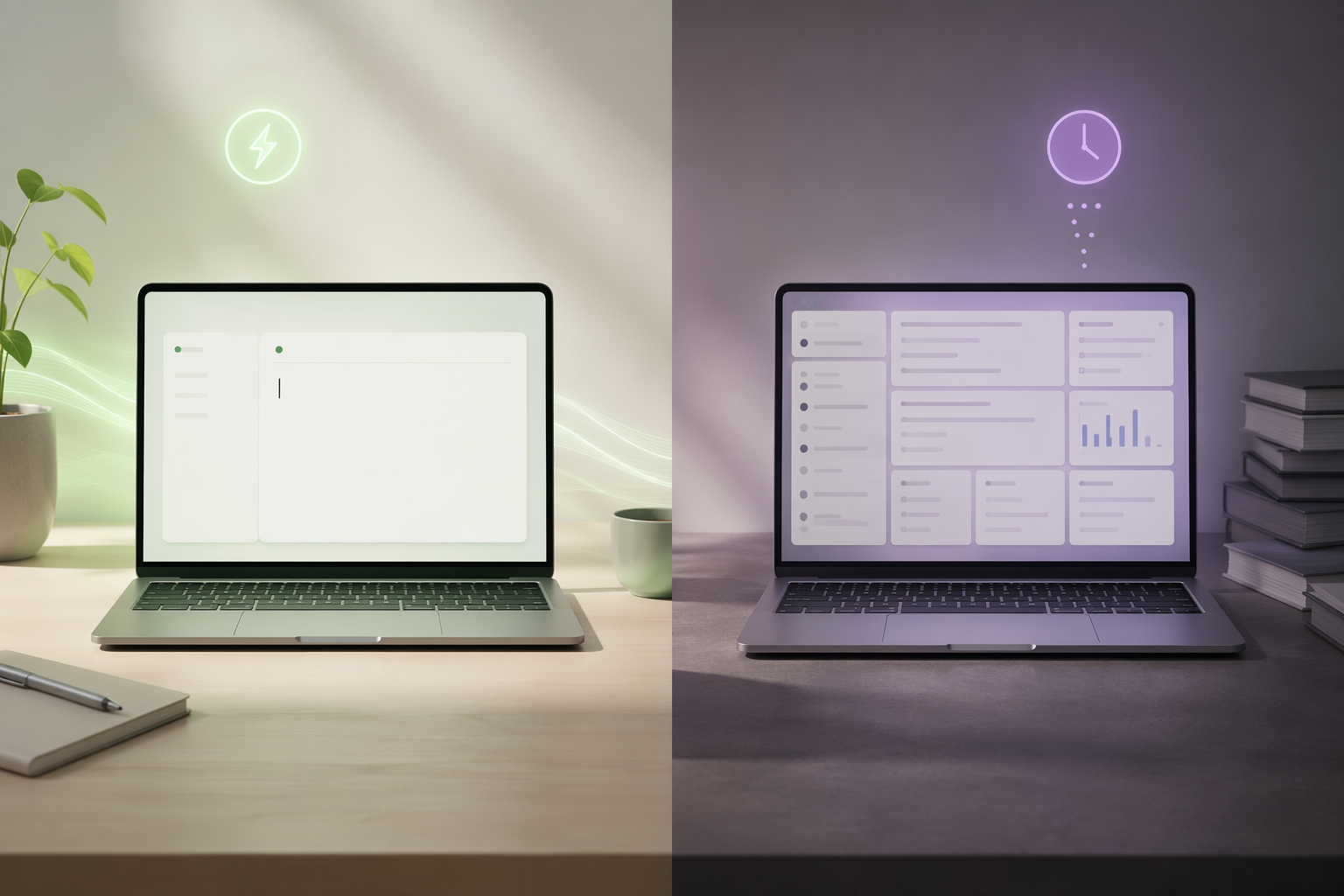
The performance gap shows up before you type
| App | Architecture / app style | Launch and idle-RAM signal | Pricing context | What the trade-off buys |
|---|---|---|---|---|
| Apple Notes | Native macOS app | ~0.3s launch; ~142MB idle RAM | Included with macOS | Fast capture, Apple ecosystem convenience, Quick Note, voice memos, Apple Intelligence transcription where supported |
| Bear | Native Swift / SwiftUI writing app | ~0.6s launch; ~84MB idle RAM | $29.99/yr | Markdown-centered writing, low memory use, polished Mac feel |
| Craft | Native macOS block-document app | Reported as native and well optimized; no precise launch/RAM figure available here | Free with limits; Premium $60/yr | Polished documents, block editing, presentation-ready notes |
| Obsidian | Electron app with local Markdown files and plugins | ~478MB idle RAM in the benchmark | Free for personal use | Local files, graph-style PKM, extensibility, large plugin ecosystem |
| Notion | Electron workspace app | ~2.7s launch; ~312MB idle RAM | $0–$120/yr | Databases, collaborative workspaces, AI Meeting Notes, team workflows |
| Evernote | Electron-era app under Bending Spoons | Included in the broader heavy-app comparison, but no precise launch/RAM figure available here | $99–$249.99/yr | Legacy archive, web clipping, existing Evernote system |
Three measurements matter more than the usual feature-grid noise: launch time, idle RAM, and battery impact. Launch time decides whether a passing thought becomes a note or evaporates while the dock icon bounces. Idle RAM decides how much room is left for the browser, video call, PDF reader, IDE, or whatever else is already open. Battery impact decides whether the app behaves like a quiet utility or another background obligation.
Atlas found that native Mac notes apps launched roughly 4–9× faster, used 2–6× less RAM at idle, and drained noticeably less battery than the heavier Electron-based options in its test set.[1] The exact multiplier will move with hardware, macOS version, open tabs, sync state, plugins, and whether Apple Intelligence features are available on that machine. Still, on an 8GB MacBook Air, these differences are not cosmetic. They decide what gets paged out, what wakes up slowly, and how much friction accumulates across dozens of small openings.
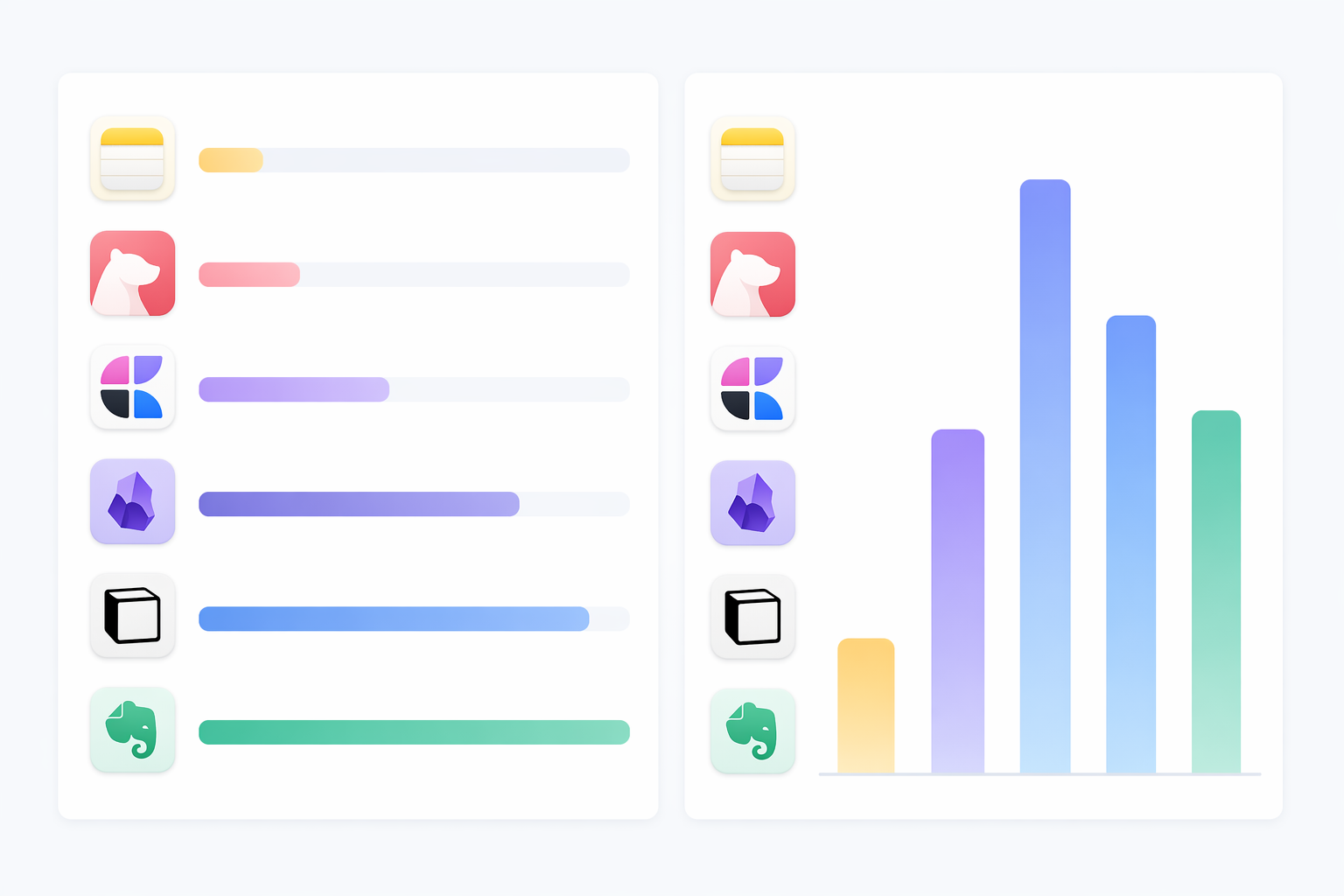
Apple Notes is faster than many people need it to be — which is the point
Apple Notes is easy to underrate because it is already there. It has no acquisition story, no migration drama, no carefully staged productivity philosophy. But in the benchmark, it is the fastest native option, launching at about 0.3 seconds and idling around 142MB of RAM.[1] For the person who opens notes between calendar events, during calls, while reading, or on the way out the door, that speed changes the shape of the habit.
Its advantage is not only raw speed. Apple Notes sits inside the operating system: Quick Note, iCloud sync, document scanning, voice memos, and newer transcription features on supported Apple Silicon Macs running macOS Sequoia or later make it strong enough for ordinary capture and reference work.[2] Apple Intelligence availability is gated by hardware, OS version, language, and region, so it should not be treated as a universal Apple Notes feature. But the baseline app remains unusually capable before any subscription or setup.
That is why Apple Notes often covers the boring middle of note-taking: meeting scraps, shopping lists, saved addresses, quick photos, short project notes, drafts that may or may not become anything. Zapier’s 2026 Mac notes roundup and Jessica Lin’s hands-on testing both treat Apple Notes as a practical default rather than a toy, especially for users already living inside the Apple ecosystem.[2][3] If the job is quick capture plus basic organization, paying a performance tax for a larger workspace needs a reason.
Bear is what a focused Mac writing app should feel like
Bear’s benchmark result is the most satisfying kind of software number: about 84MB idle RAM and about a 0.6-second launch.[1] It is not the absolute fastest launcher in the test, but it is the leanest idle app among the figures provided. That matters for writers, students, researchers, and anyone who keeps a notes app open all day beside a browser and a document editor.
Bear is also not merely “small.” It is a native Swift/SwiftUI app, an Apple Design Award winner, and a Markdown-centered writing environment with enough structure to organize work without turning every note into a miniature database.[1][4] At $29.99 per year, it sits in the cheaper native tier while outperforming much more expensive apps on idle memory in the Atlas test.[1]
The trade-off is scope. Bear is for writing and maintaining a clean personal note library. It is not trying to become a team wiki, project database, CRM, kanban board, or all-purpose operating system for work. That narrower ambition is part of why it feels so good in repeated small actions.
Craft is the native option when the note has to become a document
Craft belongs in a slightly different lane from Apple Notes and Bear. It is still a native, well-optimized Mac app, but its center of gravity is polished block-based documents rather than pure capture or plain Markdown writing.[5] If Apple Notes is where a thought lands and Bear is where prose takes shape, Craft is where a note is expected to become something presentable.
That makes its $60-per-year Premium tier easier to understand for users who regularly produce client notes, internal docs, study guides, or structured pages meant to be read by someone else.[5] The available benchmark data does not provide Craft’s exact Atlas launch or idle-RAM number, so it should not be ranked with false precision against Apple Notes or Bear. The safer point is that Craft gives Mac users a native block editor without jumping straight to a heavier Electron workspace.
The machine matters before the app philosophy does
On a Mac Studio with abundant memory, the difference between a native note and an Electron workspace may feel like preference. On an 8GB MacBook Air with a browser full of tabs, a messaging app, a video call, and a PDF open, idle memory becomes a queue. The notes app is not competing with a blank desktop. It is competing with the rest of the day.
This is where Obsidian’s ~478MB idle figure and Notion’s ~312MB idle figure matter.[1] Neither number means the app is bad. It means the app is asking for more room before you have done anything in the current session. If the app is central to your work, that may be fine. If you only opened it to paste one line from a meeting, the cost is harder to justify.
| Your Mac situation | Performance-first default | When to override it |
|---|---|---|
| 8GB MacBook Air, many browser tabs, notes opened dozens of times daily | Apple Notes or Bear | Use Obsidian or Notion only if their workflow features are central, not occasional |
| Apple Silicon Mac with more RAM and a stable desk setup | Native still feels better, but heavier apps are easier to absorb | Choose based on databases, collaboration, local files, or plugins |
| Mostly quick capture and Apple ecosystem reference | Apple Notes | Override only for Markdown writing, export needs, or non-Apple collaboration |
| Long-form writing and personal note library | Bear | Override if you need databases, shared team spaces, or a plugin-driven PKM system |
| Research vault, local Markdown archive, backlink-heavy PKM | Obsidian may be worth the overhead | Keep plugins intentional; the weight is part of the system you are building |
| Team workspace, structured databases, meeting notes, shared projects | Notion may be worth the delay | Do not use it as your only scratchpad unless the slower open is acceptable |
Obsidian is heavy, but not for the same reason Notion is heavy
A lazy version of this comparison would put Obsidian in the “Electron bad” pile and move on. That misses why people choose it. Obsidian is an Electron app, and in the Atlas benchmark it idled around 478MB of RAM, the highest figure cited here.[1] But its weight is tied to a different bargain: local Markdown files, backlinks, graph-oriented thinking, and a plugin ecosystem that can turn a folder of text files into a personal knowledge management system.
Stik.ink’s 2026 Mac note-app comparison emphasizes Obsidian’s ecosystem depth, while David Mytton’s Mac note-taking analysis gives weight to Markdown, open formats, cross-platform access, and portability.[6][7] Those are not decorative features. For some users, they are the reason to use the app at all. A local-first vault that survives outside a vendor’s database can be worth more than a half-second launch.
The practical advice is not to avoid Obsidian. It is to avoid pretending Obsidian is a lightweight scratchpad once it has become a customized workstation. If your vault depends on community plugins, custom themes, Dataview-style queries, templates, and sync rules, you have chosen a system. Systems take time and memory to warm up.
Readers who are choosing Obsidian for data ownership and local-first workflows may also want the broader trade-off discussion in Local-First vs. Cloud PKM: The Data Ownership Tradeoff in 2026. Performance is only one part of that decision.
Notion earns its place when the note is really a database
Notion’s launch number is the one that most directly matches the everyday complaint: about 2.7 seconds in the Atlas benchmark, with idle RAM around 312MB.[1] That is not disastrous for a full collaborative workspace. It is slow for a thought-capture tool.
The fair case for Notion starts when notes are no longer just notes. Databases, shared project pages, relational views, AI Meeting Notes, team documentation, and cross-functional collaboration can justify the weight.[1] If your “note” needs properties, filtered views, assignments, embedded materials, and multiple people editing the same source of truth, a native scratchpad is not solving the same problem.
The mismatch happens when Notion becomes the default place for everything, including the sentence you needed to catch in three seconds. A reasonable setup may be split: use Apple Notes or Bear for capture, then move selected material into Notion when it becomes structured work. Jessica Lin’s testing points toward this kind of multi-app reality rather than pretending one app must satisfy every mode.[3]
For a broader feature comparison after the performance question, see Notion vs. Obsidian vs. Evernote vs. Apple Notes: Which Note-Taking App Wins in 2026?. That head-to-head is the better place to weigh AI, collaboration, portability, and migration together.
Evernote has to clear a higher bar now
Evernote is the hardest app here to recommend on performance grounds alone. The research brief identifies it as part of the Electron-era group under Bending Spoons, with pricing from $99 to $249.99 per year.[1] Unlike Obsidian, its performance trade-off is not obviously tied to local Markdown ownership or a vast user-controlled plugin system. Unlike Notion, its current value depends heavily on whether the user is already invested in its archive, workflows, and clipping habits.
That does not mean every Evernote user should leave. A large historical archive has gravity. Saved searches, web clipping routines, shared notebooks, and years of muscle memory are real switching costs. But if someone is starting fresh on a Mac in 2026 and cares about launch speed, idle memory, and price, Evernote has to justify more than nostalgia.
If Evernote is already part of your system, the more relevant question is migration risk rather than benchmark purity. The deeper version of that discussion belongs in Evernote in 2026: Is It Still Worth Using After the Bending Spoons Overhaul?.
Price does not buy speed
One of the stranger findings is how poorly price maps to performance. The native apps in this comparison range from included-with-macOS to $60 per year, while the Electron-based options range from free personal use to $249.99 per year.[1] Bear, at $29.99 per year, idled around 84MB in the benchmark; Notion can cost more and launched around 2.7 seconds; Evernote can cost more still.[1]
That is not a scandal. You may be paying for collaboration, sync infrastructure, AI features, web access, document history, admin controls, or a mature ecosystem. But it does mean a higher subscription should not be mistaken for a faster Mac experience. Sometimes the cheaper app is faster because it is doing less, doing it natively, and staying closer to the operating system.
A practical way to choose
Start with the smallest honest description of the job. If the job is “capture thoughts quickly and find them later,” Apple Notes is the default answer for most Mac users. If the job is “write in Markdown in a beautiful, low-overhead Mac app,” Bear is the more deliberate choice. If the job is “make polished block-based documents,” Craft is the native app to test before jumping into a heavier workspace.
Move to the heavier apps only when the job expands. Choose Obsidian when your notes are really a local knowledge base and you value Markdown files, backlinks, plugins, and portability enough to tolerate the memory overhead. Choose Notion when your notes are really team documents, databases, and collaborative workflows. Keep Evernote if its archive and capture system are already valuable enough to outweigh price and migration concerns.
If you want a broader feature-oriented roundup rather than this performance-first lens, read Best Note-Taking Apps for Mac in 2026 – Which One Fits Your Workflow?. If your decision is really about building a research or PKM system, Personal Knowledge Management System Comparison 2026 will be more useful than another launch-time chart.
The safe default on Mac is native: Apple Notes, Bear, or Craft, depending on whether you care most about capture, writing, or polished documents. Electron apps have to earn their place. Obsidian often does for PKM users. Notion often does for teams and database-heavy work. Evernote may for people with a deep existing archive. The best choice is the app whose friction matches the job it is actually being asked to do.
References
- Best Note-Taking Apps for MacBook (2026): 9 Apps Tested — Atlas Workspace
- The 5 best note taking apps for Mac in 2026 — Zapier
- Best Note-Taking Apps for Mac (2026): I Tested 12… 7 Aren't Worth Your Time — Jessica Lin
- Comparing Apple Notes to the Latest Version of Bear Notes — The Sweet Setup
- Apple Notes vs Craft — SelectHub
- Best Mac Note App 2026: Obsidian vs Notion vs Apple Notes vs Bear — Stik.ink
- The best note taking apps for Mac — markdown, open format, cross platform — David Mytton