
TL;DR — Quick Picks at a Glance
No single note-taking app dominates every use case in 2026. The right choice depends entirely on whether you need a structured workspace, total data ownership, a capture-and-search engine, or a tool that simply gets out of your way. Here is the short version before we dig into the details.
| App | Best For | Starting Price | Key Differentiator |
|---|---|---|---|
| Notion | Flexible workspace that combines notes, databases, and project management | $0 (Free); $10/user/mo (Plus); $20/user/mo (Business) | Relational databases, template library, AI bundled at Business tier |
| Obsidian | Local-first, private knowledge management with Markdown files | $0 (Free local); $4/mo (Sync) | Graph view, plugin ecosystem, full data ownership |
| Evernote | Heavy web clipping and OCR-powered search across scanned documents | $0 (Free); $14.99/mo (Personal) | Industry-leading OCR, baked-in AI on paid plans |
| Apple Notes | Zero-setup note-taking within the Apple ecosystem | $0 (Free, included with Apple devices) | Seamless iCloud sync, quick capture, no learning curve |
Why There’s No Universal Winner: Capture-First vs. Connection-First vs. Workspace Tools
The reason no single app wins for everyone comes down to a fundamental architectural split. Note-taking tools are built around one of three core philosophies, and each philosophy serves a different kind of thinking.
Capture-first tools like Evernote and Apple Notes prioritize getting information in quickly. They are optimized for speed: a keyboard shortcut, a share sheet extension, or a voice memo lands in your inbox with minimal friction. Retrieval comes later, through search or folders. These tools are ideal when your primary challenge is collecting information faster than it arrives.
Connection-first tools like Obsidian are built around the idea that the value of a note increases when it is linked to other notes. Instead of folders, you use bidirectional links and a graph view to surface relationships between ideas. This architecture rewards deliberate structuring and works best for people who want to build a personal knowledge base over time.
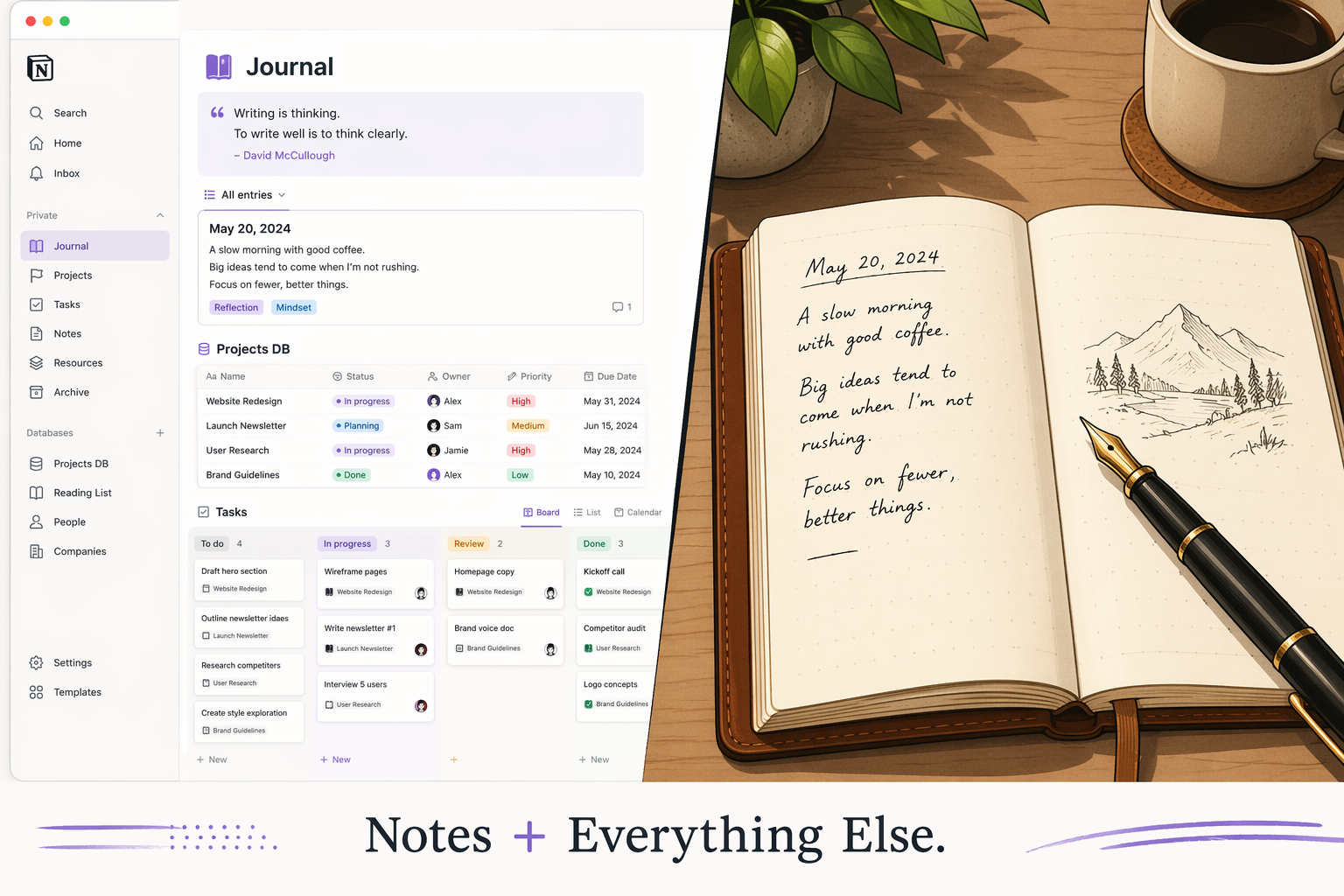
Workspace tools like Notion blur the line between note-taking and project management. A single Notion page can be a meeting note, a database row, a kanban card, or a wiki entry. This flexibility is powerful when you need notes to live alongside tasks, roadmaps, and team documents, but it comes at the cost of simplicity. Notion earns an 8/10 for note-taking specifically, according to a 2026 review from 2sync, and ranks second out of 41 note-taking apps with over 230 features catalogued by NoteApps.info. But that feature count is exactly why some users find it overwhelming for simple capture.
Understanding which philosophy matches your workflow is more useful than comparing feature checklists. The rest of this guide walks through each app's strengths, weaknesses, and ideal audience so you can match the tool to your actual needs.
Notion: The All-in-One Workspace
Notion has grown into a platform that over 100 million users and more than 50% of Fortune 500 companies rely on, according to 2sync. Its core strength is that it does not force you to choose between a note-taking app and a project management tool — you get both in one workspace.
Strengths
- Relational databases: You can link notes to tasks, tasks to projects, and projects to goals without leaving the app. This is Notion's killer feature and the reason it ranks #1 on G2 for Knowledge Base for three consecutive years (4.6/5 from 11,896 reviews, with 79% giving 5 stars, per eesel AI).
- Template library: Thousands of community and official templates let you start with a Second Brain system, a meeting notes dashboard, or a content calendar in seconds.
- Collaboration: Real-time editing, comments, and permissions make it a natural fit for teams. The same 2sync source notes that 58% of users see ROI within six months.
- AI features: The full Notion AI suite — including Agent, Meeting Notes, and Enterprise Search — is included at the Business plan ($20/user/month). Custom Agents are available as a separate credit add-on at $10 per 1,000 monthly credits starting May 4, 2026, per eesel AI.
Weaknesses
- Limited offline access: Offline support was added in August 2025, but only the first 50 database rows per view download offline, according to 2sync. This is a dealbreaker for frequent travelers or anyone with unreliable internet.
- Steep learning curve: TheBusinessDive's 2026 review gives Notion 4.3/5 overall but flags the learning curve as a significant barrier. New users often spend hours setting up their workspace before they can take a single note.
- Proprietary block format: Notion stores content as blocks, not plain Markdown. Export to Markdown, HTML, or PDF may not preserve complex layouts cleanly, which raises vendor lock-in concerns.
- No password protection: Individual pages cannot be locked behind a password, which limits its use for sensitive personal data.
Ideal User
Notion fits best if you need a single workspace where notes coexist with project roadmaps, databases, and team wikis. If you are willing to invest time in setup and want to graduate from simple note-taking to a structured knowledge system, Notion is the strongest choice. For a deeper look at how it performs specifically as a note-taking tool, see our data-driven Notion review. If you are deciding between a workspace and a dedicated note-taker, our Notion vs. dedicated note-taking apps comparison covers that trade-off in detail.
Obsidian: Local-First Private Knowledge Management
Obsidian takes the opposite approach from Notion. Instead of a cloud-based workspace, it gives you a local folder of plain Markdown files that you own completely. There is no proprietary format, no server-side storage, and no subscription required for the core experience.
Strengths
- Local Markdown files: Every note is a plain .md file on your hard drive. You can open them with any text editor, back them up with any sync service, and migrate to another tool without data loss. This is the gold standard for data portability.
- Graph view: Obsidian's visual graph shows how your notes connect, making it easy to discover relationships you might have missed. This is a core feature for PKM enthusiasts who think in networks rather than hierarchies.
- Plugin ecosystem: Hundreds of community plugins add functionality ranging from kanban boards to spaced repetition. If a feature does not exist, someone has probably built a plugin for it.
- Privacy: Your data never touches Obsidian's servers unless you choose to use Obsidian Sync ($4/month). For users who cannot trust cloud storage with sensitive notes, this is the deciding factor.
Weaknesses
- Requires setup: Out of the box, Obsidian is a blank canvas. You need to configure folders, templates, and plugins to build a functional system. As PrimeTechInsights notes, skip Obsidian if you do not want to think about setup.
- AI requires third-party plugins: Unlike Notion and Evernote, Obsidian has no native AI features. Meaningful AI integration requires community plugins or external tools, which adds complexity.
- No native collaboration: Obsidian is designed for individual use. Real-time collaboration requires workarounds like syncing a shared folder via Git or a third-party service.
Ideal User
Obsidian is the right choice if data ownership and long-term accessibility matter more than out-of-box polish. It appeals strongly to developers, researchers, and anyone building a personal knowledge base that they expect to maintain for years or decades. If you value local-first privacy and are comfortable investing time in setup, Obsidian offers the most future-proof foundation.
Evernote: The Capture and Search Powerhouse
Evernote has been a household name in note-taking for over a decade, and its core strengths — web clipping and OCR search — remain unmatched by the newer competition. If your primary workflow involves saving articles, scanning documents, and finding text inside images, Evernote still leads the category.
Strengths
- Web clipping: Evernote's browser extension is the most mature web clipper available. It preserves article formatting, removes ads, and lets you save full pages, simplified articles, bookmarks, or screenshots with a single click.
- OCR across scanned documents: Evernote indexes text inside images and PDFs, making handwritten notes, business cards, and scanned documents searchable. This is a genuine differentiator that neither Notion nor Apple Notes can match.
- Baked-in AI: Evernote's AI features are included in paid plans, not gated behind an add-on. As Storyflow notes, this contrasts with Notion, which bundles AI only at the Business tier, and Obsidian, which requires third-party plugins.
Weaknesses
- Dated interface: Evernote's design has evolved slowly compared to competitors. The editor feels cluttered, and the note-taking experience lacks the modern polish of Notion or Apple Notes.
- Limited free plan: The free tier restricts you to one device and a limited number of notes and uploads. For heavy users, the Personal plan at $14.99/month (per Storyflow) is expensive compared to Notion's Plus plan at $10/user/month.
- High cost for full features: To get the best of Evernote — cross-device sync, OCR, and AI — you need a paid plan. The value proposition weakens if you do not rely heavily on web clipping and document search.
Ideal User
Evernote remains the best tool for people who clip dozens of web pages daily, scan receipts and business cards, and need to find any piece of information by searching the text inside images. If your note-taking is primarily about capture and retrieval rather than connection or project management, Evernote's search engine justifies its cost.
Apple Notes: Zero-Setup Simplicity in the Apple Ecosystem
Apple Notes is the default note-taking app on every iPhone, iPad, and Mac. For millions of users, that is all it needs to be. It is free, it syncs instantly via iCloud, and it requires zero configuration. But its simplicity comes with hard limitations.
Strengths
- Free and pre-installed: There is no signup, no download, and no pricing decision. Every Apple device comes with Notes ready to go.
- Seamless iCloud sync: Notes appear on your iPhone, iPad, and Mac instantly. The sync is reliable and requires no manual intervention.
- Quick capture: Control+Command+N on a Mac or the share sheet on iOS creates a new note in seconds. For rapid capture, Apple Notes is faster than any third-party app.
- No learning curve: There are no databases, no plugins, no templates to configure. You open the app and type. This is the defining feature for casual note-takers.
Weaknesses
- No cross-platform support: Apple Notes does not work on Windows, Android, or the web. If you ever switch from an iPhone to an Android phone, your notes are trapped in iCloud. This is the single biggest lock-in risk.
- Limited organization: Folders are the only organizational structure. There are no tags, no relational links, and no graph view. As PrimeTechInsights notes, Apple Notes is weak for complex knowledge management.
- No native AI: Apple has not added AI features to Notes. While Siri can create notes, there is no AI-powered search, summarization, or writing assistance.
Ideal User
Apple Notes is perfect for casual note-takers who are fully invested in the Apple ecosystem and do not need advanced features. If you use notes for grocery lists, quick ideas, and meeting reminders, Apple Notes is the most friction-free option. The moment you need cross-platform access, structured knowledge management, or AI features, you will outgrow it.
Side-by-Side Comparison: Price, Offline, AI, Export, Collaboration, and Best For
The table below distills the key decision factors across all four apps. Pricing was last verified against official sources in June 2026.
| Factor | Notion | Obsidian | Evernote | Apple Notes |
|---|---|---|---|---|
| Starting Price | $0 (Free); $10/user/mo (Plus); $20/user/mo (Business) | $0 (Free local); $4/mo (Sync) | $0 (Free, limited); $14.99/mo (Personal) | $0 (Free, included with Apple devices) |
| Offline Support | Limited — first 50 database rows per view offline | Full — local files always available | Full on paid plans | Full — local storage on device |
| AI Features | Bundled at Business tier ($20/user/mo); Custom Agents $10/1K credits | Third-party plugins only | Baked into paid plans | None |
| Export Formats | Markdown, HTML, PDF (layout may not preserve cleanly) | Plain Markdown (native format) | ENEX, HTML, PDF | PDF only (no structured export) |
| Collaboration | Real-time editing, comments, permissions | None native (requires Git or third-party sync) | Shared notebooks, real-time editing | Shared folders via iCloud |
| Best For | Workspace power users who need notes + databases + tasks | PKM enthusiasts who want local-first privacy and Markdown ownership | Heavy clippers and document scanners who rely on OCR search | Casual Apple users who want zero-setup simplicity |
Decision Framework: Which App Matches Your Use Case?
If you are still unsure, match your primary workflow to one of the profiles below. Each profile maps to the app whose architecture best supports that style of work.
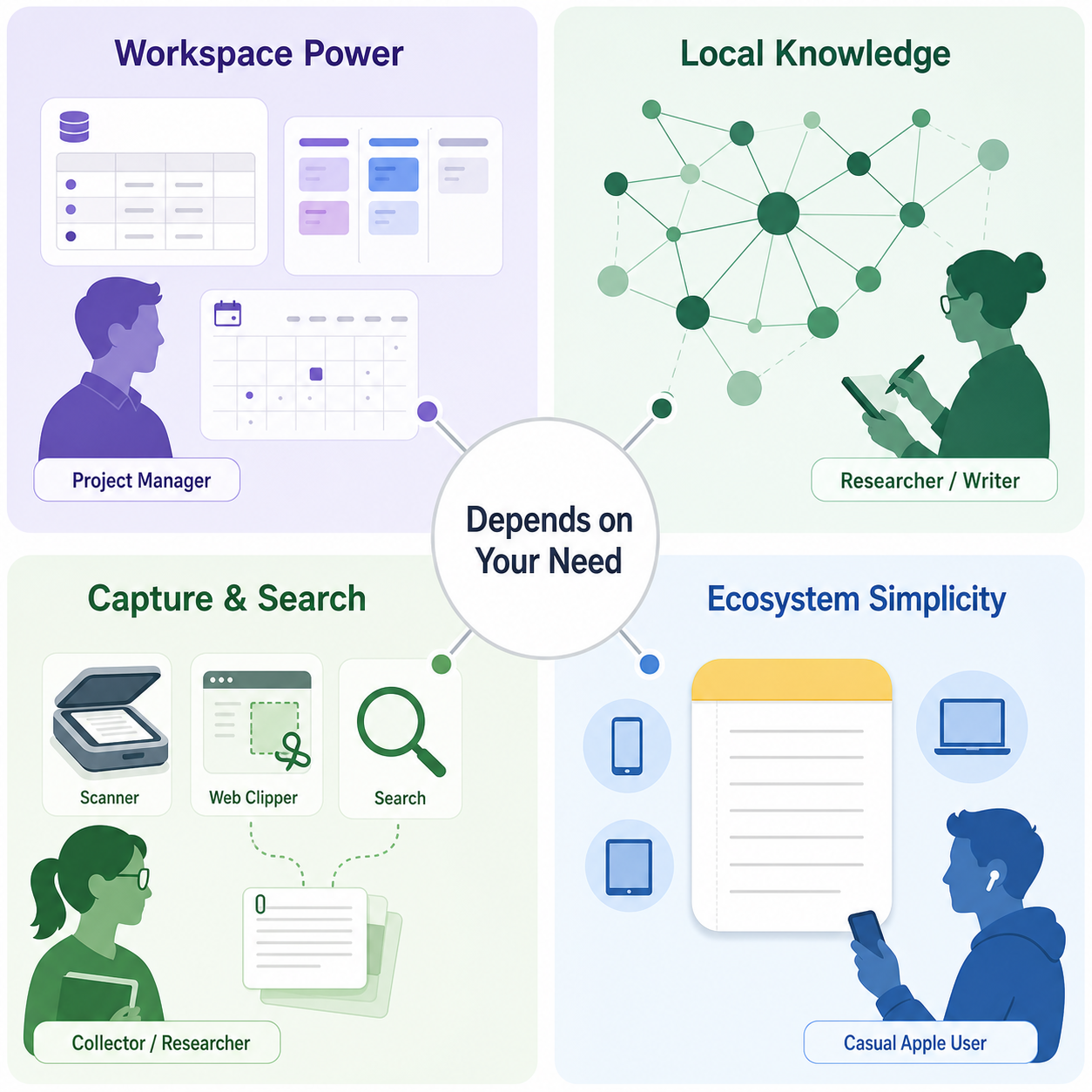
- You need a project workspace with databases, tasks, and team collaboration → Notion. The relational database model and template library make it the strongest choice for structured work.
- You want total privacy, local files, and a future-proof knowledge base → Obsidian. Plain Markdown files mean your notes will be readable in any tool, now and decades from now.
- You clip dozens of web pages daily and need to search text inside scanned documents → Evernote. Its OCR engine and web clipper are still the best in class.
- You just want notes that work on your iPhone and Mac with zero setup → Apple Notes. It is free, fast, and requires no decisions.
- You are still exploring and want to see more options beyond these four → check our broader decision-matrix comparison of the best note-taking software in 2026.
Frequently Asked Questions
Can I use multiple note-taking apps together?
Yes, and many people do. A common setup is using Apple Notes or a quick-capture tool for inbox-style collection, then moving important notes into Notion or Obsidian for permanent storage and organization. The key is to define clear boundaries so notes do not end up scattered across four apps with no system for processing them.
Which app has the best AI features in 2026?
It depends on your budget. Notion offers the most comprehensive AI suite (Agent, Meeting Notes, Enterprise Search) but only at the Business tier ($20/user/month). Evernote bakes AI into its paid plans at a lower entry point ($14.99/month). Obsidian requires third-party plugins for AI, which adds complexity but can be more flexible. Apple Notes has no native AI features.
Is Notion good for simple notes?
Notion can handle simple notes, but it is not optimized for them. The app's strength is structure, not speed. If you primarily write quick, unstructured notes, Apple Notes or a dedicated quick-capture tool will feel more natural. Notion shines when you want to organize, link, and build systems around your notes over time.
Can I migrate between these apps?
Yes, but the difficulty varies. Migrating from Evernote to Notion is well-documented and we have a complete guide for that path. Moving from Apple Notes to any other app is harder because Apple does not offer a structured export format. Obsidian's Markdown files are the easiest to migrate out of — you can copy the folder to any other Markdown-compatible tool. Notion's proprietary block format means exports may lose some layout fidelity, but the content itself is recoverable.
Which app is best for students?
Notion's free plan is generous and its template library includes class notes, assignment trackers, and study schedules. Obsidian is excellent for students who want to build a connected knowledge base across semesters. Apple Notes works well for students who only need to capture lecture notes quickly and are fully in the Apple ecosystem. Evernote is harder to recommend for students due to its limited free plan and higher cost.
Comments
Join the discussion with an anonymous comment.