
The Revenue Gap: Why the Top 10% of Workflows Outperform by 8.7x
Most marketing teams have automation running. The question is whether those workflows are earning their keep or just running on autopilot. The data reveals a stark divide: the top 10% of optimized email workflows generate $16.96 in revenue per recipient, while the average workflow brings in only $1.94. That is an 8.7x performance gap — and it has nothing to do with the tool you use and everything to do with how you design the sequence.
This gap is not a statistical outlier. It appears consistently across workflow types. The top 10% of abandoned cart sequences generate $28.89 per recipient compared to a $3.65 average. Welcome flows in the top decile earn $21.18 per recipient versus a $2.65 average. Even post-purchase sequences, which many brands neglect, show a 12.5x gap between top performers ($5.14) and the average ($0.41).
The implication is straightforward: workflow optimization is not a nice-to-have refinement. It is a direct revenue lever. This article walks through 11 specific marketing automation workflows, each with its trigger logic, conditions, actions, and real benchmark data. Whether you are building your first sequence or auditing an existing stack, these examples provide a concrete reference point.
What Makes a Marketing Automation Workflow Revenue-Generating?
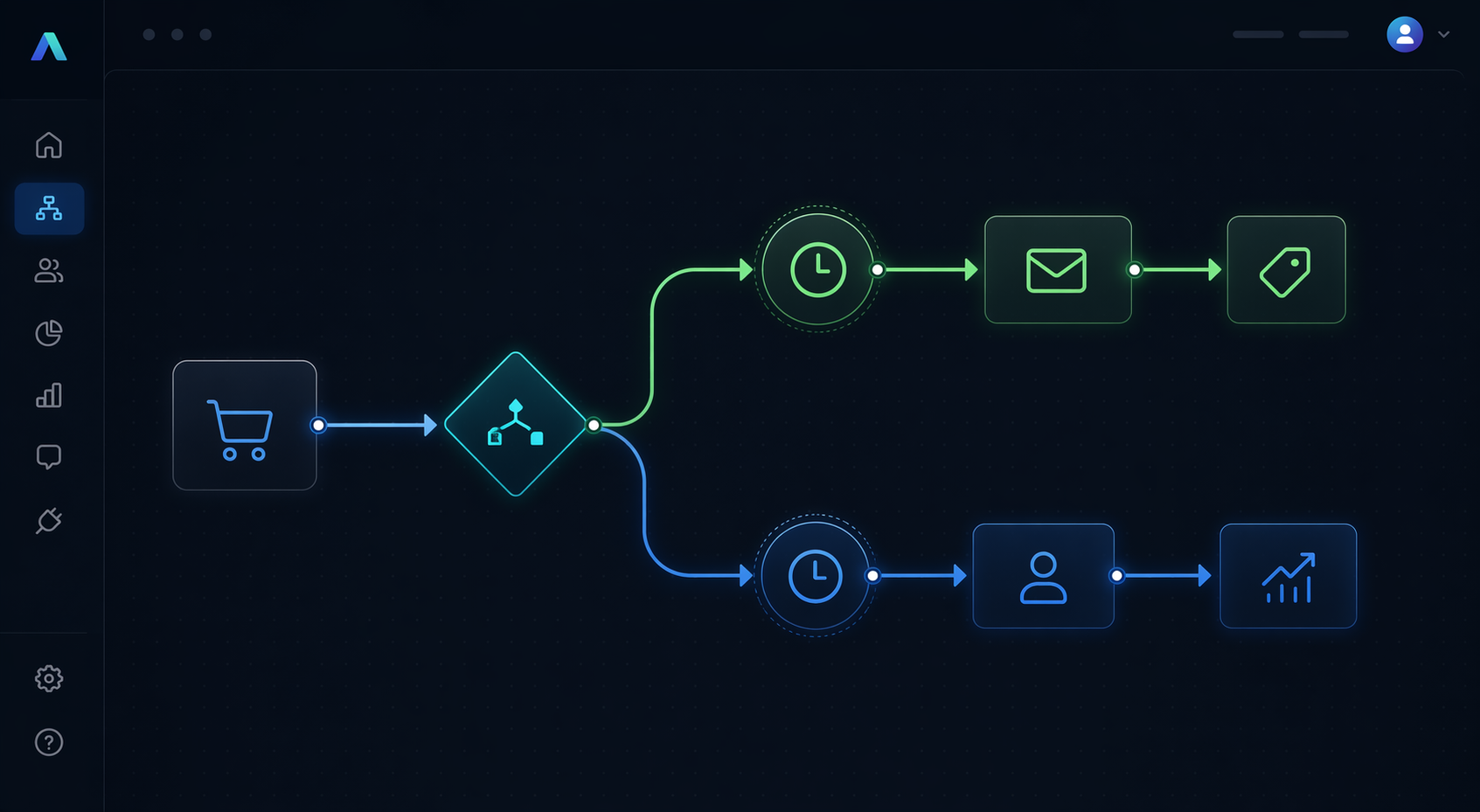
A marketing automation workflow is a series of automated actions triggered by a specific user behavior or predefined condition. The building blocks are consistent across platforms:
- Triggers: The event that starts the workflow — a form submission, link click, purchase, date, or tag applied.
- Conditions: Yes/no forks that route contacts down different paths based on their attributes or behavior.
- Actions: What the workflow does — send an email, update a contact field, notify a team member, create a deal in your CRM.
- Time controls: Delays between steps, date-based goals, or wait-until conditions that control the pacing of the sequence.
The difference between a workflow that generates $1.94 per recipient and one that generates $16.96 comes down to how these four elements are combined. High-performing workflows use precise triggers (not broad segments), conditional branching to personalize the experience, and carefully calibrated timing that respects the customer's context. They also include a clear goal — a specific conversion event — and measure success against that event rather than against vanity metrics like open rate alone.
11 Revenue-Driving Marketing Automation Workflows (With Benchmarks)
Each workflow below includes the trigger, conditions, actions, time controls, and benchmark data where available. Use these as templates to audit your own automation stack.
1. Welcome Email Workflow
Trigger: Contact subscribes or creates an account. Conditions: None required initially; optional branch based on signup source. Actions: Send a 3-5 email series introducing your brand, value proposition, and a first-purchase offer. Time controls: First email immediately, second email 24 hours later, third email 3 days later.
Benchmarks: Welcome workflows have the highest click-to-conversion rate of any automated workflow type at 58.26%. Top 10% generate $21.18 per recipient; average is $2.65. Go! Running Tours achieved 40% repeat bookings from their welcome automation series.
2. Onboarding Workflow
Trigger: User signs up for a free trial or purchases a service. Conditions: Segment by product tier or user role. Actions: Send educational content, feature highlights, and success stories. Include a call to book a demo or complete a key action. Time controls: Day 1, 3, 7, 14 post-signup.
Benchmarks: Onboarding workflows typically see lower immediate revenue per recipient than welcome flows, but they drive long-term retention. TAGGUN boosted free trial conversions by 28.9% with an onboarding-focused abandoned workflow.
3. Abandoned Cart Workflow
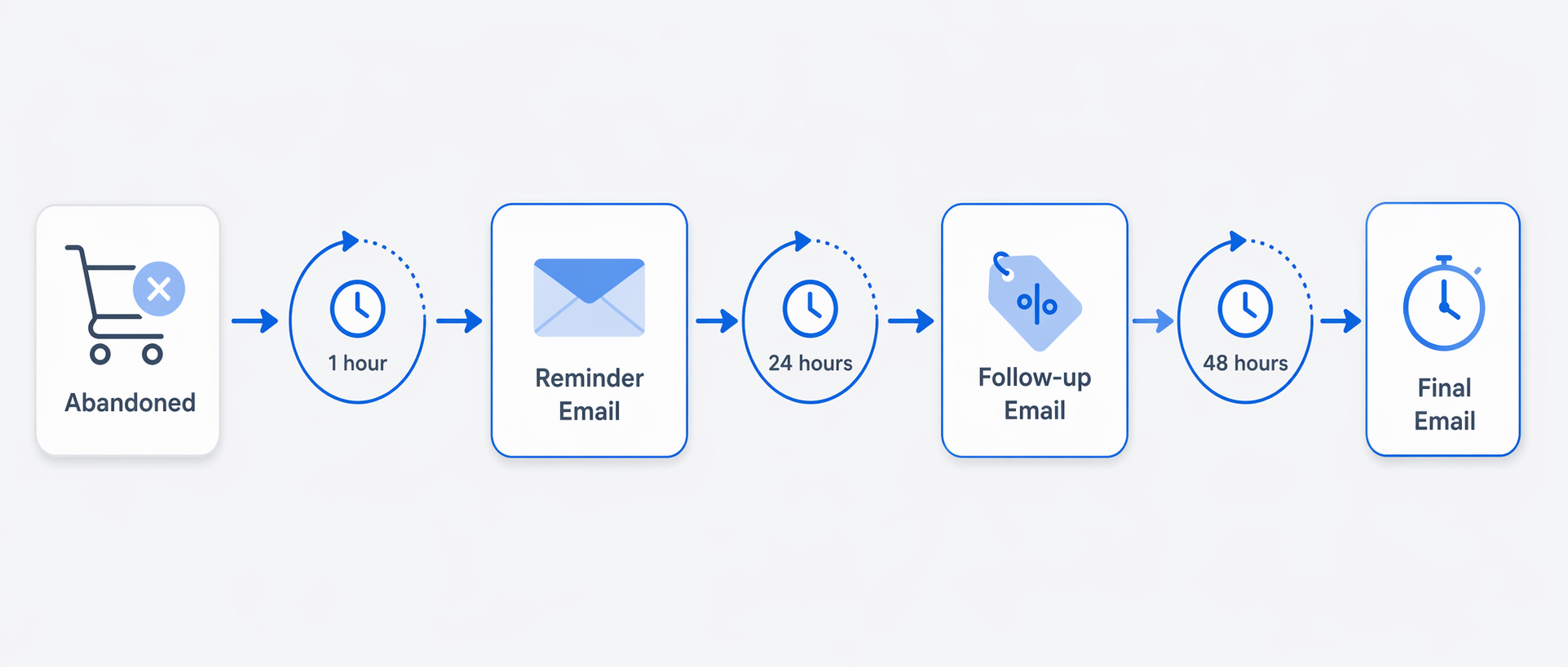
Trigger: Customer adds items to cart but does not complete purchase within a set time (typically 1 hour). Conditions: Check cart value; branch for high-value carts to receive a phone call or SMS. Actions: Send a reminder email, followed by a discount offer, followed by a final urgency message. Time controls: 1 hour after abandonment, 24 hours, 72 hours.
Benchmarks: Abandoned cart workflows generate the most revenue of any automation type — $28.89 for the top 10% and $3.65 on average per recipient. They account for 54.2% of all automation workflows in eCommerce. Your Therapy Source reports that 30% of their revenue comes from abandoned cart automation with a 2000% ROI.
4. Post-Purchase Workflow
Trigger: Purchase completed. Conditions: Segment by product category or order value. Actions: Send order confirmation, shipping updates, usage tips, cross-sell recommendations, and a request for review. Time controls: Immediately, 3 days post-delivery, 14 days, 30 days.
Benchmarks: Post-purchase sequences generate $5.14 per recipient for the top 10% and $0.41 on average. Despite the lower absolute numbers, this workflow has the widest performance gap (12.5x), indicating significant room for optimization in most implementations.
5. Re-Engagement Workflow
Trigger: Contact has not opened or clicked any email in 90-180 days. Conditions: Segment by previous engagement level or purchase history. Actions: Send a "we miss you" email, a special offer, or a survey asking why they disengaged. If no response, send a final email and then suppress or archive the contact. Time controls: Day 0, day 7, day 14.
Benchmarks: Re-engagement workflows typically recover 5-15% of dormant subscribers. While revenue per recipient is lower than welcome or cart flows, the cost savings from list hygiene (reduced send volume, improved deliverability) make this workflow essential.
6. Lead Nurture Workflow
Trigger: Contact downloads a lead magnet, attends a webinar, or requests a demo. Conditions: Score leads based on engagement; route high-scoring leads to sales. Actions: Send educational content, case studies, and product comparisons. Include progressive profiling to gather more data. Time controls: Varies by content consumption; use behavior-based triggers rather than fixed delays.
Benchmarks: Lead nurture workflows are more common in B2B contexts. Palmetto Fortis saw a 52% open rate increase and 20% sales increase after implementing automated lead nurture sequences, saving the equivalent of two full-time employees.
7. Birthday / Anniversary Workflow
Trigger: Contact's birthday or account anniversary date. Conditions: Segment by loyalty tier or past purchase behavior. Actions: Send a personalized offer (e.g., 20% off, free shipping, or a free gift). Time controls: Send on the exact date; include a reminder email 3 days before if the offer expires.
Benchmarks: Birthday and anniversary workflows consistently outperform standard promotional emails because of their personal nature. Click-to-conversion rates are typically 2-3x higher than broadcast campaigns.
8. Black Friday SMS Drip Workflow
Trigger: Contact opts into SMS marketing or is tagged as a high-intent shopper. Conditions: Segment by past purchase category or predicted interest. Actions: Send a teaser message 3 days before, a launch message on the day, and a last-chance message 24 hours before the sale ends. Time controls: Fixed dates; use countdown timers in SMS where supported.
Benchmarks: SMS workflows have higher open rates (95%+ within 3 minutes) but lower click-through rates than email. The combination of email and SMS in a single workflow can increase conversion rates by 20-30% compared to email alone.
9. Testimonial Collection Workflow
Trigger: Purchase delivered or service completed. Conditions: Only send to customers who have not submitted a review in the past 90 days. Actions: Request a review via email or SMS, offer a small incentive, and follow up with a thank-you message. Time controls: 7 days post-delivery, 14 days if no response, 30 days for final reminder.
Benchmarks: Automated testimonial collection workflows can increase review volume by 3-5x compared to manual requests. Oh Crap! grew unit sales by 9100% using targeted sales automation that included systematic testimonial collection.
10. Lead Scoring Workflow
Trigger: Contact performs a high-value action (e.g., visits pricing page, requests demo, downloads comparison guide). Conditions: Score points for each action; when score exceeds a threshold, trigger a sales alert. Actions: Notify the sales team via Slack or CRM, assign the lead to a rep, and enroll the contact in a sales-focused nurture sequence. Time controls: Real-time scoring; no delays.
Benchmarks: Companies using lead scoring see a 77% increase in lead generation ROI. Automated lead routing saves 5-10 minutes per lead, which translates to 18-36 hours monthly for teams handling 50 leads per week.
11. Dynamic Email Series Workflow
Trigger: Contact is added to a segment based on behavior or profile data. Conditions: Use dynamic content blocks that change based on the contact's attributes (e.g., location, past purchases, browsing history). Actions: Send a series of emails where each email's content adapts to the recipient. Time controls: Behavior-based; send the next email only when the previous one is opened or a condition is met.
Benchmarks: Dynamic email series outperform static sequences by 30-50% on click-through rates. Swim University increased revenues by 66% after implementing dynamic email automation that adapted content based on subscriber preferences.
Industry Benchmarks: Open Rates, Click Rates, and Revenue per Recipient by Workflow Type
The table below consolidates the key benchmarks across the most common workflow types. Use these figures to set realistic targets for your own automation performance.
| Workflow Type | Click-to-Conversion Rate | Avg. Revenue / Recipient | Top 10% Revenue / Recipient |
|---|---|---|---|
| Welcome Email | 58.26% | $2.65 | $21.18 |
| Abandoned Cart | 42.02% | $3.65 | $28.89 |
| Back-in-Stock | 27.45% | N/A | N/A |
| Abandoned Browsing | N/A | $1.07 | $7.21 |
| Post-Purchase | N/A | $0.41 | $5.14 |
| Re-Engagement | N/A | Varies | Varies |
Industry-specific benchmarks also exist. For example, automotive brands see an average of $5.47 per recipient, hardware and home brands $4.51, and sporting goods brands $3.42. These figures help contextualize whether your performance is above or below the norm for your vertical.
Why Automated Workflows Outperform Broadcast Campaigns by 30x
One of the most striking statistics in marketing automation is this: automated workflows account for only 1.8% of total email sends, yet they generate 31% of all email orders. That is a 30x higher revenue-per-send ratio compared to broadcast campaigns.
The structural advantage is clear. Broadcast campaigns send the same message to everyone at the same time. Automated workflows send the right message to the right person at the moment they are most likely to act. A welcome email arrives when someone has just expressed interest. An abandoned cart email arrives when someone has already demonstrated purchase intent. A post-purchase email arrives when the customer is most engaged with your brand.
Timing is not the only factor. Automated workflows also benefit from relevance. Because they are triggered by specific behaviors, the content is inherently more aligned with the recipient's current needs. A broadcast campaign might promote a seasonal sale to everyone; an automated workflow sends a product recommendation based on what the customer actually browsed. That difference in relevance drives the 30x performance gap.
Quick-Start: Templates to Build These Workflows Today
You do not need to build all 11 workflows at once. Start with the three that have the highest revenue impact and lowest implementation complexity:
- Abandoned cart: Trigger on cart abandonment, send 3 emails over 72 hours. This single workflow generates the highest revenue per recipient and accounts for over half of all eCommerce automations.
- Welcome series: Trigger on subscription, send 3-5 emails over 7 days. With a 58.26% click-to-conversion rate, this is the highest-converting workflow type.
- Post-purchase follow-up: Trigger on purchase, send 4 emails over 30 days. Despite lower per-recipient revenue, this workflow drives repeat purchases and reduces churn.
The time savings from automation are substantial. Automating just five core workflows — content creation, lead routing, reporting, social scheduling, and email nurture — saves an estimated 83.5 to 135 hours per month for the average marketing team. That is the equivalent of reclaiming two to three weeks of labor every month.
Choosing the right platform matters. For a detailed comparison of workflow builders, pricing, and use-case fit, see our Best Marketing Automation Workflow Tools Compared guide. Small businesses should also review the Best Workflow Automation Tools for Small Businesses in 2026 comparison to find a tool that fits their scale and budget.
Common Pitfalls and How to Avoid Them
Even with the right workflows in place, most organizations struggle to maintain and optimize their automation. The data is sobering: 96% of organizations say modifying and rebuilding automation is a challenge, and 36% of marketers report that it takes six months to fully implement their marketing automation platform.
Here are the most common pitfalls and how to avoid them:
- Starting too big: Building a 10-step workflow with multiple branches on day one leads to complexity that is hard to debug. Start with a simple linear sequence, validate it, then add branches.
- Ignoring list hygiene: Sending to stale or unengaged contacts drags down deliverability and skews your metrics. Include re-engagement and suppression logic in every workflow.
- Setting and forgetting: Workflows degrade over time as customer behavior changes and your product evolves. Schedule a quarterly audit of every active workflow.
- Over-segmenting: Too many conditions can create workflows that never trigger for enough contacts to be statistically meaningful. Aim for branches that affect at least 5-10% of your audience.
- Neglecting mobile: Over 60% of email opens happen on mobile devices. Test every workflow step on mobile before launching.
For teams looking to leverage AI for workflow optimization — such as predictive send-time optimization or dynamic content generation — see our guide on AI-Powered Marketing Automation Workflows. The key is to start simple, measure relentlessly, and iterate based on data rather than assumptions.
Comments
Join the discussion with an anonymous comment.