
The worst time to learn what a “free” app for meeting notes really means is after you have already trusted it with a week of calls. The first few recordings work, the transcript looks useful, and then the counter appears: minutes used, meetings remaining, AI summaries exhausted, storage full. Now the cleanup job has moved from “review the call” to “figure out whether this workflow survives next Monday.”
There is a reason this category is crowded. Flowtrace cites Bloomberg’s estimate that unproductive meetings cost $375 billion per year, and reports that the average employee spends 392 hours per year in meetings; Speakwise cites a Market Research Future projection that the AI note-taking market will grow from $450.7 million to $2.5 billion by 2033 at an 18.9% CAGR.[1][2] That explains the sales noise. It does not tell you whether a free plan will still take notes after a normal month.
Last verified: June 2026. Free-tier limits change often, so treat the plan mechanics below as the thing to re-check before you rebuild your meeting workflow around any one tool.
The Free-Tier Map
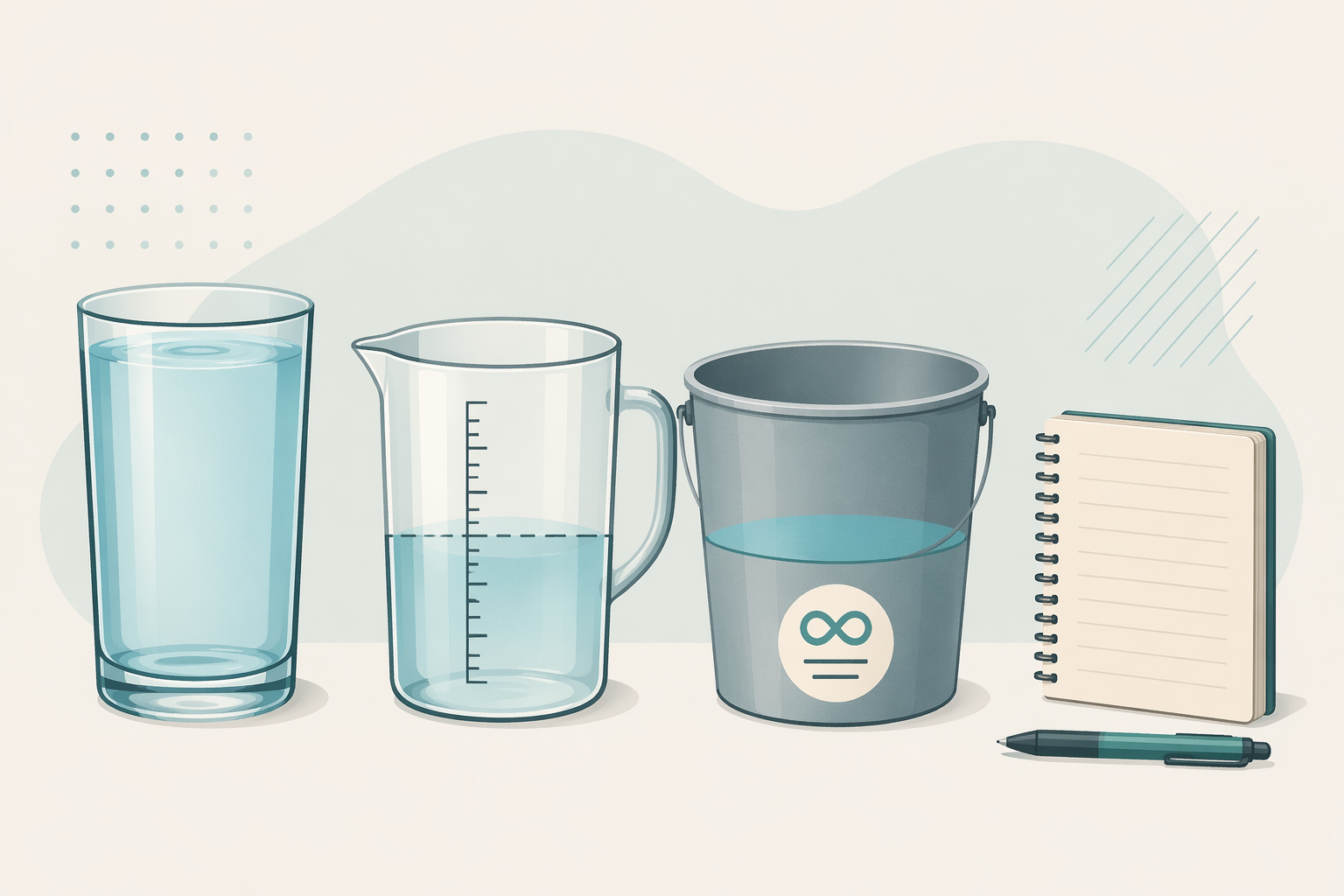
For free meeting notes apps, the useful categories are not “AI” and “non-AI.” They are unlimited, monthly capped, cumulative or lifetime capped, and manual. That distinction decides whether the tool is a durable free option or a polite trial with better onboarding.
This comparison focuses on tools commonly searched under “app for meeting notes” and on the main free-tier models: bot-based AI notetakers, bot-free AI capture, and traditional manual note apps. It does not try to cover every niche meeting assistant.
| Tool | Free limit | Reset type | What happens when the limit is hit | Best-fit meeting volume | Plain-English verdict |
|---|---|---|---|---|---|
| Fathom | Unlimited recordings and transcriptions; 5 AI summaries per month | Recordings/transcripts are unlimited; AI summaries reset monthly | You can keep recording and transcribing, but advanced AI summaries are limited | Frequent meetings, if transcripts matter more than unlimited summaries | The standout free AI tier, with one real summary cap to watch.[3][4] |
| Otter | 300 transcription minutes per month; 30-minute per-conversation cap | Monthly minutes reset; per-conversation cap applies each time | Long meetings can lose transcript after the 30-minute mark; free users also lose conversation search and priority support | Short recurring meetings, classes, or interviews under 30 minutes | Usable only if your meetings fit both caps, not just the monthly total.[5][6] |
| Fireflies | 800 minutes total | Cumulative pool, not monthly | After the pool fills, older meetings are compressed or auto-removed | Short-term testing, not ongoing free use | The number sounds generous until you realize it does not reset.[7] |
| Granola | 25 lifetime meetings | Lifetime meeting count | After 25 meetings, unlimited use requires the Pro plan | Testing bot-free capture before paying | Excellent concept for some users, but the free plan is a fixed runway, not a monthly allowance.[5] |
| Fellow | 5 lifetime AI recordings | Lifetime AI recording credit | AI recording is exhausted after the credit is used; basic agenda features remain | Trying AI recording once or twice | Effectively an AI recording trial, not a free AI meeting notes plan.[8] |
| Jamie | 10 AI note-takes per month | Monthly | Additional use requires pay-as-you-go or a paid plan | Moderate meeting volume, especially for users who want local-first capture | A real monthly allowance, but not enough for meeting-heavy users.[3] |
| OneNote | 5GB free storage; no AI meeting automation | Storage-based, not meeting-based | You keep taking notes until storage or account limits matter | Students, solo workers, and low-volume manual note-takers | No surprise meeting counter, but you do the capture work yourself.[9] |
| Apple Notes | Free on Apple devices; no AI meeting automation | No meeting cap | No automatic transcript or meeting summary | Apple users who want fast manual notes | Boring in the best way: no meeting wall, no bot, no transcript magic.[9] |
| Google Keep | Free; no AI meeting automation | No meeting cap | No structured meeting workflow unless you build one manually | Very light notes, quick action items, mobile capture | Good for scraps and follow-ups, weak for complex meeting records.[9] |
| Notion | Free plan with block limits; meeting templates available | Workspace limits, not meeting minutes | You may hit workspace constraints before meeting-specific ones | Manual meeting databases and reusable templates | Useful if you want structure more than transcription.[9][10] |
| Evernote | Free plan heavily restricted: 1 notebook and 60 MB monthly upload | Monthly upload plus account restrictions | The free tier can feel cramped quickly | Existing Evernote users with very light needs | Still usable for some notes, but not a generous free meeting system.[9] |
The Limit Type Matters More Than the AI Label
A monthly cap and a lifetime cap can look similar on a pricing page and behave completely differently in your calendar. Ten meetings per month is a small but understandable budget. Ten meetings forever is a product demo wearing a backpack.
That is why Fathom and Granola should not be mentally grouped together just because both use AI. Fathom’s free tier keeps recording and transcribing without a minute cap, while Granola’s free plan stops after 25 lifetime meetings.[3][5] One can remain part of a free workflow if you can live with limited AI summaries. The other is better understood as a trial of a specific capture style.
The same logic applies on the manual side. Apple Notes, Google Keep, OneNote, and Notion will not join a Zoom call, identify speakers, or produce an action-item summary for you. But they also do not suddenly decide that your thirty-first meeting belongs behind a paywall. For someone with three short meetings a week and decent discipline, manual notes are not a failure state. They are a stable free system.
If you want a broader comparison outside meetings, see our guide to free note-taking apps by use case. Meeting notes are only one version of the larger problem: capture is easy to promise and annoying to maintain.
Minutes, Meetings, and Summaries Are Not the Same Limit
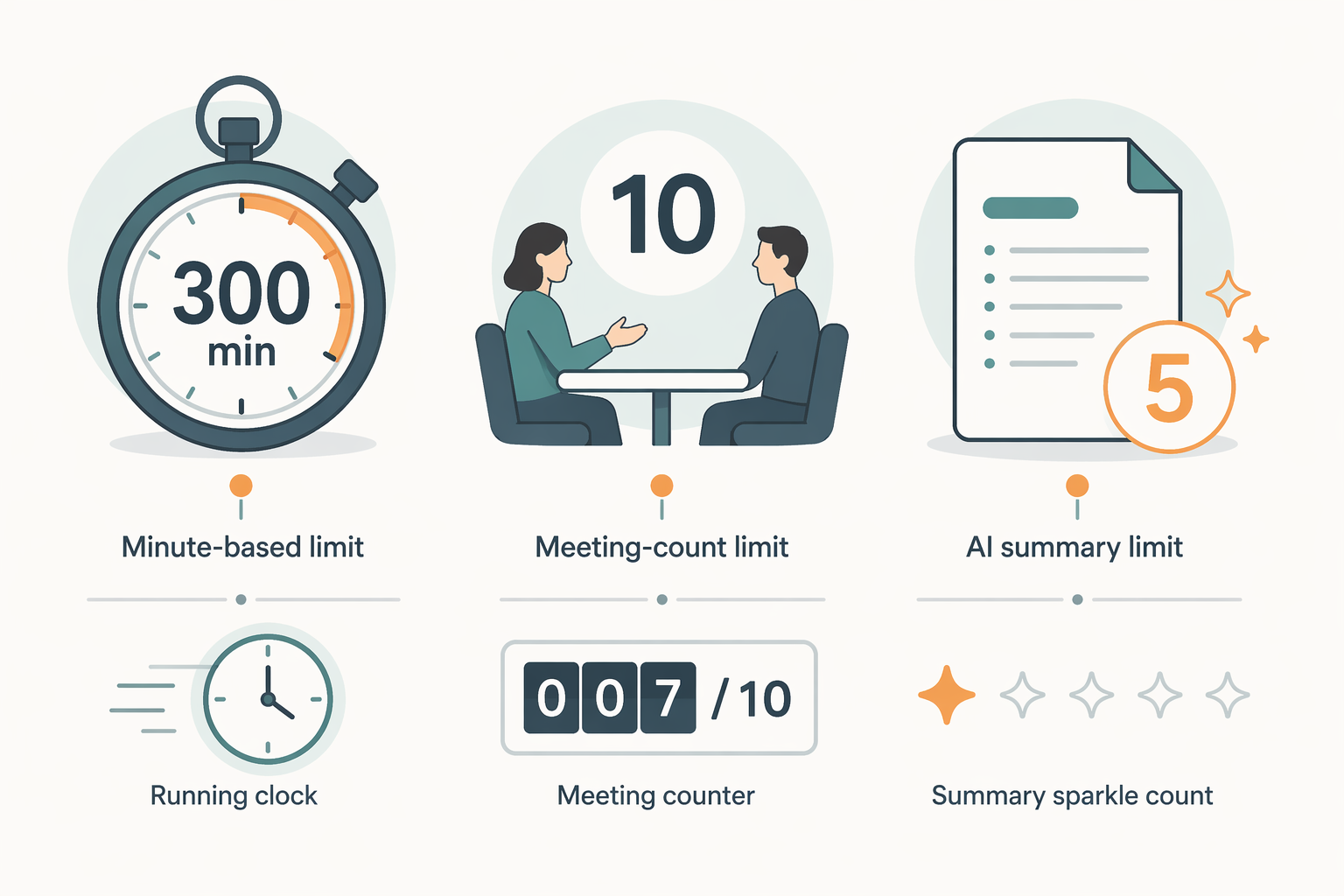
Free AI notetakers often cap different things. A minute cap limits how much audio becomes transcript. A meeting cap limits how many sessions you can capture. A summary cap may still leave the transcript available but remove the polished AI output. These are not interchangeable.
Otter is the clearest example of why the unit matters. Its free plan includes 300 transcription minutes per month, but also a 30-minute per-conversation limit.[5][6] If your calendar is full of 25-minute check-ins, that can work. If you run 45-minute client interviews, the monthly number is not the problem; the meeting-length ceiling is.
Fathom’s constraint is different. The recording and transcription allowance is the generous part; the 5-per-month AI summary cap is the part that can pinch.[3][4] For a freelancer who mainly needs a searchable transcript and can write their own client recap, that may be perfectly acceptable. For someone who expects the tool to produce polished summaries after every standup, sales call, and planning meeting, the free tier will feel narrower than the headline suggests.
Fireflies has the most dangerous-looking generous number because its 800-minute free allowance is cumulative. Meetingnotes describes it as a total pool, not a monthly reset, and notes that older meetings are compressed or auto-removed after the limit is reached.[7] A person attending regular half-hour calls can burn through that pool quickly. The exact pace depends on the calendar, but the direction is obvious: this is not a permanent free tier for an active meeting schedule.
The AI Free Tiers, Tool by Tool
Fathom: the rare free AI tier that can survive a busy calendar
Fathom is the outlier because its free plan does not ration recordings or transcriptions by minute. In a category full of counters, that matters more than another tidy dashboard or another list of integrations. The sources in this comparison identify unlimited free recordings and transcriptions as the main distinction, with 5 AI summaries per month as the meaningful cap.[3][4]
That makes Fathom the first place meeting-heavy users should look if they need a free AI layer. It is not the same as unlimited everything. You still need to decide whether five AI summaries cover the meetings where a summary actually saves you time. For the rest, the transcript has to be enough, or you have to do some manual cleanup.
That trade is still better than the usual free-plan trap. A transcript you can keep using is a workflow. A beautifully summarized trial that runs out before your next billing cycle is a sample.
Otter: workable for short meetings, awkward for normal-length ones
Otter’s free tier can still make sense, but only for a very specific calendar: short conversations, predictable meeting lengths, and users who do not need every paid feature. The 300-minute monthly allowance is easy to understand. The 30-minute per-conversation cap is the part people tend to discover at the wrong time.[5][6]
A student recording short seminars, a freelancer capturing brief intake calls, or a manager who only wants quick internal check-ins may be fine. A researcher, coach, consultant, or interviewer who regularly crosses the 30-minute mark should treat the free plan as constrained from the start.
For a deeper look at Otter beyond the free tier, see our Otter.ai review. Paid-plan features may solve some of the free-tier friction, but that is a different decision from choosing a genuinely free app.
Fireflies: a useful test drive with a storage clock running
Fireflies’ 800-minute free pool sounds comfortable until you remember that cumulative allowances only move in one direction. They do not forgive a busy week. They do not reset because a semester started or a client project ended. Once the pool is used, the free experience changes.[7]
That does not make Fireflies useless. It makes it a testing plan. If you want to see whether AI transcripts, meeting libraries, and follow-up workflows fit the way your team works, a cumulative pool can give you enough room to judge. It is just not the plan I would hand to someone who needs a free meeting notes system for the next six months.
Granola: bot-free capture, lifetime runway
Granola’s appeal is not hard to understand: device-side capture, no visible meeting bot, and a writing experience that can feel closer to assisted note-taking than automated surveillance. The free-plan problem is equally plain. The 25-meeting cap is lifetime, and unlimited use requires the Pro plan after that allowance is exhausted.[5]
There are also glowing fit scores around Granola, but they should be kept in proportion. Atlas Workspace reported a 9.0/10 Meeting-Notes Fit Score from a 62-hour test, which is useful context, not an independent universal benchmark.[8] A high product-fit score does not change the free-tier math.
Fellow: good agenda tool, tiny AI recording allowance
Fellow’s free plan belongs in a different mental bucket. Its basic meeting agenda features may still be useful, but the AI recording allowance is 5 lifetime recordings.[8] That is enough to learn whether you like the AI recording experience. It is not enough to run a recurring meeting workflow unless you plan to pay.
Jamie: moderate monthly use, with a different capture posture
Jamie sits between the generous and the trial-like plans. Its free tier offers 10 AI note-takes per month, followed by pay-as-you-go or a $19-per-month plan, and the source notes local-first capture without cloud processing on the free tier.[3] Ten meetings a month is not enough for a meeting-heavy operator, but it is a real monthly allowance.
That local-first angle also changes the user profile. Some people dislike bots joining calls; others prefer visible bots because everyone can see recording is happening. Bot-free does not mean consent-free. It means the user has more responsibility to disclose recording where laws, contracts, school policies, or client expectations require it.
The Manual Apps Are Less Clever, and Sometimes That Is the Point
Traditional note apps do not solve the same problem as AI notetakers. They will not reconstruct who said what while you were presenting slides. They will not turn a messy client call into a neat summary while you make coffee. Their advantage is simpler: the free tier is not pretending to be a normal meeting workflow while quietly counting down to zero.
| Manual option | Where it works best | Where it breaks down |
|---|---|---|
| Apple Notes | Fast notes on Apple devices, personal meeting logs, quick follow-ups | No cross-platform depth for non-Apple workflows; no automatic transcript |
| Google Keep | Short action lists, quick mobile capture, lightweight reminders | Poor fit for long meeting records or structured agendas |
| OneNote | Class notes, client notebooks, section-based organization with 5GB free storage | No built-in AI meeting capture on the free note-taking tier |
| Notion | Reusable meeting templates, project databases, shared manual notes | Setup overhead; free-plan workspace limits can matter before meeting limits |
| Evernote | Very light use by people already in Evernote | Free plan restrictions make it hard to recommend as a new meeting-notes system |
The practical test is whether you can reliably capture the parts of a meeting that create consequences: decisions, owners, deadlines, objections, and follow-up promises. If the meeting is small enough for that, a manual app may beat a capped AI tool simply because it will still be there next month.
If you want voice capture beyond meetings, our comparison of apps that take notes from voice covers the adjacent tools. That category overlaps with meeting notes, but the free-tier question is still the same: what happens after the first handful of recordings?
Consent and Privacy Still Belong in the Free-Tier Decision
A visible meeting bot can be annoying, but it has one virtue: people can see that recording is happening. Tools such as Fathom, Otter, and Fireflies commonly operate by joining the meeting as a bot, which makes capture more obvious to participants. Bot-free tools such as Granola and Jamie can feel less intrusive, but they place more disclosure responsibility on the person recording.
For sensitive, regulated, or client-confidential conversations, the right free app is not just the one with the biggest allowance. It is the one whose capture method you can explain without embarrassment before the meeting starts. Two-party consent laws and organizational policies vary, so a “free” tool can still create expensive cleanup if recording expectations are mishandled.
So Which Free Meeting Notes App Should You Use?
If you attend frequent meetings and need free AI capture, start with Fathom and watch the 5-per-month AI summary cap. Its unlimited recording and transcription allowance makes it the rare free AI option that can survive an active calendar.[3][4]
If your meeting load is moderate, Jamie can make sense when 10 AI note-takes per month cover the calls that matter most, especially if local-first capture is part of the appeal.[3] Otter can also work for short meetings, but only if both the 300-minute monthly cap and the 30-minute per-conversation cap match your actual schedule.[5][6]
If you are evaluating tools before paying, treat Granola, Fireflies, and Fellow as trials rather than durable free plans. Granola’s 25 lifetime meetings, Fireflies’ cumulative 800-minute pool, and Fellow’s 5 lifetime AI recordings are all useful for testing. None is designed to be a long-term free home for frequent AI meeting notes.[5][7][8]
If your meeting volume is low, your notes are sensitive, or you simply do not want a usage meter attached to every conversation, Apple Notes, Google Keep, OneNote, or Notion may be the better free choice. You give up automation, but you also give up the surprise of discovering that “free” meant “until your calendar became normal.”
The best free app is the one whose limits match your calendar. For meeting notes, that is a more useful standard than the longest feature list.
References
- Meeting Statistics for 2026: 100 Data Points on Time, Cost, Productivity, Flowtrace
- AI Note Taking Statistics: 17 Reasons Why Professionals Are Ditching Traditional Notes, Speakwise
- AI Note Taker Apps: We Tested Best Free & Paid Options [2026], Jamie
- The 10 best AI meeting assistants in 2026, Zapier
- Meeting note tool pricing: Granola vs. Fireflies vs. Fathom vs. Otter, Granola
- Best Meeting Notes App in 2026: AI Tools That Actually Work, Zack Proser
- The 10 best AI note takers in 2026 (Tested and Ranked), Meetingnotes
- Best Meeting Notes App 2026: 7 AI Tools for Better Meetings, Atlas Workspace
- The 7 best note taking apps in 2026, Zapier
- Best Meeting Notes App in 2026: Top 5 Tools Compared, Owll