
The first mistake in buying document workflow automation is treating it as one software category. It is not. A tool that generates a sales contract from CRM fields is solving a different problem from a tool that routes a signature packet, reads invoice data from scanned PDFs, lets HR build an onboarding approval flow, or embeds document steps inside a product.
So the better first question is not which platform has the longest feature list. It is: what document is actually moving, who touches it, and where does it stop? Once that is clear, the vendor shortlist gets much smaller.
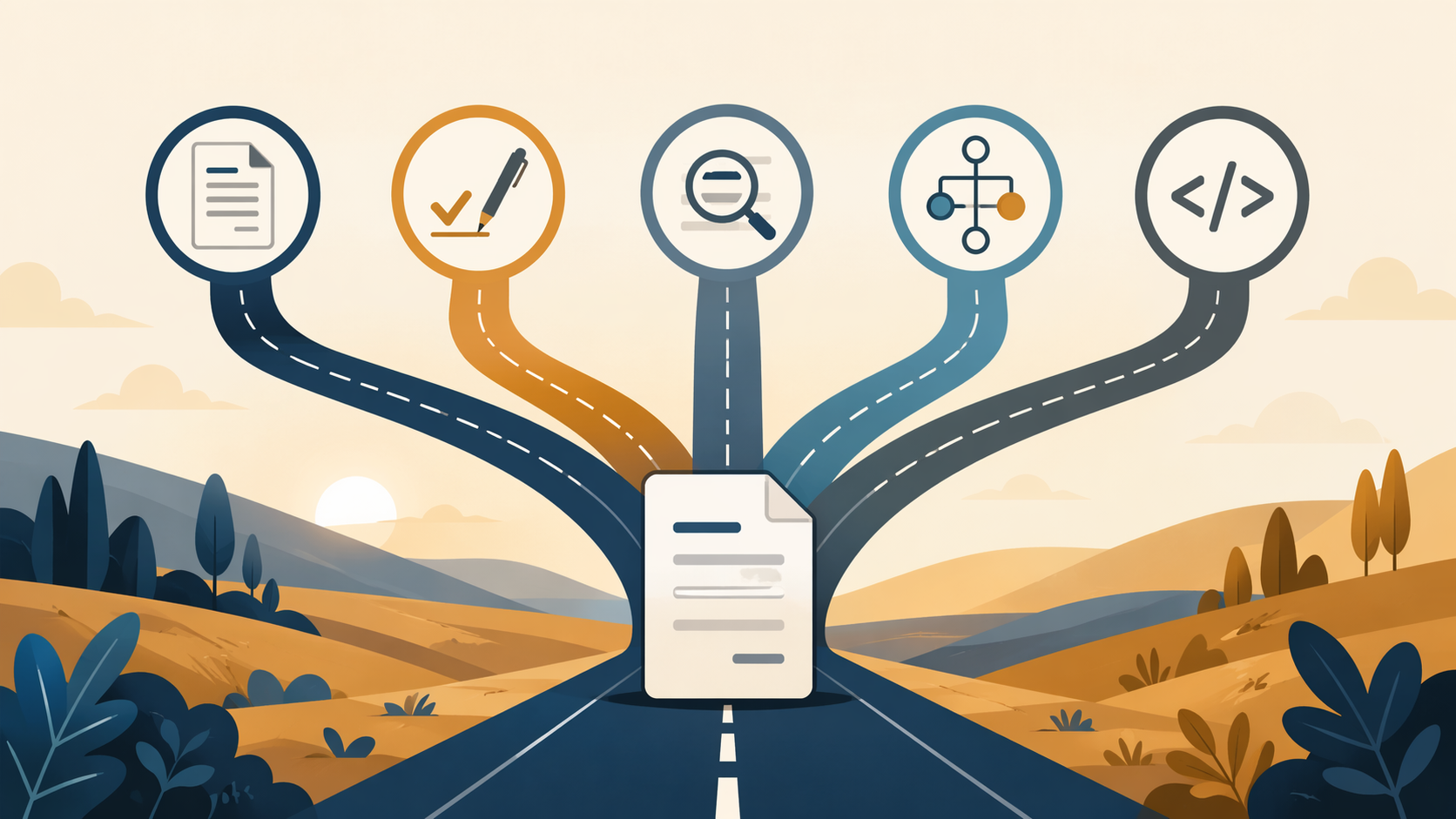
The Five Architectures Buyers Keep Mixing Together
The cleanest way to compare document workflow automation tools in 2026 is by architecture. The boundaries are not permanent. AI document processing vendors are adding no-code builders, automation platforms are adding AI features, and document platforms are exposing APIs. Still, the distinction is useful because each architecture starts from a different bottleneck.
| Architecture | Best fit | Representative tools | Wrong-fit warning |
|---|---|---|---|
| Template generation | Generating standardized contracts, proposals, forms, or legal documents from known data | PandaDoc, HotDocs, Conga | Weak fit if the hard part is approvals, extraction, or cross-system orchestration |
| E-signature and routing | Moving a document through reviewers, approvers, signers, and audit trails | DocuSign IAM, airSlate Workflow | Weak fit if the document still has to be drafted manually every time |
| AI document processing / IDP | Reading unstructured or semi-structured documents such as invoices, forms, scanned mail, or PDFs | Nanonets, Rossum, Klippa | Weak fit if the source data is already clean and the issue is human approval |
| No-code workflow builders | Letting operations, HR, finance, or admin teams build document workflows without engineering support | Jotform Workflows, Cflow, Formstack | Weak fit if the workflow must be deeply embedded in a product or heavily customized by code |
| API-first platforms and automation layers | Embedding document flows in applications or connecting many systems through programmable automation | Anvil, Zapier, Make | Weak fit if a nontechnical team needs to own changes week to week |
This taxonomy also explains why many comparison pages feel unhelpful. PandaDoc and Rossum can both appear under document automation, but they are not competing for the same job in most teams. One starts with document creation; the other starts with document ingestion.
Why the Category Still Feels Immature
The confusion is not just buyer inexperience. Formstack, citing research with Mantis Research, reported that only 4% of businesses had fully automated document workflows; the figure is from 2022, so it should be treated as an older market signal rather than a current 2026 measurement.[1] It still matches what many teams experience: one automated step surrounded by email forwarding, spreadsheet tracking, manual file naming, and a manager who knows where the latest version lives.
Formstack also states that the average organization saves about $46,000 per year by automating document workflows.[1] That number is useful as a test, not a guarantee. A team paying for a platform, implementation support, admin time, integration work, and ongoing maintenance needs savings that survive the full cost of ownership.
Market-size estimates are less useful for this decision. A large category does not tell an HR manager whether the onboarding packet should live in a no-code workflow builder or an e-signature system. The workflow shape matters more than the market headline.
Template Generation: The Blank Document Bottleneck
Template generation tools are the right lane when the team repeatedly creates the same kind of document with different data. Sales proposals, NDAs, statements of work, employment letters, and regulated forms often fit here. The workflow begins before the signature step: fields need to be pulled from a CRM, intake form, database, or questionnaire, then merged into a controlled document template.
PandaDoc, HotDocs, and Conga are typical examples in this lane. They help teams standardize language, reduce copy-paste errors, and produce documents faster when the inputs are known. The buying question is whether the tool can handle the document logic the team actually uses: optional clauses, region-specific terms, pricing tables, approval thresholds, and version control.
This is where template generation is often confused with e-signature routing. If the sales team complains that contracts take too long because reps rebuild them from old files, the answer is probably template automation. If contracts already exist but sit in a chain of approvers, the answer is probably routing. Buying a signature tool to fix drafting disorder usually leaves the disorder intact.
E-Signature and Routing: Waiting on Reviewers, Approvers, and Signers
E-signature and routing platforms fit when the document exists, but the process around it is unreliable. Someone has to review it, someone has to approve it, someone has to sign it, and someone has to know whether the signed copy came back. The document is less of a writing problem than a handoff problem.
DocuSign IAM and airSlate Workflow sit closer to this architecture. The practical value is in signer sequencing, reminders, role-based routing, audit trails, and conditional approvals. For teams comparing approval-heavy systems, the broader distinction between SMB tools and enterprise platforms is worth checking against an approval workflow software comparison.
The risk is buying more platform than the process needs. A small team with a two-step approval chain may not need an enterprise agreement-management environment. A regulated department with multiple roles, audit requirements, and exception handling may outgrow a lightweight signing flow quickly. The difference is not the presence of a signature button; it is who owns the packet while it is moving.
AI Document Processing: Reading Incoming Documents
AI document processing, often called intelligent document processing or IDP, starts from a different place. The team is not trying to generate a clean contract from known fields. It is receiving documents whose structure varies: invoices, forms, scanned mail, claims, PDFs, emailed attachments, or records from outside parties.
Nanonets, Rossum, and Klippa are examples commonly associated with this category, especially for extracting information from incoming documents and moving that data into downstream systems.[2] The buyer should care about extraction accuracy, review queues, exception handling, training burden, and how the tool behaves when a document does not match the happy path.
This category is easy to oversell internally because AI sounds like it should remove the workflow. Usually it changes the workflow. A person may stop keying invoice fields manually, but someone still needs to review low-confidence extractions, resolve exceptions, and decide what happens when the source document is incomplete. The maintenance question is not optional: who watches the model's misses, who updates rules, and who owns escalation?
No-Code Workflow Builders: Operations-Owned Processes
No-code workflow builders are strongest when the process changes often and the people closest to it are not engineers. HR onboarding, vendor intake, internal requests, policy acknowledgments, finance approvals, and department-specific forms often land here. The workflow may include documents, but the document is part of a broader operational process.
Jotform Workflows, Cflow, and Formstack are representative examples. The value is not only that a form can trigger a document. It is that an operations manager can adjust approval steps, notifications, assignments, and conditions without waiting in an engineering queue. Smaller teams comparing this lane should also look at no-code document workflow tools for small teams, because admin effort matters as much as feature coverage.
The line between no-code workflow and AI document processing is getting blurrier. If the incoming document is messy and extraction quality is the make-or-break issue, start with IDP. If the document fields are already captured through forms and the pain is approvals, ownership, and notifications, start with no-code workflow. A no-code builder can make a messy process visible; it does not automatically make unstructured documents readable.
API-First Platforms: Document Steps Inside a Product
API-first tools are the right conversation when document automation is not just an internal admin workflow. Product teams may need to generate, collect, sign, or store documents inside an application experience. The workflow has to respect product logic, user roles, authentication, event handling, and data flows that a standalone document platform may not control.
Anvil is positioned in this API-first document automation lane, while Zapier and Make are broader automation layers that can connect document steps across systems.[3] Teams comparing Zapier and Make for this kind of orchestration may also need a separate look at Zapier vs Make vs n8n, because the tradeoffs are broader than document handling alone.
This lane has a different maintenance burden. It may be cleaner for the user because the document step appears inside the product, but someone has to maintain the integration, error handling, authentication, retries, and logging. If the team has no engineering ownership, API-first can become a brittle workaround instead of an automation strategy.
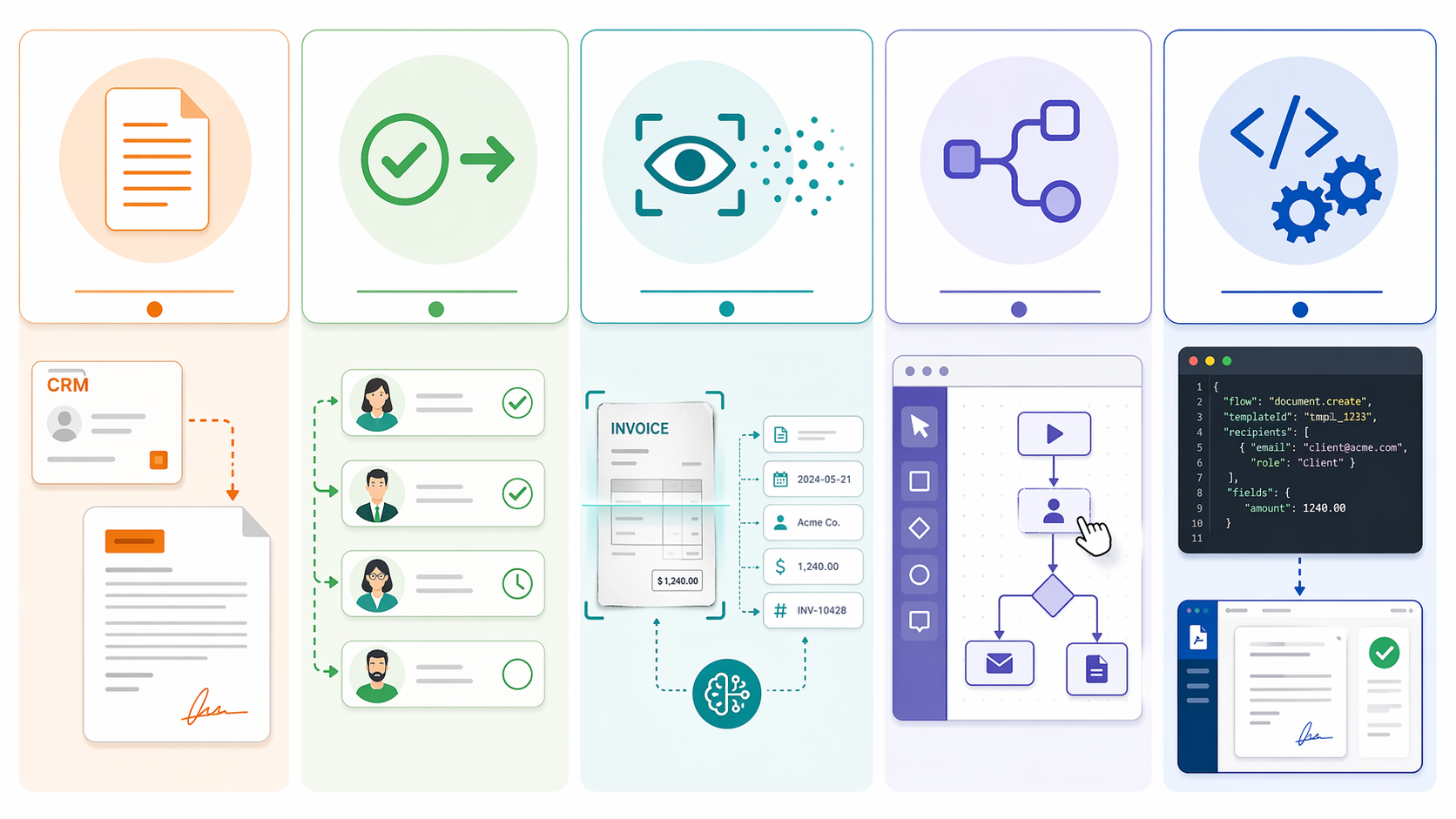
A Use-Case Map Before You Compare Vendors
A useful shortlist starts with the failure point. The same department can need different architectures for different document problems, so do not let the team name make the decision by itself.
| If the main pain is... | Start with this category | What to check next |
|---|---|---|
| Reps or coordinators recreate the same documents from old files | Template generation | Template logic, CRM fields, clause control, document versioning |
| Documents sit with approvers or signers | E-signature and routing | Routing rules, reminders, audit trails, role-based permissions |
| Staff manually key data from incoming PDFs, forms, invoices, or scans | AI document processing / IDP | Extraction quality, confidence scoring, review queues, exception handling |
| Operations teams need to build and change approval flows themselves | No-code workflow builders | Admin usability, conditional logic, notifications, handoff ownership |
| The document step must live inside a product or complex system stack | API-first platforms or automation layers | Developer experience, API coverage, retries, logs, integration ownership |
Department-specific needs can narrow the answer further. Finance intake, HR onboarding, legal review, sales contracting, and facilities requests do not fail in the same place. A department-level view of approval workflow software by department can help when the bottleneck is more about organizational routing than document creation.
Pricing Is Part of Workflow Fit
Pricing changes often, and document workflow vendors do not all disclose it in the same way. The following figures were last verified in June 2026 and should be treated as a comparison aid, not a contract quote.
| Tool | Published pricing benchmark | Last verified | Source note |
|---|---|---|---|
| Cflow | $11/user/month | June 2026 | Published benchmark cited by Cflow |
| Jotform Workflows | From $19.50/month | June 2026 | Pricing benchmark reported in tool roundups |
| PandaDoc Starter | $19/seat/month | June 2026 | Pricing benchmark reported in document automation roundups |
| Formstack Documents | $92/month | June 2026 | Pricing benchmark reported in document automation roundups |
| airSlate Workflow | $399/month | June 2026 | Pricing benchmark reported in document workflow roundups |
| M-Files | $65/user/month | June 2026 | Pricing benchmark reported in document workflow roundups |
The Cflow benchmark appears in Cflow's workflow automation statistics material, while the Jotform, PandaDoc, Formstack Documents, airSlate Workflow, and M-Files figures are reported in The Digital Project Manager roundups. Those source differences matter because vendor pricing changes frequently and quoted entry points may not include the setup, usage, or module requirements a team actually needs.[4][5][6]
Undisclosed pricing is not a small footnote for first-time buyers. It adds sales calls before comparison, makes internal budgeting harder, and can hide whether the real entry point is appropriate for a small team. Enterprise platforms may have good reasons for custom pricing, but the buyer still has to count that opacity as part of the evaluation.
Implementation Questions That Expose the Wrong Tool
Before a demo turns into a feature tour, ask the vendor to walk through one real document from start to finish. The document should be boring and typical, not the cleanest example in the process. Who creates it? Where does the first data field come from? Who reviews it? What happens when someone rejects it? Where is the final version stored? Who fixes the workflow when a team changes its approval rule?
- If the vendor spends most of the demo on design templates while your issue is stalled approvals, the category is probably wrong.
- If the demo assumes clean structured data but your team receives messy PDFs, you may need IDP before workflow routing.
- If every workflow change requires a developer and operations owns the process, the maintenance model is mismatched.
- If the tool can route documents but cannot show exception ownership, the manual cleanup may simply move to a different screen.
- If the quote only makes sense after bundling unrelated platform modules, compare a narrower tool before accepting the suite.
For teams still deciding whether this is a document-specific purchase or part of a larger operations stack, a broader workflow automation tools roundup is a useful second pass. If the decision is already at the platform-selection stage, use a structured guide on how to choose the right workflow automation platform rather than comparing document features in isolation.
Where Document Workflow Fits in the Larger Automation Stack
Document workflow automation can sit inside several broader systems: CRM, HRIS, ERP, contract lifecycle management, accounts payable, case management, or a general automation platform. That makes ownership as important as capability. A legal team may own clause language, sales ops may own CRM data, finance may own invoice approval, and IT may own integrations.
This is also where teams mix up workflow automation with heavier business process management. If the organization is redesigning a cross-department process with governance, metrics, and process ownership, the decision may be bigger than a document tool. A comparison of BPM workflow vs. workflow automation can help separate a tool purchase from a process redesign.
The practical decision remains narrower: pick the category that matches the document's main failure point first, then compare vendors inside that lane. Cross-category feature comparisons are how teams buy expensive tools for the wrong workflow. Once the lane is clear, the next useful work is implementation planning: mapping fields, routing rules, exceptions, owners, and handoffs before launch. A step-by-step document workflow automation setup guide is the better next read after the category decision is made.
References
- Workflow Automation Statistics, Formstack.
- Document Workflow Automation, Knack.
- Best Document Automation Software APIs 2026, Anvil.
- Workflow Automation Statistics, Cflow.
- Best Document Automation Software, The Digital Project Manager.
- Best Document Workflow Software, The Digital Project Manager.