
The annoying thing about comparing document workflow automation tools is that half the market is using the same phrase for different jobs. One tool helps you generate a proposal. Another collects form responses and routes approvals. Another gets a signature and stops there. Another reads incoming PDFs and extracts fields. Those can all touch a document workflow, but they do not replace one another when a client agreement has to be created, approved, signed, filed, and found again later.
For a small team, that distinction matters more than a long feature grid. A polished signing screen is useful, but it does not help much if someone still has to copy client details into a template, chase approval in Slack, download the signed file, rename it, and remember where it belongs. The practical question is narrower: what can you actually build this week without IT?
Pricing and plan notes below were checked against the available comparison materials and vendor-facing information in May–June 2026. Pricing changes quickly in this category, and self-published comparison pages should be treated as a starting point rather than the final authority. The Anvil comparison is useful for cross-checking the market, but it is still a vendor-published source, so official pricing pages should be checked before purchase decisions.[1]
| Tool | Best for | Entry price | Workflow coverage | Not for you if |
|---|---|---|---|---|
| PandaDoc | Outbound proposals, quotes, contracts, and client-facing documents | $19/user/month Starter | Create, send, sign, and manage commercial documents; API access is gated to Enterprise | You need low-cost custom API automation as you scale |
| DocuSign Personal | Simple e-signature for individuals or very light send volume | $10/user/month; 100 envelopes/user/year cap | Signature step only for small-volume sending | You need approvals, document generation, storage rules, or more than 100 sends per user per year |
| Dropbox Sign | Straightforward signature requests | $20/user/month | Signing-focused workflow | You are looking for full document workflow automation rather than e-signature |
| Jotform Workflows | Forms, approvals, routing, and lightweight document collection | Free plan; paid plans from $19.50/month | Drag-and-drop forms and conditional approval routing | Your main job is polished proposal generation or complex contract negotiation |
| Formstack | More structured forms and workflow automation where budget allows | Around $92/month | Forms, document generation, approvals, and workflow components depending on plan | You need the cheapest possible way to test an approval flow |
| Lido | AI extraction from incoming documents | $29/month for 100 pages | Reads and extracts data from inbound documents | You need document creation, approvals, or e-signature |
What counts as a complete document workflow?
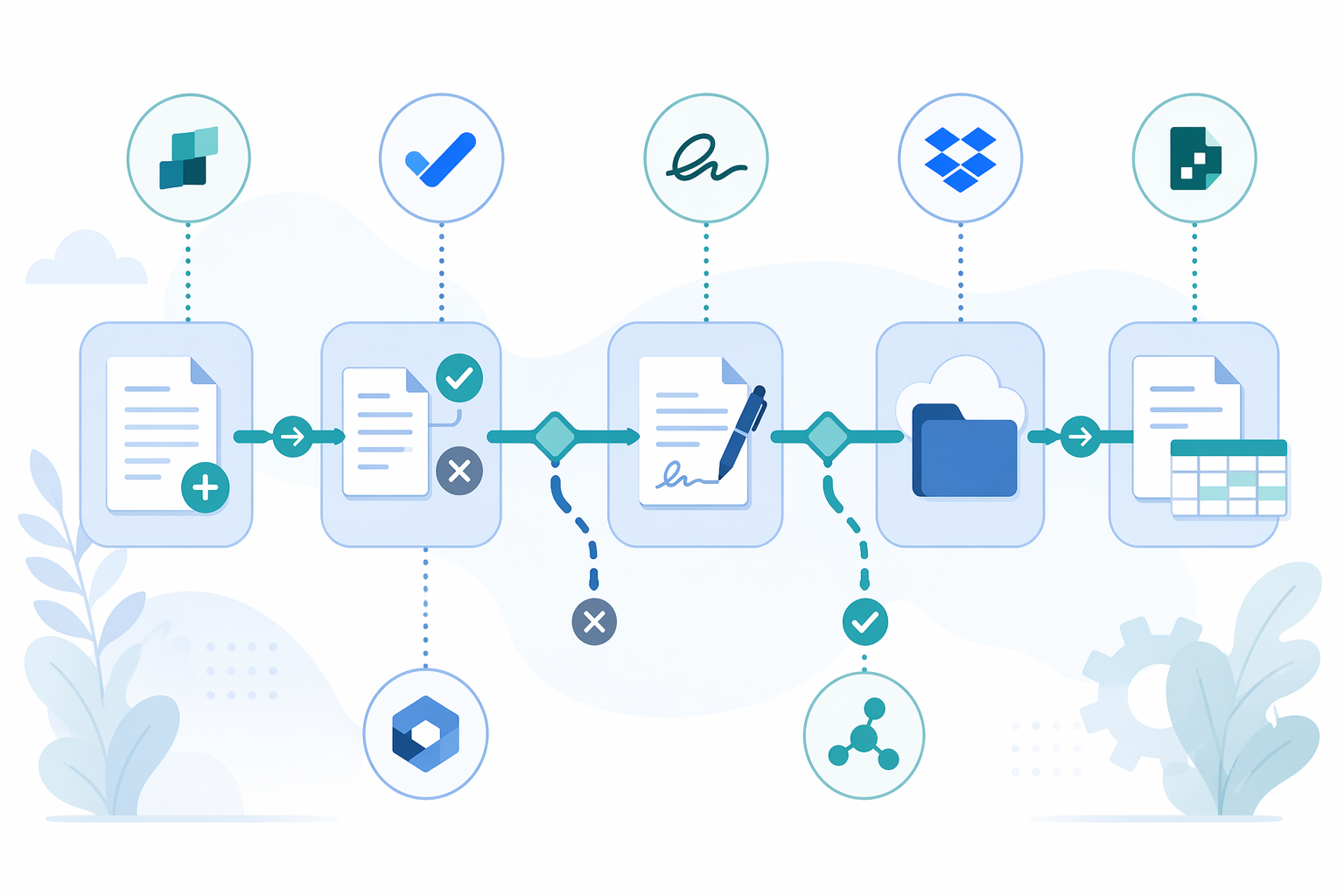
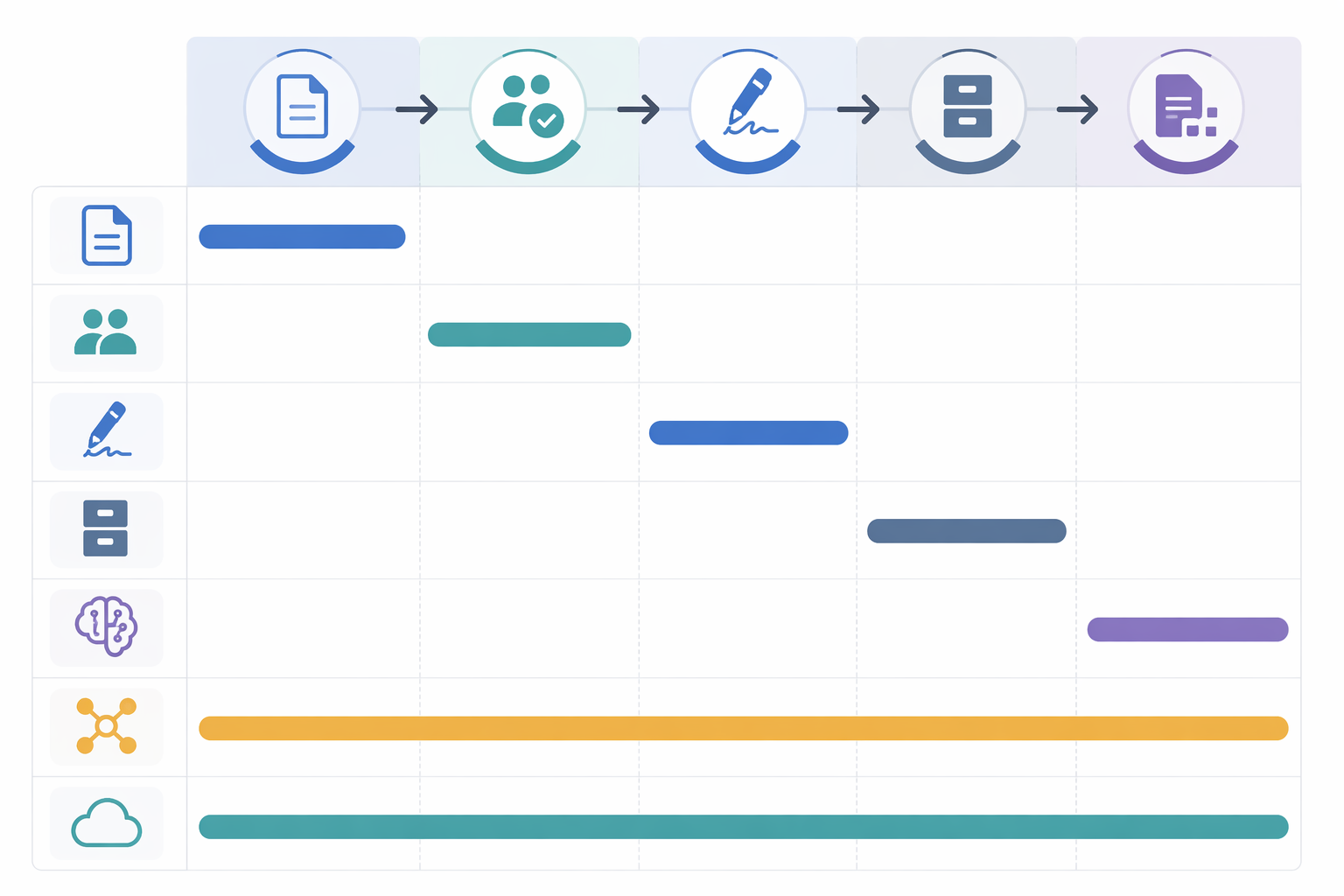
A useful small-team document workflow usually has five moving parts: create or collect the document, route it to the right people, capture approval or signature, store the finished version, and make the important data usable afterward. Not every team needs every part every day. But if a tool only covers one step, someone on the team becomes the bridge between the tool and the rest of the process.
- Create or collect: generate a proposal, agreement, intake form, invoice, packet, or upload.
- Route: send the document to the right reviewer, client, manager, or signer based on conditions.
- Approve or sign: capture internal approval, external signature, or both.
- Store and file: put the final document somewhere predictable with enough context to retrieve it.
- Extract or reuse data: move key fields into a tracker, CRM, spreadsheet, or downstream system.
PandaDoc’s own workflow material frames document automation around stages such as creation, collaboration, approval, signing, and storage, which is close to how small teams experience the work: not as one magical automation, but as a series of handoffs that either happen cleanly or become someone’s afternoon.[2]
That is also why e-signature-only tools should not be dismissed, but should be labeled honestly. If the only painful step is getting a client to sign, DocuSign Personal or Dropbox Sign may be enough. If the painful part is everything before and after the signature, buying a signature tool just moves the bottleneck.
Why small teams still bother automating documents
The case for automation is not that every document deserves a flowchart. It is that repeated document work quietly becomes operational drag: the same client details get retyped, approvals sit with the wrong person, signed PDFs land in inboxes, and nobody is sure which version is final.
The broader data gives some confidence that workflow automation is not just enterprise theater. DocuClipper reports that 60% of organizations achieve ROI within 12 months of workflow automation, and that small businesses report higher success rates at 65% than larger enterprises at 55%. Those figures are presented as tracing back to McKinsey survey work, so the original survey year should be verified before treating them as a fresh 2026 benchmark.[3]
Kissflow’s workflow automation statistics also point to broad adoption momentum, but adoption is not the same as effectiveness. A team can adopt a tool and still leave the office manager to do the glue work manually.[4]
For teams weighing no-code workflow tools against heavier automation programs, it is worth separating document workflow automation from full process transformation. If the problem is a repeatable approval or document path, a no-code tool is usually a better starting point than enterprise RPA. For that broader comparison, see No-Code vs. Enterprise RPA.
PandaDoc: strong for outbound commercial documents, with a scaling catch
PandaDoc is the cleanest fit in this group when the document starts with your team and moves outward: proposals, quotes, contracts, statements of work, and client agreements. A freelancer, agency, consultant, or sales-led small business can use it to assemble repeatable documents, send them for review or signature, and keep the commercial document process in one place.
The Starter price listed here is $19/user/month, which keeps PandaDoc in the range a small team can consider without turning the purchase into a procurement exercise.[1] That matters because many document automation platforms look friendly until the real workflow features sit behind a sales call.
Where PandaDoc earns attention is in coverage. It is not merely asking someone to upload a finished PDF for signature. It is built around the front half of the document lifecycle: creating client-facing documents from templates, adding pricing or content blocks, sending them, and capturing signatures. For teams whose bottleneck is getting polished outbound documents out the door, that is a meaningful difference.
The catch is expansion. PandaDoc’s API is gated to the Enterprise tier in the materials reviewed, so a small team that later wants custom system-to-system automation may hit a plan boundary.[1] That does not make PandaDoc a bad small-team choice. It does mean buyers should distinguish between “we need a no-code proposal and contract workflow” and “we are building a custom document automation layer around our own systems.”
For most lean teams, the useful test is simple: can the person who owns proposals or contracts build the next version of the workflow without waiting on a developer? With PandaDoc, the answer is often yes for outbound commercial documents. It is less convincing if the workflow is mostly about inbound forms, multi-step internal approvals, or extracting data from documents someone else sends you.
Jotform Workflows: the best low-friction way to test routing and approvals
Jotform is the tool in this set that most directly answers the small-team question: can we try a real approval workflow without a budget meeting? Current plan notes list a free plan and paid plans from $19.50/month, with drag-and-drop conditional routing in Jotform Workflows.[1]
That matters for messy internal workflows. A client intake form can route to one person if the budget is small and another if it crosses a threshold. A vendor onboarding form can ask for different attachments based on business type. A time-off request, expense approval, or creative brief can move through a sequence without someone manually forwarding emails.
Jotform’s center of gravity is forms and routing, not polished proposal generation. If the document begins as structured input — a form submission, uploaded file, approval request, application, or intake packet — Jotform can turn that input into a repeatable workflow. If the document begins as a sales proposal with pricing tables, reusable content, and client-facing design expectations, PandaDoc is usually the more natural fit.
The free tier is not just a pricing footnote. It changes the operating behavior. A team can build a first version of an approval flow, find out whether the routing logic matches real work, and only then decide whether usage limits or advanced needs justify paying. That is much safer than buying a heavier workflow suite before anyone has agreed on the actual path a document should take.
For readers comparing approval tools specifically, Approval Workflow Software: SMB Tools vs. Enterprise Platforms is the more focused buying frame. Jotform belongs in that conversation because it lets non-technical teams model conditions and handoffs without treating every workflow as an IT project.
DocuSign Personal: good when the work really is just signing
DocuSign Personal is easy to understand and easy to misuse in a comparison like this. At $10/user/month, it looks like an affordable way into document workflow automation. The problem is the 100 envelopes/user/year cap noted in the plan details.[1] For an occasional signer, that may be fine. For a freelancer sending client agreements, change orders, NDAs, and renewal paperwork, the ceiling can arrive faster than expected.
The bigger limitation is scope. DocuSign Personal is primarily solving the signature step. It does not, at that level, become the place where a small team designs a full document workflow with intake, conditional approval, document generation, filing rules, and downstream data handling.
That is not a criticism if signing is the job. If the team already has templates, already knows who approves what, and only needs a reliable way to get legally meaningful signatures, DocuSign Personal can be the right size. Just do not buy it expecting it to make the rest of the document process disappear.
Dropbox Sign: simple signature requests, not a full workflow system
Dropbox Sign sits in the same practical category as DocuSign Personal for this comparison: useful, recognizable, and narrower than the phrase document workflow automation implies. The listed entry point is $20/user/month, with a signing-only scope.[1]
That makes it a sensible option when documents are already prepared and the workflow is mostly “send this to be signed.” It is less compelling when the team needs to collect structured information, route internal approvals, generate documents from responses, or create an audit-friendly operating pattern around recurring paperwork.
The danger with signing tools is that they make one painful step feel modern while leaving the rest of the process in inboxes and shared drives. If that is acceptable, fine. If the team is already losing track of who approved what before the signature request went out, Dropbox Sign is not the whole answer.
Formstack: capable, but heavier for a lean first workflow
Formstack is harder to dismiss than the signing-only tools because it can cover more of the document workflow. Depending on plan and configuration, it can sit closer to the forms-to-documents-to-approvals pattern that small operations teams often need. Its listed entry point is around $92/month, which is still small-business possible, but no longer casual.[1]
That price point changes the decision. A team with clear process complexity — compliance-heavy forms, recurring internal requests, document generation needs, and enough volume to justify structure — may find Formstack appropriate. A two-person consultancy trying to stop manually chasing one approval may be better served by testing the workflow in Jotform first.
The Digital Project Manager’s tested workflow automation reviews are useful context here because they look at workflow tools through hands-on evaluation rather than only vendor positioning.[5] Even so, small teams should be careful about buying “more capable” when the immediate problem is simply “we need a repeatable route for this document.” Capability that requires ongoing administration can become the new admin job.
Lido: useful for incoming documents, not interchangeable with signing or proposals
Lido is the category outlier. It is not trying to be PandaDoc, DocuSign, or Jotform. Its value is AI extraction from inbound documents: pulling data out of files that arrive from elsewhere. Lido claims 99.9% extraction accuracy with no templates needed, at $29/month for 100 pages.[6]
That can be valuable if the bottleneck is reading invoices, statements, reports, or other incoming PDFs and moving key fields into a spreadsheet or workflow. It is a different problem from generating a proposal, routing an approval, or collecting a signature.
The accuracy claim should also be treated as a vendor claim unless independently validated for the documents your team actually handles.[6] Extraction tools can look excellent on clean samples and still require review when formats vary, scans are poor, or the consequence of a wrong field is expensive. Lido belongs in the shortlist when the document arrives from outside and the first job is to turn it into usable data.
The comparison that actually matters: pipeline coverage versus cost
A small team does not need the tool with the longest automation menu. It needs the tool that covers the unattended handoffs in its own document path. The cheapest plan can become expensive if someone still has to do four manual steps around it. The fuller platform can be overkill if all the team needs is one signature request a week.
| Workflow shape | Likely best fit | Why |
|---|---|---|
| Outbound proposals, quotes, contracts, or SOWs | PandaDoc | It covers the creation-to-signature path for commercial documents better than form-first or signing-only tools. |
| Approvals based on form responses or submitted requests | Jotform Workflows | It gives small teams conditional routing and a usable free starting point. |
| Prepared documents only need signatures | DocuSign Personal or Dropbox Sign | They are appropriate when signing is the workflow, not just one step in it. |
| More structured forms, document generation, and workflow needs with budget available | Formstack | It may justify its heavier cost when the process is complex enough. |
| Incoming PDFs or documents need data extraction | Lido | It addresses inbound document data capture rather than outbound creation or signing. |
This is also where plan ceilings matter. DocuSign Personal’s 100-envelope cap is not a footnote if the team sends frequently.[1] PandaDoc’s Enterprise-gated API is not a footnote if the team expects to grow into custom integrations.[1] Jotform’s free plan is not a footnote if the team needs to prove the workflow before paying.[1] Those details are where “affordable” either stays affordable or turns into a migration.
If the choice is really between broader no-code workflow platforms rather than document-specific tools, compare this list with Best No-Code Workflow Orchestration Tools for Business Teams in 2026. If the confusion is whether the organization needs workflow automation or a broader BPM program, BPM vs Workflow: 5 Key Differences is the better starting point.
How to choose without creating a new admin job
Start with the document’s actual path, not the vendor category. Write down the last real document that caused friction. Who created it? Who had to approve it? Who signed it? Where did the finished copy go? Which fields had to be copied somewhere else? The right tool should remove handoffs from that path, not just make one screen nicer.
- Choose PandaDoc if outbound proposals and contracts are the center of the workflow and the team wants an accessible commercial document platform.
- Choose Jotform Workflows if approvals, forms, routing, and a free starting point matter more than proposal design.
- Choose DocuSign Personal or Dropbox Sign only when the job is signing, not end-to-end document workflow automation.
- Consider Formstack when the process is structured enough, and the budget large enough, to justify a heavier forms and workflow stack.
- Use Lido when the bottleneck is extracting data from incoming documents rather than creating or signing documents.
For deeper price modeling across approval tools, see the Approval Workflow Software Pricing Guide 2026. Pricing is only useful when it is matched against the whole path: creation, routing, approval, signing, storage, and data reuse.
Small teams can now automate real document workflows without developers. The catch is that they have to buy for the whole path they need. Mistaking one polished step for an end-to-end system is how automation turns back into manual coordination at 4:30 p.m.
References
- Best Document Automation Software APIs in 2026 — Anvil
- What Is Document Workflow Automation? — PandaDoc
- Workflow Automation Statistics — DocuClipper
- Workflow Automation Statistics & Trends — Kissflow
- Best Workflow Automation Software — The Digital Project Manager
- Best Document Automation Software — Lido