
The awkward moment usually comes after the team has built a few useful automations and started to trust them. A lead source moves from a form into the CRM. A Slack message appears when a contract is signed. A spreadsheet row creates a task. Then someone asks whether the same process automation tool can update an old finance system, read from a shared desktop app, route approvals with audit controls, and let an AI agent decide what happens next.
That is where vendor comparison becomes premature. The first decision is not Zapier versus Make, or n8n versus UiPath. It is which category of automation your organization can actually build, govern, maintain, and pay for after the first workflow succeeds.

A quick map of the process automation tool landscape
Business process automation is a broad enough category to include both no-code workflow automation and robotic process automation, which is why teams can end up comparing tools that technically live under the same umbrella but solve very different operating problems.[1]
| Category | Typical examples | Best fit | Where it starts to strain |
|---|---|---|---|
| No-code SaaS connectors | Zapier, Make | Business users connecting modern cloud apps with clear triggers and actions | Legacy systems, complex exception handling, strict governance, heavy transformation logic |
| AI-native builders | Gumloop, Relay.app | Teams that want AI steps, document handling, summarization, or agent-style work built into workflows | Processes where integration depth, access control, and auditability matter more than the AI step |
| Fair-code or self-hostable platforms | n8n, Activepieces | Technical operations teams that want custom API calls, webhooks, code nodes, and more control without immediately buying an enterprise suite | Teams without someone accountable for hosting, debugging, upgrades, credential management, and workflow ownership |
| Enterprise iPaaS and RPA suites | UiPath, Workato, Automation Anywhere, Microsoft Power Automate | Organizations automating governed, cross-functional, legacy, or desktop-dependent processes at scale | Teams that have not cleaned up the process, assigned owners, or budgeted for implementation and administration |
The boundaries are also moving. No-code platforms are adding AI agents and more sophisticated logic, while RPA platforms are adding low-code and no-code interfaces. As of June 2026, those labels are useful for orientation, not for procurement shortcuts.[2][3]
If you already know you are comparing individual lightweight workflow tools, a vendor-by-vendor article such as Zapier vs. Make vs. n8n is the right next stop. If you are still deciding whether lightweight workflow automation is even the right class, use the filters below first.
Filter 1: Who will build and maintain the workflows?
The builder question is easy to underweight because demos make every tool look friendly. The better question is less glamorous: who gets the message when the workflow fails on a Thursday afternoon?
If the answer is a sales ops manager, recruiting coordinator, customer success lead, or finance analyst with limited technical support, no-code SaaS connectors are usually the safest starting point. They make common handoffs visible, editable, and testable without asking business teams to learn deployment practices or maintain infrastructure. Their ceiling is real, but so is the value of letting the people closest to the handoff fix it.
If the answer is a mixed operations and technical team, the middle category becomes more interesting. n8n, for example, supports custom API calls, JavaScript and Python code nodes, and webhooks, which lets a technical operator handle cases that a purely no-code connector cannot express cleanly.[4] That does not make it an enterprise RPA platform. It means the team can own more of the integration logic themselves.
If the answer is a centralized automation team, IT operations group, or shared services function with formal intake, testing, and release practices, enterprise RPA or iPaaS can be appropriate. These platforms assume more organizational machinery around the automation: role-based access, monitoring, lifecycle management, bot management, audit requirements, and often a more formal relationship between business owners and technical implementers.
The mismatch to avoid is giving a powerful platform to a team that has no maintainer, or giving a business team a fragile custom workflow that only one semi-technical analyst understands. The launch meeting is not the operating model.
Filter 2: Are you automating SaaS handoffs or legacy work?
This is the cleanest practical divider in the whole decision. SaaS-to-SaaS automation and legacy-system automation are different jobs.
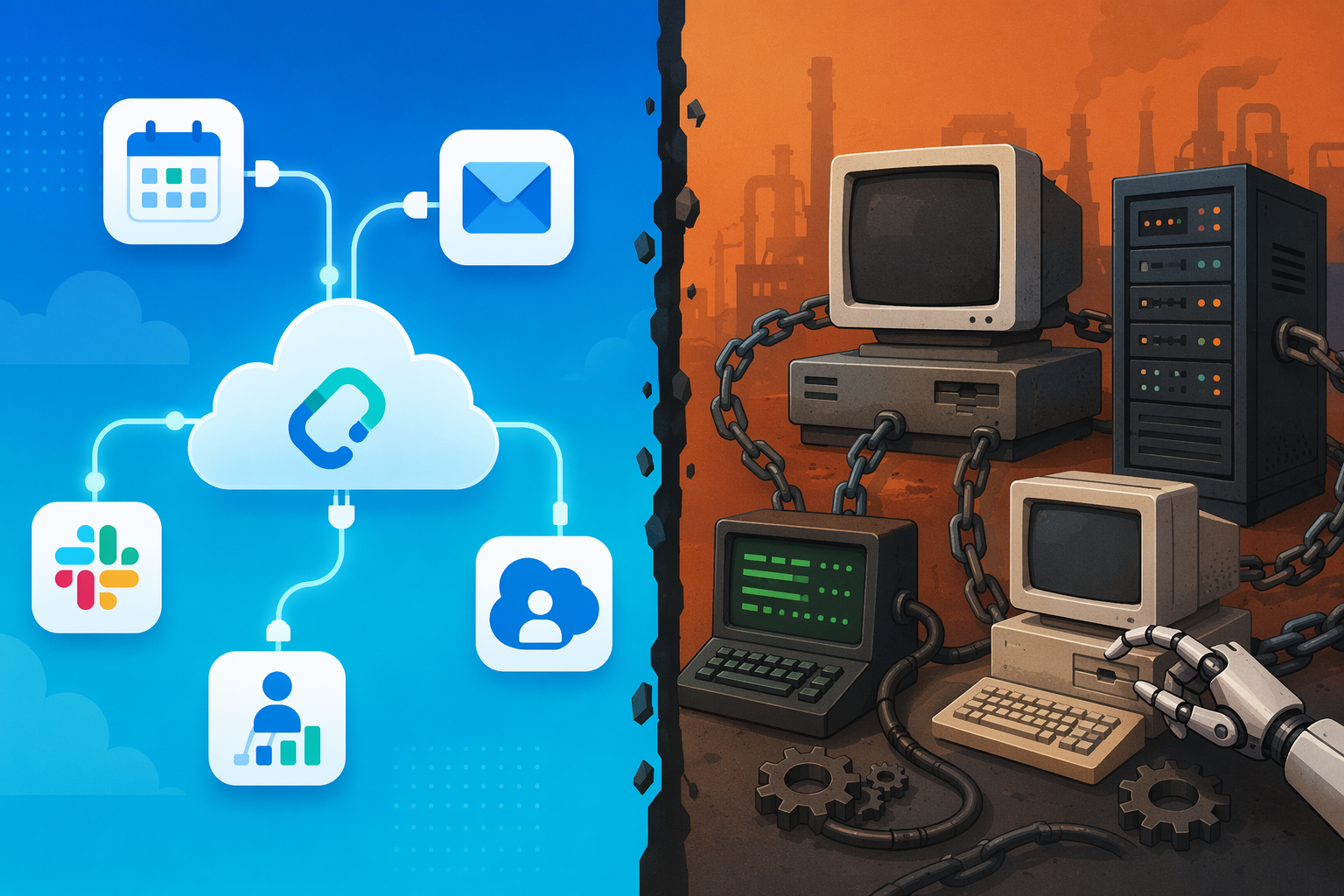
No-code connectors are strongest when the process lives in modern cloud tools with usable APIs: CRM, project management, email, forms, chat, customer support, billing, calendar, data enrichment, and similar systems. Public app counts matter here. Zapier is commonly reported as supporting thousands of app integrations, with sources citing roughly 7,000 to 9,000-plus depending on counting method, while Make is commonly cited at more than 3,000 app integrations.[2][5] Those numbers are volatile, and teams should verify current counts on vendor sites, but the directional point is important: for SaaS-heavy teams, connector coverage can remove weeks of custom integration work.
That strength does not transfer neatly to old desktop systems, on-premise applications without APIs, terminal-style interfaces, or heavily controlled back-office environments. If the process requires logging into a desktop application, reading screen elements, moving data between systems that were never designed to talk to each other, or mimicking user actions across a legacy interface, connector count stops being the deciding factor. That is RPA territory.
UiPath and Automation Anywhere are relevant in those environments because RPA can interact with user interfaces and desktop-level workflows in ways SaaS connector tools generally cannot.[2] That capability is not automatically a reason to buy an enterprise platform. It is a reason to admit that the job is different. A team trying to automate an on-premise claims system should not be reassured by a slide showing thousands of SaaS connectors. A team trying to move form submissions into HubSpot should not start with an enterprise bot program.
There are edge cases. A legacy system may expose a database, file export, email inbox, SFTP drop, or API wrapper that makes a lighter automation possible. A SaaS process may become complex enough that no-code tools become brittle. Still, the first pass should be blunt: if the workflow mainly connects cloud apps, look at no-code, AI-native, or middle-ground integration tools first. If it depends on desktop interaction or non-API legacy systems, put RPA on the shortlist much earlier.
Filter 3: How much governance does the process require?
Governance is often treated as the part that slows everyone down. In practice, it is the part that keeps a useful automation from becoming an unowned production system with unclear permissions.
For low-risk workflows, a simple operating agreement may be enough: who owns the workflow, which credentials it uses, what happens when it fails, and who reviews changes. A no-code connector can be perfectly reasonable for tasks such as routing internal notifications, creating tasks from form submissions, or syncing non-sensitive fields between business apps.
The calculus changes when workflows touch customer data, financial records, employee information, regulated processes, privileged credentials, or cross-department approvals. At that point, teams need stronger answers about access control, audit logs, environment separation, monitoring, error handling, approval workflows, and lifecycle management. Workato, for example, is positioned as an enterprise iPaaS with more than 1,200 pre-built connectors, recipe lifecycle management, and newer Agent Studio capabilities for AI agents.[2] Those features matter when automation becomes a governed operating layer rather than a convenience script.
Governance can also push a team toward self-hosting, but that choice cuts both ways. Running a platform yourself may help with data residency, network access, or credential control. It also means someone has to patch it, monitor it, manage secrets, back it up, and decide how workflow changes move from test to production. Control is useful only if the team has the habits to operate it.
Filter 4: What is the real budget, including people?
Subscription price is only the visible part of automation cost. The rest shows up as implementation time, workflow debugging, exception handling, security review, admin work, documentation, vendor management, and the recurring question of who understands why the workflow was built this way.
Public pricing gives a useful, incomplete signal. UiPath has been reported with a free edition available and a Pro plan at $420 per month, while enterprise pricing is custom.[2] Workato pricing is not publicly listed in the same straightforward way; third-party estimates place custom enterprise pricing in the range of $10,000 to $50,000-plus per year, with negotiated rates varying by customer and scope.[2] Those numbers should not be treated as quotes. They are a reminder that enterprise automation pricing usually includes a larger operating commitment than a departmental SaaS subscription.
The same caution applies in the opposite direction. n8n’s self-hosted Community Edition is described in its documentation as free to use, with no limits on workflows or users, and n8n Cloud plans are commonly listed as starting around $20 to $24 per month depending on billing terms.[4][5] That is attractive for technical teams. It is not the same as free to operate. Someone still owns uptime, upgrades, credentials, logs, scaling, workflow conventions, and the judgment calls that come with giving more people automation power.
A quick budget test is to separate three costs before talking to vendors:
- Platform cost: license, usage tiers, premium connectors, execution volume, AI usage, enterprise support, and add-ons.
- Build cost: discovery, workflow design, integration work, testing, documentation, migration from existing automations, and security review.
- Run cost: monitoring, exception handling, change management, credential rotation, user support, audit requests, and periodic workflow cleanup.
A team with a small subscription budget but strong technical ownership may do very well with n8n or Activepieces. A team with budget but no process discipline may waste an enterprise platform. That is not a tooling contradiction; it is an ownership problem.
The middle path: n8n and Activepieces are not just cheaper no-code tools
The no-code-versus-enterprise framing misses an increasingly important middle. Tools such as n8n and Activepieces appeal to teams that have outgrown simple trigger-action automations but do not need, or cannot yet justify, a full enterprise RPA or iPaaS program.
This middle category is useful when workflows need more than a standard connector can provide: a custom API request, a webhook from an internal app, a transformation step in code, a branch that handles messy data, or a deployment model that gives technical teams more control over where the automation runs. n8n’s support for code nodes, webhooks, and custom API calls is why it often appears in this bridge position.[4]
The bridge comes with a trade. These platforms can reduce vendor spend and increase flexibility, but they move responsibility closer to the team. That responsibility is not a footnote. It includes deciding who can create workflows, how credentials are stored, how workflows are reviewed, what naming conventions exist, how failures are monitored, and whether the organization is comfortable with one team building operational infrastructure outside a centralized enterprise platform.
For a technical operations team, that can be exactly right. For a business team looking for a safer version of Zapier, it can become a maintenance trap. The category is powerful because it refuses the false binary, not because it removes operating cost.
If self-hosting is part of the appeal, it is worth reading a dedicated total-cost view such as Open Source Workflow Automation TCO before treating license savings as the full business case.
Filter 5: Do you need AI-native automation now?
AI is changing the shortlist, but it should not be allowed to erase the integration problem underneath. A workflow that cannot securely reach the right systems does not become production-ready because one step can summarize an email.
AI-native builders are attractive when the work itself depends on language, documents, classification, extraction, drafting, enrichment, or agent-like decision paths. In those cases, choosing a tool where AI steps are first-class workflow components may be faster than wiring a traditional automation platform to external model calls. Gumloop and similar tools are part of this AI-native wave, while more established workflow and RPA vendors are adding their own agentic capabilities.[3][6]
Enterprise platforms are moving too. UiPath’s agentic automation direction combines AI agents with RPA bots, and its Automation Hub is designed to let teams pitch and prioritize automation ideas.[2] Workato has also added Agent Studio on top of its enterprise iPaaS foundation.[2] These features matter for companies that want AI work governed through the same intake, lifecycle, and access model as other automations.
The caution for Q2 2026 is that agentic feature claims are moving faster than most organizations can operationalize them. Feature checklists involving agents, model context protocols, built-in LLM access, and autonomous task execution should be treated as dated snapshots. Last verified in June 2026 is not a minor caveat in this part of the market; it is a necessary one.
A practical rule: if AI is the core work, include AI-native builders early. If AI is one step inside a larger governed workflow, evaluate whether your existing integration or RPA category can add that capability cleanly. If AI is being used mainly to make an automation program sound current, finish the process design first.
A decision path before vendor comparison
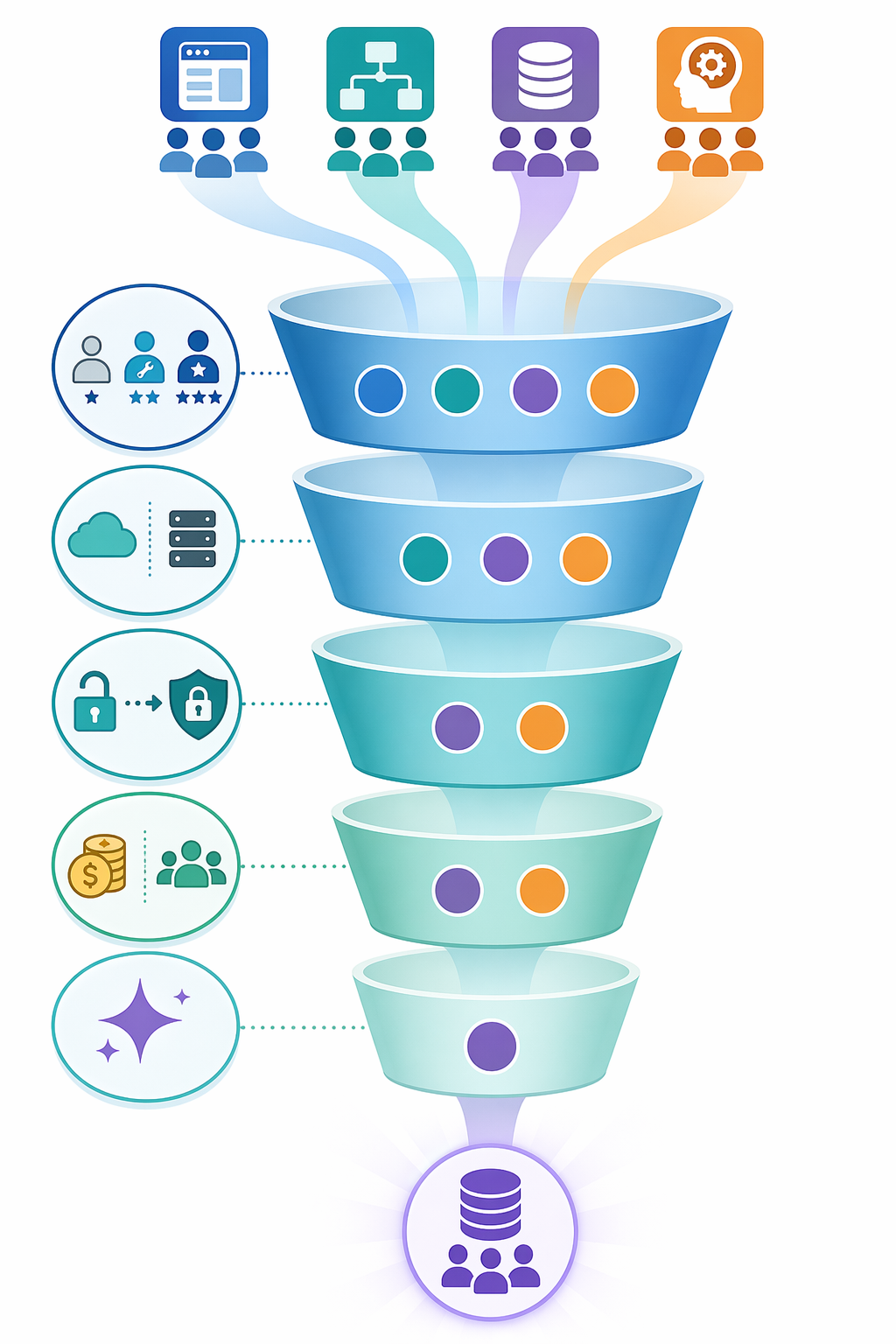
Most teams can narrow the category before they need a feature matrix.
| If your situation looks like this | Start with this category |
|---|---|
| Business teams need to connect modern SaaS apps, and the workflows are low to moderate risk | No-code SaaS connectors |
| The workflow depends heavily on AI steps such as extraction, classification, drafting, or agent-style task handling | AI-native builders, with governance reviewed early |
| A technical operations team needs custom API logic, webhooks, code steps, or self-hosting control | Fair-code or self-hostable platforms such as n8n or Activepieces |
| The process touches legacy desktop systems, non-API applications, or screen-level interaction | Enterprise RPA |
| The organization needs governed cross-system automation, lifecycle management, and enterprise integration controls | Enterprise iPaaS or RPA suite |
| No one can name the workflow owner, maintenance process, or exception handler | Pause tool selection and fix ownership first |
The last row matters. A McKinsey finding cited by Stepper.io in May 2026 reported that 73% of automation projects fail, with broken process automation identified as a common underlying cause.[1] That number should not be used as a reason to avoid automation. It should be used as a reason not to automate confusion at a higher subscription tier.
Before buying an enterprise suite, the team should be able to describe the process in its current state, identify which steps should be removed rather than automated, name the system of record, define exception handling, assign an owner, and decide what success means. Before standardizing on no-code, the team should know where the limits are: data sensitivity, API availability, error recovery, volume, and ownership. Before self-hosting, the team should know who is on the hook when it breaks.
For readers who are not sure whether the problem is simple automation or broader orchestration, a diagnostic like Workflow Orchestration vs. Automation can help separate one-off task handoffs from multi-system operating flows. For broader vendor context after the category decision, see Process Automation Tools in 2026: A Practical Comparison.
Where the wrong choice usually shows up
Choosing too small usually looks productive at first. The team ships automations quickly, then starts layering workarounds: duplicate Zaps, brittle filters, manual exception checks, spreadsheet staging, copied credentials, and undocumented dependencies. The tool did what it was designed to do; the process outgrew the category.
Choosing too large has a different smell. Intake takes weeks, simple workflows wait behind strategic programs, business teams stop suggesting improvements, and the automation team spends more time administering the platform than removing operational friction. The company bought scale before it had a pipeline of processes mature enough to deserve it.
The best category is not the one with the longest connector list, the newest AI agent, or the most impressive enterprise architecture diagram. It is the one your team can integrate with the systems you actually use, govern at the level the data requires, maintain with the people you actually have, and afford after the first workflow becomes someone’s responsibility.
References
- Business Process Automation: Definition, Examples, and Tools, Stepper.io, May 2026.
- 10 Best Business Process Automation Software Reviewed in 2026, The Digital Project Manager, 2026.
- AI Workflow Automation Tools: Guide and Comparisons, Gumloop Blog, 2026.
- n8n Documentation, n8n.
- Workflow Automation Software Comparison, EXPERTE.com, 2026.
- AI Automation Tools and Agents Guide, Lindy.ai Blog, 2026.