
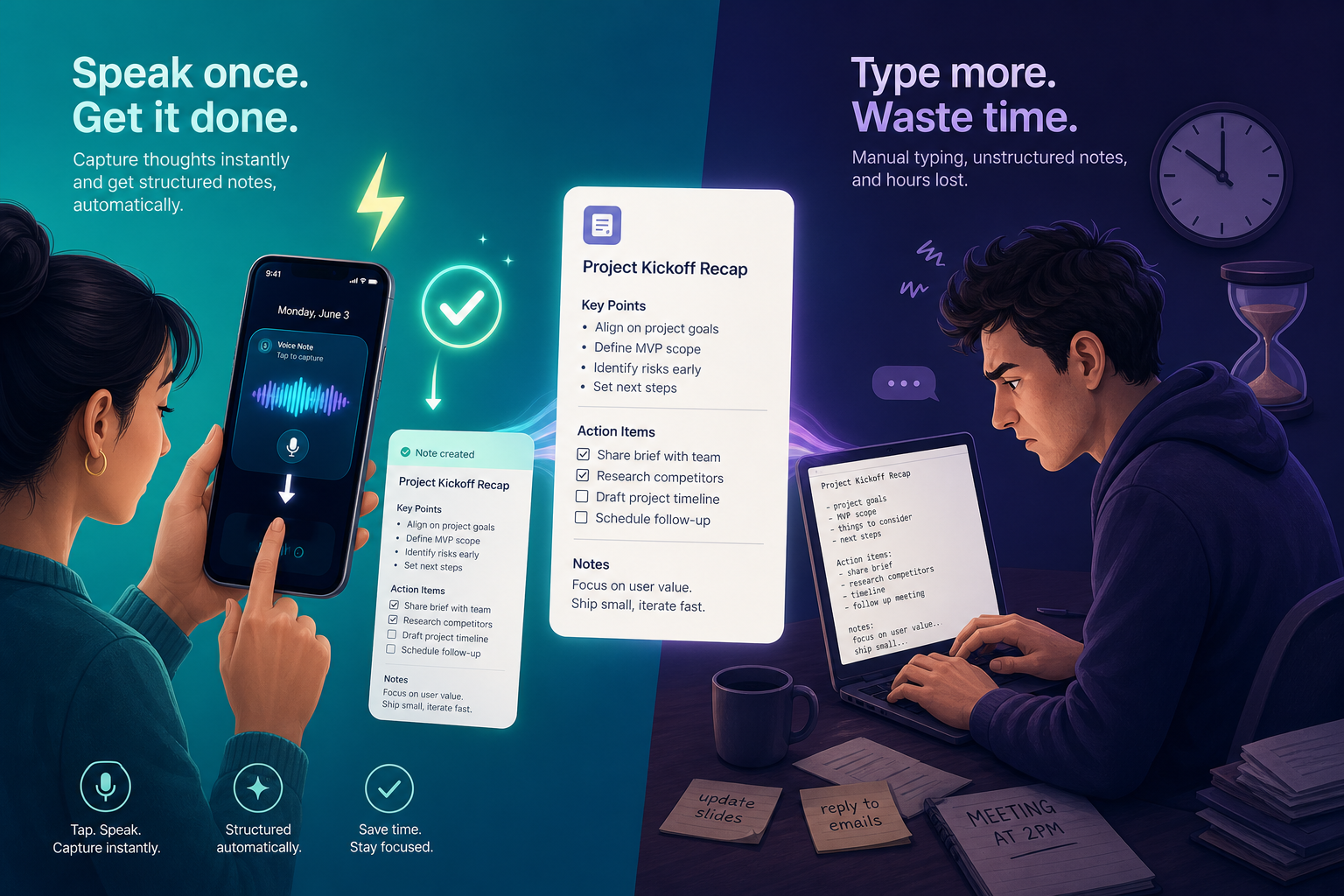
Quick Decision Framework: Do You Need a Dedicated App?
Before you download anything, ask yourself one question: what do you actually need the transcription for? The answer determines whether you should spend money, time, or nothing at all. Most guides skip this step and assume a third-party app is mandatory. That assumption is increasingly wrong.
Here is a simple three-way decision tree:
- You only need raw transcription — a searchable text record of a lecture, meeting, or idea dump. You do not need summaries, action items, or AI chat. If you own an iPhone 12 or later, a Windows 11 PC, or a recent Android phone, your device already does this for free. Read Tier 1 below.
- You need AI post-processing — automatic summarization, bullet-point formatting, or the ability to ask your past notes questions. Built-in tools stop at plain text. You need a dedicated AI voice note app. Read Tier 2.
- You need meeting transcription with speaker diarization — recording a team call and knowing who said what. This requires a meeting intelligence platform that joins your calendar and handles multiple speakers. Read Tier 3.
Comparison Table: All Tools at a Glance
The table below covers every tool discussed in this article, organized by tier. Use it to quickly narrow your options before reading the detailed sections.
| Tool | Tier | Pricing (Last Verified: June 17, 2026) | Recording Limit | Key AI Features | Platforms | Offline Support | Privacy Notes |
|---|---|---|---|---|---|---|---|
| Apple Voice Memos | 1: Built-in | $0 (included with iOS/macOS) | Unlimited | None (raw transcription only) | iOS, macOS | Yes (iPhone 12+) | On-device processing |
| Windows Voice Access | 1: Built-in | $0 (included with Windows 11 22H2+) | Unlimited | None (system-wide dictation) | Windows 11 | Yes | On-device processing |
| Google Recorder | 1: Built-in | $0 (Pixel-exclusive) | Unlimited | None (searchable transcripts) | Android (Pixel) | Yes | On-device processing |
| Gboard | 1: Built-in | $0 (included with Android/iOS) | Unlimited | None (keyboard dictation) | Android, iOS | Yes | On-device processing |
| Flint | 2: AI Voice Note | Free tier; Pro $12 one-time | Unlimited (all tiers) | Summarization, formatting, AI chat | iOS, Android, Web | Yes (on-device transcription) | On-device option available |
| AudioPen | 2: AI Voice Note | $99/year | 15 minutes per recording | Summarization, formatting, AI chat | Web, iOS, Android | No | Cloud processing |
| Voicenotes | 2: AI Voice Note | $14.99/month or $99.99/year | Unlimited | Summarization, formatting, AI chat, tags | iOS, Android, Web | No | Cloud processing |
| Brain Dump | 2: AI Voice Note | Free (one-time purchase for premium) | Unlimited | Markdown export, offline, private | iOS | Yes | On-device processing |
| Just Press Record | 2: AI Voice Note | $4.99 one-time | Unlimited | None (recording + transcription) | iOS, Apple Watch | Yes | On-device processing |
| Otter | 3: Meeting Intelligence | Free; Pro $203.88/year; Business $480/year | Free: 300 min/month, 30 min/session | Speaker diarization, summaries, action items | Web, iOS, Android | No | Cloud processing; bot joins meetings |
| Fireflies | 3: Meeting Intelligence | Free; Pro $10/month | Free: 800 min storage | Speaker diarization, search, summaries | Web, iOS, Android | No | Cloud processing; bot joins meetings |
| Fathom | 3: Meeting Intelligence | Free; Premium $15/month | Free: unlimited recordings, 5 AI action items/month | Speaker diarization, highlights, action items | Web, iOS, Android | No | Cloud processing; bot joins meetings |
| tl;dv | 3: Meeting Intelligence | Free; Pro $18/month | Free: 10 AI meeting notes/month | Speaker diarization, summaries, 40+ languages | Web, iOS, Android | No | Cloud processing; bot joins meetings |
Tier 1: Built-In OS Tools — Are They Enough?
Every major operating system now ships with a capable speech-to-text tool. According to PCMag, these built-in features "work just about as well as anything else on the market." The catch is that they stop at raw transcription. You get a block of text — no summaries, no formatting, no AI chat. For many workflows, that is sufficient.
Apple Voice Memos (iPhone 12+)
Apple added on-device transcription to Voice Memos starting with the iPhone 12, confirmed by Apple Support documentation. The feature works entirely offline on supported devices. You record, the app transcribes, and you get a searchable text log. There is no summarization, no formatting, and no way to ask the app what you said last Tuesday. It is a digital tape recorder with a transcript — nothing more, nothing less.
Windows Voice Access is a free, system-wide dictation tool that lets you control your PC and dictate text using voice commands. It is built into Windows 11 and requires no additional software. Like Apple's offering, it handles transcription competently but offers no post-processing. It is ideal for drafting emails, documents, or notes without touching the keyboard.
Google Recorder and Gboard
Google Recorder is exclusive to Pixel devices and provides automatic, searchable transcription. It works offline and can label speakers. Gboard, the default keyboard on most Android phones, includes dictation that Zapier tested at 92% accuracy with a new user. Both are free and capable of handling basic transcription needs.
Tier 2: AI Voice Note Apps — The Post-Processing Advantage
The real competition in 2026 is not about who transcribes more accurately — most tools are within a few percentage points of each other. The differentiation happens after the recording stops. AI voice note apps take your raw transcript and turn it into something useful: a bulleted summary, a list of action items, a formatted note with headings, or a searchable database you can query in natural language.
Here is how the leading options compare on the features that matter most.
| Feature | Flint | AudioPen | Voicenotes | Brain Dump | Just Press Record |
|---|---|---|---|---|---|
| Pricing | Free tier; Pro $12 one-time | $99/year | $14.99/month or $99.99/year | Free (premium one-time) | $4.99 one-time |
| Recording Limit | Unlimited (all tiers) | 15 minutes per recording | Unlimited | Unlimited | Unlimited |
| AI Summarization | Yes | Yes | Yes | No | No |
| AI Chat / Query | Yes | Yes | Yes | No | No |
| Output Formats | Formatted notes, bullet points, checkboxes | Formatted notes, bullet points | Formatted notes, tags, search | Markdown | Plain text |
| Offline Transcription | Yes (on-device option) | No | No | Yes | Yes |
| Platforms | iOS, Android, Web | Web, iOS, Android | iOS, Android, Web | iOS | iOS, Apple Watch |
Flint: The Unlimited Recording Champion
Flint stands out for its pricing model and recording limits — or rather, the lack of them. The free tier includes unlimited on-device transcription and two hours of premium cloud transcription. The Pro plan is a one-time $12 purchase with no subscription, and it removes all recording caps. This is a significant differentiator in a market where most competitors charge $99–$200 per year. Flint also offers an on-device transcription option, which addresses privacy concerns for users who do not want their audio sent to the cloud.
AudioPen: Polished but Capped
AudioPen is one of the most polished AI voice note apps, with excellent summarization and formatting. However, it has a hard 15-minute recording cap per session. If you regularly record lectures, long meetings, or extended brainstorming sessions, this limit becomes a dealbreaker. At $99/year, it is also one of the more expensive options in this tier.
Voicenotes: Feature-Rich but Subscription-Heavy
Voicenotes offers a robust feature set including AI chat, automatic tagging, and formatted notes. It is available on iOS, Android, and Web. The pricing is $14.99/month or $99.99/year, placing it in the same annual cost bracket as AudioPen. Voicenotes does not have a recording cap, which gives it an edge over AudioPen for longer recordings, but it lacks offline transcription.
Brain Dump and Just Press Record: The Privacy-First Alternatives
Brain Dump is a Markdown-first, offline, private voice note app for iOS. It focuses on simplicity and data ownership — your recordings never leave your device. It does not offer AI summarization or chat, but it provides clean Markdown export. Just Press Record is a one-time $4.99 purchase that supports Apple Watch and offers unlimited recording with transcription. Both are excellent choices for users who prioritize privacy and do not need AI post-processing.
Tier 3: Meeting Intelligence Platforms — When They Make Sense (and When They Don't)
Meeting intelligence platforms like Otter, Fireflies, Fathom, and tl;dv are designed for a specific use case: recording and transcribing team meetings with multiple speakers. They join your calendar, automatically join Zoom, Google Meet, or Microsoft Teams calls, and produce transcripts with speaker labels, action items, and searchable archives.
These tools are powerful for their intended purpose, but they are overbuilt — and overpriced — for personal note capture. If you are recording a lecture, a solo brainstorming session, or a one-on-one conversation, you are paying for features you do not need: calendar integration, bot-joining, team workspaces, and advanced analytics.
| Tool | Free Plan Highlights | Pro Pricing | Key Limitation for Personal Use |
|---|---|---|---|
| Otter | 300 min/month, 30 min/session, 3 languages | $203.88/year | Session limit; bot requires calendar access |
| Fireflies | 800 min storage, 100+ languages on paid | $10/month | Designed for team workflows; bot joins meetings |
| Fathom | Unlimited recordings, 5 AI action items/month | $15/month | AI action item cap on free plan; bot joins meetings |
| tl;dv | Unlimited recordings, 10 AI notes/month, 40+ languages | $18/month | AI note cap on free plan; bot joins meetings |
There is also a growing privacy concern. Google's March 2026 update now flags third-party bots as a "potential risk" on Google Meet, according to the tl;dv blog. If your organization uses Google Workspace, your IT department may block these bots entirely. For personal use, the complexity of setting up and managing a meeting bot is rarely justified.
For a detailed breakdown of the bot-based versus bot-free decision, see our companion article: Meeting Intelligence vs. Personal Voice Capture: Which App Should You Use?
Feature Deep-Dive: Accuracy, Recording Limits, Privacy, and Output Formats
Beyond the tier structure, four dimensions separate the tools in practice. Understanding them will help you avoid a purchase you later regret.
Transcription Accuracy
Accuracy is the most hyped metric in this space, but independent testing is rare. The most transparent test we found comes from Zapier, which used a 200-word script with three attempts per app. Their results: Gboard scored 92% accuracy with a new user, and OpenAI's GPT-4o Transcribe achieved a word error rate of approximately 2.46%. Most other accuracy claims ("99% accurate") are vendor-reported and should be treated with skepticism.
Recording Limits
Recording limits are a hidden differentiator that can make or break a tool for your use case. AudioPen caps recordings at 15 minutes, which is fine for quick ideas but useless for lectures or long meetings. Flint offers unlimited recording on every tier, including the free plan. Otter's free plan limits sessions to 30 minutes and 300 minutes per month. If you record long-form content, check the limit before you commit.
Privacy and On-Device Processing
Privacy is a spectrum. Apple Voice Memos, Windows Voice Access, Google Recorder, Brain Dump, and Just Press Record all process audio on-device — your recordings never leave your phone or computer. Flint offers an on-device transcription option. AudioPen, Voicenotes, Otter, Fireflies, Fathom, and tl;dv send audio to cloud servers for processing. If you handle sensitive information (client meetings, medical notes, legal discussions), on-device processing is a hard requirement.
Output Formats
What you get after transcription matters. Built-in tools and Just Press Record output plain text. Brain Dump outputs Markdown. Flint, AudioPen, and Voicenotes produce formatted notes with bullet points, checkboxes, and headings. If you plan to move your notes into another system (Notion, Obsidian, Roam), check whether the tool supports your preferred format. Markdown export is the most portable option.
Best For Verdicts — With Explicit 'Not For You If' Warnings
Each verdict below includes a clear "not for you if" warning to prevent mis-selection. These are not generic recommendations — they are based on the specific tradeoffs discussed in this article.
- Best for raw transcription at $0: Apple Voice Memos (iPhone 12+) or Windows Voice Access. Not for you if you need AI summarization, formatting, or the ability to query your notes.
- Best for unlimited recording + AI post-processing: Flint Pro ($12 one-time). Not for you if you need meeting speaker diarization or team collaboration features.
- Best for polished AI summaries with a short-recording workflow: AudioPen ($99/year). Not for you if you record lectures or meetings longer than 15 minutes.
- Best for privacy-first, offline Markdown notes: Brain Dump (free/premium). Not for you if you need AI chat or formatted summaries.
- Best for meeting transcription with speaker labels: Otter Pro ($203.88/year). Not for you if you only capture personal ideas or one-on-one conversations.
- Best for Apple Watch users who want one-tap recording: Just Press Record ($4.99 one-time). Not for you if you need AI post-processing or cross-platform support.
Pricing Breakdown (Last Verified: June 17, 2026)
Pricing in this category ranges from $0 to $699 one-time, with no clear correlation between price and quality. The table below captures every plan mentioned in this article, with the date of last verification displayed prominently.
| Tool | Plan | Price | Key Limits |
|---|---|---|---|
| Apple Voice Memos | Built-in | $0 | None |
| Windows Voice Access | Built-in | $0 | None |
| Google Recorder | Built-in | $0 | Pixel-exclusive |
| Gboard | Built-in | $0 | None |
| Aiko | One-time | $2.99 | None |
| Just Press Record | One-time | $4.99 | None |
| Flint | Pro (one-time) | $12.00 | Unlimited recording, AI features |
| AudioPen | Annual | $99.00/year | 15-minute recording cap |
| Voicenotes | Monthly | $14.99/month | Unlimited recording |
| Voicenotes | Annual | $99.99/year | Unlimited recording |
| Otter | Pro | $203.88/year | 300 min/month, 30 min/session |
| Otter | Business | $480.00/year | Higher limits, team features |
| Fireflies | Pro | $10.00/month | 800 min storage |
| Fathom | Premium | $15.00/month | Unlimited recordings, AI features |
| tl;dv | Pro | $18.00/month | Unlimited recordings, AI notes |
| Dragon Professional | One-time (desktop) | $699.00 | Perpetual license |
Frequently Asked Questions
Can I use Apple Voice Memos offline?
Yes. On iPhone 12 and later, Voice Memos transcription happens entirely on-device. No internet connection is required. This also means your audio never leaves your phone.
Which app has the best transcription accuracy?
Based on independent testing by Zapier, OpenAI's GPT-4o Transcribe achieved the lowest word error rate at approximately 2.46%. Gboard scored 92% accuracy in the same test. Most other tools claim 95–99% accuracy, but these figures are vendor-reported and not independently verified under consistent conditions.
Do I need to pay for a voice note app?
Not necessarily. If your needs are limited to raw transcription — a searchable text record without AI post-processing — the built-in tools on your phone or computer are likely sufficient. If you need summaries, formatting, or the ability to query your notes, a dedicated AI voice note app is worth the investment.
Are meeting bots safe on Google Meet?
Google's March 2026 update flags third-party bots as a "potential risk" on Google Meet, according to the tl;dv blog. If your organization uses Google Workspace, your IT department may block these bots. For personal use, the privacy implications of allowing a third-party bot to join your meetings should be carefully considered.
What if voice notes are not for me?
If you decide that voice capture does not fit your workflow, you may prefer a traditional note-taking app. See our comparison of the best note-taking apps for laptop in 2026 for a broader view of the market.