
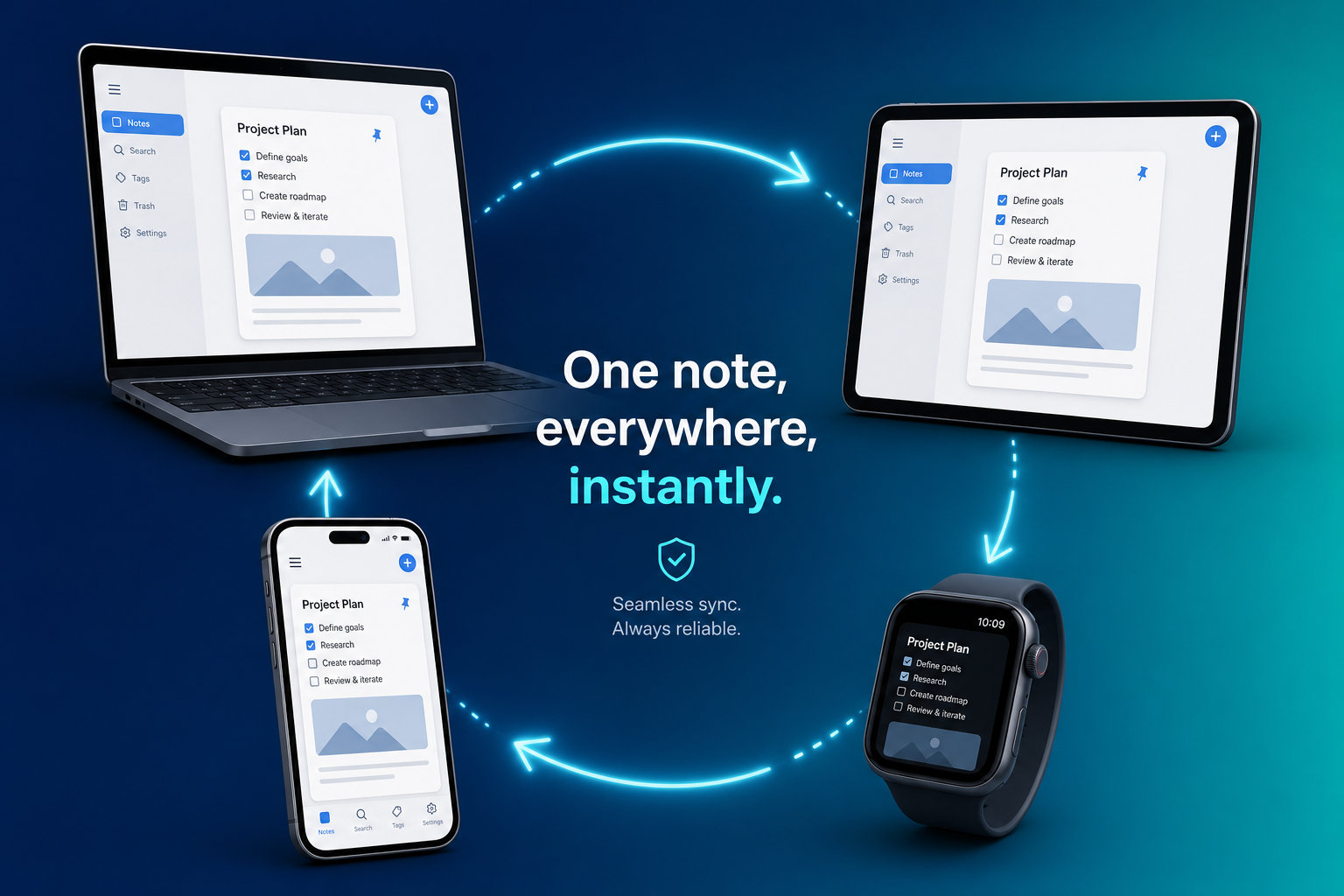
Why Sync Architecture Is the Make-or-Break Feature for Cross-Platform Note-Taking
You open your laptop to review a meeting outline you jotted down on your phone during the commute. The note is there, but it's the version from yesterday — your three latest bullet points are gone. Or worse, you find two files: "Meeting Notes" and "Meeting Notes (conflicted copy)." The second one has the edits you made on your phone, but they're stranded in a separate document you now have to merge by hand.
If you've been taking notes across multiple devices for more than a few months, this scenario is familiar. It's also the single most common point of failure in cross-platform note-taking — and it has almost nothing to do with how many features an app packs or what it costs.
The root cause is sync architecture: the underlying mechanism that decides what happens when two devices edit the same note, how the app behaves when you're offline, and who ultimately owns the canonical copy of your data. Most comparison articles treat sync as a checkbox — "Yes, it syncs" — but the reality is that different sync patterns produce wildly different outcomes when things go wrong. And for multi-device power users, things will go wrong eventually.
Over the next several sections, we'll break down the three dominant sync patterns used by today's major note-taking apps, examine how each handles conflict resolution and offline editing, and assess the long-term vendor risk tied to each approach. By the end, you'll have a repeatable methodology for testing any app's sync behavior yourself — and a clear recommendation for which pattern fits your workflow.
The Three Sync Patterns: How They Work and Who Uses Them
Every cross-platform note-taking app must solve the same fundamental problem: when you edit a note on Device A, those changes need to appear on Device B without data loss. How the app solves this — the sync pattern it uses — determines nearly everything about your experience as a multi-device user.
Based on our analysis of eight major apps, three distinct sync patterns emerge. Each makes different tradeoffs between seamlessness, user control, and privacy.
| Sync Pattern | Core Mechanism | Example Apps | Key Tradeoff |
|---|---|---|---|
| Server-Authoritative Real-Time Sync | All edits go through a central server that acts as the single source of truth. Conflicts resolve server-side, often in seconds. | Notion, Google Keep, OneNote | Seamless and invisible — but a vendor outage becomes a working outage, and your data lives in a proprietary format. |
| File-Based Sync | The app reads and writes local files (usually Markdown). A third-party service like iCloud, Dropbox, or Git syncs the underlying files between devices. | Obsidian, Joplin, Logseq | You own the source of truth on disk, but you may need to manually merge 'conflicted copy' files when two devices edit simultaneously. |
| End-to-End Encrypted Sync | Data is encrypted on your device before it reaches the server. The server stores only encrypted blobs and cannot read your content. | Standard Notes, Obsidian Sync | Strongest privacy posture with a small UX overhead during conflict resolution. |
Server-Authoritative Real-Time Sync
Apps like Notion and Google Keep use a server-authoritative model. When you type a character on your phone, that keystroke is sent to the app's server, which updates the canonical version and pushes the change to your other connected devices. The server is the single source of truth — there is never any ambiguity about which version is correct.
The advantage is obvious: conflicts resolve in seconds, and the user never sees them. You can edit a Notion page on your laptop, close the lid, open your phone, and the change is already there. No manual merging, no duplicate files. For teams collaborating on the same document in real time, this pattern is essentially the only viable option.
The downside is equally clear: if the server goes down, you cannot access or edit your notes. A vendor outage becomes a working outage. And because your data is stored in a proprietary format on the server, your ability to leave the platform depends entirely on the quality of the export tools the vendor provides.
File-Based Sync
Obsidian, Joplin, and Logseq take a fundamentally different approach. Instead of storing notes on a server, they keep everything in local files — usually plain Markdown. Sync is handled by a separate service: iCloud, Dropbox, OneDrive, or Git. The app itself doesn't manage sync; it just reads and writes files on your local disk.
This pattern gives the user complete ownership of the source of truth. If Obsidian's developers stopped updating the app tomorrow, your vault of Markdown files would remain perfectly usable in any text editor. You are not locked into a proprietary format, and you are not dependent on a single company's server infrastructure for access to your notes.
The tradeoff is that conflict resolution is left to the file-syncing layer, and most file-syncing services handle conflicts poorly. When two devices edit the same Markdown file while offline, iCloud or Dropbox will often create a duplicate file with a name like note (conflicted copy).md. You then have to open both files, compare them, and merge the changes manually.
End-to-End Encrypted Sync
Standard Notes is the only major cross-platform app in our comparison with end-to-end encryption by default across all platforms. Obsidian Sync also offers E2E encryption as a paid add-on. In this pattern, your data is encrypted on your device before it ever reaches the server. The server stores only encrypted blobs and has no ability to read your content.
E2E encrypted sync combines elements of both previous patterns. Like server-authoritative sync, it uses a central server to coordinate changes between devices. But like file-based sync, the user retains ultimate control over the data — because the server never holds the decryption keys.
The cost is a small UX overhead during conflict resolution. Because the server cannot read your note content, it cannot perform intelligent merges. If two devices edit the same note offline, the server may present both versions and ask you to choose, or it may keep the most recent version and flag the other as a conflict.
Conflict Resolution: The 'Conflicted Copy' Problem and How Each Pattern Handles It
The true test of any sync system is what happens when two devices edit the same note while disconnected from each other. This is not an edge case — it is a routine occurrence for anyone who works on a laptop during a flight and then edits the same note on a phone during a layover.
Each sync pattern handles this scenario differently, and the difference has a direct impact on your daily workflow.
Server-Authoritative: Invisible Resolution
In a server-authoritative system like Notion or Google Keep, conflicts are resolved server-side and the user never sees them. When your devices come back online, the server compares the two edited versions, applies both sets of changes if they don't overlap, or keeps the most recent change if they do. The result is a single, unified note with no duplicate files and no manual intervention.
This is the ideal user experience — but it comes with a hidden cost. Because the server makes the final decision, you have no control over how conflicts are resolved. If the server decides to keep the version from your laptop and discard the paragraph you wrote on your phone, that paragraph is simply gone. There is no "conflicted copy" to fall back on.
File-Based: The Conflicted Copy
File-based systems like Obsidian over iCloud or Dropbox take the opposite approach. When two devices edit the same Markdown file while offline, the sync service cannot merge the changes intelligently — it doesn't understand the file format. Instead, it keeps both versions. One becomes the main file, and the other is saved as a "conflicted copy" with a modified filename.
For example, if you edit Project Plan.md on both your laptop and phone while offline, you may end up with:
- Project Plan.md
- Project Plan (conflicted copy 2026-06-15).md
You then have to open both files, compare them line by line, and manually merge the content into a single document. For power users who edit dozens of notes per day, this friction adds up quickly.
E2E Encrypted: Privacy with a Friction Tax
End-to-end encrypted sync sits between the two extremes. Because the server cannot read your note content, it cannot perform an intelligent merge. When a conflict is detected, the server typically presents both versions to the user and asks which one to keep. Some implementations, like Standard Notes, allow you to review the conflicting versions side by side before making a decision.
This is more work than the invisible resolution of server-authoritative sync, but it gives you full control over the outcome. You never lose data to an automated decision, and you never have to hunt through your file system for conflicted copies. The friction is intentional — it's the price of keeping your data private from the server.
Offline Behavior: Local-First vs. Cached-Offline Tools
Sync architecture also determines how an app behaves when there is no internet connection. This is another area where the three patterns diverge sharply, and the difference has practical consequences for anyone who works on planes, in coffee shops with spotty Wi-Fi, or in areas with unreliable cellular coverage.
| Category | Local-First Tools | Cached-Offline Tools |
|---|---|---|
| How they work | The canonical copy of every note lives on your local disk. The app reads and writes local files whether you are online or offline. | The canonical copy lives on the server. When you are online, the app downloads a local cache of your notes for offline access. |
| Example apps | Obsidian, Joplin, Standard Notes, Logseq | Notion, OneNote, Evernote |
| Offline editing | Full read/write access to all notes. Changes are saved locally and synced when connectivity returns. | Read/write access to cached notes. Some apps limit which notes are cached or how recently they must have been accessed. |
| Risk if cache is cleared | No risk — the canonical copy is on disk. Clearing a cache does not affect your notes. | High risk — if the local cache is cleared before changes are synced, recent edits may be lost. |
| Vendor shutdown scenario | The vault remains fully usable in any text editor. The app is replaceable. | Notes are inaccessible without the app's server. Export is possible but may be lossy. |
The distinction matters most in two scenarios. First, if you are on a long flight and want to review and edit notes from the past week, a local-first app gives you full access to your entire vault. A cached-offline app may only have the notes you opened recently. Second, if you accidentally clear the app's cache — or if the app does it automatically to free up space — a local-first app loses nothing, while a cached-offline app may lose unsynced changes.
Vendor Risk: What Happens If the Company Shuts Down?
The note-taking app graveyard is real. Evernote has changed ownership and pricing multiple times. Springpad shut down. Google Keep has been in maintenance mode for years. Every app you choose today carries some level of vendor risk — the question is how much damage that risk can do to your data.
The answer depends almost entirely on where the canonical copy of your notes lives.
Local Markdown Files: The Safest Bet
Obsidian, Joplin, Logseq, and Standard Notes all keep the canonical copy on the user's disk. The editors could shut down tomorrow and the user's vault would remain usable. Your Markdown files are plain text — you can open them in any text editor, import them into another app, or leave them as-is and continue reading them for decades.
This is the strongest data ownership position available in the note-taking space. It is also the primary reason why power users who have been burned by vendor shutdowns or pricing changes tend to migrate toward file-based tools.
Proprietary Formats: The Lock-In Risk
Notion, OneNote, and Evernote store data in proprietary formats. All three provide export tools — Notion can export to Markdown and HTML, OneNote can export to PDF and .onepkg, Evernote can export to .enex — but round-trips can be lossy. Formatting, attachments, and internal links may not survive the export process intact.
If Notion were to shut down or change its pricing model in a way that made it untenable for your use case, you could export your data and move elsewhere. But you would likely lose some formatting and structural elements in the process. The more deeply you have integrated the app's unique features — databases, linked views, comments — the more you stand to lose.
For a deeper discussion of the data ownership tradeoff between local-first and cloud-based tools, see our dedicated explainer: Local-First vs. Cloud PKM: The Data Ownership Tradeoff in 2026. That article covers the long-term cost modeling and data sovereignty arguments in more detail.
How to Test Sync Before You Commit: A Practical Methodology
You don't have to take our word for how these sync patterns behave. You can test any app's sync behavior yourself in about ten minutes, using a simple repeatable procedure.
The Offline Edit Test
This test reveals how an app handles the most common sync failure scenario: editing the same note on two devices while disconnected.
- Create a new note on Device A (your laptop). Write a short sentence and let it sync.
- Open the same note on Device B (your phone). Confirm it shows the sentence from step 1.
- Put both devices in airplane mode (or disconnect from Wi-Fi).
- On Device A, add a second sentence to the note. On Device B, add a different second sentence to the same note.
- Bring both devices back online. Wait for sync to complete.
- Open the note on both devices and observe the result.
What you should look for:
- Did the note merge automatically with both sentences intact? (Server-authoritative pattern)
- Did a "conflicted copy" file appear? (File-based pattern with basic sync)
- Did the app present both versions and ask you to choose? (E2E encrypted pattern)
- Was one version silently discarded? (Problematic implementation — consider a different app)
The Offline Access Test
This test reveals whether an app is truly local-first or merely cached-offline.
- On Device A, create ten new notes with different content. Let them sync.
- On Device B, open the app and confirm all ten notes are visible.
- Put Device B in airplane mode.
- Try to open each of the ten notes. Note which ones are accessible and which show an error or placeholder.
A local-first app will give you full read/write access to all ten notes. A cached-offline app may only have the notes you opened recently, or it may show placeholder content for notes that were never cached.
Recommendations by Use Case: Which Sync Pattern Fits Your Workflow?
There is no single "best" sync pattern — only the pattern that best fits your workflow, risk tolerance, and device habits. The table below maps each pattern to the user profile it serves best.
| If You Are... | Choose This Pattern | Top Pick | Starting Price (Verified June 2026) |
|---|---|---|---|
| A team collaborator who needs real-time co-editing and doesn't want to think about sync at all | Server-Authoritative | Notion | Notion Plus: $10/month ($120/year) |
| A knowledge worker who values long-term data ownership and wants to avoid vendor lock-in | File-Based | Obsidian (with Obsidian Sync or Git) | Obsidian Sync: $4/month ($48/year); Joplin Cloud: $3/month ($36/year) |
| A privacy-conscious user who needs cross-platform support with maximum encryption | E2E Encrypted | Standard Notes | Standard Notes Pro: $9/month ($108/year) |
| A student or budget-conscious user who needs basic cross-platform sync at the lowest cost | Server-Authoritative (free tier) | OneNote | Free with 5GB storage (Microsoft account) |
| A developer or power user who wants full control over the sync backend | File-Based (self-hosted) | Joplin (self-hosted) | Free (self-hosted); Joplin Cloud $3/month ($36/year) for hosted |
A few additional notes on these recommendations:
- If you choose the file-based path, consider using a sync service that understands Markdown conflicts. Obsidian Sync and Joplin Cloud both handle conflicts more gracefully than raw iCloud or Dropbox.
- If you need maximum privacy but also want real-time collaboration, you face a genuine tradeoff. No major app currently offers both E2E encryption and real-time co-editing. Standard Notes is the closest option, but its collaboration features are more limited than Notion's.
- For cost-minimization strategies and a detailed comparison of free-tier limitations, see our guide: Free Note-Taking Apps in 2026: An Honest Comparison of What You Actually Get for $0. It covers OneNote's 5GB limit, Evernote's 50-note cap, and other free-tier constraints.
Ultimately, the best cross-platform note-taking app is the one whose sync architecture matches your tolerance for friction, your need for data ownership, and your willingness to trust a vendor with your notes. Run the offline edit test. Check the export format. Ask yourself what happens if the company changes its pricing or shuts down. The answers to those questions will guide you to the right choice more reliably than any feature comparison ever could.