
The Cloud vs. Local-First Divide: Why It Matters for Your Privacy
Every note-taking app makes a fundamental architectural choice: where does your data live by default? This single decision shapes everything about your privacy, your ownership, and your long-term risk. The market has split into two camps, and understanding the difference is the first step toward choosing the right tool for your needs.
Cloud-first apps — Notion, Evernote, Apple Notes, OneNote — store your notes on their servers. They prioritize seamless sync across devices, real-time collaboration, and always-available access. In exchange, you trust the vendor with your data. Their servers hold your notes, their engineers manage the encryption keys, and their terms of service define what happens to your content if you stop paying or if the company changes direction.
Local-first apps — Obsidian, Joplin, Standard Notes, Logseq — store your notes as files on your own device. Obsidian, for example, saves everything as plain Markdown files in a folder you control. Joplin stores notes locally by default and offers end-to-end encryption for sync. These apps give you direct ownership: no vendor can lock you out, change the terms, or go out of business and take your notes with them.
Deep Dive: Privacy-Focused, Local-First Apps
The local-first category includes several mature options, each with a different approach to privacy, sync, and encryption. The table below summarizes the core architecture of each app, followed by a detailed breakdown.
| App | Storage Format | Default Encryption | Sync Options | Key Privacy Strength |
|---|---|---|---|---|
| Obsidian | Plain Markdown files | None at rest (file-level) | Obsidian Sync (E2EE), iCloud, third-party plugins | Full data ownership; no vendor lock-in |
| Joplin | Markdown with JSON metadata | AES-256 with E2EE keys (master password) | Joplin Cloud (E2EE), Nextcloud, Dropbox, WebDAV | Open-source, NIST-compliant encryption |
| Standard Notes | Encrypted JSON (proprietary format) | Zero-knowledge E2EE (X25519 + HMAC-SHA256) | Standard Notes sync (E2EE by default) | Acquired by Proton AG in 2024; privacy-first parent company |
| Logseq | Plain Markdown or Org-mode files | None at rest (file-level) | Logseq Sync (E2EE), Git, iCloud | Open-source, local-first with Git versioning |
Obsidian: The Data Sovereignty Leader
Obsidian stores every note as a plain Markdown file in a folder you choose. There is no proprietary database, no hidden format, no server-side dependency for reading your notes. You can open the folder with any text editor and your entire knowledge base is immediately accessible. This architecture earns Obsidian a perfect 10.0/10 on Data Sovereignty Quotient in the Atlas evaluation framework, which measures how easily you can export data into machine-readable, non-proprietary formats like Markdown or plain text. It also scores 10.0/10 on Offline-First Integrity, meaning your notes work fully without any internet connection.
The trade-off is that Obsidian's core app does not include built-in sync. You can use Obsidian Sync (a paid add-on starting at $4/month with end-to-end encryption), iCloud, or third-party plugins. Real-time collaboration is limited compared to cloud-native tools. For a full breakdown of its features and recent updates, see our Obsidian Review 2026.
Joplin: Open-Source Encryption by Default
Joplin is the leading open-source alternative to Evernote. It stores notes locally on your device by default and supports end-to-end encryption using AES-256 with keys derived from a master password. This implementation is NIST FIPS 197 compliant, meaning it meets federal standards for cryptographic security. PCMag rates Joplin 4.5/5 (Outstanding), noting that for privacy-conscious users, it "gives you complete ownership of your notes by storing them locally on your device by default."
Joplin syncs via Joplin Cloud (paid, E2EE), or through self-hosted options like Nextcloud, Dropbox, or WebDAV. The app is completely free and open-source, with no premium tier that restricts core features.
Standard Notes: Zero-Knowledge Architecture
Standard Notes takes a different approach: it encrypts everything on your device before it ever reaches a server. The service provider cannot read your notes — not even theoretically. This is called a zero-knowledge architecture. In April 2024, Proton AG acquired Standard Notes to integrate end-to-end encrypted note-taking into its privacy suite, which already includes Proton Mail, Proton Drive, and Proton VPN. For users who want a unified privacy ecosystem, this acquisition significantly reduces vendor risk.
The trade-off is that Standard Notes uses a proprietary encrypted format rather than plain Markdown files. While you can export your data, you cannot open your note folder with a text editor and read files directly. This is a meaningful difference from Obsidian or Logseq for users who want maximum portability.
Logseq: Open-Source with Git Versioning
Logseq stores notes as plain Markdown or Org-mode files, similar to Obsidian. Its unique strength is built-in Git integration, which gives you full version history of every change to your knowledge base. This is particularly valuable for researchers and writers who need to track how their thinking evolves over time. Logseq's sync options include its own E2EE sync service, iCloud, or manual Git-based sync.
Cloud Alternatives: What Their Privacy Policies Actually Say
Cloud-first apps are not inherently insecure, but their privacy model is fundamentally different. You are trusting the vendor to protect your data, and that trust is governed by their terms of service, encryption practices, and business incentives.
| App | Encryption at Rest | Encryption in Transit | E2EE Available? | Key Privacy Concern |
|---|---|---|---|---|
| Apple Notes | Yes (device-level) | Yes (TLS) | No (iCloud sync is not E2EE by default) | Limited cross-platform; Apple holds encryption keys |
| Notion | Yes (AES-256) | Yes (TLS) | No | Cloud dependency; 1.0/10 offline score in Atlas framework |
| Evernote | Yes (AES-256) | Yes (TLS) | No | Restrictive free plan; history of pricing changes under Bending Spoons |
| OneNote | Yes (Microsoft-managed) | Yes (TLS) | No | Local storage only on Windows; Microsoft holds encryption keys |
Notion's cloud dependency is the most extreme example in this group. The Atlas evaluation framework gives Notion a 1.0/10 on Offline-First Integrity, meaning that without an internet connection, most of the app's functionality is unavailable. Your notes exist on Notion's servers, and if you lose access to your account — whether due to a billing issue, a forgotten password, or a service outage — you cannot reach your data. For a deeper look at how Notion handles note organization despite these limitations, see our guide on Notion Note-Taking Methods Compared.
Apple Notes offers strong device-level encryption, but iCloud sync is not end-to-end encrypted by default. Apple holds the encryption keys, which means it can technically access your notes if compelled by law enforcement. For users deeply embedded in the Apple ecosystem, this may be an acceptable trade-off, but it is not the same as local-first ownership. Our Best Note-Taking Apps for Mac by Workflow guide covers Apple Notes in more detail for Mac users.
Encryption Compared: AES-256, End-to-End Encryption, and Zero-Knowledge
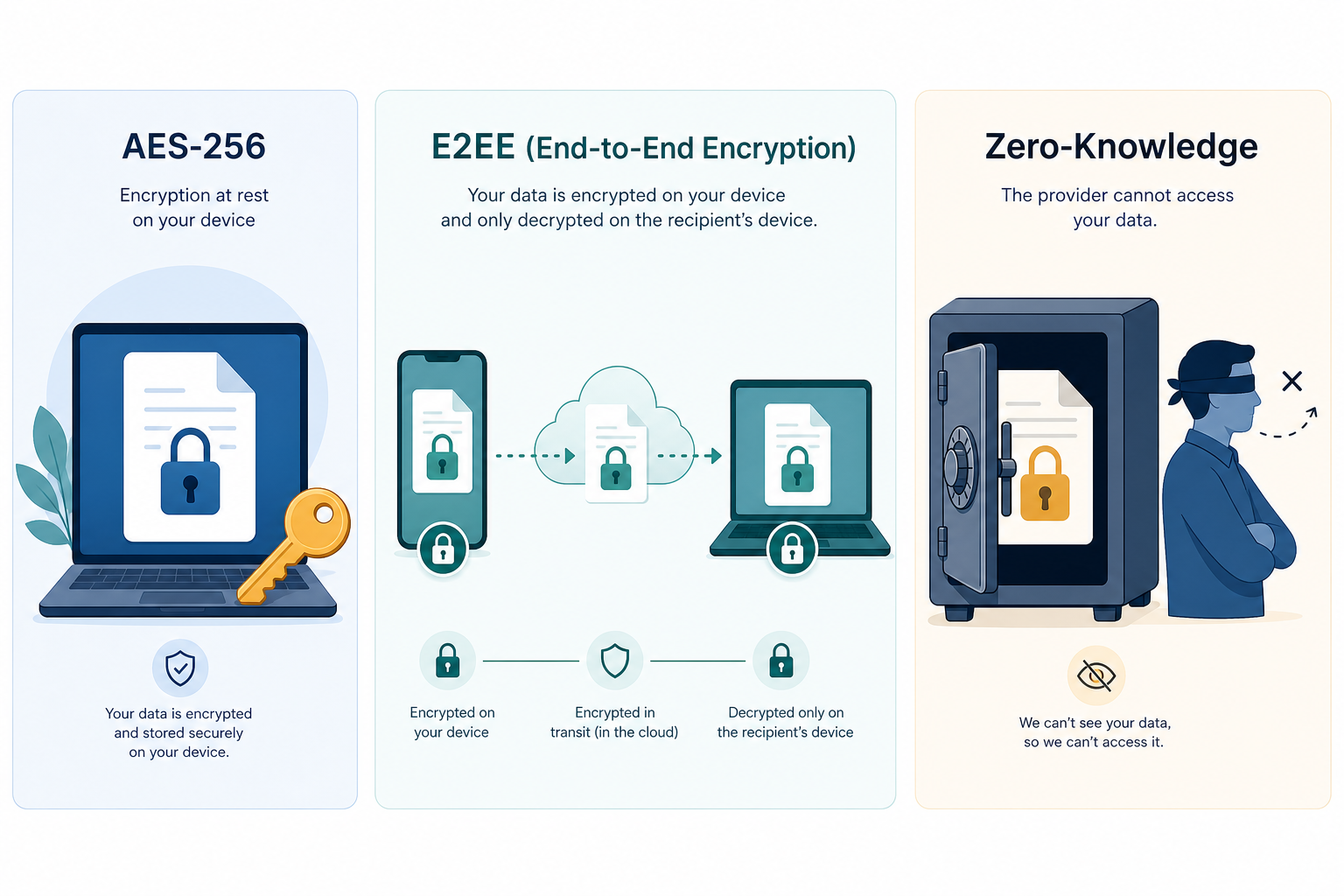
Encryption terminology is often used loosely in marketing materials. Here is what each term actually means for your notes.
| Term | What It Means | Who Holds the Keys | Example Apps |
|---|---|---|---|
| AES-256 (at rest) | Data is encrypted on the server's storage drives using a 256-bit key | The service provider | Notion, Evernote, OneNote |
| End-to-End Encryption (E2EE) | Data is encrypted on your device before upload; only you can decrypt it | You (via a password or key) | Joplin, Standard Notes, Obsidian Sync |
| Zero-Knowledge | The service provider has no technical ability to read your data | You exclusively | Standard Notes |
AES-256 encryption at rest is the industry standard for protecting data on servers. It prevents unauthorized access if the server's physical drives are stolen. However, the service provider holds the encryption keys, so they can decrypt your data on demand — whether for legitimate purposes (like indexing for search) or in response to legal requests.
End-to-end encryption (E2EE) is a stronger privacy model. Your notes are encrypted on your device before they are uploaded, and only you have the key to decrypt them. Joplin implements this using AES-256 with keys derived from a master password, compliant with NIST FIPS 197 standards. Standard Notes goes a step further with zero-knowledge architecture, meaning the service provider cannot access your data even if they wanted to.
Data Portability and Export Quality: Can You Actually Leave?
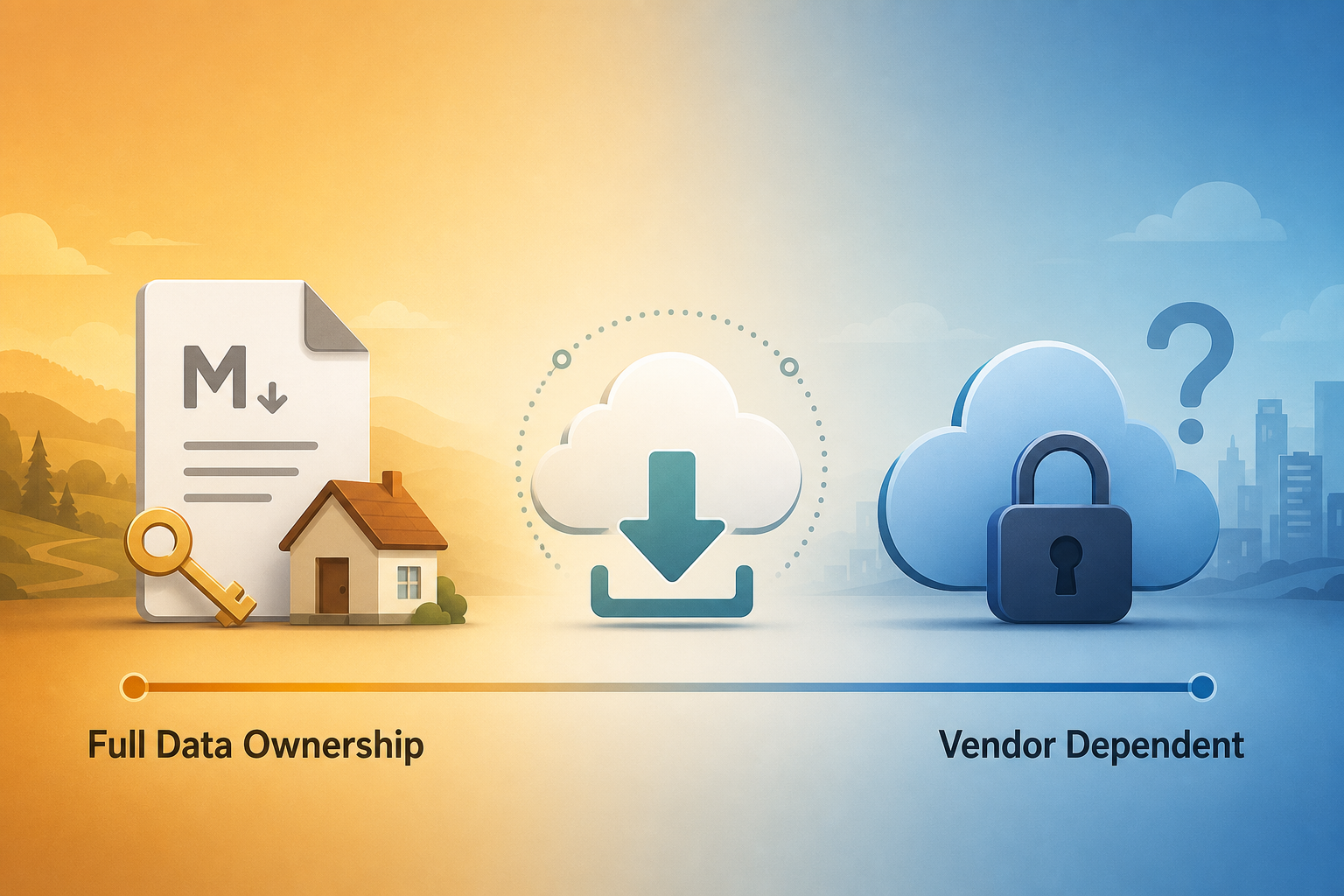
A note-taking app's true privacy test is not how well it protects your data while you are a customer — it is how easily you can take your data with you when you leave. Export quality varies dramatically across apps, and some make it deliberately difficult to migrate away.
| App | Export Formats | Attachments Included? | Metadata Preserved? | Migration Difficulty |
|---|---|---|---|---|
| Obsidian | Markdown (native), HTML, PDF | Yes (in the vault folder) | Yes (frontmatter in Markdown) | Very Low — files are already in open format |
| Joplin | JEX (Joplin Export), Markdown, HTML, PDF | Yes (embedded in JEX) | Yes | Low — JEX is a standard JSON archive |
| Standard Notes | Encrypted JSON, Decrypted JSON, HTML | Yes | Yes | Medium — requires decryption step before migration |
| Logseq | Markdown, Org-mode (native), HTML | Yes (in the folder) | Yes (frontmatter) | Very Low — files are already in open format |
| Notion | Markdown, HTML, PDF, CSV | Yes (separate ZIP) | Partial (some formatting lost) | Medium-High — nested databases flatten poorly |
| Evernote | ENEX (XML), HTML | Yes | Partial (tags preserved, notebooks flatten) | Medium — ENEX is proprietary XML |
| Apple Notes | PDF, Rich Text (via export) | Yes | Limited | High — no bulk export to open format |
Obsidian and Logseq offer the cleanest exit path: your notes are already in plain Markdown files. You can copy the folder to any other Markdown-compatible app and your entire knowledge base is intact. Joplin's JEX format is a standard JSON archive that can be converted to other formats. Standard Notes requires an extra decryption step before you can access your data in a readable format.
Cloud apps are more restrictive. Notion's Markdown export loses some formatting and flattens nested databases into separate files. Evernote's ENEX format is proprietary XML that requires conversion tools. Apple Notes has no bulk export to an open format — you are essentially locked into the Apple ecosystem once you build a large knowledge base there. For a deeper look at what you give up with free plans and restrictive export policies, see our article on The Hidden Costs of "Free" Note-Taking Apps in 2026.
Vendor Risk Assessment: Who Owns Your Notes?
Vendor risk is the probability that a company's business decisions — pricing changes, acquisitions, shutdowns, or policy updates — will negatively affect your access to your notes. This is a real concern in the note-taking market, which was valued at $13.3 billion in 2026 and is growing at a 20.5% CAGR according to Research and Markets. Rapid growth attracts investment, but it also drives consolidation and monetization pressure.
| App | Company / Backing | Funding Status | Recent Changes | Risk Level |
|---|---|---|---|---|
| Obsidian | Obsidian (Catalyst Group) | Bootstrapped, profitable | Steady feature releases; no major pricing changes | Low |
| Joplin | Open-source community | Donation-funded | No commercial pressure; slow but steady development | Low |
| Standard Notes | Proton AG (acquired April 2024) | Well-funded (Proton is profitable) | Integration into Proton suite; likely to improve | Low-Medium (post-acquisition uncertainty) |
| Logseq | Logseq Inc. | Venture-backed | Active development; introduced paid sync in 2025 | Medium (startup risk) |
| Notion | Notion Labs Inc. | Venture-backed ($10B valuation) | AI features added; pricing stable | Medium (startup risk despite high valuation) |
| Evernote | Bending Spoons (acquired 2023) | Private equity-backed | Free plan severely restricted; price increases | High (aggressive monetization) |
| Apple Notes | Apple Inc. | Public company ($3T+ market cap) | Stable; no pricing changes | Very Low (but ecosystem lock-in is high) |
| OneNote | Microsoft Corporation | Public company ($3T+ market cap) | Stable; free tier remains generous | Very Low (but Microsoft holds encryption keys) |
Evernote's trajectory under Bending Spoons is a cautionary tale. The free plan was reduced to 50 notes, 1 notebook, and 1 device — effectively making it unusable for anyone with a serious note-taking habit. Users who had built years of notes inside Evernote faced a difficult choice: pay $15/month or go through a complex migration. This is the exact scenario that local-first advocates warn about.
Decision Guide: Which Model Fits Your Workflow?
There is no universally correct choice. The right note-taking app depends on your specific privacy requirements, collaboration needs, and tolerance for vendor risk. Use the following questions to guide your decision.
- Do you handle sensitive or confidential information? If yes, a local-first app with E2EE (Joplin, Standard Notes) or plain Markdown files (Obsidian, Logseq) is the safer choice.
- Do you need to share notes and collaborate in real time? Cloud apps (Notion, OneNote, Apple Notes) offer built-in collaboration that local-first apps cannot match without workarounds.
- Are you building a long-term personal knowledge base? Local-first apps with open formats (Obsidian, Logseq) ensure your notes remain accessible for decades, regardless of what happens to the company.
- Do you work across multiple devices and platforms? Cloud apps offer seamless sync. Local-first apps require you to manage sync yourself, though services like Obsidian Sync and Joplin Cloud make this easier.
- Are you comfortable with a vendor holding your encryption keys? If not, choose an app with E2EE or zero-knowledge architecture where only you control the keys.
- Do you want to avoid vendor lock-in entirely? Choose an app that stores notes as plain Markdown files (Obsidian, Logseq). You can walk away at any time with zero data loss.
For most privacy-conscious knowledge workers, the strongest recommendation is a hybrid approach: use a local-first app like Obsidian or Joplin for your primary knowledge base, and keep a lightweight cloud app like Apple Notes or Google Keep for quick, non-sensitive captures that you need to share. This gives you the best of both worlds without putting all your notes in one basket.
If you are still unsure, our Best Note-Taking Apps 2026: A Decision-First Comparison by Use Case covers the broader landscape including collaboration features, pricing, and platform support. For Windows users specifically, our Windows Note-Taking App Showdown provides a platform-specific breakdown of the same apps discussed here.