
The 60% problem you already feel
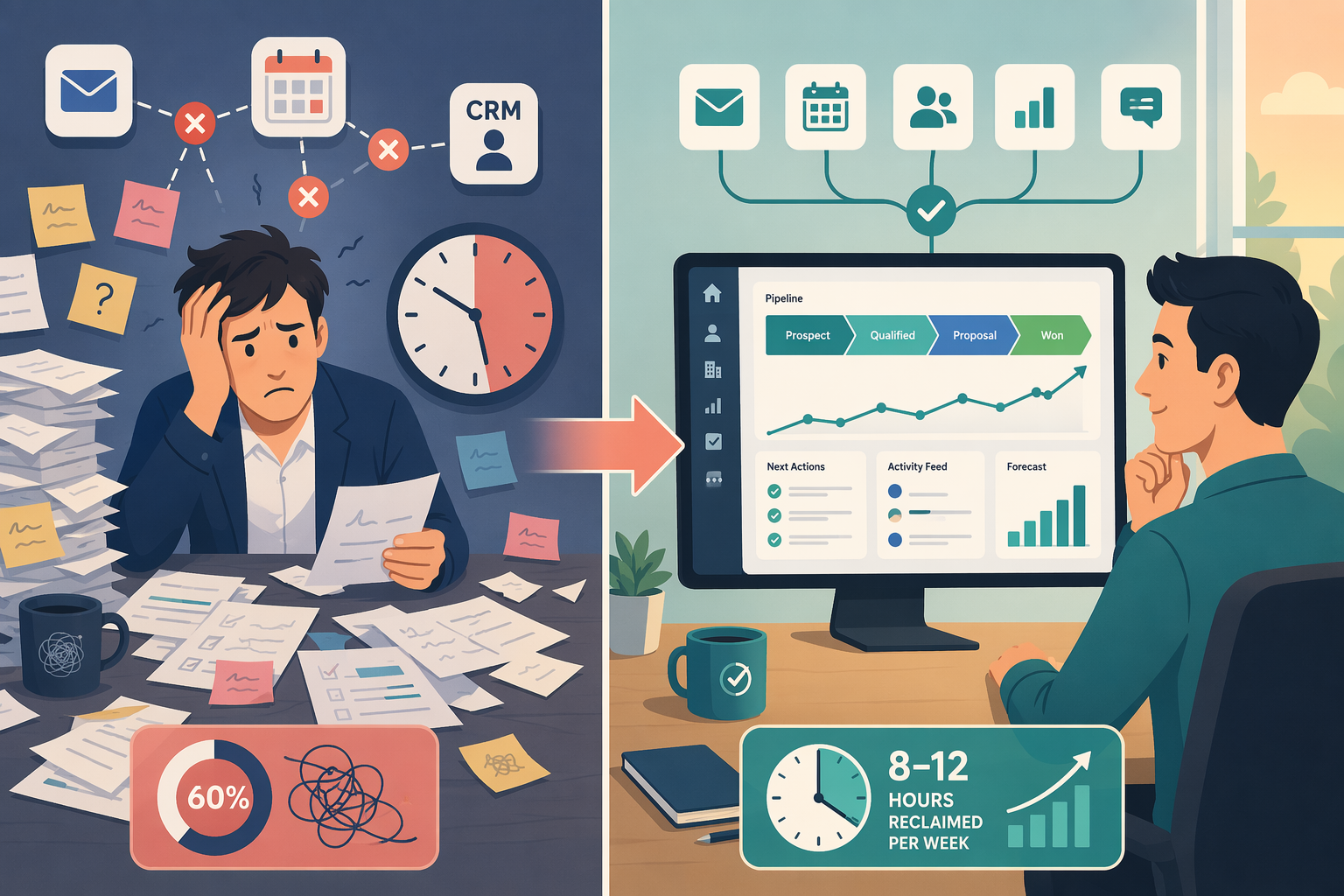
You run a small sales team. You know the split without reading a report: hours disappear into data entry, follow-ups, internal handoffs. Salesforce’s 2026 survey puts a number on it: 60% of selling time is consumed by non-selling tasks. The same survey found sellers juggle an average of eight tools to close a deal. The market has split into two fundamentally different approaches — legacy CRM automation and AI-agent-led platforms. Choosing the right category matters more than which specific tool you pick.
That tension is why I started looking at sales workflow automation for the 1-to-25-person team. Not the enterprise stack, not the shiny demo you’ll never configure. Just: can a tool actually take a real task off someone’s calendar this week?
The savings numbers: both are real, neither is universal
Gartner surveyed 210 senior sales leaders earlier this year and found that AI tools save sellers an average of 4.8 hours per week. That is a survey of CSOs — a directional signal, not a stopwatch. Coffee.ai, an AI-agent platform, reports that its users reclaim 8 to 12 hours per week. That number comes from Coffee’s own platform data. Two different methodologies. Both can be true for the teams they measured; neither is universal.
What is rarely discussed is what happens after the hours are reclaimed. Gartner found that 72% of sales organizations fail to reinvest that time into high-value selling activities. The same study shows that organizations which do reinvest are 2.2 times more likely to exceed growth goals. The raw hours saved are not the deciding factor. What matters is whether you have a plan for those hours before you buy.
Category first, tool second
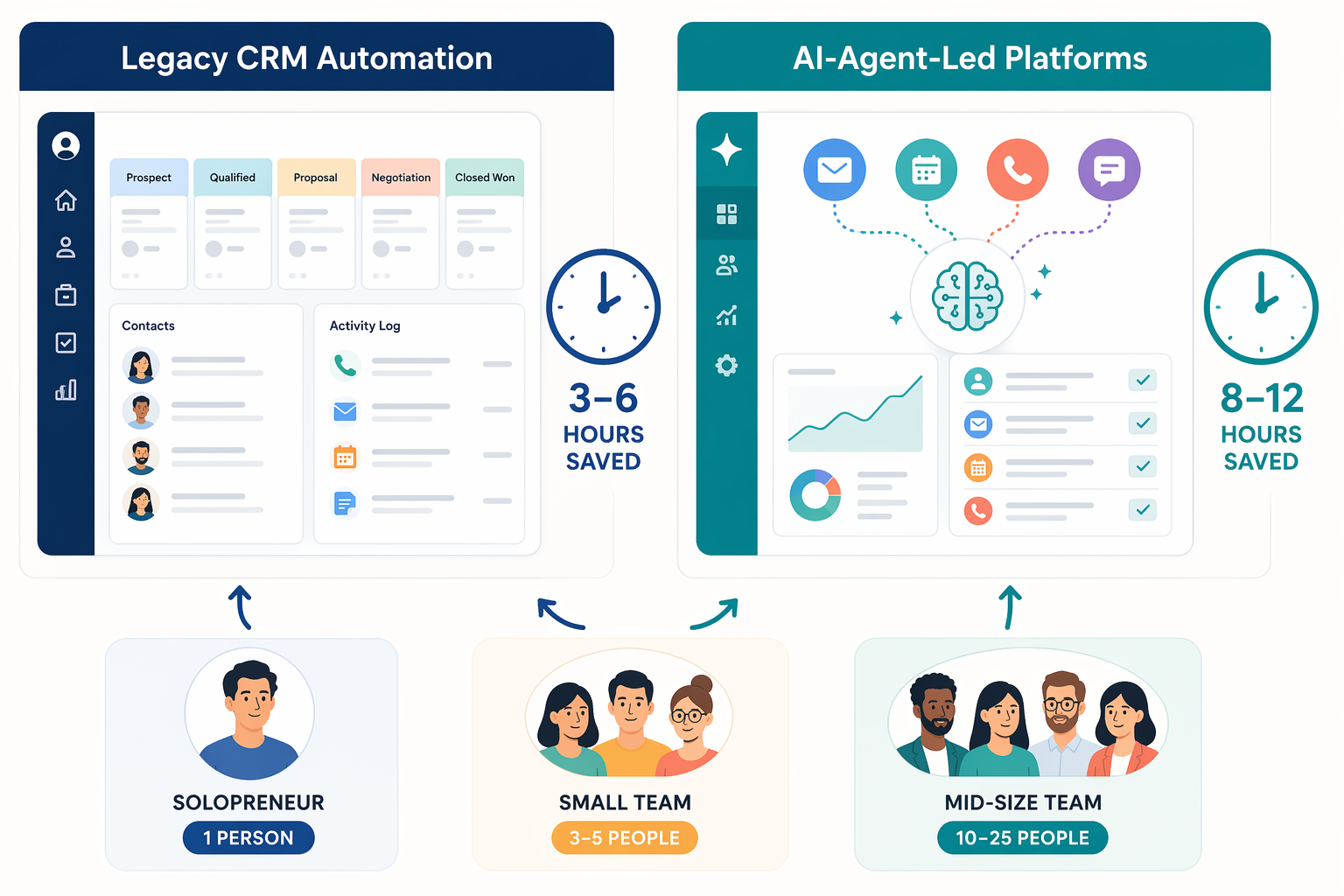
The 2026 sales workflow automation market has bifurcated into two fundamentally different categories. On one side: legacy CRM automation — rule-based, reactive, still requiring manual planning for sequences, triggers, and task reminders. On the other: AI-agent-led platforms — proactive, self-learning, monitoring email, calendar, and calls, then suggesting the next action without being told.
This is not a speed difference. It is a difference in who does the planning. With a legacy tool, you still decide: “If this lead does X, then send Y.” The tool executes. With an AI agent, the agent observes: “You have not followed up with this person in five days; here are three relevant talking points.” The 3-3-3 rule — reps spend three minutes finding three insights before a first outreach — becomes something the agent can do in seconds.
A Futurum Group study (cited in Coffee’s material, not independently verified in my research) reports that 79% of organizations now use AI agents, with 54% planning to use them in sales and marketing. The direction is clear. But for a small team, the choice between the two categories outweighs the differences between tools within a category.
Tools compared: legacy vs. AI agents
The table below groups tools into the two categories. Pricing is as of June 2026 — verify before you purchase. “First-week effort” is the realistic time a team lead will spend mapping fields and testing flows, not the sign-up time. “Weekly hours saved” includes the source so you can decide how much weight to give each figure.
| Tool | Category | Pricing (last verified June 2026) | Key differentiator | First-week effort | Weekly hours saved (source) |
|---|---|---|---|---|---|
| Pipedrive | Legacy CRM Automation | $14/seat/mo (annual) | Pipeline-centric, visual deal management | 5–8 hours | 2–4 hrs (vendor-estimated) |
| HubSpot Sales Hub | Legacy CRM Automation | $15/user/mo (paid plans) | Broad integration ecosystem, free tier available | 8–12 hours | 3–5 hrs (Coffee comparison), 23% faster close (HubSpot 2024) |
| Freshsales | Legacy CRM Automation | $11/user/mo (monthly) | AI-powered lead scoring, affordable entry | 4–6 hours | 3–5 hrs (vendor data) |
| Zoho CRM | Legacy CRM Automation | $14/user/mo (Standard plan) | Wide customization, modular add-ons | 10–15 hours | 2–4 hrs (general reports) |
| Coffee | AI-Agent-Led Platform | $49/mo for 1–25 users | Standalone AI agent, auto-captures email/calendar/calls | 2–3 hours | 8–12 hrs (vendor-reported, Coffee platform data) |
| Lindy | AI-Agent-Led Platform | Starts at $25/mo | Companion AI layer, works alongside existing CRM | 3–5 hours | 6–10 hrs (vendor reports) |
| No tool (baseline) | — | — | Manual data entry and follow-ups | 0 hours | 0 hours |
I included a “No tool” row because the most honest comparison is against what you are doing today. If your team is already losing 60% of time to admin, even a modest 4-hour-per-week gain is real.
Four picks that define each category
Rather than list every tool, here are the ones that best represent the two categories for a 1–25 person team.
Pipedrive — the lean legacy option
Pipedrive is built for the pipeline visualizer. If your team already knows its stages and just needs a cleaner way to move deals forward, this is the most straightforward legacy tool. The gotcha: its automation is sequence-based. Someone still has to set up the “if this, then that” rules. For a team without a dedicated ops person, that first-week effort of 5–8 hours is real.
HubSpot Sales Hub — the integration magnet
HubSpot’s free tier alone makes it tempting. Its paid plans start at $15 per user, and the company reports that teams using its automation achieve 61% higher revenue attainment and 23% faster deal closure. Those are HubSpot’s own survey numbers, but they align with what integration-heavy teams experience. The trade-off: setup is not trivial. Mapping existing workflows into HubSpot’s logic takes a solid week, and the ongoing maintenance — updating sequences, managing lists — is still human work.
Coffee — the standalone AI agent
Coffee is the clearest example of the AI-agent-led category. It does not replace your CRM; it sits on top and watches all communication channels. Its pricing — $49 per month for 1–25 users — is flat, which makes it dramatically cheaper than per-seat legacy platforms for a team of 10 or more. Coffee claims 8–12 hours reclaimed weekly. That is their platform data, not an independent audit, but the mechanism is plausible: if the agent logs calls, updates the CRM, and drafts follow-ups, those hours come from real tasks that used to be manual. The risk is that the agent needs clean data to work well; if your team’s email habits are messy, there is a small setup investment.
Lindy — the companion AI layer
Lindy is designed for teams that already have a CRM but want an AI layer on top without switching. It integrates with HubSpot, Salesforce, and Pipedrive. The first-week effort is moderate, and ongoing maintenance is lower than legacy automation because the agent learns from behavior rather than needing manual rule updates. If you already have a CRM and are frustrated by its automation limits, Lindy is worth a trial.
How to choose for a 1–25 person team
Based on the research and the categories above, here is the decision framework I recommend for small teams. It comes down to where you are starting from.
- No CRM yet? Start with an AI-agent platform like Coffee. The flat pricing and minimal setup let you see real savings in the first two weeks. Reinvest that time into selling, not configuring.
- Already have a CRM and want to automate more? Add an AI agent layer. Lindy is a solid companion; Coffee also offers a companion mode for HubSpot users.
- Budget is very tight (less than $50/month total)? Use HubSpot’s free tier plus Zapier for basic automation. The time savings will be lower, but you can start without new spend.
- Complex pipeline with many manual touches? Go with a legacy CRM that has strong automation — Pipedrive for simplicity, HubSpot for depth. Accept the first-week setup cost and plan for someone to own the automation rules.
Every recommendation above circles back to the reinvestment gap: before you buy, decide which tasks your team will spend the reclaimed time on. Without that decision, the hours saved will quietly slide back into busywork.
Before you buy, do these five things
- Track weekly time spent on data entry, manual follow-ups, and CRM admin for one rep. Use a real timer, not a guess.
- Identify which tasks are reactive (good for AI agents) vs. rule-based (good for legacy automation). A single rep can do this in one afternoon.
- Estimate the first-week setup effort honestly. If you have no dedicated admin, double the vendor’s estimate.
- Decide how you will reinvest the reclaimed time before you sign up. Write it down: more calls? deeper research? account planning?
- Verify pricing on the vendor’s official site (not a third-party article) and start with a free trial before committing.
FAQ and fine print
Can you use both categories together? Yes. Many small teams run a legacy CRM for pipeline management and an AI agent for communication capture. This is the recommended stack for teams that already have a CRM.
Do these time-savings numbers apply to every team? No. The Gartner figure is from a CSO survey; the Coffee figure comes from platform data. Your mileage will depend on your team’s existing processes and how clean your data is.
What about Salesforce-specific workflows? That is a different topic. If your team already uses Salesforce, see our Sales Workflow Automation 2026: CRM-Native vs Standalone Platforms guide, which covers teams of 10–100 reps.
Pricing and features change frequently. The prices in this article were last checked in June 2026. Always verify on the vendor’s official pricing page before making a purchase. For a deeper look at pricing across automation categories, see our Process Automation Tool Pricing in 2026 analysis.
If you want to explore broader automation options, our 5 Best Workflow Automation Tools for Small Businesses in 2026 comparison covers tools applicable to many workflows beyond sales.