

The Note-Taking Market in 2026: Why the Old Advice No Longer Works
The note-taking software market has reached a critical inflection point. According to The Business Research Company, the global market hit $13.3 billion in 2026, growing at a compound annual rate of 20.6% — up from $11.02 billion just a year earlier. North America remains the largest regional market, driven by increasing smartphone adoption that reached 4.69 billion users worldwide in 2025.
This explosive growth has not produced a single winner. Instead, it has fractured the market into distinct tool categories that solve fundamentally different problems. The old advice — "just pick the most popular app" — no longer works because the tools have diverged so sharply in their design philosophy. A tool that excels at rapid capture will frustrate you if your real need is long-term knowledge retrieval. An all-in-one workspace will feel bloated if you only need a place to dump quick thoughts.
The core question you need to answer before choosing a note-taking app in 2026 is not "which app has the most features?" It is: what is your primary bottleneck? Is it capture speed — getting thoughts down before they vanish? Knowledge retrieval — finding what you wrote months ago? Collaboration — sharing notes with a team? Data ownership — keeping your notes in a format you control? Or AI-powered synthesis — having the tool help you connect and summarize your thinking?
Quick-Reference Comparison Table
The table below summarizes the key dimensions of each major note-taking app covered in this comparison. Use it to quickly narrow your options before reading the detailed reviews.
| App | Best For | Starting Price | Free Plan Limits | Offline Support | Platforms | Standout Feature |
|---|---|---|---|---|---|---|
| Microsoft OneNote | Best free overall | Free | 5GB storage | Full offline | Windows, Mac, iOS, Android, Web | Freeform canvas, structured notebooks |
| Apple Notes | Best for Apple users | Free | 5GB iCloud storage | Full offline | Mac, iOS, Web (iCloud.com) | Frictionless capture, scans, audio transcripts |
| Google Keep | Best quick capture | Free | 15GB storage (shared) | Limited offline | Web, Android, iOS | Gmail/Docs integration, labels, reminders |
| Notion | Best collaboration/workspace | Free (Personal) | Unlimited pages, 7-day page history | Limited (no full offline) | Windows, Mac, iOS, Android, Web | Relational databases, template ecosystem |
| Obsidian | Best local-first PKM | Free (core) | Unlimited local notes | Full offline | Windows, Mac, Linux, iOS, Android | Local Markdown files, plugin ecosystem |
| Evernote | Best web clipping / OCR | $14.99/month (Personal) | 50 notes, 1 device, 60MB monthly upload | Full offline (paid) | Windows, Mac, iOS, Android, Web | Web clipper, OCR search, AI-powered features |
| Bear | Apple writing experience | Free (basic) / $2.99/month (Pro) | Basic features only | Full offline | Mac, iOS | Beautiful Markdown editor, organization via tags |
| Joplin | Open-source Evernote alternative | Free | Unlimited local notes | Full offline | Windows, Mac, Linux, iOS, Android | Open source, local storage, Markdown |
| Capacities | Object-based notes | Free (core) / $8/month (Pro) | Unlimited objects, limited storage | Limited | Web, iOS, Android | Object-based note-taking (not page-based) |
| NotePlan | Calendar + notes + tasks | $13/month or $100/year | 7-day trial | Full offline | Mac, iOS | Daily notes linked to calendar events |
Detailed Reviews Organized by Use Case
Each review below is organized by the primary bottleneck it solves. If you know your bottleneck, jump to that section. If you are still exploring, read through the reviews that match your general workflow.
Microsoft OneNote — Best Free Note-Taking App Overall
OneNote remains the strongest free option in 2026, earning a 4.5/5 rating and an Editors' Choice award from PCMag. Its free tier offers 5GB of storage and full offline access across every major platform — Windows, Mac, iOS, Android, and the web. The freeform canvas model lets you place text, images, drawings, and audio recordings anywhere on a page, which is a fundamentally different approach from the linear document model used by most competitors.
The notebook-section-page hierarchy makes OneNote particularly strong for structured research projects, course notes, and meeting archives. If you are a student or a professional who needs a reliable, zero-cost tool that works everywhere, OneNote is the safest choice.
- Pros: Generous free tier, full offline support, cross-platform, freeform canvas, strong organization hierarchy
- Cons: No native backlinks or graph view, limited Markdown support, sync can be slow with large notebooks
- Not for you if: You need bidirectional linking, a local-first Markdown workflow, or a tool that works well with plain text files
Apple Notes — Best Frictionless Option for Apple Users
Apple Notes has evolved from a simple text utility into a surprisingly capable note-taking app. It is free with 5GB of iCloud storage and handles text, document scans, sketches, audio recordings, and shared notes. The tight integration with the Apple ecosystem — Quick Note on iPad, instant sync across devices, and the ability to start a note from the Control Center — makes it the lowest-friction option for anyone already using a Mac and iPhone.
The Atlas evaluation framework, which tested 187 notes across 23 capture trials and 24 search trials in April 2026, gave Apple Notes a total score of 5.2/10. Its strength is capture speed, but it scores lower on data sovereignty and cross-platform accessibility.
- Pros: Zero setup, excellent capture speed, handles multiple media types, shared notes work well for families or small groups
- Cons: No native Windows or Android app, limited organization (folders only, no tags), export options are limited
- Not for you if: You use Windows or Android, need advanced organization like tags or databases, or want to own your data in an open format
Google Keep — Best Quick-Capture Tool for Google Ecosystem Users
Google Keep is not a full note-taking system — it is a capture tool. It is fully free with 15GB of shared Google storage, and its integration with Gmail, Google Docs, and Google Calendar makes it the fastest way to save a thought, a to-do, or a web link if you live inside Google's ecosystem. The label-based organization and color coding are simple but effective for lightweight task management.
Keep's strength is also its limitation: it is designed for quick capture, not deep knowledge management. Notes are individual cards with limited formatting and no backlinks. If you find yourself with hundreds of Keep notes and no way to connect them, you have outgrown the tool.
- Pros: Completely free, excellent Gmail/Docs integration, reminders and location-based alerts, collaborative checklists
- Cons: No rich formatting, no backlinks or graph view, limited organization, no native desktop app
- Not for you if: You need a long-term knowledge base, advanced formatting, or offline-first access
Notion — Best for Collaboration and Structured Workspaces
Notion is the dominant all-in-one workspace in 2026. Its free personal plan offers unlimited pages and 7-day page history, while the Plus plan starts at $10 per user per month (or $12 per user per month per some sources — pricing varies by billing cycle). Notion AI adds $10 per member per month on top of the Business plan at $24 per user per month.
Notion's superpower is its relational database system. You can create interconnected tables, kanban boards, calendars, and galleries that share data across pages. This makes it the best choice for teams managing projects, knowledge bases, and documentation in one place. The template ecosystem — with thousands of free and paid templates for everything from meeting notes to company wikis — means you rarely start from scratch.
However, Notion has a significant weakness: limited offline support. The Atlas evaluation gave it a 1/10 for offline-first capability. If you work in areas with unreliable internet, or if you want your notes to be available instantly without sync delays, this is a real limitation.
- Pros: Powerful relational databases, excellent collaboration, huge template library, flexible page structure
- Cons: Limited offline access, no local file storage, can feel slow with large databases, export is not lossless
- Not for you if: You need full offline access, want to own your data as plain files, or prefer a simpler, faster note-taking experience
Obsidian — Best for Local-First PKM and Data Ownership
Obsidian represents the opposite philosophy from Notion: your notes are plain Markdown files stored on your local machine. The core app is free for personal use, and Obsidian Sync costs $4 per month if you want encrypted sync across devices. There is no subscription required for the base functionality.
The Atlas evaluation gave Obsidian the highest total score of any tool in its comparison: 8.8/10, with perfect 10/10 scores for both data sovereignty and offline-first capability. The plugin ecosystem — with over 1,500 community plugins — lets you extend Obsidian into a task manager, a daily planner, a Zettelkasten system, or a publishing platform.
Obsidian's bidirectional linking and graph view make it the premier tool for building a personal knowledge management (PKM) system. If your primary bottleneck is knowledge retrieval — finding and connecting ideas you recorded months or years ago — Obsidian is the strongest choice.
- Pros: Full data ownership, local Markdown files, extensive plugin ecosystem, bidirectional linking, fast and responsive
- Cons: Steeper learning curve, no native real-time collaboration, sync requires a paid add-on, plugin quality varies
- Not for you if: You want a ready-to-use system with minimal setup, need real-time team collaboration, or prefer a cloud-first workflow
Evernote — Best Web Clipping and OCR, but at a Cost
Evernote has undergone a significant transformation under Bending Spoons. The free plan is now severely restricted: 50 notes, 1 device, and a 60MB monthly upload limit. PCMag describes the free version as "not worth using." Paid plans start at $14.99 per month for Personal, and the annual subscription has climbed from $69.99 to $129.99 in recent years.
Despite the pricing controversy, Evernote retains genuine strengths. Its web clipper remains best-in-class for saving articles, PDFs, and web pages with formatting intact. The OCR search can find text inside images and scanned documents. The AI-powered features — including AI search and AI note generation — are improving under Bending Spoons' development pace.
Evernote is best for users who capture a high volume of web content and need powerful search across images and PDFs. It is not the right choice if you are budget-conscious, want a local-first workflow, or need a tool that works well on a single device without a subscription.
- Pros: Best-in-class web clipper, powerful OCR search, AI features, mature and stable platform
- Cons: Expensive, severely restricted free plan, no local file storage, vendor lock-in concerns
- Not for you if: You want a free or low-cost tool, need local Markdown files, or are concerned about data portability
Emerging Picks: Bear, Joplin, Capacities, and NotePlan
Beyond the major players, several specialized tools deserve attention depending on your specific needs.
Bear (3.5/5 on PCMag) is the best Markdown writing experience on Apple devices. The free tier is basic, and Pro costs $2.99 per month or $29.99 per year. It is Apple-only — no Windows or Android support — but if you are a writer or note-taker who values a clean, distraction-free editor with beautiful typography, Bear is worth the subscription.
Joplin (4.5/5, PCMag Editors' Choice) is the best open-source alternative to Evernote. It is completely free, stores notes as Markdown files locally, and syncs via your own cloud service (Nextcloud, Dropbox, OneDrive). It supports end-to-end encryption and runs on every major platform including Linux. If you want the functionality of Evernote without the subscription and with full data control, Joplin is your tool.
Capacities takes a different approach: instead of pages, you create objects (people, projects, books, meetings) that can be linked and tagged. The free core plan is generous, and Pro costs $8 per month. It is best for users who think in terms of entities and relationships rather than documents.
NotePlan combines notes, tasks, and a calendar into a single app. At $13 per month or $100 per year, it is one of the more expensive options, but it is the only tool that lets you write daily notes that are automatically linked to your calendar events. It is Apple-only and best for users who live in their calendar and want their notes to follow the same temporal structure.
Notion vs. Obsidian vs. Evernote: The Three Philosophies
These three tools represent the three dominant philosophies in the 2026 note-taking market. Understanding which philosophy aligns with your workflow is more important than comparing feature lists.
| Dimension | Notion (All-in-One Workspace) | Obsidian (Local-First PKM) | Evernote (Capture-First with AI) |
|---|---|---|---|
| Core philosophy | Everything in one place — docs, databases, wikis, projects | Your notes are files you own — plain Markdown on your device | Capture everything, find it later with powerful search and AI |
| Data ownership | Cloud-dependent, export available but not lossless | Full — local Markdown files, no vendor lock-in | Cloud-dependent, export available but limited |
| Offline capability | Limited — Atlas score: 1/10 | Full — Atlas score: 10/10 | Full on paid plans |
| Collaboration | Excellent — real-time editing, comments, permissions | None natively — requires plugins or third-party sync | Basic — shared notebooks, no real-time editing |
| AI features | Notion AI ($10/member/month) — per-page context | No native AI — plugin ecosystem provides alternatives | AI search, AI note generation, smart suggestions |
| Best for | Teams, project management, structured knowledge bases | Individual PKM, writers, developers, data-conscious users | Heavy web clippers, researchers, OCR-dependent users |
| Starting price | Free (Personal), Plus from $10/user/month | Free (core), Sync $4/month | $14.99/month (Personal) |
If you work in a team and need a shared workspace with databases and templates, Notion is the clear winner. If you value data ownership, offline access, and building a long-term knowledge base, Obsidian is unmatched. If your workflow revolves around capturing web content and searching across images and PDFs, Evernote still leads — but be prepared for the subscription cost.
Best for Students, Best for Teams, Best Free Pick
If you know your role but are not sure about your bottleneck, these quick recommendations will get you started.
- Best for students: Microsoft OneNote — free, cross-platform, excellent organization for course notes, supports handwriting on tablets. For a detailed breakdown by major, device, and budget, see our student-focused comparison.
- Best for teams: Notion — real-time collaboration, relational databases, permission controls, and a vast template library make it the default choice for team knowledge bases and project documentation.
- Best free pick: Microsoft OneNote — no other free app offers the combination of 5GB storage, full offline access, cross-platform availability, and a mature feature set. If you cannot or will not pay for a note-taking app, OneNote is the answer.
AI Feature Roundup: What Each Tool's AI Actually Does (and Doesn't)
AI has become a major differentiator in the note-taking market, but the capabilities vary widely — and the marketing often outpaces the reality. Here is what each tool's AI actually does as of Q2 2026.
| Tool | AI Features | Pricing for AI | Key Limitation |
|---|---|---|---|
| Notion AI | Generate, summarize, translate, and edit content; Q&A across workspace | $10/member/month (add-on to Business plan at $24/user/month) | Per-page context only — cannot synthesize across your entire workspace |
| Evernote AI | AI search, AI note generation, smart suggestions, task prioritization | Included in Personal ($14.99/month) and above | AI features are improving but still feel bolted on rather than native |
| Obsidian | No native AI — community plugins provide AI writing, summarization, and chat features | Free (plugins are free or use your own API keys) | Plugin quality varies; no integrated AI experience |
| OneNote | Copilot integration (Microsoft 365 subscribers) — summarize, rewrite, ask questions | Requires Microsoft 365 Copilot subscription | Not available on free tier; Copilot is enterprise-focused |
| Apple Notes | No native AI features beyond basic text suggestions | N/A | No AI note-taking features as of June 2026 |
| Google Keep | No native AI features beyond basic suggestions | N/A | No AI note-taking features as of June 2026 |
The emerging category of AI-native tools — such as Atlas and Storyflow — takes a fundamentally different approach. Instead of adding AI as a feature on top of a traditional note-taking app, these tools are built around AI from the ground up. Atlas, for example, positions itself as an "AI-grounded knowledge work" tool at $20 per month for Pro, and its evaluation framework scored it highly on AI synthesis capabilities.
However, the AI-native space is still immature. Tools change rapidly, pricing shifts, and the long-term viability of many startups in this space is uncertain. For most users in 2026, a traditional note-taking app with bolt-on AI (Notion AI, Evernote AI) or a local-first tool with plugin-based AI (Obsidian) is the safer bet.
Decision Framework: 4 Questions to Find Your Match
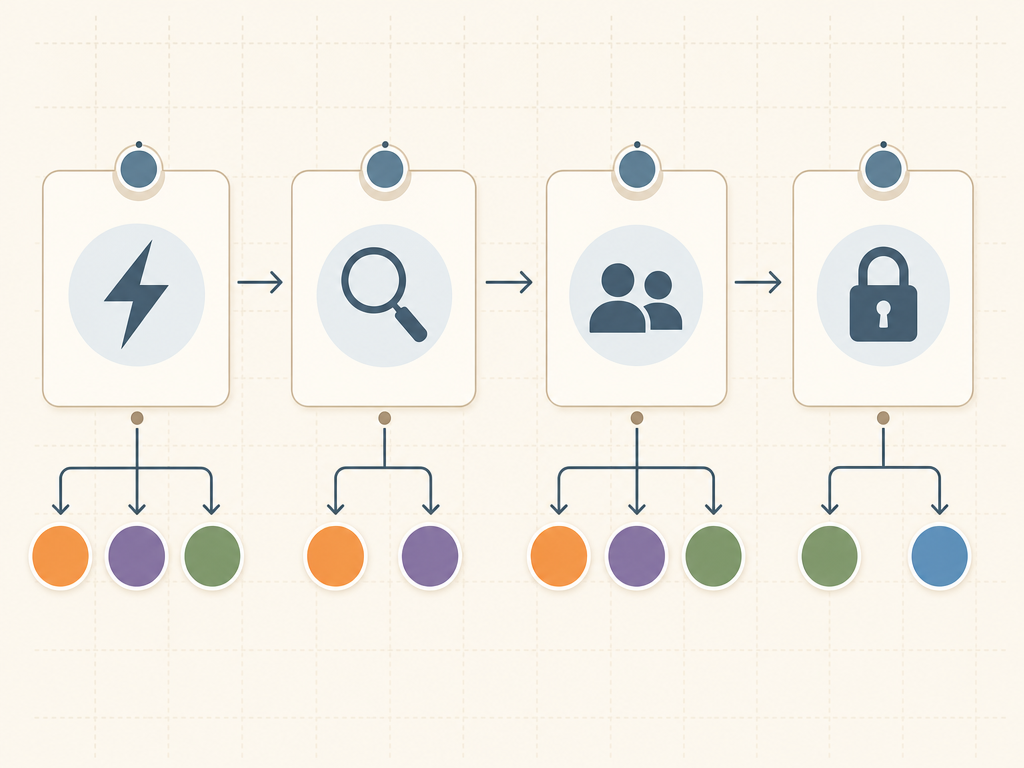
Instead of comparing feature lists, ask yourself these four questions in order. Your answer to the first question that resonates will point you to the right tool category.
- Do I need to capture thoughts faster than I can type? If your bottleneck is getting ideas down before they vanish, look at capture-first tools: Apple Notes (Apple users), Google Keep (Android/Google users), or Evernote (if you also need web clipping).
- Do I struggle to find notes I wrote months ago? If your bottleneck is knowledge retrieval, you need a connection-first tool. Obsidian is the strongest choice for bidirectional linking and graph-based navigation. Capacities offers an object-based alternative.
- Do I need to share notes and collaborate with a team? If your bottleneck is collaboration, Notion is the clear winner. Its real-time editing, permission controls, and database system are purpose-built for team use. OneNote also works well for team notebooks if you are in a Microsoft 365 environment.
- Do I want to own my notes in a format I control? If your bottleneck is data ownership, choose a local-first tool. Obsidian (Markdown files) and Joplin (Markdown with encryption) are the strongest options. Avoid cloud-dependent tools unless you are comfortable with vendor lock-in.
If none of these questions clearly resonates, start with OneNote. It is free, works everywhere, and its flexible structure will accommodate most workflows. As your needs become clearer, you can migrate to a more specialized tool.
Pricing Cheat Sheet (Verified June 2026)
Pricing in the note-taking market changes frequently. The table below reflects the most recent data available from official sources as of June 2026. Always verify pricing on the tool's official website before making a purchase decision.
| Tool | Free Plan | Paid Plans | Last Verified |
|---|---|---|---|
| Microsoft OneNote | Free (5GB storage) | Microsoft 365 Personal $9.99/month (1TB storage) | June 2026 |
| Apple Notes | Free (5GB iCloud storage) | iCloud+ starts at $0.99/month for 50GB | June 2026 |
| Google Keep | Free (15GB shared storage) | Google One starts at $1.99/month for 100GB | June 2026 |
| Notion | Free (Personal — unlimited pages, 7-day history) | Plus $10/user/month, Business $18/user/month, Enterprise custom | June 2026 |
| Obsidian | Free (core app, unlimited local notes) | Sync $4/month, Publish $10/month, Catalyst $25+ one-time | June 2026 |
| Evernote | Free (50 notes, 1 device, 60MB/month upload) | Personal $14.99/month, Professional $17.99/month, Teams $24.99/user/month | June 2026 |
| Bear | Free (basic features) | Pro $2.99/month or $29.99/year | June 2026 |
| Joplin | Free (open source, unlimited local notes) | No paid plans (sync via your own cloud service) | June 2026 |
| Capacities | Free (core features) | Pro $8/month | June 2026 |
| NotePlan | 7-day free trial | $13/month or $100/year | June 2026 |