
The note-taking app market hit $13.3 billion in 2026. That number matters if you are an investor. If you are a knowledge worker trying to pick an app, it tells you nothing. The real divide is hidden: how much of your notes can the AI actually see before it answers? Two apps both labeled “AI” can work so differently they might as well come from different decades.
Here is the question that reveals the gap: “What did I learn about user onboarding from my last three project notes?” In Notion, the AI can only see the page you have open. It cannot look at three different project notes unless you manually dump them onto the same page. In Evernote, the AI examines one note at a time. In OneNote, Copilot can summarize the current section but not synthesize across notebooks. That single question—how much context can the AI read before it answers?—is now the most important differentiator in note-taking.
Why Per-Page AI Fails That Question
I picked that onboarding question deliberately. It is the kind of query a product manager, researcher, or team lead asks every week: “We ran three onboarding experiments—what patterns emerged?” It requires the AI to have read all three notes and synthesized common threads. In the per-page AI tier—where Notion lives with its $10/member/month AI add-on—the question fails immediately. Storyflow’s analysis notes that Notion AI works “within the context of the current page or database view, not across the entire workspace.” That is not a bug; it is a design choice. Notion treats each page as a self-contained unit. The AI can summarize it, rewrite it, or answer questions about it—but it cannot reference a different page unless you explicitly link the data into the same view.
Evernote’s AI works note-by-note. It can paraphrase, proofread, or summarize the note you are looking at, but ask it to pull themes from three different notebooks, and it will give you a blank stare. OneNote’s Copilot is a bit better: it can summarize a section or create a to-do list from the current page, but cross-notebook synthesis is not part of its current feature set.
The Three Tiers That Actually Matter
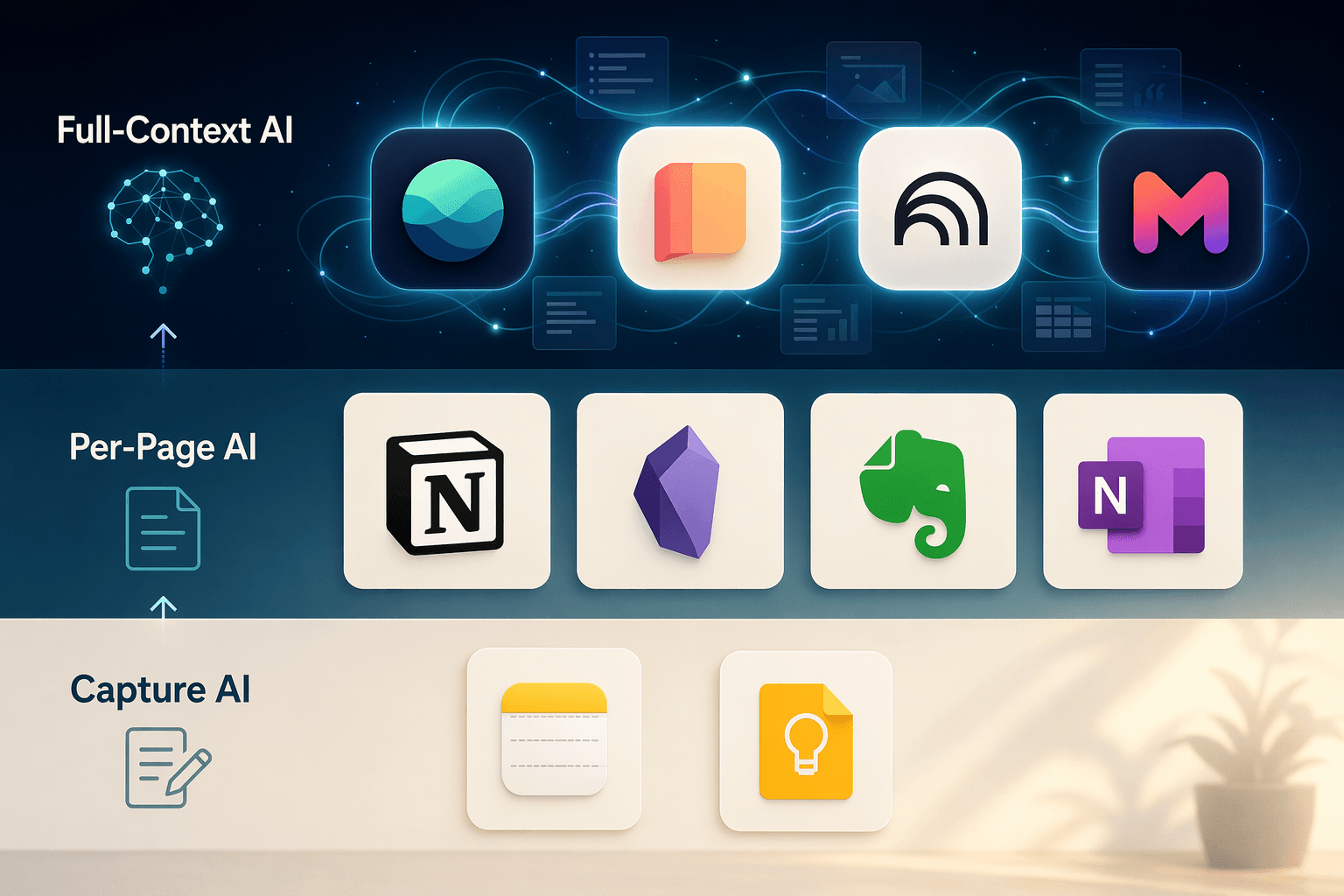
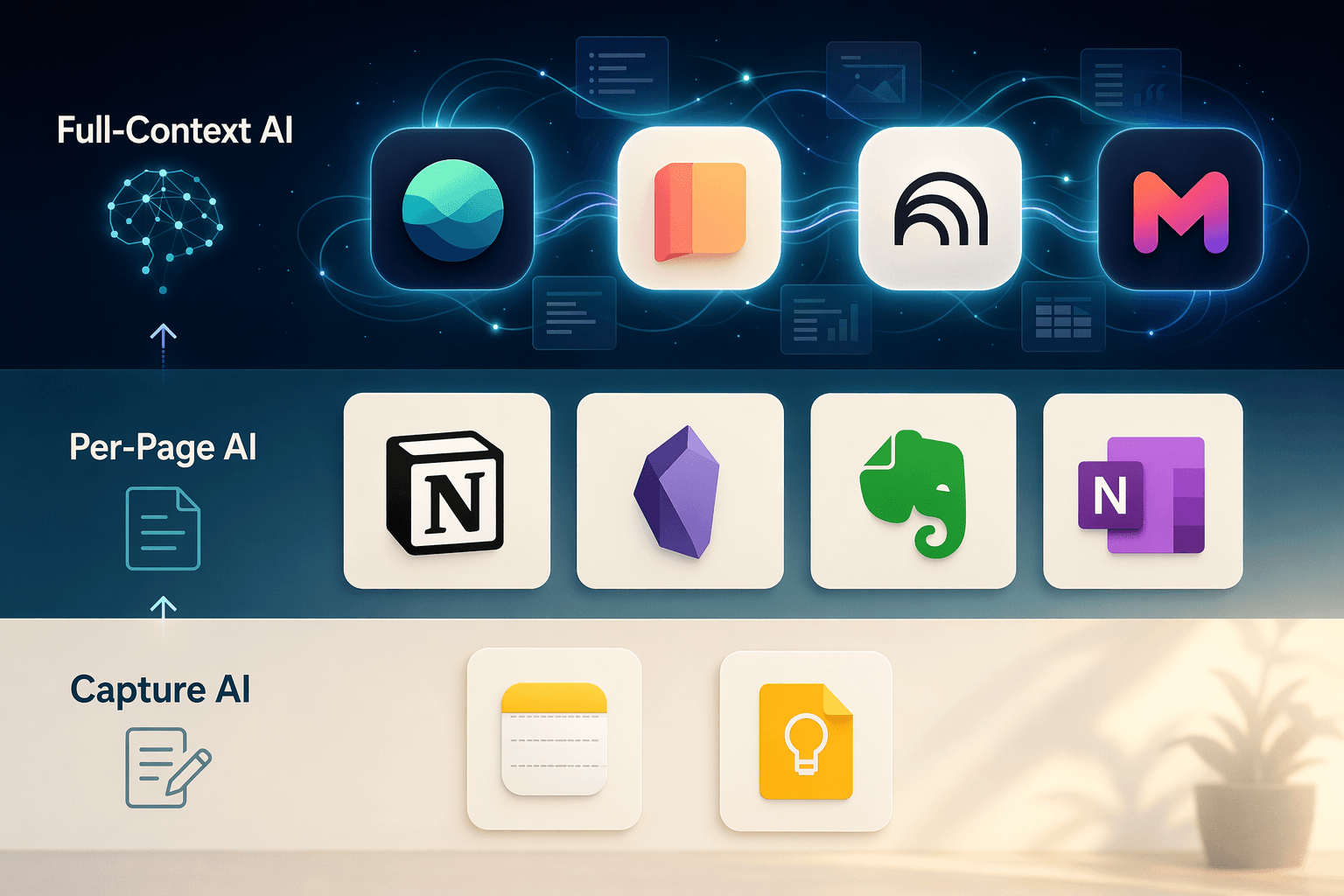
The market is sorting itself into three groups, defined not by price or platform but by how much of your knowledge the AI can see before it opens its mouth. Here is the comparison:
| Tier | AI context scope | Example apps | Typical user |
|---|---|---|---|
| Capture-first | No AI or per-note only | Apple Notes, Google Keep | Quick capture, short-term reference |
| Connection-first / Per-page AI | Current page, database view, or note | Notion, Obsidian, Evernote, OneNote | Project-based work, self-contained pages |
| Active workspace / Full-context AI | Full corpus, cross-document synthesis | Atlas, Storyflow, NotebookLM, Mem | Fragmented knowledge worker, synthesis-heavy research |
Capture-first tools (Apple Notes, Google Keep) offer minimal AI. Apple Intelligence can rewrite text or generate images inside a single note, but it does not reach across notes. Google Keep’s Gemini integration creates notes from conversations—useful, but again per-item. Fine for ephemeral thoughts. Do not expect them to answer a cross-note question.
Connection-first tools (Notion, Obsidian, Evernote, OneNote) add AI as a layer on top of page- or note-level units. The AI is smart within its container but blind outside it. Zapier reports that OneNote’s Copilot can create, summarize, and edit text, but that is confined to the open notebook section. Obsidian requires third-party plugins and a personal API key for any AI capability—powerful if you are willing to tinker, but fragmented and far from seamless. This tier is the most crowded and the one where marketing hype often outstrips real capability.
Full-context tools (Atlas, Storyflow, NotebookLM, Mem) let the AI read across your entire note corpus. Atlas’s evaluation protocol uses a fixed sample of 187 notes and scores tools on contextual retrieval speed and atomic linking latency. The result is that a full-context tool can answer a question like “What did I learn about user onboarding?” by searching every note you have ever written, ranking relevant passages, and citing its sources. That is a fundamentally different architecture.
Full-Context Tools: The Details You Need to Know
The full-context tier does not just give the AI a bigger window. It changes what you can ask. But these tools are newer, and their claims should be checked.
- Atlas offers full-corpus cited Q&A. It indexes every note, links atoms of information, and when you ask a question it returns answers with citations back to the original source notes. Its Pro plan costs $20/month. The scoring methodology I just cited comes from Atlas’s own evaluation over 187 notes. That is a useful benchmark, not an independent audit—keep that in mind.
- Storyflow reads the full active canvas board by default, plus up to one Tactic and three Documents referenced via @mention. That is less than a full corpus, but far more than a single page. Storyflow Plus is $7.99/month billed annually. The caveat: Storyflow is a vendor, and its claims about AI context should be verified against current product docs before you rely on them.
- Google NotebookLM is not a note-taking app per se—it is a research assistant that ingests source documents. But its context window of up to one million tokens is the largest of any tool in this comparison. It can reason across dozens of documents in a single conversation. The trade-off: it is not designed for ongoing note-taking, and it is entirely cloud-based with no offline mode.
- Mem promises auto-organizing notes with an AI that surfaces related information. Its context width is somewhere between per-page and full-corpus, depending on the plan. I have not tested it deeply, but the concept—notes that reorder themselves based on what you are reading—is interesting and worth watching.
These tools are newer, their AI can be slower than a simple page summary, and most run in the cloud. But for a knowledge worker whose notes are fragmented across dozens or hundreds of pages, they are the only ones that can answer a question like “What did we learn about X?” without forcing you to manually gather the material first.
The Privacy Catch
Full-context AI almost always means sending your notes to a cloud model. For many users that is fine. For anyone handling FERPA-protected student data, HIPAA-covered health information, or proprietary corporate knowledge, it can be a dealbreaker.
Apple Intelligence runs on-device, which means your notes never leave your iPhone or Mac. The trade-off is that Apple Notes remains in the capture-first tier—it does not synthesize across notes. Obsidian, with community plugins and a local API key, gives you full data sovereignty. Atlas’s scoring framework gives Obsidian a perfect 10/10 on Data Sovereignty Quotient and Offline-First Integrity. But using local AI in Obsidian requires installing a plugin, getting an API key (usually from a cloud provider), and configuring it yourself. That is not a plug-and-play experience.
Notion, Google (Keep, NotebookLM), Microsoft (OneNote), and the full-context tools (Atlas, Storyflow, Mem) all process AI in the cloud. If your organization has strict data residency rules, verify where each provider’s AI model runs before committing.
What You Should Do
There is no single best note-taking app in 2026. There is only the right tier for the breadth of your knowledge work.
If you rarely ask questions across notes—grocery lists, quick meeting notes, to-dos that never get re-read—Apple Notes or Google Keep is fine. The AI does not matter because you are not asking it questions.
If your work lives inside self-contained pages—each project in its own Notion page or Obsidian note, and you rarely need to synthesize across them—Notion AI (or the free student Notion Plus with the $10 AI add-on) is sufficient. The per-page limit will not hurt you if you stay inside a single page per task.
If your notes are fragmented across projects—meetings, research, brainstorming, project logs—and you often need to pull insights from all of them, you need a full-context tool: Atlas, Storyflow, or NotebookLM combined with a capture app. If privacy is a concern, consider Obsidian with a local AI plugin, but be prepared for the setup effort.



Comments
Join the discussion with an anonymous comment.