
Quick-Start: Which iPad Note-Taking App Should You Choose?
If you are in a hurry, the table below summarizes the top pick for each major use case. Each row links to the detailed profile later in this article. Pricing was last verified in mid-2026 and may have shifted slightly since publication.
| Best For | App | Starting Price | Key Differentiator | One-Line Verdict |
|---|---|---|---|---|
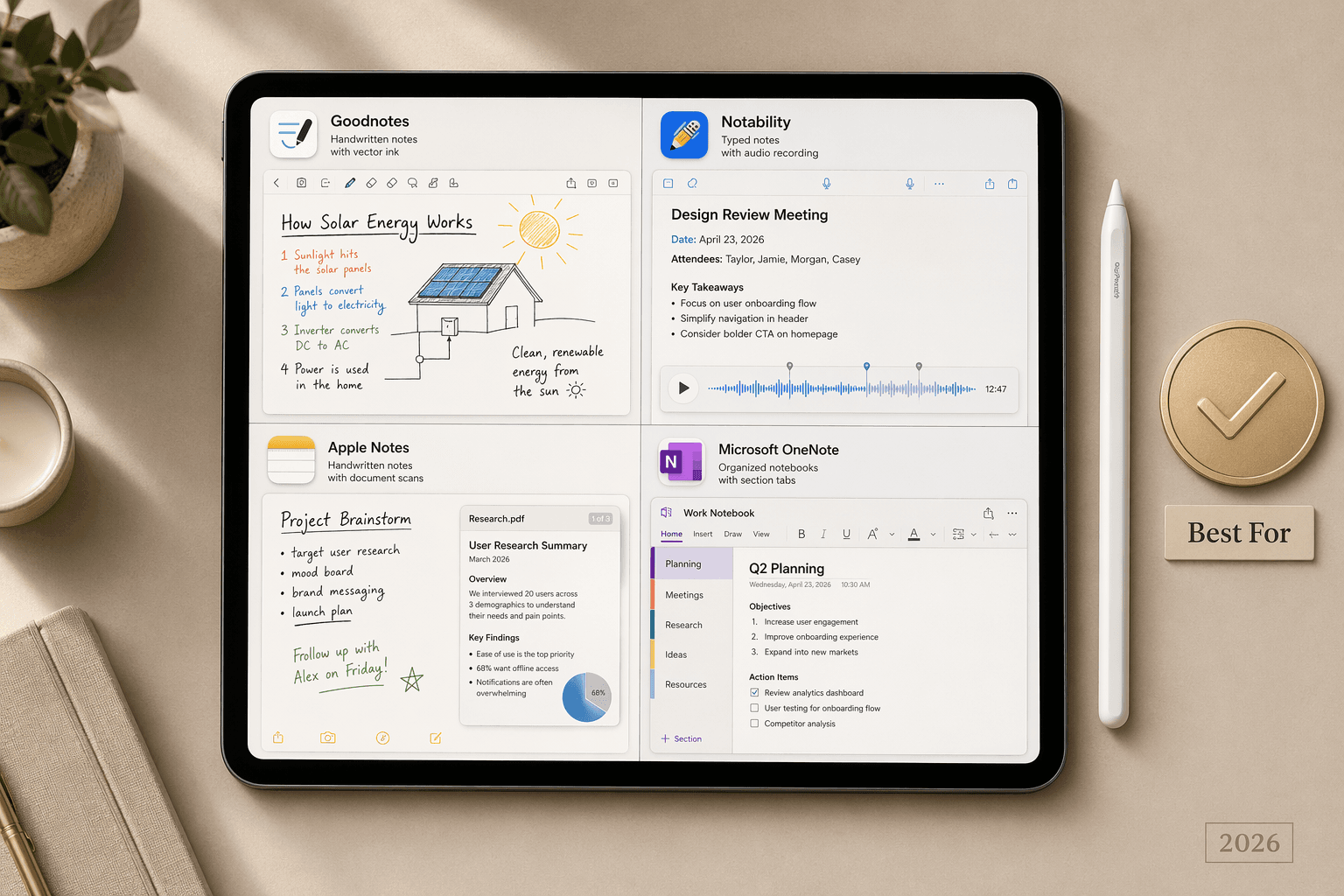
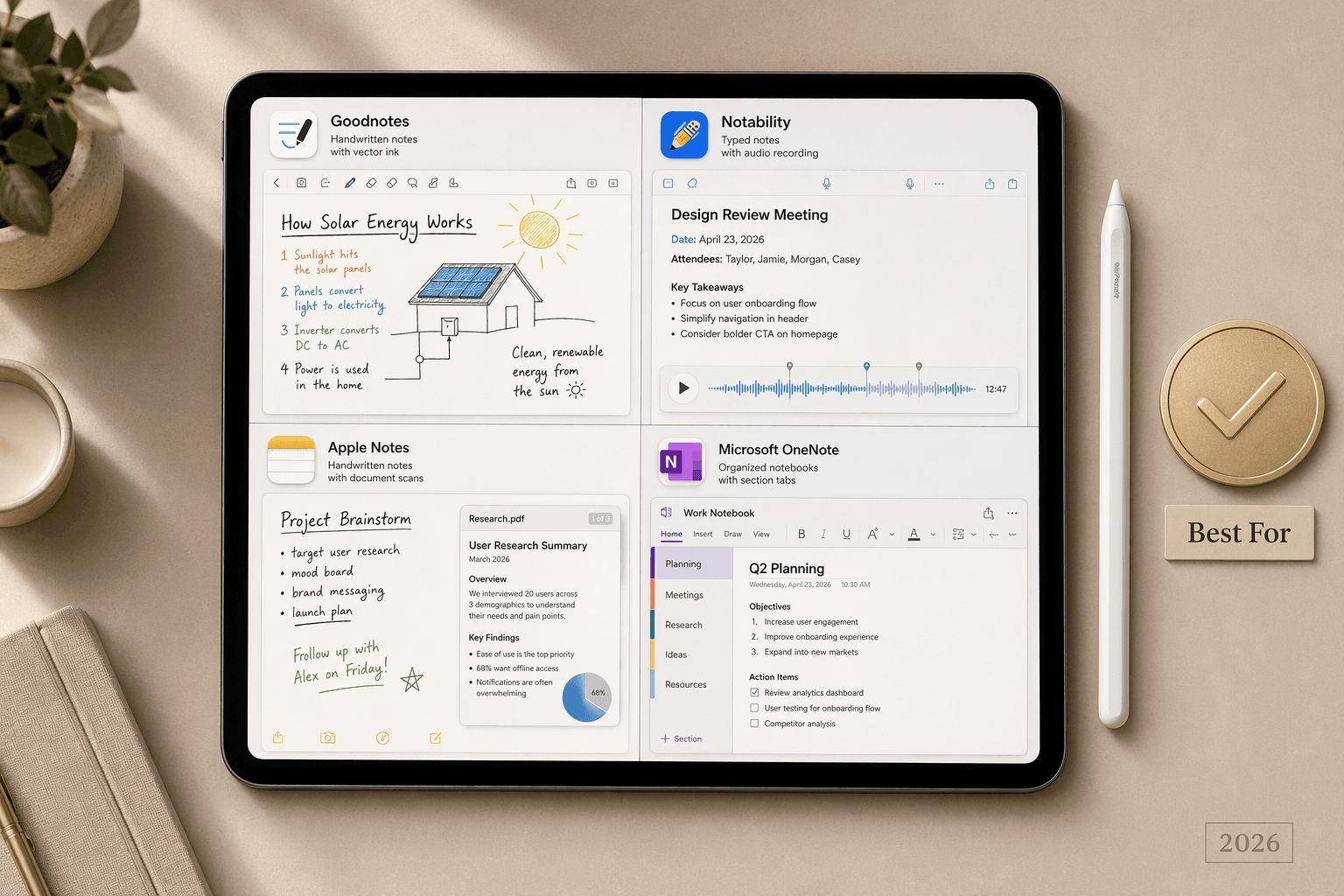
| Overall (most users) | Goodnotes 6 | $11.99/yr or $35.99 one-time | Vector ink engine, nested folders, handwriting OCR, cross-platform | Best balance of features, value, and long-term ownership. |
| Audio-synced lectures | Notability | $20/yr Plus; $99/yr Pro | Audio recording synced to handwritten notes; AI summaries | Top choice for students who record lectures and replay notes. |
| Free (Apple ecosystem) | Apple Notes | Free | Native integration, iCloud sync, document scanning, basic AI | The best free option if you live entirely in Apple devices. |
| Free (cross-platform) | Microsoft OneNote | Free | Notebook organization, Microsoft Copilot AI, unlimited cloud storage (5GB free) | Best free pick for users who need Windows, Android, and web access. |
| Handwriting-to-text | Nebo / MyScript | $8.99 one-time | Best-in-class handwriting conversion, math and diagram recognition | Unmatched accuracy for converting scribbles to typed text. |
| PDF research | LiquidText | $79.99 one-time or $9.99/mo | Multi-document workspaces, dynamic linking, PDF annotation | Essential for researchers and anyone working with dense PDFs. |
| Free handwriting + collaboration | CollaNote | Free (with IAP) | 25+ writing tools, real-time collaboration, 4.8-star rating | The best completely free handwriting app for group projects. |
| AI meeting notes | Krisp | $8/mo billed annually | Live transcription, AI action items, meeting summaries | Purpose-built for professionals who need automated meeting capture. |
How We Evaluated and Compared These Apps
We evaluated each app against seven criteria that matter most to iPad note-takers: handwriting engine quality, audio recording and sync capabilities, AI features, cross-platform availability, PDF annotation depth, pricing model (including free-tier limits), and overall user experience. We did not rely on a single source for any claim. Where sources disagreed — for example, ZDNET names Notability as the best overall, while Zapier and others give the nod to Goodnotes — we present the debate honestly and explain the reasoning behind each verdict.
The apps included in this comparison were selected based on consistent mentions across multiple editorial roundups, App Store rankings, and reader surveys. We excluded niche tools with fewer than 1,000 App Store ratings to focus on apps with proven track records. The final list covers ten apps: Goodnotes, Notability, Apple Notes, Microsoft OneNote, Nebo/MyScript, LiquidText, CollaNote, Notes Writer Pro, Bear, and Craft.
The Best iPad Note-Taking Apps in Detail
Goodnotes 6 — Best Overall for Most Users
Goodnotes 6 remains the most versatile iPad note-taking app in 2026. Its vector ink engine produces sharp, scalable handwriting that does not pixelate when zoomed in — a critical advantage for users who draw diagrams or annotate PDFs at high magnification. The app supports unlimited nested folders, making it possible to organize notes by subject, project, and date without hitting structural limits.
Pricing is a major differentiator. Goodnotes offers a free tier limited to three notebooks. For full access, you can choose between a subscription at $11.99 per year or a one-time purchase of $35.99. A Pro tier at $35.99 per year adds advanced AI features, and an optional AI Pass at $9.99 per month unlocks the latest writing aids. The one-time purchase option is increasingly rare among top-tier note-taking apps and gives Goodnotes a clear value advantage for long-term users.
On the AI front, Goodnotes includes Ask Goodnotes, which lets you query your handwritten notes using natural language, and AI writing aids that can polish or reformat text. The app is available on iPad, iPhone, Mac, Windows, and Android — a broader cross-platform reach than Notability.
Notability — Best for Audio-Synced Lectures
Notability has long been the gold standard for students who record lectures and want their notes synced to the audio timeline. When you tap a word in your handwritten notes, the audio jumps to the exact moment that word was spoken. This feature alone makes Notability the top pick for lecture-heavy workflows.
Notability's pricing is subscription-only: $20 per year for the Plus plan or $99 per year for Pro, which unlocks advanced AI features including audio transcripts and AI-generated summaries. There is no one-time purchase option. The free tier is usable but limits editing and sync — iCloud sync is reserved for subscribers.
The app's organizational structure is simpler than Goodnotes, limited to five nesting levels. This is fine for most students but may frustrate power users with deep folder hierarchies. Notability has a 4.8-star rating with over 434,000 reviews, reflecting strong user satisfaction despite the subscription-only model.
Apple Notes — Best Free Option for Apple-Only Users
Apple Notes is the most underrated note-taking app on this list — not because it is the most powerful, but because it is completely free and deeply integrated into the Apple ecosystem. It supports handwriting with the Apple Pencil, document scanning, inline PDF viewing, and basic AI features through Apple Intelligence on iOS 18 and later.
The app syncs seamlessly across iPhone, iPad, and Mac via iCloud. It lacks advanced features like audio-synced notes, cross-platform access (no Windows or Android), and the deep organizational structure of Goodnotes or OneNote. For users who never leave the Apple ecosystem and do not need AI-powered summaries, Apple Notes is a genuinely capable free option.
Microsoft OneNote — Best Free Cross-Platform App
Microsoft OneNote is the strongest choice for users who work across Windows, Android, and iPad. It is completely free with no notebook limit and includes 5 GB of free cloud storage. The app's notebook-section-page hierarchy is familiar to anyone who has used Microsoft Office, and its search function can find text within handwritten notes and images.
OneNote's AI capabilities come through Microsoft Copilot, which can summarize notes, generate to-do lists, and answer questions about your content. Copilot requires a Microsoft 365 subscription, but the core note-taking experience remains free. OneNote has a 4.7-star rating with over 940,000 reviews, reflecting its massive user base.
Nebo / MyScript — Best Handwriting-to-Text Conversion
Nebo, powered by MyScript technology, offers the most accurate handwriting-to-text conversion of any iPad note-taking app. It can recognize not just standard cursive and print, but also mathematical equations, diagrams, and mixed text-and-drawing layouts. The app converts your handwriting in real time as you write, producing clean digital text that can be exported to Word, PDF, or HTML.
Nebo is available for a one-time purchase of $8.99, making it one of the most affordable options on this list. It lacks audio recording, AI summaries, and real-time collaboration, so it is not a general-purpose note-taking app. But for users whose primary need is converting handwritten notes into typed text with high accuracy, Nebo is the clear winner.
LiquidText — Top Pick for PDF Research
LiquidText is not a general note-taking app — it is a research tool designed for anyone who works with dense PDFs. Its signature feature is the ability to create multi-document workspaces where you can pull excerpts from multiple PDFs into a single view, link related passages, and annotate freely. The dynamic linking system lets you connect a highlighted passage to a note or another document, creating a web of references that is far more powerful than standard PDF annotation.
LiquidText costs $79.99 as a one-time purchase or $9.99 per month. A free version is available with limited features. The app has a 4.5-star rating with over 1,300 reviews — a smaller but highly engaged user base. It is the best choice for graduate students, legal professionals, and researchers who need to synthesize information across multiple documents.
CollaNote — Best Free Handwriting App with Real-Time Collaboration
CollaNote has emerged as the strongest free alternative to Goodnotes and Notability. It offers over 25 writing tools, real-time collaboration (multiple users can write on the same page simultaneously), and a 4.8-star rating with over 13,000 reviews. The app is free to download with in-app purchases for premium features.
CollaNote lacks the advanced AI features of Goodnotes and Notability, and its cross-platform support is limited compared to OneNote. But for students who need a free, feature-rich handwriting app with real-time collaboration for group projects, CollaNote is the best option available.
Notes Writer Pro, Bear, and Craft — Specialized Alternatives
Notes Writer Pro ($6.99 one-time, optional $1.99/month AI Assistant) is a strong choice for users who need deep PDF annotation and document management without a subscription. It supports handwriting, typing, and PDF markup, and offers a one-time purchase price that undercuts most competitors.
Bear is a Markdown-focused writing app ($2.99/month) that excels for long-form text notes but has limited handwriting support. It is best for writers and knowledge workers who prefer typing over handwriting and want a clean, distraction-free interface with tagging and export options.
Craft ($9.99/month) blends note-taking with document publishing. It offers a beautiful block-based editor, cross-platform sync, and collaboration features, but its handwriting support is minimal. Craft is best suited for professionals who want to create polished documents and share them as web pages.
Feature Comparison: What Each App Does Best
The table below compares each app across the features that matter most for iPad note-taking. Use it to quickly identify which apps support the capabilities you need.
| Feature | Goodnotes 6 | Notability | Apple Notes | OneNote | Nebo | LiquidText | CollaNote |
|---|---|---|---|---|---|---|---|
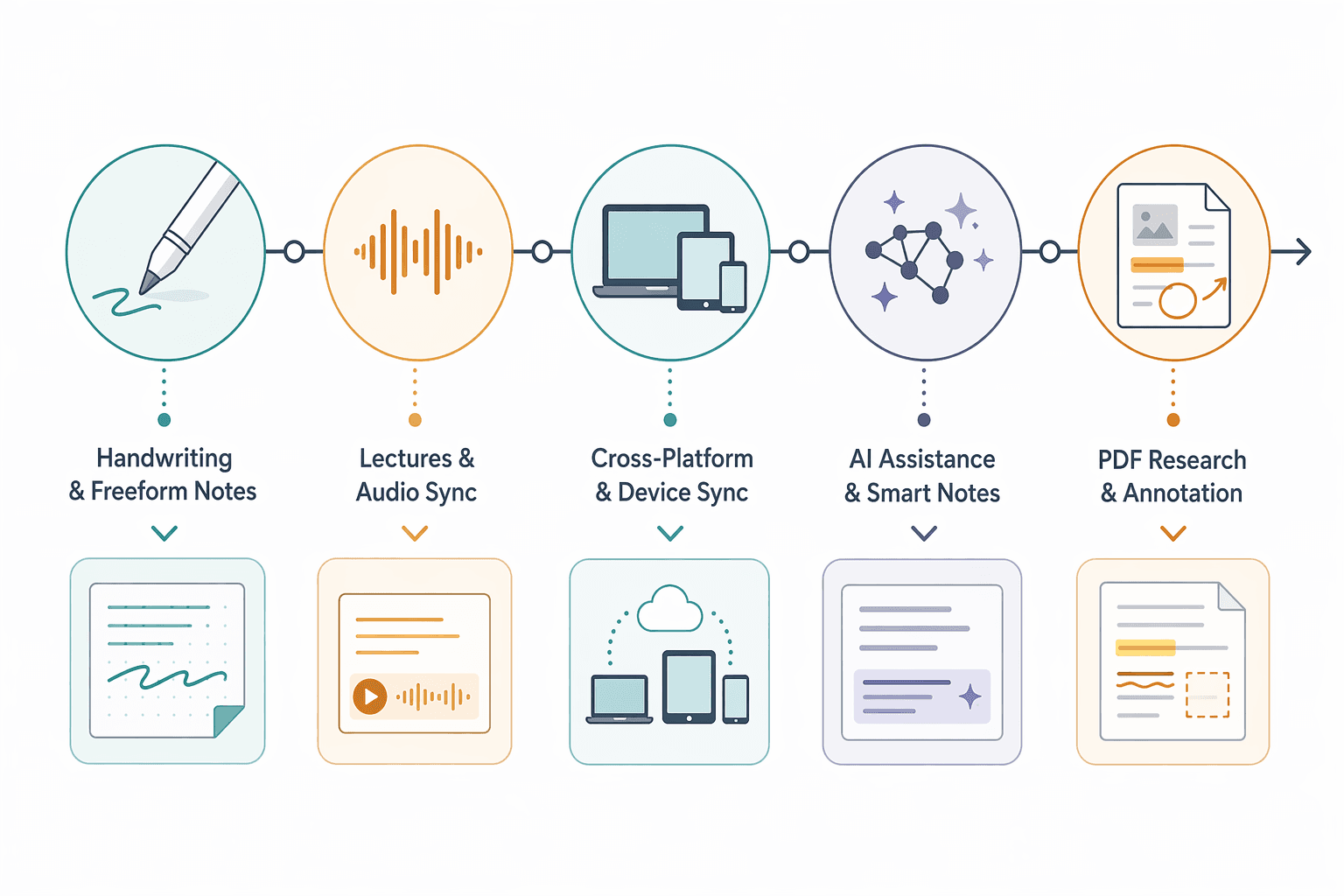
| Handwriting engine | Vector ink (excellent) | Vector ink (excellent) | Basic (good) | Basic (good) | Best-in-class conversion | Basic annotation | Vector ink (excellent) |
| Audio recording + sync | No | Yes (best in class) | No | No | No | No | No |
| AI features | Ask Goodnotes, AI writing aids | Audio transcripts, AI summaries | Apple Intelligence (basic) | Microsoft Copilot | No | No | No |
| PDF annotation | Full (highlight, comment, draw) | Full | Basic (view, markup) | Full | Limited | Best in class (multi-doc) | Full |
| Cross-platform sync | iPad, iPhone, Mac, Windows, Android | iPad, iPhone, Mac | iPad, iPhone, Mac only | iPad, iPhone, Mac, Windows, Android, Web | iPad, iPhone, Mac | iPad, iPhone, Mac | iPad, iPhone |
| Markdown support | No | No | No | No | No | No | No |
| Real-time collaboration | Yes (via shared links) | Yes (via shared links) | Yes (via shared notes) | Yes (real-time) | No | No | Yes (best in class) |
| OCR search (handwriting) | Yes | Yes | Yes | Yes | Yes | No | Yes |
Pricing Comparison: Free Tiers, Subscriptions, and One-Time Purchases
Pricing is one of the most important decision factors for iPad note-taking apps, especially for students and budget-conscious users. The table below breaks down the cost structure for each app, including what the free tier limits.
| App | Free Tier | Subscription (Annual) | One-Time Purchase | Notes |
|---|---|---|---|---|
| Goodnotes 6 | 3 notebooks | $11.99/yr (Essentials); $35.99/yr (Pro) | $35.99 (Special Edition) | One-time purchase covers major version; AI Pass $9.99/mo optional |
| Notability | Basic editing, no iCloud sync | $20/yr (Plus); $99/yr (Pro) | None | Subscription required for full features and sync |
| Apple Notes | Full features | Free | Free | No paid tier; limited to Apple ecosystem |
| Microsoft OneNote | Full features, 5GB storage | Free (Copilot requires M365 sub) | Free | Best free cross-platform option |
| Nebo / MyScript | Limited pages | None | $8.99 | One of the cheapest one-time purchases |
| LiquidText | Limited documents | $9.99/mo or $15/mo (Pro) | $79.99 | One-time purchase is expensive but covers full features |
| CollaNote | Full features with ads | None | $13.90 (premium IAP) | Best free handwriting app; premium removes ads |
| Notes Writer Pro | Limited features | $1.99/mo (AI Assistant) | $6.99 | Very affordable one-time purchase |
| Bear | Basic features | $2.99/mo | None | Markdown-focused; limited handwriting |
| Craft | Limited documents | $9.99/mo | None | Best for document publishing, not handwriting |
How to Choose the Right App for Your Workflow
The right app depends entirely on your primary use case. Use the decision framework below to match your workflow to the best app.
- Handwriting-first users: If you primarily handwrite notes, draw diagrams, or annotate PDFs with the Apple Pencil, choose Goodnotes 6 for its vector ink engine and nested folder organization. If you need the best handwriting-to-text conversion, choose Nebo.
- Students attending lectures: If you record lectures and want your notes synced to the audio timeline, Notability is the clear winner. Its audio sync and AI summary features are purpose-built for this workflow.
- Cross-platform users: If you switch between iPad, Windows, and Android, Microsoft OneNote is the best free option. Goodnotes 6 also offers cross-platform support if you prefer its handwriting engine.
- AI meeting note takers: If you need live transcription, AI action items, and meeting summaries, Krisp is purpose-built for this. For a more general note-taking app with AI, Notability Pro ($99/yr) offers advanced AI summaries.
- PDF researchers: If you work with dense PDFs and need to synthesize information across multiple documents, LiquidText is unmatched. Its multi-document workspaces and dynamic linking are essential for research workflows.
- Budget-focused users: If you need a completely free app, Apple Notes (Apple-only) or Microsoft OneNote (cross-platform) are excellent. For a free handwriting app with collaboration, choose CollaNote.
Frequently Asked Questions
Which iPad note-taking app is best for handwriting?
Goodnotes 6 offers the best overall handwriting experience thanks to its vector ink engine, which keeps strokes sharp at any zoom level. If your priority is converting handwriting to typed text with maximum accuracy, Nebo is the better choice.
Which app is best for students?
For students who record lectures, Notability is the best choice due to its audio-synced notes and AI summaries. For students on a budget, CollaNote is a strong free alternative with real-time collaboration for group projects. Goodnotes 6 is the best all-around option for students who want a balance of features and value.
Is Goodnotes or Notability better?
This is the most debated question in the iPad note-taking space. Goodnotes wins on value (one-time purchase option, nested folders, cross-platform support) and is better for most users. Notability wins on audio recording and AI features, but requires a subscription. If you need audio-synced notes, choose Notability. If you want long-term value and deeper organization, choose Goodnotes.
Can I use Apple Notes for serious note-taking?
Yes, for basic note-taking within the Apple ecosystem. Apple Notes supports handwriting, document scanning, and basic AI features through Apple Intelligence. However, it lacks audio-synced notes, advanced AI summaries, and cross-platform access. It is a capable free option but not a replacement for Goodnotes or Notability for power users.
Which apps work on Windows or Android?
Microsoft OneNote is the best cross-platform option, available on iPad, iPhone, Mac, Windows, Android, and the web. Goodnotes 6 also offers cross-platform support on iPad, iPhone, Mac, Windows, and Android. Apple Notes, Notability, Nebo, LiquidText, and CollaNote are limited to Apple devices.
Do any apps offer lifetime purchases?
Yes. Goodnotes 6 offers a one-time purchase of $35.99 for lifetime access to the current major version. LiquidText offers a one-time purchase of $79.99. Nebo costs $8.99 one-time. Notes Writer Pro costs $6.99 one-time. These are increasingly rare in the subscription-dominated app landscape.
Which app has the best AI features?
Notability Pro ($99/yr) offers the most advanced AI features for note-taking, including audio transcripts and AI summaries. Goodnotes 6 offers Ask Goodnotes and AI writing aids. Microsoft OneNote integrates Microsoft Copilot for AI-powered note analysis. For AI meeting notes specifically, Krisp is the best choice with live transcription and action items.



Comments
Join the discussion with an anonymous comment.