
Why Cross-Platform Note-Taking Is Harder Than It Sounds
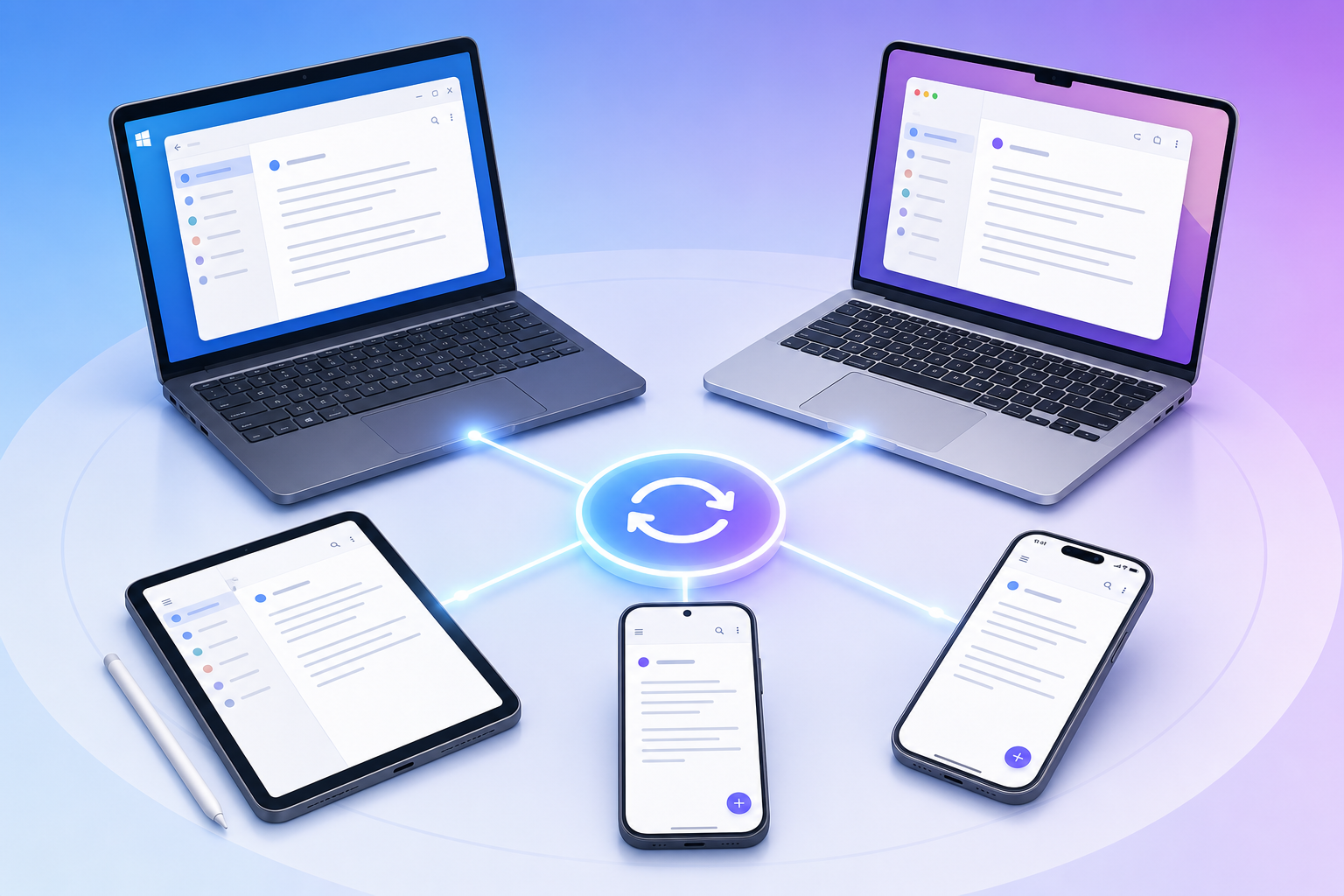
Every note-taking app on the market claims to be "cross-platform." Read the marketing pages and you'll see the same badge rows — iOS, Android, Mac, Windows, Web — lined up like a promise of seamless access. The reality is more complicated. An app that feels polished on a MacBook can feel like a second-class citizen on an Android tablet. Sync that works instantly between two Windows machines might lag or conflict when an iPhone enters the mix.
The core problem is that most apps are built with a primary platform in mind. The team invests heavily in the native experience for that platform, then ports a version — often a web wrapper or a stripped-down feature set — to the others. The result is a fragmented experience: you get the full feature set on your laptop but lose offline access on your phone, or you can capture notes quickly on your iPad but can't organize them the same way on your Windows desktop.
This guide takes a different approach. Instead of ranking apps by total feature count or popularity, we evaluate them by how well they work on your specific device combination. A student with a Windows laptop and an Android phone has different needs than a knowledge worker with a MacBook and an iPhone. A developer running Linux alongside an iPad has a third set of constraints entirely. The right choice depends on which devices you actually own, not on which app has the longest feature list.
How We Evaluated: 5 Criteria for Cross-Platform Note-Taking Apps
Each app in this comparison was tested across Mac, Windows, Linux, iOS, and Android where applicable. We evaluated five criteria that matter most for multi-device users:
- Native app quality on each platform: Does the app offer a dedicated native app, or is it a web wrapper? Are the core features — search, tagging, formatting, offline access — available and performant on every platform?
- Sync reliability and speed: How fast do changes propagate between devices? Does the app handle conflicts gracefully when you edit the same note on two devices simultaneously?
- Feature parity across platforms: Are there features available on one platform but missing on another? For example, does the iPad app support handwriting while the Android app does not?
- Export portability and data ownership: Can you export your notes in a standard format (Markdown, HTML, plain text) and move to another app without losing content or structure?
- Pricing: What does the app cost annually, and does the free tier provide a genuinely usable cross-platform experience?
The evaluation draws on testing data from Atlas (published May 8, 2026), PCMag (updated May 20, 2026), and Drawboard (2026), cross-referenced with Wikipedia's platform availability tables. Pricing was last verified in June 2026.
App-by-App Breakdown: Platform Availability and Key Tradeoffs
The table below shows which platforms each app supports with a native application. "Native" means a dedicated app built for that operating system, not a progressive web app (PWA) or a web wrapper. This distinction matters because native apps generally offer better performance, offline support, and integration with system features.
| App | Windows | macOS | Linux | iOS | Android | Web |
|---|---|---|---|---|---|---|
| Notion | Native | Native | No native app | Native | Native | Full web app |
| OneNote | Native | Native | No native app | Native | Native | PWA |
| Obsidian | Native | Native | Native | Native | Native | No web app |
| Joplin | Native | Native | Native | Native | Native | No web app |
| Standard Notes | Native | Native | Native | Native | Native | Full web app |
| Logseq | Native | Native | Native | Native | Native | No web app |
| Evernote | Native | Native | No native app | Native | Native | Full web app |
Notion
Notion delivers the most polished cross-platform experience among cloud-native apps. Its sync is fast and invisible — changes appear on all devices within seconds. The native apps for Windows, macOS, iOS, and Android feel consistent, with the same core feature set available everywhere. The web app is a full-featured fallback for any device without a native client.
The major gap is Linux. There is no native Notion client for Linux, and the web app, while functional, lacks offline support and system-level integrations. For users who rely on Linux as a primary or secondary device, this is a dealbreaker.
For a deeper look at who should and shouldn't use Notion, see our full Notion review.
Microsoft OneNote
OneNote is the best free cross-platform option, and PCMag names it "Best Overall" with a 4.5/5 rating. It offers native apps for Windows, macOS, iOS, and Android, plus a progressive web app. The free tier includes all core features — rich text formatting, tags, handwriting, audio recording, and OCR search — with 5 GB of free storage through a Microsoft account.
OneNote's cross-platform experience is remarkably consistent. The same notebook structure, formatting tools, and search capabilities are available on every platform. Real-time collaboration works across all devices. The main limitation is the lack of a native Linux app, and the web app is a PWA rather than a full native client.
Obsidian
Obsidian is the strongest option for users who prioritize data ownership and local-first architecture. It stores all notes as plain Markdown files on your local file system, which means you own your data completely. Native apps are available for Windows, macOS, Linux, iOS, and Android.
Obsidian's sync model is file-based. You can use Obsidian Sync ($48/year for personal use, $50/year for commercial), or you can use any third-party sync service — iCloud, Dropbox, Syncthing, or a self-hosted solution. This flexibility is powerful but requires more setup than server-authoritative sync. PCMag rates Obsidian 4.0/5 and calls it "Best for Power Users."
For a complete overview of Obsidian's latest features, including Bases and real-time collaboration, read our Obsidian review.
Joplin
Joplin is the best open-source option and the only app in this comparison that is both completely free and available on all major platforms including Linux. PCMag rates it 4.5/5 and names it "Best Open-Source App." Joplin stores notes locally by default and offers optional encrypted sync through Joplin Cloud ($36/year) or third-party services like NextCloud and Dropbox.
Joplin's interface is functional rather than polished. It lacks the visual refinement of Notion or OneNote, and its mobile apps are less intuitive than the desktop versions. But for users who need a free, open-source app that works on every platform including Linux, Joplin is the clear choice.
Standard Notes
Standard Notes is the only app in this comparison with end-to-end encryption enabled by default on all platforms. Every note is encrypted before it leaves your device, and the encryption keys are never accessible to the server. Native apps are available for Windows, macOS, Linux, iOS, and Android, plus a full web app.
The tradeoff for this level of privacy is a simpler feature set. Standard Notes focuses on plain text and Markdown notes with extensions for rich formatting, code blocks, and folders. It does not offer databases, kanban boards, or the kind of structured content that Notion provides. The Productivity plan costs $108/year.
Logseq
Logseq is an open-source, local-first app designed around outliner and knowledge graph workflows. It runs natively on Windows, macOS, Linux, iOS, and Android. Like Obsidian and Joplin, it stores notes as plain Markdown and Org-mode files, giving users full data ownership.
Logseq's sync is file-based, with an optional Logseq Sync service at $60/year. The app is best suited for users who work with hierarchical outlines, bidirectional links, and graph-based navigation. Its interface has a steeper learning curve than traditional note-taking apps, and the mobile experience is less refined than the desktop version.
Evernote
Evernote remains a capable cross-platform option with native apps for Windows, macOS, iOS, and Android, plus a full web app. PCMag rates it 4.0/5 and calls it "Best for Existing Evernote Users." Its strength is in web clipping, PDF annotation, and search across all content types including handwriting and images.
Evernote's free plan is severely limited: one device, 50 notes, and 250 MB of uploads per month. The Personal plan costs $14.99/month ($180/year), making it one of the most expensive options. There is no native Linux app. For users considering a switch, our Evernote comparison guide covers alternatives in detail.
Sync Engine Comparison: Server-Authoritative vs. File-Based vs. E2E Encrypted
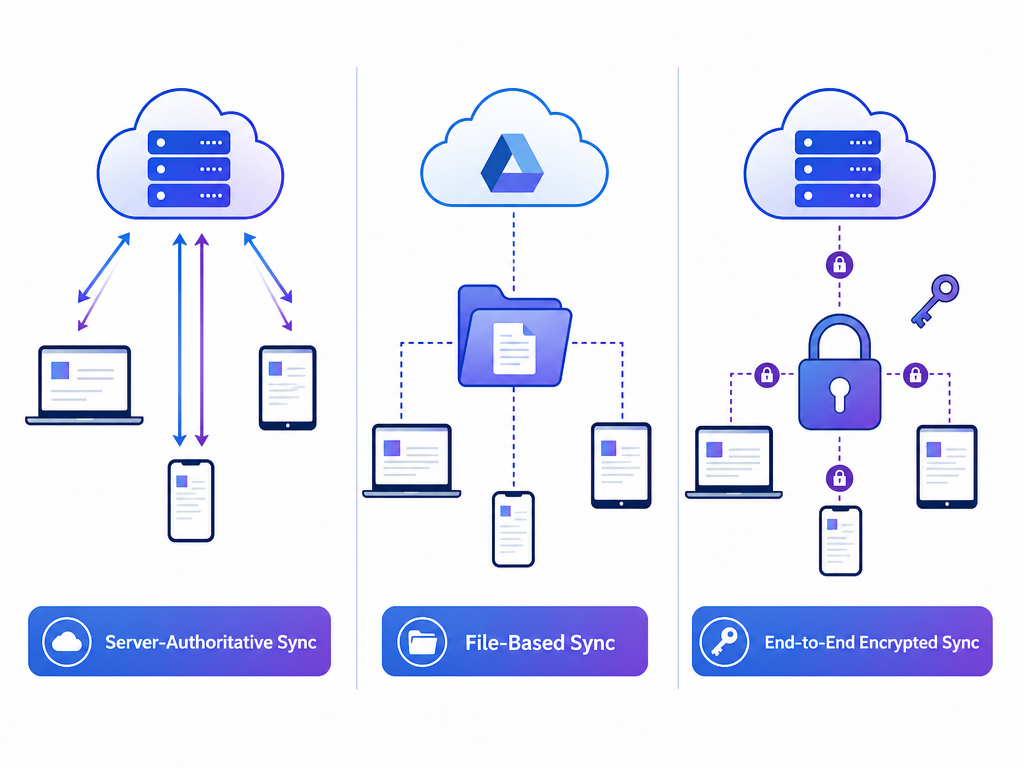
The sync architecture of a note-taking app determines how your data moves between devices, how conflicts are resolved, and how much control you have over your notes. There are three main approaches, each with distinct tradeoffs.
| Sync Pattern | How It Works | Best For | Apps Using This Pattern |
|---|---|---|---|
| Server-authoritative | The server holds the canonical copy of your data. Changes are sent to the server, which resolves conflicts and distributes updates to all devices. | Users who want invisible, real-time sync with minimal setup. Best for teams and multi-device users who prioritize convenience over data ownership. | Notion, OneNote, Evernote |
| File-based | Notes are stored as individual files on your local file system. Sync is handled by a third-party service (iCloud, Dropbox, Syncthing) or the app's own sync service. | Users who prioritize data ownership, local-first workflows, and the ability to access their notes with any text editor. | Obsidian, Joplin, Logseq |
| E2E encrypted | Notes are encrypted on your device before being sent to the server. The server never has access to the decryption keys. | Users who need strong privacy guarantees — journalists, researchers, or anyone handling sensitive information. | Standard Notes (default), Obsidian Sync (optional), Joplin (optional) |
Server-authoritative sync is the most invisible experience. When you edit a note on your phone, the change appears on your laptop within seconds, with no manual intervention. Notion and OneNote excel here. The tradeoff is that your data lives on someone else's server, and if you lose access to that server — due to an outage, a billing issue, or a service shutdown — you lose access to your notes.
File-based sync gives you full control. Your notes are plain files on your hard drive. You can open them with any text editor, back them up with any backup tool, and move them to another app without a complex export process. The tradeoff is that sync is less seamless. Conflicts can occur when you edit the same note on two devices before the sync service has propagated the changes, and resolving those conflicts requires manual attention.
E2E encrypted sync provides the strongest privacy guarantee. Standard Notes is the only app that enables this by default across all platforms. Obsidian Sync and Joplin offer it as an optional feature. The tradeoff is that server-side features like full-text search across all notes or AI-powered suggestions are harder to implement when the server cannot read your data.
Privacy and Encryption: Which Apps Protect Your Notes by Default
Privacy in note-taking apps is not binary — it exists on a spectrum. The key question is whether the app can read your notes. If the app stores your data on its servers without encryption, or with encryption keys that the server controls, then the company, its employees, or a government with legal authority can access your notes.
| App | Default Encryption | E2E Option | Server Can Read Your Notes? |
|---|---|---|---|
| Standard Notes | E2E encrypted | Default (always on) | No |
| Obsidian | No default encryption | Obsidian Sync (optional E2E) | Only if using third-party sync without encryption |
| Joplin | No default encryption | Optional (Joplin Cloud) | Only if using unencrypted sync |
| Logseq | No default encryption | Logseq Sync (optional) | Only if using unencrypted sync |
| Notion | TLS in transit, AES-256 at rest | No | Yes |
| OneNote | TLS in transit, AES-256 at rest | No | Yes |
| Evernote | TLS in transit, AES-256 at rest | No | Yes |
For most users, the choice comes down to a simple question: do you need the server to be unable to read your notes? If the answer is yes, Standard Notes is the only app that guarantees this by default. If the answer is no — because your notes are not sensitive enough to warrant the tradeoff in features — then Notion, OneNote, or Obsidian may be better fits.
Offline Capability: Which Apps Work Best Without Internet
Offline support is one of the most significant differentiators between note-taking apps. The distinction is not whether an app "works offline" — most do, to some degree — but whether the offline experience is a first-class feature or a degraded fallback.
| App | Offline Model | Can You Create and Edit Notes Offline? | Sync When Reconnecting |
|---|---|---|---|
| Obsidian | Local-first (canonical copy on device) | Yes, fully | Automatic (with Obsidian Sync or third-party sync) |
| Joplin | Local-first (canonical copy on device) | Yes, fully | Automatic (with Joplin Cloud or third-party sync) |
| Logseq | Local-first (canonical copy on device) | Yes, fully | Automatic (with Logseq Sync or third-party sync) |
| Standard Notes | Local-first (canonical copy on device) | Yes, fully | Automatic |
| Notion | Cached-offline | Yes, but limited to recently viewed pages | Automatic |
| OneNote | Cached-offline | Yes, full notebook cached | Automatic |
| Evernote | Cached-offline | Yes, full notebook cached | Automatic |
Local-first apps — Obsidian, Joplin, Logseq, and Standard Notes — store a canonical copy of every note on your device. You can create, edit, search, and organize notes without any internet connection. When you reconnect, changes sync automatically. This model is ideal for users who work on planes, in areas with unreliable internet, or who simply prefer not to depend on a server for access to their own data.
Cached-offline apps — Notion, OneNote, and Evernote — store a local cache of your notes. You can edit cached notes offline, and changes sync when you reconnect. The limitation is that you cannot access notes that have not been cached. If you create a new note on your phone while offline, it will not appear on your laptop until the phone reconnects and syncs. For most users, this is sufficient. But for users who need guaranteed access to their entire library at all times, local-first is the safer choice.
Pricing Comparison: Annual Costs and Free Plan Limits
Pricing varies widely across these apps, from completely free (Joplin) to $180/year (Evernote Personal). The table below shows annual costs for paid plans and the key limitations of free tiers.
| App | Free Tier Limits | Paid Plan (Annual) | Student Discount |
|---|---|---|---|
| OneNote | 5 GB storage, all core features | Free (no paid tier required) | N/A |
| Joplin | Fully free (self-hosted sync) | Joplin Cloud: $36/yr | N/A |
| Obsidian | Fully free (local only) | Obsidian Sync: $48/yr (personal), $50/yr (commercial) | N/A |
| Logseq | Fully free (local only) | Logseq Sync: $60/yr | N/A |
| Standard Notes | Basic features, no encryption extensions | Productivity: $108/yr | N/A |
| Notion | Limited blocks, 7-day page history | Plus: $120/yr (Atlas) or $144/yr (Drawboard) | Free Student Pro upgrade with .edu email |
| Evernote | 1 device, 50 notes, 250 MB/month upload | Personal: $180/yr | N/A |
For a deeper analysis of which free plans are genuinely usable versus limited trials, see our guide to free note-taking apps.
Top Picks by Device Combination
This is the core differentiator of this guide. Instead of asking "which app is best overall," ask "which app works best on my specific devices." Below are recommendations for the most common device combinations.
Windows + Android
OneNote is the best choice for this combination. It offers native apps on both platforms with full feature parity, real-time sync, and a generous free tier. The integration with Microsoft's ecosystem — Outlook, Teams, and Office — is a bonus for users who already use these tools. If you prefer a local-first approach, Obsidian or Joplin are excellent alternatives with native apps on both Windows and Android.
Mac + iPhone
Notion offers the most polished experience for Mac and iPhone users. The native apps are well-designed, sync is fast, and the feature set is consistent across both platforms. OneNote is a strong free alternative, especially if you use iCloud for sync. Obsidian works well too, with the added benefit of local-first storage and optional E2E encryption through Obsidian Sync.
Linux + Any
If you use Linux as a primary or secondary device, your options are limited to Obsidian, Joplin, Standard Notes, and Logseq — the only apps with native Linux support. Among these, Obsidian offers the best balance of features, performance, and ecosystem. Joplin is the best free option. Standard Notes is the best choice if privacy is your top priority. Notion, OneNote, and Evernote are not viable for Linux users who need a native app.
Windows + iPhone
This is the trickiest combination because the two platforms have different ecosystems. OneNote handles this well with native apps on both platforms and seamless sync through Microsoft's servers. Notion is also a strong choice, with native apps on both Windows and iOS. Obsidian works if you use Obsidian Sync or a third-party service like iCloud to bridge the two platforms.
Mac + Android
This combination is less common but increasingly relevant. OneNote is the most reliable option, with native apps on both platforms and consistent feature parity. Notion also works well, though the Android app is slightly less polished than the iOS version. Obsidian and Joplin are good alternatives for users who prefer local-first storage.
All-Web Users
If you primarily use web apps and don't need native clients, Notion and Standard Notes offer the most complete web experiences. OneNote's PWA is functional but less polished. Evernote's web app is capable but its free tier limitations make it hard to recommend.
Pitfalls to Avoid When Choosing a Cross-Platform Note-Taking App
Choosing a note-taking app for multiple devices is a decision you will likely live with for years. Moving thousands of notes between apps is painful, and some data — formatting, attachments, tags — may not survive the migration. Avoid these common mistakes.
- Assuming "web app" equals native experience: A web app or PWA is not a substitute for a native app. Web apps lack system-level integrations (share sheets, file pickers, notifications), perform worse on mobile, and often have limited offline support. Always check whether the app offers a native client for your primary device.
- Ignoring sync conflicts with file-based systems: File-based sync (Obsidian, Joplin, Logseq) gives you data ownership, but it also means you can run into sync conflicts if you edit the same note on two devices before the sync service propagates changes. This is rare with modern sync services but worth understanding before you commit.
- Overlooking export limitations of proprietary formats: Notion, OneNote, and Evernote use proprietary formats. Exporting your notes is possible, but formatting, attachments, and internal links may not survive the process. If you value the ability to leave, choose an app that stores notes in plain Markdown or offers a clean export path.
- Choosing an app that doesn't support your primary device: This sounds obvious, but many users choose an app based on its desktop experience and later discover that the mobile app is unusable. Test the app on your least-used device — if it fails there, it will fail you when you need it most.
Final Verdict: The Best Cross-Platform Note-Taking App Depends on Your Devices
There is no single best cross-platform note-taking app. The right choice depends on which devices you own, how you use them, and what you value most — convenience, privacy, data ownership, or cost.
For most users with a Windows and Android combination, OneNote is the clear winner: free, feature-rich, and consistent across both platforms. For Mac and iPhone users, Notion offers the most polished experience. For Linux users, Obsidian is the best balance of features and platform support. For users who prioritize privacy above all else, Standard Notes is the only app with E2E encryption enabled by default on every platform.
The key is to start with your device combination, not with the app's feature list. Identify which platforms you use daily, check the platform availability table above, and test the app on your least-supported device. If it works there, it will work everywhere.
For deeper dives into individual apps, see our Notion review, Obsidian review, and Evernote comparison.