
Why BPM Matters for Knowledge Workers (Not Just Enterprises)
When most people hear "business process management," they picture sprawling enterprise suites with BPMN 2.0 diagrams, case management modules, and process simulation engines — the kind of software that requires a dedicated team of analysts to configure and a six-figure annual budget to maintain. That picture is accurate for large organizations, but it has little to do with the daily reality of knowledge workers, operations leads, and small teams who simply need to automate repetitive tasks, route approvals, and connect the tools they already use.
The disconnect is stark. According to Grand View Research, the global BPM market was valued at $20.38 billion in 2024 and is projected to reach $61.17 billion by 2030. Yet 94% of companies still perform repetitive, time-consuming tasks manually, and 90% of automation projects fail, according to a Camunda survey. The failure rate isn't because automation is a bad idea — it's because organizations reach for enterprise-grade solutions when what they really need is a lightweight, no-code workflow tool that their team can actually use.
This article argues a specific thesis: enterprise BPM features are actively counterproductive for knowledge workers, not merely unnecessary. BPMN 2.0 compliance, case management frameworks, and process simulation tools add complexity without delivering value for the workflows that matter most to this audience — approval chains, onboarding sequences, client intake forms, and cross-tool data synchronization. The best BPM tools for knowledge workers in 2026 prioritize no-code visual builders, deep integration ecosystems, and team-friendly pricing over traditional enterprise capabilities.
The numbers back up the need for a different approach. A McKinsey analysis cited by monday.com indicates that organizations typically see 30–50% reductions in cycle time and administrative costs through effective BPM implementation. But those gains are only realized when the tool actually gets adopted — and adoption depends on ease of use. 75% of organizations are now investing in low-code or no-code platforms, according to Kissflow's 2026 BPM trends report. That shift reflects a growing recognition that the best BPM tool is the one your team will actually use, not the one with the most features.
For readers who want a deeper look at why no-code builders matter specifically for non-technical teams, our guide to process automation tools for non-technical teams covers the adoption dynamics in more detail.
Evaluation Criteria: What to Look for in a Knowledge-Worker BPM Tool
Before diving into specific tools, it's worth establishing a clear framework for evaluation. The criteria that matter for a knowledge worker selecting a BPM tool are fundamentally different from what an enterprise buyer would prioritize. Here are the five dimensions that separate genuinely useful platforms from over-engineered alternatives.
1. No-Code Visual Workflow Builder
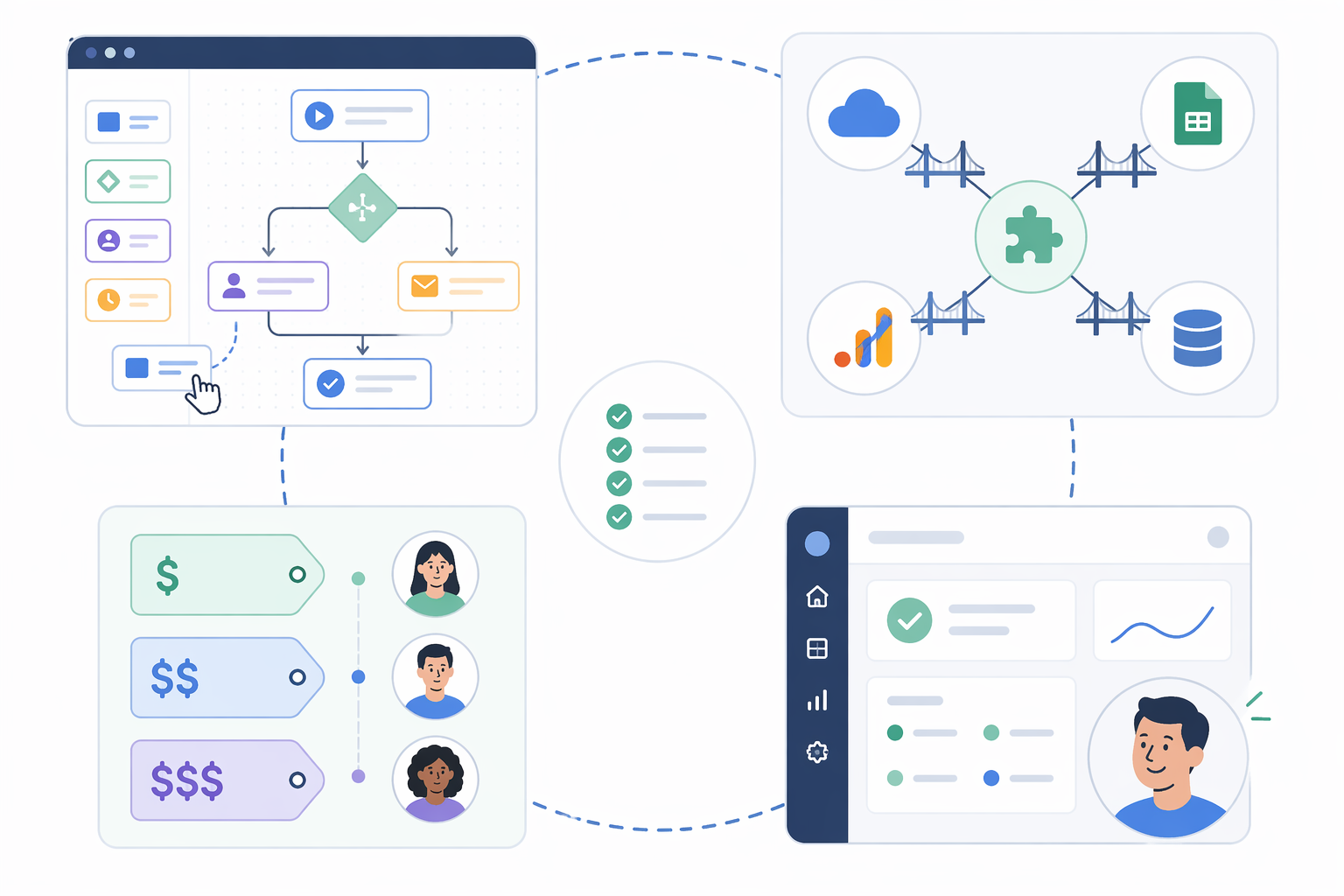
This is the single most important criterion. A visual, drag-and-drop workflow builder lets operations leads and team managers design processes without writing a single line of code or learning BPMN notation. The best builders offer conditional logic, parallel branches, and approval routing through an intuitive canvas. If a tool requires training in process modeling standards before you can build your first workflow, it's the wrong tool for a knowledge-worker context.
2. Integration Ecosystem Depth
Knowledge workers don't operate in a vacuum. They use Slack, Google Workspace, Microsoft 365, Salesforce, HubSpot, and a dozen other SaaS tools daily. A BPM tool that can't connect to these platforms forces users to choose between manual data entry and abandoning the workflow altogether. Integration depth — measured by the number of native connectors, API flexibility, and support for webhook-based triggers — is a better predictor of long-term success than any single feature. 83% of IT leaders believe workflow automation is necessary for digital transformation, but that transformation only happens when the automation tool can reach the data where it lives.
3. Team-Friendly Pricing
Enterprise BPM suites typically cost $50,000–$300,000+ per year and take 3–12 months to deploy, according to Kissflow. That model is incompatible with the needs of a 10-person operations team or a department lead who needs a solution this quarter. The tools in this comparison start at $9–$24 per user per month, with several offering free tiers or trial periods. The pricing landscape has shifted dramatically: what used to require an enterprise contract is now available as a team subscription.
4. Ease of Use and Onboarding Speed
Low-code platforms can deploy in 1–2 weeks, compared to 3–12 months for enterprise BPM suites. That speed matters because knowledge-worker teams rarely have the luxury of a dedicated implementation phase. The tool should be usable within the first hour of signing up, with a shallow learning curve for both builders and end-users. If team members need training just to submit a request or approve a task, adoption will stall.
5. Scalability for Growing Teams
The tool you choose today should still work when your team doubles in size or when your processes grow from simple approvals to multi-step orchestration. Scalability doesn't mean enterprise features — it means reasonable per-user pricing at higher seat counts, role-based permissions, and the ability to create process templates that can be reused across departments. Avoid tools that cap active workflows or charge per-process rather than per-user.
Top BPM Workflow Tools Compared (2026)
The following comparison covers eight platforms that serve the knowledge-worker BPM space. Each tool is evaluated against the five criteria above, with a focus on no-code builder quality, integration depth, and real-world pricing. Pricing data was last verified from published sources in mid-2026 and should be confirmed against official vendor pages before making a purchase decision.
monday.com
monday.com has evolved from a project management tool into a full-featured work operating system with a strong no-code workflow builder. Its visual automation engine lets users create multi-step workflows with conditional logic, due date triggers, and cross-board automations without any coding. The platform integrates natively with Slack, Gmail, Outlook, Jira, and over 200 other apps through its marketplace. Pricing starts at $9 per seat per month (billed annually), making it one of the most accessible options for small teams. The Digital Project Manager names it "best for customization," and its AI capabilities — including AI Blocks and Digital Workers for autonomous process monitoring — add a layer of intelligence that most competitors lack.
Kissflow
Kissflow positions itself as a no-code digital workplace platform purpose-built for SMB workflows. Its visual process builder supports human-centric and integration-centric workflows, and the platform includes pre-built templates for common processes like employee onboarding, purchase orders, and leave requests. Kissflow's pricing starts at $1,500 per month for 50 users (effectively $30/user/month), though Enate's source lists a Basic plan at $10/user/month for 20 users. This discrepancy highlights the importance of verifying current pricing directly. Kissflow is best suited for teams that want an all-in-one platform with built-in process management, case management, and reporting — but the pricing may be steep for very small teams.
Pipefy
Pipefy is a mid-market no-code process automation platform that excels at structured workflows like procurement, HR requests, and IT ticket management. Its drag-and-drop builder supports conditional paths, SLA tracking, and real-time dashboards. Pipefy offers a free plan with limited features and paid plans starting at $24 per user per month. The platform integrates with major SaaS tools through native connectors and Zapier. Pipefy is a strong choice for mid-market teams that need structured process governance without the complexity of enterprise BPM suites.
Process Street
Process Street takes a different approach: it's built around structured checklists and standard operating procedures rather than free-form workflow design. This makes it ideal for teams that need to enforce compliance, standardize recurring tasks, or onboard new hires with step-by-step guidance. The platform includes conditional logic, role-based assignments, and approval steps within its checklist framework. Pricing starts at $100 per month for 5 members (Startup plan), scaling to $1,660 per month for Enterprise. Process Street is not a general-purpose BPM tool — it's best for checklist-driven processes where consistency and auditability matter more than complex orchestration.
Jotform is primarily known as a form builder, but its Jotform Approvals and Jotform Workflows features turn it into a capable no-code BPM tool for simple process automation. Users can build multi-step approval flows, conditional routing, and automated email notifications directly from form submissions. Pricing starts at $19.50 per month for the Bronze plan, which includes 10,000 monthly submissions and 10 users. Jotform integrates with Google Drive, Dropbox, Slack, and over 100 other apps. It's best for teams whose workflows begin with a form submission — intake requests, client onboarding, or feedback collection — and need a lightweight approval layer on top.
Wrike
Wrike is a work management platform with strong BPM capabilities, particularly around project blueprints that let teams templatize recurring workflows. Its no-code automation engine supports task dependencies, approval routing, and cross-project synchronization. Pricing starts at $10 per user per month for the Team plan. Wrike integrates with Salesforce, Slack, Microsoft Teams, and over 400 other apps. It's best suited for teams that need a blend of project management and process automation — particularly marketing, creative, and professional services teams that manage both projects and recurring workflows.
Camunda
Camunda is the outlier in this list: it's an open-source workflow engine that requires significant technical expertise to deploy and configure. While it offers a free community edition and enterprise pricing starting at €99 per user per month (up to 10 users), its value proposition depends on BPMN 2.0 modeling and developer-led implementation. Camunda is included here because it's frequently mentioned in BPM comparisons, but it is not recommended for knowledge-worker teams without dedicated developer support. If your team has engineering resources and needs a highly customizable workflow engine, Camunda is worth evaluating. Otherwise, skip it.
Moxo
Moxo is a newer entrant focused on enterprise process orchestration across internal and external parties. It includes a visual workflow builder, document generation, and secure client portals. Pricing starts at $99 per month with a free trial available. Moxo is best for teams that need to manage processes involving external stakeholders — clients, vendors, or partners — and want a unified platform for communication, document exchange, and workflow tracking. Its pricing is higher than most knowledge-worker-focused tools, but the external-party orchestration capability is unique in this comparison.
Side-by-Side Comparison Table
| Tool | Starting Price | No-Code Builder Quality | Key Integrations | Best For | Not For You If |
|---|---|---|---|---|---|
| monday.com | $9/seat/month | Excellent — visual automation engine with conditional logic | Slack, Gmail, Jira, 200+ apps | Teams that want a flexible work OS with strong automation | You need structured process governance or BPMN modeling |
| Kissflow | $10/user/month (Basic) or $1,500/month (50 users) | Very good — purpose-built no-code process builder | Google Workspace, Salesforce, Zapier | SMBs that want an all-in-one digital workplace | You're a solo operator or micro-team on a tight budget |
| Pipefy | $24/user/month (free plan available) | Very good — drag-and-drop with SLA tracking | Slack, Jira, Salesforce, Zapier | Mid-market teams needing structured process governance | You need simple task management, not structured workflows |
| Process Street | $100/month (5 members) | Good — checklist-based with conditional logic | Slack, Google Sheets, Zapier, API | Teams that need compliance-driven checklist workflows | You need complex multi-step orchestration or case management |
| Jotform | $19.50/month (Bronze) | Good — form-based approval flows | Google Drive, Dropbox, Slack, 100+ apps | Teams whose workflows start with a form submission | You need enterprise-grade process modeling or analytics |
| Wrike | $10/user/month (Team) | Very good — project blueprints with automation | Salesforce, Slack, Microsoft Teams, 400+ apps | Marketing, creative, and PS teams blending projects and processes | You need a pure BPM tool without project management features |
| Camunda | Free (Community) / €99/user/month (Enterprise) | Poor for non-developers — requires BPMN modeling | Kafka, AWS, Azure, custom APIs | Developer-led teams needing a customizable workflow engine | You don't have dedicated developer resources |
| Moxo | $99/month (free trial available) | Good — visual builder with external-party orchestration | Google Workspace, Slack, Salesforce, API | Teams managing processes with external stakeholders | You only need internal team workflows |
Decision Framework: Which Tool Fits Your Team and Process Complexity?
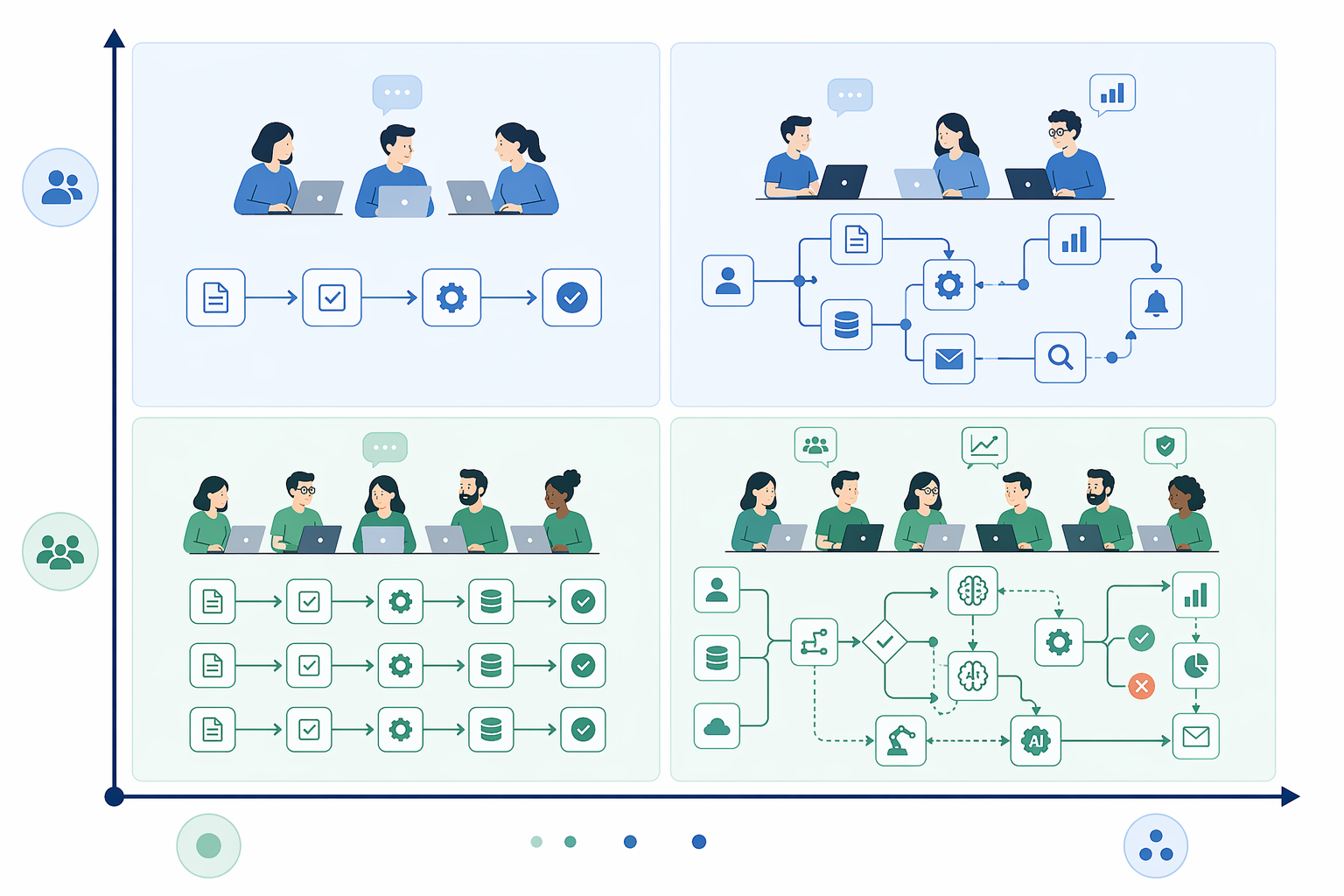
Choosing the right BPM tool depends on two variables: your team size and the complexity of the processes you need to automate. The following framework maps the tools above to common knowledge-worker scenarios.
Solo Operators and Micro-Teams (1–5 People)
If you're a freelancer, consultant, or very small team, your BPM needs are likely limited to simple approval flows, client intake forms, and task checklists. Jotform ($19.50/month) is the most cost-effective entry point — you can build form-based workflows without any learning curve. Process Street ($100/month for 5 members) is a good alternative if your work is checklist-driven and compliance matters. Avoid Pipefy and Kissflow at this stage; their pricing and feature sets assume a larger team.
Small Teams (5–20 People)
At this size, you likely need a mix of project management and process automation. monday.com ($9/seat/month) is the strongest all-around choice — its visual automation engine is intuitive enough for non-technical team members, and its integration ecosystem covers the tools most small teams use. Wrike ($10/user/month) is a close alternative if your team leans toward project-centric work. If your processes are structured and repeatable (e.g., procurement, HR requests), Pipefy ($24/user/month) offers better governance features, though at a higher per-user cost.
Growing Departments (20–50 People)
As teams grow, the need for structured process governance, role-based permissions, and cross-departmental workflows increases. Kissflow ($1,500/month for 50 users) is designed for this scenario, offering a unified platform for process management, case management, and reporting. Pipefy also scales well at this size, particularly for teams that need SLA tracking and audit trails. If your workflows involve external stakeholders (clients, vendors, partners), Moxo ($99/month) provides unique external-party orchestration capabilities that neither monday.com nor Pipefy offer.
Simple Approvals vs. Multi-Step Orchestration
Process complexity is the second dimension. For simple approval chains (e.g., expense reports, time-off requests, purchase orders), Jotform and Process Street are sufficient and cost-effective. For multi-step orchestration involving conditional routing, parallel tasks, and cross-system data synchronization, monday.com, Pipefy, and Kissflow are better equipped. If your processes require integration with external APIs or event-driven triggers, Camunda is the most flexible option — but only if you have developer resources to configure it.
Common Buying Mistakes to Avoid
Knowledge-worker teams evaluating BPM tools tend to repeat the same patterns of overbuying, underestimating integration needs, and ignoring the human side of adoption. Here are the most common mistakes and how to avoid them.
Mistake 1: Overbuying Enterprise Features
The most frequent error is selecting a tool based on its feature list rather than its usability. A team of 15 people does not need BPMN 2.0 compliance, case management frameworks, or process simulation engines. These features add complexity to the interface, increase the learning curve, and slow down deployment. The result is the 90% automation project failure rate that Camunda's survey identified — not because automation is flawed, but because the tool is too heavy for the actual use case. Stick with no-code-first platforms that let you build your first workflow in under an hour.
Mistake 2: Underestimating Integration Needs
A BPM tool that can't connect to your existing tech stack is a glorified to-do list. Before evaluating any platform, map the tools your team uses daily — email, calendar, CRM, project management, file storage, communication — and verify that the BPM tool offers native connectors or reliable API access for each one. 83% of IT leaders say workflow automation is necessary for digital transformation, but that transformation stalls when the automation tool can't reach the data. Integration depth is a better predictor of success than any single feature.
Mistake 3: Ignoring Onboarding Complexity
Enterprise BPM suites take 3–12 months to deploy. Even low-code platforms can take weeks if the configuration is complex. For knowledge-worker teams, the ideal deployment timeline is days, not months. If a vendor's onboarding process involves training sessions, certification programs, or dedicated implementation consultants, the tool is likely over-engineered for your needs. Look for platforms that offer self-service onboarding, template libraries, and in-app guidance.
Mistake 4: Failing to Involve End-Users in the Evaluation
BPM tools are often evaluated by operations leads or IT managers who focus on technical capabilities, while the actual end-users — the knowledge workers who will submit requests, approve tasks, and follow workflows — are consulted only after the purchase. This mismatch leads to low adoption rates and wasted investment. Include at least two end-users in the trial process and ask them to build a real workflow during the evaluation period. Their feedback on usability will be more predictive of long-term success than any feature comparison.
Key Takeaways
The BPM tool landscape has shifted dramatically. What was once the domain of enterprise IT departments with six-figure budgets is now accessible to any team with a credit card and a willingness to automate. The key conclusions from this comparison are straightforward.
- No-code visual workflow builders are the #1 differentiator. If a tool requires training in BPMN notation or process modeling before you can build your first workflow, it's the wrong tool for a knowledge-worker team. The best platforms let you drag, drop, and connect — nothing more.
- Integration depth beats feature count. A tool with 50 native connectors and a flexible API will deliver more value than a tool with 500 features but no way to reach your CRM, email, or file storage. Map your integration needs before you evaluate features.
- Team-based BPM pricing has dropped significantly. Tools like monday.com ($9/seat/month) and Wrike ($10/user/month) make enterprise-grade workflow orchestration accessible to teams of any size. The old assumption that BPM requires a six-figure budget no longer holds.
- Enterprise BPM features are actively counterproductive for knowledge workers. BPMN 2.0 compliance, case management frameworks, and process simulation engines add complexity without delivering value for the workflows that matter most — approval chains, onboarding sequences, intake forms, and cross-tool synchronization. Choose a tool that matches your actual process complexity, not your aspirational one.
For readers who want to explore specific no-code options in more depth, our guide to the best no-code workflow orchestration tools for business teams provides detailed profiles of the platforms that scored highest on no-code builder quality. And if you're still deciding whether BPM is the right approach for your team, our process automation tools comparison for non-technical teams covers the broader automation landscape beyond traditional BPM.