
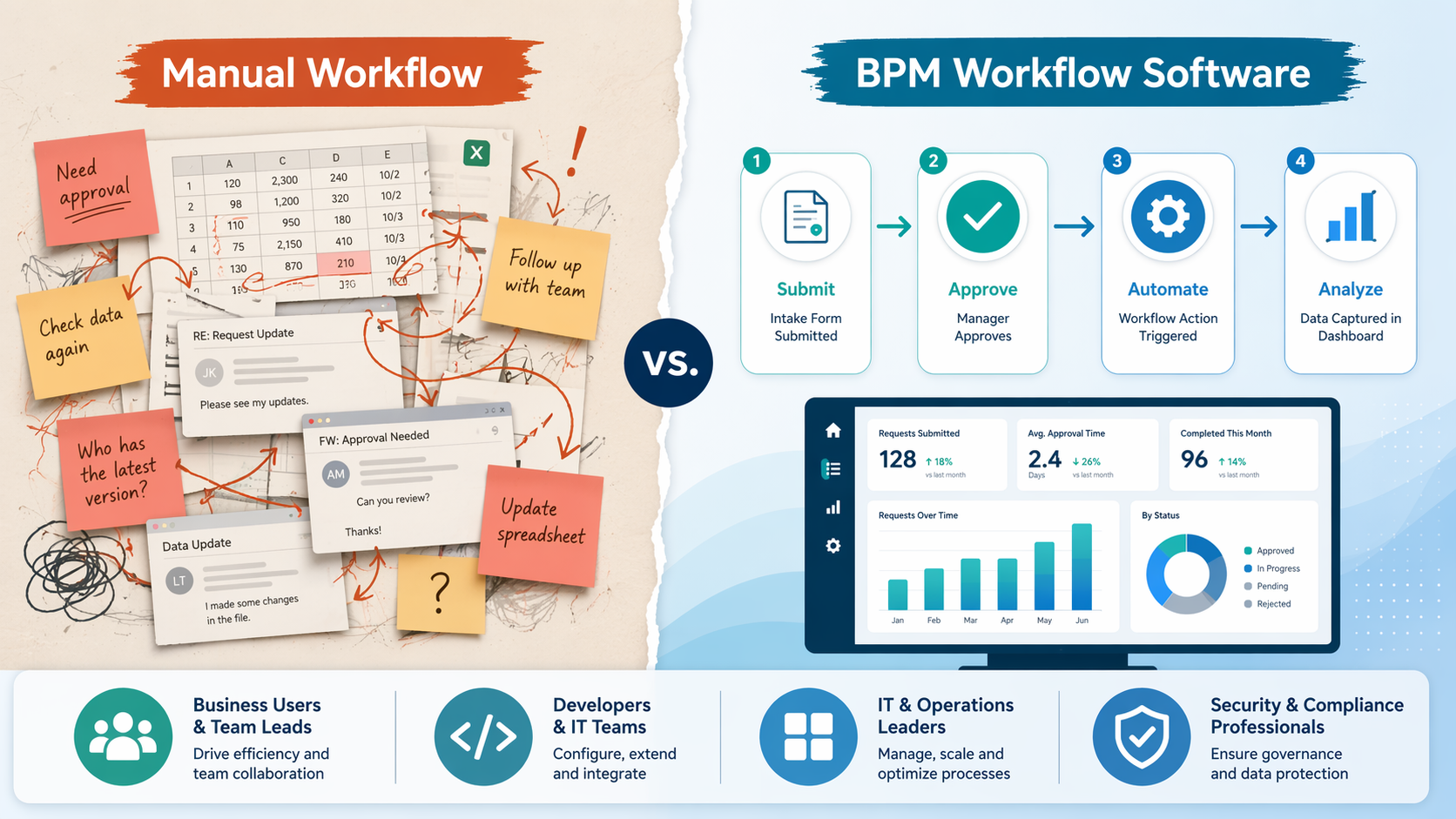
The Four Buyer Profiles That Define the BPM Market
The business process management (BPM) software market is not a single category with a single buyer. It is four distinct markets sharing a label. The mistake most teams make is picking a tool from the wrong quadrant — buying an enterprise-grade orchestration engine when they need a no-code form builder, or forcing a lightweight workflow tool to handle compliance-heavy multi-party processes.
The dividing lines are team size and technical capability. Based on these two axes, the market splits into four clear buyer profiles:
- No-Code SMB Teams — small to mid-sized teams with little to no dedicated technical staff who need workflows live in hours, not weeks.
- Developer-Led Engineering Teams — technical teams that require BPMN 2.0 standards, API-first architecture, and precise process orchestration.
- Microsoft-Centric Organizations — companies already invested in the Microsoft ecosystem that need native SharePoint, Teams, and M365 integration.
- Enterprise Multi-Party Operations — large organizations managing cross-boundary, regulated processes that demand immutable audit trails and dedicated process excellence teams.
If you are evaluating business process management workflow software for the first time or looking to switch platforms, the single most important decision you will make is identifying which of these four profiles your team actually fits. Choosing outside your profile is the fastest path to wasted budget and failed adoption.
Quick-Reference Matrix: Tool × Team Size × Tech Level × Budget
The table below maps each major BPM platform to its target buyer profile, typical team size range, technical skill requirement, and starting price point. Use this as your first-pass filter before diving into the detailed profiles.
| Tool | Target Profile | Team Size Range | Tech Level Required | Starting Price (per month) |
|---|---|---|---|---|
| Kissflow | No-Code SMB | 10–200 users | Low / No-Code | $1,500 (50 users) |
| Pipefy | No-Code SMB | 10–500 users | Low / No-Code | $24/user |
| Process Street | No-Code SMB | 2–50 members | Low / No-Code | $100 (5 members) |
| Camunda | Developer-Led | 50–5,000+ users | High / Developer | $1,495 (Cloud) |
| jBPM | Developer-Led | 50–1,000+ users | High / Developer | Open Source (self-host) |
| Bonita | Developer-Led | 50–1,000+ users | High / Developer | Open Source (self-host) |
| Nintex | Microsoft-Centric | 100–5,000+ users | Medium | Varies (scales quickly) |
| Power Automate | Microsoft-Centric | 10–10,000+ users | Low to Medium | $15/user |
| Moxo | Enterprise Multi-Party | 50–10,000+ users | Medium | $99 |
| SAP Signavio | Enterprise Multi-Party | 500–50,000+ users | High / Dedicated team | Custom quote |
| Pega | Enterprise Multi-Party | 1,000–50,000+ users | High / Dedicated team | Custom quote |
Profile 1: No-Code SMB Teams — Fastest Time-to-Value
If your team has fewer than 200 people, no dedicated developers to spare, and you need a workflow live by the end of the week, you belong in this quadrant. The tools here trade raw power and flexibility for speed and ease of use. They are designed for operations managers, department heads, and team leads who can drag and drop their way to a working process without writing a single line of code.
The three leading options in this space are Kissflow, Pipefy, and Process Street. All three offer pre-built templates, visual process builders, and minimal onboarding friction. But they differ in pricing structure and ceiling.
| Feature | Kissflow | Pipefy | Process Street |
|---|---|---|---|
| Starting Price | $1,500/mo (50 users) | $24/user/mo | $100/mo (5 members) |
| Best For | SMBs needing fast, low-code deployment | Mid-market teams building no-code processes | Small teams with checklist-based workflows |
| Pre-built Templates | Extensive library | Moderate library | Checklist and SOP templates |
| Complex Multi-Party Workflows | Limited | Limited | Not designed for this |
| Mobile Support | Yes | Yes | Yes |
Kissflow starts at $1,500 per month for 50 users on its Basic plan. It is the most polished of the three for teams that need to go from zero to live workflow in a single afternoon. Its pre-built template library covers common business processes — leave requests, purchase orders, expense approvals — and its low-code builder lets power users add conditional logic without developer involvement. However, Kissflow hits a ceiling when processes involve multiple external organizations or require complex state management across dozens of steps.
Pipefy takes a different approach with per-user pricing starting at $24 per user per month. This makes it more attractive for smaller teams that do not want to pay for seats they are not using. Pipefy's strength is its intuitive interface and its ability to handle mid-market complexity — think multi-department approval chains and conditional routing. Like Kissflow, it is not built for enterprise-grade multi-party orchestration.
Process Street is the budget-friendly outlier at $100 per month for five members. It is best suited for teams whose workflows are essentially checklists and standard operating procedures — onboarding new hires, running weekly QA checks, managing content publishing calendars. It lacks the visual process builder depth of Kissflow and Pipefy, but for small teams with straightforward needs, it is the fastest path to structured process management.
For readers who want a broader look at workflow automation tools beyond BPM-specific platforms, see our head-to-head comparison of the best workflow automation platforms in 2026. And if your budget is extremely tight, our budget-friendly picks under $20 per month may surface options you have not considered.
Profile 2: Developer-Led Engineering Teams — Precision and Standards
If your team has dedicated developers, you need BPMN 2.0 compliance, and your processes require precise orchestration across multiple systems, you belong in the developer-led quadrant. The tools here are not designed for drag-and-drop business users. They are platforms for engineers who want full control over process logic, data flow, and integration architecture.
The three primary options are Camunda, jBPM, and Bonita. All three support BPMN 2.0, offer API-first architectures, and give developers the ability to embed process automation directly into existing applications.
| Feature | Camunda | jBPM | Bonita |
|---|---|---|---|
| Starting Price | Free (Community) / $1,495/mo (Cloud) | Free (Open Source) | Free (Open Source) |
| BPMN 2.0 Support | Full | Full | Full |
| API-First Architecture | Yes | Yes | Yes |
| Self-Hosting Option | Yes (Community) | Yes | Yes |
| Best For | Developer-heavy enterprise automation | Java-centric teams | Teams needing a visual designer + code |
Camunda is the market leader in this quadrant. It offers a free open-source Community edition and a managed Cloud version starting at $1,495 per month. Camunda's strength is its strict adherence to BPMN 2.0 standards, which means processes modeled in Camunda can theoretically be exported and run on other BPMN-compliant engines. Its API-first architecture makes it a natural fit for teams that want to embed process automation into microservices architectures or existing SaaS products. The trade-off is clear: Camunda requires significant technical resources to deploy, configure, and maintain.
jBPM and Bonita are both open-source alternatives that follow the same BPMN 2.0 standard. jBPM is particularly strong for Java-centric organizations — it is part of the Red Hat middleware ecosystem and integrates naturally with JBoss and other Java enterprise tools. Bonita offers a visual designer that bridges the gap between business analysts and developers, making it slightly more accessible than Camunda for teams that want a middle ground between no-code and full-code.
Profile 3: Microsoft-Centric Organizations — Native Integration
If your organization runs on Microsoft 365 — SharePoint for document management, Teams for communication, Outlook for email — then your BPM tool should live inside that ecosystem, not alongside it. The two dominant options are Nintex and Power Automate.
| Feature | Nintex | Power Automate |
|---|---|---|
| Starting Price | Varies (scales quickly with users) | $15/user/mo |
| Native M365 Integration | SharePoint, Teams, M365 | Full Microsoft ecosystem |
| Best For | Organizations needing deep SharePoint workflow automation | Departmental automation and citizen developers |
| Scalability Ceiling | Enterprise-grade | Departmental to mid-market |
| Learning Curve | Medium | Low to Medium |
Nintex has been the gold standard for SharePoint workflow automation for over a decade. Its native integration with SharePoint, Teams, and the broader M365 stack means you can build workflows that trigger from document uploads in SharePoint, route approvals through Teams, and log results back to SharePoint lists — all without custom connectors. The catch is cost: Nintex pricing scales quickly as you add users and workflows, and it can become one of the more expensive options in this comparison for large deployments.
Power Automate is Microsoft's own low-code automation platform, starting at $15 per user per month. It is significantly cheaper than Nintex and has the advantage of being part of the Microsoft Power Platform, which means it integrates with Power Apps, Power BI, and Dynamics 365 out of the box. Power Automate is ideal for departmental automation — think HR onboarding workflows, IT ticket routing, and expense approval chains. It is less suited for complex, multi-system enterprise processes that require BPMN 2.0 compliance or advanced state management.
Profile 4: Enterprise Multi-Party Operations — Compliance and Audit Trails
If your organization manages processes that cross organizational boundaries — involving external partners, regulated data, or compliance-mandated audit trails — you need a platform built for multi-party orchestration. The tools in this quadrant are overkill for small teams and simple workflows, but they are essential for enterprises where a single failed audit trail can mean regulatory penalties.
The three key platforms are Moxo, SAP Signavio, and Pega.
| Feature | Moxo | SAP Signavio | Pega |
|---|---|---|---|
| Starting Price | $99/mo | Custom quote (high) | Custom quote (very high) |
| Best For | Enterprise multi-party processes with AI agent orchestration | SAP-heavy organizations with dedicated process teams | Enterprise case management and customer service workflows |
| Audit Trail Quality | Immutable, AI-enhanced | Enterprise-grade | Enterprise-grade |
| Required Team | Process owner + IT support | Dedicated process excellence team | Dedicated process excellence team |
| AI Features | AI agent orchestration | Process mining and analytics | Predictive case management |
Moxo is the most accessible entry point in this quadrant, starting at $99 per month. It orchestrates AI agents and human workers within a single platform, with immutable audit trails that make it suitable for regulated industries like financial services and healthcare. Moxo's AI agent orchestration capability is a differentiator — it can automatically route tasks, extract data from documents, and trigger follow-up actions without human intervention. For enterprises that need multi-party process management without the overhead of a full SAP Signavio or Pega deployment, Moxo offers a middle path.
SAP Signavio is the platform of choice for organizations deeply invested in the SAP ecosystem. It offers process mining, modeling, and automation capabilities that are tightly integrated with SAP S/4HANA and other SAP products. The catch is that SAP Signavio requires a dedicated process excellence team to operate effectively. It is not a tool you buy and hand to a department head — it is a platform that requires ongoing investment in process analysts, modelers, and governance.
Pega is the heavyweight in this category, focused on enterprise case management and customer service workflows. Its predictive case management capabilities use AI to suggest next-best-actions and route cases to the right teams automatically. Pega is the most expensive option in this comparison and is typically deployed by large enterprises with dedicated BPM centers of excellence.
Cross-Cutting Features Comparison Table
The table below provides a detailed feature comparison across all profiled tools. Use it to compare tools that span different profiles if your needs are hybrid — for example, a Microsoft-centric organization that also needs BPMN 2.0 compliance, or a developer-led team that wants low-code options for business users.
| Feature | Kissflow | Pipefy | Process Street | Camunda | jBPM | Bonita | Nintex | Power Automate | Moxo | SAP Signavio | Pega |
|---|---|---|---|---|---|---|---|---|---|---|---|
| BPMN 2.0 Support | Partial | No | No | Full | Full | Full | Partial | No | No | Full | Full |
| Low-Code / No-Code | Yes | Yes | Yes | No (developer-focused) | No (developer-focused) | Partial (visual designer) | Yes | Yes | Yes | Partial | Partial |
| AI / Automation Features | Basic | Basic | None | Limited | Limited | Limited | Basic | Basic | AI agent orchestration | Process mining | Predictive case mgmt |
| Native Microsoft Integration | Limited | Limited | Limited | API-based | API-based | API-based | Full (SharePoint, Teams, M365) | Full (Microsoft ecosystem) | API-based | SAP-focused | API-based |
| Mobile Support | Yes | Yes | Yes | Limited | Limited | Limited | Yes | Yes | Yes | Yes | Yes |
| Immutable Audit Trails | No | No | No | Yes (configurable) | Yes (configurable) | Yes (configurable) | Yes | Yes | Yes | Yes | Yes |
| Scalability Limit | Mid-market | Mid-market | Small team | Enterprise | Enterprise | Enterprise | Enterprise | Mid-market | Enterprise | Enterprise | Enterprise |
Decision Flowchart: Find Your Profile and Your Tool
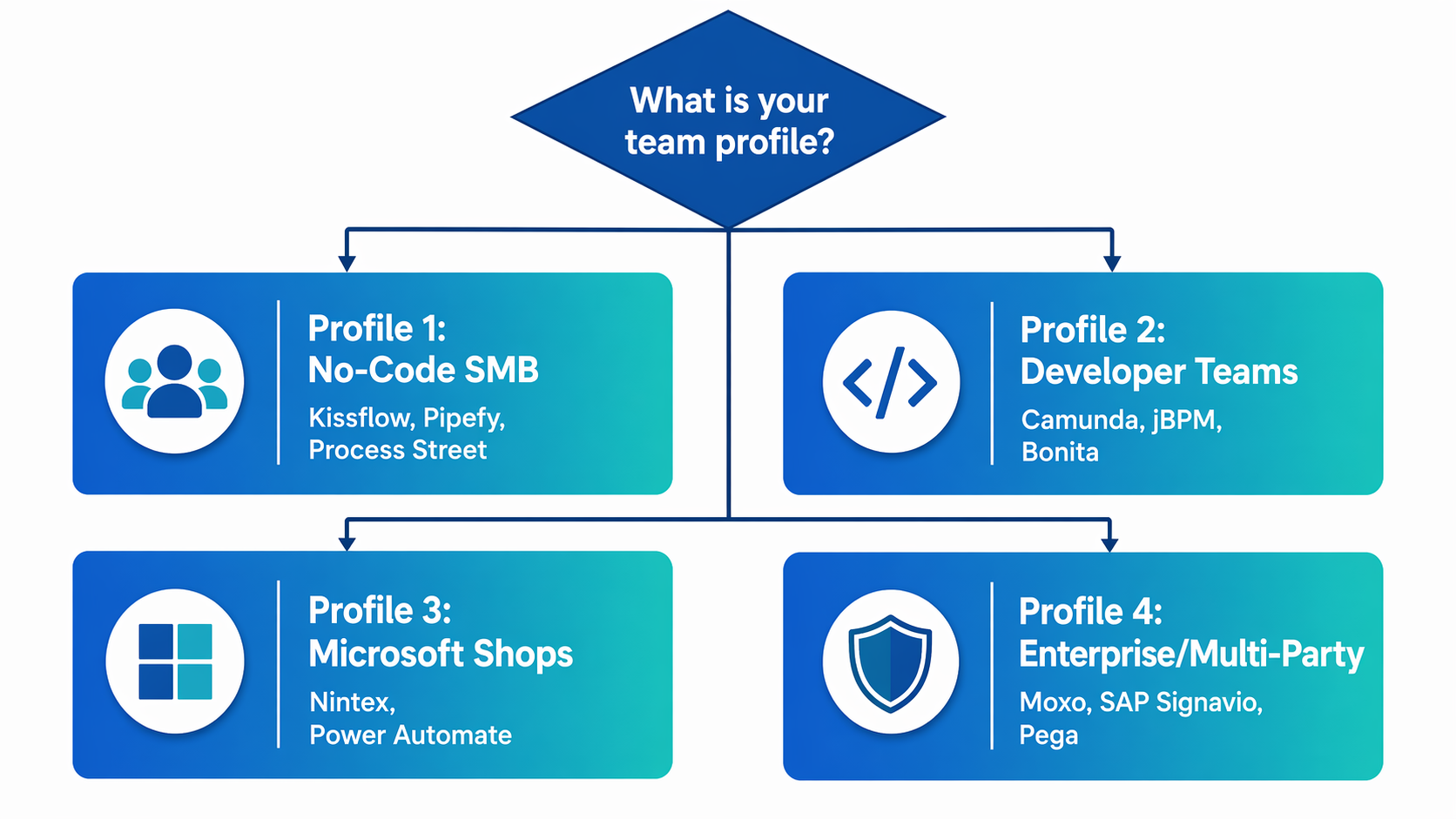
If you prefer a text-based decision path, start here:
- Does your team have fewer than 200 people and no dedicated developers? → Profile 1: No-Code SMB — Kissflow, Pipefy, or Process Street.
- Does your team have developers and need BPMN 2.0 compliance? → Profile 2: Developer-Led — Camunda, jBPM, or Bonita.
- Is your organization already invested in Microsoft 365? → Profile 3: Microsoft-Centric — Nintex or Power Automate.
- Do you manage cross-boundary, regulated processes? → Profile 4: Enterprise Multi-Party — Moxo, SAP Signavio, or Pega.