
Unlimited Recording. Five Summaries. That Is the Deal.
Fathom’s free plan gives you unlimited meeting recordings and storage. That sounds like a full service — until you hit the ceiling: five AI summaries per month. The rest of the recordings sit there, transcribed but not summarised. To get summaries of the other 15 or 20 meetings you attended, you need the paid plan at $19 a month. That is the real free-tier story for most AI note-taking apps: a generous capture allowance with a hard gate on the part that actually saves you time.
The broader note-taking app industry hit $13.3 billion in 2026, growing at 20.6% CAGR — but that figure covers everything from a plain text editor to Evernote. The AI note-taking subsegment is much smaller: $450.7 million in 2023, growing at 18.9% CAGR, per Market.us. Laxis published a report claiming 75% of professionals now use AI note-takers — that is a vendor-published stat, so treat it as directional, not definitive. The real signal is that the market has split into three distinct categories: meeting capture, knowledge management, and student research tools. No single app wins all three.
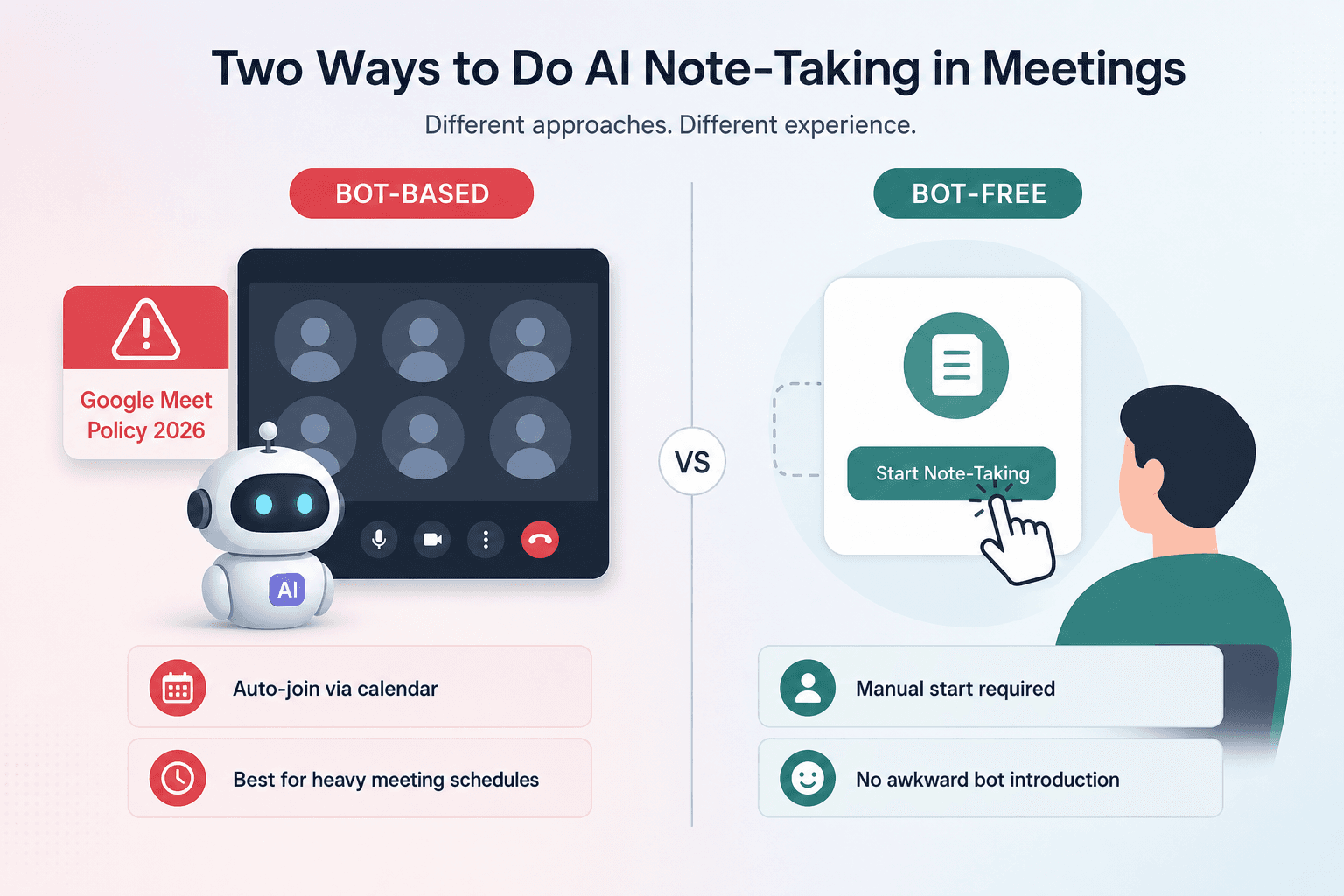
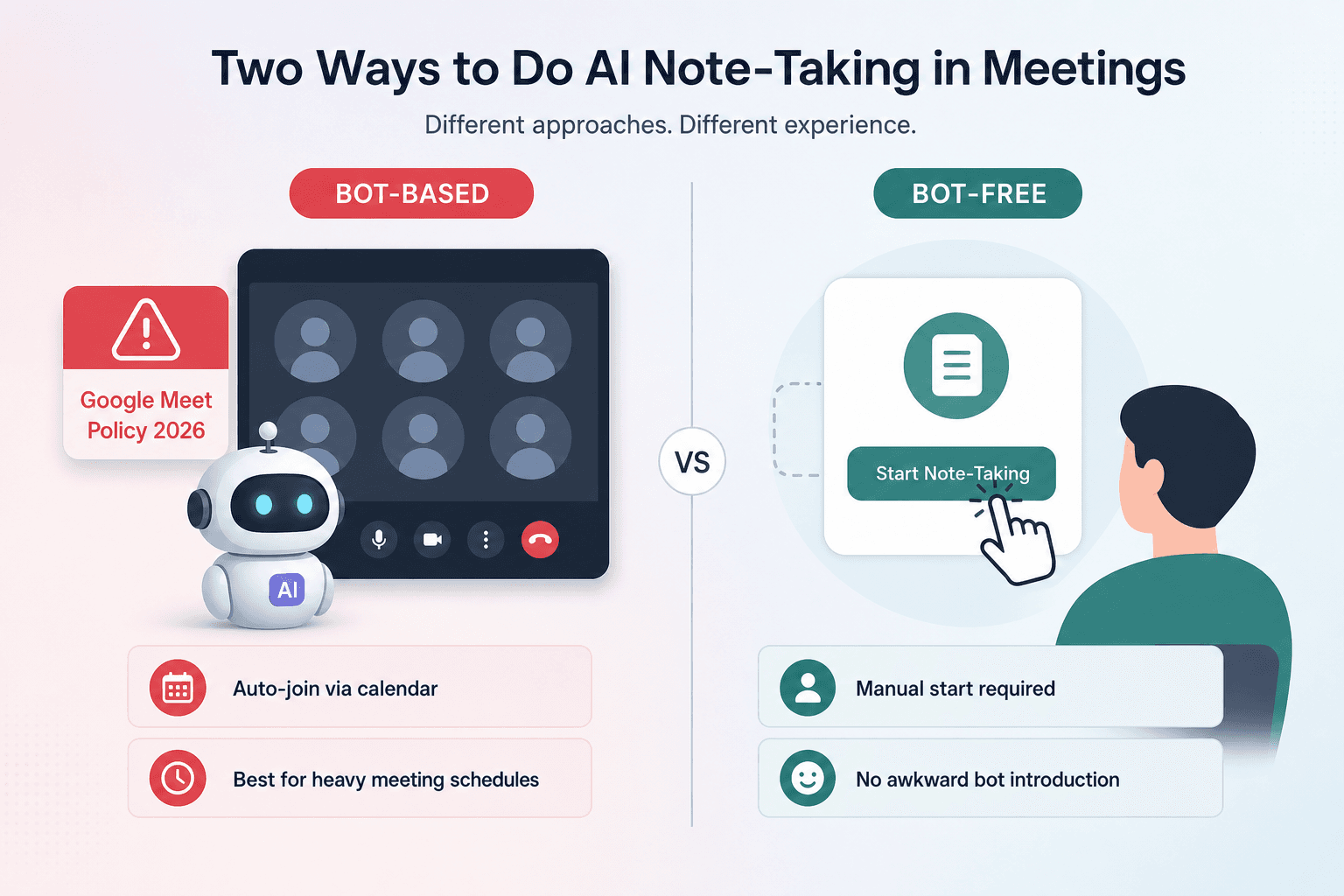
The Bot Divide (and Why Google Made It Real)
In March 2026, Google Meet started flagging third-party notetaker bots as a “potential risk” and defaulting to denying their entry. The change is documented by tl;dv and has not been independently confirmed against Google's changelog, but multiple sources agree it is real. The practical effect: if you use a bot-based tool (Fathom, Otter, Fireflies, tl;dv, Notta), your bot may be denied entry into Google Meet calls hosted by organisations that have enabled that restriction. Your meeting notes simply do not arrive.
Bot-free tools — Granola, Jamie, Laxis, Krisp — bypass this entirely. They run on your device and capture audio from your microphone, not as a participant. But that comes with its own cost: you have to start the recording manually. No calendar-based auto-join. And you, not the tool, are responsible for disclosing that you are recording. Leland’s analysis spells it out: a bot announces itself and handles disclosure; a device-side tool places the full duty on the user. That is not just a privacy nuance — it is a legal and social burden that becomes awkward the first time someone asks why you are running a recording app.
Jamie’s free tier is the most confusing. tl;dv and Leland both say 5 meetings per month with a 30-minute cap. Lindy says 10 meetings. I am defaulting to the more conservative figure (5) because the reader needs a reliable baseline. Jamie’s own pricing page may have changed since the last verification in June 2026 — check it before you decide.
Accuracy claims also need an asterisk. Vendors quote 95–98% for clean single-speaker audio. In real multi-speaker calls with accents or technical vocabulary, expect 85–92%, and speaker labeling falls apart above four active participants. Treat the high end as a best-case figure.
| Tool | Best For | Capture Method | Free Plan Ceiling | Starting Price (Monthly) | Languages | Watch Out |
|---|---|---|---|---|---|---|
| Fathom | Automated meeting summary | Bot (visible) | Unlimited recordings, 5 AI summaries | $19 | English | Hitting the 5-summary cap forces upgrade |
| Otter | Live transcription | Bot (visible) | 300 min/mo, 30 min per conversation, 3 lifetime file imports | $16.99 | English, Spanish, French | Three-language limit; lifetime import cap never resets |
| Fireflies | Team meeting capture | Bot (visible) | 800 min storage, limited AI credits | $18 | Multiple | CRM sync requires $29/mo Business plan |
| Granola | Personal meeting notes | Bot-free (local app) | 25 lifetime notes, 14-day history | $14/user | English | Lifetime, not monthly allowance |
| Jamie | Device-side capture | Bot-free (local app) | 5 meetings/mo, 30 min cap per meeting (disputed – see text) | €47 | Multiple | Free-tier meeting count disputed (5 vs 10); default to 5 |
| tl;dv | Remote meeting recording | Bot (visible) | 10 AI summaries/mo, recordings deleted after 3 months | $?* | Multiple | Three-month deletion is a hard retention limit |
| Notta | Real-time transcription | Bot (visible) | 120 min/mo, 10 AI summaries | $? | Multiple | Low free-minute allowance |
| Krisp | AI noise cancellation + notes | Bot-free (local app) | 7-day free trial only | $? | English | No permanent free plan |
| NotebookLM | Research note-taking | Bot-free (web app) | Free with Google account (usage caps) | $7.99 (Google One) | Multiple | Not designed for live meeting capture |
| Laxis | Sales meeting capture | Bot-free (local app) | 300 min/mo with full AI | $15.99 | English | Bot-free, but requires manual start |
Who Should Use What
The table and bot divide narrow the field. Here is how the picks land for five common profiles — but the logic behind each is simple: match your capture method, count your free-tier limits, and check integrations.
- Knowledge worker on many Google Meet calls. A bot-based tool may be blocked. Pick a bot-free app — Granola at $14/user/month, Jamie at €47/month, or Laxis at $15.99/month with 300 free minutes. All require manual start, but none will be denied entry.
- Sales rep needing CRM integration. Fireflies has the deepest integration ecosystem, but CRM sync is gated behind the $29/month Business plan. Laxis includes HubSpot and Salesforce on its $15.99/month plan and is bot-free. If you already use Notion, Fathom (bot-based, $19/month) also connects to many CRMs but hits the 5-summary limit on free.
- Student researching. You do not need live meeting capture. NotebookLM is free with a Google account and handles uploaded documents, audio, and PDFs well. For lecture capture, Otter works if you stay under 30 minutes per file and under 300 minutes per month — but the three-language limit rules out many multilingual courses.
- Freelancer on a budget. You need something that works without a subscription if possible. Laxis’s free 300 minutes with full AI is the best deal if you work in English and can start manually. Otter’s free tier is workable for short meetings under 30 minutes, but watch the 3 lifetime file imports — they never reset. If you are willing to pay, Granola ($14/user/month) is the cheapest paid option overall.
- Team lead wanting automated capture. You want meetings captured without team members remembering to start a local app. That means a bot-based tool. Fathom at $19/seat/month is straightforward: unlimited recording, visible bot, shareable clips. But each user hits the 5-summary cap on the free tier, so you will need paid seats for anyone who attends more than five meetings. Fireflies ($18/seat/month) offers broader integrations but gates CRM behind the $29 plan. If your team mostly uses Google Meet, consider that some orgs may block the bot — in that case, shift to a bot-free tool and accept the manual-start cost.
A few more caveats that matter in practice. Language support: Otter is limited to English, Spanish, French — check before committing. Data residency: most tools are US-based; Fireflies, Fathom, and Otter offer regional hosting on enterprise plans; Granola and Jamie store data on your device or in EU regions if you set it. Legal disclosure: a bot handles it automatically; a local app leaves it to you. In one-party consent regions (most of the US) you can record without announcing; in two-party consent states and many other countries you must inform participants. That is not a minor detail.
The AI note-taking market is mature enough that the right app is clear once you filter by capture method, free-tier limits, and integration needs. No single tool wins across all use cases — but that is not a problem. It means you can stop searching once you find the one that fits your actual constraints. Ignore the marketing, count the real limits. That is the only way to pick.



Comments
Join the discussion with an anonymous comment.