
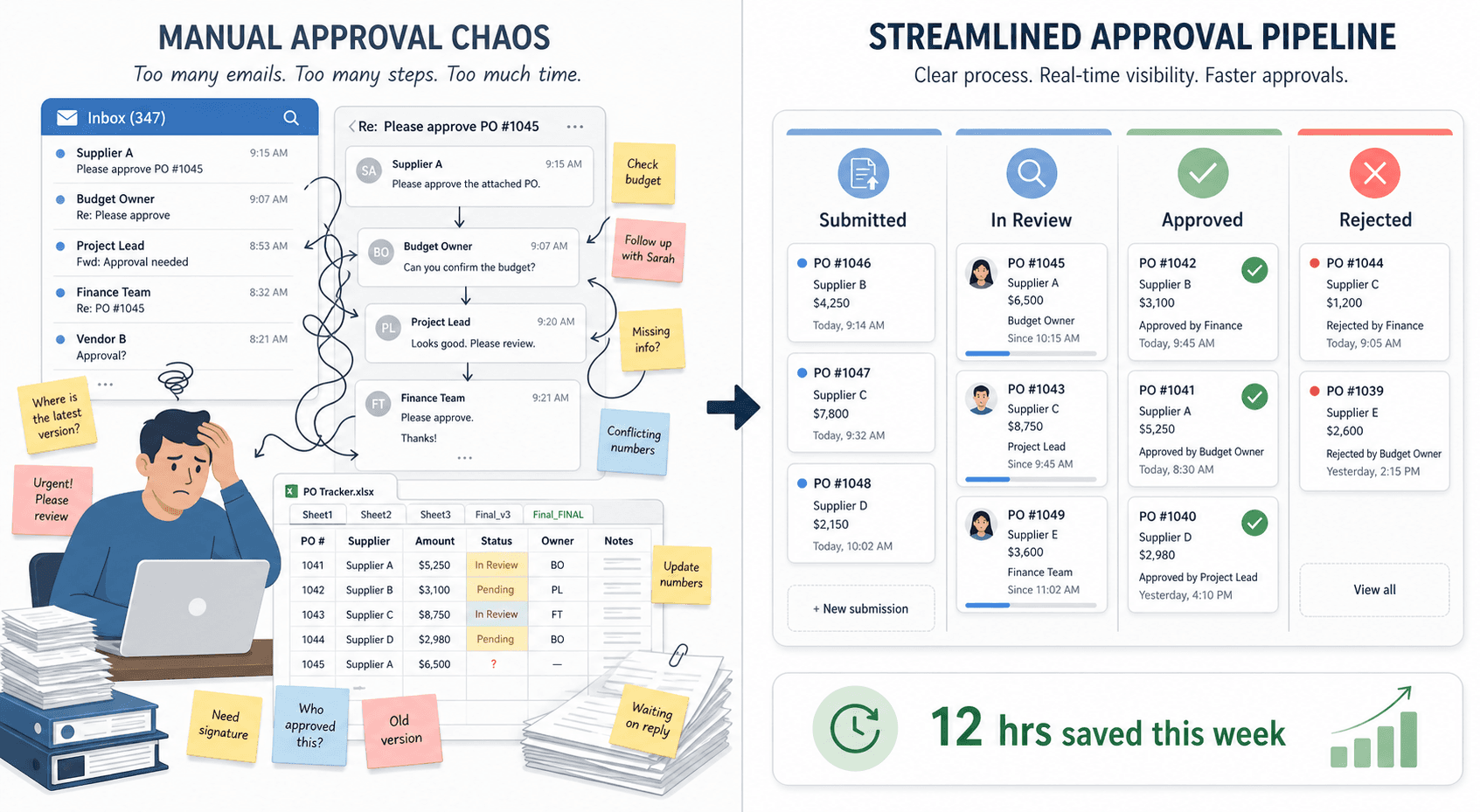
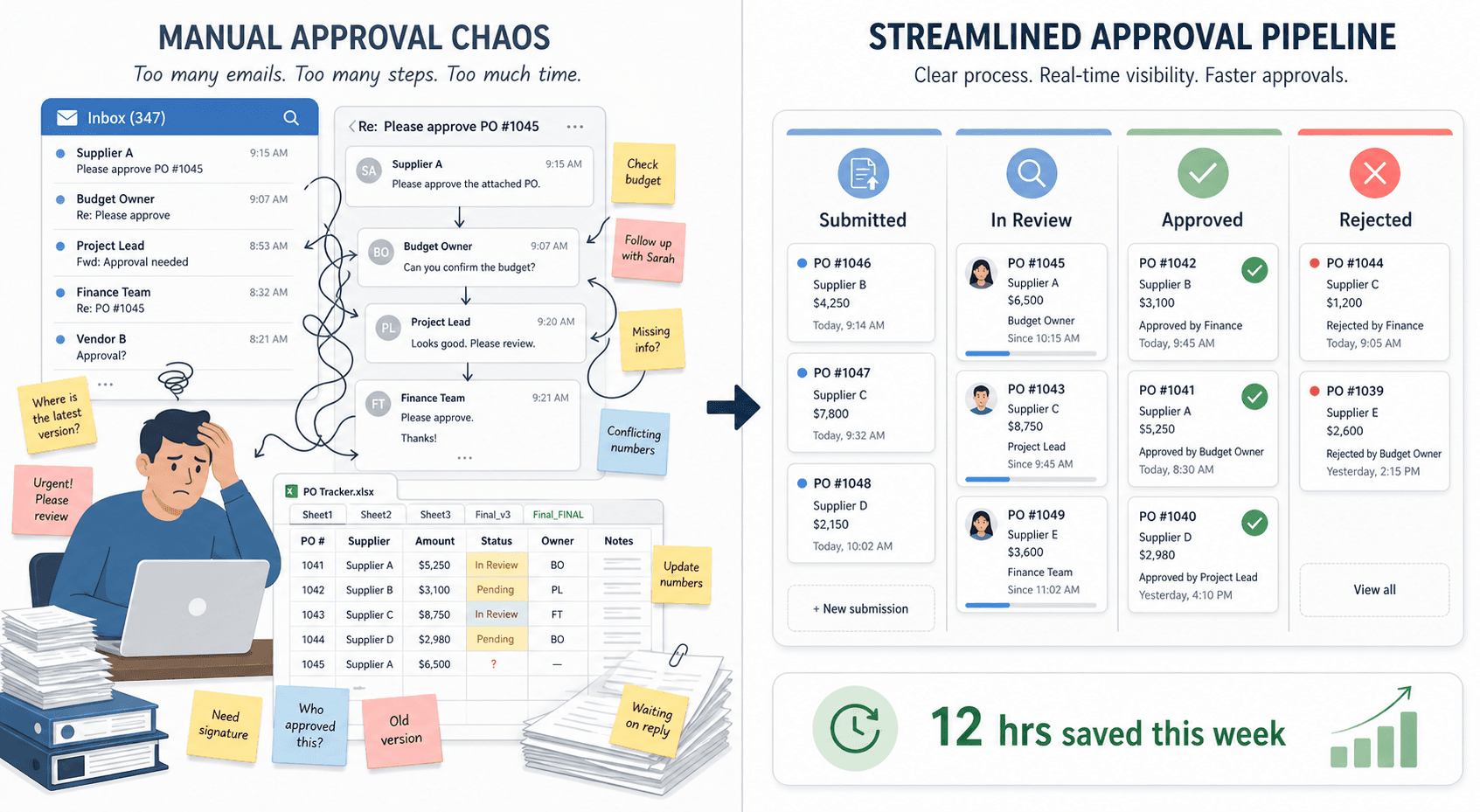
The SMB Approval Challenge: Why Enterprise Tools Don't Fit
If you run operations for a team of 10 to 100 people, you've likely felt the squeeze. Your approval needs are real — purchase orders, expense reports, marketing assets, time-off requests — but the software marketed to solve these problems was built for organizations with dedicated IT procurement teams and six-figure budgets. The result is a frustrating gap: the tools that have the features you need cost more than your entire SaaS stack, and the tools within your budget lack the structure to replace email ping-pong.
This isn't a niche complaint. The approval workflow software market is projected to reach $18.6 billion by 2034, growing at a 10.8% CAGR, and the small and mid-size enterprise (SME) segment is the fastest-growing piece at 13.1% CAGR, according to a 2025 Dataintelo report. Vendors are waking up to the fact that teams of 10-100 people have distinct needs: they need to set up workflows in days, not months; they need to include external approvers (freelancers, clients, part-time contractors) without paying per-seat fees for them; and they need pricing that doesn't punish them for hiring their 51st employee.
This guide is written for the ops manager, team lead, or small business owner who knows they need structured approvals but doesn't want to become a procurement specialist. We'll walk through where enterprise tools go wrong, what the manual-approval problem actually costs you, which tools are built for your size, and how to go from zero to automated in about 30 days.
Where Enterprise Tools Miss the Mark for Small Teams
Enterprise approval platforms — the Kissflows, ProcessMakers, and large-scale BPM suites of the world — were designed for organizations with hundreds of compliance requirements, dedicated process owners, and IT teams that can manage multi-month implementations. When a 40-person marketing agency or a 60-person consulting firm tries to adopt these tools, the mismatch becomes obvious fast.
The Per-Seat Pricing Trap
The most immediate pain point is pricing. Enterprise tools almost universally charge per user per month. At $15–30 per user per month, a 50-person team faces an annual cost of $9,000–18,000 before any add-ons for premium support, advanced integrations, or additional storage. For a team of 100, that doubles to $18,000–36,000 per year. This pricing model assumes every employee is a heavy, daily user of the approval system — but in most small teams, many people only submit or approve a handful of requests per month.
Multi-Month Implementations and Feature Bloat
Enterprise tools often require weeks of configuration, dedicated training sessions, and sometimes professional services engagements before the first approval flows through. They come packed with features that small teams simply don't need: complex BPMN (Business Process Model and Notation) diagramming, enterprise single sign-on (SSO) with SAML, dedicated IT support SLAs, and multi-environment deployment pipelines. These features add cost and complexity without delivering value to a team that just wants to route an expense report from the submitter to the manager to the finance lead.
The External Approver Problem
Small teams frequently need approvals from people who are not full-time employees: freelance designers approving creative briefs, clients signing off on deliverables, part-time accountants reviewing invoices. Enterprise tools typically charge for every named user, which means you either pay for seats for people who approve three things a year, or you force them to respond via email threads that live outside the system. SMB-focused tools solve this with email-based approvals (approve via reply) or guest access links that don't require a paid seat.
- Enterprise tools: $15–30/user/month, 50 users = $9,000–18,000/year
- Enterprise tools: Multi-month implementation, dedicated IT support required
- Enterprise tools: Charge for external approvers, no email-based approval option
- SMB tools: $20–150/month flat rate, setup in days, no per-seat fees for external approvers
The Real Cost of Manual Approvals for Your Team
Before you can make a strong case for approval software, you need to understand what the current manual process is costing you. The numbers are likely larger than you think.
Research from the McKinsey Global Institute (cited in multiple sources including Filestage, ApproveThis, and Moxo) found that employees spend 28% of their workday reading and answering email. A significant portion of that email traffic is approval-related: "Can you approve this?" "Did you see my request?" "Following up on the invoice approval." When approvals live in email threads, every request generates multiple back-and-forth messages, status-check emails, and manual reminders.
Beyond the time cost, there's the business cost of delays. A Cacheflow SaaS Proposal Study from 2023 found that win rates fall from 73% to 44% when approvals stretch beyond 10 days. And Gartner reports that 55% of compliance process failures link back to human error — the kind of errors that happen when approvals are tracked in spreadsheets and email folders rather than in a structured system with audit trails.
A Simple ROI Calculation for Your Team
The ApproveThis SMB Buyer's Guide provides a straightforward framework for calculating the potential return on investment from approval workflow automation. Here's how it works for a typical small team:
| Metric | Value |
|---|---|
| Monthly approvals | 50 |
| Hours saved per approval | 2 |
| Total monthly hours saved | 100 |
| Average hourly cost (blended) | $35 |
| Monthly value of time saved | $3,500 |
| Monthly software cost (SMB tool) | $50 |
| Net monthly ROI | $3,450 |




Comments
Join the discussion with an anonymous comment.