

Notion for Note-Taking: Is It Actually Good? An Honest Pros, Cons, and Methods Guide
Notion is powerful for organizing notes but slower for capturing them. This decision-mode guide breaks down the trade-off, compares Notion to Evernote and Obsidian, and helps you decide if it fits your note-taking style.
Get this template ↗ (opens external source in new tab)- Notion
- note-taking
- PKM
- students
- teams
The Honest Trade-Off: Notion Wins at Organization, Loses at Capture Speed
Notion has over 100 million users and holds the #1 Knowledge Base spot on G2 for three consecutive years, with a 4.6 out of 5 rating from 11,896 reviews. Those numbers sound like an unqualified endorsement. But dig into what those reviewers are actually praising, and a more complicated picture emerges for anyone considering Notion for personal note-taking.
According to G2 data cited in a 2026 review, 79% of Notion's 5-star reviews come from teams using it for docs and wikis — not from individuals using it for raw note capture. That single statistic captures the central trade-off of this article: Notion is exceptional at organizing, connecting, and managing notes once they exist, but it is mediocre at the act of capturing them quickly, especially on mobile or without an internet connection.
This is not a flaw that makes Notion a bad tool. It is a design trade-off that makes Notion excellent for certain note-taking styles and poor for others. Understanding which side of that trade-off matches your workflow is the key to deciding whether Notion belongs in your stack.
Notion's Three Note-Taking Methods (and Which One Fits You)
Before diving into the pros and cons, it helps to know that Notion supports fundamentally different note-taking approaches. The three-methods framework — Librarian, Connector, and Business Owner — provides a useful lens for evaluating whether Notion's strengths align with your personal style.
- The Librarian — A hierarchical filing approach using nested pages and folders. Best for users who think in categories and want a structured, browsable archive. Notion's unlimited nesting and database views make this method straightforward to implement.
- The Connector — A Zettelkasten-style method that relies on bi-directional backlinks and linked databases. Suited for researchers, writers, and knowledge workers who want to surface connections between ideas over time. Notion's backlinks feature and @-mention linking support this approach, though it lacks the graph view that tools like Obsidian offer.
- The Business Owner — An organizational knowledge management system designed for teams and collaborative projects. This is the use case behind that 79% of 5-star reviews. It leverages Notion's databases, permissions, and real-time editing to create shared wikis, project trackers, and meeting note archives.
If you identify as a Librarian or Connector, you are more likely to feel the capture-speed pain. If you are a Business Owner, Notion's organizational strengths will likely outweigh its capture weaknesses. For detailed setup instructions and template recommendations for each method, see the complete guide to Notion note-taking methods and templates.

Where Notion Excels: Organization, Databases, and Ecosystem
Notion's strengths are not subtle. Once you commit to using it as your primary note repository, the payoff in organization and flexibility is substantial.
- Unlimited nesting and database power. You can create pages inside pages inside pages, and back them with relational databases that support table, board, gallery, list, and calendar views. This is the closest thing to a personal wiki that works out of the box.
- Massive template ecosystem. Notion's marketplace and community have produced over 20,000 free templates, covering everything from daily journals to full project management systems. You rarely need to start from a blank page.
- Collaborative editing. Real-time multi-user editing, granular permissions, and the ability to publish pages to the web make Notion a legitimate team workspace. This is the primary reason 62% of Fortune 100 companies and 98% of the Forbes Cloud 100 use it.
- Generous free plan. Individual note-takers can use Notion indefinitely without paying. The free plan includes unlimited pages, blocks, and file uploads up to 5 MB per file. For most solo users, the free tier is genuinely sufficient.
- AI suite (at the Business tier). Notion's AI features — including Autofill for database properties, AI Meeting Notes for Zoom, Teams, and Google Meet, and Custom Agents — are increasingly capable. However, the full AI suite is only available on the Business plan at $20 per seat per month. For a detailed breakdown of these features, see our deep dive into Notion AI for note-taking.
Where Notion Falls Short: Capture Speed, Offline, and Mobile
The weaknesses are equally real, and they matter more for some users than others.
- Slow capture speed. Opening a new note in Notion requires navigating to the correct database, clicking "New," waiting for the page to load, and then typing. Compare that to Apple Notes or Google Keep, where you can start typing in under a second. For quick thoughts, meeting action items, or fleeting ideas, Notion feels heavy.
- Limited offline access. Notion's offline mode exists but is limited. You can view recently accessed pages, but creating or editing notes offline is unreliable. If you work on planes, in areas with poor connectivity, or prefer local-first tools, this is a genuine limitation.
- No password protection. Individual pages or databases cannot be locked behind a password. If you store sensitive information in Notion, your only protection is your account login. This is a notable gap for users who keep personal journals, financial records, or medical notes in their system.
- Clunky mobile experience. The mobile app is functional but not fast. Navigating between databases, editing database properties, and managing complex pages on a phone screen is noticeably slower than on desktop. For on-the-go capture, dedicated mobile note-taking apps are significantly more fluid.
- Automation gaps. Notion's built-in automation layer has known limitations. Buttons cannot trigger automations, and automations cannot filter on relational properties — issues that have been reported since 2022 and remain unresolved as of mid-2026. Users who want sophisticated workflow automation may need to pair Notion with a tool like Zapier.
- Steep learning curve. Notion's flexibility is also its complexity. New users often spend weeks figuring out databases, relations, rollups, and templates before their system feels natural. The "building vs. using" trap is real — it is easy to spend more time designing your note-taking system than actually taking notes.
Notion vs. Evernote vs. Obsidian: A Side-by-Side Comparison
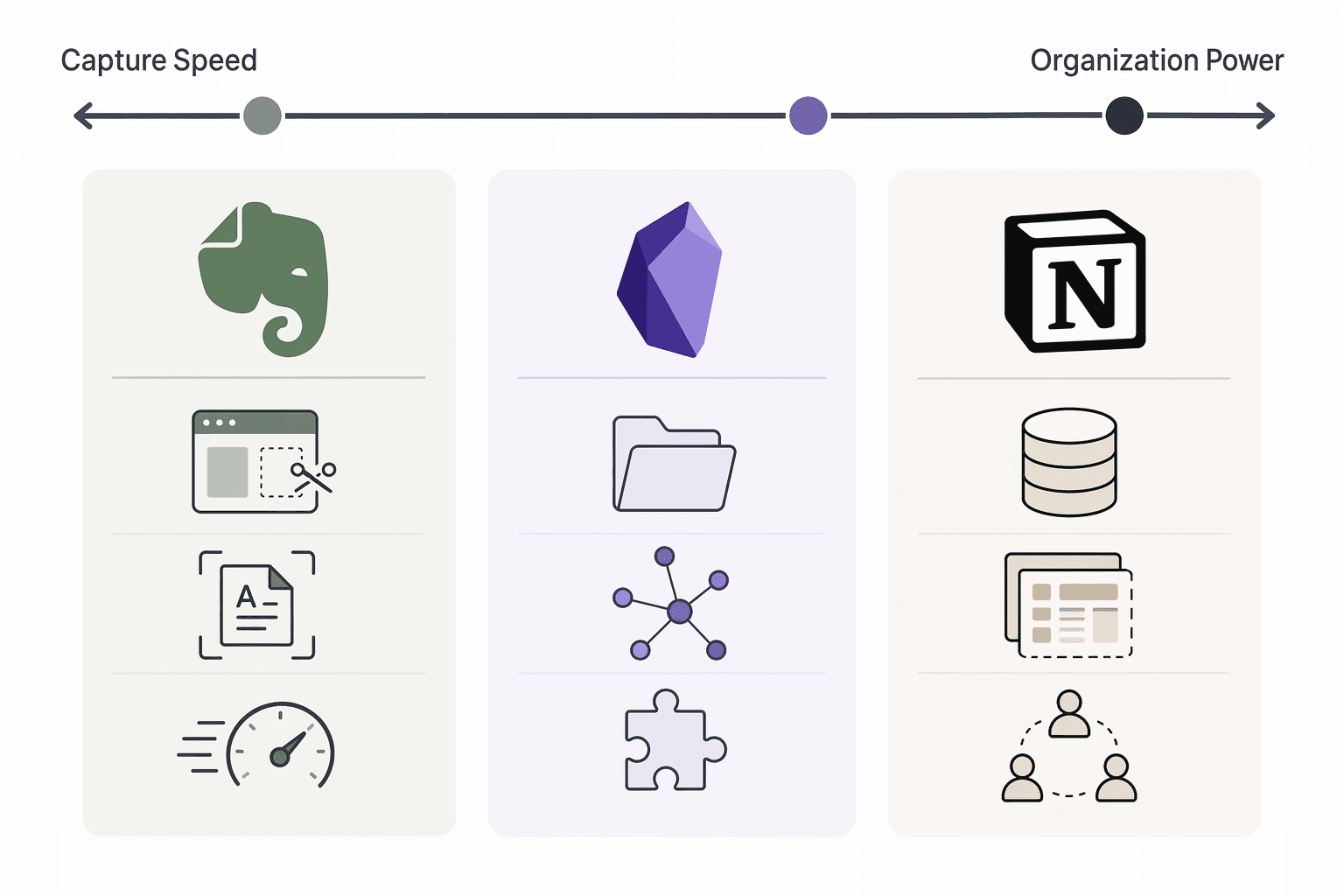
To make the trade-off concrete, here is how Notion stacks up against two of its most common alternatives across eight key dimensions. Data is drawn from 2025-2026 reviews and comparison articles.
| Dimension | Notion | Evernote | Obsidian |
|---|---|---|---|
| Capture Speed | Slow — requires navigation to database | Fast — quick note and web clipper | Moderate — quick note plugin available |
| Organization Power | Excellent — databases, views, nesting | Good — notebooks, tags, stacks | Very good — folders, tags, graph view |
| Offline Access | Limited — view-only for recent pages | Full offline editing on desktop | Full offline — local Markdown files |
| Privacy / Data Portability | Cloud-based (AWS); export to Markdown/HTML/PDF | Cloud-based; export to ENEX/HTML | Local-first; files are plain Markdown |
| Plugin / Integration Ecosystem | ~200 integrations; limited automation | ~100+ integrations; strong web clipper | 2,700+ plugins; highly extensible |
| Learning Curve | Steep — databases and relations take time | Moderate — familiar notebook metaphor | Steep — Markdown and plugin configuration |
| Collaboration | Excellent — real-time editing, permissions, publish-to-web | Good — shared notebooks, real-time editing | Limited — no native real-time collaboration |
| Pricing (Individual) | Free tier sufficient; Plus $10/mo | Free with limits; Personal ~$10/mo | Free; sync service $5/mo (optional) |
For a broader comparison that includes Apple Notes, OneNote, and Google Keep, see our head-to-head comparison of the best note-taking apps in 2026. For a detailed Notion vs. Obsidian vs. Evernote vs. Apple Notes breakdown, the migration guide comparison covers each app's strengths and weaknesses in depth.
Who Should Choose Notion — and Who Should Look Elsewhere
The decision framework is straightforward once you accept the trade-off.
Notion is a strong choice if you:
- Are a knowledge worker building a personal wiki or knowledge base that you will reference and update over months or years.
- Are a student who wants a flexible all-in-one workspace for notes, project tracking, and task management.
- Work on a team that needs collaborative docs, shared databases, and a central knowledge repository.
- Value organization and structure over capture speed — you are willing to spend a few extra seconds entering a note in exchange for being able to find it instantly later.
- Want a generous free plan that does not force you to upgrade for basic functionality.
Notion is probably not right if you:
- Need lightning-fast capture on mobile — you take quick notes throughout the day and want them synced instantly without friction.
- Work offline frequently — on planes, in remote areas, or in environments with unreliable internet.
- Prefer local-first privacy and want your notes stored as plain Markdown files on your own device.
- Are easily distracted by system-building and want a tool that gets out of your way immediately.
Next Steps: Getting Started with Notion for Note-Taking
If after reading this you think Notion fits your style, the best next step is to try it with zero financial risk. Notion's free plan is genuinely usable for individual note-taking — no credit card required, no time limit.
- Pick one method. Choose Librarian, Connector, or Business Owner based on the descriptions above. Do not try to combine all three on day one.
- Start with a template. Browse Notion's template gallery or use one of the method-specific templates from the complete methods and templates guide.
- Follow a setup guide. If you prefer to build from scratch, the 30-minute beginner's setup guide walks you through creating a notes database, setting up filtered views, and building a note template.
- Commit to two weeks. Use Notion as your primary note-taking tool for 14 days. If the capture-speed friction bothers you less than you expected, you have found your tool. If it drives you back to Apple Notes or Evernote, you have saved yourself from a longer, more painful migration later.
Notion is not the best note-taking tool for everyone. But for the right user — someone who prioritizes organization over speed, structure over simplicity — it is the best all-in-one workspace available. The key is knowing which side of the trade-off you are on before you invest your time and notes.
Comments
Join the discussion with an anonymous comment.