
Switching a personal knowledge management app is rarely about finding a prettier place to type. It is about deciding which inconvenience you are willing to keep: setup friction, export risk, weaker databases, less polished collaboration, slower capture, or an AI layer that may change before your system has settled.
That is why the useful comparison is not “which PKM app is best?” It is: which app matches the way you actually think, lets you leave without destroying the shape of your notes, gives you enough automation without making AI the whole method, and becomes useful before your enthusiasm runs out.
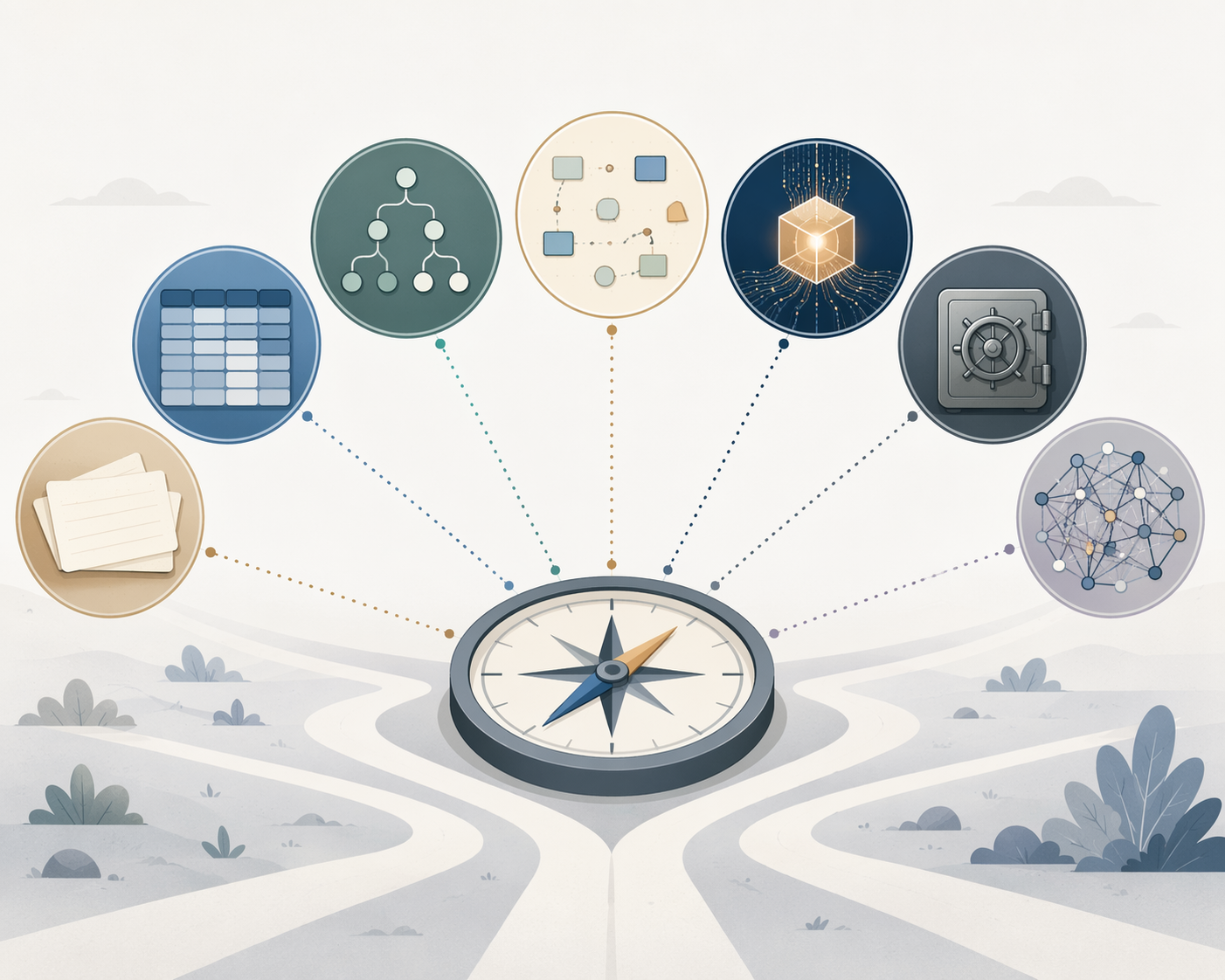
The short version: Obsidian and Logseq are strongest if long-term control matters most. Notion and Tana are strongest if you want structured workflows and database-like thinking. Heptabase earns its place when spatial sense-making is central. Capacities and Anytype are the more interesting newer bets: object-based, AI-ready or privacy-forward, and still carrying the maturity and learning-curve costs that come with that.
The decision matrix
Pricing is included because it changes behavior, but treat every figure below as a Q2 2026 snapshot to verify against the official pricing page before committing. The more important columns are method fit, ownership model, AI posture, and setup cost.
| App | Best method fit | Data ownership / exit risk | AI readiness in Q2 2026 | Setup cost | Pricing snapshot |
|---|---|---|---|---|---|
| Obsidian | Markdown-linked notes, Zettelkasten-style linking, long-term research vaults | Local Markdown files; strong portability and low lock-in risk | Plugin-based rather than primarily native | Low to medium: useful quickly, complex if plugin-heavy | Free; Sync cited at $50/year in 2026 guides [1] |
| Notion | Databases, dashboards, project/client workspaces, collaborative systems | Cloud-proprietary; export is possible but database relationships may not survive cleanly | Native AI and fast product expansion | Low for simple pages; medium for serious database systems | Free; Plus cited at $10/month in 2026 guides [2] |
| Logseq | Outliner-first notes, daily journals, block references, local graph thinking | Local Markdown/Org files; open-source and low lock-in risk | Less central natively; more ecosystem-dependent | Medium: easy capture, harder to master block-level structure | Free in cited 2026 comparisons [1] |
| Tana | Object/outliner workflows, supertags, structured knowledge modeling | Cloud-centered structured system; export and long-term migration need scrutiny | AI-ready and workflow-oriented | High: often takes weeks before the model feels natural | $8–$16/month in cited 2026 guides [3] |
| Heptabase | Spatial thinking, visual synthesis, research mapping | Proprietary app with a smaller ecosystem than Obsidian or Notion | Not the main reason to choose it | Medium: intuitive if you think visually, less so if you prefer linear files | $11.99/month in cited 2026 guides [1] |
| Capacities | Object-based notes, people/books/ideas as typed entities, AI-ready knowledge base | Structured object graph; export should be checked against your intended use | AI-ready and increasingly central to the product direction | Medium to high: object types need design discipline | €9/month in cited 2026 guides [3] |
| Anytype | Local-first object-based personal systems, privacy-sensitive notes | Local-first with end-to-end encryption; promising, but less mature | AI direction is interesting but not yet the whole value proposition | Medium: concepts are powerful, conventions still settling | Free beta in cited 2026 guides [4] |
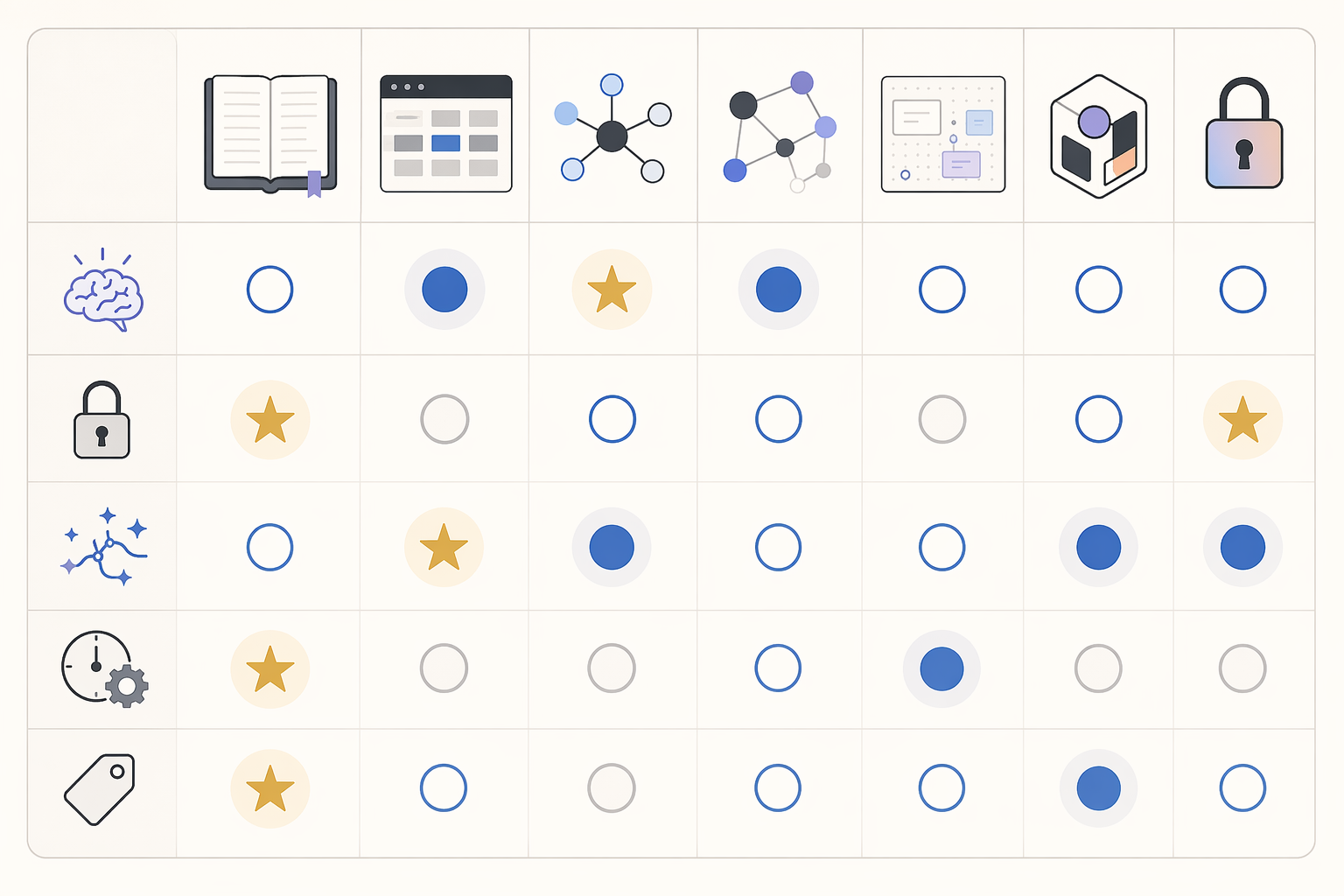
The matrix is deliberately uneven. A personal knowledge management app that is excellent for a consultant’s client dashboard may be a poor place for a ten-year reading archive. A tool that protects your files beautifully may not help you run a team workflow. The mistake is expecting one app to absorb every method, every collaboration pattern, and every future export need without trade-offs.
Start with method fit, not features
Most PKM switching starts with an honest complaint: “I can’t find anything,” “my notes don’t connect,” “my dashboard is dead,” or “capture is easy but review never happens.” Those sound like tool failures. Often they are method mismatches.
If your notes are mostly fragments that earn value through linking over time, Obsidian and Logseq fit naturally. Obsidian treats files as durable Markdown documents and lets links, folders, tags, and plugins do the work around them. Logseq puts the block and the daily journal closer to the center, which suits people who think in bullets, references, and recurring capture rather than polished pages.
If your knowledge work is closer to managing entities and workflows—clients, projects, sources, tasks, meetings, assets—Notion’s database model has a real advantage. A filtered database view is not a gimmick when it prevents the same project note from being copied into five places. Notion’s strongest case is not pure note-taking; it is the ability to turn notes into operating surfaces for projects and teams.
Tana and Capacities sit in a more structured middle ground. They reward people who want the system to know what something is: a person, a book, a meeting, a claim, a company, a research question. That object-based approach can make thinking more explicit. It can also become a small ontology project you did not mean to start.
Heptabase is different. It is best understood as a thinking surface rather than a universal workspace. If you understand a problem by laying cards next to each other, clustering ideas, and seeing gaps on a board, it may do more for you than another nested sidebar. If you primarily retrieve by search, tags, and file paths, the spatial layer may feel like ceremony.
Anytype is worth watching because it tries to combine local-first ownership with object-based structure and encryption. That combination is rare. The trade-off is maturity: promising architecture does not automatically mean fewer rough edges in everyday use.
If the uncertainty is really methodological, pause the tool hunt. A comparison of PARA, Zettelkasten, and Building a Second Brain will do more good than another evening of feature videos. For a broader framework-first route, use Which PKM System Is Right for You? before deciding where the system should live.
A practical method-fit shortcut
- Choose Obsidian if your durable unit is the file: essays, source notes, evergreen notes, research logs, and long-running archives.
- Choose Logseq if your durable unit is the block: bullets, daily notes, references, outlines, and incremental thinking.
- Choose Notion if your durable unit is the database record: projects, clients, content calendars, tasks, and collaborative workspaces.
- Choose Tana if your durable unit is the typed node: things with properties, recurring structures, and workflow automation.
- Choose Heptabase if your durable unit is the visual card: clusters, research maps, concept boards, and spatial synthesis.
- Choose Capacities if your durable unit is the object: people, books, ideas, meetings, topics, and AI-ready context.
- Choose Anytype if your durable unit is the encrypted local object: structured personal data where privacy and ownership are central.
Data control is the trade-off people notice late
Export quality is boring until the week you need it. Then it becomes the whole story.
Local Markdown systems such as Obsidian and Logseq are easier to trust over a long horizon because the core material is plain text. Even if the app changes direction, the notes remain legible in other editors. That does not mean there is no migration work—plugins, queries, embeds, themes, and app-specific habits can still create friction—but the basic archive is not trapped inside a remote database.
Cloud-proprietary systems give you something in return. Notion’s databases, sharing model, templates, and collaborative polish are why many people stay. The risk is not that export is impossible; it is that the exported material may lose the relational shape that made the workspace useful in the first place. 2026 comparisons repeatedly flag Notion’s database relationship loss as a migration concern [2][5].

Tana and Capacities complicate the picture because their structure is the product. Supertags, object types, properties, and references are exactly what make them attractive. They are also exactly what you need to test before relying on them for years. Exporting text is not the same as exporting a knowledge model.
Anytype deserves a separate note because its local-first and end-to-end encrypted positioning addresses a real weakness in many polished cloud systems. The fair reading is cautiously positive: it points in the right direction for users who want structured personal data without surrendering ownership, while still being less mature than the older tools in this comparison [4].
Before switching, export a small but representative sample from the app you are considering. Include one page with backlinks, one database or object type, one attachment-heavy note, one daily note, and one item with tags or properties. Open the result outside the app. If you cannot understand the exported version without reconstructing it by hand, you have learned something useful before it becomes expensive.
AI readiness: useful, unstable, and not a substitute for a method
AI matters in 2026 because note collections are no longer just places to store and retrieve. They are increasingly used as context windows, summarization sources, meeting processors, and drafting surfaces. The knowledge management software market is projected to grow substantially through 2034, and that kind of market pressure helps explain why tools are adding features quickly rather than waiting for users to settle into one stable model [6].
For this comparison, AI readiness should be read as a snapshot, not a permanent ranking. Notion, Tana, and Capacities are closer to native or AI-ready workflows. Obsidian is more plugin-driven, which gives control but also asks the user to assemble the stack. Logseq’s AI story is less central to the product choice. Heptabase is chosen more for visual synthesis than AI. Anytype’s privacy-forward design makes the AI question more delicate: the more sensitive the data model, the more important it is to understand where processing happens and what leaves the device.
The danger is not that AI features are useless. Summaries, semantic search, extraction, and draft generation can reduce real friction. The danger is building a PKM system whose only retrieval plan is “the AI will find it later.” That works until permissions, pricing, model behavior, or product direction changes. A good AI layer should improve a system you can still navigate without it.
Setup cost is not a personality flaw
Some tools become useful in a day. Others need several weeks before the payoff appears. 2026 guides describe structured systems such as Tana and Capacities as having steeper learning curves, often around two to three weeks compared with about one day for simpler tools [3]. That is not a reason to reject them. It is a reason to stop pretending setup energy is free.
Obsidian can be simple if you use it as a folder of Markdown notes. It becomes complex when the plugin ecosystem turns into a second hobby. Logseq can capture quickly, but block references, queries, namespaces, and journal discipline take time. Notion looks easy on day one and becomes harder when a workspace accumulates half-built dashboards. Tana can be exhilarating once supertags click; before that, it can feel like designing a grammar for your life. Capacities has a gentler object-based surface, but object types still require decisions. Heptabase asks a different question: whether the visual board is how you actually think, or just how you wish your thinking looked.
A fair trial should match the app’s setup cost. Do not judge Tana after two hours of random capture. Do not judge Obsidian after installing twenty plugins on the first evening. Do not judge Notion from a template that solves someone else’s work. Give each tool the kind of test it was built for.
Tool notes for the seven serious contenders
Obsidian
Obsidian is the safest default for people who care about long-term ownership and can tolerate some assembly. Local Markdown is the appeal. The app can support Zettelkasten-style notes, project logs, reading notes, writing drafts, and research archives without demanding that everything become a database record.
The weakness is that Obsidian’s freedom can become design sprawl. A vault can quietly accumulate conflicting folder schemes, abandoned tags, plugin dependencies, and half-finished dashboards. If you choose Obsidian, choose a retrieval style early. The piece on good note-taking apps and retrieval style is a better companion than another plugin roundup.
Notion
Notion is still hard to beat for structured workspaces. If your PKM includes client records, editorial calendars, project databases, meeting notes, tasks, and shared documentation, its database model is genuinely useful. The strongest case for Notion is operational knowledge: notes that need to become views, statuses, assignments, and dashboards.
The cost is exit shape. Exported content may not preserve the relationships and views that made the workspace valuable [2]. That does not make Notion a bad choice. It means Notion is best when collaboration, polish, and database workflows are worth more to you than a clean plain-text archive. For a more focused look, see Is Notion a Good Note-Taking App in 2026?.
Logseq
Logseq is the local-first outliner choice: daily notes, bullets, blocks, backlinks, and references. It suits people whose thinking arrives incrementally and who want to work from a journal stream rather than from finished documents. Its local files and open-source model reduce lock-in concerns, especially compared with cloud-first workspaces [1].
The friction is conceptual. Block-based systems can be powerful, but they make some users feel as if every thought has been chopped into addressable pieces. If that structure helps you think, Logseq is excellent. If it makes your notes feel fragmented, Obsidian may be the better local-first option. For a deeper tool-specific read, see the Logseq Review 2026.
Tana
Tana is for people who want structure at the level of thought itself. Supertags can turn a messy note stream into typed objects: meetings, claims, tasks, sources, people, projects. That can be a serious advantage for research-heavy or operations-heavy work where the same thing needs to appear in multiple contexts without being duplicated.
It is also the kind of tool that asks for a real learning period. If you want instant comfort, Tana may feel overbuilt. If you want a system that lets notes behave like structured data, the learning curve may be worth paying.
Heptabase
Heptabase is the clearest choice for spatial thinkers. It is strongest when the problem is not storing more notes but seeing how ideas sit next to each other. Research synthesis, course design, book planning, and conceptual mapping are the natural use cases.
Its limitation is scope and ecosystem. It does not have the same community gravity as Obsidian or the same workspace breadth as Notion. Choose it because the visual method is central, not because it appears in a list of “best PKM apps.”
Capacities
Capacities is one of the more interesting object-based systems because it makes typed knowledge feel approachable. Instead of starting with folders or pages, you start with things: books, people, meetings, ideas, media, organizations, topics. For users who keep rebuilding the same database logic in other apps, that can feel like the app finally understands the shape of the work.
The caution is the same as with any object-based system: the model can help you think, or it can become a maintenance surface. Capacities is strongest when you actually want the structure, not when you are hoping structure will create the habit.
Anytype
Anytype’s strongest argument is architectural: local-first, end-to-end encrypted, object-based personal data. That makes it attractive for users who like Notion-style structure but are uncomfortable with cloud-only ownership. It is not simply another notes app with a different skin.
The risk is maturity. A privacy-forward architecture does not remove the need for stable workflows, predictable sync, good mobile behavior, and clear export. Consider Anytype if the ownership model matters enough that you are willing to accept a less settled ecosystem.
The Luhmann correction
Niklas Luhmann’s Zettelkasten is still useful here, not because everyone should imitate it, but because it punctures the fantasy that the app is the system. The often-cited benchmark is severe: more than 70 books and more than 400 articles from roughly 90,000 notes over about 30 years [3].
That output did not come from a magical interface. It came from a disciplined method: atomic notes, persistent identifiers, links, revisiting, and writing from a living archive. Modern tools can lower friction. They can also hide the absence of method behind a beautiful command menu.
Commit or switch: the decision scaffold
Use this as a final filter before migrating anything substantial.
- Choose Obsidian or Logseq if long-term control, local files, and low lock-in matter more than all-in-one polish.
- Choose Notion or Tana if structured databases, typed workflows, and operational systems matter more than clean exit paths.
- Choose Heptabase if visual synthesis is not an occasional feature but the way you understand complex material.
- Consider Capacities if object-based thinking and AI-ready context feel useful enough to justify learning a newer structure.
- Consider Anytype if encrypted local-first design matters enough that you can accept a less mature product environment.
- Stay where you are if the real problem is review discipline, retrieval habits, or unclear note purpose rather than app capability.
If you are still undecided, widen the comparison rather than forcing a switch. The broader Best Note-Taking Software by Use Case in 2026 can help separate PKM needs from ordinary note-taking needs. For market and AI context, use The State of Personal Knowledge Management Apps in 2026.
The cleanest decision is not the app with the most impressive demo. It is the one whose compromises you can explain to your future self before the next migration begins.
References
- Tool Finder 2026 PKM app comparisons, Tool Finder, 2026, https://toolfinder.co
- GoLinks 2026 PKM and knowledge management app guide, GoLinks, 2026, https://www.golinks.com
- Atlas guide to PKM apps and AI-native knowledge tools, Atlas, 2026, https://www.atlas.org
- GuptaDeepak 2026 PKM app comparison, GuptaDeepak, 2026, https://guptadeepak.com
- Matthias Frank beginner guide to PKM app migration and ownership, Matthias Frank, 2026, https://matthiasfrank.de
- Knowledge Management Market Size and AI Knowledge Management Research, Bloomfire and Speakwise, 2026, https://bloomfire.com
Comments
Join the discussion with an anonymous comment.