As of August 3, 2026, the safe answer is: iOS 27 can let some Apple users cancel a paid note app, but Apple One Premier is not the reason. This is still beta software — developer beta 4 arrived July 20, public beta 2 arrived July 22, and the final iOS 27 release is expected in September 2026 — so a cancellation decision made today should leave room to reverse course before the fall release lands. [1][2]
The split starts with hardware. Apple Intelligence features require an iPhone 15 Pro or newer, custom Siri voice features need devices with 12GB of RAM, and Siri AI is not available at launch in the EU or China. [3] That means an iPhone 11, 12, 13, 14, or 15 owner may install iOS 27 and still miss the features that make the upgrade feel like a true note-app replacement.
Apple Notes itself is still free. Apple One Premier, currently listed by Apple at $39.95 per month, bundles Apple Music, Apple TV+, Apple Arcade, Apple News+, Apple Fitness+, and 2TB of iCloud+ storage; it does not include a separate note-taking product. [4][5] If Notes replaces Notion, Obsidian, GoodNotes, or Evernote for you, that is because Notes got better and your storage/AI limits now fit your life — not because Premier “adds” a note app.
| Your situation | What iOS 27 and Premier actually change | Practical verdict |
|---|---|---|
| iPhone 15 Pro or newer, already deep in iCloud | You can use the full Apple Intelligence side of the Notes upgrade, and Premier’s 2TB iCloud+ storage may remove a separate storage decision. | Worth testing as a paid-note-app replacement before renewal. |
| iPhone 11–14, or non-Pro iPhone 15 | You get the non-AI Notes improvements, but not the Apple Intelligence features that make the upgrade feel most different. [3] | Do not cancel a paid app solely because iOS 27 is installed. |
| You only need cloud storage, not Apple’s entertainment services | Premier gives 2TB iCloud+ plus other services, but a note-only or storage-only user may be better served by standalone iCloud+. | Do the storage math separately from the note-app decision. |
| You pay for Notion, Obsidian, GoodNotes, or Evernote because Apple Notes felt too plain | Markdown paste conversion, dividers, section links, and Siri-created notes are the real test points. | Apple Notes is now credible enough to trial seriously. |
| You need Android access, bulk export, or local Markdown files | iOS 27 does not erase Apple Notes’ portability limits. | Keep paying or move to a more portable system. |
The Notes upgrade is small in the places that matter
The iOS 27 Notes changes that matter in daily use are not flashy templates or a new productivity philosophy. They are Markdown copy-and-paste with automatic conversion, horizontal dividers, section links, Siri AI note creation, plus smaller Image Playground and interface refinements reported in the current beta cycle. [6][7]
Markdown paste conversion is the most important change for people who have spent years bouncing between Apple Notes and more structured apps. In the beta coverage, Markdown copied into Notes is converted into rich formatting automatically: headings become headings, lists become lists, and divider syntax can become an actual horizontal rule. [6] That sounds modest until you think about the old friction: paste a drafted outline, clean up the formatting, fix the hierarchy, then decide whether the note is still worth keeping in Apple’s default app.
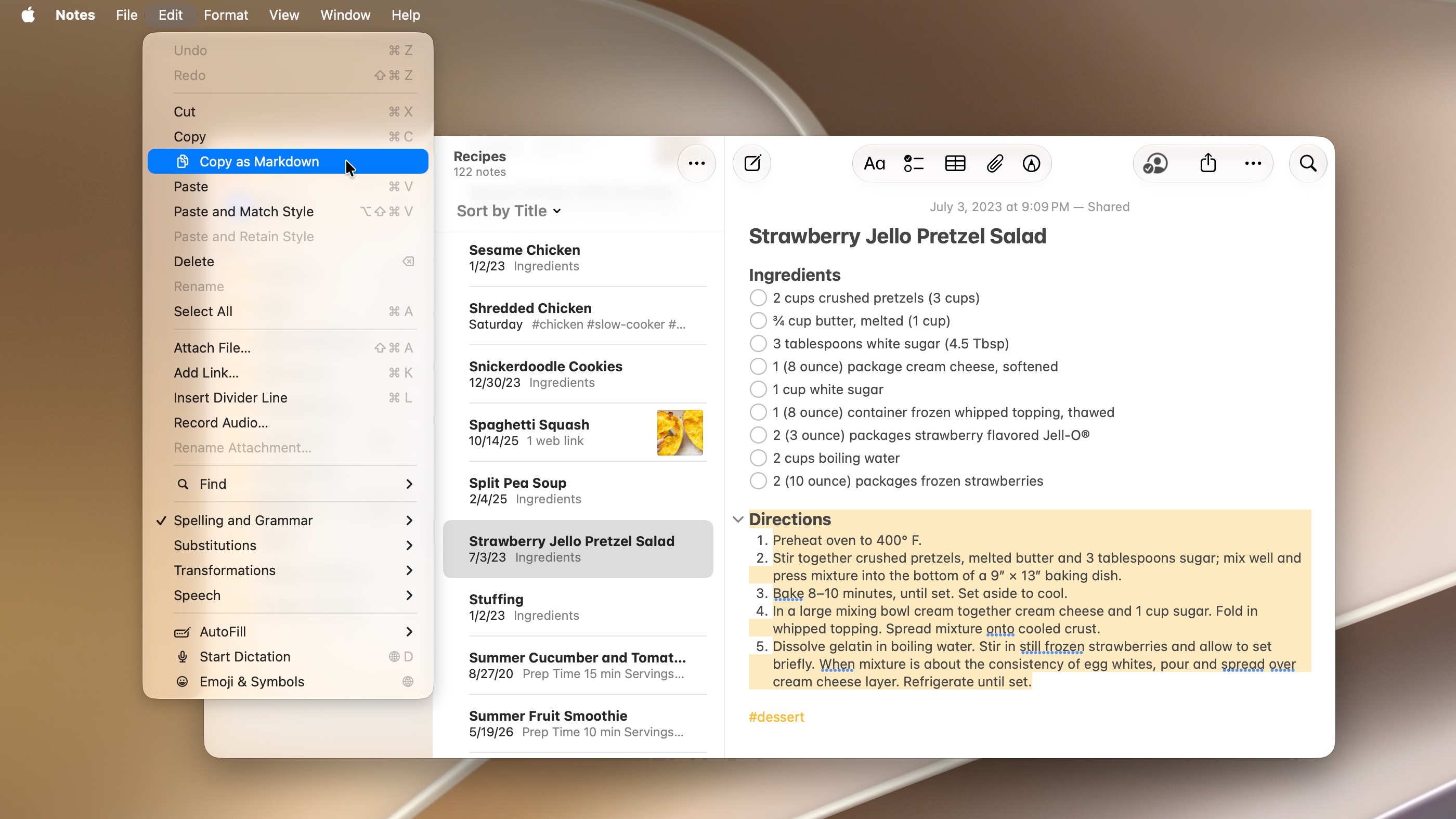
For a user coming from Obsidian, this does not turn Apple Notes into a local Markdown vault. It does, however, make Apple Notes less hostile to Markdown-shaped thinking. You can draft elsewhere, paste into Notes, and keep the result readable without treating the note as a formatting cleanup job.
Dividers land in the same category. They are not a reason to migrate by themselves, but they change how long a note can get before it becomes a gray wall. Meeting notes, travel planning, research clippings, recipes, project logs, and class notes all benefit from a visible break that does not require a fake row of hyphens.
Section links are the more power-user feature. In iOS 27, Apple Notes can link to sections inside a note, not just to the note as a whole. [6][7] This matters for the kind of note that used to push people into Notion pages, Obsidian headings, or a folder full of smaller notes: one long planning document, one research hub, one course note, one trip file with sections that deserve direct jumps.
One beta write-up observed that section-level linking is uncommon in competing apps, but that should be read as a journalist’s observation, not a measured market survey. [6] The more defensible point is simpler: Apple Notes is gaining a link behavior that makes long notes less clumsy, and that is enough to change whether some people can live in it.
Siri-created notes are useful only if your phone gets the new Siri
Siri-created notes are the feature most likely to be misunderstood. In the iOS 27 beta coverage, Siri can create notes with more context and less manual handling, which is exactly the kind of capture improvement that makes a default app feel less like a compromise. [6][7] But this sits inside the Apple Intelligence split, so it is not an iOS 27 feature for every iPhone that can run iOS 27.
That difference matters more than the usual “newer phones get nicer effects” footnote. Capture is where note apps win or lose. If your newer iPhone can turn a spoken request into a useful note with less correction, Apple Notes becomes a stronger default for errands, reminders, quick research, and project fragments. If your older iPhone only gets the non-AI pieces, you may still be better off keeping the paid app whose capture flow you already trust.
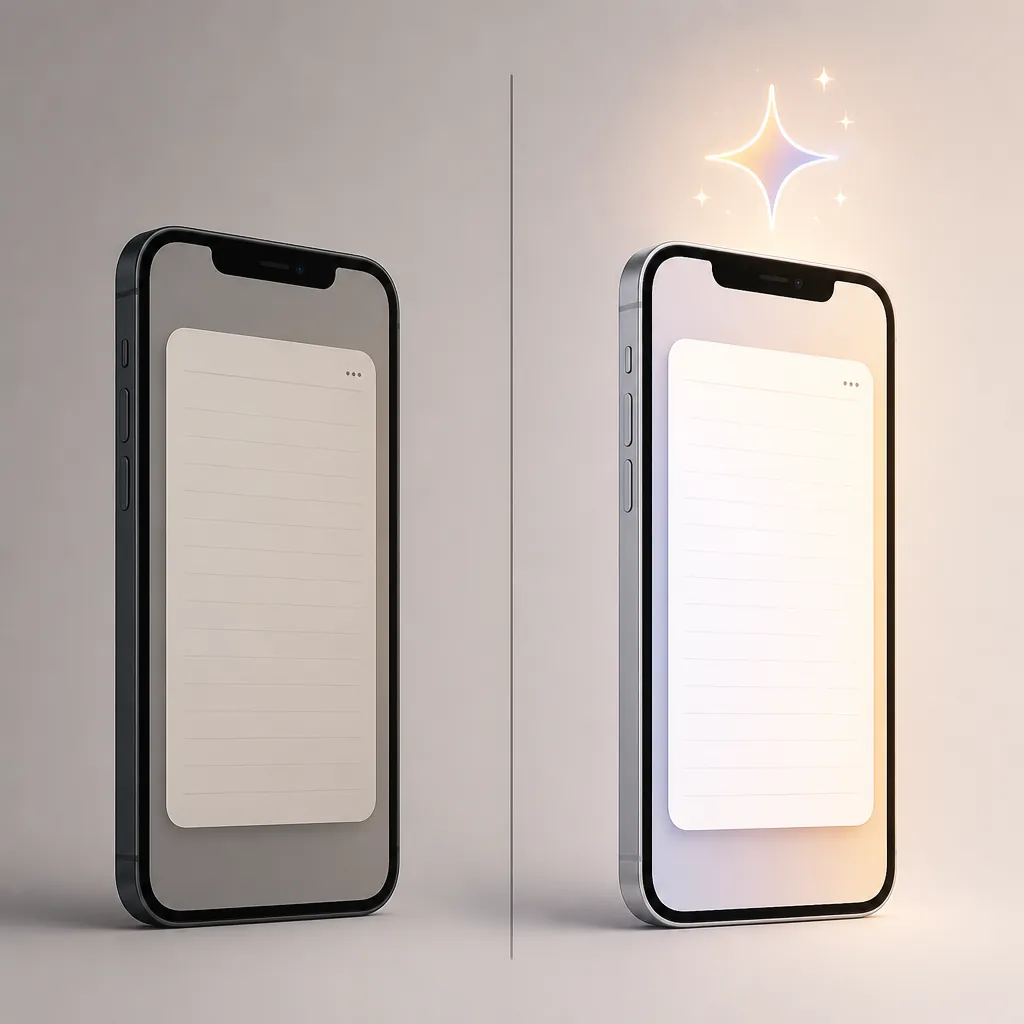
This is also where the EU and China caveat belongs, not in fine print. If Siri AI is not available at launch in your region, the note-app verdict should be based on Markdown conversion, dividers, links, storage, sync, and export — not on an assistant workflow you cannot use yet. [3]
What Apple One Premier contributes — and what it does not
Premier’s note-app relevance is narrow but real. The bundle brings 2TB of iCloud+ storage, and iCloud+ is where large Apple Notes libraries live when they sync across iPhone, iPad, and Mac. [4][5] If your paid note app is partly functioning as a storage and sync escape hatch, Premier can change the economics because the storage may already be paid for inside the bundle.
The second Premier-adjacent change is Apple Intelligence usage. In iOS 27, most iCloud+ plans except the 50GB tier get higher daily limits for server-heavy Apple Intelligence features, and image generation inside Notes is one of the places where those limits can matter. [8][9] That is a usage-cap benefit, not a new note database, not a migration tool, and not a reason to pretend Apple One is a productivity suite.
Home camera AI also has an iCloud+ storage-plan hook: iOS 27 Home features that use AI require a 2TB or larger plan. [10] For the note-app decision, that only matters if the same household is already moving toward a 2TB iCloud+ tier for cameras and family storage. If the only problem you are solving is notes, Home camera AI should not be allowed to drag Premier into the conversation.
One storage detail is deliberately absent here: a combined maximum for Apple One storage stacked with additional iCloud+ storage. Current secondary reporting and Apple support language have been inconsistent enough that quoting a single maximum without rechecking it at publication time would create false precision. For a cancellation decision, the safer question is whether the 2TB included with Premier covers your actual library, photos, backups, and shared family use.
Where paid note apps still have the cleaner answer
Apple Notes still has two disqualifiers that are easy to underplay when the beta features look good: there is no Android app, and bulk export remains weak. Current comparison material still describes Apple Notes export in one-note-at-a-time PDF terms rather than as a clean vault-level export path. [11] If your archive is long-lived, cross-platform, or legally sensitive, that is not a small inconvenience.
Obsidian remains the cleaner answer for local-file Markdown users. Its strength is not that every sync path is effortless on iOS — iOS syncing commonly means iCloud or paid Obsidian Sync — but that your notes can remain plain files in a folder rather than records inside a proprietary notes database. [11] iOS 27 narrows the comfort gap for Markdown-minded Apple users; it does not erase the file-ownership gap.
Notion still makes sense when the note is really a lightweight database, a collaborative workspace, or a published team page. The pressure point in 2026 is cost and AI packaging: secondary pricing coverage notes that Notion AI has moved to the Business tier. [12] If you were only paying because Apple Notes felt too flat, iOS 27 gives you a reason to retest. If you rely on databases, team permissions, and shared project views, Notes is still the wrong comparison.
GoodNotes remains the obvious holdout for handwriting-centered students and tablet-first annotators. Apple Notes can take sketches and handwritten notes, but this iOS 27 beta story is not mainly about replacing a handwriting notebook. It is about structured text, capture, linking, and Apple ecosystem sync.
Evernote is the app most exposed to this particular Apple Notes upgrade because many users keep it for habit, clipping history, and cross-device familiarity rather than for one irreplaceable feature. The 2026 comparison material also flags Evernote’s 50-note free cap, which makes “just downgrade to free” less comfortable for larger archives. [12] If that is the app you are questioning, read the pricing pressure alongside a safe export plan, not after you cancel.
For broader app-by-app context, the more useful next reads are the current privacy, AI, and platform comparison, the laptop note-app comparison, and the head-to-head guide on AI, portability, and offline integrity. If your question is whether “free” is quietly expensive, the separate profile on hidden trade-offs in free note-taking apps is the better place to widen the frame.
The August 3 verdict: switch, keep paying, or wait
Switch your trial workflow to Apple Notes now if you have an iPhone 15 Pro or newer, you already use iCloud across Apple devices, your notes are mostly text plus images and links, and your paid app exists mainly because Apple Notes used to feel too plain. The iOS 27 beta has enough substance — especially Markdown conversion, dividers, section links, and AI-assisted capture — to deserve a real week inside your daily routine.
Keep paying if your archive must remain portable, if Android access matters, if local Markdown files are the point, if handwriting is central, or if your paid app is doing database or collaboration work rather than ordinary note capture. Apple Notes is more serious in iOS 27, but it is still Apple Notes: excellent inside the ecosystem, much less graceful at the exits.
Wait if you are on iPhone 11–14, outside the launch regions for Siri AI, or unwilling to bet your archive on beta behavior before September. Also wait if your decision depends on third-party app compatibility with the iOS 27 beta; the available research does not support claims that Notion, Obsidian, GoodNotes, or Evernote are broadly broken on the beta.
Do not buy Apple One Premier just to make Notes better. Buy Premier only if its bundle — especially 2TB iCloud+ and the higher iCloud+ Apple Intelligence limits — matches your household. If you are a note-only user who simply needs more storage, price standalone 2TB iCloud+ at $9.99 per month against Premier before upgrading the bundle.
Mac users should also check the companion profile on whether macOS Golden Gate solves Apple Notes power-user gaps, because the iPhone verdict changes if your real writing and organizing happens on a Mac. Evernote users should not move anything until they have read a migration-first guide such as How to Export Your Evernote Notes Safely, and anyone deciding whether the subscription is still worth it should pair this with the current Evernote pricing profile.
References
- iOS 27: New iPhone features, release date, beta, compatibility, Apple Intelligence, Siri — Macworld.
- iOS 27 — Wikipedia.
- iOS 27 — MacRumors.
- Apple One — Apple.
- Bundle Apple subscriptions with Apple One — Apple Support.
- Here’s everything new for Apple Notes in iOS 27 — 9to5Mac, July 30, 2026.
- iOS 27 Apple Notes App New Features — MacRumors, June 17, 2026.
- iOS 27 Includes Two New Apple One Perks — MacRumors, June 30, 2026.
- iCloud subscribers will get new benefits in iOS 27 — 9to5Mac, June 8, 2026.
- iOS 27 Home App Features Require iCloud+ — MacRumors, July 6, 2026.
- Best Note-Taking Apps for iPad — Atlas Workspace.
- Best Note-Taking Apps — Tech Insider AU.