
Verified August 26, 2026: the short answer
ChatGPT is now a serious tool for note capture and note processing. That is the change worth taking seriously. Record mode can capture meetings and voice notes, transcribe them, summarize them, and turn them into canvases. Voice mode can catch thoughts when typing would lose them. Projects can hold related chats and files. Memory and reference history can help ChatGPT carry some user context forward.
That still does not make ChatGPT a replacement for a note-taking app. If “notes” means temporary capture, meeting cleanup, synthesis, drafting, or turning messy input into something usable, ChatGPT is useful. If “notes” means the durable system of record — folders, tags, wiki-links, local files, offline access, stable export, and an archive someone can maintain six months later — it falls short.

The practical setup is simpler than the product names make it sound: let ChatGPT sit beside Notion, Obsidian, Logseq, Apple Notes, Evernote, or another archive. Use it to catch and process rough material. Then move the durable result into the place where your notes actually live.
The note can now enter ChatGPT in more than one useful way
The strongest reason to revisit ChatGPT for note-taking and productivity is Record mode. In OpenAI’s current help documentation, Record mode is available in the macOS desktop app for Plus, Pro, Business, Enterprise, and Edu workspaces. A recording session is capped at 4 hours, and ChatGPT can transcribe and summarize the recording into a canvas. OpenAI also states that audio is deleted after transcription, with the transcript and generated content retained according to the user’s workspace settings and data controls.[1]
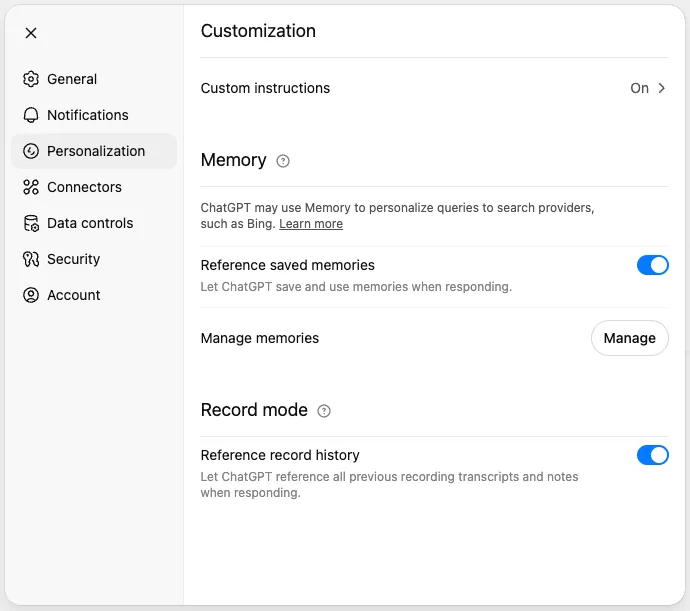
That makes Record mode different from the older “paste a transcript into ChatGPT” workflow. The capture step itself is now inside ChatGPT, at least if the meeting or voice note happens on a supported plan and on macOS. The limitation is just as important: this is not a universal recorder across every platform and plan. Free and Go users are not listed for Record mode in the current OpenAI Record documentation, and the feature is not described there as a web, Windows, iOS, or Android recording layer.[1]
Voice mode is a different capture path. It is useful for talking through a thought, asking ChatGPT to reshape an idea, or doing a live back-and-forth when the keyboard is the bottleneck. But the metering and record quality matter. OpenAI says Plus and Go users get roughly 1 hour of GPT-Live-1 per rolling 24-hour period and 2 hours of the mini model, Pro users get unlimited GPT-Live-1 access, a single Live conversation is capped at 2 hours, and voice transcripts are not verbatim records.[2]
That last phrase should slow down anyone evaluating ChatGPT as the archive. A non-verbatim transcript can be perfectly fine for turning a walk into a plan or a messy thought into a memo. It is much weaker as a meeting record, an interview source, or the only copy of what was said.
| Capture route | What it is good at | Plan or operating limit | Archive caveat |
|---|---|---|---|
| Record mode | Capturing meetings and voice notes, then producing transcripts, summaries, and canvases | macOS desktop app; Plus, Pro, Business, Enterprise, and Edu; 4-hour session cap[1] | The output lives in ChatGPT, not in your note app unless you move it |
| Voice mode | Talking through ideas, decisions, drafts, and quick reflections | Plus and Go have rolling 24-hour limits; Pro has unlimited GPT-Live-1; single Live conversation capped at 2 hours[2] | Transcripts are not verbatim records[2] |
| Typed or dictated chat | Fast capture when you already know the request or shape of the note | Bound by current plan limits and model availability | Easy to create scattered chats that later need cleanup |
| Files inside Projects | Giving ChatGPT background material for a workstream, client, class, or research thread | 5 files on Free, 25 on Go and Plus, 40 on Edu, Pro, Business, and Enterprise[3] | Files support context; they do not create a local, linkable note library |
The plan map matters more than the demo
A note system is not evaluated only by what happens in the best five-minute demo. The plan boundary decides whether a workflow is actually available to the person using it. OpenAI’s pricing page remains the live source for current plan names and commercial packaging, and feature limits change often enough that they should be rechecked before any procurement or team rollout.[4]
| Plan or workspace | Record mode | Projects file cap | Custom Instructions limit | Voice note |
|---|---|---|---|---|
| Free | Not listed for Record mode in current Record documentation[1] | 5 files per project[3] | 1,500 characters[5] | Use current Voice documentation for availability and metering |
| Go | Not listed for Record mode in current Record documentation[1] | 25 files per project[3] | 1,500 characters[5] | Roughly 1 hour of GPT-Live-1 per rolling 24 hours and 2 hours of mini[2] |
| Plus | Available on macOS desktop app[1] | 25 files per project[3] | 5,000 characters[5] | Roughly 1 hour of GPT-Live-1 per rolling 24 hours and 2 hours of mini[2] |
| Pro | Available on macOS desktop app[1] | 40 files per project[3] | 5,000 characters[5] | Unlimited GPT-Live-1; single Live conversation capped at 2 hours[2] |
| Business | Available on macOS desktop app[1] | 40 files per project[3] | 5,000 characters[5] | Workspace and admin settings matter |
| Enterprise | Available on macOS desktop app[1] | 40 files per project[3] | 5,000 characters[5] | Workspace and admin settings matter |
| Edu | Available on macOS desktop app[1] | 40 files per project[3] | 5,000 characters[5] | Workspace settings matter |
This is why a team saying “we use ChatGPT for notes” may mean several different things. One person may be recording meetings into canvases on macOS. Another may be talking into Voice mode and asking for a cleaned-up outline. A third may be uploading project files and using ChatGPT as a contextual assistant. Those are related workflows, but they do not have the same limits or the same archival consequences.
Once captured, the material becomes easier to process
This is the part ChatGPT is genuinely good at. A raw meeting can become decisions, action items, open questions, and a short brief. A wandering voice note can become a project outline. A pasted page of research can become a comparison table or a draft memo. Record mode’s canvas output is especially relevant here because it gives the captured material a workable surface instead of leaving it only as a chat response.[1]
Projects make that processing more coherent. OpenAI describes Projects as spaces that can group chats, files, instructions, and context around a topic or workstream. The current Projects documentation says project memory is scoped to the project, and shared projects have been available since October 22, 2025, with collaborator limits ranging from 5 to 100 depending on plan.[3]
That project-only memory is one of the better boundaries in the product. A client project can have its own instructions and files. A research project can keep its own working context. A personal planning project can avoid contaminating a workstream. This is closer to a workspace than a notebook, and for many productivity tasks that is enough.
Custom Instructions add another layer. OpenAI’s current limits are 1,500 characters on Free and Go, and 5,000 characters on paid plans. OpenAI also says Custom Instructions are included in ChatGPT data exports.[5] In a note workflow, that means you can encode preferences such as “turn meetings into decisions, risks, and next actions,” or “write research notes with source caveats and unresolved questions.”
Memory and reference chat history are more delicate. They can help ChatGPT personalize answers or remember useful context where available, but they are not the same thing as a maintained note graph. A remembered preference is not a tag. A reference to prior chat history is not a backlink. A model carrying context into an answer is not the same as a file you can inspect, rename, move, version, and back up.[6]
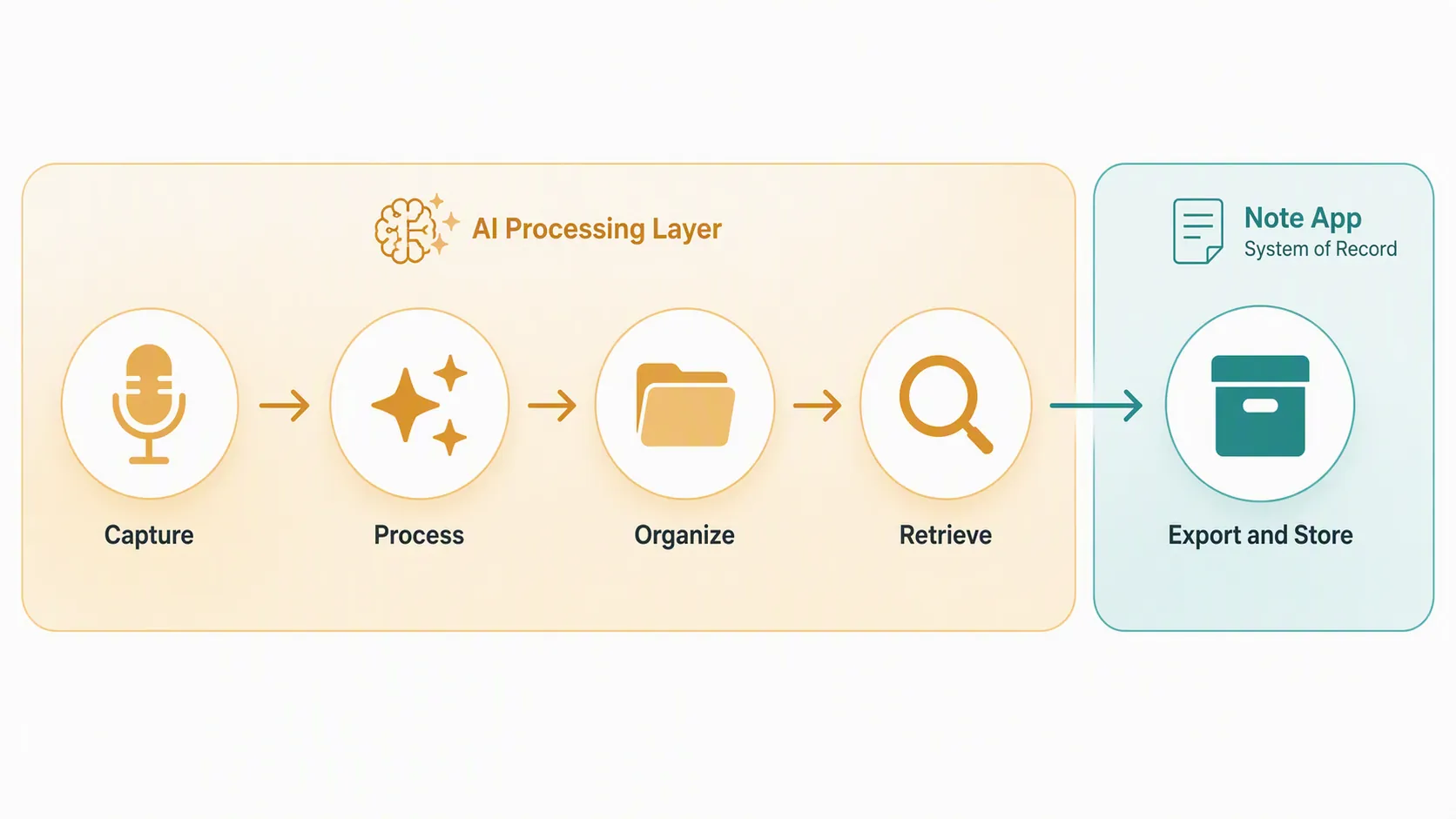
The failure point is not summarization. It is becoming the system of record.
Most “ChatGPT for note-taking” advice stops at the summary. That is the easy part. The harder question is what happens after the summary exists.
A real note app gives the archive a shape. Notion has databases and pages. Obsidian and Logseq have local markdown, links, backlinks, and graph-like habits. Apple Notes gives simple folders and OS-level capture. Evernote is built around notebooks, tags, and saved material. The exact model differs, but each product gives notes a durable home.
ChatGPT gives you chats, projects, files, memories, canvases, and search. Those are useful operating surfaces. They are not the same as a note app’s structural primitives. The structural criticism is not that ChatGPT cannot help with notes; it plainly can. It is that ChatGPT is not designed as a storage replacement with folders, tags, wiki-linking, local files, and offline ownership as its core model. Fritz.ai’s note-taking analysis is useful on this structural point, even though older claims that ChatGPT cannot record or listen to meetings no longer match current Record mode documentation.[7][1]
The distinction matters during retrieval. If you remember the exact meeting, project, or phrase, ChatGPT may be able to help you find or reconstruct the useful output. If you are doing long-term maintenance — pruning stale notes, refactoring topics, linking related ideas, preserving source context, or moving the archive to another tool — the missing structure becomes work you have to do later.
Storage and retention are policy questions, not just feature questions
Record mode’s audio deletion after transcription is reassuring for one narrow object: the audio file created by the recording. It does not answer the broader archive question. The transcript, summary, canvas, uploaded files, chats, and project context still sit inside ChatGPT’s account and workspace model, governed by OpenAI’s retention policies and the relevant data controls.[1][8]
For individual productivity, that may be acceptable. For a team knowledge base, legal archive, client record, research notebook, or long-lived personal knowledge system, it is a weaker guarantee than a folder of local markdown files or a database you control. The issue is not that cloud retention is automatically bad. The issue is that a note app’s archive role depends on predictable storage, predictable deletion, and predictable exit.
Export is the clearest sign that ChatGPT is not your note app
OpenAI’s data export process is account-level and coarse. OpenAI says an export can take up to 7 days to generate, and the download link expires 24 hours after it is sent. OpenAI also states that Business and Enterprise users do not have self-service export from the ChatGPT interface and should contact their workspace administrator instead.[9]
That is not the export model of a note system. It may satisfy account portability requirements. It may be enough for an occasional personal backup. It is not the same as selecting a notebook, exporting a folder, syncing markdown files, or keeping a local vault under version control.
The export fact also changes how Record mode should be used. A meeting summary that matters should not remain only in ChatGPT because the capture was convenient. The durable version belongs somewhere with the rest of the project record: a Notion page, an Obsidian note, a Logseq page, an Apple Notes folder, an Evernote notebook, a document repository, or whatever your team already treats as the archive.
A better workflow: capture in ChatGPT, file elsewhere
The cleanest workflow is not complicated:
- Capture the messy input in the lowest-friction place: Record mode for meetings on supported plans, Voice mode for spoken thinking, or a normal chat for pasted notes.
- Ask ChatGPT to process the material into the shape you actually use: decisions, actions, brief, outline, research note, agenda, or project update.
- Check the output against the source while the meeting or thought is still fresh.
- Move the durable result into the note app or repository that owns your archive.
- Leave ChatGPT with the temporary working copy, not the only maintained copy.
A September 2025 Forte Labs voice-only test is a useful cautionary example, not a current specification sheet. In that first-hand test, context did not carry across chats in the way the workflow needed, length limits forced restarts, and the voice conversations did not leave a reviewable record for the author’s process.[10] ChatGPT’s current Record mode improves the capture layer substantially, but the maintenance lesson remains: if the record matters, create a reviewable artifact and file it deliberately.
Where ChatGPT fits beside the note apps
For Notion users, ChatGPT is good at turning raw capture into a database-ready page: summary, status, next actions, owners, risks, and follow-up questions. Notion remains the place where the page sits in a system.
For Obsidian and Logseq users, ChatGPT is good at first-pass cleanup and synthesis. The vault or graph remains the durable layer because links, backlinks, local files, and refactoring are the point.
For Apple Notes and Evernote users, ChatGPT is useful when the captured note needs more structure than the original thought had. The notebook or folder still carries the history.
For teams, the same rule applies with higher stakes. ChatGPT can produce the meeting brief, but the team still needs to decide where decisions are authoritative, where files are retained, who can access the archive, and how export works when someone leaves the workspace.
If your next question is whether ChatGPT can work directly with files already stored in Google Drive, the sibling profile on ChatGPT’s Google Drive connector for notes is the more specific read. For the broader ownership question, see AI note tools versus local notes after cloud changes and Meta AI versus note app workflows.
So the verdict is narrow and useful: ChatGPT can replace parts of the capture and processing workflow. It should not replace the note app that owns the archive.
References
- ChatGPT Record — OpenAI Help Center
- Voice Mode FAQ — OpenAI Help Center
- Using projects in ChatGPT — OpenAI Help Center
- Pricing — ChatGPT
- ChatGPT Custom Instructions — OpenAI Help Center
- Memory FAQ — OpenAI Help Center
- Can ChatGPT Take Notes? — fritz.ai
- Chat and File Retention Policies in ChatGPT — OpenAI Help Center
- Exporting your ChatGPT history and data — OpenAI Help Center
- The Voice-Only Mid-Year Review: Testing the Limits of ChatGPT Voice Mode — Forte Labs, September 2025