
If your system usually falls apart by the second Friday, the problem is rarely that you lacked discipline. More often, the method asked for a kind of productivity your actual workday cannot sustain.
A 2019 ACM CHI diary study of 24 knowledge workers across 11 occupations in South Korea found that people judge productivity through six different themes: work output, time management, worker state, attitude toward work, impact or benefit, and compound tasks. That is directional evidence, not a universal law, but it explains why one person’s "good system" can feel useless to someone else [1].
That mismatch also shows up in the way most method roundups are written. Guides from Todoist, Superhuman, Prialto, and Atlassian mostly catalog a stack of methods without first diagnosing the problem the reader is trying to solve [3][4][5][6]. A 2026 stat roundup adds another clue: only 18% of people have a dedicated time management system, while 25% have none at all [2].
Read the work before you pick the method
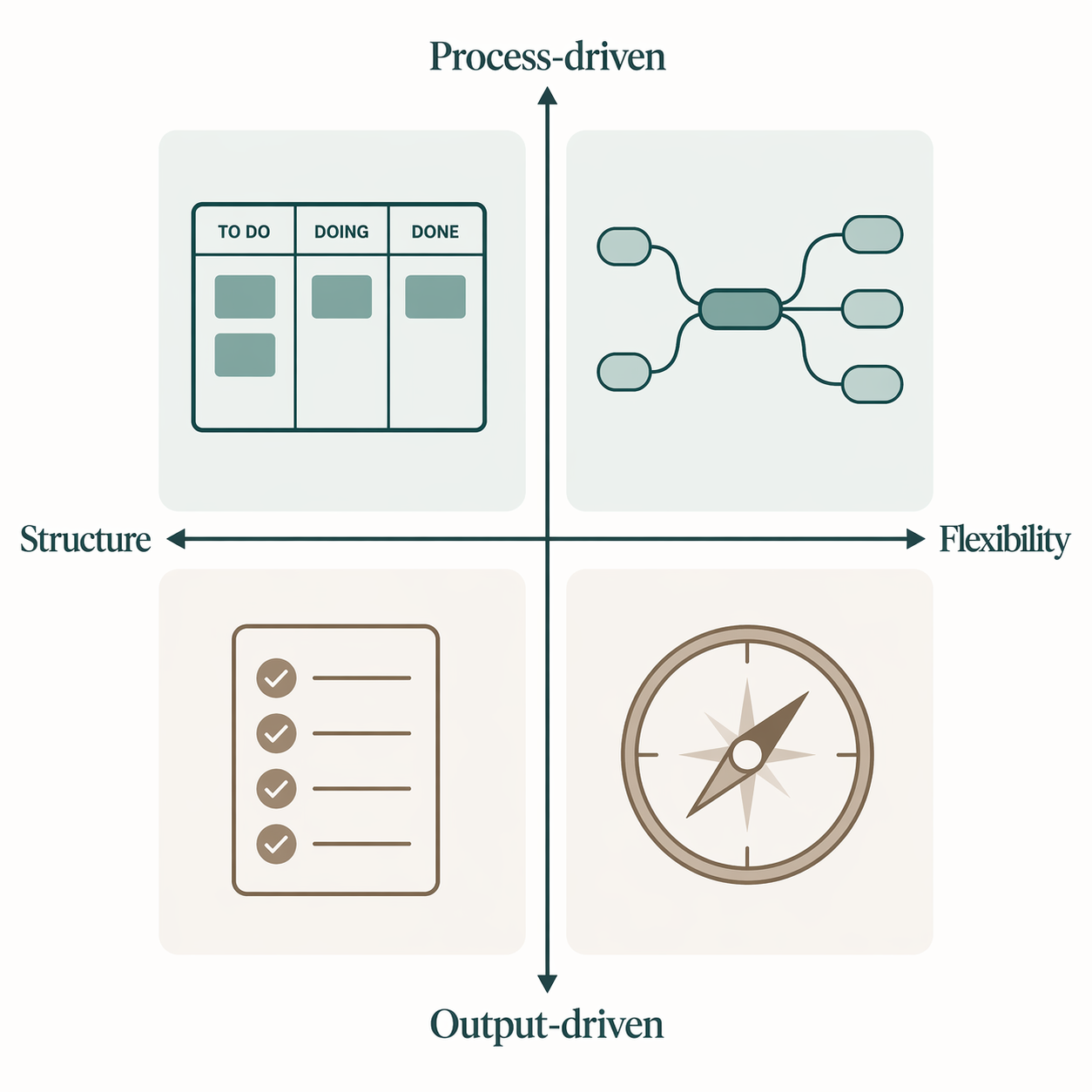
The practical version of this diagnosis uses two questions: do you get more relief from visible output or from a reliable process, and do you need structure or flexibility to keep going? The four profiles below are a heuristic, not a personality test. They are a shortcut for deciding which methods are worth a one-week trial.
| Work-style profile | What usually hurts | Best-fit methods to test | Trade-off to watch |
|---|---|---|---|
| Big-task procrastinators | Starting the task is the bottleneck | Eat the Frog + Kanban | The first task can become a guilt pile if it stays too large or vague |
| Scattered multi-project people | Too many moving parts stay in your head | GTD | Capture and review can become a second job if the system grows too heavy |
| Easily distracted knowledge workers | Attention drifts before the work is done | Pomodoro + time blocking | Rigid blocks can break down in interruption-heavy roles |
| Visual or spatial thinkers | Priorities are easier to see than to sequence | Eisenhower Matrix + Kanban | Visibility does not automatically solve capacity planning |
If your diagnosis points to scattered projects or heavy capture needs, the deeper comparison of PARA vs. GTD vs. Zettelkasten is the next useful read.
Big-task procrastinators
This is the person who can work all day and still avoid the task that would actually move the project. Eat the Frog helps by forcing an early start on the thing you are most likely to postpone; Kanban adds a visible lane structure so the task does not disappear after capture. The trade-off is overhead in a different form: if the frog is still vague or oversized, the board turns into a parking lot for guilt instead of a path into motion.
Scattered multi-project people
GTD fits when the pain is not starting, but holding too many active commitments in your head. Its capture, clarify, and next-action logic reduces mental drag, which is why it keeps showing up in real workplaces. The warning is equally practical: its upkeep can become its own job, especially if you are already juggling multiple projects, inboxes, and meetings. If your real need is information organization rather than task control, the PKM route deserves attention, and How to Choose Your First PKM Framework is the cleaner next step.
Easily distracted knowledge workers
Pomodoro and time blocking work best when attention, not commitment, is the bottleneck. The timer creates a start, a stop, and a visible return point; calendar blocks make space for work that would otherwise be crowded out. This pairing helps when you need friction against drift, but it can feel brittle in roles with constant interruptions or reactive work, where the calendar is more suggestion than container.
Visual or spatial thinkers
The Eisenhower Matrix makes decisions visible; Kanban makes motion visible. Together they help when the main problem is not ignorance of what exists, but difficulty seeing what should happen first and what is still moving. The limit is that visibility is not the same as capacity planning. If your week is driven by meetings, deadlines, and handoffs, you may still need a calendar-based layer above the board.
Run the one-week test drive
The point is not to rebuild your life around a system before you know whether it reduces friction. Use one work week as a controlled test.
- Choose the profile that matches your worst recurring day, not your ideal day.
- Pick one primary method and one support method. Do not stack more unless the first pair clearly fails.
- Name one signal you can feel by Friday: fewer missed starts, less mental clutter, fewer abandoned tasks, or less time spent re-deciding what to do next.
- Keep the system small enough that maintaining it does not become a second job.
- At the end of the week, keep the pieces that reduced real friction and drop the ones you only enjoyed thinking about.
If you want the comparison layer before you choose, Productivity Methods Face-Off: Which System Actually Fits Your Work Style? is the fastest way to narrow the shortlist. If you already know you need to combine methods, The Productivity Stack: How to Build a Personal Productivity System That Actually Works in 2026 shows how to layer them without turning the system into a hobby. Once the choice is clear, How to Design a Personal Productivity Workflow System (With Templates & Tool Stack) is the implementation step.
References
- Kim et al., 2019 ACM CHI diary study on productivity judgments — ACM — 2019
- Productivity Statistics 2026 — Asian Efficiency — 2026
- Personal Productivity Methods — Todoist
- Productivity Systems — Superhuman
- Productivity Systems — Prialto
- 7 Productivity Methods — Atlassian
Comments
Join the discussion with an anonymous comment.