
Introduction: Why Handwriting-to-Text Still Matters in 2026
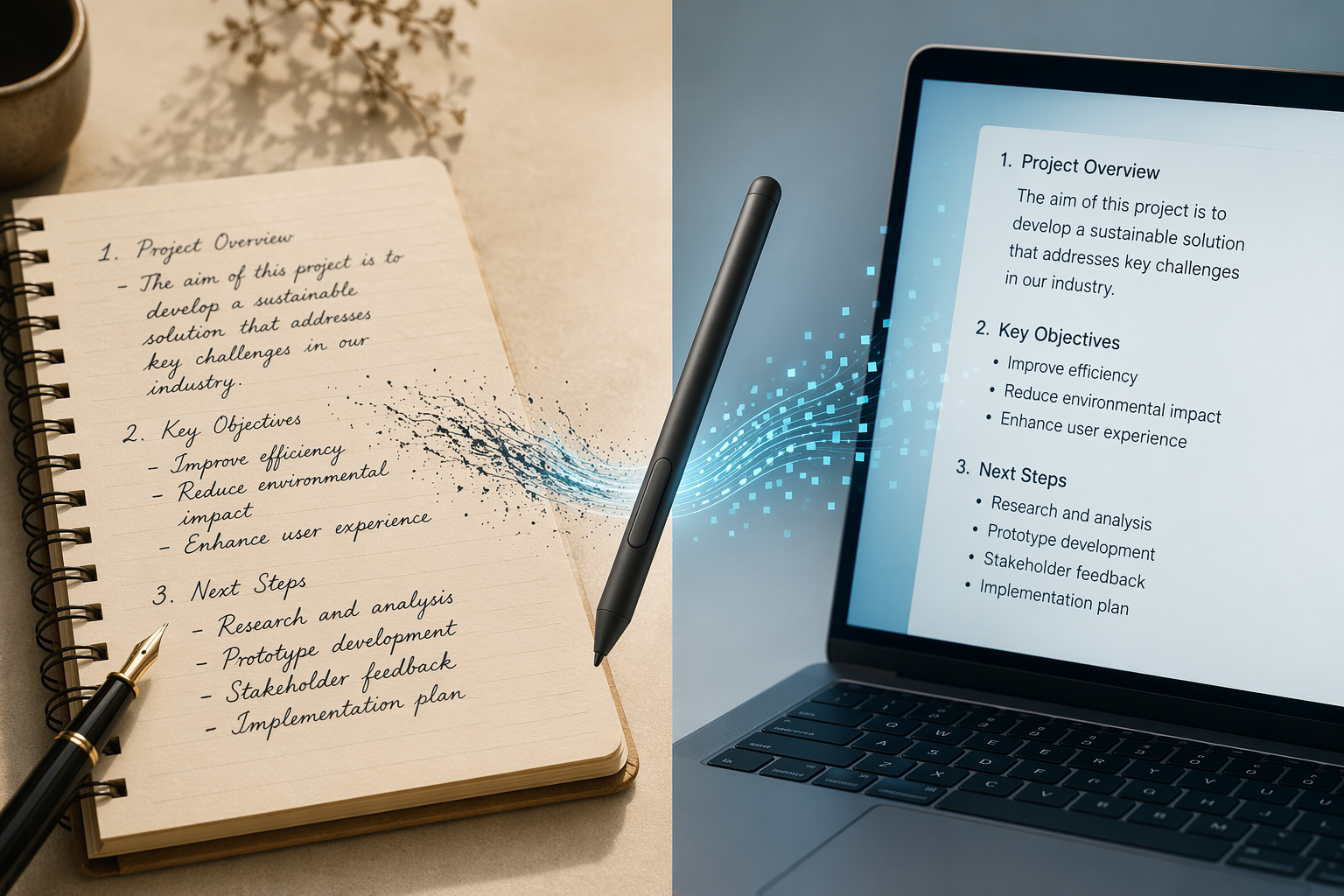
Handwritten notes haven't disappeared. They fill meeting notebooks, lecture pads, sticky notes on monitors, and whiteboard brainstorming sessions. The question isn't whether handwriting will survive — it's how to get that content into a digital system where it can be searched, edited, shared, and archived. In 2026, the tools to convert handwritten notes to text have matured into three distinct tiers, each optimized for a different way of writing.
The old way of thinking about this problem split tools into two camps: real-time converters (apps that turn your handwriting into text as you write on a screen) and post-hoc OCR digitizers (tools that process a photo or scan after the fact). That framework misses a critical distinction: how you produce the handwriting in the first place. A student writing lecture notes on an iPad with a stylus has completely different needs than a lawyer digitizing a box of archived case notes, or a manager snapping a photo of a whiteboard after a meeting.
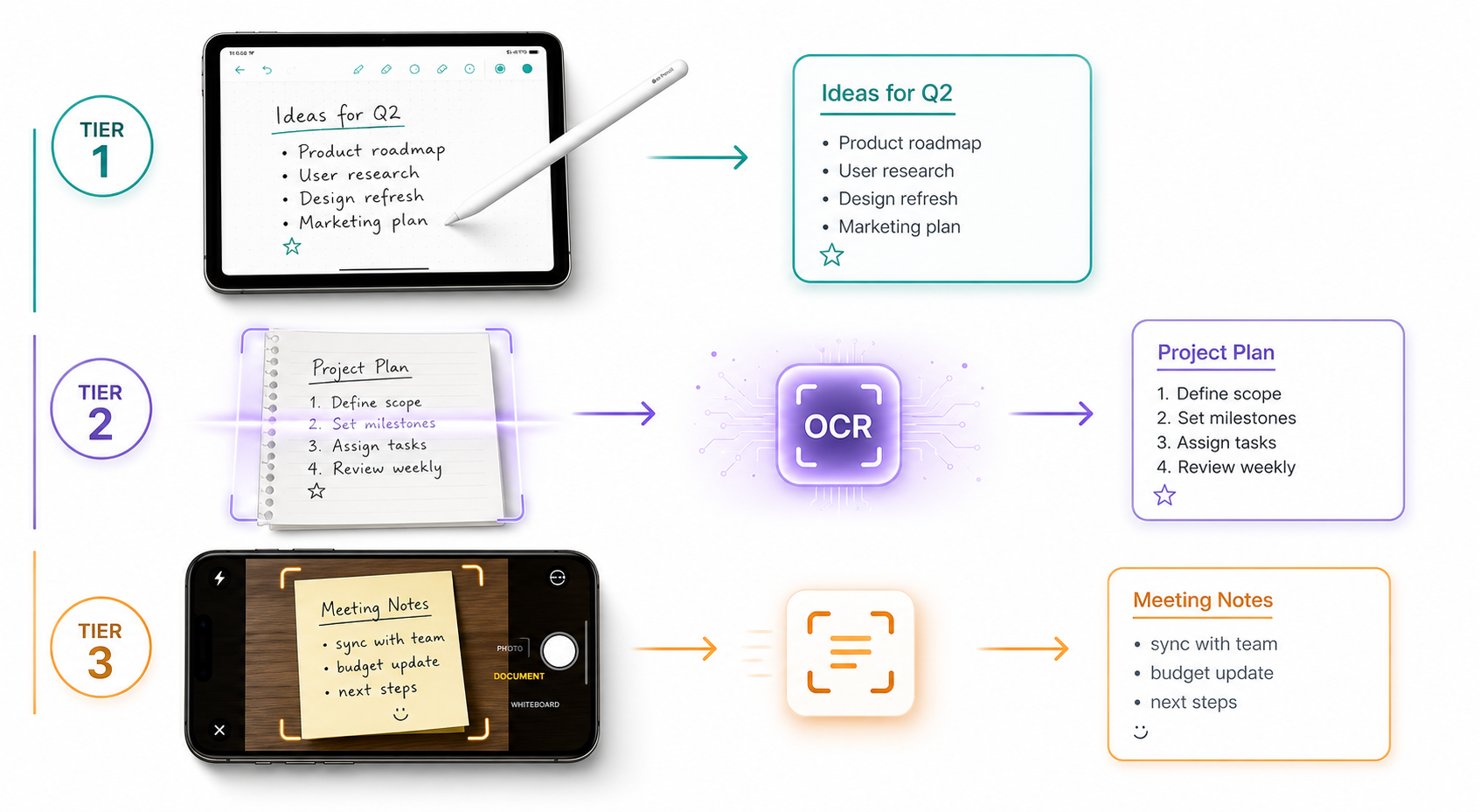
This article organizes the best handwriting-to-text tools in 2026 into three tiers based on input method:
- Tier 1: Stylus-first note-taking apps for users who write directly on a tablet or phone screen.
- Tier 2: AI-powered OCR and document processing tools for batch digitizing scanned paper notes.
- Tier 3: Free quick-capture tools for one-off conversions of handwritten content.
Each tier has its own leaders, its own accuracy expectations, and its own cost structure. The right choice depends entirely on how you write, how much you write, and what you need to do with the text afterward.
Tier 1: Stylus-First Note-Taking Apps (Screen Writers)
If you write on a tablet or phone screen with a stylus, you're in Tier 1 territory. These apps convert handwriting to text in real time or on demand, and they're designed for the specific workflow of digital note-taking — not for processing paper documents. The leaders in this category include Nebo, Goodnotes 6, Notability, Microsoft OneNote, Apple Notes with Scribble, and Samsung Notes.
Nebo: The Real-Time Conversion Leader
Nebo, powered by MyScript, stands apart for its ability to handle not just standard handwriting but also complex mathematical equations and diagrams. It transforms entire pages of handwritten content into clean, editable digital documents and exports to DOCX, PDF, HTML, TXT, and LaTeX. For students and professionals who work with formulas, Nebo is the only app in this tier that treats math as a first-class citizen rather than a garbled mess.
Goodnotes 6 and Notability: The iPad Standards
Goodnotes 6 offers a Lasso Tool workflow: circle handwritten text, tap to convert it into a text box, and let the app's AI-assisted spellcheck clean up any errors. Notability takes a similar approach but adds audio recording synced to handwritten notes — useful for students who want to replay a lecture segment while reviewing their converted text. Both apps are iPad-first, though Goodnotes has expanded to Android and Windows.
Microsoft OneNote: The Ecosystem Play
OneNote's Ink to Text and Ink to Math features are included with Microsoft 365 subscriptions. The conversion quality is solid for print-style handwriting, and the deep integration with the Microsoft ecosystem — Outlook, Teams, SharePoint — makes it the default choice for organizations already on Microsoft 365. The tradeoff is that OneNote's handwriting conversion is less polished than Nebo's for complex layouts and non-standard handwriting styles.
Apple Scribble and Samsung Notes: Built-In, Free, and Limited
Apple Notes with Scribble provides system-wide real-time handwriting conversion in any text field on iPad, free and built into iPadOS. It's convenient for quick entries but lacks the batch conversion and export options of dedicated apps. Samsung Notes offers similar functionality on Galaxy tablets, with Galaxy AI features on supported models that enhance conversion accuracy for cursive and mixed-language notes.
| App | Platform | Key Strength | Pricing | Best For |
|---|---|---|---|---|
| Nebo | iOS, Android, Windows, Mac | Math equations, diagrams, LaTeX export | ~$9.99 one-time | Students and professionals with formulas |
| Goodnotes 6 | iOS, Android, Windows, Mac | Lasso Tool + AI spellcheck | ~$9.99 one-time | iPad-first note-takers |
| Notability | iOS, Mac | Audio sync with handwritten notes | ~$14.99/year | Lecture and meeting note-takers |
| Microsoft OneNote | iOS, Android, Windows, Mac, Web | Microsoft 365 integration | Free with M365 ($6.99/mo) | Enterprise and M365 users |
| Apple Scribble | iPadOS only | System-wide real-time conversion | Free (built-in) | Casual iPad note-takers |
| Samsung Notes | Android (Galaxy only) | Galaxy AI handwriting features | Free (built-in) | Galaxy tablet users |
Tier 2: AI-Powered OCR and Document Processing Tools (Paper Scan Digitizers)
Tier 2 is for users who work primarily on paper — notebooks, printed forms, whiteboard printouts, archival documents — and need to digitize them in bulk. This category has been transformed by frontier large language models (LLMs) that now outperform dedicated handwriting OCR engines on standard benchmarks.
Frontier LLMs: GPT-5, Claude Opus 4.7, and Gemini 3
According to the IAM Handwriting Database benchmark — which contains 13,353 text lines from 657 writers — the top-performing models in 2026 are all vision-language models, not traditional OCR engines. GPT-5 leads at approximately 1.22% Character Error Rate (CER), followed by Claude Opus 4.7 at 1.31% CER and Gemini 3 at 1.44% CER. For comparison, the best dedicated OCR model, DTrOCR, achieves 2.38% CER, and the widely available TrOCR-Large sits at 2.89% CER.
The practical implication is clear: if you need to digitize a stack of handwritten pages, uploading them to GPT-5 or Claude Opus 4.7 will produce more accurate results than running them through a traditional OCR engine. The cost, however, is higher. GPT-5 runs approximately $12 per 1,000 pages, Claude Opus 4.7 at $15 per 1,000 pages, and Gemini 3 at $8 per 1,000 pages. GPT-5-mini offers a more economical option at roughly $2 per 1,000 pages with a CER of 1.52%.
Dedicated OCR Engines: ABBYY FineReader, Azure Document Intelligence, and Amazon Textract
For enterprise workflows that require structured output with bounding boxes and confidence scores, dedicated OCR engines still have advantages. Azure Document Intelligence v4.0 achieves approximately 1.8% CER on the IAM benchmark and offers the best combination of accuracy and structured output for enterprise use. Amazon Textract measures at roughly 89.5% word-level accuracy on handwriting, while Azure Document Intelligence reports about 91.3% word-level accuracy.
ABBYY FineReader PDF 16 remains a strong contender for high-quality document processing, with up to 99.8% accuracy on printed text and approximately 95% for handwriting recognition under good conditions. An independent comparison measured ABBYY at 91.7% accuracy on cursive handwriting and 95.2% on handwritten print.
Specialized Tools: Transkribus and Pen to Print
Transkribus allows users to train custom recognition models for specific handwriting styles — a capability that's essential for historical document digitization or any scenario where the handwriting is consistent but non-standard. It exports to TXT, PDF, DOCX, and XML formats like ALTO and PAGE. Pen to Print claims 98.2% word accuracy for clear cursive handwriting and operates through a simple photo-and-convert workflow, priced at approximately $4.99 per month for premium.
| Tool | Type | Accuracy Benchmark | Pricing | Best For |
|---|---|---|---|---|
| GPT-5 | Vision-Language Model | ~1.22% CER (IAM) | ~$12/1K pages | Highest accuracy, any handwriting style |
| Claude Opus 4.7 | Vision-Language Model | ~1.31% CER (IAM) | ~$15/1K pages | High-accuracy batch digitization |
| Gemini 3 | Vision-Language Model | ~1.44% CER (IAM) | ~$8/1K pages | Cost-effective high accuracy |
| GPT-5-mini | Vision-Language Model | ~1.52% CER (IAM) | ~$2/1K pages | Budget batch processing |
| Azure Document Intelligence v4.0 | Cloud OCR API | ~1.8% CER (IAM) | Per-page pricing | Enterprise with structured output |
| ABBYY FineReader PDF 16 | Desktop OCR | ~95% handwriting (good conditions) | ~$16/mo or perpetual | High-quality document processing |
| Amazon Textract | Cloud OCR API | ~89.5% word-level | ~$1.50/1K pages | AWS ecosystem users |
| Transkribus | Custom Model Training | Varies by training data | Free tier + paid plans | Historical or consistent handwriting |
| Pen to Print | Mobile OCR | Claims 98.2% word accuracy | ~$4.99/mo premium | Quick paper-to-text on mobile |
Tier 3: Free Quick-Capture Tools (One-Off Users)
Not everyone needs a dedicated note-taking app or a batch OCR pipeline. Sometimes you just need to grab the text from a sticky note, a whiteboard photo, or a page of meeting notes — once, quickly, and for free. Tier 3 covers the tools that handle this use case: Google Lens, Microsoft Lens, and the free tier of ChatGPT with GPT-4o.
Google Lens: The Universal Free Option
Google Lens provides free OCR that pulls text from images. It works well for neat print and block handwriting but struggles with messy cursive, low light, and shadows. For a quick capture of a clearly written note, it's hard to beat — no account required, no installation beyond the Google app, and it runs on any smartphone.
Microsoft Lens: Better for Low-Light and Whiteboard Captures
Microsoft Lens achieves OCR accuracy on low-light handwritten notes that is 12.7% higher than Adobe's mobile offering, attributed to a denoising model trained on 1.2 million degraded academic whiteboard images. It's free, available on iOS and Android, and includes automatic perspective correction and image enhancement — making it the best free option for whiteboard and meeting room captures.
ChatGPT Free Tier (GPT-4o): The Surprising Contender
The free version of ChatGPT with GPT-4o allows users to upload images of handwritten documents — from sticky notes to meeting and class notes — and convert them into text. No Plus subscription is required. In tests, GPT-4o can accurately transcribe handwritten notes including cursive from a single photo. One guide notes that Google Lens accuracy for handwriting is "light years behind GPT-4's Vision capabilities."
The tradeoff is that the free tier has message limits and may refuse certain requests if the model interprets that you're trying to extract personal identifying information. For occasional use, however, it's the most capable free option available.
| Tool | Cost | Best For | Limitations |
|---|---|---|---|
| Google Lens | Free | Neat print, block handwriting, quick captures | Struggles with cursive, low light, shadows |
| Microsoft Lens | Free | Whiteboard captures, low-light notes | Less effective on complex layouts |
| ChatGPT Free (GPT-4o) | Free | Cursive, mixed handwriting, any style | Message limits, may refuse certain requests |
Comparison Table: Accuracy, Price, Platform, and Best For
The table below brings all tools from all three tiers into a single scannable view. Use it as a quick reference when comparing options.
| Tool | Tier | Accuracy (Claimed or Benchmark) | Pricing | Platforms | Best For |
|---|---|---|---|---|---|
| Nebo | 1 | Industry-leading real-time conversion | ~$9.99 one-time | iOS, Android, Windows, Mac | Math and diagram-heavy notes |
| Goodnotes 6 | 1 | AI-assisted spellcheck | ~$9.99 one-time | iOS, Android, Windows, Mac | iPad note-taking with Lasso Tool |
| Notability | 1 | Real-time conversion + audio sync | ~$14.99/year | iOS, Mac | Lecture and meeting notes |
| Microsoft OneNote | 1 | Ink to Text + Ink to Math | Free with M365 | All platforms | Enterprise and M365 users |
| Apple Scribble | 1 | System-wide real-time | Free (built-in) | iPadOS | Casual iPad note-takers |
| Samsung Notes | 1 | Galaxy AI enhanced | Free (built-in) | Galaxy devices | Galaxy tablet users |
| GPT-5 | 2 | ~1.22% CER (IAM) | ~$12/1K pages | Web, API | Highest accuracy batch digitization |
| Claude Opus 4.7 | 2 | ~1.31% CER (IAM) | ~$15/1K pages | Web, API | High-accuracy batch processing |
| Gemini 3 | 2 | ~1.44% CER (IAM) | ~$8/1K pages | Web, API | Cost-effective high accuracy |
| Azure Document Intelligence | 2 | ~1.8% CER (IAM) | Per-page | Cloud API | Enterprise structured output |
| ABBYY FineReader | 2 | ~95% handwriting (good conditions) | ~$16/mo | Windows, Mac | High-quality document processing |
| Transkribus | 2 | Varies by training | Free + paid | Web, Desktop | Custom handwriting models |
| Pen to Print | 2 | Claims 98.2% word accuracy | ~$4.99/mo | iOS, Android | Quick paper-to-text on mobile |
| Google Lens | 3 | Good for neat print | Free | iOS, Android | Quick captures of clear text |
| Microsoft Lens | 3 | 12.7% better low-light than Adobe | Free | iOS, Android | Whiteboard and low-light captures |
| ChatGPT Free (GPT-4o) | 3 | Accurate cursive transcription | Free | Web, iOS, Android | One-off conversions of any style |
Decision Framework: Which Tool Should You Choose?
The right tool depends on three factors: how you write, how much you write, and what you need to do with the text. Use the framework below to find your tier.
For Students
If you take lecture notes on an iPad or Galaxy Tab with a stylus, start with Tier 1. Nebo is the best choice if your coursework includes math, science, or engineering. Goodnotes 6 or Notability are better for humanities and social sciences where audio recording sync is valuable. For budget-conscious students, Apple Scribble or Samsung Notes are free and built-in, though they lack the advanced export and organization features of paid apps.
For Knowledge Workers
If you take meeting notes on paper and need to digitize them weekly, Tier 2 is your home. For occasional digitization (a few pages per week), GPT-5-mini via API at roughly $2 per 1,000 pages offers the best accuracy-to-cost ratio. For higher volume, Azure Document Intelligence provides structured output with bounding boxes that integrate into document management systems. If you're already in the Microsoft 365 ecosystem, OneNote's Ink to Text is a reasonable Tier 1 option for screen-based notes, paired with Microsoft Lens for paper captures.
For Professionals (Legal, Medical, Archival)
If you need to digitize large volumes of handwritten documents with high accuracy and auditability, Tier 2 with human-in-the-loop verification is the only responsible choice. ABBYY FineReader for desktop processing or Azure Document Intelligence for cloud workflows provide the structured output and confidence scoring needed for professional contexts. For archival or historical documents with consistent handwriting styles, Transkribus allows custom model training that can achieve accuracy far beyond general-purpose OCR.
For One-Off Users
If you just need to grab text from a sticky note, a whiteboard photo, or a single page of meeting notes, start with Tier 3. ChatGPT free tier with GPT-4o offers the best accuracy for free. Microsoft Lens is better for whiteboard captures. Google Lens is the fastest option for neat print. None of these tools will handle a 200-page notebook, but for occasional use, they're more than sufficient.
Tips to Maximize Handwriting Recognition Accuracy
No matter which tier or tool you choose, the quality of your input determines the quality of your output. These tips apply across all tools and will improve your conversion accuracy regardless of the engine.
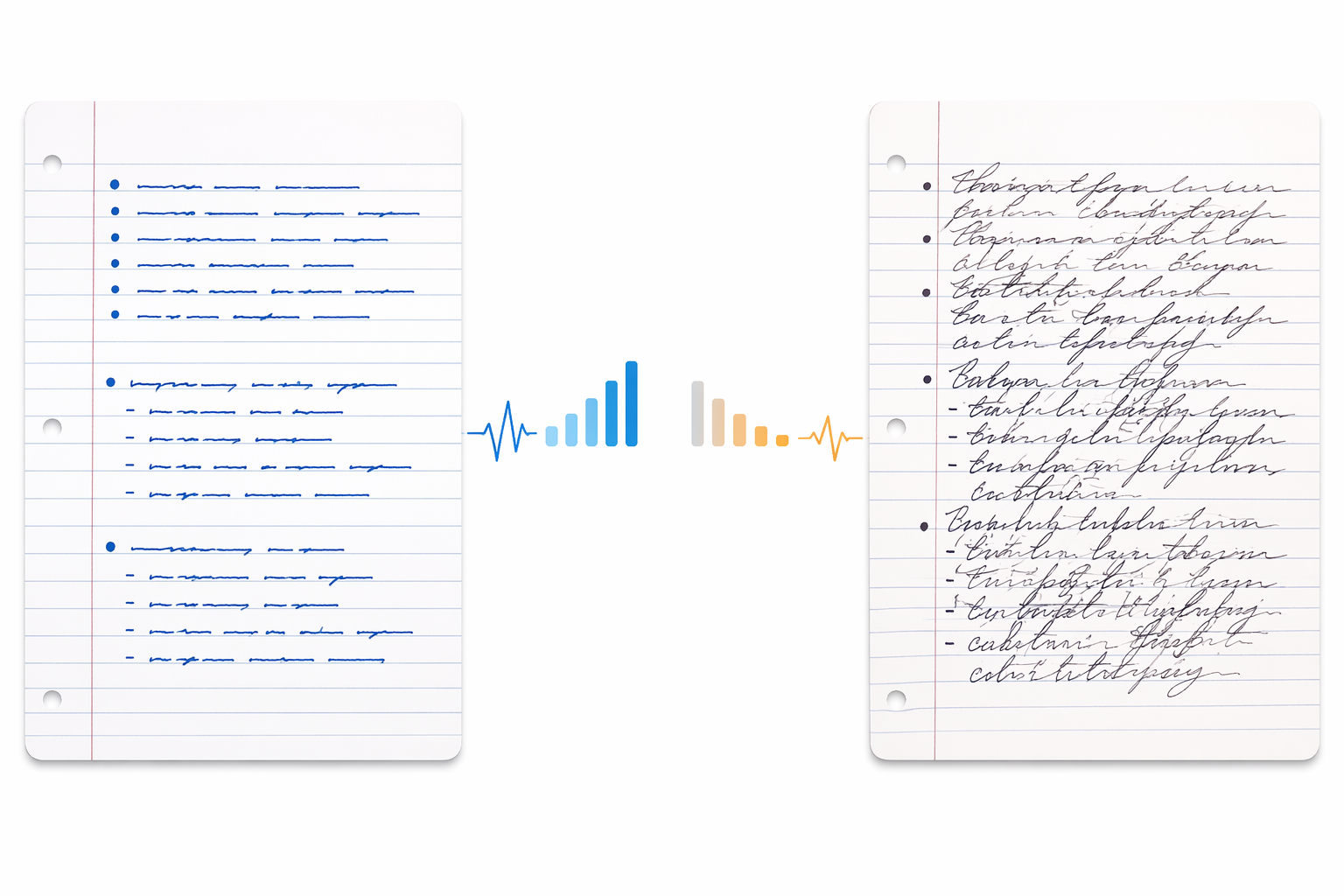
- Write neatly. Accuracy expectations by handwriting type: neat printing in form boxes achieves 90-95%, average everyday handwriting achieves 80-90%, and messy cursive or scribbled notes achieve 60-80%. The single biggest factor in conversion accuracy is your handwriting quality.
- Use good lighting and 300 DPI scans. Source scans or smartphone photos need to be at least 300 DPI for best results. High-resolution scans with good contrast can improve accuracy by 20-30% compared to low-quality mobile photos or faxed documents.
- Avoid low-contrast paper. Dark ink on white or cream paper produces the best results. Light-colored inks, colored paper, or textured paper stock can reduce accuracy significantly.
- Use form boxes for structured data. If you're digitizing forms, pre-printed boxes that guide handwriting placement can boost accuracy into the 90-95% range.
- Consider human-in-the-loop verification for critical documents. Use confidence scores where available: scores above 90% clear automatically, while lower scores get routed for human review. This approach balances speed with accuracy.
- Choose the right device. The quality of your stylus, screen texture, and digitizer all affect how accurately your handwriting is captured before conversion ever happens.
Frequently Asked Questions
Can ChatGPT really read my handwriting?
Yes. The free tier of ChatGPT with GPT-4o can accurately transcribe handwritten notes, including cursive, from a single photo. It's not perfect — accuracy drops with messy handwriting — but it outperforms most free OCR tools by a significant margin.
Is Google Lens accurate enough for notes?
For neat print and block handwriting, yes. For cursive, low-light conditions, or complex layouts, no. Google Lens is best used as a quick capture tool for clearly written text, not as a primary digitization solution for large volumes of notes.
What is the cheapest way to digitize a full notebook?
The cheapest high-accuracy option is GPT-5-mini via API at roughly $2 per 1,000 pages. For a 200-page notebook, that's about $0.40. If you need free, Microsoft Lens or Google Lens will work but will require more manual correction, especially for cursive or mixed handwriting.
Do I need a stylus for handwriting-to-text conversion?
Only if you want to use Tier 1 stylus-first note-taking apps. If you write on paper and scan it, or if you take photos of handwritten content, you don't need a stylus. The tool you choose depends on how you write, not on whether you own a stylus.
How accurate is handwriting OCR in 2026?
It depends on the tool and the handwriting quality. Frontier LLMs like GPT-5 achieve approximately 1.22% CER on the IAM benchmark — meaning they make about 1.2 character errors per 100 characters. Traditional OCR engines like Tesseract achieve 12.5% CER on the same benchmark and are not recommended for handwriting. In real-world conditions, accuracy ranges from 60-80% for messy cursive to 90-95% for neat print in form boxes.
Verdict: The Best Handwriting-to-Text Tool Depends on How You Write
There is no single best handwriting-to-text tool in 2026. The right choice depends entirely on your input method, volume, and budget.
- If you write on a screen with a stylus: Choose Nebo for math and diagrams, Goodnotes 6 or Notability for general note-taking, or OneNote for Microsoft 365 integration.
- If you digitize paper notes in bulk: Use GPT-5-mini for the best accuracy-to-cost ratio, Azure Document Intelligence for enterprise workflows, or ABBYY FineReader for desktop processing.
- If you need a quick one-off conversion: Use ChatGPT free tier with GPT-4o for the best free accuracy, Microsoft Lens for whiteboard captures, or Google Lens for neat print.
The three-tier framework — stylus-first apps, AI-powered OCR for paper scans, and free quick-capture tools — covers the full spectrum of handwriting-to-text use cases. Identify your tier, evaluate the options within it, and you'll find a tool that turns your handwritten notes into usable digital text without unnecessary complexity or cost.
Comments
Join the discussion with an anonymous comment.