
What Students Actually Need from a Stylus Note-Taking App
A general-purpose note-taking app works fine for jotting down a grocery list or sketching a quick diagram. But when you are sitting in a three-hour organic chemistry lecture, trying to keep up with a professor who speaks faster than you can write, the requirements shift dramatically. Students need tools that do not just capture ink on a screen — they need systems that make that ink searchable, linkable to the lecture audio, and convertible into study materials.
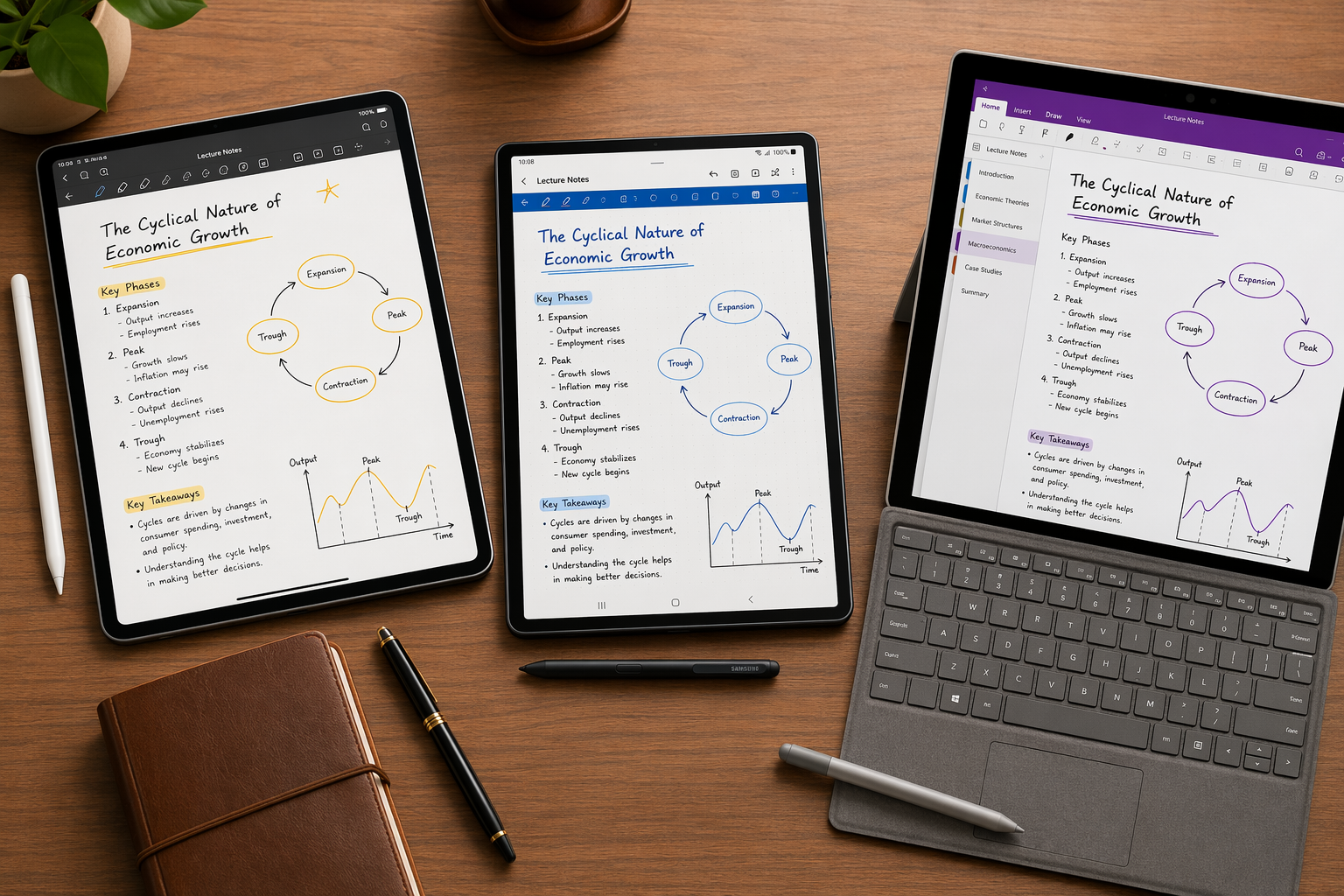
The core problem is that most apps optimize for one thing: the writing feel. That matters, but it is not enough. A student who takes handwritten notes on an iPad with an Apple Pencil, a Galaxy Tab with an S Pen, or a Surface with a Surface Pen needs a suite of features that general-purpose apps rarely deliver well together:
- Synced audio recording that ties each handwritten stroke to the exact moment in the lecture recording
- Handwriting search so you can find a specific term or formula across weeks of notes
- PDF annotation for marking up course readings, slides, and journal articles directly
- Math conversion for STEM students who need to turn scribbled equations into clean LaTeX or editable text
- AI study tools that generate flashcards, summaries, or practice quizzes from your handwritten notes
This guide compares five apps — Notability, GoodNotes 6, Nebo (now MyScript), Samsung Notes, and OneNote — across exactly these dimensions. The right choice depends less on which app has the prettiest interface and more on your major, your device, and how you actually study.
Key Features That Matter for Student Note-Taking
Before diving into individual app reviews, it helps to understand what each feature actually does and why it matters in a lecture hall context. Not every student needs every feature, but knowing the difference between, say, basic handwriting recognition and true real-time conversion can save you from buying the wrong app.
Audio Recording Sync
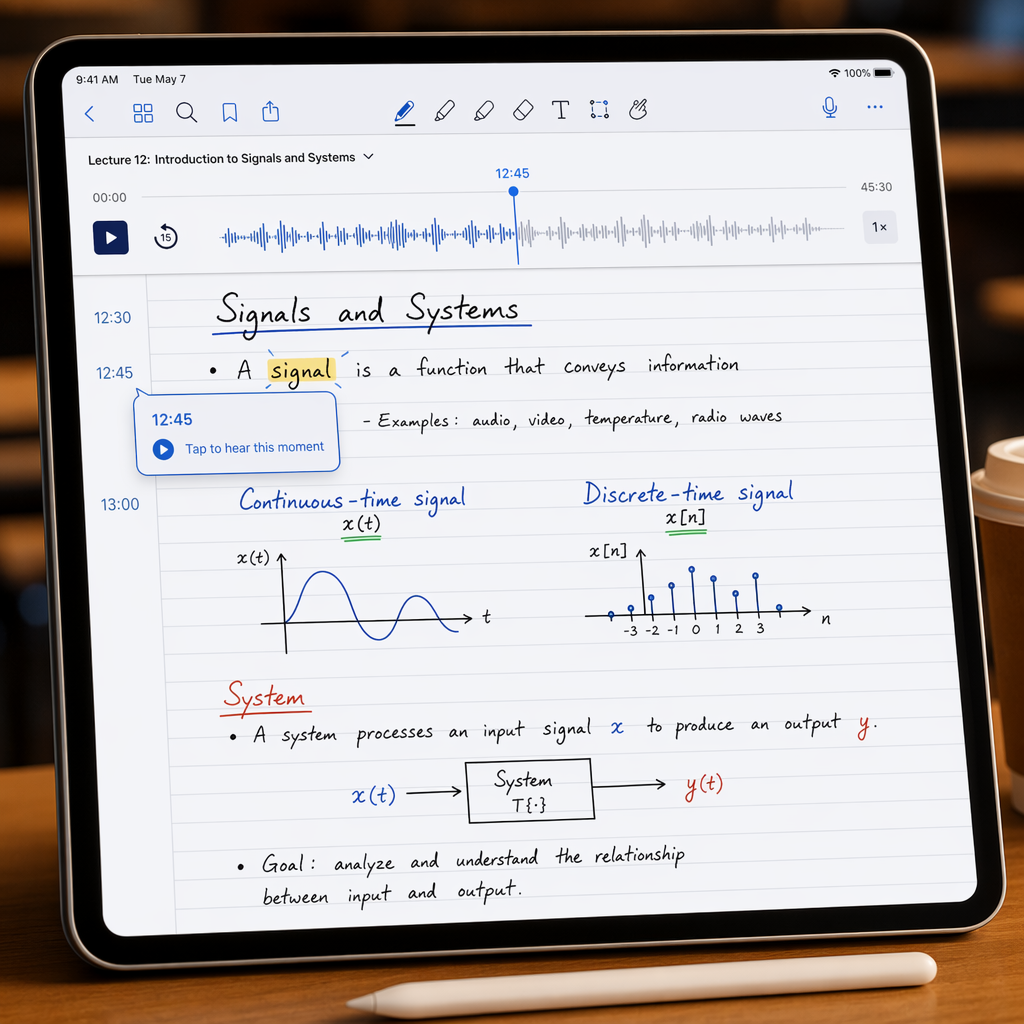
This is the single most underrated feature for lecture-heavy courses. An app with synced audio recording does not just capture the lecture audio — it links each handwritten stroke to the exact moment in the recording when you wrote it. Later, when you tap a word in your notes, the recording jumps to that moment and plays back what the professor was saying. Notability pioneered this feature, and it remains the gold standard: its built-in recording tool transcribes audio in real time and syncs it with handwritten ink strokes.
Samsung Notes offers a similar timestamped audio recording feature for Galaxy devices, though its implementation ties ink strokes to recording timestamps rather than providing a full transcript overlay. OneNote supports audio recording and file attachment but does not offer the same stroke-level sync.
Handwriting Search
Handwriting search uses OCR (optical character recognition) to make your scribbled words findable by typed keyword. This is different from handwriting-to-text conversion, which replaces your handwriting with typed text. GoodNotes 6 and Notability both offer robust handwriting search across all notes in a notebook. OneNote also indexes handwritten content for search, which is impressive given that it is completely free. Nebo takes a different approach: it converts handwriting to text in real time, so the text is already searchable by default.
PDF Annotation and Course Reading Support
Most students do not just take lecture notes — they also annotate PDFs of textbook chapters, journal articles, and lecture slides. GoodNotes 6 and Notability both handle PDF import and annotation well, with GoodNotes offering unlimited subfolders for organizing course materials. OneNote's freeform canvas is excellent for dropping PDFs, images, and typed notes anywhere on the page. Samsung Notes supports PDF import and annotation natively, and Nebo allows PDF, Word, and PowerPoint import.
Math Conversion
For STEM students, the ability to convert handwritten equations into clean LaTeX or editable text is a dealbreaker. Nebo leads here: its MyScript Interactive Ink engine converts even moderately messy handwriting into typed text and mathematical expressions in real time. Notability includes math conversion via MyScript as well, though it is not as seamless as Nebo's implementation. OneNote offers ink-to-math conversion as part of its free feature set. GoodNotes 6 does not have dedicated math conversion, though its shape recognition tool helps with diagrams.
AI Study Tools
The newest battleground in note-taking apps is AI-powered study assistance. GoodNotes 6 includes Ask GoodNotes, which can explain concepts and identify mistakes in your notes. Nebo's AI features — Summarize, Explain, Chat, and Quiz — generate true/false or multiple-choice questions from your notes, and these features are currently free while in beta. Notability's Learn suite generates AI-powered summaries, flashcards, and quizzes from handwritten and typed content, though it requires the Plus or Unlimited tier.
App Deep Dives: Which App Excels Where
Each of the five apps in this comparison has a distinct strength. Understanding where each one leads — and where it falls short — is the key to matching an app to your specific academic workflow.
Notability: The Audio Sync Leader (Apple Only)
Notability remains the best choice for students who attend lecture-heavy courses and need to review what the professor said at a specific moment. Its magic audio sync records lecture audio and links it to every handwritten stroke. Tap any word in your notes, and the recording jumps to that exact point. This is not just a convenience — it changes how you review. Instead of scanning through a two-hour recording to find where the professor explained a concept, you scan your handwritten notes and tap the relevant section.
Notability also offers handwriting search, PDF annotation, split-screen note-taking alongside slides, and math conversion via MyScript. Its free version is usable but limits pen strokes per month. The Standard plan runs approximately $14.99 per year and includes unlimited edits, handwriting search, and iCloud sync. The Plus plan adds AI study tools with usage caps for around $19.99 per year.
GoodNotes 6: Organization and AI (Cross-Platform)
GoodNotes 6 is the most polished all-rounder for students who want a balance of handwriting quality, organization, and AI features. Its folder system supports unlimited subfolders, which makes it easy to organize notes by course, week, and topic. The handwriting feel is widely considered the best on iPad, with excellent palm rejection and left-handed support.
GoodNotes 6 now offers cross-platform sync via GoodNotes Cloud on a subscription plan, covering iOS, macOS, Windows, and Android. This makes it a viable option for students who use an iPad for note-taking but a Windows laptop for writing papers. The app offers a limited free starter plan with three notebooks, an annual subscription around $9.99 to $11.99 per year, or a one-time purchase of approximately $29.99 to $30 per platform.
Ask GoodNotes AI can explain concepts and identify mistakes, though its flashcard generation capability needs direct verification. GoodNotes does not offer real-time collaboration, which may matter for group projects.
Nebo (MyScript): Best Handwriting-to-Text, One-Time Purchase
Nebo, now rebranded as MyScript, is the app to beat for handwriting-to-text conversion. Its MyScript Interactive Ink engine converts handwriting into clean, editable text in real time — and it handles even moderately messy handwriting better than any competitor. For STEM students, this is a game-changer: Nebo converts handwritten equations into LaTeX or images, and it handles diagrams as well.
Nebo costs approximately $14.99 as a one-time purchase (some sources list $9.99 or $24 depending on platform and region), which makes it the most affordable premium option for students who want to pay once and own the app forever. It works across iPad, Mac, Windows, and Android. Its AI features — Summarize, Explain, Chat, and Quiz — are currently free while in beta and can generate true/false or multiple-choice questions from your notes.
Samsung Notes: Best-in-Class S Pen Integration (Galaxy Only)
If you own a Samsung Galaxy Tab, Samsung Notes is the obvious starting point — and for good reason. Its S Pen integration is tighter than any third-party app can achieve: pressure sensitivity, tilt recognition, and palm rejection work reliably out of the box with zero latency. The app includes built-in audio recording with timestamps that link ink strokes to the moment in the recording, similar to Notability's approach.
Samsung Notes is completely free for Galaxy users. The catch is that it is only available on Samsung Galaxy devices — there is no iOS or Windows companion app. If you ever switch devices or need to access your notes on a non-Samsung device, you will need to export them.
OneNote: The Free Cross-Platform Powerhouse
Microsoft OneNote is the only top-tier note-taking app that is genuinely free with no meaningful feature limitations. It offers an infinite canvas where you can click anywhere to add text, images, audio, or drawings. It supports handwriting with the Surface Pen, Apple Pencil, and S Pen, and it indexes handwritten content for search. Its notebook/section/page hierarchy is familiar to anyone who has used Microsoft Office.
OneNote syncs across every major platform via OneDrive, with 5GB of free storage. It includes ink-to-text and ink-to-math conversion, real-time collaboration, and OCR for scanned documents. The main tradeoff is that the writing feel is not as refined as GoodNotes or Notability, and the infinite canvas can feel disorganized for students who prefer structured page layouts.
Side-by-Side Comparison: Student-Relevant Features
The table below compares all five apps across the features that matter most for student note-taking. Use it to quickly narrow down your options before reading the detailed recommendations.
| Feature | Notability | GoodNotes 6 | Nebo (MyScript) | Samsung Notes | OneNote |
|---|---|---|---|---|---|
| Audio Recording Sync | Yes — stroke-level sync with transcript | No | No | Yes — timestamped ink sync | Audio recording only, no stroke sync |
| Handwriting Search | Yes | Yes | Yes (via text conversion) | Yes | Yes (OCR) |
| PDF Annotation | Yes | Yes | Yes (PDF, Word, PPT import) | Yes | Yes |
| Math Conversion | Yes (via MyScript) | No dedicated feature | Yes — best-in-class LaTeX/equation | No | Yes (ink-to-math) |
| AI Study Tools | Learn suite (Plus/Unlimited tiers) | Ask GoodNotes (concept explainer) | Summarize, Explain, Chat, Quiz (free beta) | No | Copilot (requires M365 Business/Pro) |
| Cross-Platform Sync | iCloud only (Apple devices) | GoodNotes Cloud (iOS, Mac, Windows, Android) | Cross-platform (iPad, Mac, Windows, Android) | Samsung-only | OneDrive (all platforms) |
| Free Plan | Limited (pen stroke cap) | 3 notebooks free | Free download with in-app purchases | Full features (Galaxy only) | Full features (5GB storage) |
| Starting Price (Student) | ~$14.99/yr or $19.99/yr (Plus) | ~$9.99–$11.99/yr or $29.99 one-time | ~$14.99 one-time | Free | Free |
Budget Breakdown: Free vs. Paid for Students
Cost is a major factor for students, and the pricing landscape for note-taking apps has shifted significantly in the last two years. Most premium apps have moved to subscription models, but there are still affordable one-time purchase options and genuinely usable free tiers.
| App | Free Tier Quality | Annual Cost | One-Time Purchase | Best For Budget |
|---|---|---|---|---|
| OneNote | Excellent — full features, 5GB storage | $0 | N/A | Students who want zero cost and cross-platform sync |
| Samsung Notes | Excellent — full features (Galaxy only) | $0 | N/A | Galaxy Tab owners who want premium features for free |
| Nebo (MyScript) | Limited — in-app purchases for full features | N/A | ~$14.99 | Students who prefer one-time payment over subscription |
| GoodNotes 6 | Limited — 3 notebooks free | ~$9.99–$11.99/yr | ~$29.99–$30 per platform | iPad users who want lifetime ownership per device |
| Notability | Limited — pen stroke cap per month | ~$14.99–$19.99/yr | Not available | Students who need audio sync and can afford the subscription |
For students who prefer to own their software outright, Nebo's one-time purchase of around $14.99 is the most affordable premium option. GoodNotes 6's one-time purchase of approximately $29.99 per platform is more expensive but gives you lifetime access on that device. Notability does not offer a one-time purchase option, which may be a dealbreaker for students who dislike subscriptions.
Best App for Your Major and Study Style
The right app depends heavily on your academic discipline and how you study. A pre-med student taking biochemistry and a law student reading case law have almost no overlap in their note-taking needs. Here is how the five apps map to specific academic workflows.

STEM Students (Engineering, Pre-Med, Computer Science) → Nebo (MyScript)
STEM students write equations, draw diagrams, and need their handwritten work to become editable text. Nebo's handwriting-to-text conversion is unmatched — it handles mathematical expressions, chemical formulas, and even moderately messy handwriting with impressive accuracy. The one-time purchase price of around $14.99 makes it the most cost-effective option for students who will use it for multiple semesters. The AI Quiz feature is a bonus for exam preparation.
Law and Liberal Arts Students → GoodNotes 6
Law students and liberal arts majors deal with large volumes of text — case law, journal articles, and primary sources. GoodNotes 6's unlimited subfolder organization makes it easy to structure notes by course, week, and topic. Its PDF annotation is excellent for marking up readings, and Ask GoodNotes can help explain dense concepts. The cross-platform sync via GoodNotes Cloud is useful for students who take notes on an iPad but write papers on a Windows laptop.
Lecture-Heavy Humanities (History, Psychology, Sociology) → Notability
If your courses are primarily lecture-based and you need to review what the professor said at specific moments, Notability's audio sync is unmatched. Tap any word in your notes to hear the corresponding lecture audio. This is invaluable for courses where the professor's explanation is as important as the written material. The handwriting search ensures you can find specific terms across a semester's worth of notes.
Cross-Platform Budget Students → OneNote
Students who use a mix of devices — an iPad for note-taking, a Windows laptop for assignments, and an Android phone for quick reference — need an app that works everywhere without a subscription. OneNote is the only app that delivers full features, cross-platform sync, and handwriting search at zero cost. It is not the best at any single thing, but it is good enough at everything, and the price is unbeatable.
Galaxy Tab Users → Samsung Notes
If you already own a Samsung Galaxy Tab, start with Samsung Notes before buying anything else. The S Pen integration is tighter than any third-party app can achieve, and the app is completely free. The audio recording with timestamped ink sync is a strong feature for lecture review. The only reason to switch to a different app is if you need cross-platform access or specific features like math conversion or AI study tools.
Frequently Asked Questions
Can I use these apps with a Surface Pen or S Pen?
Yes, with some caveats. OneNote works with Surface Pen, Apple Pencil, and S Pen across all platforms. GoodNotes 6 supports Apple Pencil on iPad and S Pen on Android tablets. Nebo works with all three. Samsung Notes is optimized for S Pen on Galaxy devices only. Notability is Apple-only and requires an Apple Pencil or compatible stylus.
Which app has the best free plan?
OneNote has the best free plan by a wide margin. It offers all core features, 5GB of free OneDrive storage, cross-platform sync, handwriting search, and real-time collaboration at no cost. Samsung Notes is also fully free for Galaxy users, but it is limited to Samsung devices. GoodNotes 6 offers a free starter plan with three notebooks, which is enough to try the app but not sufficient for a full semester of courses.
Can I sync handwritten notes across my iPad and Windows laptop?
Yes, but not with every app. OneNote syncs seamlessly across iPad, Windows, Mac, Android, and web via OneDrive. GoodNotes 6 offers cross-platform sync via GoodNotes Cloud on a subscription plan, covering iOS, macOS, Windows, and Android. Nebo syncs across iPad, Mac, Windows, and Android. Notability syncs only across Apple devices via iCloud. Samsung Notes does not sync to non-Samsung devices.
Does GoodNotes AI actually generate flashcards?
GoodNotes 6's Ask GoodNotes AI can explain concepts and identify mistakes in your notes, but its flashcard generation capability has not been independently verified at the level some sources claim. If flashcard generation is a priority, Nebo's Quiz feature (currently free in beta) or Notability's Learn suite (available on Plus and Unlimited tiers) are more reliable options as of mid-2026.
What happened to Nebo? Is it still available?
Nebo was rebranded to MyScript in 2025. The app and its features remain the same, but you may need to search for MyScript in app stores instead of Nebo. The one-time purchase pricing and cross-platform availability (iPad, Mac, Windows, Android) are unchanged.
Comments
Join the discussion with an anonymous comment.