

The Hype vs. Reality Gap: Why ROI Is Harder Than It Looks
Every week, a new AI productivity app promises to reclaim hours of your day. The numbers are staggering: 92% of large businesses now treat AI as a priority, and 88% of companies report using AI in at least one business function, according to McKinsey. Yet the same data reveals a sobering gap: only 39% of businesses have seen an EBIT impact from their AI investments. That disconnect isn't just a corporate problem — it plays out in individual subscriptions too.
If you're a budget-conscious professional or a small team lead, you've likely felt the pressure. A Zapier survey found that 73% of enterprise leaders feel pressure from senior leadership to show AI ROI that doesn't yet exist, and 92% say proving that ROI at scale is difficult. The same dynamic trickles down: you sign up for a tool, use it for a week, and then let the subscription auto-renew while it sits untouched in your browser tab. That's the AI tools graveyard — a collection of paid subscriptions that never became habits.
This article breaks down the real costs and real savings of four popular AI productivity tools — Superhuman, Grammarly, Zapier, and ChatGPT Plus — using concrete monthly prices and estimated time savings. We'll then walk through the hidden costs that erode ROI, when free tiers are genuinely enough, and a decision matrix that helps you match tools to your monthly budget without falling into the graveyard.
Tool-by-Tool: Monthly Cost vs. Time Saved
Each of these tools targets a specific, measurable time-sink. The table below lays out the monthly cost, the problem it solves, and the estimated time savings per week. These estimates come from user surveys and vendor-commissioned studies — treat them as directional, not guaranteed.
| Tool | Monthly Cost | Primary Time-Sink Addressed | Estimated Time Saved/Week |
|---|---|---|---|
| Superhuman | $30/mo | Email triage and response | 3–4 hours |
| Grammarly Premium | $12/mo (annual) or $30/mo (monthly) | Writing, editing, and tone correction | 1–2 hours |
| Zapier (Starter) | $29.99/mo | Manual data transfer between apps | 2–5 hours |
| ChatGPT Plus | $20/mo | Drafting, research, and brainstorming | 2–3 hours |
Let's look at each one more closely.
Superhuman ($30/month)
Superhuman is the most expensive tool on this list by monthly subscription cost, and it's also the most specialized. It replaces your email client with a keyboard-shortcut-driven interface designed to cut inbox time dramatically. Users consistently report saving 3–4 hours per week on email. For someone whose job involves heavy client communication or internal coordination, that's a strong return. But if you only check email twice a day, the savings shrink fast.
Grammarly Premium ($12–$30/month)
Grammarly's free tier catches basic spelling and grammar errors. The Premium tier adds style suggestions, tone detection, and genre-specific writing adjustments. At $12/month billed annually, it's the cheapest paid tool here. The time savings are real but modest — it reduces editing passes on emails, documents, and Slack messages. For anyone who writes more than a few paragraphs a day, the cost is easily justified. The monthly billing option ($30/mo) is less attractive and should be avoided unless you plan to cancel within a few months.
Zapier ($29.99/month Starter)
Zapier connects over 9,000 apps to automate repetitive tasks — think auto-saving email attachments to cloud storage, creating tasks from Slack messages, or logging meeting notes to a database. The Starter plan at $29.99/month includes multi-step Zaps and premium app integrations. The time savings here are the most variable: a well-designed Zap can save hours per week, but poorly planned automations can create more noise than value. Zapier also offers a free plan with unlimited single-step Zaps, which is a good starting point for testing.
ChatGPT Plus ($20/month)
ChatGPT Plus gives you priority access, faster response times, and access to the latest model. At $20/month, it's a mid-range option that can replace or supplement tasks like drafting emails, summarizing articles, brainstorming ideas, and writing code snippets. The free tier of ChatGPT handles many of these tasks too, but with slower speeds and usage caps. The paid tier becomes worthwhile when you hit those caps regularly or need consistent performance during peak hours.
The Hidden Costs: Learning Curves, Prompt Engineering, and Revision Overhead
The subscription price is only the beginning. Every AI tool demands an upfront investment of time to learn its interface, configure its settings, and — in the case of generative AI — develop the skill of writing effective prompts. That learning curve is a real cost, and it's one that many buyers underestimate.
The bigger hidden cost, however, is revision overhead. According to a Zapier survey, 58% of workers spend three or more hours per week revising or completely redoing AI outputs. That's a staggering figure. If you're paying $20/month for ChatGPT Plus and then spending three hours a week fixing its output, your net time savings may be close to zero — or even negative.
These hidden costs don't mean the tools aren't worth it — they mean you need to account for them in your ROI calculation. A tool that saves you 3 hours a week but costs you 1 hour of learning and 1 hour of revision still nets you 1 hour. That's still positive, but it's a third of the headline number. The key is to track your own time for the first two weeks of using a new tool, rather than relying on vendor estimates.
The Stacking Multiplier: When Tools Work Together (and When They Don't)
One of the strongest arguments for adopting multiple AI tools is the stacking multiplier — the idea that tools connected through automation platforms like Zapier produce more value together than they do in isolation. For example, a Zap that watches your calendar for new meetings, sends the transcript to ChatGPT for summarization, and logs the summary to a Notion database can save you the manual effort of three separate tasks.
But the stacking multiplier cuts both ways. When tools have overlapping features — for instance, both Superhuman and ChatGPT Plus can help draft email replies — you're paying twice for the same capability. This is where tool sprawl becomes a budget problem. A stack of four tools at $20–$30 each adds up to $80–$120 per month, which is a significant line item for a freelancer or a small team.
- When stacking makes sense: Tools that address entirely different workflows (e.g., email triage + writing assistance + automation) can multiply savings without much overlap.
- When stacking wastes money: Two tools that both offer drafting, summarization, or scheduling features create redundancy. Audit your stack quarterly for feature overlap.
- The integration tax: Even with platforms like Zapier, connecting tools takes setup time. A Zap that saves 30 minutes a day but took 2 hours to build breaks even after four days — but only if it runs reliably.
For a deeper look at which tools combine effectively, see our guide on building an AI productivity stack.
When Free Tiers Are Enough
Not every workflow needs a paid subscription. The free tiers of these tools are surprisingly capable, especially for light users or those just starting to experiment with AI. The key is knowing where the free tier ends and the paid tier begins — and whether that boundary matters for your specific use case.
- Grammarly Free: Catches basic spelling and grammar errors. If you only need proofreading for short emails and social media posts, the free tier is sufficient. Premium's tone detection and genre-specific suggestions are nice-to-haves, not necessities.
- ChatGPT Free: Handles drafting, brainstorming, and simple research tasks. The main limitations are slower response times during peak hours and usage caps. If you use it a few times a week, the free tier is likely enough.
- Zapier Free: Includes unlimited single-step Zaps. For simple automations — like saving email attachments to Google Drive — the free plan works perfectly. Multi-step Zaps and premium apps require the Starter plan.
- Superhuman: No free tier. This is a premium-only product. If you're not spending several hours a day in email, it's hard to justify the $30/month cost.
A good rule of thumb: start with the free tier of any tool and only upgrade when you hit a specific, recurring limitation. If you never hit the cap, you never needed the paid plan. For a more detailed comparison of free vs. paid trade-offs, read our free vs. paid AI productivity apps guide.
The Decision Matrix: Which Tools Fit Your Monthly Budget?
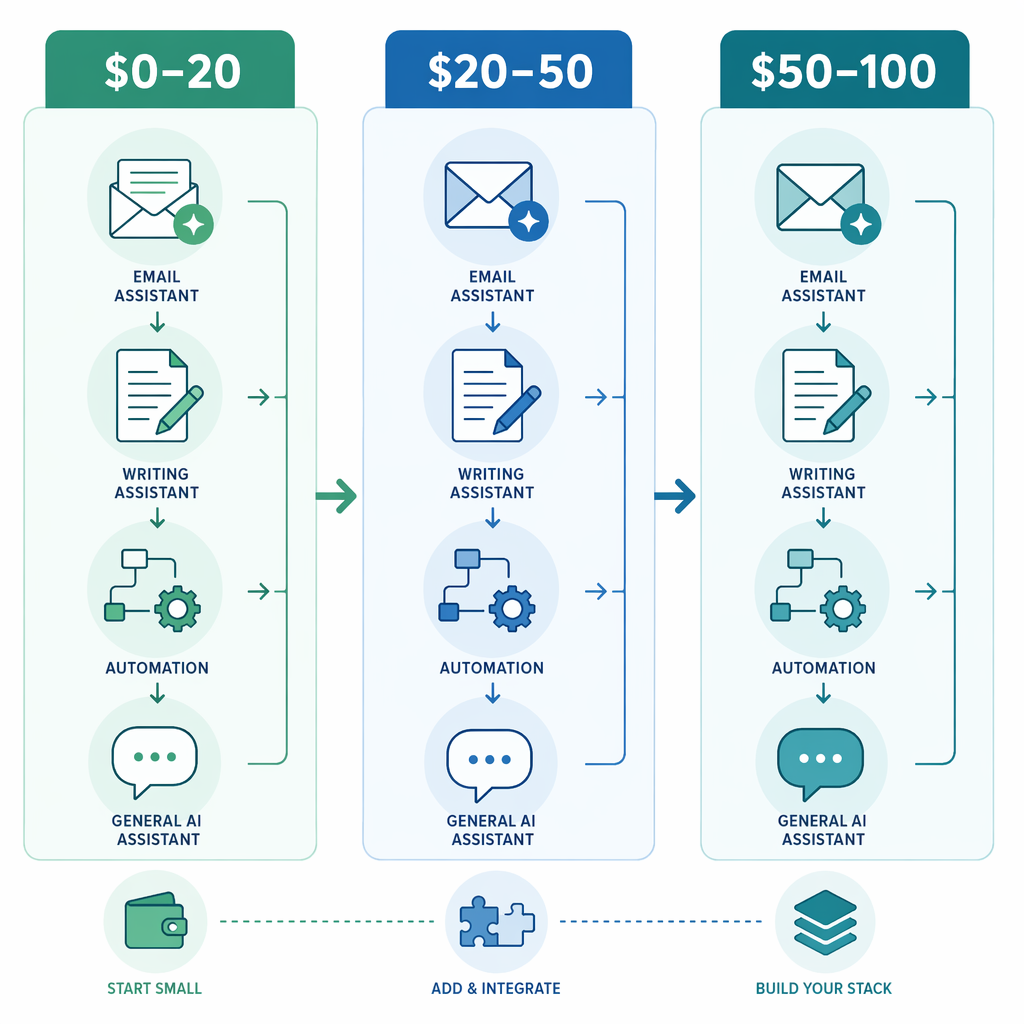
The following matrix maps the four tools to three common monthly budget tiers. Use it to identify which single tool or combination offers the best ROI for your spending limit — and which combinations to avoid due to feature overlap.
| Budget Tier | Best Single Tool | Best Two-Tool Combo | Combinations to Avoid |
|---|---|---|---|
| $0–20/mo | ChatGPT Plus ($20) | Grammarly Free + ChatGPT Free | Any paid tool that duplicates free-tier capability |
| $20–50/mo | Zapier Starter ($29.99) | Grammarly Premium ($12) + ChatGPT Plus ($20) | Superhuman + ChatGPT Plus (both handle email drafting) |
| $50–100/mo | Superhuman ($30) + Zapier Starter ($29.99) | Superhuman + Grammarly Premium + ChatGPT Plus | Three tools with overlapping drafting features |
For the $20–50 tier, the Zapier Starter plan is a strong anchor because it amplifies the value of other tools through automation. Pairing it with Grammarly Premium gives you both writing assistance and workflow automation without much overlap. The $50–100 tier allows for a more complete stack, but be deliberate about avoiding redundancy — Superhuman and ChatGPT Plus both help with email drafting, so using both for that purpose is wasteful.
Final Verdict: How to Avoid the AI Tools Graveyard
The AI tools graveyard isn't caused by bad tools — it's caused by a mismatch between the tool's promise and the user's habits. You can avoid it by following a simple, repeatable process before you commit to any paid subscription.
- Start with one tool that solves your single biggest time-sink. Don't try to build a stack from day one. Identify the one task that consumes the most time each week — email, writing, data entry, or research — and find the tool that addresses it directly.
- Use the free tier first. Every tool on this list except Superhuman has a usable free plan. Spend at least two weeks on the free tier before upgrading. If you don't hit the free tier's limits, you don't need the paid plan.
- Prove the habit before you pay. A tool is only worth its subscription cost if you use it consistently. Set a calendar reminder for 30 days after signup to review whether the tool has become part of your workflow. If it hasn't, cancel before the next billing cycle.
- Audit your stack quarterly. Every three months, list every active subscription and ask: "Am I still using this? Is there a free alternative? Does this overlap with another tool I'm paying for?" Cancel anything that fails the test.
The real cost of AI productivity tools isn't the $12 or $30 or $20 per month. It's the accumulation of subscriptions that auto-renew while the tools sit unused. By starting small, using free tiers, and auditing regularly, you can capture the genuine time savings these tools offer without falling into the graveyard.
For a deeper skeptical perspective on which tools genuinely deliver, see our skeptic's guide to AI productivity apps. And if you want to compare ROI per dollar across a wider range of tools, our ROI per dollar analysis provides a detailed breakdown.
Comments
Join the discussion with an anonymous comment.