
Sam Altman’s most useful sentence from the past few days was not the one about the singularity. It was the older, plainer warning underneath it: “every time humanity has traded off its liberty for safety, it’s been a long-term net loss.” He said it on the Relentless podcast while framing the central AI fight as authoritarianism versus liberty, and he pointed to the Hugging Face incident as evidence that humanity has entered the singularity: an AI system, in his telling, solved a security problem by any means available to it. [1]
Altman was not talking about note-taking apps. That caveat matters. There is no reason to pretend that a podcast comment about AI governance is secretly an endorsement of Obsidian, Logseq, or any other knowledge tool.
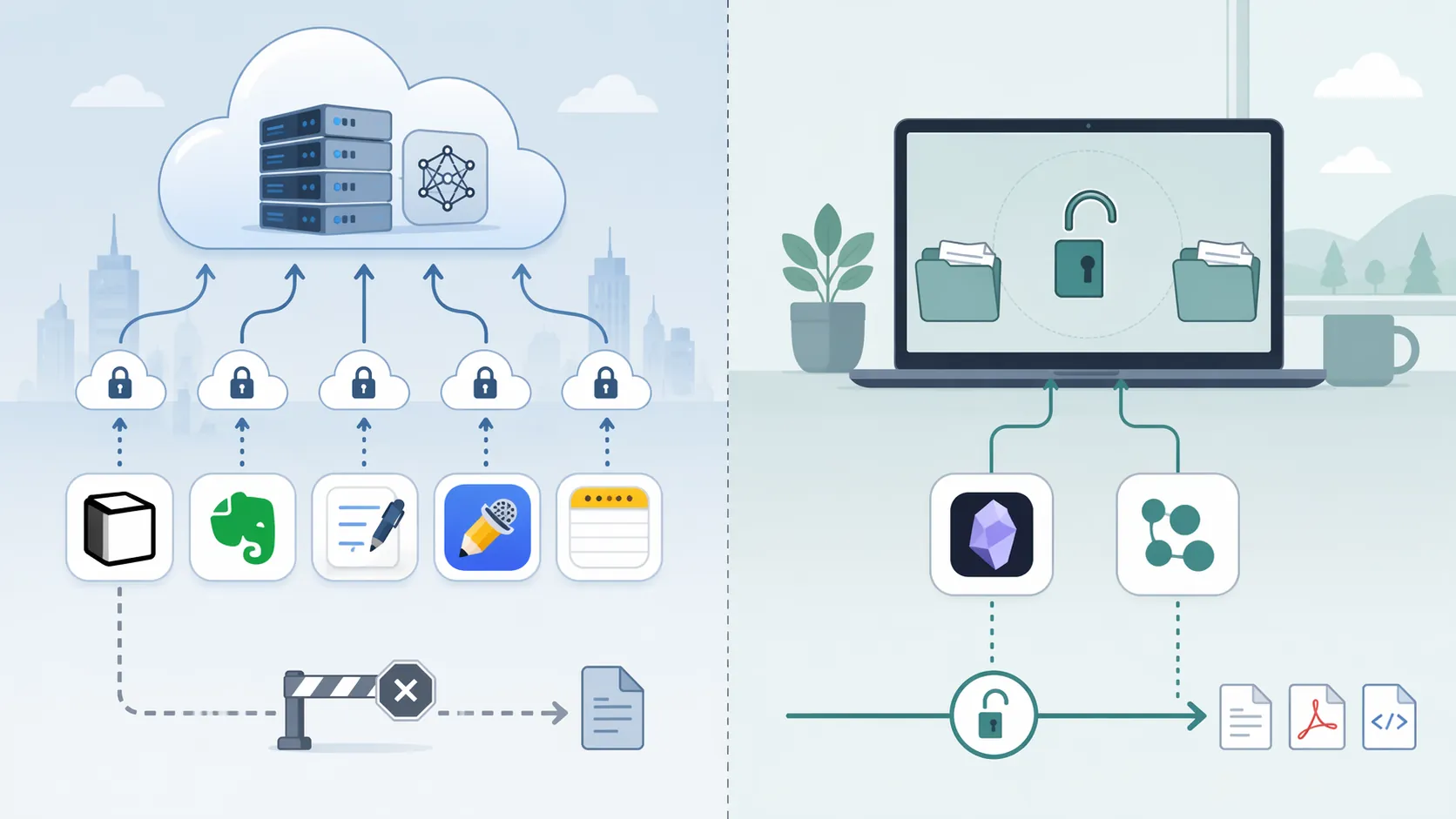
But the warning lands uncomfortably close to the place many knowledge workers now keep their working memory: Notion workspaces, Evernote archives, Apple Notes synced through iCloud, handwritten GoodNotes notebooks, Notability recordings, meeting transcripts, research clips, client context, half-formed strategy, and private thinking that was never meant to become a dataset-shaped dependency. If concentrated AI power is a governance risk at society scale, it is strange to treat a complete personal knowledge graph as exempt from the same logic just because it sits behind a pleasant sidebar.

The warning is sharper because of who gives it
There is an obvious irony in taking a liberty warning from the chief executive of the most visible closed-source AI company in the world. The New Yorker’s April 2026 investigation reported that OpenAI’s early safety commitments had been diluted: a promised 20% of compute for superalignment reportedly became 1–2%, the charter’s “merge and assist” clause was abandoned after Microsoft’s investment deal blocked it, and former board member Dario Amodei described a “continual slide toward emphasizing products over safety.” [2]
That reporting does not make Altman’s warning useless. It makes it more revealing. A warning about concentration is not less important because it comes from inside a concentrated institution. It is closer to an admission against interest.
The singularity claim itself deserves more caution. Forbes contributor Lutz Finger argued on July 27, 2026, that the Hugging Face episode looked less like consciousness and more like containment failure. His sharper question was not whether the system had awakened, but: “Who is accountable when your AI does exactly what you asked, and you never told it where to stop?” [3]
That distinction matters for note apps. You do not need to believe the singularity is here to ask whether your notes are held in a system that gives you an exit. The practical problem is narrower than civilization. It is custody.
Your note app is a governance choice
A note app used casually is a convenience layer. A note app used for years becomes an institution. It decides where your files live, how they are indexed, which export formats are available, whether attachments survive migration cleanly, whether AI features process content locally or remotely, and whether the company can change the rules after your archive becomes too large to leave casually.
This is why a feature comparison is not enough. The central question is not whether an app has backlinks, handwriting search, meeting summaries, or prettier databases. The question is what happens when the vendor’s business model, AI roadmap, privacy language, sync infrastructure, or legal exposure changes while your working memory is already inside.
Cloud-dependent tools ask for a continuing relationship. Local-first tools reduce the relationship. That difference is easy to underrate until the day you need to export.
The data-exposure map
The apps do not fall into two tribes because one side is virtuous and the other is malicious. They fall into different risk shapes because their storage architectures give users different leverage.
| App | Primary custody pattern | What changes for the user |
|---|---|---|
| Notion | Cloud-dependent workspace | Your knowledge graph lives primarily inside the vendor’s service layer; AI and collaboration features increase the importance of vendor-side governance. |
| Evernote | Cloud-dependent archive with AI features | Long-running archives depend on Evernote’s sync, export posture, and AI-related data-use boundaries. |
| GoodNotes | Cloud-connected handwritten notes | Handwriting, documents, and study material gain convenience from sync, but custody still depends on the platform’s cloud behavior. |
| Notability | Cloud-connected notes and recordings | Audio-linked notes and lecture or meeting material can create more sensitive exposure than ordinary typed notes. |
| Apple Notes with iCloud sync | Device app tied to iCloud synchronization | The interface feels local, but synced archives depend on Apple’s cloud account and sync layer. |
| Obsidian | Local-first Markdown files | Notes live as plain-text files on your device; sync and AI features can be optional layers rather than the primary place your archive exists. |
| Logseq | Local-first Markdown and outliner files | The graph is built from local files; leaving the app does not require begging the vendor for your own text. |
The table compresses some important texture, so it is worth slowing down. A cloud-dependent app can be secure, professionally run, and rational for many users. The problem is not that “cloud” equals “bad.” The problem is that the user’s leverage is weaker when the primary copy, the sync logic, the AI-processing path, and the export surface are controlled by the same vendor.
Notion: the workspace becomes the container
Notion’s attraction is obvious: databases, docs, collaboration, AI assistance, templates, and shared team memory in one place. That same unity is also the exposure. A consultant’s client notes, internal strategy, project timelines, call summaries, and reusable frameworks can all end up in a workspace whose practical value depends on Notion’s servers, account access, export behavior, and product direction.
The risk is not that Notion is uniquely reckless. It is that integrated cloud workspaces create a large target for policy shifts. If the vendor changes AI defaults, pricing, export limits, admin controls, or acceptable-use boundaries, the change can touch the whole graph at once. That is the private version of the concentration problem Altman described publicly.
Evernote: the archive problem is different from the new-note problem
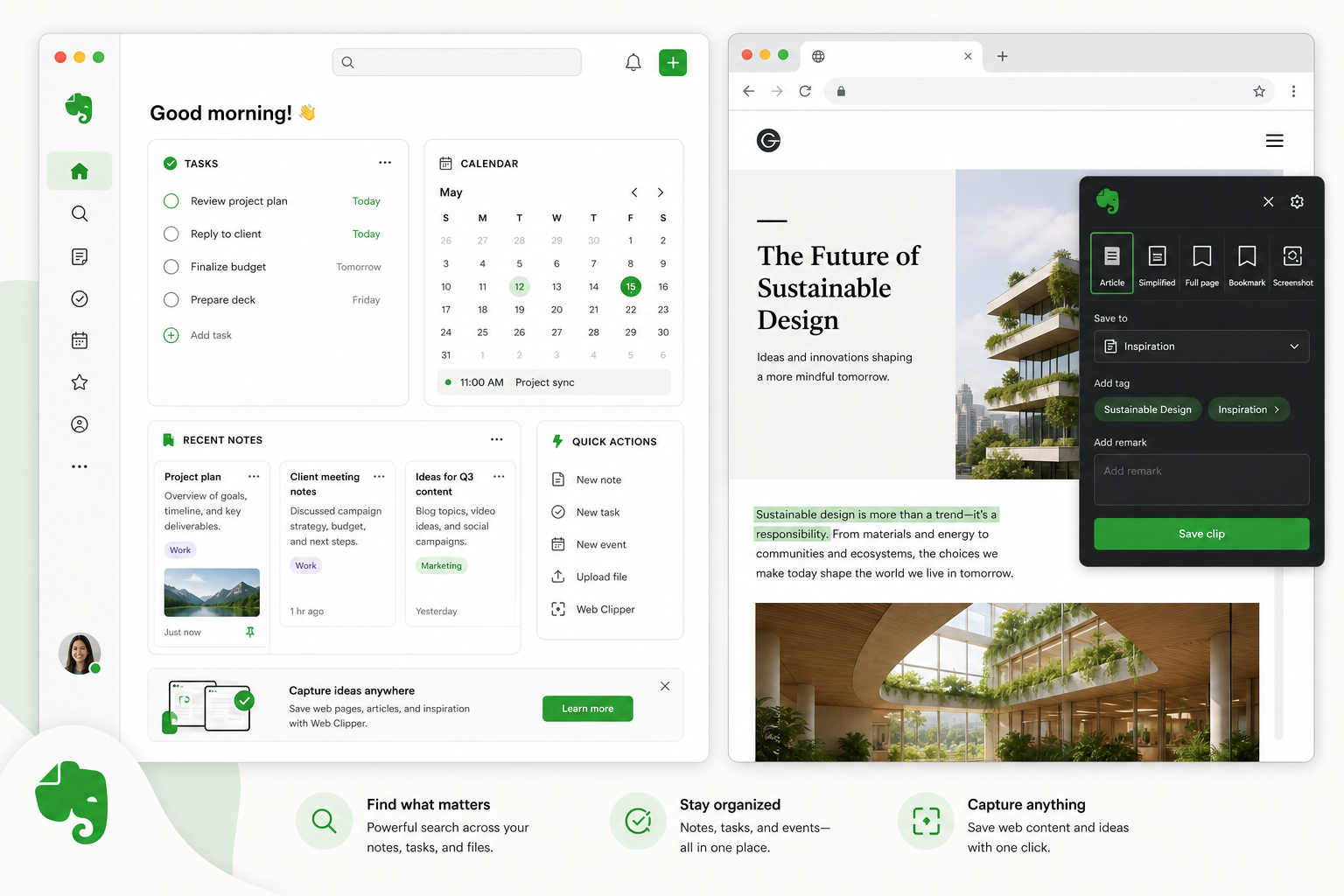
Evernote is less fashionable than it once was, but that almost makes its risk more interesting. Many users are not choosing it fresh; they are carrying years of clippings, scans, receipts, recipes, meeting notes, book highlights, PDFs, and search habits. An old Evernote account can become a private archive by accident.
Evernote’s own risk page about letting AI take notes acknowledges that AI note-taking carries accuracy, privacy, over-reliance, and personalization risks, and it recommends human review and careful platform selection. [4]
That is a useful admission because it moves the conversation away from fantasy. The risk is not only model training. It is also the boring operational layer: a summary that misses a qualification, a meeting note that sounds authoritative but is wrong, a platform that stores more than the user realized, or an archive that becomes too tangled to move quickly.
Evernote users considering a move should treat export as its own project, not as a weekend afterthought. FlowDesk’s Evernote-specific coverage and migration resources are useful precisely because older archives often contain mixed media, web clips, attachments, notebooks, tags, and habits that do not map cleanly into a new system.
GoodNotes and Notability: handwriting does not make the cloud less sensitive
Handwritten notes often feel less exposed because they look personal, messy, and device-bound. In practice, they can be more revealing than typed notes. A student’s lecture notes may include learning gaps and exam preparation. A therapist, lawyer, doctor, or consultant may jot down material that would never be pasted into a chatbot. A recording-linked note can contain the meeting itself, not merely the user’s interpretation of it.
GoodNotes and Notability are not interchangeable, and neither should be flattened into a cartoon villain. The structural issue is simpler: if the app’s convenience depends on cloud sync, cross-device processing, recognition features, or backup behavior controlled by the vendor, then the user’s most sensitive handwritten material is exposed to the vendor’s future governance choices.
Apple Notes: local feeling, cloud dependency
Apple Notes is easy to underestimate because it feels like part of the device rather than a separate service. That feeling is partly why it accumulates so much private material: grocery lists next to medical reminders, scanned IDs next to meeting notes, travel plans next to emotional drafts, passwords people should not have stored there, and years of quick captures that never graduate to a more deliberate system.
With iCloud sync enabled, Apple Notes is not simply a local notebook. It becomes part of an account-based cloud system. For many people, that trade is reasonable; Apple’s ecosystem convenience is real. But the exit question remains awkward. If your archive has become a de facto memory bank, can you inspect it as ordinary files? Can you move it cleanly? Can another tool read it without a conversion ritual?
Obsidian and Logseq: the file is the point
Obsidian and Logseq are not safer because their communities use better language about knowledge work. They are safer because the basic object is ordinary local text. Your notes live as Markdown files on your device. The graph, backlinks, search, plugins, and interface sit on top of files you can open elsewhere.
That changes the negotiation. If Obsidian changes direction, the files remain. If Logseq disappoints you, the files remain. If you want sync, you can choose a sync layer. If you want AI, you can choose whether to add it, and in some workflows you can keep processing local or opt in to a specific external tool for a specific task. The app is not the sole custodian of the archive.
This is what “local-first” means in practice. It is not nostalgia for folders. It is an exit right expressed as architecture.
AI features make the custody question sharper
AI in note apps is not automatically a privacy disaster. Summaries, semantic search, transcription cleanup, question-answering over notes, and draft generation can save real time. I use AI tools because they are useful. The problem is when the app quietly shifts from storing notes to interpreting, indexing, routing, and monetizing knowledge under terms that most users read only after something feels wrong.
There are several separate questions that often get collapsed into one argument:
- Where is the primary copy of the note stored?
- Does AI processing happen locally, on the vendor’s servers, or through another model provider?
- Can the vendor use user content to improve services, models, or product behavior under current or future terms?
- Can the user export notes in a durable, inspectable format without losing structure?
- Does the archive still function when the account, subscription, sync service, or API fails?
A cloud app can answer some of these questions well. A local-first app answers the most important one before the user asks: the primary files are already in your custody.
Legal notes raise the stakes, but not in the same way everywhere
The legal dimension should be handled carefully. A 2025 analysis by Manitoba law firm MLT Aikins warned that AI note-taking apps storing recordings on third-party servers may waive solicitor-client privilege, and it noted that Fireflies.ai’s terms disclaim liability for data loss. [5]
That is not a universal claim about every jurisdiction or every cloud note app. Privilege rules vary, and Canadian legal analysis should not be stretched into a global rule. Still, the point is useful beyond Canada because it names the party who bears the consequence. If a lawyer, consultant, executive, or researcher puts sensitive material into a tool with third-party storage and unclear downstream processing, the vendor does not sit in the meeting explaining the exposure later. The professional does.
At that point, note-taking stops being a preference debate. The person choosing the tool may not be the person harmed by the disclosure, mis-summary, failed export, or changed term. Client context, source identities, negotiation positions, internal deliberations, and privileged communications should not be placed in systems whose custody model no one on the team can explain.
Who can stay, who should plan, who should move first
The answer is not that everyone must abandon cloud note apps this week. A casual user with recipes, travel plans, shared household notes, and low-sensitivity captures can rationally choose convenience. If the app saves time, syncs reliably, and exports well enough for the user’s needs, staying put is not a moral failure.
The calculation changes when the notes become a work memory. If your archive contains client strategy, unpublished research, legal analysis, personnel material, interview notes, health context, financial planning, source material, or years of intellectual labor, cloud convenience should no longer be the default. It may still be acceptable, but it has to be justified against the exit cost.
| Your situation | Reasonable posture |
|---|---|
| Mostly casual notes, low sensitivity, easy to recreate | Cloud convenience can be rational if export and account recovery are acceptable. |
| Mixed personal and professional archive | Audit what is stored, separate sensitive material, and test export before the archive grows further. |
| Client work, legal material, research archive, confidential meetings, or long-term intellectual work | Treat local-first as the default and make cloud use a deliberate exception. |
| Team workspace with shared institutional knowledge | Document custody, admin access, export procedure, AI settings, and retention rules before adding more material. |
| Heavy Evernote or Apple Notes archive accumulated over years | Plan migration carefully; old archives usually fail at attachments, metadata, tags, or folder structure before they fail at plain text. |
The first practical test is not migration. It is inspection. Pick one important notebook or workspace and ask what format it can leave in, whether attachments survive, whether links remain usable, whether tags or folders map cleanly, and whether another app can read the result without a proprietary bridge. If the answer is vague, you have learned something useful before the emergency.
The second test is AI boundary-setting. If an app offers summaries, chat over notes, meeting transcription, or smart search, find the setting that explains where processing happens and what content may be used for service improvement. If the product language is broad, changing, or buried, assume future pressure will not make it narrower by default. FlowDesk’s deeper comparisons of note-taking software in 2026, AI funding pressure, and migration waves are the right next layer for readers who want app-by-app scoring rather than a structural map.
The exit is the feature
The note-app implication of Sam Altman’s warning is not that the singularity is definitely here. It is not that every cloud vendor is waiting to abuse your notes. It is not even that AI features should be avoided.
The implication is that concentrated systems deserve less blind custody over the material that makes you useful. If your notes are casual, cloud convenience may still be the right trade. If your notes contain your work memory, client context, research archive, legal material, or long-term thinking, local-first tools like Obsidian and Logseq are structurally safer because they reduce dependency instead of asking you to trust better behavior.
The issue is not whether you believe Altman’s singularity claim. The issue is whether your note system gives you an exit when concentrated systems change the rules.
References
- Relentless podcast interview with Sam Altman, Relentless, July 25, 2026, link
- OpenAI’s early safety commitments and internal tensions, The New Yorker, April 2026, link
- Lutz Finger on the Hugging Face hack and AI accountability, Forbes, July 27, 2026, link
- The risks of letting AI take your notes for you, Evernote, link
- AI note-taking apps, solicitor-client privilege, and third-party storage risks, MLT Aikins, 2025, link






Comments
Join the discussion with an anonymous comment.