
The embarrassing part of switching note apps is how small the failure feels. You know why you moved. The new app has better linking, better export options, cleaner search, fewer lock-in worries, or a structure that finally matches the way your work has grown. Then, at the exact moment you need to catch a thought, your hand goes to the old shortcut. Your eyes look for the old inbox. Search feels one beat slower. A meeting ends and you hesitate before writing the follow-up note because the place where that note used to belong no longer exists in the same way.
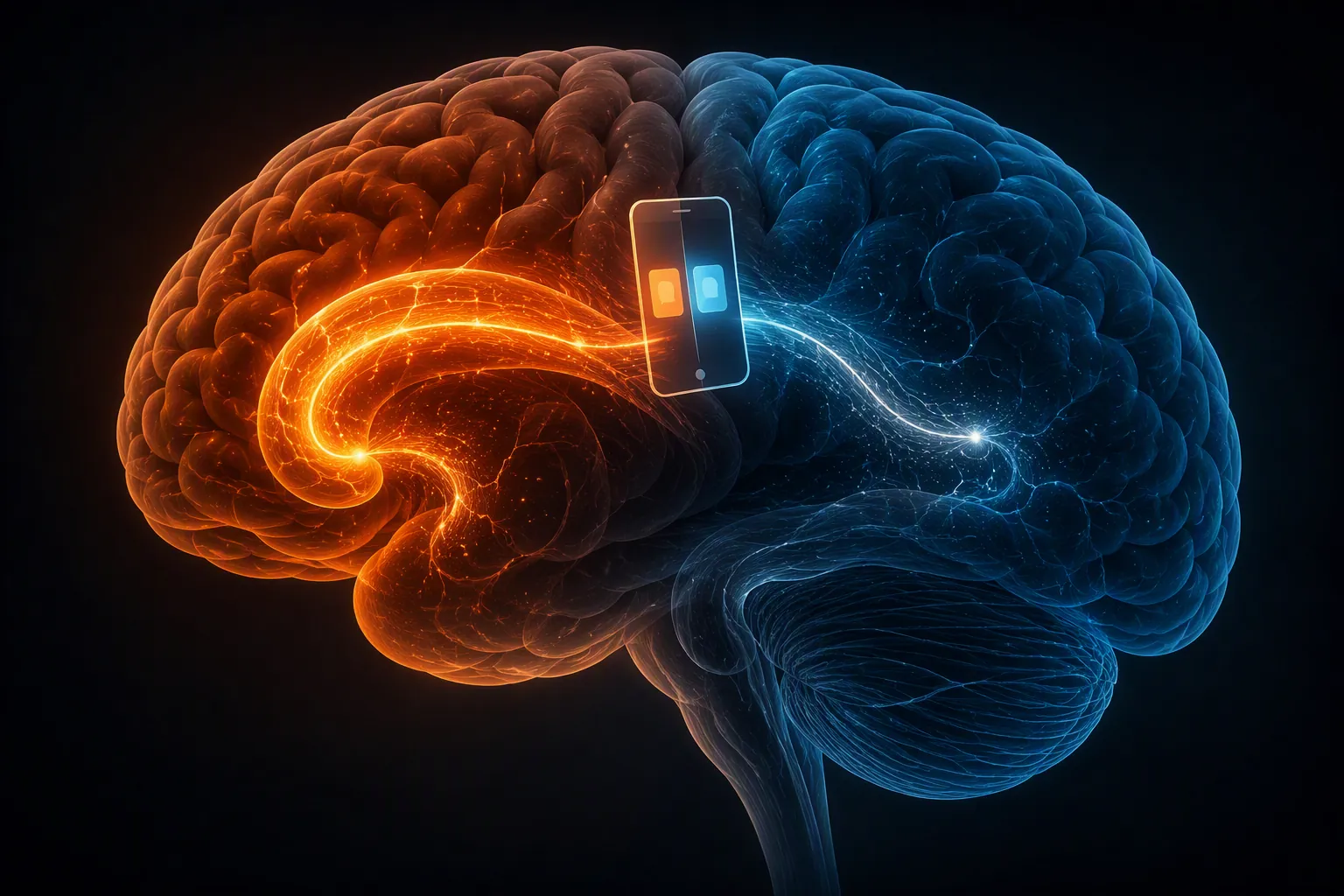
That feeling is not a referendum on your decision. It is often the cost of moving a behavior out of autopilot and back into conscious control. If you came here looking for productivity tips grounded in how habits are formed in the brain, the useful answer starts here: a note app is not only a storage container. After enough repetition, it becomes a field of cues, motor patterns, emotional shortcuts, and tiny rewards. Migration breaks that field.
Why the new app makes you feel clumsy
Habit research often describes behavior through a dual-system framework. Goal-directed behavior depends more on deliberation: you hold the outcome in mind, compare options, and choose an action. Habitual behavior runs with less conscious supervision after repeated cue-response learning, with the dorsolateral striatum playing an important role in automatic routines. Reviews of habit neuroscience describe this shift across prefrontal and striatal systems rather than as a single “habit center” turning on or off.[1]
That distinction matters during an app switch because the old workflow had already paid its cognitive setup cost. You did not have to decide where a quick idea went. You knew, without narrating it to yourself, whether to open a daily note, a project page, an inbox, a tag view, or a search box. The new app may be objectively more capable, but in the first days it asks the prefrontal cortex to supervise work the old system had delegated to habit.
Wendy Wood and Dennis Rünger have reported that a large share of daily behavior occurs automatically in stable contexts; Wood has often summarized the scale as roughly 43% of everyday actions happening without much conscious deliberation.[2] The exact percentage should not be treated as a universal law. Its value here is scale. If nearly half of ordinary behavior can be context-triggered, then a familiar note app is not one habit. It is a stack of small, context-bound routines.
That is why a migration can feel worse than the feature comparison predicted. You did not merely replace Evernote with Obsidian, Notion with Logseq, Apple Notes with Bear, or any other pair of tools. You invalidated the practiced relationship between a cue and a response: keyboard shortcut to capture; left sidebar to orient; old notebook name to reassure; search syntax to recover; mobile share sheet to save something before the thought decays.
The old app was a cue field
Wood’s work on context change is especially useful because it avoids the usual willpower sermon. In studies discussed by Duke, students who moved to a new university were more likely to disrupt old TV-watching habits when the TV appeared in a different room location, while transfer students were more likely to preserve exercise habits when the new environment retained the old cues.[3] The lesson is not that students and note apps are the same. It is that stable cues quietly carry behavior.
In a note system, the “room location” may be a pane, a hotkey, a default folder, a phone widget, a browser extension, a pinned tab, a calendar trigger, or the visual comfort of a familiar list. You may think you miss the old app’s philosophy, and sometimes you do. But often what you miss first is the absence of a reliable cue that used to tell your body what to do next.
This is also why importing the archive does not end the migration. Data can arrive intact while the behavior around it remains broken. You can move ten years of notes and still lose the morning capture loop, the project-review ritual, or the reflex that sends meeting decisions into the right place before they become Slack archaeology. Export and import mechanics matter, but they solve a different problem. The behavioral migration starts after the files are visible.
Map the loop, not the feature
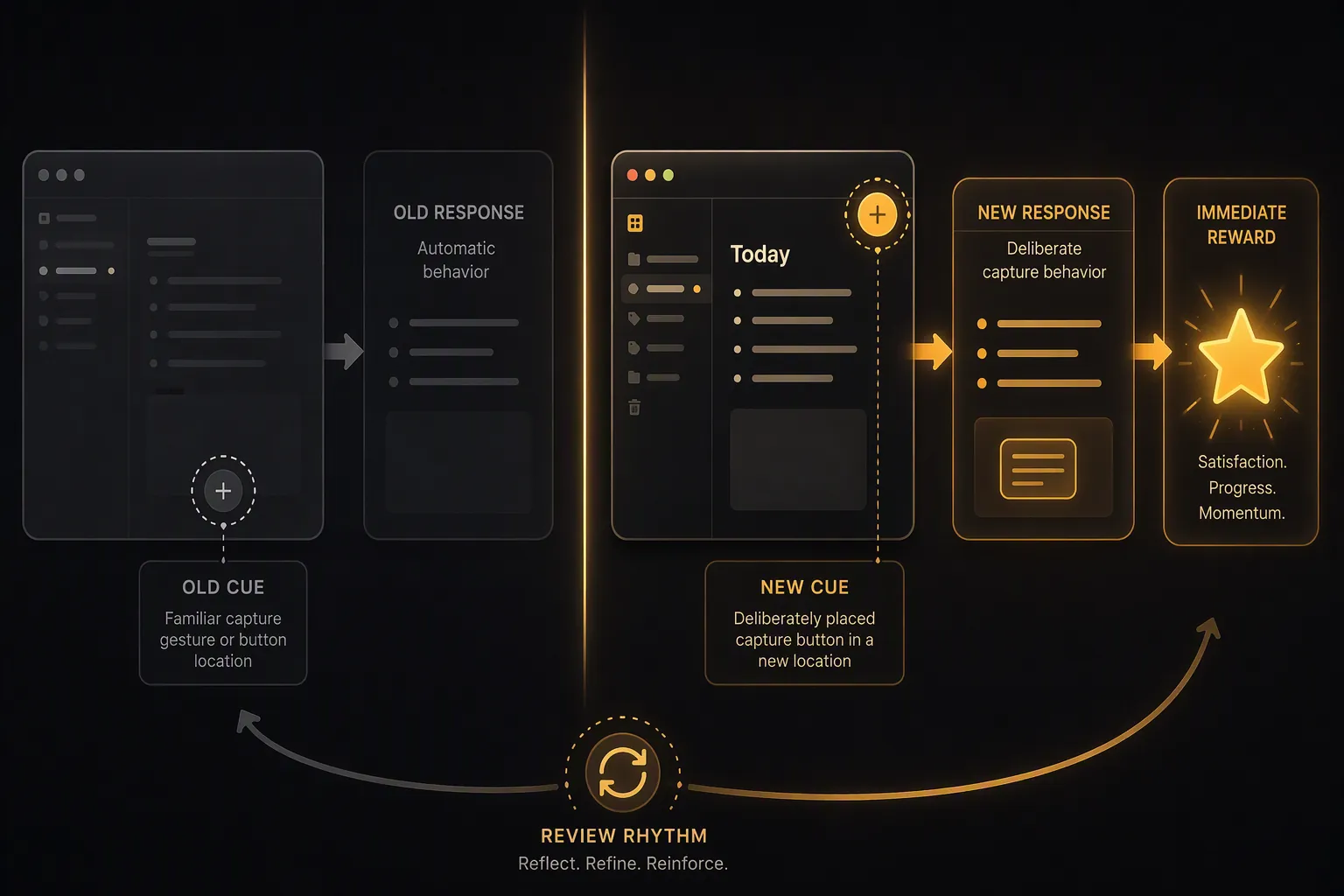
The practical mistake is trying to rebuild the new app by matching features one by one. A better question is: what loop did this feature support? If the old quick-capture button was really a panic valve for half-formed ideas, the new replacement has to be equally reachable under pressure. If the old notebook hierarchy was really a reassurance system for finding client material, the new links and tags must prove themselves during retrieval, not during setup.
| Old cue | Old response | New cue | New response | Immediate reward | Review rhythm |
|---|---|---|---|---|---|
| Phone unlock during commute | Open old app and drop idea into inbox | Home-screen widget or first-row shortcut | Create one untitled capture note in the new inbox | Visible count decreases after processing | Clear inbox at lunch or end of day |
| Meeting ends | Add decisions to a project note | Calendar reminder or meeting template link | Open the current project note and append decisions | Decision block marked done or linked to owner | Review open decisions before the next meeting |
| Feeling unsure where something lives | Search the old archive by notebook or tag | Pinned search command or saved view | Search the migrated archive using the new app’s strongest retrieval path | Recovered note is linked from the current workspace | Weekly check for orphaned notes |
The table is deliberately plain because the work is plain. You are not designing an inspirational system. You are replacing broken cue-response pairs with new ones that can survive a tired afternoon.
Start with the cue categories that actually show up
James Clear’s five common habit triggers are time, location, preceding event, emotional state, and other people.[4] For app switching, these are more useful than broad ambitions like “use the new app consistently.” They force the migration into the places where note-taking really happens.
- Time: the first ten minutes of work, the end of a meeting, the Friday review, the late-night capture you pretend is not part of the system.
- Location: desk, phone, browser, commute, conference room, couch, second monitor, pinned tab.
- Preceding event: calendar alert fires, manager asks for status, article is worth saving, call ends, bug is reproduced.
- Emotional state: uncertainty, urgency, boredom, relief after solving something, dread before a review.
- Other people: teammates waiting for notes, clients expecting follow-up, a spouse sharing logistics, a manager asking for the source of a decision.
A serious remap usually begins with the loops that have consequences. If your old app was where you captured promises made in meetings, do not spend the first week polishing a beautiful knowledge graph. Make the meeting-to-decision loop boringly reliable. If your old app held emotional ballast during complicated work, do not dismiss the discomfort as nostalgia. Build a retrieval path that lets you find past reasoning when you are already stressed.
Friction has a threshold
A new workflow does not become automatic just because it is conceptually cleaner. It has to be easy enough to repeat before the thought disappears. Huberman Lab’s discussion of limbic friction frames habit execution partly in terms of how much activation energy a behavior requires; the more friction involved, the more the behavior remains effortful rather than automatic.[5]
For capture, that means seconds and taps are not cosmetic. If saving a thought used to take one shortcut and now takes opening the app, choosing a database, selecting a template, naming the note, assigning a property, and deciding where it belongs, the system is teaching you to postpone. The old app may have been messier, but it met the moment.
The first capture point in a new app should usually be less structured than the final archive. A single inbox, a default daily note, or a fast “scratch” location can protect the behavior while the organizing layer matures. Structure can be added during review. Capture has to happen while attention is still available.
Reward the loop immediately
Dopamine is often flattened into a pleasure chemical, but habit discussions that treat it as a teaching signal are more useful: it helps bind context, action, and outcome when a behavior produces a result worth repeating. Collabree’s summary of habit neuroscience also notes that interval reward schedules can support durable routines better than simple fixed quotas.[6]
A delayed promise that your future self will have a cleaner second brain is a weak reward for today’s capture action. A stronger reward is immediate evidence that the loop worked: the note appears in the inbox, the meeting decision is linked to the project, the search result resolves the uncertainty, the review clears a visible queue. The reward does not need to be dramatic. It needs to arrive close enough to the action that the brain can learn the association.
Review sessions are where the new app earns trust. A fixed quota such as “log five notes every day” can turn into a production ritual with no retrieval value. A better review rhythm asks whether the system unexpectedly helped: Did a saved note answer a question? Did a linked decision prevent rework? Did the inbox surface something at the right time? The reward is variable because the value of review is variable, and that unpredictability can make the habit more durable.
Use the disruption window without romanticizing it
Context change hurts because old cues stop working. It also helps because those old cues have loosened. Wood’s context-change findings are useful here: behavior is easier to alter when the environment shifts, because the old automatic responses are less protected by familiar surroundings.[3] A migration gives you a rare chance to stop preserving habits that only existed because the old app made them easy.
This is the moment to remove inherited clutter: notebooks that became guilt shelves, tags no one trusts, templates that create more filing than thinking, review rituals that never return value. The point is not to make the new app austere. It is to avoid rebuilding the old app’s accidental behavior under a cleaner interface.
There is a trap here. Because context change creates leverage, people sometimes interpret every discomfort as growth. That is too generous. Some discomfort is the neurological transition cost of losing automaticity. Some is evidence that the new workflow asks for too much ceremony. Some is a sign that the migration was driven by tool fatigue rather than a real work problem.
| What you feel | More likely transition cost | More likely design problem |
|---|---|---|
| You reach for the old shortcut | The motor cue has not been remapped yet | The new capture path is buried or inconsistent |
| You distrust search | You have not built retrieval memories in the new app | Imported notes lost structure or the new search does not fit your archive |
| You avoid reviews | The reward has not become visible yet | The review creates maintenance work without returning decisions, reminders, or clarity |
| You miss the old visual feel | The old interface carried emotional safety cues | The new app is unpleasant enough that you will keep resisting it |
The last row is easy to underestimate. Aesthetic attachment is not always shallow. If the old app’s look made it easier to enter a thinking state, the loss is part of the workflow. You can translate some of that into cues and rewards, but not all of it. A tool you dislike touching has to be extraordinarily useful to overcome that tax.
The habit may click suddenly, but do not schedule the click
In June 2026, Johns Hopkins reported rodent research from the Kuchibhotla lab suggesting that the transition into habit can happen suddenly rather than through a smooth, gradual accumulation. The finding is intriguing because it resembles what many app switchers describe: a week or month of awkwardness, then one day the new place is simply where the work goes.[7]
That result should stay in its lane. Rodent behavior in a lab is not human note-taking across meetings, browsers, mobile devices, clients, and moods. It does, however, make room for a more realistic expectation than the common countdown mentality. You are not necessarily waiting for a fixed number of days to pass. You are rebuilding cue architecture until the system has enough reliable repetitions to hand part of the work back to automatic processing.
The popular “66 days” idea is especially unhelpful when it becomes a personal deadline. Even where habit-timing research gives averages, the reported ranges are wide, and complex behaviors can take longer than simple daily actions. Capturing a grocery item, writing a research note, retrieving a legal decision, and maintaining a team knowledge base are not the same behavioral unit. A migration can contain dozens of habits moving at different speeds.
A brain-aware rebuild
For the first week, stop asking whether the new app feels like home. Ask whether the highest-consequence loops are being rebuilt with enough specificity. Pick a small number of loops that matter: quick capture, meeting decisions, project retrieval, weekly review, or whatever actually carries your work. Then write the remap out in operational language.
- Name the old cue: “When a meeting ends,” “When I feel unsure,” “When I read something worth saving.”
- Name the old response: “Open old daily note,” “Search by tag,” “Clip into research notebook.”
- Install the new cue where the old one used to live: shortcut, widget, pinned tab, template link, calendar prompt.
- Make the new response shorter than your organizing impulse wants it to be.
- Add an immediate reward: visible capture, cleared inbox, linked decision, successful retrieval.
- Set a review rhythm that proves value instead of merely counting notes.
If the migration is still in the data-moving stage, use a migration guide for exports, imports, file formats, and cleanup mechanics. Do not try to solve those procedural problems with habit advice. Once the data is safely moved, return to the behavioral layer: which cues disappeared, which responses became too slow, and which rewards no longer arrive?
The honest endpoint is not that switching apps will become effortless if you follow the right ritual. Sometimes the better choice on paper is still the wrong choice in practice. But if the new app solves a real problem, the early wrongness has a specific explanation: automatic pathways were disrupted, and conscious control is temporarily doing repair work. That same disruption is the opening. Rebuild the cues carefully, keep capture below the friction threshold, reward the loops that matter, and give the system evidence before you give up on it.
References
- Creatures of Habit: The Neuroscience of Habit and Purposeful Behavior. PMC, 2019.
- Good Habits, Bad Habits: A Conversation with Wendy Wood. Behavioral Scientist.
- Key to Changing Habits Is In Environment, Not Willpower, Duke Expert Says. Duke Today, 2007.
- The Habit Loop: 5 Habit Triggers That Make New Behaviors Stick. James Clear.
- Build or Break Habits Using Science-Based Tools. Huberman Lab.
- Sticking with it: The neuroscience of habit formation. Collabree.
- Habits form far faster than science previously thought. Johns Hopkins University Hub, June 3, 2026.







Comments
Join the discussion with an anonymous comment.