
The old buying question was manageable: Which note-taking app has the best editor, the cleanest folders, the fastest search, the least annoying sync? In Q3 2026, that question is too small. The more consequential question is how the AI singularity changes note-taking and productivity workflows: the app you choose now helps decide what a future assistant knows about your work, where that knowledge lives, how much of it remains private, and how much survives if you leave.
This is not because the singularity has conveniently arrived on schedule. It is because the first practical pieces of it have already entered ordinary knowledge work. McKinsey’s 2025 State of AI survey reported that 88% of organizations regularly used AI in at least one business function, 62% were experimenting with or scaling AI agents, and 23% were already scaling agentic AI; McKinsey also notes that knowledge workers spend about 20% of their time searching for information.[1] Microsoft Research found that contextual AI search reduced task completion time by more than 30%.[2] Cflow, citing McKinsey and OpenAI data, reported that enterprise AI users saved 40 to 60 minutes per day.[3]
Those minutes are not neutral. If an AI layer saves them by learning your projects, clients, writing habits, meetings, citations, and unfinished ideas, then the productivity gain is attached to an accumulating memory. The question is no longer only whether the AI button works. It is whether that memory is portable, inspectable, private enough, and still useful outside the app that created it.

Singularity talk matters, but not as a countdown clock
Sam Altman’s “The Gentle Singularity” gives this debate its pressure because it describes a near-term jump from helpful tools toward systems that do more of the cognitive work around us. His line is worth reading carefully: “2025 has seen the arrival of agents that can do real cognitive work,” and “2026 will likely see the arrival of systems that can figure out novel insights.”[4] That is not a guarantee that every note app becomes an all-knowing research partner this year. It is a signal that vendors are building toward assistants that act on accumulated context, not isolated prompts.
The timeline remains uncertain. AIMultiple summarizes forecasts ranging from 2026 to 2029, while Popular Mechanics presents a more cautious horizon of five or more years.[5][6] For note-taking decisions, the exact date is less important than the direction of travel. Once agents become more capable, the cost of switching tools is not just the cost of exporting files. It is the cost of rebuilding the assistant’s working model of you.
The emerging AI camps are architectural, not cosmetic
A 2026 AI note-taking and knowledge management tool map divides the market partly by personal-depth versus team-collaboration orientation and warns that choosing the wrong tool can actually decrease productivity.[7] Ritemark’s 2026 PKMS landscape, although written by a vendor and therefore not neutral, is useful because it documents how sharply the major tools have diverged: Notion’s agentic cloud direction, Obsidian’s local and plugin-driven ecosystem, Mem’s agentic auto-organization layer, and a broader shift away from passive storage.[8]
The camps below are an analytical synthesis, not a formal taxonomy from one source. They are still the cleanest way to compare the lock-in vector behind each promise of “AI that understands your notes.”
| AI camp | Where the intelligence lives | What the user gains | Primary lock-in vector |
|---|---|---|---|
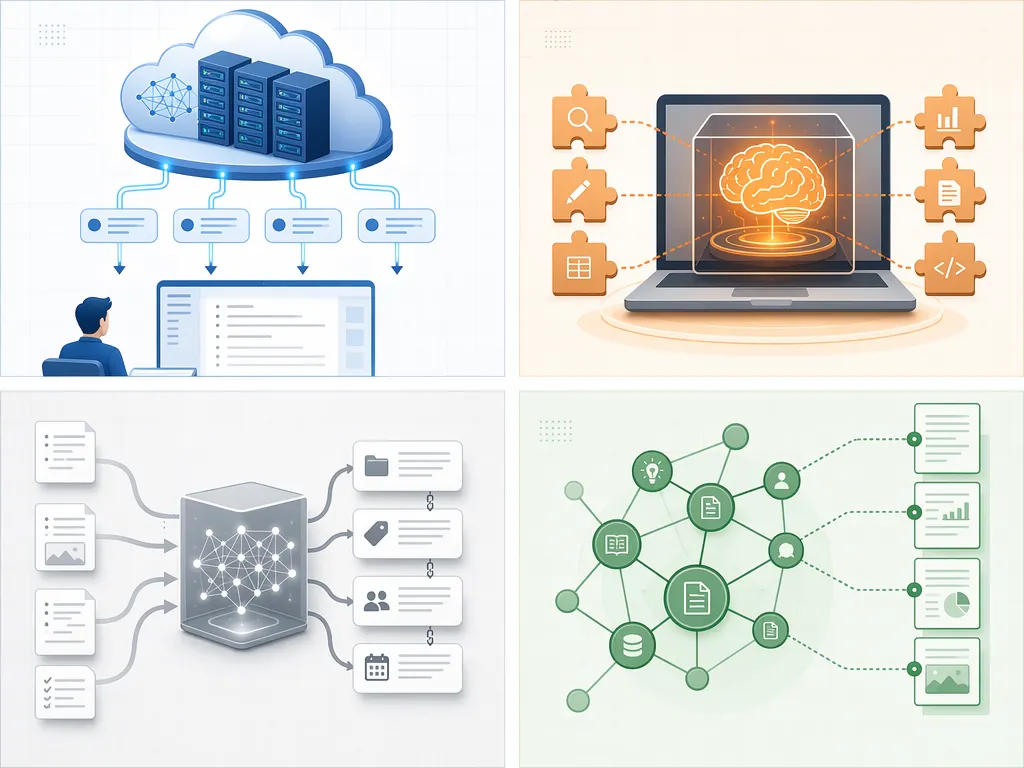
| Cloud-agent memory | In the vendor’s hosted AI and workspace layer | Powerful native agents, team context, lower setup effort | Accumulated agent memory, workspace-specific objects, cloud dependency |
| Local-plugin control | In local files, community plugins, and optional local or external models | More control over files, model choice, and offline-friendly archives | Plugin chain fragility, configuration burden, uneven AI quality |
| Auto-organization | In an AI layer that classifies, links, and retrieves notes with minimal manual structure | Less filing work, faster resurfacing, lower maintenance | Opaque organization logic and dependence on the app’s interpretation of your knowledge |
| Source-anchored retrieval | In systems that preserve links between answers and original materials | More verifiable answers and better research hygiene | Dependence on source metadata, citation structures, and document ingestion methods |
| Object-context collaboration | In databases, tasks, docs, projects, comments, and team workflows | AI that can reason across shared work objects | Lossy exports when object relationships do not map cleanly to another system |
This is why “best AI features” lists age badly. A demo can show that an app summarizes a meeting, drafts a project plan, or answers a question from your notes. It rarely shows the exit path. The exit path is where the architecture becomes visible.
Notion’s bet: cloud-native agents that understand the workspace
Notion’s AI direction is the cleanest example of the cloud-agent memory camp. Ritemark describes Notion 3.0, released in September 2025, as rebuilt around an autonomous agent, with custom agents following in February 2026.[8] That matters because Notion is not merely adding text generation to pages. Its advantage comes from knowing the workspace: pages, databases, properties, permissions, projects, tasks, comments, and the messy relationships among them.
For a team, that can be exactly the point. A consultant’s project archive inside Notion is not just a pile of notes. It may include client CRM rows, meeting transcripts, delivery calendars, decision logs, status dashboards, and templates that structure how the firm works. An agent that understands those objects can do more than retrieve a paragraph. It can operate inside the workflow.
The lock-in follows from the same strength. If the assistant’s usefulness depends on Notion-native relationships, export becomes more than a file-format issue. Ritemark notes that Notion exports can break formatting and lose nested database relationships.[8] That is the kind of portability failure that looks minor in a settings menu and becomes expensive during a real migration. A Markdown folder can leave. A workspace-shaped agent memory may not leave intact.
For a narrower side-by-side on this exact split, FlowDesk’s Obsidian vs Notion for AI Notes: Native Cloud AI vs Plugin-Based Local AI is the more tactical comparison. The larger point here is that Notion’s intelligence is strongest when the user accepts Notion as the operating environment, not merely as a document editor.
Obsidian’s bet: local files, plugins, and chosen models
Obsidian sits almost opposite Notion in AI philosophy. Ritemark puts Obsidian at 1.5 million users and more than 2,500 plugins, including Smart Connections and Copilot, which can use local LLMs through Ollama.[8] The practical difference is not that Obsidian has no AI. It is that much of its AI power is assembled rather than centrally imposed.
That assembly can be a gift. A researcher with a long-lived vault may prefer plain files, local-first habits, and the ability to choose which model sees which notes. A lawyer, analyst, academic, or product strategist may not want every sensitive idea to become part of a vendor-hosted workspace memory. Obsidian’s plugin route gives those users more ways to separate archive, interface, and model.
It also moves responsibility back to the user. Plugins can stop being maintained. Local model quality can lag behind frontier cloud models. Retrieval quality depends on embeddings, chunking, plugin settings, and the shape of the vault. The person who chooses Obsidian for AI is not escaping architecture. They are choosing a more inspectable architecture with more maintenance surface.
That trade-off is often worth it for long-term archives. If your core asset is a decade of notes, citations, drafts, and personal knowledge work, boring portability becomes exciting. The file system is not glamorous, but it is legible. When an AI layer gets replaced, the archive has a better chance of remaining itself.
Mem’s bet: stop making the user organize
Mem’s appeal is different. Ritemark describes Mem 2.0, released in early 2026, as an agentic layer.[8] The promise is not a better folder tree or a more elegant backlink graph. It is that the system should reduce the amount of manual filing required in the first place.
That is attractive because manual organization is where many note systems quietly fail. People do not abandon apps only because the features are weak. They abandon them because the system demands energy on days when the work itself already took the energy. Auto-organization offers a different bargain: capture more, classify less, retrieve later.
The risk is interpretive dependence. If the AI decides what belongs together, what matters, and when something should resurface, then the user becomes dependent on the app’s invisible theory of their work. Leaving such a system is not only about exporting notes. It is about losing the layer that made the notes feel organized.
Source-anchored retrieval is the camp to watch for serious research
AI retrieval is most useful when it can show its work. For casual notes, a plausible answer may be enough. For research, consulting, policy, law, medicine, finance, or journalism, the answer has to point back to the underlying document, meeting, transcript, or source note. Otherwise the assistant becomes another place to fact-check.
This is where source-anchored systems deserve more attention than they usually get in note-app comparisons. Their value is not just search speed. It is preserving the chain between synthesis and evidence. Microsoft’s finding on contextual AI search suggests why this matters operationally: reducing task completion time by more than 30% is not a writing flourish; it means fewer interruptions between question, evidence, and next action.[2]
The portability risk is subtler than in a block database. Source anchoring depends on metadata, document IDs, citation links, ingestion history, and retrieval structures. If those do not export cleanly, the notes may survive while the proof graph does not. A researcher who inherits that archive later may have the text but not the confidence trail.
Personal-depth tools and team-collaboration tools are solving different problems
The 2026 tool map’s personal-depth versus team-collaboration distinction is useful because many bad migrations start with copying a use case from the wrong group.[7] A solo researcher evaluating a lifelong knowledge base should not use the same criteria as a startup choosing a shared operating system. A team lead trying to coordinate projects, owners, statuses, and docs should not pretend that a folder of Markdown files automatically replaces a collaborative workspace.
Personal-depth tools optimize for memory over time: durable notes, retrieval, resurfacing, synthesis, and control. Team-collaboration tools optimize for shared state: who owns what, what changed, what is blocked, what decision was made, and what the group can safely automate. AI intensifies the difference because the assistant either learns the individual mind or the collective workspace.
That distinction also explains why traditional note-app criteria have lost their ranking power. Folders versus tags still affect daily ergonomics. Markdown versus blocks still affects editing and export. Offline mode still matters. But those criteria no longer answer the central question: what kind of AI memory are you consenting to build?
FlowDesk’s Best Note-Taking Apps 2026: Head-to-Head on AI, Data Portability, and Offline Integrity is the better place to inspect those practical scores. Here, the stronger filter is philosophical: whether the tool’s intelligence becomes an extension of a local archive, a cloud workspace, an automatic organizer, a citation layer, or a team operating system.
The lock-in comparison that actually matters
Every serious AI note-taking choice now has three lock-in questions underneath it.
- Data residency: Are your notes, embeddings, agent memory, and retrieval indexes stored locally, in the vendor cloud, or across several services?
- Model exposure: Which models can see which notes, under what settings, and with what training or retention promises?
- Knowledge portability: If you export, do you keep only text, or also structure, relationships, sources, comments, tasks, and AI-generated organization?
The first question is where the intelligence lives. A cloud agent can coordinate across work objects because the vendor hosts the environment. A local-plugin system can preserve more user control because the archive and AI layer can be separated. An auto-organization system can save filing time because it owns more interpretation. A source-anchored system can support serious verification because it treats provenance as part of the interface.
The second question is what the intelligence learned from. “My notes” sounds simple until it includes private journal fragments, client calls, unreleased product plans, grant drafts, legal strategy, medical notes, or board materials. A privacy-sensitive solo user should inspect cloud residency and model settings before admiring the quality of a generated summary. FlowDesk’s What Gemini Knows About Your Notes – A Privacy Audit follows that privacy angle through one ecosystem.
The third question is what happens when you leave. This is where export integrity becomes a first-class AI issue. A tool can offer excellent AI retrieval today and still leave a damaged archive tomorrow if its structure does not translate. Ritemark’s warning about Notion exports losing nested database relationships is not a universal indictment of Notion; it is a reminder that object-rich systems are harder to move than document folders.[8]
How to choose without pretending there is one winner
The practical decision is not “AI or no AI.” It is which compromise you want to be living with after the assistant has become useful.
| Your priority | Favor tools that emphasize | Inspect before committing |
|---|---|---|
| Privacy-sensitive solo knowledge base | Local-first storage, optional local models, readable files | Whether embeddings, plugins, or sync services send sensitive content elsewhere |
| Team collaboration and shared operations | Cloud workspace context, permissions, databases, tasks, comments, agent actions | Export quality for databases, relationships, comments, and permissioned materials |
| Long-term archive | Durable formats, stable folder structures, source preservation, offline access | Whether AI-generated links, summaries, and organization survive outside the app |
| AI-first retrieval | Strong contextual search, source grounding, fast resurfacing, low-friction capture | Whether answers remain traceable to original notes and documents |
| Local-first control | Plugin choice, model choice, file ownership, separation between archive and AI layer | Maintenance burden, plugin dependencies, and degraded experience across devices |
| Low migration tolerance | Simple objects, clean export, fewer proprietary relationships | Whether the app’s most valuable AI features depend on non-exportable memory |
A privacy-sensitive researcher can rationally choose Obsidian even if a cloud tool has smoother AI today. A product team can rationally choose Notion even if export is imperfect, because the near-term value of shared object context may outweigh future migration pain. A scattered executive can rationally choose Mem if automatic resurfacing prevents the archive from decaying into a searchable junk drawer. The mistake is not choosing a camp. The mistake is choosing one while believing you are still buying a neutral note app.
Funding pressure makes this harder. AI features are expensive to build, market, and run, and VC-backed tools have incentives to turn intelligence into differentiation. FlowDesk’s How AI Funding Drives Note-Taking App Migration Waves covers the migration pattern that follows: users move toward a new AI promise, then later discover the cost of rebuilding habits, archives, and integrations.
The category’s growth will encourage more of this, not less. Precedence Research projects the PKM market to exceed $1.1 trillion by 2030, with the AI layer as the primary driver; Ritemark makes the same directional point more bluntly by arguing that passive storage is no longer enough.[9][8] Market size does not tell you which app to trust. It tells you why every app has a reason to make its AI layer harder to ignore.
The decision rule for Q3 2026
If a note-taking app’s AI becomes genuinely good, it will become harder to leave, not easier. That is the uncomfortable part. The more useful the assistant becomes, the more it depends on accumulated context, cleaned-up structure, source trails, habits, and implicit preferences. You are not only training yourself to use the tool. You are allowing the tool to build a working model of your knowledge.
So the safest comparison in 2026 does not start with the flashiest demo. It starts with the lock-in you can tolerate. Choose cloud-agent memory if you want workspace intelligence and can accept cloud dependence. Choose local-plugin control if ownership and model choice matter enough to justify maintenance. Choose auto-organization if the cost of manual structure is already breaking your system. Choose source-anchored retrieval if evidence trails matter more than magical synthesis.
In Q3 2026, choosing a note-taking app means choosing an AI philosophy and a future exit path. The right bet is not the one whose demo feels most intelligent today. It is the one whose lock-in you can live with after it starts doing real work.
References
- The State of AI in 2025 — McKinsey, 2025
- Contextual AI search reduces task completion time by 30%+ — Microsoft Research
- How AI Saves Time at Work — Cflow
- The Gentle Singularity — Sam Altman, 2025–2026
- AI Singularity: Definition, Timeline, and Predictions — AIMultiple
- The Singularity Is Nearer Than Ever. But Will It Really Happen? — Popular Mechanics
- 2026 AI Note-Taking & Knowledge Management Tool Map — note.com/cons_ai_x, July 2026
- Ritemark PKMS Landscape 2026 — Ritemark, 2026
- Personal Knowledge Management Market — Precedence Research







Comments
Join the discussion with an anonymous comment.