
The Real Reason Your PKM System Keeps Failing
You downloaded Obsidian, watched a few setup tutorials, created a vault, and started linking notes. Two weeks later, the vault is a graveyard of orphaned pages. Or maybe you signed up for Notion, built a beautiful dashboard with databases and rollups, and then realized you had spent more time organizing than actually thinking. You are not alone, and the tool is not the problem.
The global personal knowledge management software market was valued at $1.8 billion in 2025 and is projected to reach $4.9 billion by 2034, growing at an 11.8% CAGR. Yet despite this explosion of options, the vast majority of new users abandon their chosen system within the first month. The culprit is almost never a missing feature or a buggy interface. It is a fundamental mismatch between how you naturally think and how the tool expects you to organize information.
This article will not give you another list of the "top 10 PKM apps" with feature checkboxes. Instead, it will help you diagnose your own thinking style, map it to the right PKM paradigm, and follow a structured 30-day plan to build a system that actually sticks — avoiding the five traps that cause most people to quit.
The Four Thinking Styles and Their PKM Paradigms
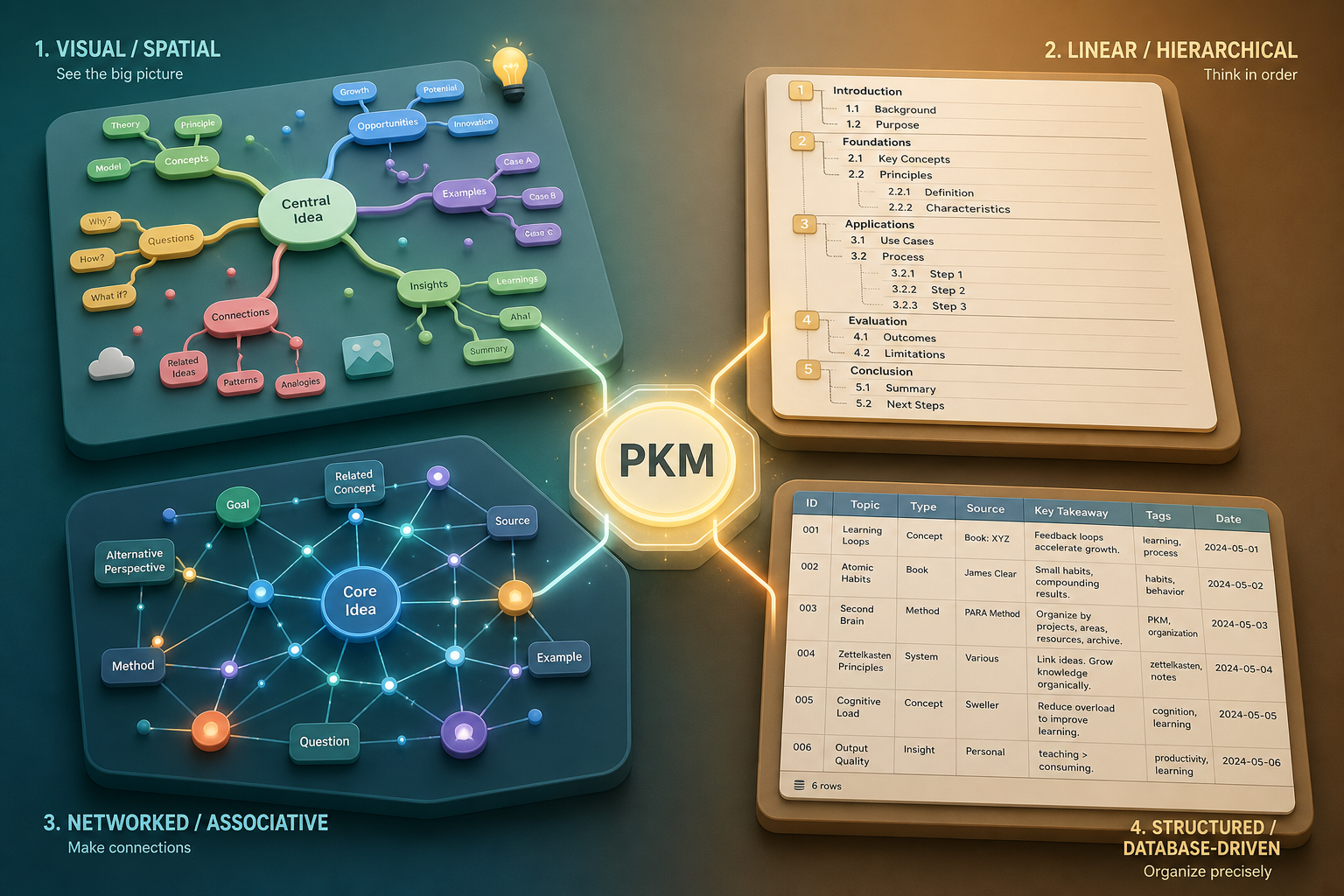
Every person has a dominant mode of processing and organizing information. When you force yourself to use a tool built for a different mode, you are fighting your own cognitive wiring. Here are the four primary thinking styles and the tool paradigms that fit them.
| Thinking Style | How You Naturally Organize | Best PKM Paradigm | Example Tools |
|---|---|---|---|
| Visual / Spatial | You think in maps, diagrams, and spatial relationships. You prefer mind maps over outlines and can visualize connections between ideas as physical positions on a canvas. | Canvas Tools | Heptabase, Kosmik, Scrintal |
| Linear / Hierarchical | You think in sequences, lists, and nested structures. Outlines feel natural; bullet points and numbered lists are your native language. | Outliners | Logseq, Tana, Workflowy |
| Networked / Associative | You think in connections and relationships. Ideas are nodes in a web, and the value is in the links between them. You want to discover patterns, not file things away. | Networked Notes (Graph-based) | Obsidian, Roam Research, Reflect Notes |
| Structured / Database-driven | You think in categories, properties, and metadata. You want every piece of information to have a defined type, a set of attributes, and a predictable location. | Database-driven | Notion, Anytype, Capacities |
The key insight is that these are not rigid boxes. Most people exhibit a blend, but one style usually dominates. A visual thinker who tries to use a pure outliner like Logseq will feel constrained and frustrated. A linear thinker who jumps into an infinite canvas like Heptabase will feel lost and overwhelmed. The goal is to find the paradigm that reduces friction, not adds to it.
How to Diagnose Your Own Thinking Style
Before you pick a tool, take five minutes to identify your dominant style. The following checklist is not a scientific diagnostic — it is a practical heuristic based on how you already behave when organizing information.
- When you brainstorm, do you reach for a blank sheet of paper and draw circles and arrows (Visual), or do you open a text file and write a numbered list (Linear)?
- When you revisit an old note, do you remember where it was located in a folder structure (Structured), or do you remember which other notes it was connected to (Networked)?
- Do you feel anxious when information does not have a clear category or type (Structured), or do you feel constrained when forced to put things into predefined boxes (Networked)?
- When you plan a project, do you prefer a timeline or a flowchart (Visual), or a checklist with sub-items (Linear)?
- Do you enjoy building complex database schemas with relations and formulas (Structured), or do you prefer to just write and let connections emerge organically (Networked)?
If you answered mostly the first option in each pair, you lean Visual. Mostly the second option, you lean Linear. The third pair distinguishes Networked from Structured. There is no wrong answer — the point is to identify the path of least resistance for your own mind.
The 30-Day Starter Plan: From Choice to Habit
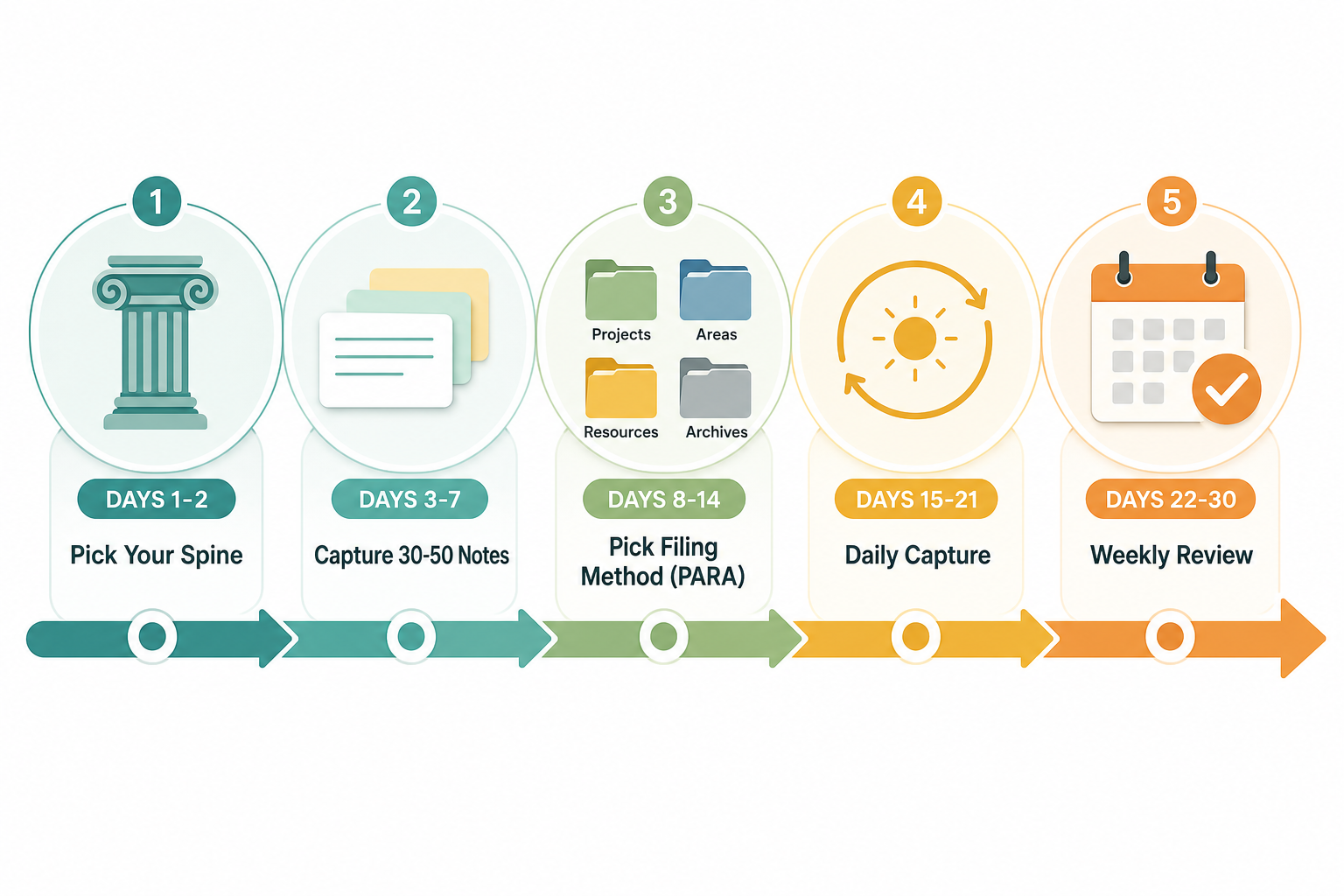
Once you have identified your thinking style and chosen a paradigm-matching tool, the next challenge is building the habit. The following plan is designed to get you from zero to a functional, sustainable system in 30 days. It is not a rigid template — it is a scaffold that adapts to your pace.
- Days 1-2: Pick your spine. Choose one tool that matches your dominant thinking style from the table above. Do not install three tools and compare them. Commit to one for the next 30 days.
- Days 3-7: Capture 30-50 starter notes. Do not organize them yet. Just dump everything — ideas, tasks, articles you read, conversations you had, random thoughts. The goal is volume, not structure.
- Days 8-14: Pick a filing method. The default recommendation is PARA (Projects, Areas, Resources, Archives) because it works across all paradigms. If you are a networked thinker, you may prefer a tag-based or link-based system instead. The key is to pick one and stick with it.
- Days 15-21: Establish daily capture. Every day, write at least three notes: one from what you read, one from what you did, and one from what you thought. This creates a consistent input habit.
- Days 22-30: Run a weekly review. Block 30 minutes once a week. Review what you captured, update your filing system, delete or archive what is no longer relevant, and plan what you want to capture next week.
Common PKM Traps and How to Avoid Them

Even with the right paradigm and a solid starter plan, most users still abandon their PKM system within weeks. The reason is almost always one of five recurring traps. Recognizing them early is the best defense.
- Tool-hopping: You switch tools every few weeks because the next one promises a better graph view, a faster search, or a cleaner UI. The fix: commit to one tool for 90 days before evaluating alternatives. The tool is rarely the bottleneck — your habits are.
- Over-tagging: You create a tag for every possible category, then spend more time tagging than thinking. The fix: limit yourself to 10-15 tags maximum. If a note does not fit an existing tag, do not create a new one — just file it in a broad category or leave it untagged.
- Capture without distill: You collect hundreds of articles, bookmarks, and quotes but never process them into your own words. The fix: for every piece of captured content, write a one-sentence summary in your own words within 48 hours. If you cannot summarize it, you probably do not need it.
- Public-system bias: You build a system that looks impressive in screenshots — beautiful dashboards, complex databases, elaborate workflows — but is impractical for daily use. The fix: design for retrieval, not display. A system that looks ugly but lets you find any note in 10 seconds is better than a beautiful system where notes disappear.
- Optimizing organization at the cost of retrieval: You spend hours reorganizing folders, renaming tags, and restructuring databases, but you rarely actually find the information you need. The fix: measure your system by how quickly you can retrieve a specific note from six months ago, not by how tidy your folder tree looks.
The 80/20 of PKM: Filing vs. Thinking
One of the most common sources of confusion for new PKM users is the belief that there is one "correct" methodology. In reality, most people only need two mental models: one for filing and organizing, and one for thinking and connecting ideas. These are complementary, not competing.
For filing and organizing, PARA (Projects, Areas, Resources, Archives) is the most practical default. It is simple, works across all tool paradigms, and forces you to make clear decisions about where information lives. For thinking and connecting ideas, you have two strong options: Zettelkasten (atomic notes with bidirectional links, ideal for networked thinkers) or Building a Second Brain (progressive summarization with a focus on actionability, ideal for structured thinkers).
Quick Reference: Best Tool by Use Case
If you are still unsure which paradigm fits your specific situation, the following table maps common user profiles to recommended tool paradigms and specific tool examples. Use it as a starting point, not a final verdict.
| User Profile | Primary Need | Recommended Paradigm | Example Tools |
|---|---|---|---|
| Student | Lecture notes, research papers, exam prep | Structured (Database-driven) or Linear (Outliner) | Notion, Logseq, OneNote |
| Researcher | Literature review, citation management, idea synthesis | Networked (Graph-based) or Visual (Canvas) | Obsidian, Roam Research, Heptabase |
| Creative (Writer, Designer, Artist) | Inspiration boards, mood boards, project sketches | Visual (Canvas) or Networked (Graph-based) | Kosmik, Heptabase, Scrintal |
| Developer | Code snippets, technical documentation, system design notes | Networked (Graph-based) or Structured (Database-driven) | Obsidian, Notion, Anytype |
| Business Professional | Meeting notes, project tracking, strategic planning | Structured (Database-driven) or Linear (Outliner) | Notion, Tana, Workflowy |