
The January 2026 Microsoft 365 incident was the kind of Outlook and Teams outage that work productivity plans tend to underestimate until the calendar is full, the inbox is unreachable, and the decision log is trapped behind the same cloud assumptions. The outage began around 2:37 PM ET on January 22 and was not fully resolved until 1:29 PM ET the next day, putting the recovery window at more than 21 hours. During that window, users reported trouble with Exchange Online, Outlook, Teams, SharePoint, OneDrive, admin portals, and security portals; Downdetector reports passed 15,745 at the peak cited in post-incident coverage.[1]
That is the obvious failure. The quieter one is what happened to notes.
If your meeting notes, runbooks, support scripts, project decisions, and client histories lived in a cloud-dependent notes app, the outage did not just interrupt communication. It also threatened the material you needed to keep working while communication was broken. Losing Outlook and Teams is already disruptive. Losing the searchable memory of the work at the same time is a different class of problem.
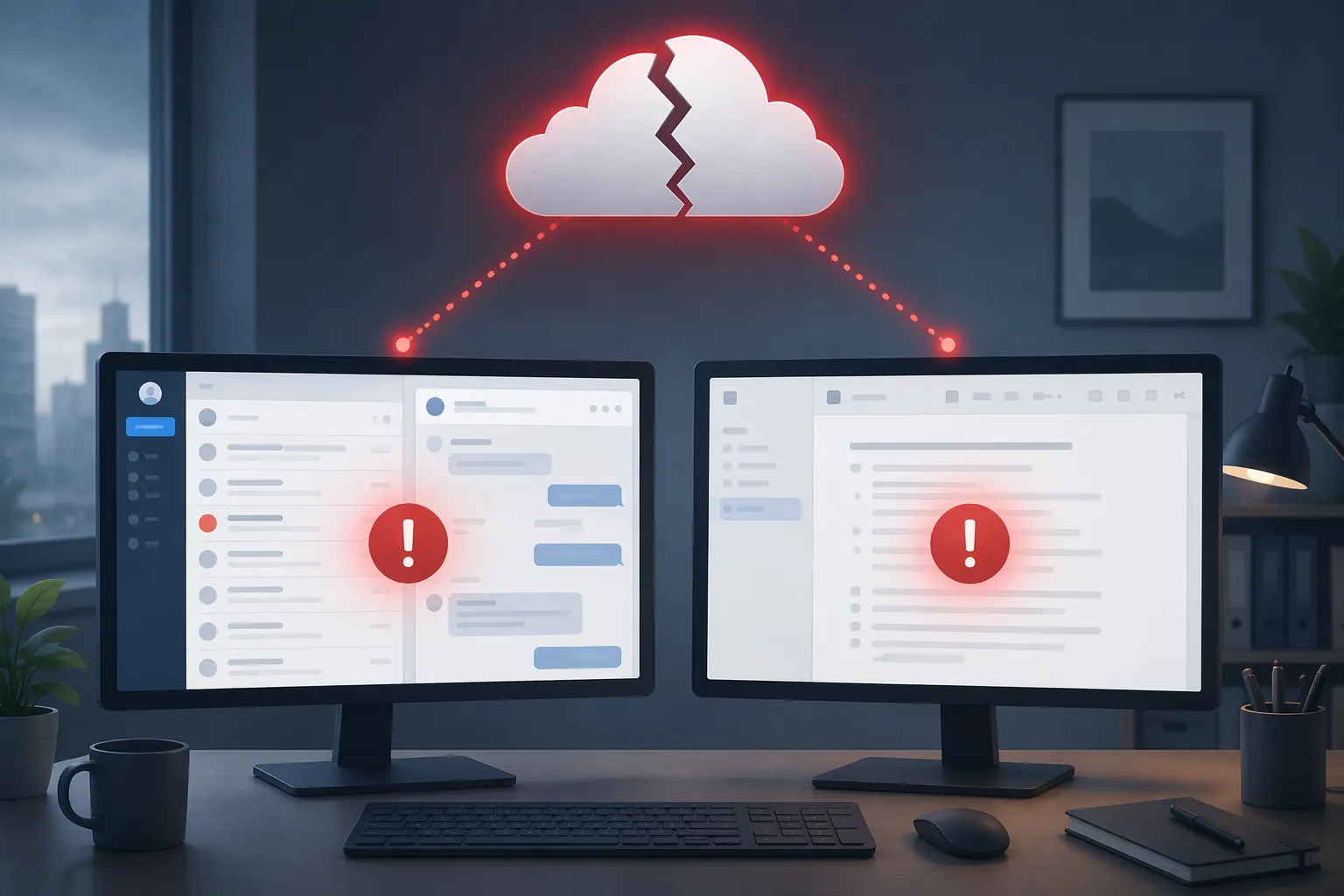
The outage exposed one locked door, not several small ones
Microsoft’s own post-incident explanation, as quoted in Mailbird’s analysis, said a load-balancing configuration change “incidentally introduced additional traffic imbalances.”[1] That sentence matters because it strips away the comforting version of “temporary.” Recovery was not simply a timer counting down. The attempted fix was part of the operating story.
Other reporting on the same incident described access problems across email, files, Outlook, Defender, Purview, and related Microsoft 365 services, with Teams issues appearing in the same broader incident window.[2][3] For a worker trying to keep a project moving, the product names matter less than the shape of the dependency: identity, routing, storage, collaboration, search, and administration can all lean on shared infrastructure.
That is why notes are part of the productivity conversation. A note app does not have to be owned by Microsoft to fail in the same human moment. If it needs server contact to open the right workspace, authenticate the user, load a database, resolve permissions, or search across content, then it can become unavailable precisely when the rest of the cloud stack is already failing.
This was not an odd little Thursday
The January 2026 incident was large, but it was not an isolated pattern break. Medha Cloud’s review of Microsoft 365 outage history counts 9 major multi-service incidents from 2020 through 2026, excluding single-service events and the July 2024 CrowdStrike event because it classified that as client-side. In that count, Exchange Online appeared in 7 of the 9 incidents and Teams in 5 of the 9, with typical global control-plane incidents lasting about 8 hours.[4]
The counting method is worth noticing. A broader methodology would produce a different number, and a narrower one would miss the pattern most users actually feel: the same workday can lose email, meetings, files, and identity-mediated access together. FlowDesk’s earlier look at Teams outages and note access is useful for the same reason. The lesson is not that Microsoft 365 is uniquely fragile. It is that multi-service SaaS incidents are normal enough that personal knowledge systems should be designed with them in mind.
The service-credit math does not close the gap. Medha Cloud notes that a 99.9% Microsoft SLA allows roughly 43 minutes of downtime per month, while the January 2026 incident alone exceeded 21 hours; SLA credits address a portion of subscription fees, not the labor cost of people waiting on systems.[4] ITIC survey figures, cited by Trilio, put hourly downtime above $300,000 for 90% of enterprises, but that is better treated as a scale marker than as proof of what any one outage cost.[5] Martello’s Teams productivity-loss estimate is similarly useful but narrow: its $500,000-plus annual figure is an extrapolation for a 5,000-person company under specific call-volume and quality assumptions, not a direct measurement of every Teams incident.[6]
The smaller, more actionable number is often local: how many people in your team could still read the notes needed to make the next decision?
The architecture decides what still works
Cloud notes are convenient when the network, identity layer, and vendor service are healthy. They are especially good when several people need the same page, the same database view, the same comments, and the same permissions model. The resilience question is narrower: during an outage, can the user read, write, and search their own notes without contacting a server?
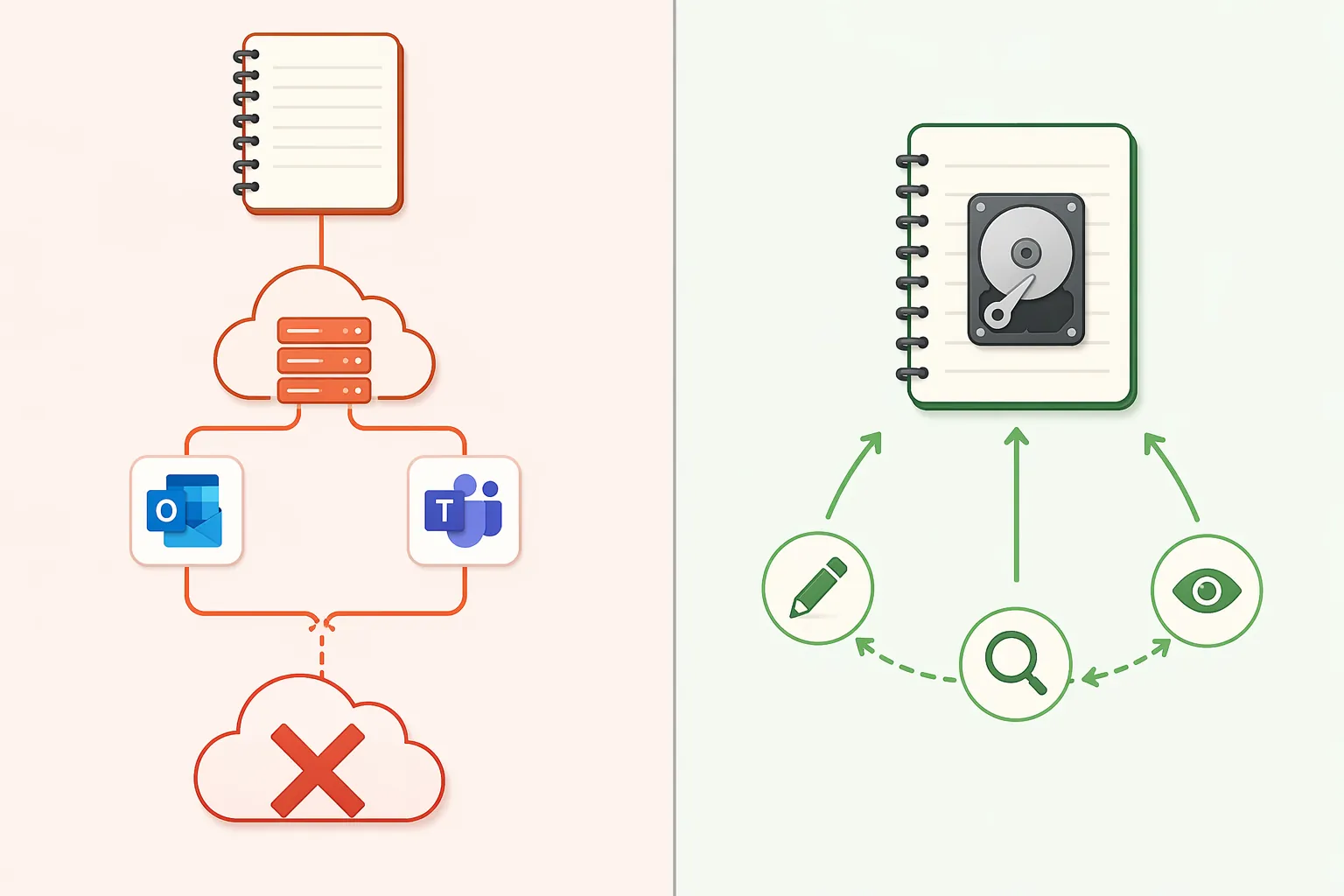
| Architecture | What the app depends on during an outage | What usually remains available |
|---|---|---|
| Cloud-dependent workspace | Server access, authentication, permissions, remote database loading, and sync state | Recently cached content may appear, but full read, write, and search can be limited |
| Local-first folder | Local files and local app index | Read, write, and search continue on the device; sync waits until connectivity returns |
| Hybrid notebook | Depends on where the notebook is stored and how much is already cached locally | Existing local notebooks may work; cloud-only or SharePoint-hosted notebooks may not |
That table is the whole decision in miniature. Offline mode is not a badge a vendor gets to claim once. It has to cover the operations that make notes useful: opening the right material, editing it, creating new notes, and searching across the body of work. A cached page that cannot search the archive is not the same thing as a local knowledge base.
Notion-style workspaces are powerful until the workspace is the dependency
Notion’s strength is that it turns notes into shared structured work: pages, databases, views, relations, comments, and team spaces. That is also why its offline behavior is hard to make equivalent to a folder of local files. XDA Developers’ January 2026 field testing found that Notion could cache recently viewed pages, but could not reliably open databases, edit complex pages, or search full content without connectivity; the same piece distinguishes that from tools that keep the primary data on the device.[7]
For a casual reading list, that may be acceptable. For an incident log, sales-call history, project decision register, or support escalation notes, it is a brittle bargain. The page you opened yesterday may be there. The page you need because a client just asked about a decision from last quarter may not be reachable in the way you need it.
This is not a reason to dismiss Notion as a note-taking app for every use case. FlowDesk’s Notion note-taking assessment treats its database-centered workflow as a real advantage. The problem is narrower and more serious: if the workspace is cloud-first, the workspace itself becomes part of the outage surface.
Obsidian and Logseq remove the server from the basic act of remembering
Obsidian’s basic model is plain Markdown files stored in a local folder, which the app calls a vault.[8] Logseq uses a similar local-file approach around Markdown and org-mode style files. The practical effect is simple: the note exists on the device before sync succeeds, and the app can open and edit it without asking a remote workspace whether the user is allowed to see it.
Search also changes. In a local-first app, search can run against files and indexes already on the machine. If sync is unavailable, the worst case is usually that another device does not receive the newest change yet. The working copy remains usable. That is a very different failure mode from a cloud app where the canonical workspace is remote and the local device is mostly a client.
The trade-off is real. Obsidian and Logseq are not drop-in replacements for every shared Notion database or centralized team wiki. Collaboration, permissions, database views, and admin controls require more thought. But for personal operational memory, the local folder is not nostalgia. It is a continuity boundary.
If you want the deeper tool-level version, FlowDesk’s Obsidian Review 2026 is the better place to inspect plugins, sync choices, mobile behavior, and migration friction. The resilience point here is more basic: local Markdown remains readable even when the vendor’s service is not part of the conversation.
OneNote deserves the annoying but important nuance
OneNote should not be treated as purely cloud-only. Microsoft’s OneNote documentation describes notebooks that sync across devices, and the classic desktop client can keep notebooks available locally once they have been opened and synced.[9] In that setup, an existing notebook may remain readable and editable during a service problem, then sync later.
The weak point is where the notebook lives and what has already reached the device. Mailbird’s outage analysis distinguishes locally available OneNote notebooks from cloud-only or SharePoint-hosted notebooks that can become inaccessible when the Microsoft 365 services around them are unavailable.[1] A notebook buried in a SharePoint-backed workflow has a different risk profile from a notebook already cached by the desktop app.
That makes OneNote a configuration question, not a brand answer. The useful test is not “Do we use OneNote?” It is “Can the person who needs the notes open the specific notebook, search it, add a new page, and keep working while Microsoft 365 authentication or file services are degraded?”
Apple Notes is local enough for some people, cloudy enough to check
Apple Notes is often a good fit for individual users who mainly need fast capture, device-level availability, and simple search. XDA’s offline-productivity comparison places Apple Notes among tools that behave better when connectivity disappears than cloud-first productivity workspaces.[7] The same caution applies as with OneNote: confirm where the notes are stored, whether the relevant devices already have them, and what happens when iCloud sync is unavailable.
Apple Notes is not a team knowledge base in the Notion sense. That may be fine. A personal field notebook does not need to become a relational database to be valuable during an outage. It needs to open.
The migration question is really a responsibility question
A CIO may care about SLAs, credits, redundancy plans, and vendor escalation paths. The worker in the meeting needs a different guarantee: the notes are there when the networked stack is not. Those are related concerns, but they are not the same concern.
Switching to local-first notes is the stronger move when your notes function as operational memory: client histories, meeting decisions, incident steps, research trails, project assumptions, support procedures, or anything you may need while email and chat are unavailable. In that case, read, write, and search should not depend on a vendor recovery timeline.
Staying with a cloud-first app can still be the right choice when the main value is live collaboration: shared databases, comments, permissions, dashboards, and one canonical team workspace. Local-first tools can support sync and sharing, but they usually ask the team to accept more structure, more discipline, or fewer centralized controls. Resilience is not free; it moves complexity from the vendor workspace into your own workflow.
The cleanest boundary is this: switch for outage resilience if your notes must remain readable, searchable, and editable with no server contact. Do not switch solely for resilience if the thing you cannot give up is real-time shared work. If you are comparing those trade-offs, start with the architecture rather than the feature list, then use FlowDesk’s outage-focused comparisons, including which note apps work when ChatGPT goes down and how to keep notes accessible during an AWS outage, to decide which cloud features are worth the dependency.
References
- Microsoft 365 Outages: Why Email Fails & How to Prepare — Mailbird
- Microsoft 365 hit by outage, preventing access to emails and files — TechCrunch
- Microsoft Outage Hits Outlook, Defender, Purview Day After Teams Issues — CRN
- Microsoft 365 Outage History: Every Major Incident 2020–2026 — Medha Cloud
- The True Cost of Downtime: 21 Stats You Need to Know — Trilio
- Did the Teams Incident Affect Your Productivity — Martello
- I'm tired of productivity apps that break the moment I lose Wi-Fi — XDA Developers
- Obsidian Help — Obsidian
- OneNote help & learning — Microsoft