
The most expensive part of an Exchange outage often starts after the service-health page turns green. Mail begins moving again, but it does not arrive in the order the business expected. Approval chains restart with missing context. Sales and support teams ask customers to resend messages they insist they already sent. Finance wants to know whether Microsoft owes anything, while IT is still separating delayed mail from duplicated follow-ups and genuinely lost work.
That is the real impact of an Exchange mail delivery outage: not just the visible delay while Exchange Online is degraded, but the backlog, rework, customer doubt, and evidence gaps that remain when mail flow stabilizes. The dated incident record from 2021 through 2026 gives enough anchors to price the exposure more honestly, as long as the math stays tied to incident windows and does not pretend every tenant loses the same amount per minute.

Start with the incident record, not the refund
Exchange Online incidents do not fail in one neat pattern. Some are partial mail delays. Some are authentication or Outlook access problems that spill into mail handling. Some affect only a percentage of messages inside affected tenants. Some last long enough that the recovery queue becomes a second incident. That difference matters because a short complete outage can be less costly than a long partial delay in a mail-dependent workflow where nobody knows which messages were affected.
| Date | Incident | What the record says | Why it changes the cost model |
|---|---|---|---|
| Feb. 3, 2021 | EX237654 | Affected tenants saw roughly 10% to 15% of email excessively delayed after inadvertent front-end restarts cleared cache, according to the post-incident account summarized by Exoprise. | This is partial-failure math. Affected-message percentage matters more than a binary up/down label. |
| Mar. 1, 2025 | MO1020913 | Public reporting tied the Microsoft 365 disruption to 37,000+ Downdetector reports, with Microsoft later describing remediation as reversion of a problematic code change. | User-report volume is useful as a signal, but it is noisy. It does not price a tenant’s exposure by itself. |
| Jul. 9–10, 2025 | EX1112414 | A roughly 19-hour Outlook and Exchange Online disruption ran from 10:20 p.m. UTC on July 9 to 5:25 p.m. UTC on July 10; coverage described infrastructure saturation after a configuration change. [1] | The long window makes backlog and next-day cleanup unavoidable cost categories. |
| Oct. 8, 2025 | MO1168102 | The incident lasted roughly two hours and was attributed in public technical coverage to directory operations imbalance under high traffic. | Shorter incidents still matter when directory or identity-related behavior blocks the workers who approve, respond, or release work. |
| Jan. 22–23, 2026 | MO1221364 | Users encountered “451 4.3.2 temporary server issue” errors; coverage tied the issue to reduced capacity during maintenance plus a load-balancing change, with stable mail flow reported at 12:33 a.m. ET on Jan. 23. [2] | Use timestamps instead of relying only on headline duration. The cleanup window may continue after stable mail flow. |
| Jun. 2, 2026 | EX1331830 | Exchange Online mail flow delays and failures affected users across North America, APAC, and Europe; some messages were undelivered for more than an hour, according to contemporaneous reporting. [3] | Before closing an internal RCA, check the Microsoft 365 admin center for the final post-incident report, because public reporting as of June 3 did not provide the full root-cause record. |
The useful comparison is not which incident sounded worst. It is which incident created the most unpaid work after restoration. EX237654’s 10% to 15% affected-message range is a different business problem from EX1112414’s roughly 19-hour window. In the first, teams can spend hours proving which messages were delayed and which were not. In the second, the outage window itself is long enough that approvals, customer replies, and operational handoffs stack up across shifts.
The visible loss is only the first line item
Visible losses are the ones executives notice during the incident: the proposal that did not leave the mailbox, the payroll approval that stalled, the support escalation that sat unanswered, the invoice dispute that aged another day. These losses are real, but they are also the easiest to undercount because teams treat them as anecdotes unless somebody captures the affected workflow, the time window, and the decision that was waiting on mail.
A workable incident ledger should tag visible losses by business process, not by mailbox count. “Forty users affected” is less useful than “new-order approvals paused,” “support SLA responses delayed,” or “contracts could not be countersigned.” The mailbox count tells IT how broad the complaint queue may become. The process tag tells finance where the business value was held up.
| Visible line item | What to record | Why the detail matters |
|---|---|---|
| Delayed outbound mail | Which workstream was waiting on the send: quote, approval, invoice, legal notice, support reply | A delayed newsletter and a delayed purchase approval do not carry the same cost. |
| Delayed inbound mail | Whether the sender had an alternate channel and whether the recipient knew the message was missing | The worst cases are not always the longest delays; they are the delays nobody detects until later. |
| Failed or retried messages | Bounce text, retry behavior, duplicate sends, and final delivery time | Duplicate or out-of-order messages create rework after mail flow returns. |
| Interrupted approvals | Who could not approve, what downstream step waited, and whether a manual override was used | The cost belongs to the paused process, not merely to the executive’s mailbox. |
| Customer-facing misses | Accounts, cases, or tickets where the customer expected a response during the outage window | These become trust and escalation costs even if the email eventually arrives. |
For a comparison of how this same evidence shape works in another collaboration platform decision, the site’s Teams-versus-Slack outage comparison is a useful sibling: the point is not to crown a platform as outage-proof, but to compare failure modes, response options, and what the SLA actually covers.
The hidden cost starts when the backlog lands
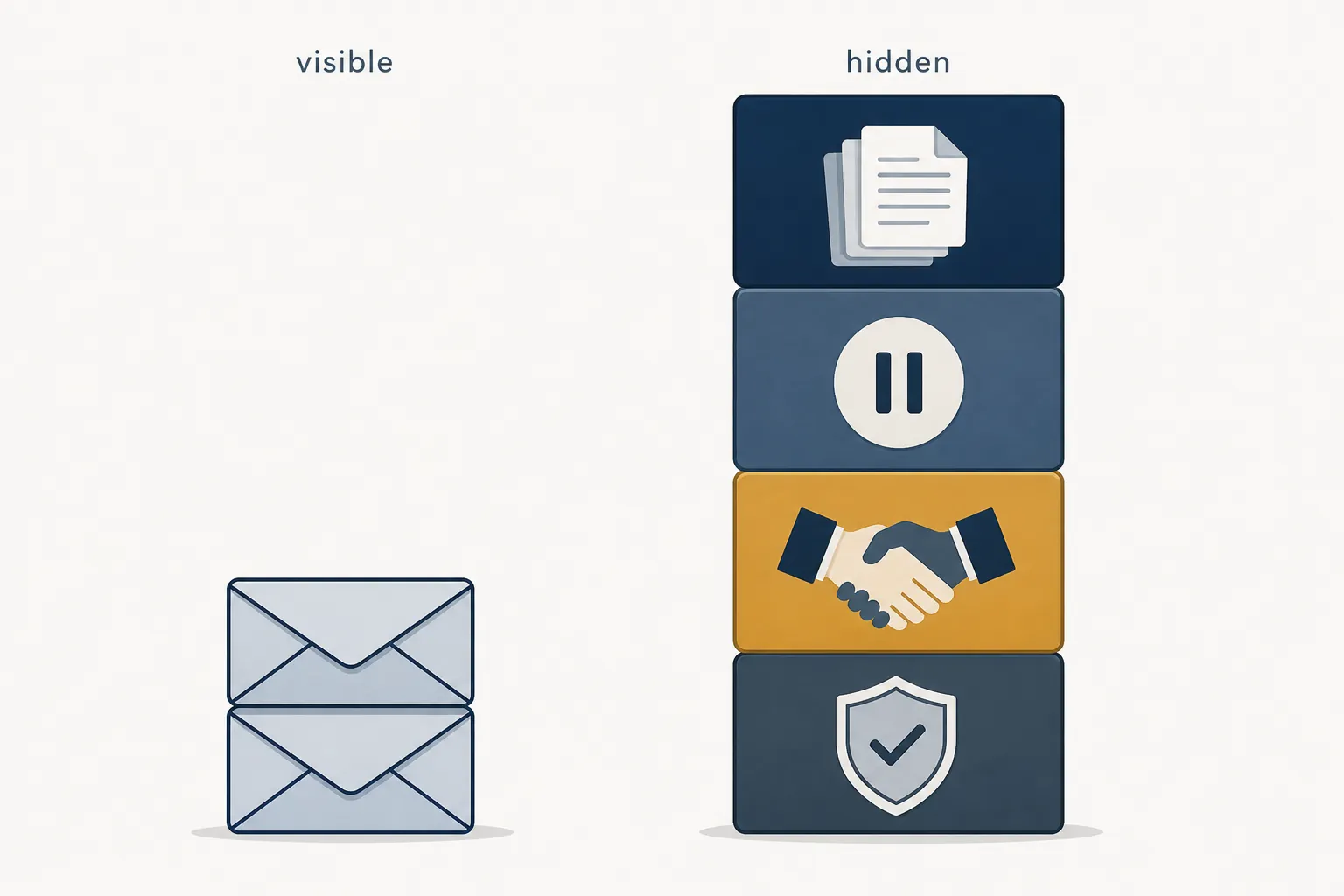
Hidden outage cost is the work nobody books to the outage unless the organization has already decided to track it. Help desk staff close the “mail is delayed” tickets, then reopen the messier ones: a missing invoice that arrived late, a customer who resent the same document through three channels, an approval thread that restarted from the wrong message, a compliance reviewer asking why the evidence trail has a gap.
Vendor-written continuity pieces tend to overplay this point because they sell mitigation tools, but the hidden-cost categories themselves are recognizable. Hornetsecurity’s outage-impact framing calls out lost productivity, customer dissatisfaction, reputational damage, compliance exposure, and recovery effort as costs beyond the initial email interruption. That should be treated as an industry-observed pattern, not as an independent measurement that proves hidden costs always exceed visible costs in every tenant. [4]
| Hidden cost category | Where it appears after restoration | Who usually pays it |
|---|---|---|
| Backlog triage | Teams sort delayed, duplicated, and out-of-order messages. | Help desk, department leads, sales ops, support managers |
| Approval reconstruction | Managers confirm which approvals were sent, received, superseded, or manually bypassed. | Finance, HR, procurement, legal, operations |
| Customer trust repair | Customer-facing teams explain why a promised reply, quote, case update, or document did not arrive on time. | Sales, account management, customer service |
| Compliance and audit exposure | Teams rebuild evidence that a required notice, approval, escalation, or retention step occurred. | Compliance, legal, security, regulated business owners |
| Incident administration | IT exports message traces, matches timestamps to advisory windows, writes summaries, and prepares any credit request. | IT operations, MSP escalation, finance |
This is why “mail was down for an hour” is rarely enough for a post-incident cost entry. A one-hour delay in a low-dependency workflow may be noise. A one-hour delay during a payroll approval cutoff, regulated response window, or high-volume support queue can create a recovery tail that lasts into the next business day.
A cost model that finance can challenge without breaking
Downtime benchmarks help set scale, but they are not a tenant-specific calculator. Dotcom-Monitor’s benchmark roundup cites ITIC’s 2024 survey as finding that more than 90% of mid-size and large enterprises lose more than $300,000 per hour of downtime, 41% report $1 million to $5 million or more, and 98% of large enterprises report at least $100,000 per hour. The same roundup cites Gartner’s often-quoted estimate of roughly $5,600 per minute. These ITIC and Gartner figures are secondary citations in the available material and should be verified against the original reports before publication in a board packet. [5]
Uptime Institute’s 2026 outage analysis gives a firmer direct source for broad context, while still being survey-based. Its May 2026 release says 57% of 2025 survey respondents reported that their most recent major outage cost more than $100,000, and that one in five reported costs over $1 million for a second consecutive year. Those numbers describe major outages across infrastructure contexts, not Exchange Online mail delay cost for a specific tenant. [6]
The better way to use those benchmarks is as guardrails. If a company claims a mail-flow outage cost nothing because no deal was visibly lost, the benchmarks are a warning that the analysis is probably too narrow. If a company multiplies Gartner’s per-minute figure by every Exchange advisory and calls the result a loss, the analysis is probably too broad.
A defensible exposure model separates four variables:
- Incident window: the time between the first business-impacting symptom and confirmed stable mail flow, with Microsoft’s timestamps preserved separately from user-reported timestamps.
- Affected mail share: the portion of messages, users, or workflows that were actually impaired. EX237654’s 10% to 15% affected-message framing is a reminder that partial failures still require pricing.
- Business dependency: the workflows that rely on Exchange mail for approvals, customer commitments, regulatory evidence, or revenue movement.
- Recovery backlog: the labor and delay created after mail resumes, including rework, deduplication, escalations, and audit reconstruction.
Estimated exposure =
  visible delayed-work value
+ recovery backlog labor
+ customer or SLA remediation cost
+ compliance or evidence-reconstruction cost
- avoided loss from alternate channels or manual workarounds
That formula is intentionally less tidy than a downtime-per-minute calculator. It forces the right questions: Which work was displaced? Who had to reconstruct it? Which customers were affected? Which approvals were bypassed? Which evidence trail now needs a human explanation?
How the same outage window prices differently
In a hypothetical professional-services firm, an Exchange mail delay during a quiet internal planning window might create a modest backlog: people resend documents, a few meetings start with missing attachments, and the help desk spends time confirming that delayed mail eventually arrived. The incident is annoying, but the business exposure is mostly labor and delay.
In a hypothetical distributor using email-based approvals for purchase releases and customer commitments, the same mail-flow window can pause order movement, create duplicate customer replies, and force operations staff to reconcile which instructions were current. The outage duration is the same. The dependency profile is not.
That is also why user-report spikes, such as the 37,000+ Downdetector reports cited for MO1020913, should not be treated as a clean loss estimate. They show that many users noticed trouble. They do not say how many of a particular tenant’s approvals, sales responses, support cases, or evidence records were impaired.
What Microsoft’s SLA can actually return
Service credits make more sense after the cost model because the mismatch is the point. Microsoft’s SLA process is not a lost-revenue policy. It is not a penalty payment. It is a prorated service credit tied to the affected service and qualifying duration, subject to eligibility and submission rules.
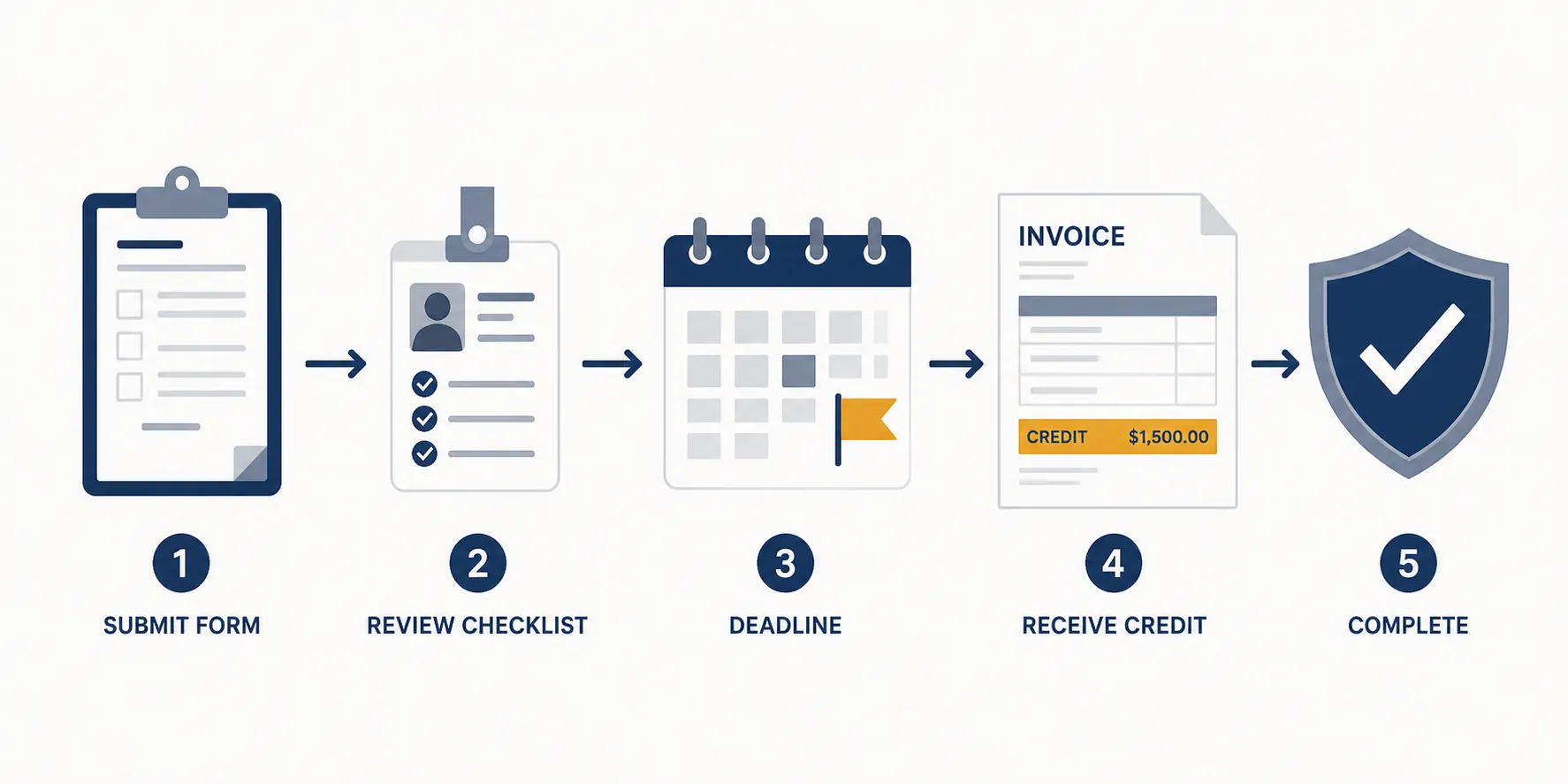
Microsoft’s Partner Center credit process says requests are accepted from CSP direct providers or indirect providers, not directly from every end customer. The request must include the customer tenant GUID and the incident ID, and for non-Azure services it must be submitted within one month from the end of the billing month; accepted credits appear on a later invoice. Microsoft also states that advisory incidents are typically not eligible for SLA credit. [7]
Pax8’s partner guidance lines up with the same operational reality: partners need to move quickly, with a 30-day submission window referenced for Microsoft outage credit handling. Treat that as a claims-process reminder, not as a promise that a specific Exchange advisory will qualify. [8]
| Credit step | What has to be ready | Common failure point |
|---|---|---|
| Confirm eligibility | Service, tenant, incident ID, and whether the event qualifies as SLA-impacting rather than advisory-only | Teams assume any advisory equals a creditable outage. |
| Submit through the right channel | CSP direct provider or indirect provider submission path | The customer waits too long before involving the partner. |
| Attach identifiers | Tenant GUID, incident ID, billing period, and impact notes | IT has screenshots but no clean tenant or incident identifiers. |
| Meet the deadline | For non-Azure services, one month from the end of the billing month under Microsoft’s Partner Center guidance | The incident review finishes after the credit window has already closed. |
| Track invoice outcome | Credit line on a later invoice | Finance expects a cash refund or lost-revenue reimbursement. |
For readers who have handled residential or broadband outage credits, the administrative shape is familiar. The site’s Xfinity service-credit guide is a useful analogy: the claim process can return a narrow credit, but it does not make the business whole.
The practical judgment before the next outage
Exchange Online is not unsafe because it has incidents, and a cloud migration is not disproved by a delayed-mail advisory. The stronger conclusion is more operational: if the organization cannot price mail-flow exposure before the next incident, it will almost certainly undercount the incident after it happens.
The minimum useful preparation is not a glossy continuity plan. It is a cost ledger with owners. IT records incident IDs, timestamps, affected services, and message-trace evidence. Business owners identify which workflows depend on Exchange mail. Finance agrees in advance how to value backlog labor, delayed approvals, customer remediation, and compliance reconstruction. The MSP or internal escalation lead knows who can submit a credit request and what deadline applies.
Generic resilience recommendations still have their place: alternate approval paths, out-of-band customer communication, monitoring, and tested workarounds reduce exposure. For developer teams, the same cloud-dependency discipline shows up in the site’s GitHub Copilot outage workaround playbook. But for Exchange mail delivery outages, the first financial control is simpler: know which delayed messages become business delays, and know which of those delays the SLA will never repay.
When the next resolved banner appears, the organization that already has that model will not need to argue from panic. It can separate the visible delay from the hidden cleanup, submit any eligible credit on time, and explain to leadership why the service credit is only a small line against a much larger operational bill.
References
- Microsoft’s 19-hour Outlook outage exposes fragility in cloud infrastructure, Computerworld.
- Microsoft 365 Nine-Hour-Plus Outage: 5 Things To Know, CRN, 2026.
- Microsoft Exchange Online outage causes email delays, failures, BleepingComputer.
- Email Outage Impact, Hornetsecurity.
- What is the Cost of Downtime?, Dotcom-Monitor.
- Uptime Announces Annual Outage Analysis Report 2026, Uptime Institute, May 13, 2026.
- Request credit, Microsoft Learn.
- Microsoft outages, Pax8.