
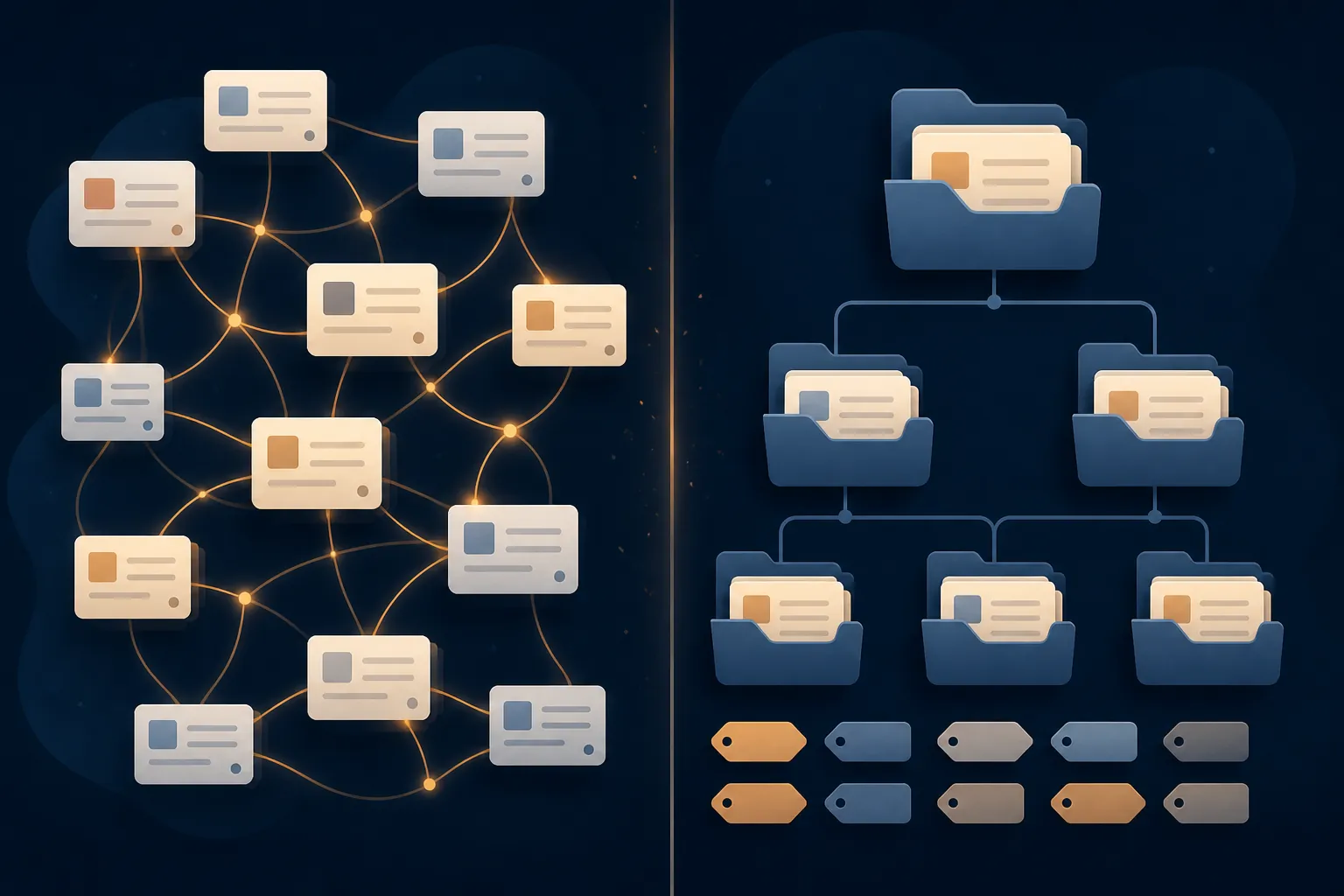
The short verdict: Smart Connections and Copilot can help you find, query, and connect ideas in an Obsidian vault. They are not documented here as tools that automatically tag notes, rename files, create links, or restructure folders. What looks like AI organization is usually retrieval; actual structural change requires an external workflow that can write to your files, followed by human review.
| Tool or workflow | What it does | What that means for organization |
|---|---|---|
| Smart Connections | Surfaces semantically related notes and provides semantic search | Helps you discover material; does not itself establish a new folder, tag, or link structure |
| Copilot for Obsidian | Provides chat, questions, custom commands, and a desktop Agent | Can work with vault context; the documented plugin material does not establish error-free bulk restructuring |
| External LLM workflow | Can read and write files when given suitable access | Can produce structural changes, but those changes are semi-automated file operations that need inspection |
That distinction matters because a related-note panel and a cleaned-up vault create very different responsibilities. In the first case, the software suggests where to look. In the second, it changes durable data that you may have to repair months later.
Smart Connections is a retrieval layer, not a filing system
Smart Connections is best understood through the retrieval layer of a notes workflow. A 2026 overview places it alongside capture and composition tools, describing its semantic search as a way to surface notes related to what you are writing. Its embeddings run on-device by default, which makes the access boundary clearer than a generic promise of an “AI second brain”: the plugin is primarily helping you locate relevant material, not deciding how that material should be stored. [1]
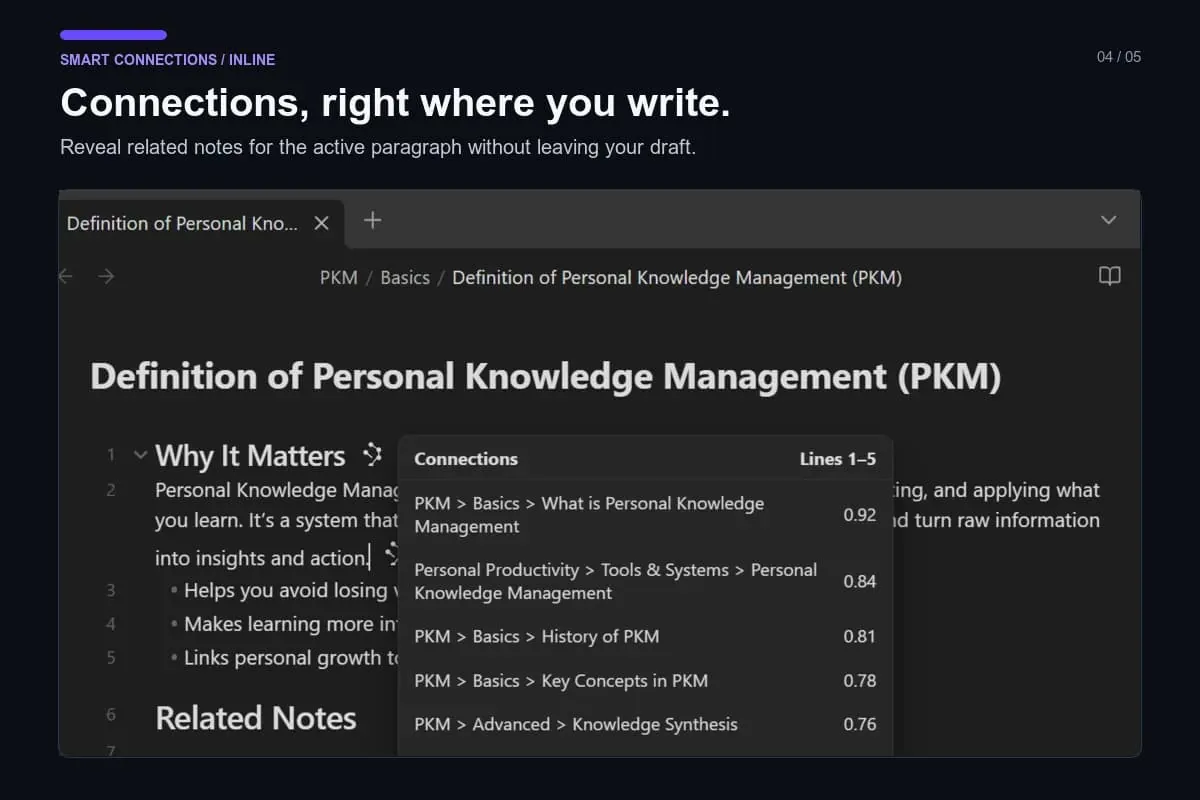
Suppose you open an old project note and Smart Connections surfaces three notes about the same subject. You have gained a useful route through the vault. Nothing in that result means a new wikilink was written into the note, a tag was added, or the files were moved into a project folder. The relationship exists in the retrieval interface unless you choose to make it part of the vault.
The product boundary also affects cost and privacy decisions. The same 2026 overview says Smart Chat became a separate plugin and that cloud or API features moved into a paid Pro tier. Those changes clarify which features may involve hosted services or additional payment; they do not turn semantic similarity into structural organization. [1]
Copilot can talk to the vault, but conversation is not a rewrite
Copilot covers a broader interaction surface. Its official plugin listing describes Quick Chat, Quick Ask, custom Commands, and an Agent available on desktop. It can use local models or a user's own API key without requiring the hosted Brevilabs tier; hosted features require an account, payment, and a network connection. The Agent is desktop-only because its backends run as local processes. [2]
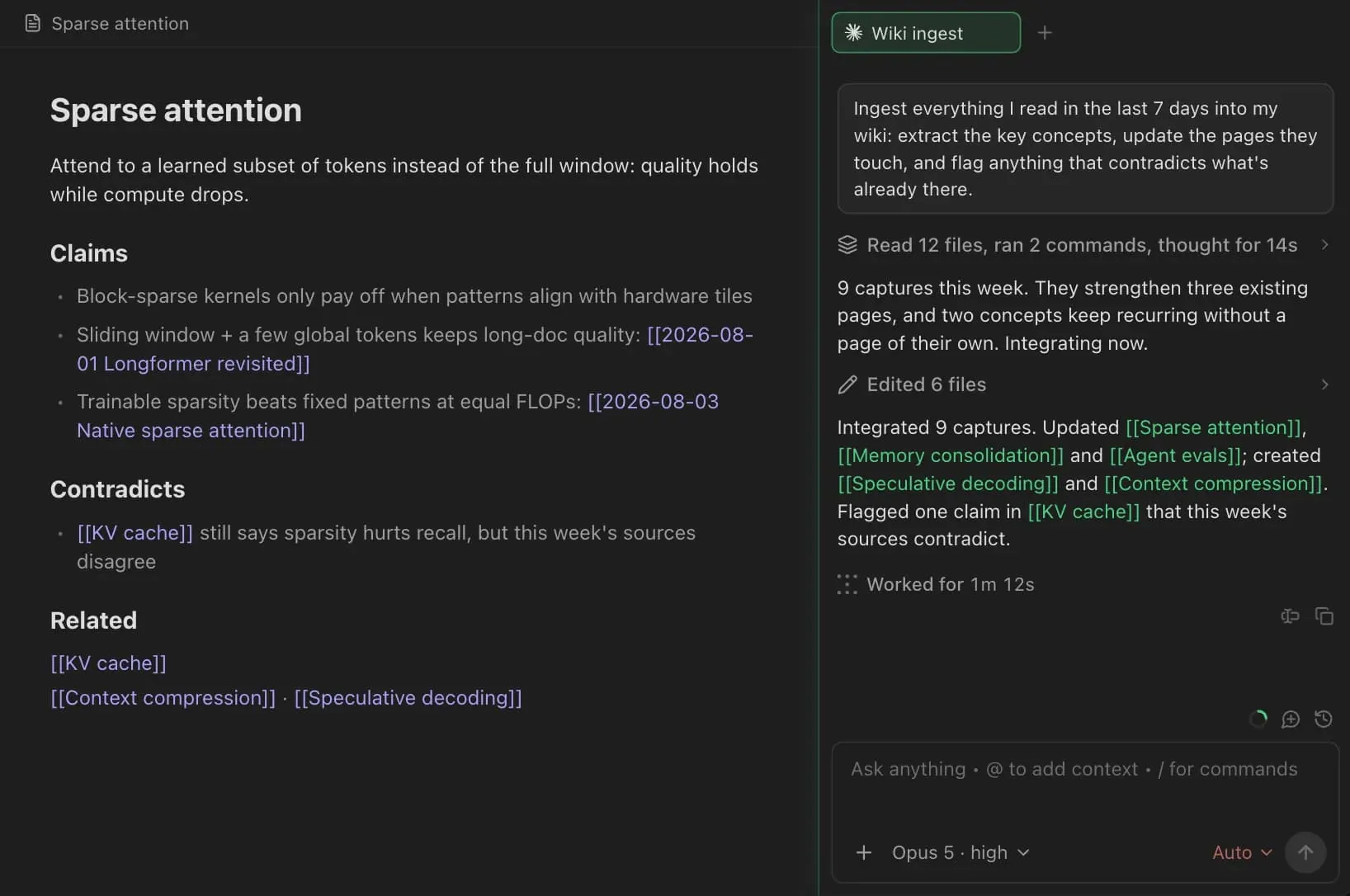
That gives Copilot more ways to ask questions and invoke actions than a simple similarity panel. It still does not follow that a chat answer has renamed the source note or that an available command has safely rewritten hundreds of files. A command is an execution mechanism; it is not a measured guarantee about the quality of the resulting vault.
Hosted processing deserves separate attention for anyone keeping sensitive material in a local vault. The official listing says hosted features send note text to Brevilabs for transient processing and that the text is not retained or used for training. Local models and hosted models therefore represent different operational choices, even when the visible chat panel looks similar. [2]
A hands-on 2026 ranking reaches a similar practical conclusion: Copilot and Smart Connections are treated as chat or retrieval surfaces, and the tested workflows do not amount to bulk tagging or folder restructuring. That is useful evidence about how these plugins are actually positioned, but it is not a benchmark of organization accuracy. [3]
Where structural organization actually enters the picture
Structural change begins when an external model has file-system access and is instructed to edit the vault. Claude Code and Claude Co-work are the clearest examples in the available material because they can operate on files rather than merely display suggestions inside a plugin. That is a different category of workflow: the model can read notes, propose or create folders, update tags, and write changes back to disk.
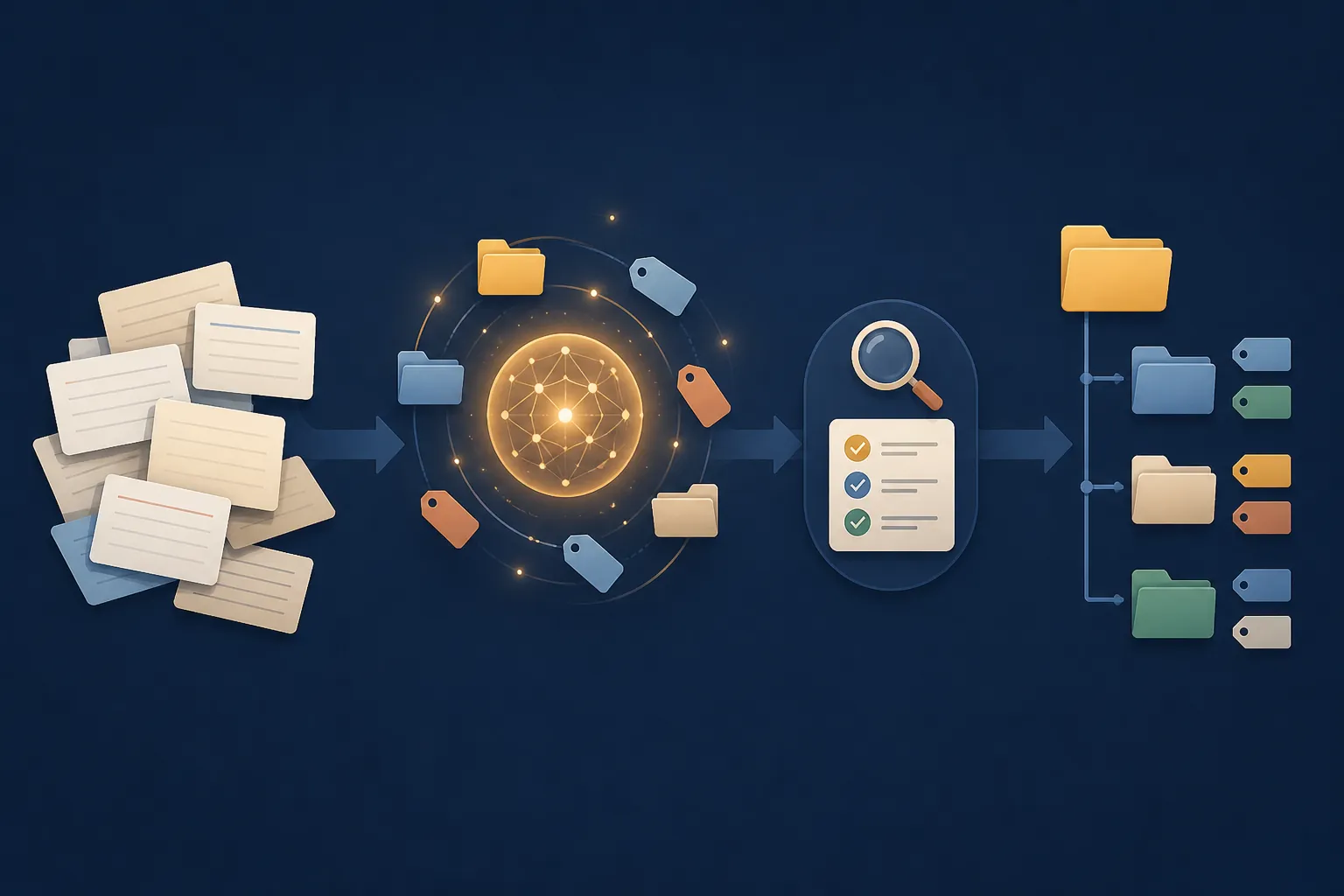
One first-hand account describes Claude Code building a folder structure from an inbox dump, working with approximately 491 permanent notes and updating tags across “hundreds of files.” The quoted passage is truncated, and it does not provide a completion time or an error rate. It demonstrates that file-level reorganization is possible; it does not establish how often the workflow gets classifications, links, names, or moves right. [4]
A separate account describes using Claude Co-work for a type-and-maturity tag refactor, but the available material does not include its outcome section. The existence of the workflow can be noted; its result cannot responsibly be cited as a success rate or proof of safe automation. [6]
The practical sequence is therefore less magical than the phrase “AI-organized vault” suggests:
- Use retrieval to identify notes, themes, duplicates, or likely relationships.
- Give an external workflow a constrained file-editing task, preferably with a backup or version-controlled working copy.
- Inspect changed paths, tags, links, filenames, and folder assignments before treating the result as finished.
The review pass is not a ceremonial final step. It is the point at which a plausible but wrong association is prevented from becoming permanent structure. Nothing in the available sources supplies a measured, error-free result that would justify removing that check.
Is the retrieval layer worth having?
There is a real disagreement about whether the retrieval layer is worth having. In a post dated August 27, 2026, ssp.sh argues that AI summaries are “very average,” that generated notes can lose value as future prompts, and that search may have to fight the noise produced by AI. The same piece allows that Smart Connections is acceptable as vector or similarity search. [5]
That position does not disprove retrieval. It sets a higher bar for whether surfaced similarity improves thinking enough to justify the added material and maintenance. Shadow and systemsculpt take the more favorable view of these plugin layers, but their descriptions still support a narrower conclusion than automatic organization: the tools help retrieve and interrogate existing notes. [1][3]
The closest measured setup test on this site examines retrieval hits and classification outcomes; it is useful when you want numbers from an actual test. This article addresses the more basic capability question: whether the named plugins change the vault's structure at all. For the external-file-editing side, the Claude organization profiles and automation guidance cover that separate workflow in more detail.
What to install depends on the change you expect
If the problem is “I know I wrote this somewhere, but I cannot find it,” Smart Connections is aimed directly at that retrieval problem. If the problem is “I want to ask questions about several notes or invoke a model from inside Obsidian,” Copilot offers the broader chat-and-command surface, with local, user-provided API, and hosted options that should be considered separately. Neither choice should be made on the assumption that installation will clean up the vault by itself.
If the desired result is a consistent tag taxonomy, renamed files, repaired links, or new folders, the relevant tool is an external structural workflow rather than either plugin's retrieval panel. That workflow should be treated like assisted file maintenance: define the scope, preserve a recoverable copy, inspect the edits, and expect to correct ambiguous cases.
The tested distinction is narrow but important: Smart Connections and Copilot can make a large vault easier to search and question, but they do not constitute automatic organization on the evidence here. Structural reorganization is possible when an external LLM is allowed to edit files. Because the available material contains no measured, error-free result, human review remains part of that process.