
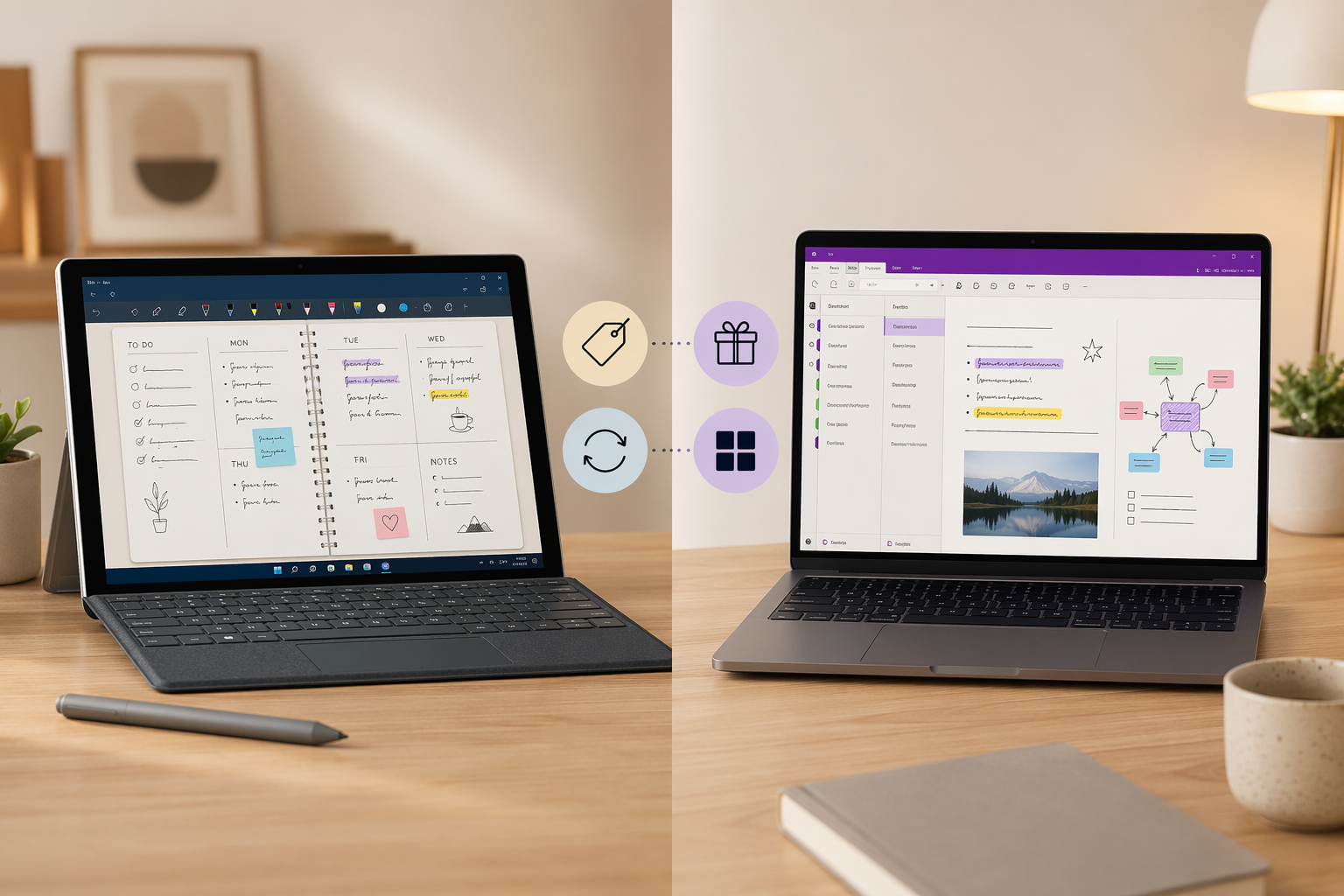
Introduction: The Two Heavyweights Compared
If you own a Windows PC or Surface Pro and care about handwriting, you have likely narrowed your options to two apps: GoodNotes and Microsoft OneNote. Both are capable digital notebooks, but they approach the problem from opposite directions.
GoodNotes built its reputation on the iPad as the gold standard for digital handwriting — a polished, notebook-like experience with pressure-sensitive pens and beautiful templates. It arrived on Windows in 2024 as a native app and PWA, bringing that same ink-first philosophy to PC users. OneNote, by contrast, is a free-form digital binder that has been part of the Microsoft ecosystem for over a decade. It is free, runs everywhere, and integrates deeply with Office, but its handwriting engine has always felt like an afterthought.
This comparison is for Windows-first users — Surface owners, students taking lecture notes, professionals annotating PDFs — who need to decide where to invest their time and money. The core question is straightforward: do you pay for a superior ink experience, or do you stay free and lean into Microsoft's ecosystem?
Cross-Platform Availability and Sync
OneNote wins this category decisively. It is available on Windows, Mac, iOS, Android, and the web, with browser extensions for Chrome and Firefox. Your notes sync through OneDrive and are accessible from any device with zero configuration. There is no notebook limit, no storage cap beyond your OneDrive quota, and no paywall for basic sync functionality.
GoodNotes has made real progress here. It now offers a native Windows app via the Microsoft Store and a PWA version, plus Android and web clients. However, a critical limitation remains: the Windows version does not yet sync with iOS devices. GoodNotes Cloud handles sync between Windows, Android, and Web, but if you own an iPad or iPhone, your notebooks will not appear on your Windows machine — and vice versa. GoodNotes has stated this feature is coming soon, but as of mid-2026, it is not available.
| Platform | OneNote | GoodNotes |
|---|---|---|
| Windows | Native app (free) | Native app + PWA (free tier) |
| Mac | Native app (free) | Native app (free tier) |
| iOS / iPadOS | Native app (free) | Native app (free tier) |
| Android | Native app (free) | Native app (free tier) |
| Web | Full web app + extensions | PWA |
| Cross-platform sync | OneDrive — seamless | GoodNotes Cloud — no iOS sync yet |
User Interface and Note Organization
The organizational philosophy of each app reflects its target audience.
GoodNotes mimics a physical notebook. You create notebooks with customizable covers and paper styles (lined, grid, dotted, blank), organize them into folders, and navigate using bookmarks and a table of contents. Each notebook is a self-contained document. This structure appeals to users who think in terms of subjects and semesters — students with separate notebooks for each class, or planners who maintain a dedicated journal.
OneNote uses a binder metaphor: notebooks contain sections, sections contain pages, and pages can be rearranged freely. The canvas is infinite and free-form — you can click anywhere and start typing or drawing, with no page boundaries. This flexibility is powerful for brainstorming, project management, and research, but it can feel unstructured for users who prefer the discipline of fixed-page notebooks.
- GoodNotes: notebook-based, fixed pages, folder hierarchy, customizable covers and paper types
- OneNote: binder-based, infinite canvas, section/page hierarchy, free-form text and drawing placement
- OneNote supports password-protected sections — GoodNotes does not offer section-level password protection
Handwriting and Drawing Tools
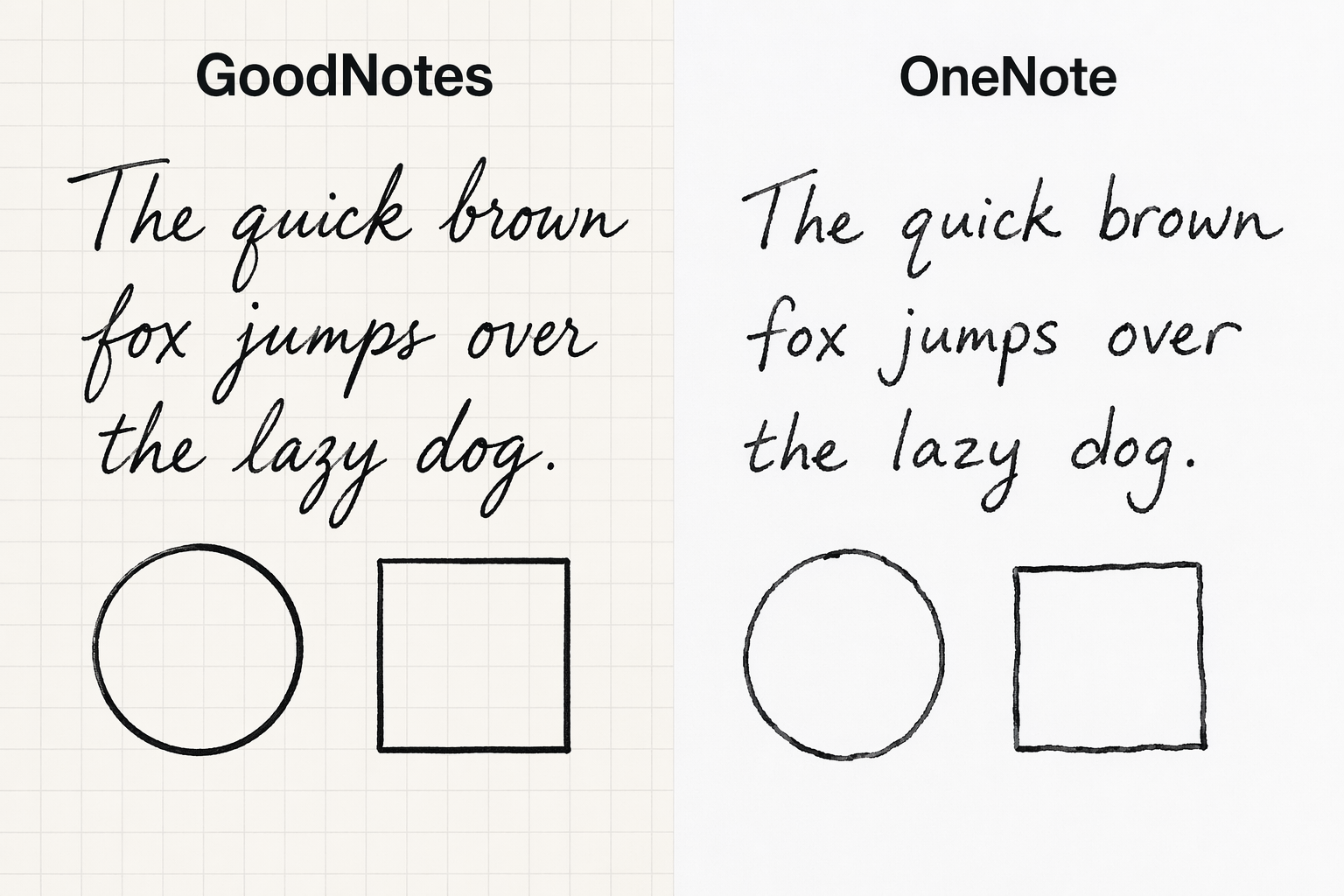
This is where GoodNotes earns its reputation. The app offers a fountain pen, ballpoint pen, highlighter, tape tool, shape recognition, lasso tool, and ruler — all with smooth, low-latency rendering. The fountain pen in particular responds to pressure and speed, producing variable-width strokes that feel closer to real ink than anything OneNote offers.
OneNote's handwriting engine is functional but noticeably less refined. Strokes can feel slightly laggy on lower-end hardware, pressure sensitivity is less consistent, and shape recognition is basic. The lasso tool works for selection and moving content, but it lacks the precision of GoodNotes' implementation.
| Feature | GoodNotes | OneNote |
|---|---|---|
| Pen types | Fountain, ballpoint, brush, highlighter, tape | Pen, highlighter, calligraphy pen |
| Pressure sensitivity | Excellent (iOS); limited on Windows | Basic |
| Shape recognition | Yes — clean, automatic | Yes — basic |
| Lasso tool | Yes — precise selection and resize | Yes — functional |
| Ruler | Yes | Yes |
| Handwriting search | Yes | Yes |
| Palm rejection | Good | Good |
For a broader look at stylus support across devices, see our Best Note-Taking App with Stylus in 2026 guide, which covers iPad, Galaxy Tab, and Surface.
PDF Annotation and Document Handling
Both apps let you import and annotate PDFs, but the experience differs significantly.
GoodNotes treats PDFs as notebooks. You import a document, and it becomes a new notebook with all the same markup tools — pens, highlighters, text boxes, sticky notes, and shapes. The annotation layer is clean and non-destructive. The free tier limits imports to 5MB per file, which can be restrictive for large textbooks or research papers.
OneNote handles PDFs by printing them as background images on a page. You can draw or type over them, but the annotation tools are less intuitive — there is no dedicated text box tool, and the highlighter can be imprecise. For heavy PDF work, GoodNotes is the better choice.
- GoodNotes: PDFs become notebooks; full markup toolset; text boxes and sticky notes; 5MB import limit on free tier
- OneNote: PDFs print as background images; basic drawing and text overlay; no dedicated annotation mode
- GoodNotes Pro: removes import size limits and adds advanced PDF features
Templates and Marketplace
GoodNotes has a significant advantage here. The app includes over 50 built-in templates — planners, calendars, to-do lists, study aids, and note-taking layouts — and a dedicated marketplace where users can purchase additional planners, stickers, covers, and digital stationery. This ecosystem is a major draw for digital planners, bullet journal enthusiasts, and students who want structured layouts without building them from scratch.
OneNote offers a small set of built-in templates (lecture notes, meeting notes, to-do lists) and allows users to create and save custom templates. But there is no marketplace, no third-party ecosystem, and no equivalent to the vibrant creator community that has grown around GoodNotes.
- GoodNotes: 50+ built-in templates, dedicated marketplace with planners, stickers, covers, and digital stationery
- OneNote: small built-in template collection, custom template creation, no marketplace
- GoodNotes templates are a key differentiator for users who want a ready-made digital planning system
AI Features and Smart Assistance
Both apps have introduced AI features, but they sit at different price points and serve different purposes.
GoodNotes Essential ($11.99/yr) includes math assist (handwriting-to-equation conversion) and audio transcription. GoodNotes Pro ($35.99/yr) adds Meeting AI with cloud transcription, Create mode (AI-assisted note generation), Image Generation, and Google Calendar integration. An AI Pass add-on is available for $10/month, providing 6,300 additional AI credits.
OneNote offers Microsoft Copilot integration, but it requires a Microsoft 365 subscription (starting at $69.99/yr for Personal). Copilot can summarize notes, generate to-do lists, and answer questions about your content. For users already paying for Microsoft 365, this is a valuable addition. For free-tier users, OneNote has no AI features.
| AI Feature | GoodNotes Essential | GoodNotes Pro | OneNote (with Copilot) |
|---|---|---|---|
| Math assist | Yes | Yes | No |
| Audio transcription | Yes (on-device) | Yes (cloud) | No |
| Meeting AI | No | Yes (cloud transcription) | No |
| AI note generation | No | Yes (Create mode) | Yes (Copilot) |
| Image generation | No | Yes | No |
| Calendar integration | Google Calendar | Google Calendar | Outlook |
| Cost | Included in $11.99/yr | Included in $35.99/yr | Requires Microsoft 365 ($69.99/yr+) |
Collaboration and Sharing
OneNote supports real-time co-authoring across all platforms. Multiple users can edit the same notebook simultaneously, with changes syncing instantly. This makes it a strong choice for study groups, team projects, and shared meeting notes. Sharing is straightforward — send a link, and recipients can view or edit depending on permissions.
GoodNotes offers sharing links and real-time collaboration, but only on the Pro plan ($35.99/yr). The free tier limits sharing significantly — you can share notebooks for viewing, but editing requires a paid subscription. The Essential plan ($11.99/yr) includes full sharing capabilities, but real-time collaboration is reserved for Pro.
- OneNote: real-time co-authoring on all platforms, free, no limits
- GoodNotes: sharing links on Essential; real-time collaboration on Pro only
- GoodNotes free tier: view-only sharing, no collaboration
Pricing: Free vs Subscription
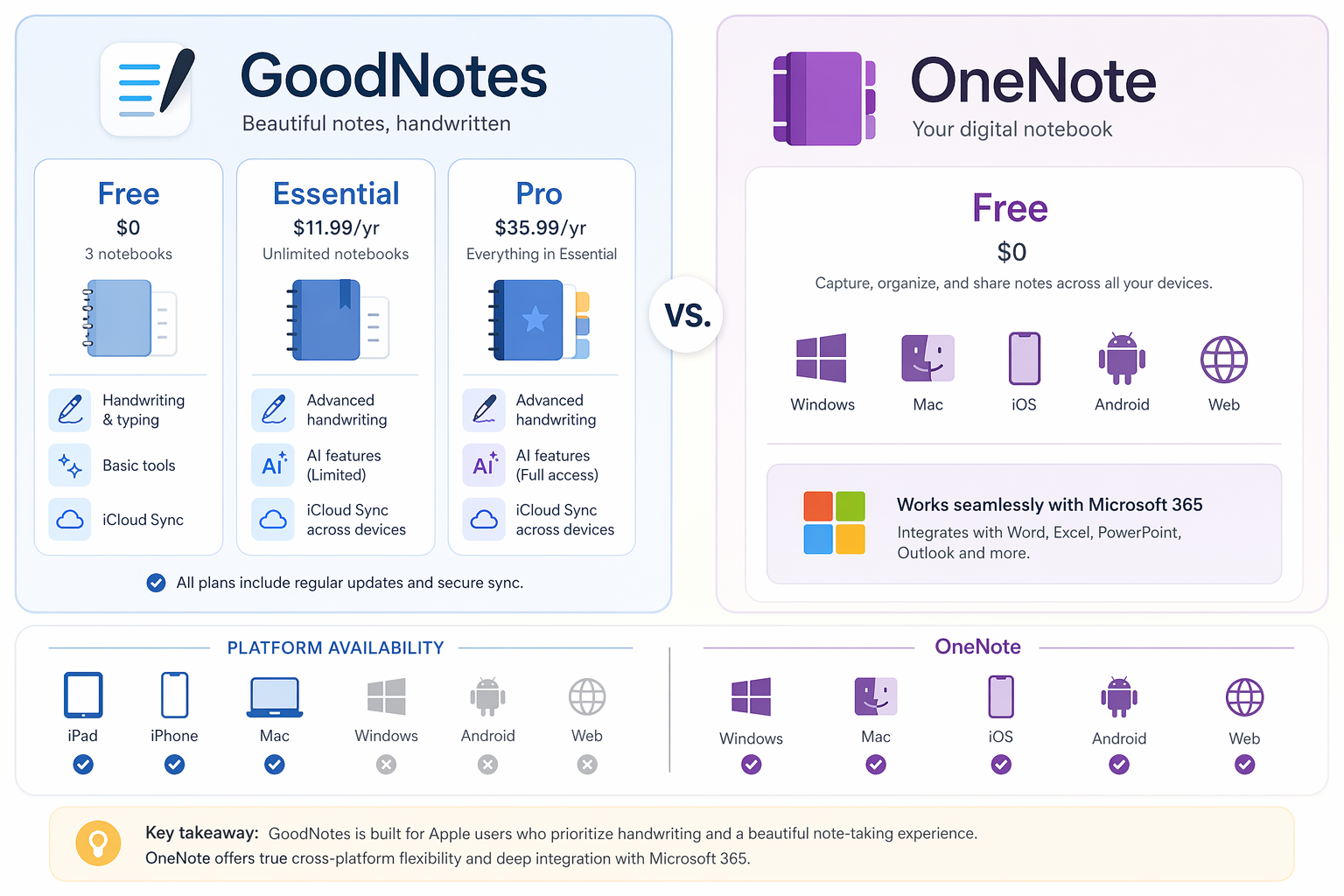
Pricing is where the two apps diverge most sharply. OneNote is completely free — no notebook limits, no storage caps beyond your OneDrive quota (5GB free), and no paywalls for core features. The only costs are optional: Microsoft 365 for Copilot AI and additional OneDrive storage.
GoodNotes introduced a new pricing structure on September 23, 2025, replacing the previous $6.99/yr Android & Windows plan. The current tiers are:
| Plan | Price | Notebooks | Storage | Key Limitations |
|---|---|---|---|---|
| Free | $0 | 3 notebooks | 100 MB | 5MB import limit, watermarked exports, 20-min audio recording |
| Essential | $11.99/yr | Unlimited | 5 GB | Basic AI (math assist, audio transcription), no cross-platform sync |
| Pro | $35.99/yr | Unlimited | 5 GB | Advanced AI (Meeting AI, Create mode, Image Generation), cross-platform sync, real-time collaboration |
| AI Pass (add-on) | +$10/mo | N/A | N/A | 6,300 additional AI credits |
For a broader look at free options, see our Best Free Note-Taking Apps for Windows in 2026 comparison, which evaluates free tiers across multiple apps.
Verdict: Which App Should You Choose?
There is no single winner — the right choice depends on your device ecosystem, budget, and how you take notes.
| Use Case | Best App | Why |
|---|---|---|
| Handwriting-first users | GoodNotes | Superior ink engine, fountain pen, shape recognition, and template ecosystem |
| Digital planners and bullet journalers | GoodNotes | 50+ templates, marketplace, customizable covers and paper types |
| Microsoft ecosystem users | OneNote | Deep Office integration, Outlook tasks, Teams, free on all platforms |
| Budget-conscious users | OneNote | Completely free with no notebook limits and 5GB OneDrive storage |
| Students with mixed devices (iPad + Windows) | OneNote | GoodNotes does not sync between iOS and Windows yet |
| Students with all-Windows or all-Apple setup | GoodNotes | Better handwriting experience for lecture notes and PDF annotation |
| Professionals needing Office integration | OneNote | Outlook meeting notes, task creation, Teams integration |
| Creative professionals | GoodNotes | Drawing tools, image generation, and flexible notebook organization |
| Team collaboration | OneNote | Free real-time co-authoring across all platforms |
If you are still unsure, consider your primary device. If you use a Surface Pro or Windows tablet and want the best possible handwriting experience, GoodNotes Essential at $11.99/yr is a reasonable investment — just be aware of the iOS sync limitation if you also own an iPad. If you use multiple platforms, collaborate with others, or simply do not want another subscription, OneNote is the pragmatic choice.
For a broader view of the Windows note-taking landscape, read our Best Note-Taking Apps for Windows in 2026 guide, which covers additional options and migration paths. And if you are weighing whether to pay for a note-taking app at all, our Free vs. Paid Note-Taking Apps in 2026 analysis can help you decide when free tiers are enough.