
The first thing to understand about Fireflies.ai is that the subscription price is not the full operating cost. As an AI note taker, it can record meetings, transcribe them, summarize them, search across them, push notes into a CRM, and run more advanced AI workflows. That is the appeal. The catch is that the most interesting parts of the product sit behind a credit system, storage limits, and plan gates that matter more after a team starts using it than they do on the pricing page.

Fireflies.ai lists a Free plan, a Pro plan, a Business plan, and an Enterprise tier, with differences across transcription credits, storage, integrations, video recording, CRM sync, admin controls, and support levels.[1] On paper, that sounds like normal SaaS packaging. In practice, the buying decision turns on three questions: whether the plan includes the workflow you actually need, whether the workspace has enough AI credits for the features people will reach for, and whether the organization can live with a visible bot joining meetings.
The real cost is subscription plus credits plus plan gates
Fireflies.ai’s AI credits are easy to misread because they do not behave like a clean monthly allowance per user. Fireflies’ own AI Credits documentation describes plan credits as one-time pooled workspace allocations, and the same documentation says advanced AI features pause when the workspace runs out of credits.[2] That distinction matters. A team can buy seats, roll out the tool, get comfortable with AskFred or AI Skills, and then discover that the workflow people adopted is now metered separately from the base subscription.
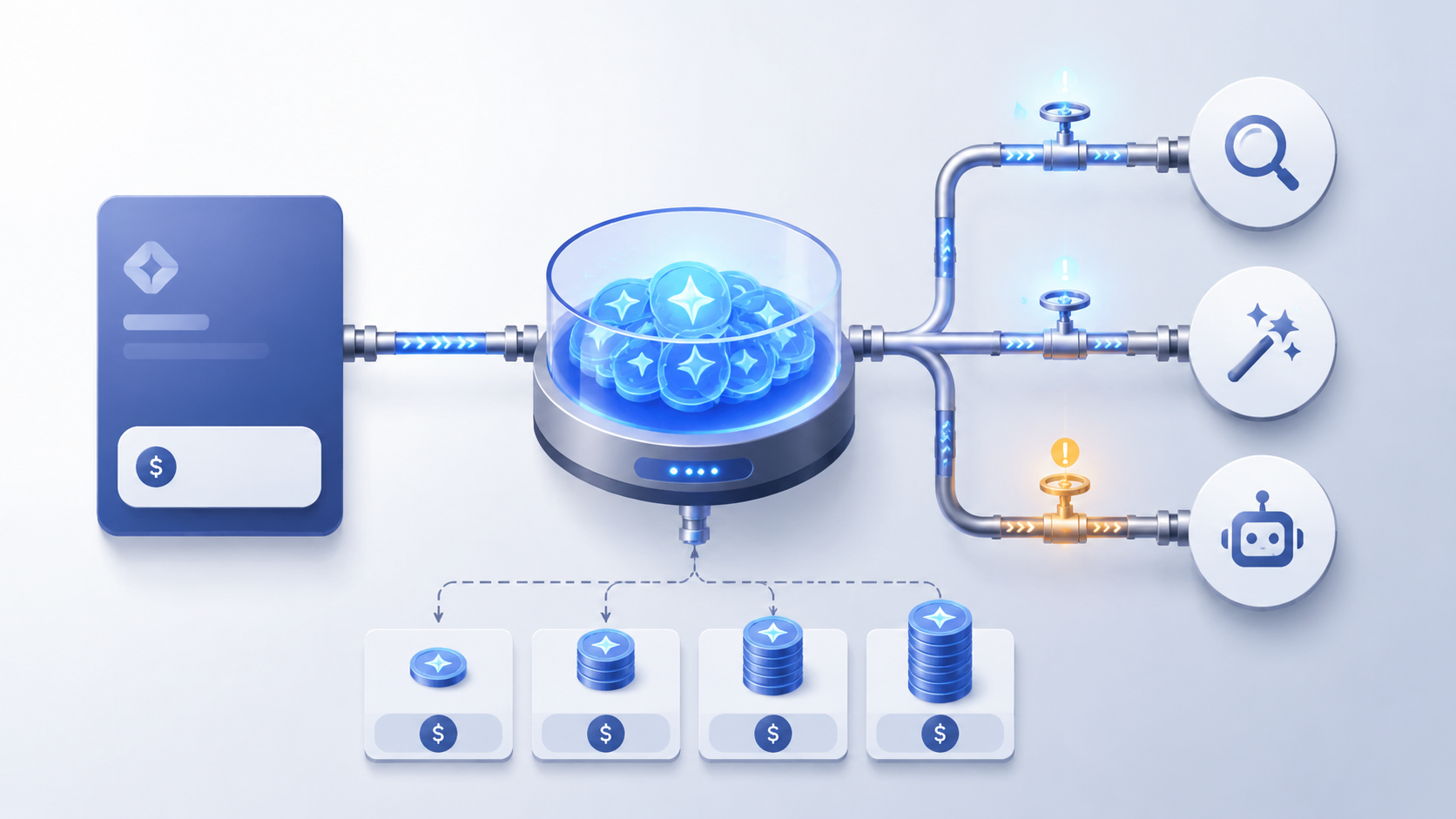
The base transcription and meeting capture layer is not the same thing as the advanced AI layer. Fireflies’ credit documentation identifies features such as AskFred, AI Skills, and Magic Soundbites as credit-consuming features, while other core functions do not consume credits in the same way.[2] That is a reasonable way to price compute-heavy features, but it is not a small detail. It turns the admin’s job from “how many seats do we need?” into “which teams will use which AI features, how often, and what happens when credits run out during normal use?”
The add-on packs are where the bill can start drifting. Fireflies’ AI credit documentation lists add-on packs from $5 for 50 credits to $600 for 10,000 credits, and Sonix’s pricing analysis calculates an effective range of roughly $0.06 to $0.10 per credit depending on bundle size.[2][3] Those packs can auto-renew, which may be convenient for a team that has standardized on the workflows, but it also means the clean monthly price is no longer the only recurring number a manager has to defend.
| Cost component | Why it matters |
|---|---|
| Seat subscription | Sets the baseline plan, storage, admin controls, integrations, and access to gated features. |
| AI credits | Controls continued use of advanced AI features such as AskFred, AI Skills, and Magic Soundbites once the workspace allocation is used. |
| Add-on credit packs | Can add recurring spend when teams rely on advanced AI features heavily. |
| Storage limits | Can push meeting-heavy users or teams toward a higher tier. |
| Business-tier gates | CRM sync and video recording can make Pro too limited for sales teams evaluating Fireflies as a serious revenue workflow tool. |
Pro is therefore not automatically the practical middle ground. Fireflies’ pricing page places CRM sync and video recording on the Business tier, and third-party pricing analysis flags this as a major decision point for sales teams.[1][3] If the team’s use case is “record internal meetings and produce summaries,” Pro may be enough. If the use case is “capture sales calls, sync structured notes into Salesforce or HubSpot, review conversations, and maintain a searchable customer record,” Business is the more realistic starting point.
Storage is the other quiet constraint. Fireflies lists storage limits by plan, including an 8,000-minute-per-seat cap on Pro, and reviews that focus on operational trade-offs call out storage as one of the reasons heavier users should not evaluate the product only by the lowest paid plan.[1][3] For a solo user with a few meetings a week, that cap may be fine. For a team that records recurring customer calls, onboarding sessions, internal reviews, and pipeline meetings, storage becomes part of the capacity plan.
This is not a reason to dismiss Fireflies.ai. It is a reason to trial it with the features people will actually use. A lightweight test that only checks whether the bot joins Zoom and produces a summary will understate the cost of a team that later leans on AskFred, AI Skills, CRM sync, video recording, and searchable archives.
What Fireflies.ai has become
Fireflies.ai is better understood as a meeting intelligence platform than as a plain AI note taker. Fireflies says the product is used by more than 1 million companies, and its public site positions the platform around recording, transcription, summaries, search, collaboration, analytics, integrations, and automation rather than simple note capture alone.[4] Vendor adoption claims should not be treated as proof of fit, but the product direction is clear: Fireflies wants to be the memory and workflow layer around meetings.
AskFred is the most obvious example. Instead of opening a transcript and manually scanning for the moment someone mentioned pricing, objections, renewal risk, hiring plans, or next steps, users can query the meeting archive. AI Skills extends that idea into reusable actions, with Fireflies describing more than 200 AI Skills for meeting-based workflows.[4] Live Assist and Voice Agents push the product further into real-time and automated interaction territory, which is well beyond the old “send me a summary after the call” category.[4]
That breadth is where Fireflies earns its overhead. If meeting content is supposed to move into a CRM, become searchable across accounts, support coaching, or create follow-up actions, the extra setup can be justified. If the only goal is to avoid typing notes during a one-on-one, the same breadth starts to feel like too much machinery.
Best fit: sales teams with CRM discipline
Sales teams are the cleanest fit because they usually have a reason to accept the trade-offs. They already work in structured systems, they care about searchable account history, and they can usually define what a useful call record should contain. Fireflies’ integrations and CRM-connected workflows are strongest when someone has already decided what should happen after a call: where notes go, who reviews them, what fields matter, and which follow-ups need to be visible.
This is also where the Business-tier gate is easiest to justify. If CRM sync and video recording are central to the workflow, paying for the tier that supports them is more honest than trying to force a sales process into Pro and then discovering the missing pieces later.[1] The buyer still needs to budget for AI credits if the team will use advanced AI features heavily, but at least the value story is coherent: better call memory, cleaner handoffs, easier coaching, and fewer details trapped in individual reps’ notebooks.
The operational requirement is discipline. Someone has to decide when the bot joins, how customers are told, which meetings should be recorded, which meetings should not, and how long recordings and transcripts should be retained. Without that, Fireflies can become another archive that looks impressive in a demo and messy three months later.
Good fit: multilingual teams that can tolerate imperfect transcripts
Fireflies’ language coverage is one of its strongest claims. The company states that it supports 100+ languages and presents 95%+ accuracy in that context, while some third-party comparisons use lower language-count figures, likely because they count support differently.[4][5] The safe reading is that Fireflies has unusually broad language ambitions for a meeting assistant, not that every language, accent, room setup, and conversation style will perform identically.
Independent reviews are more cautious on accuracy. Convo reports real-world accuracy around 90% to 95% in clean audio, and Tool Vetting notes that performance weakens with crosstalk, accents, and messy meeting conditions.[5][6] That distinction is important because meeting notes are often most valuable in exactly the moments that are hardest to transcribe: people interrupting each other, switching topics, speaking from a conference room speaker, or using names and acronyms the system has never seen.
For multilingual teams, Fireflies is worth testing with real meetings, not staged demos. Use calls with the actual microphones, accents, room noise, and topic changes the team normally has. Then inspect the transcript and summary separately. A transcript can be mostly right while the summary misses a commitment, softens a disagreement, or attributes an action item to the wrong person.
Privacy is stronger than average, but consent still has to happen in the room
Fireflies has a meaningful privacy story. In its comparison materials, the company emphasizes zero-data-retention arrangements with third-party AI vendors, and it lists security and compliance claims including SOC 2 Type II, GDPR, and HIPAA availability on Enterprise.[7] For teams comparing meeting tools, that deserves attention. It is the kind of control that matters when meeting content includes customer details, internal decisions, or sensitive operational information. Readers doing a broader review can also compare these trade-offs in an AI meeting notes privacy comparison.
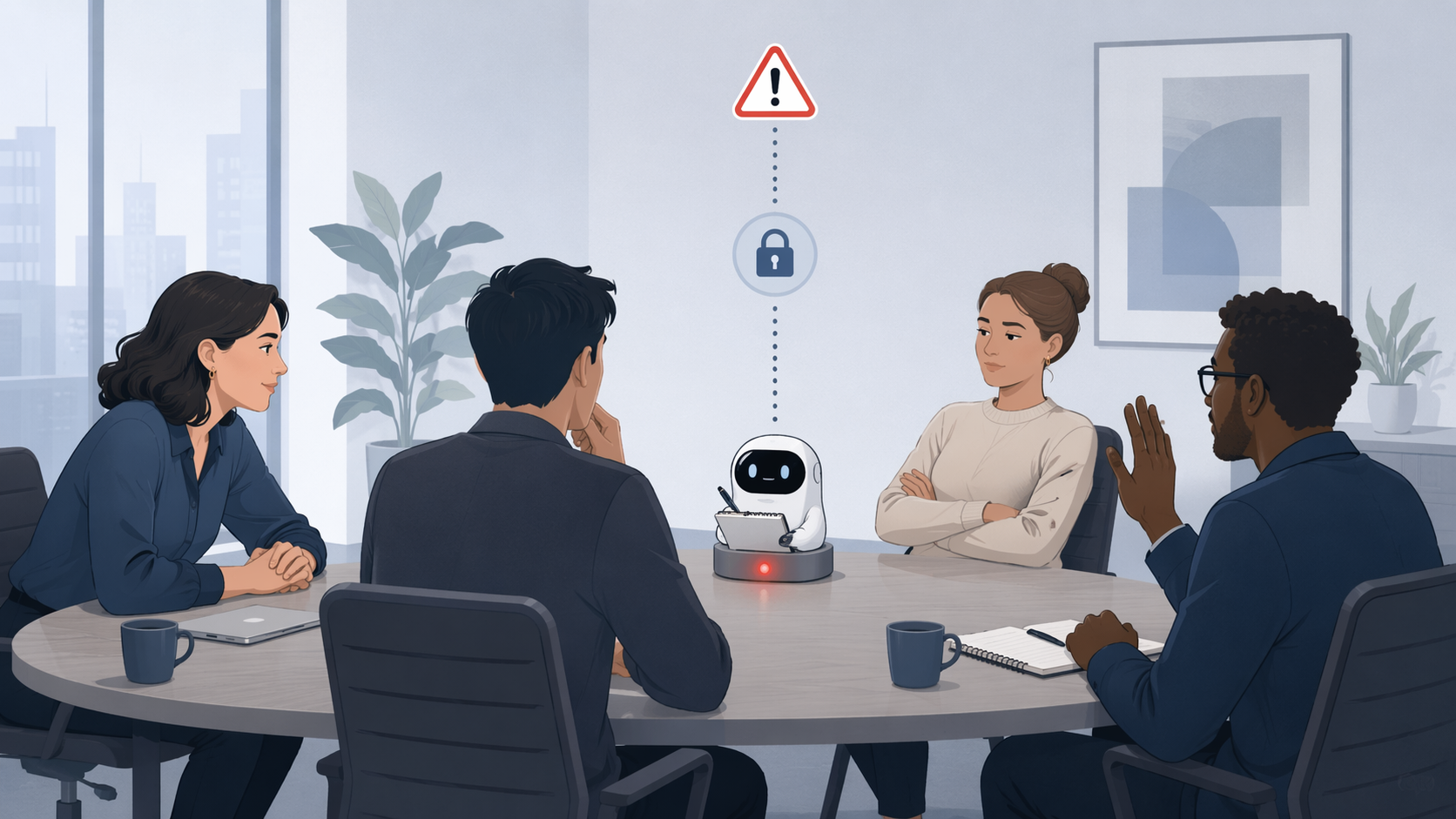
Security posture does not remove the social problem of a visible bot. Fireflies normally joins meetings as a participant, which makes the recording presence explicit but also changes the feel of the room. In a sales call, that may be acceptable if the rep introduces it cleanly. In a therapy-adjacent consultation, legal intake, classroom discussion, HR conversation, or sensitive client check-in, the same visible bot can make people guarded even when recording is technically allowed.
The consent concern is not theoretical. A Convo review from January 2026 reported bans or restrictions involving Cornell, Tufts, Oxford, and Cambridge, and EmberType discusses university and AI notetaker consent concerns in the broader legal context.[5][8] Those policies may have changed since publication, so they should not be treated as a live directory of current university rules. They are still a useful signal: some institutions see bot-based note taking as a governance issue, not just a productivity feature.
There is also active legal uncertainty. Top Class Actions reported a BIPA lawsuit, Cruz v. Fireflies.AI Corp., filed in December 2025 in the Northern District of California, and legal commentary has used the case to discuss biometric and consent exposure around AI note takers.[9][8] That is not proof of wrongdoing, and the case should be treated as unsettled. It does mean organizations in regulated environments or two-party-consent states should involve legal or compliance before normalizing automatic meeting capture.
A practical consent workflow matters more than a privacy bullet list. Decide which meeting types are eligible for recording, how notice is given, who can disable the bot, where transcripts are stored, who can search them, and how exceptions are handled. If that sounds like too much process, a bot-based product may be the wrong shape for the organization. A comparison of bot-free vs. bot-based AI note takers is a better next stop than another feature list.
Where Fireflies.ai becomes uncomfortable
Fireflies is least attractive when the buyer wants cheap, invisible, low-admin notes. Budget-conscious solo users can hit the awkward middle quickly: the Free plan is useful for testing, but serious use runs into plan limits, and the paid plans become harder to evaluate once AI credits enter the picture.[1][2] If all you need is occasional meeting minutes, compare the best free tiers for AI meeting minutes in 2026 before assuming Fireflies is the cheapest route.
Privacy-sensitive one-on-one work deserves more caution. Consultants, coaches, lawyers, clinicians, recruiters, and advisors often depend on trust before they depend on automation. A visible AI participant can be explained, but it still asks the other person to accept a new actor in the room. If the meeting is emotionally sensitive, legally sensitive, or reputationally sensitive, “the bot can summarize this” is not the same as “the bot should be there.”
Education is another hard fit unless the institution has a clear policy. Student participation, classroom recording, disability accommodations, faculty control, and transcript retention all collide in ways that a normal software rollout does not solve. The reported university restrictions are enough to justify checking policy before letting an AI note taker join classes or seminars.[5][8]
Legal and healthcare-adjacent teams should be even more deliberate. Fireflies’ Enterprise claims may support stronger compliance configurations, including HIPAA availability, but that does not automatically cover every workflow, user behavior, or consent obligation.[7] The safer question is not “does the vendor have a compliance page?” It is “which exact meetings will we record, under what notice, with what retention policy, and who is allowed to search the archive?”
The feature set is broad enough to reward a real rollout
For the right team, Fireflies has depth. The product supports recording and transcription across common meeting platforms, conversation intelligence, collaboration around transcripts, integrations, search, and automation.[4] Speakwise cites a 4.8 out of 5 G2 rating from 733+ reviews while discussing Fireflies in comparison with Otter, which is a useful market signal even though review scores should not replace a workflow trial.[10]
The strongest version of Fireflies is not “a bot wrote notes for me.” It is closer to this: a customer-facing team records approved calls, Fireflies summarizes and transcribes them, reps search past conversations with AskFred, managers review patterns, action items move into the CRM, and the archive becomes useful beyond the person who attended the meeting. That is a real operational improvement if the team already has clean ownership for customer records.
The weakest version is also common: everyone connects their calendars, bots start appearing in meetings, transcripts pile up, credit usage surprises the admin, and nobody agrees which conversations should have been recorded in the first place. Fireflies did not create that governance problem, but its feature depth makes the problem show up faster.
A useful trial should therefore include billing, workflow, and consent checks. Run actual sales calls or team meetings, not only friendly internal demos. Turn on the advanced AI features the team wants. Watch credit consumption. Test CRM sync if that is part of the value case. Ask meeting hosts whether the bot changed participant behavior. Review transcript accuracy in messy audio, not only clean recordings. Then decide.
Verdict: trial it for meeting intelligence, skip it for simple invisible notes
Fireflies.ai is worth a serious trial if the team needs CRM-connected meeting intelligence, multilingual transcription, searchable call history, and advanced AI workflows, and if someone can govern consent, storage, credit usage, and meeting eligibility. Sales teams with process discipline are the best match because the product’s complexity maps to an actual business workflow.
Skip it, or move slowly, if the buyer wants a cheap AI note taker with predictable cost, minimal admin, no visible meeting participant, and no credit metering. Also be careful in privacy-sensitive one-on-one work, classrooms, legal or healthcare-adjacent contexts, and any setting where recording consent is not already handled. Fireflies.ai can be powerful, but it is not a harmless little notepad. It is a meeting data system, and it should be bought that way.
References
- Fireflies.ai Pricing, Fireflies.ai, link
- AI Credits, Fireflies.ai Help Center, link
- Fireflies AI Pricing, Sonix, April 2026, link
- Fireflies.ai, Fireflies.ai, link
- Fireflies AI Review, Convo, January 2026, link
- Fireflies AI Review, Tool Vetting, link
- Fireflies vs Otter, Fireflies.ai, link
- AI Notetaker Privacy Lawsuit, EmberType, link
- Top Class Actions, Top Class Actions, link
- Otter AI vs Fireflies AI, Speakwise, link