
The AI Paywall Split in 2026: Why Your Next Note-Taking App Choice Depends on AI Pricing
If you shopped for a note-taking app in 2024, your decision likely came down to storage limits, platform support, or how well the app handled handwriting. In 2026, a new variable has reshuffled the entire market: artificial intelligence. The note-taking software market, valued at $13.3 billion in 2026 according to Research and Markets, is projected to grow to $28.05 billion by 2030 at a compound annual growth rate of 20.5%. Much of that growth is being driven by AI features — but not all apps are making those features available to everyone.
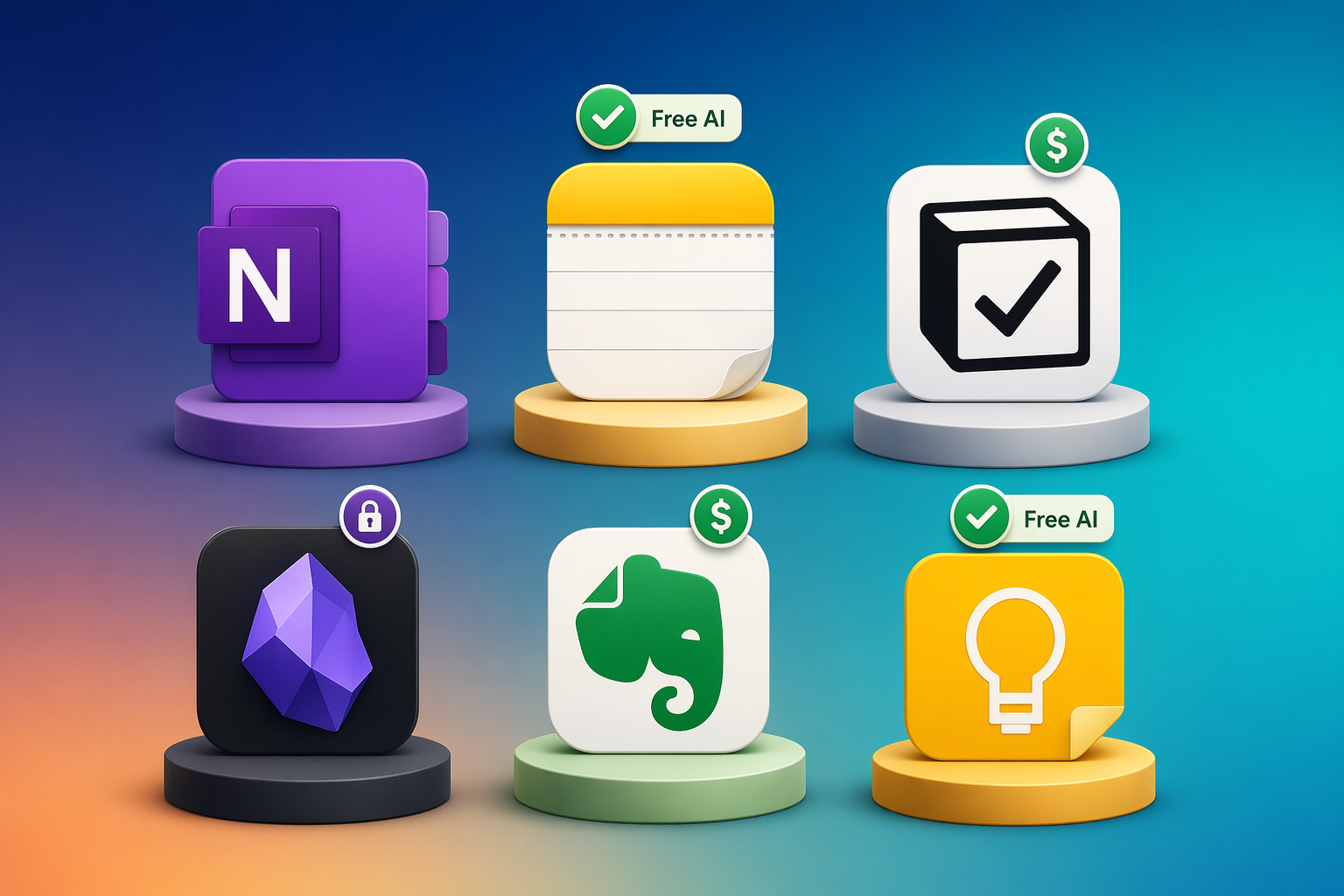
The result is a clear fragmentation. On one side, Apple and Google bundle AI capabilities directly into their free note-taking apps at no extra cost. On the other, Notion, Evernote, and Microsoft OneNote have moved their AI tools behind paid tiers, creating what amounts to an AI paywall. A third group — apps like Reflect and Mem — charges a moderate monthly fee for AI that is more flexible and powerful than what the free tier offers, but less expensive than the full premium suites.
This article is not a general roundup of the best AI note-taking apps — that angle is covered in our overview of the AI note-taking landscape. Instead, it focuses on a single question that every knowledge worker and tool evaluator now faces: which apps give you AI for free, which ones charge a premium, and is the paid AI actually worth it?
Free AI Tier: Apple Notes and Google Keep
For users who already own Apple hardware or use Google's ecosystem, the most straightforward path to AI-powered note-taking requires no additional spending. Both Apple Notes and Google Keep have integrated AI features directly into their free apps — no subscription, no add-on, no hidden cost.
Apple Notes with Apple Intelligence
Apple Notes is the default note-taking app on every iPhone, iPad, and Mac, and with the rollout of Apple Intelligence, it now includes three AI capabilities at no extra cost: rewriting selected text, summarizing longer passages, and generating images directly within a note. According to Zapier's 2026 roundup, Apple Notes "with Apple Intelligence, it can do things like generate images and help you rewrite text." The Tech Insider AU guide confirms these features are available at no additional charge on supported devices.
The practical advantage here is significant for anyone already in the Apple ecosystem. You do not need to learn a new app, migrate your existing notes, or manage a separate subscription. The AI is embedded into the same app you already use for grocery lists, meeting notes, and quick ideas. The trade-off, as Zapier notes, is that "the AI isn't as powerful as in some other notes apps" — Apple's implementation is designed for lightweight, on-device tasks rather than deep knowledge-base queries or multi-modal transcription.
Google Keep with Gemini Integration
Google Keep has long been the lightweight alternative to Apple Notes — simple, color-coded sticky notes with basic checklists and reminders. In 2026, Google is integrating its Gemini AI assistant into Keep to add smarter search, automatic categorization, and content suggestions. Tech Insider AU reports that Gemini integration is "rolling out throughout 2026," meaning the feature set may not be fully available to all users at the time of reading.
Like Apple Notes, Google Keep's AI features are included at no extra cost. You do not need a Google One subscription or a Gemini Advanced plan to access them — they are part of the free Keep experience. This makes Keep an attractive option for Android users and anyone who prefers a minimal, fast note-taking interface over a feature-heavy knowledge management system.
For a broader look at which free plans are genuinely usable versus limited teasers, see our guide to the best free note-taking apps in 2026.
- Apple Notes: Rewrite, summarize, and image generation at no cost. Requires M-series Mac/iPad or iPhone 15 Pro / 16 series.
- Google Keep: Gemini-powered smart search and categorization rolling out through 2026. Free for all users.
- Both apps limit AI to on-device or lightweight cloud processing — no deep Q&A over large note collections.
Paywalled AI: Notion, Evernote, and OneNote
On the other side of the divide sit three of the most popular note-taking and knowledge-management platforms: Notion, Evernote, and Microsoft OneNote. Each offers AI features that are more powerful and more deeply integrated than what Apple or Google provide — but each requires a paid subscription to access them.
Notion AI: Business Tier Only
Notion AI was originally available as a $10-per-month add-on to any paid Notion plan. In early 2026, Notion changed course: AI is now bundled exclusively into the Business plan at approximately $24 per user per month, according to both Zapier and Tech Insider AU. The PCMag roundup confirms that Notion's AI "excels at answering questions about your existing data" and can generate and edit text, summarize documents, and pull action items from meeting notes.
This bundling decision effectively raises the floor for anyone who wants Notion AI. A solo user or small team that previously paid $10 per month for AI now must pay $24 per user per month for the Business plan — a 140% increase. For organizations already on the Business plan, the AI is included at no additional cost, which makes it a better deal for larger teams than for individual knowledge workers.
Evernote: Advanced Plan at ~$25/Month
Evernote's trajectory under Bending Spoons has been well documented: prices have climbed steeply, and the free plan is now capped at 50 notes and a single notebook. For AI features, users need the Advanced plan, which Zapier lists at $25 per month. The AI tools available on this tier include AI Edit (rewriting and polishing text), AI Transcribe (converting audio recordings into searchable text), and AI Search (natural-language queries across your entire note collection).
Evernote's AI is arguably the most mature of the three paywalled options — AI Search, in particular, is a genuine productivity multiplier for users with thousands of notes. But the pricing is aggressive: $25 per month is more than many streaming services, and the free tier is so restrictive that it functions primarily as a trial rather than a usable long-term option.
OneNote Copilot: Requires a Separate License
Microsoft OneNote occupies a confusing position. The base app is free and includes 5 GB of OneDrive storage, making it one of the most generous free plans among major note-taking apps. However, Copilot in OneNote — Microsoft's AI assistant that can summarize notes, answer questions, and generate content — is not included. As Zapier explains, Copilot in OneNote "is only available to Microsoft 365 Copilot (Work) and Copilot Pro (Home) customers using the Windows app." PCMag confirms that a paid Microsoft 365 Copilot license is required.
This cost stacking is important to understand. You can use OneNote for free indefinitely. But if you want AI, you need to add a Copilot license on top — there is no mid-tier OneNote plan that includes AI. For individuals, Copilot Pro costs roughly $20 per month. For businesses, Microsoft 365 Copilot is priced per user per month and typically requires an existing Microsoft 365 subscription. The total cost can quickly exceed what Notion or Evernote charge.
| App | Plan Required for AI | Monthly Cost (per user) | Key AI Features |
|---|---|---|---|
| Notion | Business | ~$24 | Generate, summarize, Q&A over notes, action items |
| Evernote | Advanced | ~$25 | AI Edit, AI Transcribe, AI Search |
| OneNote | M365 Copilot license | ~$20 (Copilot Pro) or more (Work) | Summarize, Q&A, content generation |
For a deeper side-by-side comparison of Notion and Evernote — including non-AI factors like database functionality, offline access, and template ecosystems — read our Notion vs. Evernote (2026) comparison.
Hybrid AI: Reflect and Mem
Between the free tier and the premium suites sits a middle ground: apps that charge a moderate monthly fee specifically for AI-powered note-taking, without requiring you to buy into a broader productivity platform. Two apps define this category in 2026: Reflect and Mem.
Reflect: Flexible AI with Model Choice
Reflect costs $10 per month when billed annually, according to PCMag. What sets it apart is its flexibility: it uses GPT-4o by default but allows users to switch to Claude's Sonnet model. This is a meaningful differentiator for users who prefer one AI model over another for specific tasks — for example, using Claude for longer-form summarization and GPT-4o for quick Q&A.
Reflect also includes a customizable prompt library, which lets users save and reuse prompts for recurring tasks like weekly reviews, project retrospectives, or meeting summaries. For knowledge workers who want AI that adapts to their workflow rather than the other way around, Reflect's model-choice feature is a genuine advantage over both the free tier and the locked-in AI of Notion or Evernote.
Mem: Contextual Memory Without Prompting
Mem takes a different approach. Instead of waiting for you to ask a question or trigger an AI action, Mem's paid plans — starting at $12 per month, per PCMag — "auto-surfaces contextually relevant information" in a sidebar. This means that as you type a new note, Mem analyzes the content and pulls up related notes, past decisions, and relevant documents without you having to search or prompt.
This passive, memory-driven model is particularly useful for users who maintain large, interconnected knowledge bases — researchers, product managers, and long-form writers. The trade-off is that Mem's AI is less controllable than Reflect's: you cannot choose your model or customize prompts as deeply. You trade flexibility for automation.
- Reflect ($10/mo billed annually): GPT-4o or Claude Sonnet, customizable prompt library, full control over AI behavior.
- Mem ($12/mo): Auto-surfacing contextual notes, passive AI that learns from your writing patterns, less manual control.
- Both are cheaper than Notion Business or Evernote Advanced, but more expensive than the free tier — and neither offers the full platform features (databases, team collaboration, templates) of the larger apps.
What Each AI Feature Actually Does (and Whether You Need It)
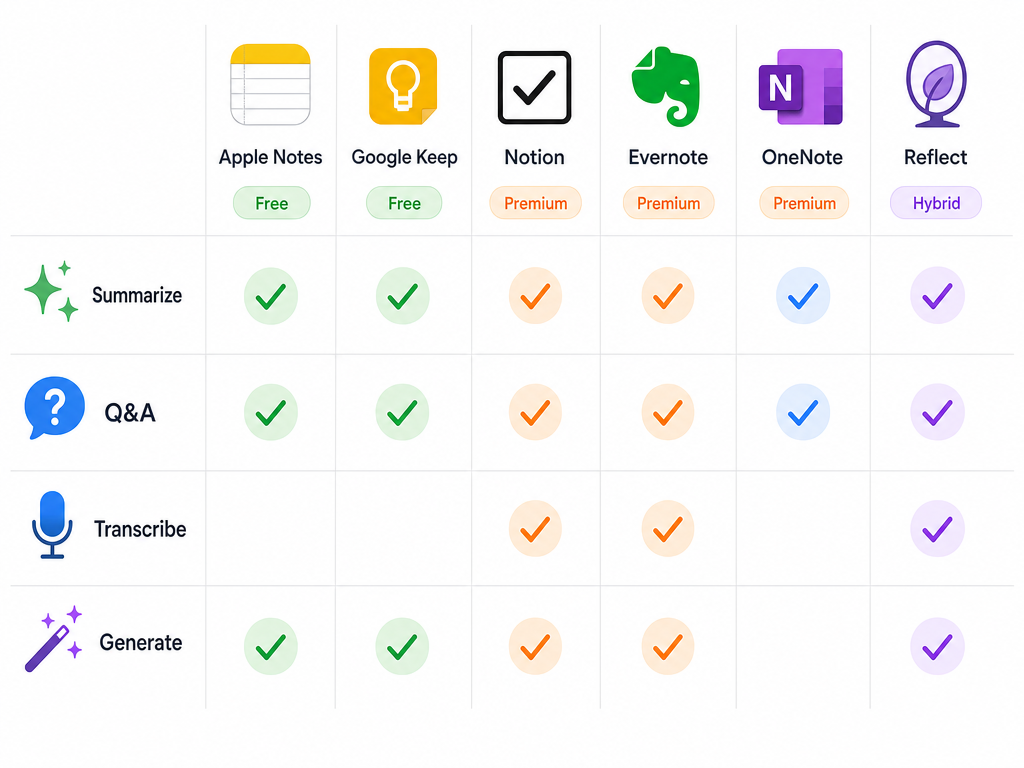
The term "AI" in note-taking apps covers four distinct capabilities, and not every app offers all four. Understanding the difference between them is essential to deciding whether the paid tier is worth it for your specific workflow.
| AI Capability | What It Does | Free Tier (Apple / Google) | Premium Tier (Notion / Evernote / OneNote) | Hybrid (Reflect / Mem) |
|---|---|---|---|---|
| Summarization | Condenses long notes, articles, or meeting transcripts into key points | Apple Notes: yes (free). Google Keep: limited (Gemini rollout) | All three: yes (paid) | Both: yes (included) |
| Q&A Over Notes | Lets you ask natural-language questions about your note collection | Not available | Notion: yes. Evernote: yes (AI Search). OneNote: yes (Copilot) | Reflect: yes. Mem: yes (contextual surfacing) |
| Transcription | Converts audio recordings into searchable text | Not available | Evernote: yes (AI Transcribe). OneNote: limited (via Copilot) | Reflect: yes (via voice notes). Mem: limited |
| Content Generation | Writes drafts, rewrites text, generates ideas or outlines | Apple Notes: rewrite + image generation. Google Keep: limited | Notion: generate + edit. Evernote: AI Edit. OneNote: generate | Reflect: yes (prompt library). Mem: limited |
The most significant gap between the free and paid tiers is Q&A over notes. Apple Notes and Google Keep cannot answer questions across your note collection — they can only work with the note you are currently viewing. If your workflow depends on retrieving information from hundreds or thousands of notes, the premium tier's Q&A capability is the feature that justifies the cost.
Value Analysis: Is Paid AI Worth It?
The answer depends entirely on how you use notes. For a significant portion of users — perhaps the majority — the free AI tier is sufficient.
If your note-taking consists of meeting notes, personal journaling, quick ideas, and occasional document summaries, Apple Notes or Google Keep will handle 90% of your AI needs at no cost. The rewrite and summarize features in Apple Notes are genuinely useful for polishing meeting notes or condensing research snippets. The device limitation (M-series or iPhone 15 Pro and newer) is the main barrier — if you are on older hardware, you get the app but not the AI.
If you manage a large, interconnected knowledge base — a second brain, a research archive, a product documentation system — the premium tier's Q&A capability becomes a differentiator. Notion AI's ability to answer questions across your entire workspace, Evernote's AI Search across thousands of notes, and OneNote Copilot's integration with your broader Microsoft ecosystem each solve a problem that the free tier cannot touch. For these users, $24 to $25 per month is a reasonable price for what amounts to a personal research assistant.
The hybrid apps occupy a sweet spot for users who want more than the free tier but do not need the full platform. Reflect at $10 per month offers model choice and a customizable prompt library — ideal for users who want to tailor AI behavior to specific recurring tasks. Mem at $12 per month is best for users who want AI to work passively in the background, surfacing relevant context without manual effort.
Privacy Considerations with AI Processing
The AI paywall is not the only divide in 2026. There is also a privacy divide, and it does not align neatly with the free-versus-premium split.

Apple Intelligence processes entirely on-device. When you ask Apple Notes to summarize a note or rewrite a paragraph, the data never leaves your iPhone, iPad, or Mac. This is the strongest privacy position among the apps discussed here — no server-side processing, no data retention, no third-party model access.
Google Keep's Gemini integration, by contrast, processes in the cloud. Google's AI infrastructure is robust and well-audited, but your note content is sent to Google's servers for analysis. The same is true for Notion AI, Evernote AI, OneNote Copilot, Reflect, and Mem — all of them rely on cloud-based large language models to deliver their features.
For users who prioritize data privacy above all else, Obsidian remains the outlier. As Tech Insider AU notes, Obsidian stores notes as "plain Markdown files that never leave your device" unless you pay for the optional Sync service. Obsidian does not have built-in AI — there is no summarization, no Q&A, no transcription — but its local-first architecture means no third party ever touches your data. If you want AI in Obsidian, you would need to connect it to an external service (like a local LLM or a third-party plugin), which adds complexity but preserves the privacy model.
For a deeper analysis of non-AI costs — storage caps, device restrictions, export lock-in, and data ownership — see our article on the hidden costs of free note-taking apps.